← Spa Marketing Made Easy | Spa Business Growth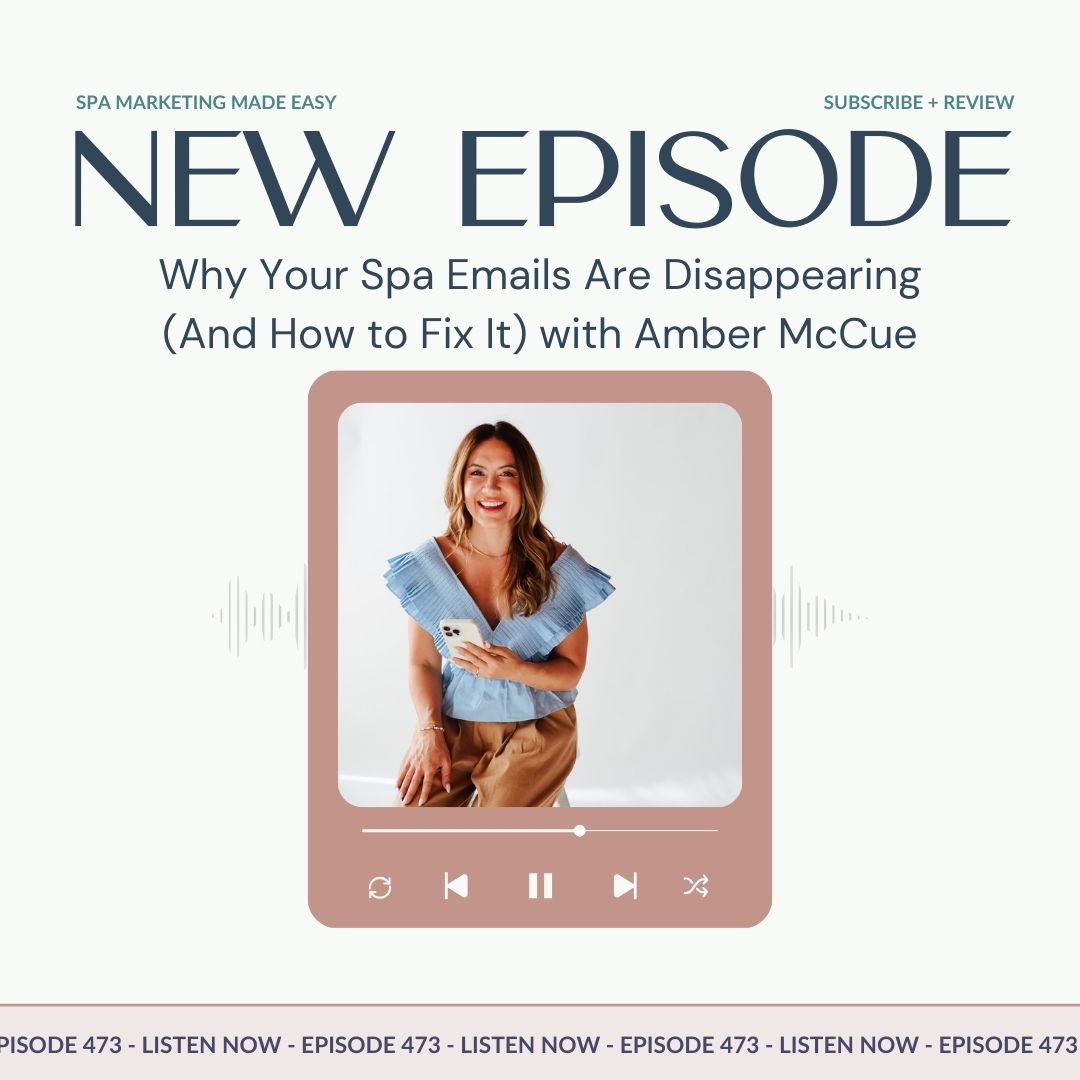
Spa Marketing Made Easy | Spa Business Growth
SMME #473 Why Your Spa Emails Are Disappearing (And How to Fix It) with Amber McCue
00:33:07
Loading summary
Transcript126 lines
- [00:03]
A
Well, hello and welcome to the Spa Marketing Made Easy podcast.
- [00:07]
B
I'm Daniella and boy, do I have
- [00:09]
A
an interview for you today. So I have a group of friends, they're all entrepreneurs and we meet once a month to talk business. This is online because these are people that are all over the world now. I love this group. I'm so happy that we found each other. And a few calls ago, Amber was sharing an update. She was, she's the guest on today's episode and she was sharing a story with us about this email situation that happened to her company. And if I'm being real, you guys, if this happened to me, I would literally have no idea where to even start. And this is not just like a small email problem. This is something. This is a situation that could have potentially cost her tens of thousands of dollars, if not hundreds of thousands of dollars. Now, she and her team handled it like the pros that they are. And it was such a great reminder going through not only the monthly call that we had with our group of entrepreneurs, but also here on the podcast interview. To know people, to have people in your circle that know more than you is such a valuable thing. You never want to be the biggest fish in the pond. And Amber certainly knows so much more than me on this topic, which is
- [01:26]
B
why I was so grateful when she
- [01:28]
A
said so graciously agreed to come on and share this experience. This is not a highlight reel. This is not anything like that. This is real business. These are real problems that come up. And she is being very open and sharing what happened and giving lots of great feedback of what you can do to fix it if something like this ever happens to you. Now, if you do any sort of email marketing at all, you're going to want to listen in because Amber is getting real. All right, now let me just read her bio and then we will jump right into that interview. Okay, so Amber went from single mom in college to multi business owner running freedom based companies from Ethiopia to Chicago and from Abidjan to Zagreb. With a background in corporate consulting and studies at Johns Hopkins organization develop development MBA program, she helps modern CEOs scale strategically without sacrificing time@amber McHugh.com in addition to consulting, her businesses are in the online children's education and photography brand that grew from a side hustle to a multi million dollar operation in 26 cities, giving her firsthand experience in creating systems that fuel growth and freedom. She's incredible. I know you guys are going to love her as much as I do and let's go ahead and play that interview.
- [02:54]
B
All right, Amber, welcome to the Spa Marketing Made Easy podcast. So happy to have you here. And I'm so. I'm really hoping that we can explain what happened with your email, because I think this is such, such an important aspect of doing business for business owners, for spa owners, any business owner that is using email to connect with their clients. If you're trying to do the debrief and figure out, like, what, what's happening, what's working, what's not working, I mean, this. You blew my mind when you shared with me this process. I was like, oh, my God, I would not have known what to do. So let's, let's go back to. And like, tell the story from the beginning. You have an online business. We were both doing a webinar, like a launch, very similar timing. And you had done this webinar multiple times before, no issues. You understood what your show up rates, your, you know, all your KPIs, and something was drastically off. Yes. Okay, so start there.
- [04:14]
C
Yes. Okay. We are hosting this event and big marketing campaign and we typically have a certain number of people showing up arriving throughout the week. Bigger number of people sign up and lesser people show up to the webinar, the workshops, and we're noticing it, we're kind of watching it. But then at the end of the week, people are saying, it's over, the event's over. I signed up for the event. I didn't get any of the emails. So we already had like this intuitive hit, like, something is off. But then when people said we didn't get the emails.
- [04:54]
B
So are they responding to you or are they posting on your social? Like, how are you hearing this?
- [05:01]
C
Yes, great question. A couple people emailed, like, I signed up for this event. I thought it was this week, what's happening? And then they were also posting in our Facebook community. And the thread after that just kind of like, me too, me too. I didn't get anything either. I didn't get anything either. Check here, check there. And it wasn't even landing necessarily in their spam folder. Right. Or in their promotions folder. I think we got it.
- [05:26]
B
I think that's what blew my mind is that it wasn't even in spam. I was like, yeah, yeah.
- [05:33]
C
And there's a reason for that, which we will share.
- [05:36]
B
So, I mean, I'm thinking about this. Like, in spas, we do in person events. We'll do mini events, we'll do open houses, and email is a big part of that communication. We do Call as well. But I mean, the. The thought process of investing so much time and so much money to host an event. And if your people are not getting the communication.
- [06:04]
A
Yeah.
- [06:05]
C
Then they raise their hand and say, I want to come. But then you never. You don't remind them. You don't tell them, oh, it's happening now.
- [06:13]
B
And that also, like, doesn't look good on you from, like, you obviously did what you were supposed to do, but from their perspective, like, they're like, what? What's happening?
- [06:25]
C
Yeah.
- [06:26]
B
You know, so, okay, so you're seeing,
- [06:29]
A
in the group, you're seeing this thread
- [06:30]
B
that's going through, like, I didn't get any emails. You know what's happening.
- [06:34]
C
Yeah.
- [06:35]
B
So where does your mind go?
- [06:37]
C
Well, it's interesting. My team saw these messages coming in first and they immediately started investigating because I was delivering a workshop as, like, the big flurry starts. It's happening. And they told me they investigated everything. And they told me about an hour later, we have a problem. We know what's happening. We checked all of these things and we got to the root cause, and so they were on it.
- [07:07]
B
But how does your team, like. I feel very proud of my team. I feel like they're very tech savvy. I feel like. I feel like I am tech savvy. And I would not have known where
- [07:21]
A
to look with email.
- [07:23]
B
I would have thought, do you need to clear your cache? Do you need to turn off the computer and restart?
- [07:29]
C
Like, restart. Is that. Maybe it's in your trash. Did you set up a fil. The basics. But they. We have. My business partner and I worked for a. An email marketing. A marketing agency. So I had done a lot of consulting on email strategy, email marketing, and we partnered and collaborated on a lot of things around this as well. So this really, the foundation of this came out of my corporate background. But running an online business, we kind of always had an eye on that and have been watching it ever since.
- [08:05]
B
But for just the normal small business owner.
- [08:09]
C
Yeah.
- [08:10]
B
Like how. What do they do? Like, what are the steps? What were the things that you guys looked at? Let's look. Okay, let's get into that.
- [08:17]
C
Yeah, I'm gonna break it down. I'm gonna try and keep this so simple. And honestly, there are a couple of things that I don't even understand. So I'll tell you what, when I hit those points. But first up, clean email list. So if you are emailing people who aren't responding, they haven't opened an email in six months, a year, two years, Three years, I still need that.
- [08:43]
B
I see you, those people with the 20,000 emails on your red bubble.
- [08:47]
A
Come on.
- [08:51]
C
And that is not helping you. So emailing people that are just letting their inbox fill up, you do not want to keep emailing them. And we knew this was not our problem because our email, we do not send emails to people who do not open over time because what that does is that it tells the email service providers, the Gmails, the Yahoos, the hotmails of the world, hey, they're not opening your email. They don't want it. So they're going to move it to that promotions, that spam folder over time if you're sending the email to enough people that do not open.
- [09:32]
B
So we do, we use a software called Zero Bounce and we do this once a year. Are you familiar with that software?
- [09:40]
C
I'm not that one specifically, but I'm familiar with software that checks this for you and it helps clean your list.
- [09:45]
B
Yeah. So it goes through once a year. It removes any of the bots, it removes any, like, emails that are bouncing, anything like that. And it's really inexpensive to go through. And we do it once a year. And the first time that we did it, I think, I mean, it was like thousands of emails that we got rid of. So, like, your heart sinks a little bit.
- [10:10]
C
So sad.
- [10:11]
B
Yeah. But it's like, you know, what if those are not real people or if they're not, you know, wanting to hear
- [10:17]
A
or be in relationship with us, that's fine.
- [10:20]
B
Lesson release. Blessed release.
- [10:22]
C
Different season. People move.
- [10:25]
A
Yeah.
- [10:26]
B
Okay, this is number one.
- [10:27]
C
Clean that list.
- [10:28]
B
Clean list. And how do we tell if someone is opening our emails or not? Is that a feature that's standard inside of a mailchimp kit, whatever type flow, desk, whatever type of email service provider you're choosing?
- [10:48]
C
Absolutely. Yeah. You can see your open rate. So I've got 10%, 20%, 30%, 40% open rate. That other percentage that isn't open some email. Some CRMs have this built in so that you can see run a report, see everyone who hasn't opened in 90 days. But otherwise, to your point, there are external plugins, you mentioned Zero Bounce. Some will integrate right with your CRM where you're sending emails from, and just quickly pull those people to a separate list because you might not want to just delete them. You might want to download that list and do some other kind of marketing campaign to those people to say, hey, you haven't opened our emails in so long, we miss you. Come back a special a Promotion and you can sort of separate that audience before you send. Say farewell in part.
- [11:45]
B
Okay, so clean list, you've got that. What's the next thing?
- [11:48]
C
Okay, this is the one I don't understand really. It's called, it's. There's three sort of letter, three abbreviations, jargon here. Spf, not the sunblock, DMARC and dkim. So these are. DMARC is the one I hear referred to most often. But what you want to do, most email providers that you are sending from the CRM now require you to register your dmarc. Okay. So let, and what this does is it's a registration in the Internets with the email service providers like Gmail who are receiving emails to say you are legit, you are not inherently spam. You're registered. This is.
- [12:33]
B
Okay, so okay, and is that something that your CRM does for you or is that something that we have to manually do?
- [12:42]
C
Yeah, and your CRM doesn't do it for you, but it will. There is usually a place in your CRM to do this and you might have to pop out somewhere else to register. I told you I'd be honest. This is the one where I'm like, oh, this is one of those things. You do it once and you're going to be good for a while. And your CRM likely flagged if you didn't have this registration because it became a requirement. So you should be good. But if you're, if you're wondering and you don't know, just go double check. And when we saw this email coming up, we went and double checked like we fixed this. We fixed it, right? Yeah, we fixed it and then we had to fix it again. So just if you don't know, go look this up.
- [13:25]
A
Okay. Okay.
- [13:28]
B
So clean list, dmarc, what's number three?
- [13:32]
C
Segmentation.
- [13:34]
A
Okay.
- [13:34]
C
You do this.
- [13:35]
B
We talk about segmentation all of the time inside of growth factor. So patients, non patients. And then you know from that's like top line and then below there we're breaking out by service that they're doing by member non member if you have a membership base. So we're really breaking it down in that way. So you're sell you're sending more targeted, focused emails off of behavior rather than like the, the E blast. That is exactly a blast blast.
- [14:10]
C
And this is good because of that first issue that we talked about. If you are sending email to people who don't want this message and you're not opening, it's not catching your attention. The Gmails of The world are going to say they don't want it and that's going to reduce your effectiveness in your email. So another example of this is I, everybody on my list is getting this email about a promotion. But the promotion only applies to 50% of people. So we only send it to the 50% of people because that's just gonna help you keep your list clean. Now in our case we had 3,000 people who signed up for this event, but our list is much bigger than that. So we were only sending these emails to the 3,000 who said yes, I would like to receive that communication. I wanna participate in this event now. We invited our bigger community to it, but they didn't raise their hand, they didn't say yes. So we didn't keep sending emails. And so we knew that is not our problem. It was not. We're not seeing less people attendance. So it's just something to be mindful of. If this group of people have said no, I never want Botox. Okay, we're not gonna send you Botox specials, we're going to send you the laser specials. Right? So that sort of of alignment, we're
- [15:30]
B
going to educate them on why Botox
- [15:32]
A
is your love language.
- [15:36]
B
But I digress
- [15:41]
C
then you already talked about this. Bounces, opt outs. If people are opting out, if their email addresses are bouncing, a soft bounce or a hard bounce, a hard bounce would mean the email address doesn't even exist anymore. Right. Softbounds could be their inbox is full. So that's coming back to you don't send to those. But your CRM that you are sending emails from should take care of that one. But I share it just so you're aware.
- [16:08]
B
Okay, what's next?
- [16:12]
C
Okay, next is domain reputation. So you know, what does that mean? Okay, so my email is whatever, whatever@amber McHugh.com Amber. It's actually Amber@amber McHugh.com and so your domain is the Amber McHugh.com. it's where you're sending your email from and you have a reputation so you have a reputation for being a good sender or a bad sender. You have a reputation for people opening or not opening and each of the email service providers has gives you a different score. So Gmail may score you different from AOL may score you different from Hotmail, etc. Do you, does anyone, do you use any of these other email Gmail?
- [17:01]
B
I don't understand people that don't have anything.
- [17:04]
C
I'm saying it as an example, but it feels so weird so there are. I'm sure there are others that I don't know about. Yes. So you have a reputation and your reputation is different with each one of these. And that is tied to your Amber McHugh.com now.
- [17:23]
B
And so can we see what our reputation for us.
- [17:26]
C
Okay, you can type in like, give me a website to check my domain reputation. And you can check that real quick. Some email CRMs will have that built in. Like we check, I mean, random website, wherever, domain reputation checker, whatever, whatever. But your CRM may also have a place for you to check that. Like we use go high level and they have a place inside where they can see. Oh, yeah, no, your domain reputation is okay, so green. We're good. And it. And it might be a green score. Green, yellow, red kind of thing.
- [18:07]
A
Okay.
- [18:07]
C
And our domain reputation was also fine. So like we're getting clues. Okay. It's not that. It's not that we're still good on domain reputation. Sometimes if you're blasting a lot of emails at once. Right. If we were sending to our whole list again. And I'd say, whoa, this is a lot of emails. This isn't what you usually send. It might flag. It might hit our domain reputation. We didn't send to everyone, just send
- [18:29]
B
it a small group.
- [18:30]
C
So we were. Okay. We were still green.
- [18:33]
A
Okay.
- [18:34]
B
All right. So your team is going through all of this while you're on a call?
- [18:38]
C
Yes, I am delivering a workshop to hundreds of people. And they're. And there were hundreds.
- [18:45]
B
They're looking up the dmarc, your domain reputation. They're going to town. Good for them.
- [18:51]
C
Exactly. And this doesn't. Most of this doesn't take long to check.
- [18:57]
B
Well, you're like. They knew what to check.
- [19:00]
C
Exactly. Yeah.
- [19:01]
B
Okay.
- [19:02]
C
You definitely want to know. Proactive idea.
- [19:04]
B
Are we getting closer to the actual problem?
- [19:07]
C
We're getting closer. We got two more things.
- [19:08]
B
Okay.
- [19:10]
C
Spammy subject lines that'll move you out.
- [19:14]
B
What determines a spammy subject line?
- [19:17]
C
Yeah, sounds salesy. Free. Free. Something can even also get you flagged and moved over to spam or promotions as a. As a first location likely. And there are also so many checkers for this too. So is my subject line spammy? Google it, search it up, chat it up, and you'll find something to check that also. And we didn't have that problem. We checked those before.
- [19:45]
B
I guess that would also be for a lot of our people are using custom GPTs to create their emails on the first draft. And so they're putting in like the, you know, all of you could put in the prompt of make sure that the subject line is not spammy according to.
- [20:03]
C
Yeah, yeah. According to guidelines. And sometimes Claude had you p. Will come out, will come up with something that's kind of spammy. And then you ask them and they're like, oh, yeah, you're right. Maybe we should change that so you can just pressure test it and pressure test it in an external tool.
- [20:22]
B
Okay.
- [20:22]
A
Okay.
- [20:23]
B
So spammy headlines. And then are we like drum roll at the thing.
- [20:27]
C
Drumroll. And this one. So the big issue is it's an issue for all of us, really. Or for most of us. And when we are sending emails through a CRM, you are likely sending an email from a shared IP address. So let's say you live at. And the IP address structure is a little bit weird. It's like 199-77-7832.
- [20:57]
B
So I live in Silver Spring, Maryland.
- [20:59]
C
You live in Silver Spring, Maryland, and you're sending mail from Silver Spring, Maryland, but so are other people. So if Silver Spring, Maryland became known for sending all sorts of spam or email service providers were like, hey, that email that comes from Silver Spring, Maryland, it always looks a little fishy. You might be sending emails that are not fishy at all, but your neighbor is, and your other neighbor and then the person across the street. And like, you're making me look bad, everybody.
- [21:29]
B
What you're saying is this is all your neighbor's fault.
- [21:32]
C
Yeah, I'm blaming the neighbor. But you know, when we look at all those other things, we're okay, we're okay, we're okay. Or not okay. When it falls down to that, if your neighbor is not checking this whole list that we just looked at, you're all sending email from Silver Spring, Maryland. You're all sending email from the same IP address. And if one person is like blasting spam, if one person, even if they get hacked, they might not even do it intentionally, they might get hacked. Or if one person doesn't maintain their domain reputation, it can bring. It's going to bring the whole IP address down.
- [22:12]
B
So what about. So are you using, like, what if you use a VPN or something like that? Doesn't matter.
- [22:18]
C
Matter because. Because you can put a VPN on, but you are still in Silver Spring, Maryland. You cannot hide this fact in this scenario. And what happens is it's. It's not tied to your computer and your physical location. It is coming from your CRM. You're not. So our house scenario doesn't quite work because you're not sending email from your house. You're sending email through your CRM, who actually kicks it out for you. So our CRMs have us on these shared email addresses or shared IP addresses. And what they. What should be happening is they should be regularly monitoring them. And here's what happened. We got down to the IP address, and we're like, oh, check this. Our IP address was blacklisted.
- [23:05]
B
So how do you. What does that mean? And how do you even find that out? And then how do you fix it?
- [23:11]
C
You put it in a checker, another checker online, all sorts of free checkers on this, and then there'll be options to get it fixed and upgrade, et cetera. But there, I think it's like whitelistchecker.com because you want to make sure you are not blacklisted. So check my IP address and make sure I am not blacklisted, or check the health of my IP address. And so you pop that in there and you find out, oh, you're good again, it might be a green, red, yellow, green. It might be if you're blacklisted. For us, it was like a big, sad red X and like, oh, that's not good. What do we do? And I only knew this and know this because when I was working in corporate on big accounts, we would monitor the health of all of these things. And so we got to this point, we're like, okay, that is not us. We're on a shared IP address. We've got to go back to our CRM. And they should be monitoring. And if something gets blacklisted, they should change the IP address. Or if there's someone on the block who is sending a lot of spam. Hey, you're making us all look bad on this IP address. You got to stop that. So they should be reviewing it and checking this regularly. So you could probably ask your CRM about this, your mailchimp, your flow desk, et cetera, and they should have a protocol in place for this. And maybe we just got caught in this window of, oh, shoot, like, black. Ah. And they were in the process of catching it and changing it. After we came, after we discovered this, we of course reached out, like, you missed this. We need to get this updated. And of course they did. And is there the. How else can you protect against this? Do I have to share my IP address?
- [24:58]
B
So I'm already thinking, like, how would I build this into. So in our. We have systems that we do for, like, spa CEOs, and there's the things that you do daily, the Things that you do weekly, the things you do monthly, quarterly, biannually, and annually. And I feel like the. There's a couple of things that would maybe be biannual and a couple of things that would be annual of just even like reviewing. Is this correct? Is this. So for those of you in growth factor, if you have your CEO routines, boards, I would be adding this right now of clicking on that and adding, you know, checking the, the dom, the zero bounce. Like, I don't know exactly what all of these things are, are called, but we'll, we'll do a recap of, of them and I would get them added in there in a regular basis because I would so much rather be like, proactive in a situation like this than be forced into a situation where you have to, like, be reactive and solve the problem.
- [26:10]
C
Exactly right.
- [26:11]
B
Because, you know, I mean, I know you had like hundreds of people that didn't get the email, and then, yes, you did another webinar to accommodate, but, like, how many people did you lose from that? You know, like, yeah, you never know. You never know. And that was not something that was your fault. It was not something that, you know, like, you were not spent sending spammy messages. It was just, thankfully you knew how to fix it and didn't just continue down that path and be like, what
- [26:46]
A
in the world is happening?
- [26:48]
C
I know, because we beat ourselves up. Like, oh, it's not working. What did I do? What did we. No, it was pretty clear, especially when people said, I'm not even getting these emails. I checked my spam, I checked my, you know, everywhere promotions. I check my trash. Because what happens when you're blacklisted is that Gmail isn't even letting that go through. It's not. There's no, you cannot pass this threshold at all if your IP address is blacklisted. So it's one of those things that most people were getting our emails and then all of a sudden they weren't.
- [27:21]
B
And it's this whole conversation. What it's bringing up for me is like, so I talk with so many spa owners who are upset or nervous when someone unsubscribes. And I'm like, no, that's like the best thing that can happen if it's someone who does not want your service or does not want to be in relationship with you. The, the most gracious thing they can do is unsubscribe. And it's like, bless and release, move on. Because it sounds like if they're just staying on and not opening the emails and letting them clutter up, it's actually hurting your business longer term.
- [28:02]
C
Yep, absolutely.
- [28:04]
B
I mean there's, there's a reframe right there.
- [28:07]
C
Yeah. And I mean, there are so many reasons why people unsubscribe. I, you know, we move so much that all the time. Like, oh, that was great. I still follow some accounts on Instagram. Like, I really could let you go. I can't yet. I'm just hanging out. I'm not necessarily helping, but I'm just hanging on.
- [28:25]
B
So what did you learn from this? Like, in this process of going through like how it. Did you update your pre launch systems? Did you put any, like, what were the, like when you went through the debrief of this whole situation with your team, obviously you're praising them for like, I mean, shout out to the team.
- [28:49]
C
We figured it out. Oh, okay. Still don't like it. Yes. We all felt it together.
- [28:55]
B
Yeah. That's entrepreneurship though. I mean, like, your job as an entrepreneur is to put out fire after fire after fire. That's what it is. And so by doing that. But I'm just curious like how you. I always find, I'm like, yeah, we put out a fire and then we figure out how to not make it repeatable. And that's where the systems aspect comes in.
- [29:21]
C
Yeah. So we had checks on all of these things in place and really the IP address was sort of the lingering one. So all those other things. Yeah, we know, we're checking. We're good, we're good, we're good. We're watching it all the time. And so we've been looking into the IP address situation and there is an option and this is not the best option for everyone and it's actually possibly not an option for us right now to move to a dedicated IP where you're not sharing. Whereas Silver Spring, Maryland is yours, all yours. So if you mock it up, you mucked it up all on your own. Right. You're not mixed in with anyone. And the recommendation on dedicated IP addresses is that you're sending over 100,000 emails a month. And there are some other things with that and some other responsibilities that come with that. You've got to warm it up. You can't, you know, got to make sure you're not sending the spam and the cold and all those other things that we talked about through. So we're looking now, do we qualify? Does that work for us? Does it not work for us? Does it make sense? Does it not? Because if you're not giving enough information to the esp, the Gmails of the world, your dedicated IP address might not work either. So they need enough information to sort of score you and assess you. And so that is our next step. And if we can't move to a dedicated IP address or it doesn't make sense to. We are also going back to be like, how are we going to fix this Yellow? Because this week we looked again. We checked our IP address because of a client, wrote in and said, hey, your email went funny again. I'm like, oh, no. And honestly, there are. You can send emails, right? Send emails to another email account that you have. Right. A separate Gmail account. Not the one where you're always watching and opening your own email, but a separate one where you can kind of test where did that go and check it. But a client caught it before us and we're like, oh, man. So we opened it back up. We are yellow again. We're not red, we're not green. We're yellow. Which means, okay, you're just a little bit more on alert. And we don't want to be on alert.
- [31:31]
B
Right. I mean, that's when you're doing an online business or any. I mean, any business, for that matter. There's so many digital components to it. I'm thinking of spas that have E Comm stores. I'm thinking of spot, you know, like online booking confirmation for those things. I mean, your email is the link.
- [31:53]
C
Yeah. Down. Someone doesn't get their confirmation that they just booked, so. So it's not on their calendar. They don't show up.
- [32:01]
B
Yeah.
- [32:02]
A
Yep.
- [32:03]
B
My goodness. Okay, well, I am so grateful to you.
- [32:09]
A
This.
- [32:09]
B
As. As I said before, when you shared that in our Mastermind call, I was like, oh, my God.
- [32:17]
A
I was.
- [32:17]
B
It was like. I was like, man, I've been doing this for 12 years. I thought I knew something. And I had. I had no idea. That was like a brand new world for me. So I knew like, okay, I've got to share this with our listeners. I've got to get that. Like, that was something that just blew my mind.
- [32:35]
A
So I appreciate you being so open
- [32:38]
B
and sharing with such generosity. Can you share where our listeners can find you and follow you if they want to keep in touch?
- [32:47]
C
Absolutely. I would love to connect. I'm on instagram @amber McHugh. Same place on YouTube and my website's Amber so easy.
- [32:58]
B
Love it. Thank you so, so much. And we will catch you all in the next episode.