← The Audacity to Podcast® - tips and how to start and grow profit in podcasting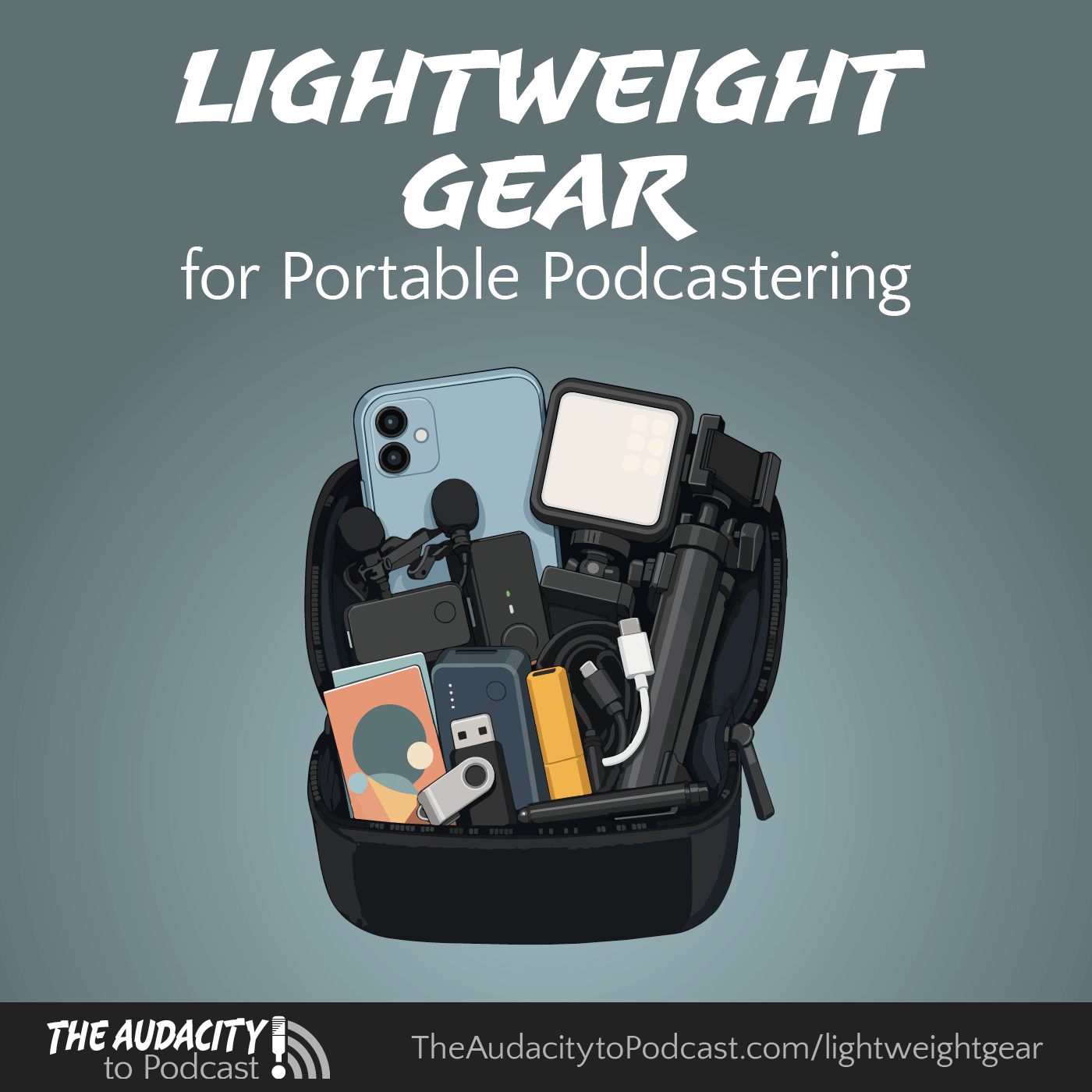
The Audacity to Podcast® - tips and how to start and grow profit in podcasting
430. Ten Lightweight Portable Podcasting Accessories Every Podcaster Should Own
00:18:46
Loading summary
Transcript1 lines
- [00:01]
A
Going somewhere. Here are 10 lightweight portable podcasting accessories I think every podcaster should own. Thank you for joining me for the Audacity 2 podcast. I'm Daniel J. Lewis. In podcasting, we often talk about portable podcasting gear and portable studios, where you're bringing essentially your studio with you, but in a slightly smaller, more portable package. This that's not what this episode's going to be about. I'm going to share with you some accessories that all of these can fit in a small bag that you can take with you to continue some of your podcasting workflow, as well as open up opportunities for you to record and publish other kinds of content, not just for your podcast. So follow along in the notes, a simple tap or swipe away. Look at the chapters or go to the audacitytopodcast.com lightweightgear and for disclosure, some of these links are affiliate links, and I would recommend these things even if they weren't affiliate links because I recommend things I truly believe in regardless of earnings. That disclosure out of the way, let's start with number one, a smartphone. I'm surprised how many podcasters forget how much power their smartphone has for a podcasting workflow these days. You can record videos with it. You can record audio with the really good internal microphone, which is much better than Bluetooth microphones or wired earbud microphones, things like that. If you turn the smartphone upside down and treat it as if it was an interview, or a handheld microphone that produces surprisingly good audio, it's a really good microphone in there. And those microphones are just getting better with each generation of phone. The cameras are also getting much better too. So instead of thinking about, oh, what's the best laptop I should get? Or what kind of portable studio gear should I get? Just remember your smartphone and learn how to use the apps and tools on it to help with your podcasting workflow. It's crazy that I see some podcasters who will consider either spending hundreds of dollars on portable gear, but they won't consider spending five to $10 on an app for their phone. That will help them to do a lot of the same things. Please don't be one of those types of people. Your smartphone could be your central computing device, especially if you have the latest generations of smartphones where they're all USB C. Now you can connect that to almost anything, and that opens up all kinds of great possibilities. And one of those is then moving on to number two, a wireless lavalier mic kit or a LAV mic kit. This is my recommendation Instead of thinking about bringing your portable handheld or studio microphones with the XLR cables and the adapters and the converters and the Zoom Podtrak P4 or a Rodecaster Duo or anything like that, bring your smartphone and a wireless lav mic kit. Because, yes, the quality is not going to be as good as a portable studio microphone, but sometimes that's okay, especially if your audience knows that you are in a different environment. I think sometimes they would rather hear good content from you in a different environment with slightly different audio than nothing at all. And it's so much more exciting to be able to record that content on site when you have that energy going and you're so excited about it at that moment. And then that excitement can be killed with, oh, I need to connect the microphone, pull it out of the case, connect it with the XLR cable, connect it to this, connect it to that. Set this up, set that up. Bring the mic stand. Oh, I forgot the mic stand. So I'm going to have to handhold the microphone. That's going to create handling noise in the recording. All that kind of stuff. Yeah. Can be frustrating and can be a joy kill. Instead, consider wireless lav mic kit, and there is a specific one that I recommend. I love this kit. I've recommended it so much that at a conference, when the company who makes this kit learned about how much I loved the kit and have been recommending it even to people at the conference showing them pictures of the kit on my phone, this company gave me one of the microphone kits for me to use. And so I'm very thankful to them. And that is the Hollyland Lark M2S. I love this mic kit so much because it is super tiny, it has no visible branding when it's being worn, and it's much easier to wear correctly and still look good and still produce really good audio. It's not the best sounding wireless microphone kit that you can wear, but for its extremely small size, I think it's really good. And for a very low price, too. Under $150 for a full kit that could connect to almost anything that is. Oh, my, I almost said insane. And if you know what I said in my previous episode, you know how much I'm starting to hate that word insane. But if anything could be called insane, how this microphone kit is under $150 for two wireless lav mics and a receiver. And actually for $150, you can get two different kinds of receivers. So you could connect it to a camera or connect it directly to a smartphone. And even just that smartphone adapter is USB C so that means you can connect it directly to your computer. You don't need a separate receiver for that. And that's the case for a lot of these wireless lav mic kits. It's just I like this one the best because I think it's the best balance of quality and, and price. And I especially like how small it is and how easy it is to use because you can very discreetly clip it onto someone's clothing and detach it then when you need to. And you don't have to worry about pointing a microphone back and forth at two people. It picks up the person you're talking with and yourself even it picks them up very well. It produces good quality. And it's not something like, hey, put this microphone on and run this wire through your jacket or through your shirt so we can run it to this and all. You don't have to mess with that kind of thing. And it also doesn't have a big brick sitting on the outside of clothing, which is usually the wrong way to use those kinds of microphones. That aside, get a wireless lav mic kit doesn't cost very much and you can use it for your audio only workflows. But also when you're connecting it with your smartphone, think about what kinds of videos that you could record to share with your audience. You might do some behind the scenes kind of stuff, some visual tours, some live streams, some shorts, or maybe even your regular videos that you might record you could do with your smartphone and the wireless lav mic kit. And then you don't have to worry about so many cables all over the place and connecting this to that and making sure you bring all the adapters and all of that stuff, it's so much easier like this. And it is very, very small and lightweight. Number three a phone stand with selfie stick. If you're using your phone for any of this, which I do recommend, I highly recommend getting a phone stand that could function kind of like a tripod. But the whole point of a tripod, the tri is that it has three legs. These phone stands now are nicely balanced and with the phones being so lightweight, it's basically a monopod with some little feet that stick out at the bottom to keep it upright. Something like that can be great because you could set that on the floor. It could get to eye level with you and someone you're talking to or maybe just yourself and you could record your videos like that. And if it has a Selfie mode as well, where you can hold it like a selfie stick and have the phone pointing at you. That can work too, for the walking around kind of videos. Or even just if you're doing an interview with someone and that's your only option is to do the selfie stick kind of thing and hold that up for you and the person you're interviewing with them. Also wearing one of your wireless lav mics. That can make things so much easier. And then maybe you're back in your hotel room or you've got a conference room or something where you can then put your phone in a stand and set that on the table, the desk, whatever kind of surface you have to record your videos. That way, it gives you all kind of power to release extra content that your audience might find engaging as well as maybe produce the content you would normally produce. Yeah, lower quality than maybe your normal studio setup or bringing a mirrorless or a DSLR camera. But I think sometimes our audiences are more interested in hearing from us than getting the pristine audio quality. Still go for really good audio quality and video quality, but it doesn't have to be pristine every time. And one of the great ways that you can get good video is then with number four, miniature lighting. In my studio, I've got multiple lights up in my space to give me some really nice complimentary lighting. And there are all kinds of LED light panels that you can get that have all kinds of lumens of output and features and such. I'm talking about lightweight stuff, something that you could even potentially just clip onto your phone. Now, with the brightness of LEDs and how some of these things are designed to spread the light out, even in a smaller form, these can look really good and can make your videos look so much better. Because especially if you're recording somewhere where you don't have control over the lighting, stuff can start looking ugly and cheap really easily. But with even just some basic lighting, something that clips onto your phone and provides some LED lighting from your phone, that can look so much better. And they're not very expensive either. Number five, a USB drive. And whether you make this USB A or USB C, make sure you have the adapter so it can connect to either one of these. The reason I recommend this is there could be those times where you might have an opportunity to get some files from someone, and to get those files you need some kind of drive. Or maybe you want to bring some of your podcast assets with you, like your audio branding or your artwork or anything like that that you Might need to be able to share with someone at a conference or an event or whatever. You're going to have a USB drive. Because even if your phone can't do what you need it to do for your podcasting workflow, maybe you can borrow someone's computer and you can use your USB drive for your workflow or to get what you need onto that drive or from that drive. And it is very, very versatile and valuable to have with you. Number six, backup batteries. These come in different forms. Think about just having backups for whatever kind of batteries, whatever your brain uses. Like I have all kinds of in a loop, double A and AAA batteries and a charger. And that always goes with me because I have multiple devices that are powered by AA and aaa, like recorders or cameras or lights or different things. My mouse, even an older mouse that I still use sometimes. But also think about. And this is what's even more versatile these days, especially since so many things have usb. C just a battery pack, which is a portable battery in some kind of form that you plug USB cables into it and can charge your devices from that. You could charge your phone, your wireless lav kit, your lighting. Many of these lighting systems now can be charged from USB and so much more. So get a good one. Don't go for the cheapest one. Go for one that's quality. So I do recommend from a name brand because I've seen some of these battery kits from off brand and they say it has this many milliamp hours, but there's no way that it actually does and it doesn't last as long as they say, both per charge and just the lifetime of the battery. So stick with the name brand if you can and get something that's big enough to power your devices but small enough to be portable and fit in your bag and that can be so helpful for that. Number seven, wired headphones. And don't think here like just your phones, TRRS earbuds. I mean actual headphones of some sort with a normal stereo TRS. The way that you know if it's TRS or TRRS is look at the 3.5 millimeter plug. And if it has two stripes in it, that's TRS and that's just a stereo output. That's the kind of headphone plug you want. TRRS is where it has three stripes on it. That is headphones and a microphone. And some gear doesn't work well with that. I remember going to a conference with all of this video equipment that I brought with me to record all of these videos and I needed to make sure that I had the audio set right because something had gotten bumped or I just needed it to test in this environment. And I tried to plug in my Apple EarPods, which were the wired 3.5 millimeter earbuds, and I plugged it into my camera, I believe, or maybe my wireless microphone system, and I couldn't hear anything. It was because for whatever reason, the thing I was plugging into just could not support TRRS headphones. It had to be trs. So I had to go around and find someone who had just some headphones I could plug into my system to check with it. And that worked for me. So instead for you, get some wired headphones. They can be earbuds, but just make sure they are stereo, they have no microphone on them, no controls, anything like that. Just plug it straight in so that you can hear things. Double check things as you need to and they can be earbuds, so they're small and lightweight. Number eight cables and adapters Even with multiple things here that I'm recommending being wireless, still think about what kinds of cables or adapters you might need that could be charging cables. Like if all your devices are USB C, but one of your devices is the older style USB and you need to be able to charge that from your USB battery, then make sure you have the adapter for that. You can get little kits that have all of the adapters inside of the kit or even a single cable that then branches out into multiple cables. So you got stuff like USB Micro and Lightning and USB C and other things, and those can be really helpful for charging for connecting things. They might not be high speed, like if you had a dedicated cable, but they might get the job done. Think about any of the audio gear that you have too, that you might need to connect to each other and ensure that you have everything. For every reasonable scenario you could imagine that you might need to connect your stuff to bring the cables and adapters for that. Number nine printed promotional material. This is really important for growing your podcast. Bring something that is physical that you can give people that promotes your podcast. These could be things like business cards, postcards, a few things that will make these things a lot nicer when you give them out is first of all, make sure whatever you're printing can fit in anyone's pocket and any pocket that they choose, back pocket, front pocket, jacket pocket, anything like that. So it needs to be small enough to fit in there. Also, this is a really nice little touch to do. I recommend Consider if your place that you're getting this stuff printed from can do this. Consider getting it cut with rounded corners so that then when people put it in their pockets, it's not poking them or it's not ripping things or getting in the way or uncomfortable in any way like that. That can be a really nice little touch to make it smoother. And also the rounded corners are less likely to get frayed by being in pockets, so they tend to look a bit more durable as well. It's a nice little visual touch. The other thing is the make sure at least one surface of it has some blank area where something can be written on. And any pen or even a pencil could write in that area. I recommend that you try it because some of these places that you get stuff printed from, you might go full color glossy and then you get it and a pencil can't write on it and a pen can't write on it. So if you want to give a note to someone or someone wants to make a note about something like an episode or to follow up or anything like that, and they can't write on it, that makes it more difficult. So try it yourself. And that leads into number 10. And this is something that I wish I had more at conferences. I'm going to start trying to bring one with me to every conference and event that I go to. An ultra fine point permanent marker. The reason for this is going back to number nine, when you have some kind of printed material that you can't write on or that it's difficult to write on. First of all, there might be those embarrassing moments where you want to write something down and you realize, oh, I don't have a pen. Do you have a pen? Oh, you don't have a pen? Hey, do you have a pen? Oh, hey, can I, can I borrow that pen? I know at conferences pens are everywhere. So it's really easy to find pens. But to make it easier, just bring your own. And not just regular pen. The reason why I'm recommending an ultra fine point permanent marker is because it will write like a pen, but the permanent marker will write on almost anything, even the glossy surfaces, and it won't rub off very easily. Like even sometimes pens will rub off fairly easily from a glossy surface. So if you bring your own ultra fine point permanent marker, you can write on almost anything. And it should stay a lot longer than other things too. So these are 10 lightweight, portable podcasting accessories that I recommend every podcaster should own. You can fit all of these inside a bag and these things could be your portable podcasting studio without your having to worry about bringing mic stands and mixers and portable recorders and any of that. You could do all of that with this small list of lightweight portable gear that can fit in a small bag. Get the links to these things that I recommend and more. A simple tap or swipe away to look at the show notes, look at the chapters, or go to the audacitytopodcast.com lightweightgear and now that I've given you some of the guts and taught you some of the tools, it's time for you to go wherever you want to go and start your podcast for passion and profit. I'm Daniel J. Lewis from the audacitytopodcast.com com thanks for listening.