← The Amazing Intern - Turning Your A.I. Curiosity Into Confidence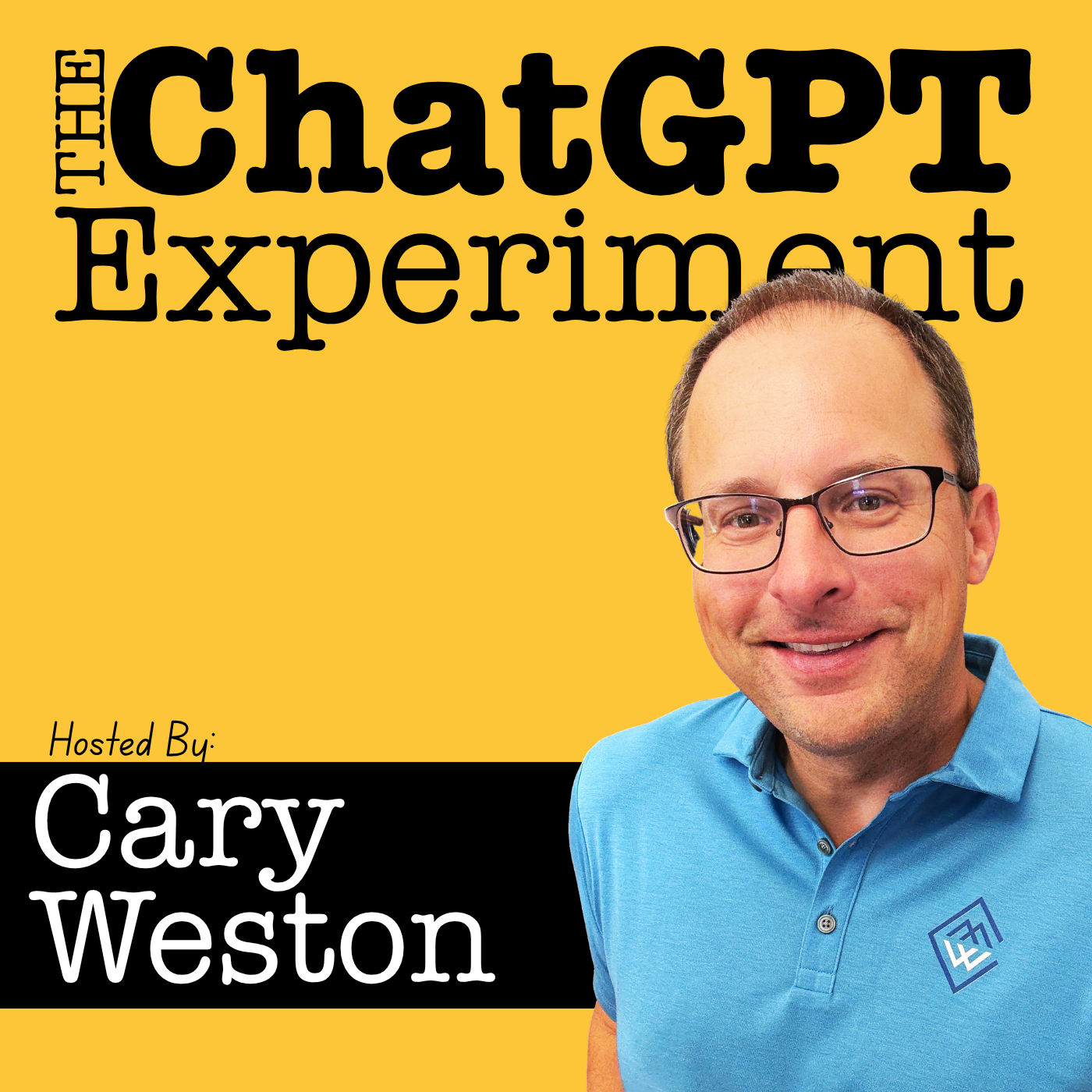
The Amazing Intern - Turning Your A.I. Curiosity Into Confidence
Ep 80 - Conversations, Curiosity, and Customization with ChatGPT
00:30:27
Episode 80 Summary: In this solo episode, host Cary Weston shares stories from a recent trip to the National Sports Card Collecting Show in Chicago with his 14-year-old son—a heartwarming moment that sets the tone. Cary then dives into a hodgepodge...
Loading summary
Transcript2 lines
- [00:00]
Kerry Weston
This episode is brought to you by Progressive Insurance. Do you ever think about switching insurance companies to see if you could save some cash? Progressive makes it easy to see if you could save when you bundle your home and auto policies. Try it@progressive.com Progressive Casualty Insurance Company and affiliates. Potential savings will vary. Not available in all states. You say you'll never join the Navy, never climb Mount Fuji on a port visit or break the sound barrier. Joining the Navy sounds crazy. Saying never actually is. Learn why@navy.com America's Navy forged by the sea. Hey there. Welcome to the ChatGPT experiment. This is a podcast designed to help you better understand just what ChatGPT is and perhaps find a nugget or two that you can use to be a little bit more productive and efficient in either your personal or professional life. My name is Kerry Weston. I am your host and welcome. I'm glad you're here. I am back from a trip to Chicago last last couple weeks have been on the road, went down to Annapolis, Maryland for the first time. Very cool. And got back from there. Just enough time to pack bags and fly out to Chicago. So if there's any, any parents listening, you may have heard that I've shared before that I've got kids. So My youngest is 14, Spence, and he is into sports cards. And so I flew to Chicago with Spence and one of Spence's buddies. This week we went to the National Sports Card collecting show that it's the biggest sports card collecting show in the world. And if you've ever done something for your kid and wondered did they really appreciate it, right? Do they even understand what it took to get here, that kind of thing, I want to share a moment. There's hope. There's hope for you because I've had plenty of those moments. So last night we got back yesterday, last night I think I was watching a Sox game and he came in and he's got this kind of, I won't say scared look, but just kind of like, hey, dad. Right? And so I paused again. I said, what's going on, buddy? And he says, I just want to tell you that that was awesome. I really, really appreciate the Tripp. I really appreciate what you did. I had an awesome time. I just want to say thank you. And it blew me away, right? Because if you've got a 14 year old that comes in and says, hey, I just want to say thank you and I appreciate it. Obviously it hit home. So to say that was a good trip, I say that was the best moment of my weekend. Was having a 14 year old come in and just say that voluntarily out of the blue, gave me a hug and and walked out of the room. So very, very cool, very cool moment. Just want to share with you all because I share a lot with you all. So hey, so this episode is a little hodgepodge in this episode. So I'll just give you a rundown so you can decide whether or not you want to listen or not and want to make best use of your time. I've got an update on tasks that came in from a listener. A good tip there. I want to tell you about the workshop. I hinted at the workshop a couple episodes ago where I had Greg Howe on with ChatGPT automating tasks with make.com and so I've got a workshop to share with you. I'm going to go through just a couple quick experiments that I've done. I just want to share with you a couple things that I've done just so I can tell you right. What I'm playing with and how it goes in case it spins your idea treadmill, that maybe there's something in what I said would be helpful for you. I'll recap a few previous episodes that I think are important for those experiments and then I get a lot of questions about what's the difference between and what does this do inside ChatGPT? So I thought I'd finish with just a quick rundown of what's the difference between free and paid? What does this mode do? What does this mode do? That kind of thing. Just to give you an overview because I know there's still some of you that listen, there's a lot changing, there's a lot being added and it's, it feels overwhelming to try to keep up and you don't have to keep up. But a lot of questions come in. What's the difference between should I do this? Should I use that? So I'll just do a rundown of some of the things inside ChatGPT at a high level so you can just kind of get a feel for maybe what these are and maybe if you want to use it. Okay, so the first thing is tasks. So a couple episodes back I was talking about how I was using tasks and trying to automate some things and I thought the interface was clunky because I can't find these tasks that I've set up and there's really not an easy way to manage it. So someone reached out and said, hey, listen, if you go to chatgpt.com tasks you can actually see what you've set up in the schedules and edit that kind of thing. And what's interesting is you go to that URL chatgpt.com tasks, and it actually redirects you to chatgpt.com schedules, which you know in and of itself is just clunky, right? But when you go, if you've tried playing with tasks and if you've set some things up and you get to this URL, it's a really simple interface and it says, here's what you got scheduled. If you've created other tasks that are paused, it'll show you that and then you can edit accordingly and whatnot. So a good tip from someone listening. I appreciate that very much. It's not intuitive, it's not there for you just kind of have to know, which I think is a little sloppy. But yeah, if you are playing with tasks and scheduling and you want to see what you've done, chatgpt.com schedules is the final URL that'll get you that list. Okay. Workshop August 13th, like I said, had Greg Howe from Gimme Info on a couple episodes back, we talked about automating tasks using tools outside of ChatGPT, using a tool called make.com which allows you to use the brain power of ChatGPT and then connect to other tools. And there's a thousand different things that you can do here. Right from email, we talked about email, we talked about CRMs. If you've got a log into something, you can use the brain power of ChatGPT and the flexibility in programming inside make.com to really set up a bunch of different actions using a variety of softwares. And some folks reached out and we had talked about doing it, so I got some feedback that. So, August 13th, of those of you that are interested. August 13th, 10 o', clock, right on the homepage of chatgpt experiment.com, you'll see the banner for the registration link. Also, I sent out an email last week to those of you that are on the list that has a registration link in it and they'll send one more out as well. So if you're on the list, you'll get that. If not, if you want to get on the list on the footer of chatgpt experiment.com you'll see it. Join the mailing list. If you've downloaded a free guide, you're automatically on it. I'll keep you updated there too. But right on the homepage, make.com and chatgpt how to automate. We're going to do some basic overviews. Greg's very smart. Make.com is kind of a drag and drop program. Pretty easy. You know, there's some complexity to it if you want to do some complex things, but we'll walk through some real world examples, share the screens and kind of show you, you know, literally the stuff that he was talking about. So if you want to automate and learn how to do some basic stuff, join us. It's free. August 13th and again, right on the, right on the website. Okay, so a couple experiments I want to share with you because I like, you know, playing with different things and then saying how do I make this task or this job easier using ChatGPT? So a couple things that I've done in the past few weeks that I'll share with you here. The first, first is working with a client that wants to create some custom software. And listen, I lived in this world for a couple decades and custom software is tricky. It requires an awful lot of mind reading, right? And a lot, awful lot of granularity. There is a big, big difference. And if there's any programming people out there, I say this with all due respect and a little bit of a grin because I've lived this. Programmers think differently than other people. And sometimes regular conversations between a non programmer and a programmer, there's some big gaps, right? It can go awry because there's some big gaps because we just don't think non programmers don't think the way that programmers do. There's a lot of granularity and details and listen, there is a huge amount that goes into custom software development and you can make mistakes and some of those mistakes can be very costly if you, if you assume or leave outs and that kind of stuff. And I don't think I've seen a bigger friction in the workplace between say, a salesperson or account manager trying to communicate and convey to a programmer and the programmer asking for more details. It's just a classic yin and yang in the workplace when you get into programming. So I've seen this, I've created the friction because I just don't understand the gaps, but I do understand the differences between what, how I think and how a programmer thinks. And so I wanted to use that experience in helping a client communicate and build out specifications for a programmer that they're working with. And so I started, I did it in two phases. And so whether you're doing in programming or not, the exercise that I'm about to share with you is all about perspectives. It's all about thinking on behalf of the other person, not taking things for granted, right? Not just assuming. So the first thing I did, the first phase is I had a conversation with ChatGPT and I said, this is what they want to create, okay? This is what success looks like. This is the thing that they want to build, right? Okay. And I said, I want you to ask me questions so you can get as much detail from me as possible, okay? Because my goal is to program software that will do these things. And so I shared with ChatGPT the big picture and then it asked me questions as to why and how many and that kind of stuff. So we did a really good back and forth for five or ten minutes and I ended up with a decent size list of features and functionalities and some and details, right? So for a non programming person, that probably would have been pretty comprehensive. But like I said, I've lived in this world and I understand that there are tremendous amount of gaps that get missed. And so I took that list, when we were done read it and I said this, boy, this is really detailed. This is everything. And I saved it as a document. And I saved it as a document for two reasons. One, because it was the collection of my conversation, it was the summary, right? It was the end product of my conversation with ChatGPT and I wanted to live somewhere else because I never trust ChatGPT to be the, let's see, storage center of my information. And I was happy with what I had and I want to put that somewhere else. And then I fed that document back to ChatGPT and I said, I want you to role play with me. I want you to take on the perspective of a programmer that, that is a seasoned programmer in the area that I want to build this software in. And I'm going to give you my feature benefit specs. And I want you to look at this from a development point of view and I want you to find the holes. I want you to ask me questions so that you can build a programming specification that I can give to a programmer. And I want you to think about all the questions that they would look at and think of when they looked at this document. I want you to think about the, the ways in which they view this information. What are they going to need to know in order to program their best work, in order to understand? I want you to take on their perspective. And they did. And just as I assumed and imagined it would, the document went from eight pages to 15 because of the enormous amount of detail and complexity from the questions that they were thinking. And that was awesome. And that was awesome because it did exactly what I wanted it to do. And I shared that with you in a previous episode that I was doing that. But I wanted to tell you a little bit more detail how I went about it. And there are a couple episodes in the archives here that I would reference on this one. The first one is episode seven is about role playing. And in this exercise, I did do some role playing. Like I did say, I want you to be this person, I want you to ask me questions, I want you to take on the perspective of. Right. We went back and forth. And the other one I think is a good one. Episode 10 is prompting versus conversations. And I think that in most of the workshops that I do and trainings that I do, this has as many AHAs and light bulb moments as anything else I talk about, which is when I share the screen and I have start having conversations with ChatGPT and folks see that I'm not just doing one line programming prompts, I'm having a conversation and I'm doing things like ask me questions so you can better understand and do you fully comprehend and does this make sense? And when I have conversations like that and then I say, have you used ChatGPT in this way? Majority of people will look at me and say, no, I didn't know that. That's. That that's something you could do. Right? So role playing episode seven, prompting versus conversations in episode ten gets a little deeper into the things I'm talking about. And I think episode 7, 71 talking about the amazing intern is a good philosophical way of looking at ChatGPT. So if you haven't listened to 71, that's really how I drive most of my conversations. Teachings and coaching with ChatGPT is looking at it from an amazing intern point of view. So episode 7, episode 10 and episod 71. Okay, and then the second experiment that I had is building a non disclosure agreement for a business sale and thinking about, instead of grabbing a generic non disclosure and whatnot, I really had a conversation with ChatGPT and I said, this is the situation, this is what's happening, this is what this person is concerned about. And these are the things that could happen with information being shared if we're not careful to think about it ahead of time. And then I said, listen, this is what I know. Why don't you tell me what you see being a concern as we are looking to showcase some information or provide some information behind the scenes of a business that might be for sale and we don't want to regret doing this, we want to protect ourselves. And so we went back and forth and they said, well, you might want to think about this and have you thought about that? And again, we're role playing, right? Because I asked to take on the role of an experienced business advisor that is fully, let's say, competent in non disclosures and selling and buying businesses. So the things that we want to talk about. So I created, I narrowed the band of ChatGPT and I said, I want you to be this person, I want you to have these skills, I want you to have this perspective. And the industry here was interesting because, and I won't reveal what it is, but the industry had some nuances that maybe might be different than other industries. And so the ability for ChatGPT to recognize that and come back and go, have you thought about this and are you concerned about that? It was interesting. It came back and it started asking us about the emotional sides. Are you concerned about this? Would you be concerned about that? Would this bother you? And it came at it from a human point of view and we answered yes or no. And I said, okay, based on what you shared with me, here's the outline of the non disclosure that I would recommend if we went down through. And it was great because this isn't a document you're going to find online. There's plenty of generic non disclosures and plenty of generic documents that could have satisfied maybe a different conversation. But there was three or four really specific emotional nuggets here that ChatGPT was able to find because of the questions, because of the interviewing process. Again, back to the role playing in that's the episode seven and the conversations in episode ten, it was able to really pull out some really cool and important nuggets that made its way into the document. And so those are just two experiments that over the past few weeks I've been playing with. And of course I like to share with you what I'm doing in hopes that it might trigger something, might trigger something in your world that's valuable. So let's take, I guess I'll close on that by saying I really appreciate the objectivity and the details that get pulls that gets pulled from me when I empower ChatGPT to ask me questions, to interview me, to take on the perspective of a certain skill set or a certain expertise, say, get what you can from me, think about things that I wouldn't think about, use your experience and your expertise to ask me questions, to get the Full picture, right? So in both of those instances, I asked it to be somebody else that I have no real, let's say, skill set in being. And it did a really nice job and I was really happy. I was really happy with what it did. All right, so let's close today by talking about some of the basic questions that I get a lot in terms of what's the difference and what is this and what does this do when it comes to ChatGPT itself. And I would say that in most of the one on one beginning workshops and trainings that I do, the question is what's the difference between free and paid? Right. That seems to be a very common question. And to the best of my ability, nothing that I share with you is gospel, right. There's no one answer. But I'm going to give you what I know from the, from the research that I've done in my experience. And if, as always, if you've got something to add and things change all the time too, right? So if I say something that might be incorrect. Right. Or might be incomplete, whatever, let me know, let me know. I don't profess to be gospel on any of this stuff. I'm just sharing with you the stuff that I, I understand. And so what's the difference between free and paid? I would say that the main difference for me between free and paid is the level of complexity and depth that you get from paid. But the literal answer is both free and paid. You can do questions and answers and you can interact and have conversations with. Right? But as of the recording today, what you cannot do with the free version is you can't upload files, you can't upload documents, it can't look at an image and understand it, you can't search the web, as far as I know, it doesn't have a memory mode, so it doesn't remember who you are. And build on top of that from the conversation that you have custom GPTs. When you're building custom GPTs for really, really specific tasks, that's a paid version. And then of course there's new features like talk about, there's some new features that get rolled out only in paid and not in free. But I would certainly dip my toe into free. If you're just starting out, listen, if you found this podcast, and I welcome new people every week and you're just thinking, I don't know what this thing is and what it can do. Jump in, just try for free. But there's a lot of, there's a lot of Benefit complexity and additional details in the paid version. So you may not get a complete experience if you start with free. And so the other question I get is if I subscribe to the paid, how hard is it to unsubscribe? Right? It's very easy. It's not like a lot of the subscriptions you might be used to where you know, it's a difficult number of hoops to go through in order to get out or unsubscribe. And there's no long term anything you can do a month at a time, that's 20 bucks a month. And so you can get at any time. So if you just want to try it for 20 bucks, play with it for 30 days and see what it does, that's what I would suggest doing. There's no long term commitment and you can jump in and jump out as much as you want. All right, and so inside paid, let's go to paid now. Inside paid, there are built in behaviors called modes that change how ChatGPT works with you. Think of it as putting on different hats, right? ChatGPT has some different functions and in the essence, the brain behind chatgpt remains the same. There's just some different things that you can do with it or modify the behavior. And the first one I would say is memory. So ChatGPT does remember the paid version again we're talking about remembers important facts about you, right? Could be your business, could be your tone, your preferences across your multiple conversations. And of course you can impact some of this by going to your account. If you just click on your name in ChatGPT and you can get into personalizing it and you can get into telling it some things about you that will be global. And as you get into those settings, you can also see that there's some memory you can get into personalization and some memory settings into, right? So what? Why does it matter? Well, memory allows you to not have to re explain things for the most part as you go on and use ChatGPT. In fact, if you've been a regular user of Chat GPT and you haven't tried this, I would encourage you to ask ChatGPT, tell me everything you know about me from a personal and professional manner, right? And you might be surprised as to what the memory's already grabbed from you. And here's what I found, and I've mentioned this before, is because I use this for clients as well as my own, it may have some things that it understands to be true about me that are not true about me. It May think that some of the things that I do with clients is me. And so I did this exercise. Tell me everything you know about me personally and professionally. And then I had a conversation with it. It was very thorough, by the way. I was very surprised when it pulled up. And then I corrected it and added some additional information and filled in some, some spots because I use ChatGPT that way and I wanted it to be complete. Right. Another thing is Deep research. So there are some tools. So memory is kind of global and in the bottom, if you're using desktop, and most of this stuff is easier and some of it's only available on desktop, but it's certainly easier to access because of the bigger screen on desktop. In the dialog box, you can see a plus sign and that's where you can upload files and connect to external files, but then you'll also see tools. And depending on the version that you have, when you click on tools, you're going to see a few different options. So I'll go through a couple of these here. First is deep research. Deep research, I guess the easiest way to say it helps you explore complex topics one at a time because it breaks it down into some manageable pieces, but it takes a while to get there. Right. I will say that deep research is ChatGPT's most thorough way of going and evaluating or investigating something. Think of this as a research project, whether it be school or work. This could be researching a topic or trends or whatever it might be, but it's going to take you some time. It's going to take. Unlike most things that come back from ChatGPT, which is almost instant, deep research could take 10 or 15 minutes. And the thing I like about deep research is as thorough as you'd be, as thorough as you can be, but it comes back and it shows you the sources so you can trust and verify. I think that's really cool. That's the most complex, I think, digging that Chat GPT offers. And from what I found, there's a limit on the monthly uses. I'm not sure what that limit is at the moment, but I know there's a limit, maybe like 2020 uses a month or something like that because it's pretty resource heavy. But deep research is available for you. ChatGPT can also interpret code or data and like I said, that plus sign. You can upload files and you can say, can you analyze this now? Code interpreter if you want, or advanced data analysis. It's not a setting, it's not something you turn on or off. But if you use the word analyze data or help me make sense of this data or something like that, it's going to recognize that this is a different thing. So uploading a spreadsheet or uploading data allows you to use ChatGPT like a data assistant. You know, you upload the file and it can help you understand and clean and summarize, can even help you build charts. I have found this to be in all, you know, transparency. I have found this to be a shortcoming. It's not as powerful in the data analysis. It's getting better, but it's, it's not as accurate and as powerful as I'd like it to be sometimes. And there's some better tools out there for this. So I think, I think in all of the areas in which ChatGPT can be helpful, it certainly can be helpful in this way, but I wouldn't rely on it as it's end all, be all. There's some other AI tools that I think are much better for analyzing data. NotebookLM for instance, it's a Google tool, but it would be very, it'd be easier and more powerful to do that. But you can do it here. And then the other one is browse. So, so you can browse the Internet. So by default ChatGPT has access to the web, but it relies on its own memory and so you can tell it to browse the web, right to go find some things. In fact if you, if you click tools you can choose web search. So specifically it's going to be using ChatGPT and a built in, I think it's Bing as a search tool, as a search engine. So you can actually use it specifically that way if you want to, allows you to get some up to date results like real time results and not relying its internal memory. Of course custom GPTs are in paid and these are ways in which you can pre train chatgpt to do a very specific task. And I've talked a lot about this before but you can, if you're interested in creating some super specific tools that are hyper focused on one or two things, go to chatgptexperiment.com There's a free guide that you can download and figure out how to do that right. And then the Study and Learn just came out this week and haven't played with it a lot. But Study and Learn, it's in that, in the tool section. Some of you may have gotten it, some of you may have not. They're rolling it out. But what's really cool. I think about the Study mode is ChatGPT basically becomes a tutor. It asks questions, it tests you, it helps you retain information, but it doesn't give you the answers. Right. So it'll quiz you and it'll ask you along the way. But like an encouraging teacher, rather than just telling you the answer, it might give you prompts or hints or help you along. Right. So this is a really cool way to use ChatGPT to learn or to prepare for tests or presentations or for a scenario. I'm looking forward to digging more into study and learn or study mode myself. I think it's an interesting concept for those that don't just want to be told the answers, you know, you want to challenge yourself and figure it out. I think it's a great idea. And one of the things that has challenged education is the ability for ChatGPT to be the simple source of an answer. And I think bringing study mode in is an acknowledgment on behalf of ChatGPT or OpenAI that there's some tools available that might help study education in general become more familiar and more and use ChatGPT. So the study mode I think is a really interesting idea and I'm looking forward to playing with that, playing with that a little bit more. Okay. Hey, listen, there's a thousand other things I know out there, but I just want to give you a high level answers to some of the frequent questions that I get around the features and functions of ChatGPT. And of course I share this a lot. I think the best answer for ChatGPT questions is ChatGPT itself. So I would encourage you, as I always do, to be curious and if you have a question, ask ChatGPT. What's the difference between what does this mode do? Why would I use this mode? What does this feature do? Give me a for instance on why this feature would be helpful and personalize it. Right. I'm a teacher, I'm an office worker, I'm a chef, I'm a whatever. I'm interested in understanding why this feature would be relevant to me. Can you tell me why I might use this and what kind of functions and benefits I might get out of it? Again, more specifics you give it, the more conversational you are with it and the more curious you are, the better it'll be in giving you valuable and rich answers. Right. So there you go. I hope that was hope that was helpful. All over the place today. Chatgptexperiment.com is the website I do do group Trainings. I do presentations at workshops, seminars. If, if you need a ChatGPT presentation, let me know. Doing business trainings. Got a bunch of those set up this week, August 13th with Greg Howe is the ChatGPT make.com Automation Workshop. So take a look at that. Of course there's a few guides on the website, training tools under the menu under trainings. I've got some prompts that I've used and shared with others. You can download those for free. And of course you have any questions, reach out to me through the website. So that's it? That's it. Thanks for joining me and we will talk soon. And just remember the most important thing thing when you're trying to become more familiar and More comfortable with ChatGPT is your own curiosity. So just be curious, ask questions. You're not going to break it and you're not going to do anything wrong. So just tell it what you want to know, ask it, share with what you're doing and have some fun with it. Okay? All right, we'll talk soon. Till next time. Bye. Bye. From the Cascades to PDX to your kitchen, we recycle like we live here. That's why governments, brands and recycling companies are all joining together to bring change, to make recycling better. As in trusting that your recyclables end up in the right places to be made into new things and having brands help fund the cost of recycling. You can find the latest updates dates@recycleon.org Oregon from Mount Hood to the bin under your desk. Together we can do this.
- [31:31]
Libsyn Ads
Marketing is hard, but I'll tell you a little secret. It doesn't have to be. Let me point something out. You're listening to a podcast right now and it's great. You love the host. You seek it out and download it. You listen to it while driving, working out, cooking, even going to the bathroom. Podcasts are a pretty close companion. And this is a podcast ad. Did I get your attention? You can reach great listeners like yourself with podcast advertising from Libsyn Ads. Choose from hundreds of top podcasts offering host endorsements or run a pre produced ad like this one across thousands of shows. To reach your target audience in their favorite podcasts with Libsyn ads, go to Libsynads.com that's L I B S Y N ads.com today.