← Windows Weekly (Audio)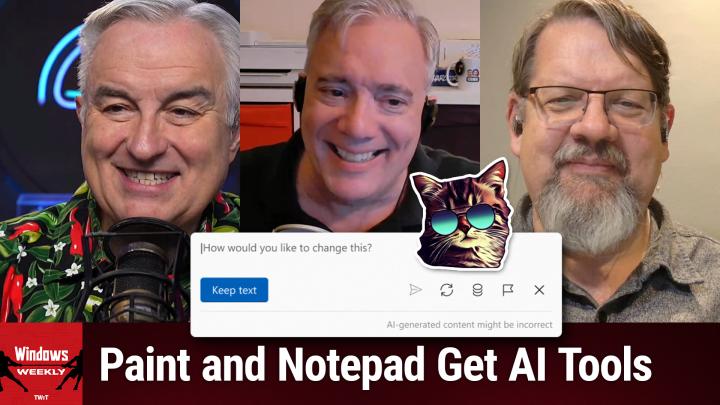
Windows Weekly (Audio)
WW 934: OK, JK - Paint, Notepad, and Snipping Tool Get AI Upgrades
02:27:14
Paint, Notepad, and Snipping Tool Get AI Upgrades
Loading summary
Transcript861 lines
- [00:01]
Leo Laporte
Time for Windows Weekly. Paul Thurat's here. Richard Campbell is here. We're going to have a little post mortem for the Microsoft Build conference last week. We'll talk about week D Windows 11 updates, including some new features for Paint Notepad and the Snipping tool. Also, Windows Update is going to start including third party apps. We'll talk about that and some great browser picks too. It's all in all, another fabulous Windows Weekly.
- [00:28]
Paul Thurot
Next.
- [00:31]
Leo Laporte
Podcasts you love from people you trust.
- [00:36]
Paul Thurot
This is twit.
- [00:43]
Leo Laporte
This is Windows Weekly with Paul Thurat and Richard Campbell. Episode 934 recorded Wednesday, May 28, 2025. Okay, JK. Yo ho ho. Hello everybody. Time for Windows Weekly. Hello you winners.
- [01:02]
Paul Thurot
Oh no.
- [01:03]
Leo Laporte
Hello you dozers. And hello to our hosts, Mr. Paul Thurat of Thurrott.com he's in Macunji, Pennsylvania and coming to us from beautiful Cape Town, South Africa. Wow, Richard Campbell, who has flown 22 hours in the last 24. Something like that.
- [01:20]
Paul Thurot
I've slept 22 hours in the past 20.
- [01:21]
Richard Campbell
It was a couple of days ago.
- [01:23]
Leo Laporte
So you're adjusted.
- [01:25]
Richard Campbell
I don't know about it, Justin. Dude, I've been jet lagged for a decade. What do I know?
- [01:30]
Leo Laporte
And what brings you to beautiful Cape Town?
- [01:32]
Richard Campbell
It was an airplane. It was too far to walk.
- [01:34]
Leo Laporte
Yeah, nice.
- [01:35]
Richard Campbell
But keynoted a couple of, including a couple of conferences. So I just did the one in Joe Burke yesterday and I'm doing the Cape Town one tomorrow.
- [01:44]
Leo Laporte
And he gets paid, ladies and gentlemen, to do this.
- [01:46]
Richard Campbell
Yes.
- [01:47]
Leo Laporte
This is a great gig.
- [01:49]
Richard Campbell
It's an adventure.
- [01:51]
Leo Laporte
I'm so impressed. Yesterday Steve and I had it. We're talking about an email we got from an engineer who said, you know, the problem with the blackout in the Iberian Peninsula is because they were 90% solar or renewables, they didn't have the inertia of the big turbines. And I thought, God, I wish Richard were here.
- [02:14]
Richard Campbell
They're, they're now flywheel. They started do flywheel stabilization now where they spin up these big flywheels.
- [02:21]
Leo Laporte
That's what I said. For exactly that reason I said that sounds like disinformation. No, no, it's not disinformation, but it's aimed. It has an agenda. It felt like. Yeah, you know it is an issue.
- [02:32]
Richard Campbell
Right. When you get these feedback harmonics on in large grid electricity, the inertia of those turbines really helps stabilize that off.
- [02:42]
Leo Laporte
But it's solvable.
- [02:43]
Richard Campbell
Yeah, it is solvable. You just have to spend money on it. And the big flywheels are not cheap and they're not for bridging. They're for bridging power. They're not power backup.
- [02:54]
Leo Laporte
Right, I understand that. And so thank you for joining us for Energy Weekly. But.
- [03:02]
Paul Thurot
Huh.
- [03:03]
Leo Laporte
But it is week D, not week T, but week D. Let's get back.
- [03:07]
Paul Thurot
To the lack of energy we usually have on the show, please.
- [03:12]
Leo Laporte
So, ladies and gentlemen.
- [03:15]
Paul Thurot
Well, yeah, it wouldn't be an update week if it wasn't all screwed up. So yesterday as we record this was the Tuesday of weekd, which as everyone knows now repeat after me is when the preview updates go out for Windows. Right. And so Windows 1122 and 23H2 got the same cumulative update. Windows 24H2 didn't get got nothing. Well that's not actually true.
- [03:42]
Richard Campbell
But 22 got something. I thought 22 was done.
- [03:44]
Paul Thurot
I did too. And I looked that up and I. I did too. No, I literally did too. I was like wait 22, I would.
- [03:50]
Richard Campbell
Look it up too.
- [03:51]
Paul Thurot
Pretty sure we were told no more 22H2 I believe. Well, when I looked at it yesterday, I don't think I have it here. Oh, maybe I do. I believe it said this October is when it goes out of. Okay. I don't know. I don't. I thought it. I thought it was out of support too. So I was kind of.
- [04:06]
Leo Laporte
So when.
- [04:06]
Richard Campbell
When 10 goes out, 22h2 goes with it.
- [04:09]
Paul Thurot
Yeah, I mean that's when 23h. I don't know what's going on anymore. Don't. Don't confuse me with facts. So 24h2 did not get a preview update on Tuesday. But then later in the day or last night at some point it got something a little unusual. Where is it? Yes. Called an out of band update. And this was to fix an issue with Hyper V platform. It's a non security update. It's just a bug basically.
- [04:38]
Richard Campbell
So security vulnerability was a breaking problem that they decided.
- [04:42]
Paul Thurot
Yeah. So this might have delayed the preview update. So perhaps while we're doing the show, more likely tomorrow we'll get the preview update.
- [04:49]
Richard Campbell
Well, the moment you're not looking, it'll come.
- [04:51]
Paul Thurot
Yeah, yeah. So you know, a lot of what I'm focusing on these days is this tsunami of new features coming to Windows 11 across various versions of the product. 2223 now 24H2, soon to be 25H2, but also obviously all of the Windows Insider channels. So these are the preview Updates coming to 23 22h 24in stable rather meaning these will be the patch Tuesday updates that everyone will get whether they want them or not. So among them are the return of the Windows key plus copilot keyboard shortcut. Fine.
- [05:32]
Richard Campbell
Oh man.
- [05:34]
Paul Thurot
This new drag tray thing. So if you're familiar with snap in Windows 11, you know that if you drag a window toward the top of screen, you get that little bar that comes down and then it gives you options for snapping. This will do the same for dragged files. So if you want to share them to my phone or to your phone rather to a compatible app, or you can click more and get, get the standard share dialog. And then the rest of this is mostly nonsense. Well, there's configuration or customization settings for lock screen widgets. So remember, over time in Windows 11, they First, I think weather came first, it was all by itself. Then they added the stock watch list, sports and traffic and you could either turn them all off or turn them all on. And that's how it is today for most people. But soon with this update, you will be able to configure which of those.
- [06:24]
Richard Campbell
Appear in the order they appear in.
- [06:26]
Paul Thurot
Baby steps, I guess that's all. And then there's like one interesting feature for it admins, the ability to configure taskbar policies related to pinned apps on the taskbars and you can actually do things like remove them on the next refresh policy. So if you want, I mean this is a really locked down thing. I don't recommend this, but if you wanted to prevent your users from pinning certain apps to the taskbar, you could do that. That's kind of, wow, fun.
- [06:59]
Richard Campbell
Yeah, don't do that.
- [07:01]
Paul Thurot
Yeah, don't do that. Don't be that person. You're why people hate it. Don't do that. Yeah, so that's most of it. Right. And so this is, you know, a lot of stuff we've been talking about over the past few months, as you would expect.
- [07:13]
Richard Campbell
Still no 25H2.
- [07:15]
Paul Thurot
Nope. Yeah. And you know, this is what happens every year. So as we build and not this thing specifically, but whatever the milestone might be. So in this case we're like, oh, are they going to do 25H2? And it's like we're not really saying tee hee hee. And they, you know, it's still 24H2, but it's a different build stream and it's like, okay, but so you kind of look ahead to something like build right, which is the next thing. Or back in April, we knew they were having that event in Redmond and it's like, well, maybe that would be the logical time for them to announce a change that came and went without any mention. So there's lots of indications. It's 25H2. That term appears in configuration files and stuff like that. It's almost certainly the name of it. But no, Microsoft has not said that because. Hilarious. So there's that. And in the Insider program, we've gotten several builds since the last time we met. Canary got something new for the first time in forever. And this is something they did announce at Build, which is they're working toward adding support for what they call post quantum encryption.
- [08:25]
Richard Campbell
So asymmetrical key encryptions.
- [08:27]
Paul Thurot
Yeah. And so they've added the first of that work to the Canary channel. And that's an exciting feature I guess you could have fun with. That's pretty much all the ads.
- [08:37]
Leo Laporte
Someday we'll have computing.
- [08:39]
Richard Campbell
No, it's one of those things where if it works right, you won't be able to tell at all.
- [08:43]
Paul Thurot
Exactly.
- [08:44]
Richard Campbell
It's just encryption that doesn't depend on prime key, so it's not vulnerable to quantum.
- [08:50]
Paul Thurot
Yeah. And, you know, we kind of glossed over this because, honestly, it's hard to keep track of this. But last week at Build, they announced about, I don't know, 1100 new copilot features across Windows and Microsoft 365 and the web and wherever else. But in Windows, we have this notion of actions. Right. That will be applied to click to do and other things coming down the pike. And apps can register to be. You know, it's like com or any of those kind of object linking technologies where you can basically promote the fact that you are able to handle this type of thing. Like we did this in winrt as well, like for the share pane. And so now there are new Microsoft 365 text actions they're testing in the beta channel in 24H2. So if you have a. I'm sorry.
- [09:40]
Richard Campbell
Why 65 features in the Windows Insider?
- [09:45]
Paul Thurot
Right, Yep. So the. I think the little asterisk here, and I had hoped to actually have a better understanding of this before we started the show. And I didn't have time, but one of the sessions I was watching had a nice grid of here are the AI features, well, not the actual features, but here are the buckets of AI features that are coming to Windows 11 over the next year or whatever, and which ones require an mpu, a copilot plus PC, which ones run locally but don't require that, which is kind of interesting, and then which ones just run off the cloud. And will work on any Windows 11 compliant PC. Right. So this was not part of that talk. But this is actually. Bless you.
- [10:30]
Leo Laporte
I'm sorry.
- [10:31]
Paul Thurot
No, it's okay.
- [10:31]
Leo Laporte
I thought I'd turn off my mic.
- [10:33]
Paul Thurot
I turn it on. Sacre blue. This is one of the ones that kind of crosses things or crosses over into these worlds because oddly these features, these are Microsoft 365 text actions. So you're using click to do. You get that purple, pink, blue, whatever thing going on, it highlights all the stuff. You can do stuff with. You right? Click some text and you get those actions in the right click menu, right? Like summarize with Notepad or blah blah, blah, whatever. They're going to be actions there for Microsoft 365 apps like Word or Excel or PowerPoint, whatever, that kind of thing. So they're starting to add those. Oddly, this first version or this version or this test or whatever, limited to copilot PCs, doesn't make any sense because.
- [11:24]
Richard Campbell
Of a tops requirement for click to do.
- [11:26]
Paul Thurot
There's absolutely no tops requirement.
- [11:28]
Richard Campbell
Right.
- [11:28]
Paul Thurot
Unless there's something going on in the Microsoft 365 apps I don't know about. In other words, Word is this locally installed app that can do things like summarize text and help you write things and redraft and shorten and lengthen and all the other stuff that you can do with text. Right. So I don't quite understand that now it requiring a copilot subscription, which can mean a couple of different things. Okay, that could make some sense. So maybe you have a normal Windows 11 non copilot plus PC. You're the person who pays for a Microsoft 365 family subscription, let's say. So you get some number of those AI credits. I feel like I'm talking in a different language. As I say, this is crazy. So you should have that ability. Right? It's running locally, but it doesn't require an mpu. Right. It's part of Word. It's built into Word, which actually technically means it's reaching out to the cloud. I don't know. I'm just all I'm doing.
- [12:24]
Richard Campbell
So that needs an npu, it doesn't need an mpu.
- [12:28]
Paul Thurot
I don't think it could use an mpu.
- [12:29]
Richard Campbell
Figure this out.
- [12:30]
Paul Thurot
It was there. I know. I don't understand it.
- [12:33]
Richard Campbell
If you make every PC a Copilot plus PC, I will be forgiven.
- [12:37]
Paul Thurot
Richard, I owe you an apology. Oh, no. I know you probably thought I knew everything about Windows, but actually, as it turns out, because I actually haven't seen this feature yet. The ability to customize which widgets appear on the lock screen. You can order them. So you were correct. I'm sorry. Or you asked the question. That is in fact an option. So I'm sorry.
- [13:02]
Richard Campbell
In this new update in the Insider's build.
- [13:04]
Paul Thurot
Yeah. Well, that will be coming in two weeks to Sable. Right, Right. So that will be there. That will be part of it. I apologize. There's also. This is kind of interesting, too, and there's a lot of language around a lot of things in Windows these days, especially AI. But the language around the widgets board, to me is kind of curious because there's this notion of, like, we think of this feature as widgets. The thing you bring up is the widgets board. There is this part of the widgets board that is your Discovery feed, which Microsoft actually has called a couple of different things over time, but we're going to go with Discovery Feed. They have talked about the ability to replace that feed with another feed. There have been no third party feeds, but someday that will probably happen. Right. But now they're using this notion of dashboard. So now you can have multiple dashboards. Soon you'll be able to have multiple dashboards and you can switch between them using a navigation bar on the left. And I don't know what that means. I don't even.
- [14:04]
Richard Campbell
Widgets, like, how long do you expect me to stare at the lock screen on my Windows machine?
- [14:09]
Paul Thurot
I have to blink quick and not see something because mine disappears immediately. Like, I.
- [14:14]
Richard Campbell
That's why I need it so customized. Right.
- [14:16]
Paul Thurot
Yeah, No, I know. This is the type of thing they spend time on.
- [14:18]
Richard Campbell
It's so the. So the retina burn left over from Windows hello. Flipping to logged in.
- [14:23]
Paul Thurot
Yeah, actually. Right. Stare at the screen, you log in, then close your eyes, and the image of what was on the lock screen comes into your eye, into your eyelids, and you can see it and you're like, oh, it's going to be 55 degrees today. Yeah, I think that's how it works. I don't know.
- [14:36]
Richard Campbell
But then you customize it so it's in the wrong place. So instead. Yeah, Microsoft down 2%.
- [14:41]
Paul Thurot
Yeah. You looked at the sports for some reason, like, I guess I know the Knicks lost last night. I. I don't know why I need to know that.
- [14:48]
Richard Campbell
All right, so it's got to be an intern. You know, it's just like, keep that guy busy. Make sure he doesn't break anything.
- [14:54]
Paul Thurot
Guys look busy. They're doing laughs. Yeah, just keep them. Just keep working Just keep working on something. It doesn't matter what it is. Most people who use Windows probably know that whenever you install a new app that can do anything, when you open a file that is of a type that that app can open, you'll get an Open with dialog, right? And you can make it appear manually. You can right click and say open with. But this thing will list whatever apps are compatible with that thing you're trying to open, right? So they're testing a recommendation feature inside this dialog because there have to be ads everywhere that will recommend an app that's also compatible with this thing you're trying to do. So like a PDF app. If you're trying to open a PDF, obviously that's in the store, so. Fantastic. I was hoping there would be more ads. And another thing, again I have not looked at yet, but I believe was in at least one or two build sessions is this thing I've sort of long predicted is a strong word. I felt this was pretty obvious. But they put this Windows Backup app in Windows 11, I think in 10 as well. And it started off pretty modest and they've been adding a couple of features here and there to it, but now it's going to be part of a PC to PC migration experience similar to, what's it called, Lap Link or something like that, where you kind of connect to, you know, you connect your old computer to the new computer with a cable and you can transfer stuff over. Except they're going to be using OneDrive, obviously, in the back end. So just an extension of the capability that's already there. This is like, kind of like OneDrive, which is actually part of this. They push it pretty hard in Settings, right? Like right when you first. Or in. Well, in Settings, but also in setup, I should say when you first sign into Windows, it's like, man, you should really, you should bring up a bat, you know, you should restore from a backup. You're like, yeah, I don't want to do that. Like, yeah, but you should.
- [16:43]
Richard Campbell
No, I like a bare metal build.
- [16:45]
Paul Thurot
Yeah, I do too, every time. But they're super into this and, and, you know, I, I understand people, normal people.
- [16:51]
Richard Campbell
Well, you know what it is? Got to bring those cookies across, right? Like, we don't want to give up that tracking information.
- [16:59]
Paul Thurot
We don't want to start tracking over. Can we just have all your data? Yeah, right. That's probably some of it. But, you know, I understand how this could be useful for people. I just don't use it myself. And then in a really Weird way. Paint and Notepad. And then to a lesser degree, this makes a little more sense to me. The Photos app have become the poster child children of these AI features in Windows 11. Because these are obvious points at which you can show how generative AI can improve an app.
- [17:32]
Richard Campbell
Note Pat was begging for generative AI. Come on.
- [17:35]
Paul Thurot
Yeah, so no. Pad and Paint are both examples of apps Microsoft was actively ignoring for many, many years. At least Paint's case was going to get rid of remember and replace with Paint 3D. And then they've taken on newfound importance over the past, I'm going to call it year or two, two years maybe. And they've added a lot of new features. They modernized the ui. They did a terrific job of that in Notepad. They did less of a good job in Paint, although it's finally in a place where I think it's fine. It's not perfect, but it's better than it was. But now they're adding truly essential features like a sticker generator and Paint, which I think we can all agree is the one thing keeping me from using Linux. Yeah, an object selection.
- [18:17]
Richard Campbell
Such a relief to finally know I have a sticker generator.
- [18:22]
Paul Thurot
Yeah. Their version of Genmoji. You know, it's like you, of course you use Paint for that. So if you want like an 8 bit cat or something, that's your way to do that. Object selection, which is what you get in something like Photoshop, like a fairly isolated. Isolated, a fairly sophisticated tool to isolate individual elements and in a bitmap image. Right. Which is, you know, honestly powerful and useful. And then. Oh, I should have mentioned snipping tool. Snipping tools. The other one actually Snipping tool in some ways, well, that's probably not accurate, but it's also very sophisticated.
- [18:53]
Richard Campbell
You probably use a snipping tool more than just about anybody else, brother.
- [18:56]
Leo Laporte
Yeah, you gotta use a snipping tool, King. Right?
- [18:58]
Paul Thurot
I would use it. I would use it more than I do if I. If it just captured the mouse cursor, right. If it just did that one thing, I would never use anything else. But I end up using a variety of tools for that. But Snipping Tool is interesting because as its name suggests, you can use it to. With. I don't like the term screen snips, but use it. You can create screenshots, right? And you're like, okay, that's. And then it's like, well, okay, but you can also create screen recordings. Like, well, that's actually very useful. And then they started adding these features where Honestly, for myself, I bet the reason I use it most often is to right click on an image and then do the text. Like the OCR capability, I think it's just called Texts. I can't remember the name of the feature, but it's a little icon and it scraps the text out of it. You copy the clipboard and put it in Notepad.
- [19:47]
Leo Laporte
That's handy.
- [19:48]
Paul Thurot
It's actually. I use it almost every day. Like, it's fantastic. So this is another one where when they first did it, I would just disable this all the time. I hated it. And now I actually use it all the time. So there's two new features coming in. Snipping Tool. One, oddly, is called Perfect Screenshot, which will never be true until you can get the mouse cursor. Guys. But it allows you while you're taking the screen.
- [20:09]
Richard Campbell
Sorry, you want the cursor in or you want the cursor out?
- [20:12]
Paul Thurot
I want the choice.
- [20:14]
Richard Campbell
Okay.
- [20:14]
Paul Thurot
Like, so for me, in many cases I actually want it in. Right. Because I'm doing screenshots, you're pointing at.
- [20:19]
Richard Campbell
A button or something like that.
- [20:21]
Paul Thurot
I understand why most people would not want that, but I, I just want the choice. Right. So I use third party apps for that. And then also a color picker chart where you can grab like a color from an image and then see it in hex, RGB or HSL, which is something that's part of PowerToys today. And it's almost like we'd like to put this in Windows. Well, where we put that, you know, and they put it.
- [20:43]
Leo Laporte
They're putting it in Snipping Tool, of course. Right where you need it.
- [20:46]
Paul Thurot
Yeah. And then if you're too cheap to pay for Microsoft 365, too bad you can't use this feature because Notepad is going to have AI writing tools for drafting from a prompt, rewriting text, all that kind of stuff. You have to have a Microsoft 365 account. So why would you use this broken notepad? But this is what I was talking about earlier.
- [21:09]
Leo Laporte
You can still use it without that, Right?
- [21:11]
Paul Thurot
Not this feature. So this is.
- [21:12]
Leo Laporte
But the AI, you need to sign in because. Well, they're.
- [21:15]
Paul Thurot
Yeah. So you sign in with a Microsoft account or an Enter ID account. It will look at your account. And if you have. They're calling it a. It's like a Copilot subscription, which could be Copilot Pro, Microsoft 365 Copilot, Microsoft 365, personal, family, whatever.
- [21:32]
Leo Laporte
Somebody's got to pay.
- [21:33]
Paul Thurot
Yes. As long as you have that, you'll see this feature. I mean, I will say the nice thing in a way is. Well, I don't know if it's nice, but you won't see the icon or the name or the feature like anything. Like if you don't have that. So I guess that's okay. But it also creates that situation where the best. If you open Paint and there's a copilot now a copilot button now in the app. Because of course there is. There's all these copilot features. Like what you see off that list. Three to five items will depend on what kind of computer it is. So if you have a non Copilot plus PC you'll see things like Generative Erase which has been in there for a while, Image creator and then remove background. But if you have a Copilot plus PC you'll see co creator and then whatever these other features are, they're running.
- [22:16]
Leo Laporte
So it's really interesting how the divergence of Windows capabilities.
- [22:22]
Paul Thurot
Yeah.
- [22:23]
Leo Laporte
It must be hard for you because how do you write a field guide?
- [22:25]
Paul Thurot
It's the worst. It's like a flowchart now. Everything I do, it's just like if this, then this.
- [22:30]
Leo Laporte
If this, then this infinite number of.
- [22:33]
Paul Thurot
Yeah. So I wish I could remember what someone. I sort of think of it as like a quiet extra skew, you know. So there's like the features you get with home, there's the features you get with Pro and then there's these features you get on top of either if you have a Copilot plus PC. But I think, Richard, maybe you remember this. I feel like it might have even been you. Someone I think last week or the two weeks ago said something like this is almost like a new. A different version of Windows. You know, like the copilot plus PC version of Windows 11 is almost like Windows 12, which we.
- [23:06]
Richard Campbell
Yeah. We thought would be Windows 12. And I wonder if that's what.
- [23:10]
Paul Thurot
That's an interesting way to. Yeah. Kind of draw the line there.
- [23:13]
Richard Campbell
Because we figured the only way this LLM was really going to take hold, the way that would make sense is to be in the center of Windows. There need to be a copilot center point version of Windows.
- [23:22]
Leo Laporte
Do you think they might not go to Windows 12 and just say Windows 11 +AI or something like that?
- [23:27]
Richard Campbell
I think. I think Apple decides that when they finally ship another version.
- [23:30]
Leo Laporte
Yeah. See what Apple does. Okay.
- [23:32]
Richard Campbell
Having the last.
- [23:33]
Paul Thurot
I mean, so I mean Apple moved past OS 10, whatever several years ago. Right. So I think they're on 15 now. So I'm going to say, yeah, we're at 15.
- [23:40]
Leo Laporte
Yeah.
- [23:41]
Paul Thurot
So I, I don't know. I mean, I, I appreciate them not wanting to confuse users. Right. I mean, with the understanding they were absolutely confusing users, but that when you come up with something that's a new name, a new version, that's obviously a new version, I should say, because there are actually many versions of Windows 11 just like there were even more versions of Windows 10. So there's some confusion there. And then the, you know, SKUs and now we have copilot plus pieces. All kinds of like stupidity there. But. Yeah, I don't know. This branding is hard, especially for Microsoft and I'm not sure.
- [24:19]
Leo Laporte
Do you think they've decided or they don't know yet?
- [24:22]
Paul Thurot
I don't think they know yet. And I, Yeah, I think part of it is just that you also want to go up with something that's materially an advance, like something where people can go, yeah, okay, I get it. This is a.
- [24:33]
Richard Campbell
It makes sense.
- [24:33]
Paul Thurot
Something.
- [24:35]
Leo Laporte
Speaking of, there is a cautionary tale. You don't start marketing this stuff till it's ready. Right.
- [24:40]
Richard Campbell
Yeah, no kidding, right? Apple, Apple Intelligence is looking so good right now.
- [24:45]
Leo Laporte
Yeah.
- [24:45]
Richard Campbell
I also, these are the part where they have to run it all by legal and so forth. So you sort of hash it out to a point where it's like, okay, these three are acceptable. Run them through legal.
- [24:54]
Leo Laporte
Yeah.
- [24:55]
Richard Campbell
You know, because if you don't, you end up in like the Metro situation.
- [24:59]
Paul Thurot
Yeah. I think my bet just this is just based on what we've seen so far, is that they'll punt that decision, so to speak, by just calling this 25H2, which is just Windows 11, which, you know, you could make the argument because these Windows versions, whatever is in market supported at any given time, all have the same features anyway, you know, to end users, it kind of doesn't matter.
- [25:23]
Leo Laporte
It's funny, I'm thinking about the Linux world. You don't have Linux 12.
- [25:28]
Paul Thurot
No. But you have Linux kernel versions, right?
- [25:31]
Leo Laporte
You do, but I don't. And I mean, I guess if you're a sophisticated user, you're paying attention. I couldn't off the top of my head tell you what, the current version. Kernel version.
- [25:38]
Paul Thurot
Yeah, yeah.
- [25:40]
Leo Laporte
So you just have Linux, you have Ubuntu or whatever and. And it updates.
- [25:45]
Paul Thurot
I don't know, I'm not, I'm not disagreeing with you, but I feel like people who make this choice actually kind of do care about that for some reason. Like they're the type of people who might be like, no, I have to have six, one, one.
- [25:53]
Leo Laporte
There are nerds, whatever. You know, there are nerds who pay attention to that. Most, I would say most Linux users probably just update. I think it's 1610 now. I don't know what.
- [26:02]
Paul Thurot
But I still, I'll see things like, I have to make this up. I don't remember which one it was, but something like elementary or Zorin maybe. And it's like this is designed for new users. It's supposed to look like Windows, the Mac. So it's kind of easy to get it.
- [26:13]
Leo Laporte
But they don't say Zorin 12.
- [26:16]
Paul Thurot
I don't mean that, but I mean, but people on my site will be like, oh, I can't run that, they're still on the previous version of Ubuntu or something. And it's like, okay. I mean, does it prevent you from doing anything or are you just kind of weird like that? Like you have to have the.
- [26:27]
Leo Laporte
Well, I guess with Linux it's a little weird because there's the long term service versions, the LTS versions, there's the cutting edge versions, and then there's an infinite number of distributions all with different names, but at the same. My only point is that, yeah, I.
- [26:43]
Paul Thurot
Mean, just look at Ubuntu where they don't say There are like 15 official distribution versions.
- [26:48]
Leo Laporte
Apple does, Microsoft does. But for some reason in the Linux world it's not like, you know, it says Ubuntu 16 on it, right? No, Ubuntu does have names.
- [26:58]
Paul Thurot
Well, they have version numbers, 2505 or whatever. That's a version. I mean.
- [27:04]
Leo Laporte
I know there are, but I don't think it's a part of the name of the product is what I'm saying.
- [27:09]
Paul Thurot
So honestly, aside from all the obvious stuff around open source and whatnot, if there's one thing that Linux has that I think a lot of especially technical Windows users would want, it's that thing you just said, an LTS version for anybody, right? Because we do have the concept of LTS in Windows, but it's for companies that pay for that subscription and blah, blah, blah, whatever. And I think there are a lot of people who look, and they should, because we've just spent half an hour on this new features like coming out and they're like, hey, here's an idea, get me on the lts. I'll run this exact thing for whatever the time frame is, 18 months, two years, whatever, don't give me any more features. I just want security updates, minimum rebooting.
- [27:50]
Leo Laporte
That's what enterprise wants. Right.
- [27:51]
Paul Thurot
But I think that's what a lot of people want to. It's like enough of the churn. I'm just here for your flashing lights and stuff. I'm just trying to get work done, you know.
- [27:59]
Leo Laporte
And I mean in this constant updates, you know, you know we got. When do you want to update?
- [28:04]
Paul Thurot
Right?
- [28:05]
Richard Campbell
Yeah, Mac does all bloody time.
- [28:07]
Leo Laporte
It's funny, the Linux nerds in our discord are telling me, oh no, Ubuntu's Fedora 42 just came out. Ubuntu 24, of course. But I don't. Okay.
- [28:20]
Paul Thurot
I see both sides of this. I look, I. Boy do, I'm sure.
- [28:27]
Leo Laporte
I want to say the point of Linux is choice.
- [28:30]
Paul Thurot
Yeah, right, There you go. That's actually the best way to put it because, yes, that's what. I can't remember what I said five minutes ago, but at some point early in the show I made the point, like, I don't care that it's there, I just want to have the choice either way. Right?
- [28:43]
Leo Laporte
Yeah.
- [28:43]
Paul Thurot
So, yeah, I think that's what you get with Linux. And I think especially in Windows 11, it's most clearly defined by your lack of choice. You are getting these new features, you're going to get them all the time. So suck it up, you know, because it's coming. It's kind of a, you know, it's kind of a tough one. And yeah, let's get into the different versions of GNOME and the, all the different desktop environments and the Wayland display technology.
- [29:10]
Leo Laporte
Yeah, there's a whole definite downside to choice.
- [29:13]
Paul Thurot
Yeah.
- [29:15]
Leo Laporte
All right, let's take a little time out here. There are third party app updates coming too. We'll talk about that.
- [29:22]
Paul Thurot
Yeah, yeah.
- [29:24]
Leo Laporte
In just a bit.
- [29:25]
Paul Thurot
We figured out another way to update.
- [29:26]
Leo Laporte
Yep. But first, a word from our sponsor for this segment of Windows Weekly, the great folks at Melissa, the trusted data quality expert since 1985. Now, Melissa has always been the place to go for address validation. Right. But what's cool about Melissa is they are very much up to date. Sure, they've been doing this since 1985, they have a lot of expertise, but they, but 40 years later, they're also, I would say more accurately than say address. The address validation experts, they are data scientists because what it really is, the underlying stuff you need is accurate data. Right. And your data doesn't just kind of, it's not static, it's, it's, it's falling apart even as we're talking. So it's really important to have up to date data. I'll give you an example. You sell my son, my daughter, both have Shopify pages and they use shop pay. And when somebody buys something there, it's really important that you get the. If you're shipping something, the correct address, not a accidental typo address, that you get the correct information. Right. Melissa is everywhere you want them to be. They have an address validation app for merchants. It's in the Shopify app store, which makes it just. It turns your business's fulfillment into a dream and of course, keeps your customers happy. You get enhanced address correction on the fly as they're entering it. It corrects and standardizes addresses. And not just in the US in more than 240 countries and territories. Melissa adds missing components too. Postal codes, you know, the things that you need. Ensures compliance with local formatting rules. That can be really important depending on, you know, where you're shipping. Melissa's address engine is certified by leading postal authorities worldwide. And you'll like this. Smart Alerts. They warn in real time if there's a potential issue with the shipping address. Not for you, the Shopify merchant, but the customer. There's a pop up says, hey, you know what, you got to fix this because we cannot ship to this address. Allowing customers to update the information before it even hits your order processing. That's nice. Of course, a business of any size would benefit from Melissa. But their data quality expertise goes far beyond just that. Address validation again, they're data scientists. Data cleansing and validation are vital in many fields. Health care, right? In healthcare, 2 to 4% of contact data becomes outdated every month. My insurer, every time I log on to their website says, is this still your address? Obviously this is a problem. Millions of patient records in motion demand precision. Only Melissa can deliver that. Slight variations in addresses, misspelled names can cause duplication and fragmentation errors and the risk of misidentification or lost records. And that could be disastrous when we're talking health care, right? Delayed treatments, errors in care delivery, complicated business processes. One of the things Melissa is this. I've talked to them just about it last month and one of their data scientists, just as an example, they will match the prescription to the name, to the image of the pill being put in the bottle to make sure that everything lines up so you're not getting the wrong medication or the wrong dosage. Melissa's data enrichment services remove the gap by using Melissa's enrichment as part of their data management strategy, healthcare organizations build a more comprehensive view of every patient supporting continuity of care, timely follow up. It also helps with predictive analytics, allowing providers to identify patterns in patient behavior or medical needs that can inform preventative care. This is so cool. Now of course, if you're in the medical industry, many industries, data privacy is key. Of course Melissa is compliant and your data is secure and safe. With Melissa. Their solutions and services are GDPR and CCPA compliant. That's the California Press Privacy Act, ISO 27001 certified. They make SOC2 HIPAA high trust standards for information security management. So you don't ever have to worry about that. Melissa, get started today with 1000 records cleaned for free at melissa.com TWiT melissa.com TWiT this is a great company with a great product and, and don't think just address validation, think data science. Melissa.com tweet we thank him so much for supporting Windows Weekly. Paul Thurat and Richard Campbell. Richard, what time is it in South Africa?
- [34:09]
Richard Campbell
Oh, quarter to 9:00pm oh, not bad, not bad. No, confusing, not so any 3am the next day in Perth or anything. Not that anybody would do that. I don't know who would do that, but only insane.
- [34:24]
Leo Laporte
I noticed you set your watch that a local time. That's interesting.
- [34:27]
Richard Campbell
Yeah. Watch is set to local time. Computer's always set to home time.
- [34:30]
Leo Laporte
And do you do that in flight?
- [34:33]
Richard Campbell
Fitbit does it automatically against the phone. Right.
- [34:36]
Leo Laporte
Because, you know, it's funny, when Lisa and I first started traveling a lot, I was, I was a stickler. I said, change your watch immediately on the plane. You don't want to think about what time it is at home time.
- [34:48]
Richard Campbell
Yeah, yeah.
- [34:50]
Leo Laporte
And she said, no, but I want, I need to know when I can call people and stuff. I said, no.
- [34:55]
Paul Thurot
You'Re not calling anybody.
- [34:56]
Leo Laporte
Don't call anybody. Just take it for granted. It's the wrong time to call. All right, Windows Update is now going to. I know I have mixed feelings about this. I kind of, you know, on Linux I like it and on Mac I like it. I update with, you know, a package manager.
- [35:14]
Paul Thurot
I think this is misunderstood. I think this is part of the problem.
- [35:16]
Leo Laporte
It's like Winget.
- [35:17]
Paul Thurot
So it doesn't mean we're switching it over. Right. So let me, let me just explain how this, my understanding of this because there's not the explanation for Microsoft, you know, not very good. So today in Windows, Microsoft has figured out all different ways to update the system. Right. Obviously we have an app store. We update the apps you install from the store. We do have winget, which allows you to install and update apps from both the store and winget's web repository. Okay. We have Windows Update, which is for installing or for updating the system. Also security updates, quality updates, new features that are in the os. Right. So if you think about a feature like something in Paint, that's not coming through Windows Update, that's coming through the store, you get an app update there and that's how you get that feature. So the big change that Microsoft has made in the past, I don't know, three, four years with Windows Update is that they've separated out OS components and put them into the store so they can be serviced that way. And that makes sense because a lot of people on OS up, you know, doing like a lot of businesses especially are stuck on some version of Windows from the past and they want to update those components separately from the os. And so, you know, this is what Apple and Chrome do, or Google does with their mobile OS as well. Right. Same system, you componentize the system, you pull stuff out that you need to update on a more frequent basis and you put that.
- [36:57]
Leo Laporte
Yeah, Google started this, but they had to do it because Android wasn't getting updated by the carriers. Right. So they said, okay, well we're taking these components, we're going to put them in the store, they'll get auto updated that way.
- [37:07]
Paul Thurot
Yep. Yeah. So we did the same thing in Windows. It's exactly the same. So when you see the headline that Microsoft is going to start updating apps through the Windows through Windows Update, many people's minds immediately go to, oh, what's happening to the store? You know, and if you're a little more technical, you might be like, well, wait a minute, what's happening to winget? Like, what does this mean?
- [37:29]
Leo Laporte
This sounds like winget.
- [37:30]
Paul Thurot
Yeah, it's not, it's not that yet. There's nothing to indicate that this will impact winget in the slightest, although, well, actually, I mean, not directly. Right. So in other words, let's think about an app like Google Chrome. So Google Chrome is like many Windows apps, it has its own built in updating mechanism. And what this means is that Most people have 37 of these apps on their computers and at any random time or right after you reboot the computer, these updaters run, your computer feels slow because it's all this stuff or you're getting interrupted by all these things turning. Yeah. So I know when I come to this computer, to this show, without a doubt, every single time, I will run discord and it's like, oh, there's a discord update. And then I'll run notion and I'll start navigating to the notes. And right as they get close, it's like this new version. Do you want to install this now or wait, I'm like, you know, so today I decided to install it and when I came back, it was in a different place. I was already like halfway to, you know, to these notes. So they're actually trying to solve that problem. So the idea here is like, look, we made a store. It was originally for mobile apps. Almost nobody used it except for farting apps and stupid things. And then over time, Microsoft opened it up to support all kinds of different apps. Right. And so today there's all this everything, like no matter what it is, you could put it in the store. And they announced some win 32 advances for the store actually at build. But the reality is some percentage of apps just aren't going to ever be part of that. Right. And so actually I just looked at this today and see if I can find this quick. But I have a win. I created a script that runs winget to install all the apps that I want when I put together a new computer. Right, yeah.
- [39:16]
Leo Laporte
That's the right way to do it.
- [39:17]
Paul Thurot
Yeah. Let me just bring this thing up because it's shifting. It's kind of interesting. So there are probably. There are 18 apps that get installed and 1, 2, 3, 4, 5, 6, 7 of them come from the web and the remaining. So whatever. I said 11 or whatever comes from the store. Right. I prefer to get apps from the store because the updating experience is so seamless. These apps, by and large, there are exceptions. One of the problems with Microsoft opening up the store and then app makers agreeing to become part of the store is that they can now choose not to use the Windows Update system. Sorry, the Windows Store. The Microsoft Store system, meaning all kinds of things like you might not agree to their volume, what is essentially volume licensing policy. We can install this app on a million computers. If you want individual app makers to say, no, I only want you to put it on two computers or whatever it might be. Right. So to make it easier or better for apps to be in the store, they've. They really loosened the rules there. So there's all kinds of things you could do. But I'm looking at this list, for example, the one big one that stands out to me is Affinity. Photo 2 doesn't do any of the back end stuff with the store. So when I run that app for the first Time it asks me to sign in with my affinity account. The original vision for the store was you would never do that. You had signed in with your Microsoft account or your entire ID account that passed through all of your rights and you just got into the app and you were good to go. But now they allow app makers, it's their choice to bypass that. The other one that stands out is PowerToys, which is Microsoft App. That app does not get updated through the store. It has its own installer. And you'll see a prompt, it will come up and say, hey, this new update to PowerToys, if you try to update that app with Winget, I believe that fails. I think it actually says you have to run their installation. So there's all these exceptions, right?
- [41:17]
Richard Campbell
Oh, yeah. And now you're going to throw a bunch of third parties in there. They're each going to do it their own way.
- [41:21]
Paul Thurot
That's right. So I think what this is aimed at is third party software makers, where creating and maintaining a software updating system on your own is either expensive or time consuming or both. And they're like, look, we'll just do this through Windows Update. If you go into Windows Update right now, people watching this show know about this, but a lot of people might not. If you go into advanced options, one of them is receive updates for other Microsoft products. And when you do that, I'm not seeing it here, but there's a link usually where you can go to the web and see which Microsoft apps can be updated through Windows Update. Visual Studio is one of them. So if you're running Big Visual Studio, not code, but Big Visual Studio, those updates can actually go through the Windows Update today, I believe Microsoft Office would be in there, of course, and then whatever. There's probably a list of 25, 30 Microsoft apps. So I think the only change here, really, unless I'm missing something because they haven't communicated it otherwise, is that this thing is in early preview. They're allowing third party app developers to contact them and say, hey, I'd like to get on this program. Let me know what I got to do. You can test it and the idea is your app is your app and you do your thing, but you handle updating through us. And so you provide us with the update and then we blow it out. To all of the people who have your app in the world, no matter how they installed it, they don't install it through Windows Update. They install it however they install it. So when people ask about winget, my answer for now, unless they hear otherwise is you run winget install name of app if that app is installing in the future or I'm sorry, updating in the future through Windows Update. You could run upgrade and then get an update through winget if you wanted to.
- [43:04]
Richard Campbell
Yeah, I'm wondering if there's a flag there. It says just keep this thing up to date and whenever there's a new version, grab it as opposed to, no, I want to keep running this specific version or even downgrade to a version.
- [43:16]
Paul Thurot
Yeah, I, I don't know what the. Yeah, I don't know that. They haven't discussed that. So.
- [43:20]
Richard Campbell
Because I could see the store wanted to. If you put something for update through the stores because you want it always up to date. But I would like to use winget to say I want to keep this specific version installed.
- [43:30]
Paul Thurot
Yeah, look, you as an app maker in the store could say, okay, like affinity did this. Like there's an affinity photo one which is 1x. It went to whatever version. And then there's an Affinity 2, which I think is on 2.6 or something. And then someday there'll be an Affinity 3 and like you can't arbitrarily choose any version, but if you have the license for one, you get the latest version of that. If you have two, you get the latest version of that. And then someday there'll be a three, like I said. But I don't know how they divide it up. But if you think about how winget works, I mean, it's pointing toward, well, two repositories, one of two repositories. And so in the case of the store, it's just looking and seeing what the latest version is. It's just running that behind the scenes. That's fine. I don't think anything changes for web based apps because I'll just say Chrome will never do this. But let's just pretend Google's like, yeah, we want to take advantage of this. You know, you would say Winget Upgrade or update google.com and it's probably happening through Windows Update in the future, you know, but you don't really care, you know, you don't really care.
- [44:32]
Richard Campbell
Yeah, I don't know why you'd mess with the browser update. They're pretty good about that.
- [44:35]
Paul Thurot
I'm not. That was a bad example. But I'm just trying to, you know, look, Adobe has their own updating stuff. They have this stupid front end. Yeah, a lot of app makers have this stuff. So this is just, I really think this is about, this is kind of the famous thing with Microsoft and Windows or one of them, which is that there would be problems in Windows and users will always blame Microsoft. But in a lot of cases it's just stuff like this. It's like, why is my hard drive spinning all the time? Why is it doing this? How come when I log in it takes minutes and it's like, well, you have all these things running and it's like, well, how come this and how come this? And it's like a lot of it is this kind of stuff. So they're trying to get ahead of that. But also remember who the customers are here. The majority, the important ones anyway are businesses. So there's also an IT admin element to this because businesses can now have policies that determine whether or not you're going to get this update or when you get it or whatever it is. They can go in and say, yeah, I see that there's an update for App A, but until we approve it, you hold on to that. And they keep running the thing that they have. And that's a big deal too, right? And that's not something. Well, there are ways to do every. I mean people who manage environments know you can pull an app in and write your little script and you know, we're going to do this thing and we're only going to install this version and blah blah, blah. You can do those things. But it's a little tedious, right? And they're trying to make that easier and I think this might be, I think it's too, it's. I think it's for that. I don't think it's like a pipeline to that. Yeah, it's not. The store's not going away, it's not replacing Winget or Winget isn't changing. It's just a. We did Windows Update for a specific reason 20 something years ago, we added apps. They've been talking about this, by the way, for a million years. I mean, right. You know, one of the big, I mean it's stupid it took so long, but a lot of modern computers now, instead of having that app from the PC maker or in addition to, well, the updates, you know, like hp, Lenovo, you'll get firmware updates to Windows Update or you'll get driver updates to Windows Update and it goes through the same process, you have to reboot and installs offline, blah, blah, blah, whatever. But Windows Update is a known good globally available service, works great. They talk about the eco friendly nature of it. Like we'll install updates when the electricity is cheap. It's like, okay, that's fine. But for users.
- [46:56]
Richard Campbell
Yeah, I think you hit the main point which is for the small builder who wants to deploy through the store. Take care of my upgrade updates for me. I don't want to do it.
- [47:03]
Paul Thurot
Yep. Because there's all this work with. It's bad. Like look, no one even wants to.
- [47:07]
Richard Campbell
Make Windows apps and it's work that makes no money. Just cost me.
- [47:10]
Paul Thurot
Just like we'll just do that part for you. It's like nice. Like I honestly, I think this is. Yeah, that's fine. I mean cynically you could be like, oh great, another way to update something Windows. And like yeah, fair enough. I mean, yes, but it's really the same. It's the same. We've had this for a while. Like it's. I think Windows Update is known good, right?
- [47:27]
Richard Campbell
Like, yeah, for the most part there are many problems. This one does not rang high at all.
- [47:32]
Paul Thurot
I don't think so.
- [47:33]
Richard Campbell
No.
- [47:34]
Paul Thurot
So anyway, that's my take on it. But again when you see the headline it's like, oh God, like what does this mean? It's like, I don't think it means anything bad.
- [47:42]
Richard Campbell
Everything's about to change.
- [47:43]
Paul Thurot
Yeah. Yeah.
- [47:44]
Leo Laporte
By the way, here's the discord is telling me. Shortly after our discussion about operating system version numbers, Bloomberg said exclusively Apple is now going to use years instead of version numbers. So it'll be Mac OS 26 next year.
- [48:04]
Richard Campbell
Right.
- [48:04]
Paul Thurot
You know, they're copying Microsoft 1995 and I just am not impressed.
- [48:09]
Leo Laporte
I think what it really illustrates but that and what you were just talking about with updates is how tricky this is. And that's why Linux is you have a choice. You can run an LTS and a stable distro that never updates except for absolutely needed security updates. I prefer to run what they call a rolling distro where everything is the latest version. That's up to you, but that's your choice.
- [48:33]
Paul Thurot
Right?
- [48:34]
Leo Laporte
And I like that. I like the choice and I feel like Windows is really not. It's sort of about choice.
- [48:41]
Paul Thurot
Windows has dabbled in every kind of version scheme imaginable. We all know all the jokes. You know, this was version 6, this was 6.1, this was 6.2. How big of an update could it have been? And it's like, guys, the version number has nothing to do with the size of the update. It's about backward compatibility with software and blah, blah, blah, whatever.
- [48:58]
Leo Laporte
The path's easy for Apple because they just say users are stupid. It's in the back of their mind. And we're going to do it for you. You don't have to think about it. Just let us handle it.
- [49:11]
Richard Campbell
Yeah, you're not qualified.
- [49:12]
Leo Laporte
You're not qualified. Yeah, I mean, but Microsoft is both in both camps, they want to do that and they want to give people choice. It's hard.
- [49:21]
Richard Campbell
And. And they have to manage IT requirements, right?
- [49:24]
Leo Laporte
Yep, it's hard. They have many constituencies.
- [49:28]
Paul Thurot
It's hard. But they also make it harder on themselves than others. That's the problem with Microsoft.
- [49:32]
Richard Campbell
They rarely pick the easy path.
- [49:34]
Paul Thurot
Yeah, Microsoft's. I'm going to be the one that puts the wrench in the wheel. It's like, you two wheel. But yeah, you know, it's like, what are you doing? But that's the way they do things. But, yeah, I mean, look, we did the year thing. The problem with the year thing in the Microsoft world back in the day was like, people would be running. I'll just make something up. Windows 98 and 1997, they're like, this thing's two years old. I have an old thing. It's like there's nothing newer, you know, so you get into that problem and you know, Mozilla is going to come up later in the show. But, like, I think some software is updated too much. There are too many versions. And it's like, guys, like, maybe slow it down a little bit. Like, so Windows 10 was going to have, remember, three major updates a year. They went to two, now they went to one, but not really because we do new things all the time. Whatever. But we've had stupid names for updates, which is always terrible. Microsoft itself will refer to the name of an update as the name of the version of Windows, which is incorrect. There's all this naming stupidity. Version numbers versus brands and names. Like Linux, where you have something like Ubuntu, where it's like 25.05. Makes total sense to me. Something like Windows 11, 25H2. I'm like, what? Okay. You know, it's like, it's. It's close. Like, it's. It's like, okay, almost.
- [50:48]
Richard Campbell
Well, I mean, at least if we had three of them in a row now, right?
- [50:52]
Paul Thurot
Yeah, that helps, actually. Right? Yep.
- [50:54]
Richard Campbell
22, 23, 24. I'm worried we're not going to get a 25.
- [50:57]
Paul Thurot
Right.
- [50:57]
Richard Campbell
Like, now we're going to do something else.
- [50:59]
Paul Thurot
No. Right. They're going to be like, this one's called Q. And you're like, come on. Like, what do you know? It's like, what are you Doing like It's.
- [51:04]
Richard Campbell
This is 11.2 preview edition.
- [51:06]
Paul Thurot
Yeah. And you're like, you're terrible. But that's what they do. They're stupid. So I. We'll see what happens. But this is, it's all, it's all reasonably figureoutable or whatever, you know, I mean, Apple changing their version numbers to me actually doesn't make a ton of sense, like to. I don't even know.
- [51:26]
Richard Campbell
The question is, are they actually just going to call the current version of Mac OS whatever year it's in? Are they actually going to, to ship one every year?
- [51:32]
Leo Laporte
That's what I mean, like, they've already been. They ship one every year. They do do that.
- [51:36]
Paul Thurot
Yeah. Right. Y. Whether they need it or not.
- [51:39]
Leo Laporte
Yeah. You know, and they have different priorities for different years. You know, this year we're going to make everything work better. This year we're going to change everything.
- [51:45]
Paul Thurot
But what happens to point updates? So today, for example, I just brought up some computers. I updated the Mac, right? So the Mac, I'm on the beta channel, something, whatever it is. So my Mac is on 15.5. Okay, well, I can tell from that version number there was a 0.1, 0.2, 0.3 and a 0.4, probably. I mean, they might have skipped one or two here and there, but those things occurred. So I know where it is in the cycle. And you check for updates. You have the latest version, I don't need to know when it came out, who cares? So I just, I'm on the latest version or at least the latest version I can get on that particular hardware or whatever it might be. You can see, like, who cares? I don't even know why this matters, but other than, well, in our world, it matters for IT admins who want to, you know, this supporting a product, maybe. I don't know. We spent a lot of time on this stuff. I don't know. I'm not sure what to tell you. It's just. Anyway, I, My only point with the Windows Update thing was I saw that I was, I got concerned and I read it and I was like, okay, actually, yeah, like I thought this, this is fine. I wish they did a better job of explaining it because it leads itself to a lot of speculation which we've already addressed. So I don't know. Last week Microsoft, I mean in one of a million things, announced that Notion was coming to the Microsoft Store. So that happened today. And that's why I updated my script because until today I was installing Notion through the web repository, repository with winget. And I just changed the line to, you know, get the store version, which probably won't work. I haven't put it on a new computer yet, but that will be on me. Whatever. That'll be fine. I know how to install Notion. If that goes south, it's fine. So that's good, I guess. I don't know. This, I think, happened late last week. There's a lot of stuff that got lost in all the noise from last week, but. Yeah, Signal announced that they were going to prevent Recall from screenshotting its app.
- [53:48]
Richard Campbell
They prevent everything from screenshot in the app.
- [53:50]
Paul Thurot
Yeah. And I. Yeah. And I got people, you know who I think kind of I did too. Right. It was like someone's like, see, see, see. You know, it's like, I think this is the right security posture for Signal. What are you talking about? Like, this is exactly what they should do. This is fine. The fact that you can do what they're doing is what proves that the system is okay. At least in this case. Or at least in this case, it proves it's okay that they're giving you that choice. You as an app developer. So a user could go in and say, look, I want to not include some app, but who's going to do that, really? Like, the types of people are using Recall aren't really thinking clearly anyway. So let the app do that. If it's a security thing like this is just opt out of it. Perfect. So I don't. This is another one. It's not controversial. It's smart. It's me, I don't know, but I got a lot of people who are like, up. So you say. You said. You said Recall was fine. They're not doing it. And you're like, yeah, it doesn't matter. Relax.
- [54:46]
Richard Campbell
That's not Recall, anyway.
- [54:47]
Leo Laporte
Well, wait a minute. Yeah, what is it? What is. I don't. Huh?
- [54:51]
Paul Thurot
Well, recall. Remember what Recall does? Right.
- [54:53]
Leo Laporte
So recall, you know, I understand, but why is anybody. This is exactly how it should operate, is the application.
- [54:59]
Paul Thurot
If Recall was secure, you wouldn't have to do this. So.
- [55:02]
Leo Laporte
Oh, I see. No, no, that's not it.
- [55:04]
Paul Thurot
No, not exactly. So, like, one of. I haven't used Recall in a while, but one of the things I did test was one of the things they changed over time. Not because people provided feedback. They were going to do this anyway, but before they actually did go public with it, they started adding the ability to filter out things that were sensitive. But this requires Microsoft or the software to understand what's sensitive. Right. So I guess, I don't know, maybe you're on a business trip and you're browsing a porn site or something. Like, I probably don't want that saving to the screenshots because whatever, for all the obvious reasons and hopefully it does that. But I've done things like you enter credit card information on a site that should be filtered out and when I tested it, this is months ago, it wasn't.
- [55:44]
Leo Laporte
That's not good.
- [55:45]
Paul Thurot
No, it's not good. But it's just a mistake. And it's something like over time it was still in preview at the time. It just came out. Right. So this is something they're trying to improve over time. But if it's really sensitive and you know it's sensitive as a user, you can say, no, I'm just not going to take screenshots of this thing, whatever that thing is. Or in this case an app developer can say, no, we're not going to allow you to take screenshots. This app, that's not secure app, we're fighting against that. This is entirely appropriate. It's good, it's working correctly. We haven't heard from HP yet, but Lenovo and HP are usually the two stragglers for my horrible time of the quarter where I do all the earnings reports and Lenovo did chime in and Lenovo man, nailed it this quarter and this past fiscal year. Their fiscal year ended on March 31. A lot of companies do for some reason. Then you have Dell, companies like Dell, it's like, all right, fiscal year ends on April 23rd. Okay, whatever, Dell. But most companies, they end at the end of the month, whatever, close to the end of the month, whatever. So March 31 is a common ended date. This company, and I want to make sure I get this for the quarter was $16.9 billion in revenues, 23% gain year over year. And then $69 billion for the fiscal year that ended on that same date, 21% up year over year. These are good numbers. PC, it's a really good number for margins are pretty maker margins. Yeah, margins are pretty small in the PC market. Now. Lenovo does more than PCs. They sell phones as well. I can't imagine that's a huge, huge business. They don't pull those out. But they also have this growing data center business and services for businesses, etc.
- [57:25]
Richard Campbell
But I would think the data center would be the low margin business.
- [57:29]
Paul Thurot
Well, right now it's probably a no margin business because they're investing to grow it. So yes, their infrastructure Solution groups are revenue growth of 63%, 14.5 billion. But the operating margins, if you will, were a break even for the second half of the fiscal year and they lost money the first half. So yes, they're, they're, they're building that business. But for the PC Group, that, that part of the business was 50 billion in revenues for the fiscal year. That's 50 billion of 69 billion.
- [58:07]
Richard Campbell
Wow.
- [58:08]
Paul Thurot
13% gain year over year. Historically high margins, which. 7%, you know, and they didn't.
- [58:16]
Leo Laporte
What are Apple's margins again?
- [58:18]
Paul Thurot
43, I think. Yeah, I know, I know. And by the way, these guys are Chinese, so they, you know, like this is probably as good as it's ever going to get. But Lenovo also claimed industry leading profitability without telling you what the profits were.
- [58:36]
Leo Laporte
They also gave credit to AI, which is interesting.
- [58:40]
Paul Thurot
Well, they always talk about this, but there's no actual evidence, meaning they've never pulled out a figure that said here, look, this thing happened and look how well it did. They, they're building more and more of their PCs are AI PCs they're building like NHP is doing this too and probably Dell, I don't follow them as closely, but their own AI apps, their own AI chatbot type stuff, their own AI features. There's a partnership with intel on some features that are AI based, that are specific to those computers for some reason. They have cross device capabilities with their phones and tablets and other things which, you know, whatever, that's fine. I mean Samsung does that in PCs, phones as well. But that's kind of interesting to me. Like last year, if I remember correctly, the PC market grew by 1% from a unit sales perspective, not great. This year, of course we have the Windows 10 end of life coming. So that's factoring into this.
- [59:40]
Richard Campbell
Yep. Might be more machines being turned over.
- [59:43]
Paul Thurot
Yeah, and you know, IFA and then CES and beyond we've seen with Lenovo especially. But HP is doing this too. A lot more AMD in the mix than ever before and I think that's a positive sign. The Zen 5 stuff is amazing. Right. And so anyway, this is good, right?
- [60:02]
Leo Laporte
I mean this is, is there, Is their growth bigger than other OEMs or.
- [60:06]
Paul Thurot
So we have. I haven't seen HP yet, so that's what I'm looking for. HP is usually pretty flat, you know.
- [60:13]
Richard Campbell
They, but this is also an implication here. The PC market is growing again.
- [60:18]
Leo Laporte
Maybe.
- [60:18]
Paul Thurot
Well, we're going to get to that one second. So it is, it is. Yeah, it is for them. So they Gained a point of market share. So they sold 25% of all the computers in the quarter.
- [60:28]
Leo Laporte
Wow.
- [60:29]
Paul Thurot
Up from 24 a year ago. Right. Okay, that's good. But again. But 50 billion in revenues. That's stronger than I would have expected. That's good. That seems good to me.
- [60:38]
Richard Campbell
For the year.
- [60:40]
Paul Thurot
For the year. Yes. For the year. Yep. Yeah. So IDC today came out. There was one for tablets too. But they altered their prediction for PC sales for the year, the calendar year. And they now expect that PC sales are going to grow. I'm sorry, unit sales. Meaning like actual units sold 4% in 2025. Like up from. Well, they actually said they had a different figure. The number I use is. It's kind of IDC and Gartner commingled. But I think their figure. Let me see. I can find. I think. Yeah. They said that PC sales grew 1.3% last year. That was their number. So. Yeah.
- [61:18]
Leo Laporte
Yeah, that's flat.
- [61:20]
Paul Thurot
Yep. Yeah, I think so too. Yep. 1.5 or lower. That looks on a chart. That's not even a bump. But there's not enough pixels to show that jump.
- [61:29]
Leo Laporte
Yes.
- [61:30]
Paul Thurot
But 4% is a little bit of a thing. And when you think about how the world's been going, it's not horrible. There is this migration to Windows 11. Windows 10. End of life. 274 million units is the expectation from them, up from 254 a year ago. Yeah. You know, we're not. I don't think we're ever.
- [61:51]
Richard Campbell
That are part of a 10 increase overall.
- [61:54]
Paul Thurot
Right.
- [61:54]
Richard Campbell
These are big numbers.
- [61:56]
Paul Thurot
Yeah. That's not bad.
- [61:58]
Leo Laporte
So they make nice laptops. You think maybe gaming also helped them? They're getting better and better. Known for their legion.
- [62:06]
Paul Thurot
Yep. Although I. One of the weird things. I mean, I talk about this a lot, but regular laptops now just play games. Great. You know?
- [62:13]
Leo Laporte
Yeah, I know.
- [62:14]
Paul Thurot
I have an AMD system that doesn't have dedicated graphics. It runs Call of Duty. Whatever. The latest Call of duty is at 2880 by 1800. All the graphic effects on full, full res, 110, 120 frames a second. It's crazy. Like it's stupid good. Like it shouldn't be this good.
- [62:31]
Leo Laporte
10 minutes battery life. But that's okay.
- [62:33]
Paul Thurot
Yeah, no, you don't want to do this on that. But yeah, don't do it better. You plug it in, you put it on. Best performance when you plug it in. It's awesome. And it's. It's just. I don't know why you would buy a Gaming laptop at this point. You know, personally, I mean, I don't think you need to anymore. I think that goes away. It's, you know, there'll always be creators or whoever in gamers too. Right. That want dedicated graphics. I get that.
- [62:55]
Richard Campbell
I mean, I know some devs who always buy gaming laptops like Horsepower.
- [62:59]
Paul Thurot
Yep.
- [62:59]
Leo Laporte
For AI, it's very similar workloads. Right.
- [63:01]
Paul Thurot
So that's true too. Yep. Yeah. And that's. So that's one of the things from Build I wanted to get to. I downloaded 1825 videos from sessions and there's a. I think they showed this during the keynote. But there's a command line tool that you run to get the foundry going in Windows. And then what it. Then it examines your system and it will give you. You can filter the list. It does it automatically, but it will tell you the models that are appropriate for your system. And it's based on the cpu, GPU and or MPU that you have.
- [63:29]
Richard Campbell
Nice.
- [63:30]
Paul Thurot
And you can filter from there. This is something I've done this in Visual Studio with whatever that AI toolkit is called, but similar tool but from the command line. And if you have a Copilot plus PC, you could say filter it to ones that are specifically going to run off of the mpu. But the Microsoft models, the Phi models are designed to work with what you have, you know, and I think in a lot of cases you're going to. You might get. You might actually choose a version of the Phi 3, whatever. There are now models that are specific to whatever use case. But I think in a lot of cases like you just get the Phi model and it just works. And that's something I'm still trying to figure. I was hoping to do this before the show, but you could, you know, if you're writing like an op ed app like I am and you want to do rewriting stuff in the app, I mean, if you, if the user has an mpu, it can run off of that. If they don't, you could have it run off the cloud or off the cpu, gpu, whatever you have. Like there's a. Like, this is actually getting fairly easy to do for app developers. And it's just a few lines of code. So it's kind of an extension of the Windows Copilot runtime stuff I did back in probably February when I finally came up with a pre version of that that's being renamed. And so this is what Windows AI Foundry now. But it's more sophisticated than it was before and it's easier if you're a developer, to add that stuff to your app, like, it's actually pretty good. We have computers.
- [64:54]
Leo Laporte
No, for the club. We have our AI user group on the first Friday of every month. So it'll be a week from Friday. And I kind of hoping I can show some Claude code vibe coding.
- [65:07]
Paul Thurot
Yeah.
- [65:08]
Leo Laporte
In there. I'm going to do it ahead of time just to see if it works, but.
- [65:11]
Paul Thurot
Right.
- [65:12]
Leo Laporte
It's pretty. It's pretty interesting, I have to say. It's really interesting.
- [65:16]
Paul Thurot
I. I try not to bore my wife with my work stuff.
- [65:21]
Leo Laporte
Right.
- [65:22]
Richard Campbell
But look at that.
- [65:24]
Leo Laporte
It's going fast.
- [65:25]
Paul Thurot
Yeah. Or I'll be like, look, I made a text editor. She's like, that's cute.
- [65:28]
Leo Laporte
That's nice.
- [65:29]
Paul Thurot
You know, but. But sometimes things don't.
- [65:31]
Leo Laporte
We already have text editor at home.
- [65:32]
Paul Thurot
Yeah. She's like, you have one. Isn't one in Windows or something? Are you an idiot? Like, anyway, but. But sometimes things will happen in the world where I'm like, you might want to see this. Like, you might want this. So some of the Google stuff I showed here and I showed her some of the. What's the video thing. VO.
- [65:47]
Leo Laporte
VO3. Holy cow.
- [65:50]
Paul Thurot
The world.
- [65:52]
Leo Laporte
I mean, honestly, I think this is a problem.
- [65:55]
Paul Thurot
Jurassic park probably came out in 1993. 91. Somewhere in that time frame. And I saw that movie and I thought, they can make anything you can imagine now. And by they, I meant ilm. You know, those companies with supercomputers over many months, I. With an iPhone or something can make anything. Like, it's unbelievable. Like, that's a. That is. This is. There are still people listening, watching this, who are like, I still think AI is a scam. And I'm like, I'm telling you, you know, paying attention. This is moving so fast. It's. Oh, it's crazy.
- [66:29]
Leo Laporte
I've been, you know, if you're on Reddit, if you look at the Reddit AI forums, there are a lot of people playing with Veo. Veo now does audio, does dialogue, and you can get it to say anything you want in any situation you want. And it's as far as I can. I don't know. You want to see? Let me see if I can find something.
- [66:50]
Paul Thurot
Well, Richard, you got to get Oren Thomas in your show. I'm sure you already have at some point.
- [66:55]
Richard Campbell
I have. He's on my list.
- [66:56]
Paul Thurot
Get him now and ask him to talk about his AI avatar stuff because it's. And it's specifically for training scenarios where you have like a. It's you talking about some topic and maybe doing a screen grab screen recording kind of a thing. It's supposed to be astonishing. Like, it's. And his little workflow for little. I shouldn't. I'm belittling. It's not a little word. His workflow that he created where it sounds like him when he talks and looks like him on the video. Like, this is. This is. I think this will be of interest to people, just generally. But also if you are doing stuff like this for work and maybe you don't like to be on camera or.
- [67:33]
Leo Laporte
Yeah, you know, it's funny. Lisa is asking Anthony to create a video with her. She's explained to clients how the ad system works. Is. She says, what if. Can we do it with AI and I.
- [67:45]
Paul Thurot
Well, you've seen so two CTO, CEOs, whatever. They have made videos for shareholders where it's not them.
- [67:51]
Leo Laporte
That's not good.
- [67:52]
Paul Thurot
I know. Well, but come on, this is the tip of the iceberg there. Those videos were amazing because you would. If you showed that to anyone, they'd be like, obviously, that's the guy. No, it is not.
- [68:02]
Leo Laporte
So these are. These are VO created clips with dialogue. This is from the chat GPT subreddit.
- [68:11]
Paul Thurot
We can talk. No more silence.
- [68:13]
Leo Laporte
Yes, we can talk.
- [68:14]
Paul Thurot
We can talk.
- [68:15]
Leo Laporte
We can talk. We can talk.
- [68:16]
Paul Thurot
With accents.
- [68:17]
Leo Laporte
Oh, I think that would be marvelous.
- [68:19]
Paul Thurot
Yes, it is very fun. I like this one. They're like, you know we're not real. He's like, well, you know, this plane isn't real. Yes, we can talk.
- [68:27]
Leo Laporte
Yes, we can talk.
- [68:29]
Paul Thurot
We can talk.
- [68:30]
Leo Laporte
We can talk.
- [68:31]
Paul Thurot
Yes. No.
- [68:35]
Leo Laporte
There'S one. His cartoon.
- [68:37]
Richard Campbell
Amazing.
- [68:37]
Leo Laporte
Imagine all the narrative possibilities.
- [68:40]
Paul Thurot
We can sing.
- [68:40]
Richard Campbell
Talk.
- [68:43]
Leo Laporte
This is all AI.
- [68:45]
Paul Thurot
I know. It's insane. I. It's insane. Let's talk.
- [68:48]
Leo Laporte
It was only two years ago.
- [68:50]
Paul Thurot
What are we going to talk about.
- [68:51]
Leo Laporte
Now that we can talk?
- [68:52]
Paul Thurot
I have Pixar should just announce Eddie.
- [68:54]
Leo Laporte
Murphy couldn't eat something spaghetti. And now.
- [68:56]
Richard Campbell
Right.
- [68:57]
Paul Thurot
It's incredible.
- [68:58]
Leo Laporte
Like, they could talk.
- [69:00]
Paul Thurot
Yep.
- [69:02]
Leo Laporte
There's another one that has. Is just influencers and fake influencers doing really stupid, scary things.
- [69:10]
Paul Thurot
And I just. Yeah, like diving into the lava and all.
- [69:12]
Leo Laporte
Yeah, diving in the lava. And I showed it to Lisa and she said, why are they doing that? I said, they're not.
- [69:19]
Richard Campbell
Nobody's doing that.
- [69:21]
Leo Laporte
They're not.
- [69:23]
Paul Thurot
Yep.
- [69:23]
Leo Laporte
Yeah. We are in an interesting world.
- [69:26]
Paul Thurot
Yeah.
- [69:27]
Leo Laporte
I don't know what it means. I mean, I really don't. We talk about it and we will in just a bit on. On Intelligent Machine.
- [69:36]
Paul Thurot
Honestly, the biggest red flag is when the guy believes in the prompt theory. Like, really, we came from prompts? Wake up, man. You want to convince me that this.
- [69:46]
D
Perfect creation behind me is the result.
- [69:47]
Paul Thurot
Of ones and zeros, a binary code and nothing more. It makes no sense.
- [69:52]
Richard Campbell
Imagine you're in the middle of a night.
- [69:53]
Paul Thurot
Guys like these don't look that good. It's like we just can't have nice things.
- [70:02]
Leo Laporte
Some of it is, I guess, blocked.
- [70:04]
Richard Campbell
Where is the prompt writer to save you from me? Where is he?
- [70:09]
Leo Laporte
I don't know what happened to that. That's interesting. Tells you we're just ones and zeros. This video is no longer available. Right in the middle of.
- [70:17]
Paul Thurot
It's amazing.
- [70:17]
Leo Laporte
Right in the middle of me playing it.
- [70:20]
Paul Thurot
It' it. Laport's on the video. Kill it. Kill it.
- [70:23]
Leo Laporte
That's weird. I can see the thumbnails. Oh, wait a minute. Here's some more.
- [70:28]
Paul Thurot
God whispering in my ear to tell a story.
- [70:31]
Leo Laporte
I write what I want.
- [70:33]
Richard Campbell
I have free will. Remember that.
- [70:35]
Paul Thurot
I know for a fact we're made of prompts. Deny it all you want. The Internet is made of tubes, and we're made of prompts. I know we're made of prompts because nothing makes sense anymore. We used to have seven fingers per hand. I remember it clearly.
- [70:48]
D
Now we just have five fingers per hand.
- [70:51]
Leo Laporte
He's getting a laugh for that, by the way.
- [70:52]
Paul Thurot
That was five minutes ago. Yeah, that's what's. That's what's astonishing. Like, this is not 40 years later. This is like 40 minutes later.
- [71:03]
Leo Laporte
That. This was. That was a video said that said, what if AI characters refused to believe they were AI, which is beautiful.
- [71:10]
Paul Thurot
Which is. Yeah, I've seen this one. This is all good.
- [71:12]
Leo Laporte
Amazing.
- [71:14]
Paul Thurot
Dustin, listen to me. You're insane. Well, I love you, man, but you're wrong. I love. There's always the. He's like, these don't. They don't look real. They're moving. It's like. No, dude, they look amazing. Like, it's.
- [71:25]
Leo Laporte
They're real. If they're real.
- [71:27]
Paul Thurot
Oh, my God. Dude.
- [71:28]
Leo Laporte
I don't think they're distinguishable.
- [71:30]
Richard Campbell
Still get uncanny valley twitches.
- [71:32]
Leo Laporte
Do you get a little bit about them?
- [71:34]
Richard Campbell
Yeah, it's that little cringe.
- [71:35]
Paul Thurot
I don't know. I think that's what they're. I think that's what they're getting by, you know?
- [71:39]
Leo Laporte
It's so close, though. I mean, maybe you can still kind of tell maybe. That is so close.
- [71:46]
Paul Thurot
I showed Stephanie some of this, like I said, and the comment was like, These are better looking than most movies we've seen. They've gotten to the point where depth of field. Yikes. It's crazy.
- [72:00]
Leo Laporte
We live in interesting times. All right, let's take a little break and then we'll get back to Microsoft.
- [72:05]
Paul Thurot
When you come back, we won't even be here. Someone's already trained.
- [72:10]
Leo Laporte
Honestly, How? I mean, a year from now, we don't have to be here, right? You'll write the thing in Notion, we'll send it to you.
- [72:19]
Paul Thurot
Just do it. We've already trained our voices. They've already got our what we look like. I'll just be wearing the same black shirt all the time and it will be fine.
- [72:27]
Leo Laporte
It could already have happened. No, I'm just kidding.
- [72:35]
Paul Thurot
We're not prompts.
- [72:36]
Leo Laporte
Or am I? Our show today brought to you by. Literally brought to you by Cashfly. How many years have I been saying Bandwidth for Windows weekly provided by cachefly@catch flashly.com for over 20 years, CashFly has held the track record for high performance, ultra reliable content Delivery, serving over 5,000 companies in over 80 countries. It's the only CDN built for throughput. How good is it? How about ultra low latency, less than one second latency. Video streaming? Live video streaming to over a million concurrent users. For gaming companies, lightning fast gaming delivers downloads faster with zero lag glitches or outages. You got images on your website or in your content mobile content optimization, you'll love it. It offers automatic and simple image optimization so that your site loads faster on any size screen. And I think one of the things that made a difference for us, we've been using Cashfly practically since the beginning. We would not be here without Cashfly. And even then at the beginning, Matt Levine at Cashfly said, look, we're gonna, you know, we know you don't know how much bandwidth you're gonna use from day to day, week to week, month to month. So we're gonna have you flexible month to month billing for as long as you need it. Then once you know, we can work out a discount for fixed terms. Here's the thing that was for us. They'll do it for you too. They do it for everybody. Design your own contract when you switch to Cashfly. We have. Patrick Delahanty is so cool. We have now moved over to Cashfly's Pure Storage capability. This is exciting. They're leveraging the capabilities of Pure Storage. It's an IT pioneer that delivers the world's most advanced data storage technology and services. You get performance, reliability, you get flexible scalability, you get predictable pricing for customers. Cash Fly is replacing its legacy systems with Pure Storage's cutting edge technology. We are all, we're completely moved over by the way. Cash Fly has achieved a 5x boost in compute power and reduced power consumption by 90%. So this is good for the environment. You know, you could download our our shows and not feel bad. You can watch the video on our website and say, yeah, it's using 90% less power, which has slashed operating expenses and enhanced delivery speeds for customers worldwide. This is a kind of a key modernization move for Cash Fly and it comes at a pivotal time because the company is getting ready to further enhance its object storage solution. This innovative offering promises to redefine how businesses manage, store and scale unstructured data with unparalleled speed and reliability. The thing is, Cashfly has always been on the cutting edge from day one and they still are. They deliver rich media content up to 158% faster than other major CDNs. They allow you to, and we've been doing this since before they offered this to everybody. They allow you to shield your site content in their cloud, which gives you a 100% cash hit ratio. And with Cashfly's elite managed packages, you get the VIP treatment. Your dedicated account manager is there from day one, ensuring a smooth implementation. And you get reliable 247 support when you need it. Learn how you can get your first month free@cashfly.com TWIT I'll say it again, bandwidth for TWIT is provided by Cashfly at Cache Fly. Thank you, Cash Fly. We really appreciate what you've done. Let's see, do we have Richard back? I don't see Richard.
- [76:22]
Paul Thurot
The singularity.
- [76:23]
Leo Laporte
I'm all right.
- [76:24]
Richard Campbell
I just had to restart.
- [76:25]
Leo Laporte
And so magically he restarted and everything is good, fine and well.
- [76:29]
Richard Campbell
Yep.
- [76:30]
Leo Laporte
All right. Thank you, Richard. I'm sorry we had to keep booting.
- [76:33]
Richard Campbell
No, that's fine. I'm coming from the other side of the world.
- [76:35]
Leo Laporte
It's amazing. You know, by the way, that's another thing we just take for granted.
- [76:40]
Richard Campbell
Yeah, I mean, New Zealand works. I mean, South Africa works. Like, it's ridiculous what a world we live in.
- [76:47]
Leo Laporte
Yeah, it's very easy not to. Not to, you know, just kind of.
- [76:51]
Paul Thurot
Say, oh, yeah, early 2000s, I used to tell, we'd go to Europe all the time. We'd be like, what's going to put this over the top is someday I'm going to be able to get off this plane, turn on my phone and just use it, you know, and like the first iPhone, I remember I took it to Europe and scared to death to even turn this thing on. There was no sense of like airplane mode or. No.
- [77:08]
Leo Laporte
And you'd get a bill this big.
- [77:09]
Paul Thurot
Oh yeah, yeah. They say people would get these paper bills that were like 2ft tall. And I'm like, I can't.
- [77:14]
Leo Laporte
They fixed that.
- [77:15]
Paul Thurot
Can't do it. Yeah, it's been said that's gotten a little bit better, you know, now you get off the plane, you're like, welcome to Mexico, wherever you are. And it's like, everything's fine. Everything just works, you know, it's nice.
- [77:25]
Leo Laporte
So I really enjoyed. Kind of a week later, Microsoft spilled Keynote and Google's IO. I think, I think Apple's gonna. It'll be interesting. A week from Monday they're having their wdvc. I don't.
- [77:39]
Richard Campbell
Still haven't.
- [77:40]
Leo Laporte
They're not getting. Yeah, they got nothing.
- [77:43]
Richard Campbell
They've been. Or not.
- [77:43]
Leo Laporte
Yeah, I think they're gonna. I don't know what they're gonna say.
- [77:47]
Paul Thurot
I think they're gonna go SKU murphic again. I think they're just gonna look at.
- [77:52]
Richard Campbell
The lovely leather textures on my screen.
- [77:54]
Leo Laporte
By the way, that may be why they're gonna go to this news naming convention. Because they want the.
- [77:57]
Paul Thurot
They're just trying to push people.
- [77:59]
Leo Laporte
Pay no attention to the AI.
- [78:01]
Paul Thurot
It's the hand waving thing. Like don't you know. Yeah, well, someone's like, you know, look over here, look over here. It would be incredibly credible of them though to just address it and say, hey, say something. We fell short where we wanted to land with Siri. We're going to get it right this time. It's happening. What Something.
- [78:16]
Leo Laporte
What they could say and should say is, but don't worry because you can use everything that's out there right now on your Mac, on your iPhone, on.
- [78:24]
Paul Thurot
Your open platform, so you can swap in ChatGPT. I'm just kidding. That's hilarious.
- [78:29]
Leo Laporte
They work with everybody. I mean, I mean I'm in the Apple world and I use all of the above.
- [78:34]
Richard Campbell
Yep.
- [78:35]
Leo Laporte
So, you know, and you'll be able to use an agentic browser. It won't be Safari.
- [78:42]
Paul Thurot
Well, it will be in 2032, but, you know, maybe. Yeah.
- [78:46]
Leo Laporte
They could also say, you know, we decided that your privacy was paramount and so, yeah, that slowed us down.
- [78:52]
Richard Campbell
I mean, we're not happy with the outcome.
- [78:54]
Leo Laporte
Yeah.
- [78:54]
Paul Thurot
Right.
- [78:54]
Richard Campbell
We need to be better.
- [78:55]
Paul Thurot
This is a classic example of a problem of your own making. I mean, you're going to live by this or you're going to die by this sword.
- [79:02]
Richard Campbell
Well, we said this from the very beginning. They felt like they had to say something last year.
- [79:06]
Paul Thurot
I like, by the way, I like the messaging from Apple. I. I know that there's some subset of people who are like, yes, this is aligned with how I do things. I like it. But I think we also all should recognize that most people do not care in the slightest. Like, I have given my soul up so I can get Google Maps to get me to this place in the fastest possible way. I don't even care. And I think they need that off switch in the iPhone or whatever where they say, look, I don't give a crap, just do it. Like, just make it work.
- [79:35]
Leo Laporte
Everybody ship it.
- [79:37]
Paul Thurot
I think so. I do. And that would. That's. I guess they lose their marketing at that point. But I.
- [79:44]
Richard Campbell
That's what otherwise.
- [79:45]
Paul Thurot
I think that's what most people actually want. I know it's terrible. I wish they didn't want that, but they. But they do.
- [79:50]
Leo Laporte
I think you mentioned perplexity. They're, you know, their CEO says, oh, no, we're gonna take all that information and we're gonna show you better ads.
- [79:59]
Paul Thurot
Because we're literally sharing with the Chinese as I speak to you.
- [80:02]
Leo Laporte
Yeah.
- [80:02]
Paul Thurot
You know, like, there's a funnel between here and Beijing.
- [80:06]
Leo Laporte
It's hysterical.
- [80:07]
Paul Thurot
Yeah.
- [80:10]
Leo Laporte
So talk about agentic browsers. Are you going to move? You were the one who introduced me to arc. Loved arc.
- [80:17]
Paul Thurot
I knew this was going to come up. By the way, I spent some time with the Zen browser over the past week, which. This is the Firefox.
- [80:24]
Leo Laporte
That's what I'm using right now.
- [80:25]
Paul Thurot
Yeah, I like it. I've always liked the ui and there's nothing more divisive than this ui. Part of the problem with ARC Zen now is that it's such a leap from what people are used to with browsers because they really haven't changed in 20 plus years.
- [80:42]
Leo Laporte
They're even saying that it was too much of a.
- [80:44]
Paul Thurot
It's too much of a context shift for a lot. And some people just don't get it immediately, like, nope, you know, And I actually, I do understand. Took me a little while to get into it as well. Like, it's, you know, familiarity is not overrated.
- [80:59]
Leo Laporte
It's kill an arc.
- [81:02]
Paul Thurot
Well, they're not.
- [81:03]
Richard Campbell
They're kind of leaving it.
- [81:04]
Paul Thurot
Just they're being careful not to say that. I mean, they're not adding new features to it, which I think they kind of already said, but they have this new agentic browser called dia, right? Which the acknowledgment on their part is like, look, we went too far afield with this. It was too unfamiliar to most people. These guys, everyone who worked at this company had friends and family who were like, I kind of want to use this product you're making to support you. And I don't understand it, you know, and that was a problem, you know. So, yes, I will see what they do. The problem is the browser company is like 17 people in Brooklyn. I'm not sure what they're going to be able to do. We'll see. They did come up with this thing that was very innovative. But the problem for them is going to be that everyone else is going to do this stuff. And Opera today just announced Neon, which is a name it used before, by the way, but it's upcoming agentic AI web browser. And these two things sound exactly the same. And it's fascinating to me that Microsoft at Build talked about further integration with Copilot in Edge. Not just in the sidebar, but it's going to be in the tabs in the search box. It's going to be all over the place because of course it is. But Edge is fundamentally terrible and you should never use it. But that's not where I was going. Edge is fundamentally a traditional browser that has all the traditional browser features and it's from one of the big companies, it's from a platform maker. So there's a protectionist element there. That is the reason Google was so slow getting this stuff going with search, which now I feel like they're getting there. But the fast movement stuff is going to occur with these smaller companies. Right? So we'll see. But Opera Neon is not available publicly. It's in a private preview you have to sign up for. I don't know anyone who actually has it yet. They just talked about it today. But it is all those agent things, right?
- [82:55]
Leo Laporte
So what is it? So give me an example of how.
- [82:56]
Paul Thurot
That shows up to me. I actually like their thinking on this. And what I mean by that is, yes, they make a browser. So on one hand you could say, well, of course they see the world through the browser. They're a browser maker. It's like, no, not exactly the way that we interact with the web. And the web means a lot of things, right? The web is apps, but also services. It's where we go to read and browse and learn things, buy things. Whatever it is, it actually makes sense. And this is what the browser company kind of came to over time was like take this thing that people are used to and then turn it into something that can better interact with all these new capabilities that will be available with AI. Right. So there's the basic stuff where you're reading an article and it can summarize.
- [83:43]
Leo Laporte
And this video is not very useful. What is a bunch of robots. I don't understand.
- [83:47]
Paul Thurot
I know it's not very good.
- [83:49]
Richard Campbell
It's pretty silly.
- [83:49]
Paul Thurot
There's the ability to take actions on your behalf and I don't know, two, three months ago they announced something called the browser operator for proper if you will, where it could do things like automatically like fill out a form or go book a trip or shop on your behalf, but doing so locally only in the browser. Right. So and that's your option. It doesn't have to do it that way. But if you care about security and privacy, which a lot of people who use things like Brave or Vivaldi or Opera, whatever might. Right. You can configure it so it only works locally to do those things on your behalf. But then there's the.
- [84:26]
Leo Laporte
This video's useless.
- [84:27]
Paul Thurot
Yeah, but the third bit is using what they call a cloud computer, which literally is a on the fly VM hosted on their European servers that will you give it a task. And these are the big tasks, these are the things you might use like the research feature in a ChatGPT style chatbot to do. So you say something like I want you to do like research this particular topic or I want you to go off and find the best price on a thing but take a long time. Or you were talking about making a video game, like make a video game, make a personal website that will give me live updates on these particular stocks and compare them and keep me up to date as things change. Right. So this is the multi agenic kind of approach where the agent based AI on the back end will break the task down into subtasks and then let these things all run simultaneously. And you can have it go at multiple tasks too. But like if you just think about a single task like, like you might think of a task like I'm going to do a dream vacation two weeks long, it's going to be all over Europe or whatever it is. Like have it break it down into all those parts and find all the places, find all the right things to do, find all the right time of the year, whatever it might be and then it comes back. And the point of that functionality is that that doesn't all happen locally. It doesn't even require you to be online. It's going to happen for you in the cloud, in the back end. So the next time you come in, it's like, hey, we got an update. You know, we did this thing for you, or this part of it's done. Or we have a question, or do you prefer this? Or this? Because we found two options that we think might be good or whatever it might be. And so right now, this is all kind of theoretical in the sense that.
- [86:06]
Leo Laporte
This is going to be a paid service, though. That's what it says.
- [86:11]
Paul Thurot
Yeah. Okay. Yeah, I wasn't sure. I'm actually not 100% sure.
- [86:14]
Leo Laporte
Yeah, I mean, they're going to charge. Well, that makes sense.
- [86:16]
Paul Thurot
But it makes sense. I mean, like we pay for things like ChatGPT, whatever. So this is the integrated approach. Like, this is the company that makes the browser saying, this is how we think this makes sense. And I look at this and I'm like, yeah, I think this actually does make some sense. Back around the time that that ARC had come out on Windows finally and started getting good and never really hit the quality level of the Mac version, whatever, I started really thinking about web browsers and how they hadn't really changed that much over the years and what does it mean to be a web browser in the AI age and blah, blah. Of course, it's progressed stupidly since I wrote this stuff, but it is interesting to me to see these smaller companies saying, we got to really start over here. This is going to be a little different. Like, we'll have the basic shell of a browser. We'll do bookmarks and all the fun stuff you like to do and you understand, but it's going to have these advanced capabilities. So I guess the question here is, what's the right entry point for this? The browser company sees the browser as the operating system of the desktop. It's like, I know you have a Mac of Windows, but really most people are doing most of their stuff in this thing. And so that kind of makes sense. You know, Microsoft sees it, does it both ways. Because they have things, they have both, right? So they have the stuff in the browser, they have the stuff in the os and then they have the stuff in their apps because that's their big, you know, Microsoft 365, Google is. Google is like pelting the Internet with every imaginable service because they have stuff everywhere, right? There's, you know, search is huge, but they have like Gmail and Photos and all these popular. I don't know what the Numbers are but like billion or 2 billion plus user services. A lot of entry points there. Right. And so I don't know, you see little things like you get, if you have Google Photos a couple years ago you got the ability to like erase something out of a photo and at first it was a little smudgy and weird and now it's like perfect or whatever can be. These things advance pretty rapidly. So I don't know, I think the basics of this stuff is I get flight alerts like for Mexico. So I just told my wife today, literally like, hey, flights for July are low according to Google flights. We should look into this. But you could actually set it up and say like look, we want to fly in July. It doesn't matter when we want to be there for X amount of time. If it hits this price point, it's this airline and we can get, you know, whatever it is, the seats we want. Just do it. Like book it. You know, don't come back and ask, just do it. And right now I think a lot of people hearing that, including me by the way, are like, yeah, I would not do that. I would not allow it to do that. Not yet. But in six months or a year. Yep. And then in a couple of years we're going to wonder how we ever survive without this. Like this is just going to be the normal way to do things.
- [88:55]
Leo Laporte
You would give it a credit card and say go ahead, not right now.
- [88:59]
Paul Thurot
But that's what people are going to. Not right now. Not right.
- [89:01]
Leo Laporte
Yeah, at some point. Right.
- [89:03]
Paul Thurot
But yes, that's going to happen. Right?
- [89:05]
Leo Laporte
Yeah, yeah.
- [89:06]
Paul Thurot
So yeah, it's, it's. We've, you know, like Microsoft pushed this off with that copilot being AI at the time, but copilot thing they did February a couple of years ago. We've gone through these different waves. Microsoft has terrible names for things but we've kind of hit the agentic era. The big message that build aside from free Palestine was the multi agency thing. Agents working in concert to this one's good at this, this one's good at this, whatever it is. And then working on your behalf, the extensibility stuff where you can plug into online services to get the things you want. Like it's important for, I don't know, flights or whatever it needs to integrate with the airline. I use whatever for me to do that thing. If my airline is the one that doesn't buy into this, I can't do it. But I think it would be suicide for a business not to integrate into this Stuff, you may get something, you make it a prompt in your phone, like, hey, AI just called. And they're like, they're trying to book flights. Is this okay? We were away last weekend with my sister and my brother in law and I tried to use only because I saw it as an option. I went into Google Maps, went to a place, book a reservation, and it said Google Assistant for some reason. But it said, Google Assistant can call this business if you want and try to get a reservation. Do you want us to try it? I'm like, absolutely, I want you to try it. I was like, yep. And by the way, it did nothing. It didn't work.
- [90:31]
Leo Laporte
But it didn't work okay.
- [90:33]
Paul Thurot
But I was like, all I can imagine was some yokel in like upstate New York. It's like, this is Google AI calling. You're like, well, yeah, right, whatever, dude. And then it just keeps calling back because it's relentless, like a terminator. But it's weird now. If you have a Pixel phone, you've done something, you may not even realize this is what happened. But someone called you one day and Google some AI thing said to the person, hey, Richard's busy right now, or whatever.
- [91:00]
Leo Laporte
I've used that.
- [91:01]
Paul Thurot
Who are you? Do you want to leave a message? And if it's a scammer, they're always a click. Nope. But if it's someone who actually does want to reach you, they're probably like, what the? Like, what was that? But they're like, hey, it's Bob or whatever, like just trying to reach you. And eventually that becomes normalized. Just like seeing a person with like a Bluetooth headset walking around talking to the air. At first it's like, what is this?
- [91:22]
Leo Laporte
It's fast. We get used to this.
- [91:24]
Paul Thurot
Yep, yep.
- [91:25]
Richard Campbell
Middle doubt.
- [91:27]
Paul Thurot
So I'm kind of fascinated by this. And of course, the speed at which it occurs is a big part of it, and just the speed at which it advances, like it's crazy. So it's very interesting to Rocks Issue.
- [91:42]
Richard Campbell
Episodes from Build is with Debbie o' Brien, who's one of the playwright people, which is a testing tool for browsers. And they've now got a playwright mcp so you can write prompts that will pop a browser open and navigate it for you and data from it.
- [92:00]
Paul Thurot
Right, right.
- [92:01]
Leo Laporte
Nice. You know, it's funny, 15 minutes of.
- [92:04]
Richard Campbell
That show, we were deep into the evil, like.
- [92:09]
Leo Laporte
In the early days of computing. I don't know if you guys felt this. I always felt like, it's going so fast, I can't keep up. I'll never know everything.
- [92:16]
Paul Thurot
Oh my God. Give anything for that slowness.
- [92:18]
Leo Laporte
And then it got slow in the last 10 years, 15 years, it's like, yeah, I keep up.
- [92:23]
Paul Thurot
In the 1970s, 70s, we were promised a future without paper.
- [92:28]
Richard Campbell
Yeah.
- [92:28]
Paul Thurot
I'm drowning in paper. Like I don't that never. I was going to be flying in a car by now. Yeah. You know, not.
- [92:34]
Richard Campbell
I'm not drowning in paper because me, like my printer, like everyone else's is broken.
- [92:38]
Paul Thurot
Yes. No, mine works fine. I just don't have any ink.
- [92:42]
Richard Campbell
Yeah.
- [92:43]
Leo Laporte
I'm not drowning in paper so much. I think we.
- [92:45]
Paul Thurot
Well, but you know what I'm saying. But we, we stuck with paper for the next three.
- [92:49]
Leo Laporte
It lasts a long time.
- [92:50]
Paul Thurot
Oh yeah.
- [92:50]
Leo Laporte
Some wag said, yeah, we'll have a paperless office. This is always have a paperless bathroom. Yeah.
- [92:56]
Paul Thurot
Yes. And the Japanese are like, we've had that for 20 years.
- [92:58]
Leo Laporte
Yeah, I do now.
- [93:00]
Paul Thurot
And my bum is curiously warm right now, you know, so. Yeah.
- [93:05]
Leo Laporte
Anyway, I. I kind of. I have mixed feelings, but I. Because I don't feel like I can keep up with AI. I'm working.
- [93:11]
Paul Thurot
No, no. Last week was the most overwhelming thing I've experienced possibly in my life. And it wasn't just build and the announcements and the whatever the stuff with the protesters. It wasn't just that Google happened and that was a fire hose of stuff. And I. Look, we've all been overwhelmed in our lives at one point or another, but I came out of that week and I had 13 hours before I had to get in a car and drive up to New York with my sister and my brother in law. And I was like, I can't focus. We had an event. I had an event, I should say, in the afternoon, I think on Saturday where they were all hopping out of the car to go into some winery. And I'm like, I'm going to take a nap. They're like, what are you talking about? And I slept in the. I fell asleep. I was like, boom. And I fell asleep like instantly.
- [93:59]
Richard Campbell
Right.
- [93:59]
Paul Thurot
And she and my sister was like, I don't think anyone's ever slept in the back of this car. I'm like, I'll tell you, it was great. I passed out. I was exhausted.
- [94:08]
Leo Laporte
Yeah.
- [94:09]
Paul Thurot
And I just.
- [94:09]
Richard Campbell
And you took like a 20 and just popped awake again.
- [94:13]
Paul Thurot
Oh yeah. Scared the living daylights out of me. When they came back the door open, I almost went flying out the side. But, but, but I was. Oh my God, I was so tired.
- [94:23]
Leo Laporte
Anyway, anyway, you're watching Windows Weekly. This is the exhausted but now refreshed Paul Surat.
- [94:29]
Paul Thurot
I'm getting there.
- [94:30]
Leo Laporte
Campbell is with us from Cape Town. We are so glad you are here and and watching.
- [94:36]
Paul Thurot
I'm no tech genius, but I knew if I wanted my business to crush it, I needed a website. Now thankfully, bluehost made it easy. I customized, optimized and monetized everything exactly how I wanted with AI. In minutes, my site was up. I couldn't believe it. The search engine tools even helped me get more site visitors. Whatever your passion project is, you can.
- [94:56]
Richard Campbell
Set it up with Bluehost with their.
- [94:58]
Paul Thurot
30 day money back guarantee. What do you got to lose? Head to bluehost.com that's B L U E H-O-S-T.com to start now.
- [95:07]
D
Like your favorite startup's growth curve, T Mobile's coverage keeps scaling because T Mobile helps keep you connected from the heart of Portland to right where you are on America's largest 5G network. Switch now keep your phone and T Mobile will pay it off up to $800 per line via prepaid card. Visit your local T Mobile location or learn more@t mobile.com keepandswitch. Up to four lines via virtual prepaid card will have 15 days qualified unlock device, credit service port in 90 plus days device and eligible carrier and timely redemption required card is no cash access and expires in six months.
- [95:36]
Leo Laporte
Did you watch? Speaking of watching, did you watch the Jony I've Sam Altman video?
- [95:43]
Richard Campbell
Sam Altman.
- [95:43]
Paul Thurot
Yeah. I forgot how much I hate him. His pukey British voice was like this bad memory from the past. It's like we tried to make the aluminum bend to our will or whatever he says and it's like, shut up.
- [96:01]
Leo Laporte
So the consensus seems to be that they're going to. That he's designing and there have been some leaks. A thing you. A pendant you wear around your neck.
- [96:09]
Paul Thurot
Okay.
- [96:10]
Leo Laporte
That keeps track of everything. That's.
- [96:13]
Richard Campbell
I mean OpenAI needs a piece of hardware. Like that's not a bad idea, right?
- [96:18]
Leo Laporte
I don't know if it's worth six and a half billion dollars. Oh, sorry. It wasn't dollars, it was stock.
- [96:24]
Paul Thurot
So 6.5 billion bitcoin or whatever.
- [96:27]
Leo Laporte
Yeah, well, in fact, Mike Elgin on Sunday said, you know, this is really the real benefit is that OpenAI dilutes its stock so that it can make the purchase the move to nonprofit easier. So it really, it's, you know, but, but they've been working together and it made sense and I think they'll they'll do something like a pendant, like the rewind pendant, something like that.
- [96:48]
Paul Thurot
We're going to find out. I mean, I chatgpt to me is just such an accepted thing. It's become tissue all of a sudden. It's just what it is, you know, for so many people. Like normal, non technical people. So, yeah, seize the moment. I mean, why not all the time? Yep.
- [97:05]
Leo Laporte
Most of that.
- [97:06]
Richard Campbell
I mean, I worry about them because there's. LLMs are a dime a dozen now. Right. Like, yeah, believe you're racing ahead, but there's a point where it's not going to matter. You have to do something else.
- [97:15]
Leo Laporte
I wear my little pendant all the time.
- [97:17]
Richard Campbell
Yeah, right.
- [97:18]
Leo Laporte
Sometimes I. Sometimes I even talk to it. Are. Are you there, little buddy?
- [97:22]
Paul Thurot
Are you there, good friend buddy?
- [97:24]
Leo Laporte
My little pendant buddy, Are you there? See if he's just waking up. He's in the back of the car, I think.
- [97:35]
Paul Thurot
Yeah. Like Johnny Ives and Sam Altman way of interacting with your devices. It's great to have that friendly connection with technology. If there's something specific you want to.
- [97:43]
Richard Campbell
Talk about regarding your device.
- [97:44]
Paul Thurot
That actor, right? The guy who. In the Spider man movies, like. Yes. He's in the. The. The ads on TV for whatever insurance company. That guy. What's his name?
- [97:55]
Leo Laporte
Are you J.K. simmons from the. The State Farm Company? I don't.
- [98:03]
Paul Thurot
I'm actually not J.K. simmons, but I.
- [98:05]
Richard Campbell
Can see how that could be confusing.
- [98:06]
Paul Thurot
I'm your AI assistant, here to help.
- [98:08]
Richard Campbell
With whatever you need.
- [98:09]
Paul Thurot
What can I assist you with today? Okay. Jk. So I call him.
- [98:14]
Leo Laporte
I literally, I would. Jk.
- [98:16]
Paul Thurot
Yep. That's amazing.
- [98:19]
Leo Laporte
That's.
- [98:19]
Paul Thurot
Obviously, I mean.
- [98:21]
Leo Laporte
But you know, I think this is one of the things that's starting to. For instance, chat. GPT does not have good voices. Yeah, they're all annoying.
- [98:29]
Paul Thurot
Yep.
- [98:29]
Leo Laporte
AI voice.
- [98:30]
Paul Thurot
AI voices or their rips on your phone.
- [98:32]
Richard Campbell
Scarlett Johansson.
- [98:33]
Leo Laporte
Well, I wish they still go through.
- [98:35]
Paul Thurot
Every one of them. You're like, no, no, no. And then you get to the end, you're like, all right, so like, I gotta pick one that's not.
- [98:42]
Leo Laporte
Yeah, but I see, I like. I like it to be a little gruff. I think that's kind of fun.
- [98:47]
Paul Thurot
Yeah, I need to be talked down to. That's how I just relate to that.
- [98:51]
Richard Campbell
You know, I have one friend who has his perplexity set. So it sounds like a very annoyed teenage girl.
- [98:57]
Paul Thurot
Perfect.
- [98:58]
Richard Campbell
Literally every response starts with a sigh and an eye roll.
- [99:01]
Paul Thurot
Oh, I could. That would make me insane.
- [99:04]
Leo Laporte
Audio eye roll. I love it. I've Tried all sorts of things with chat GPT. So if you can do that, that'd be good. I guess you could. It's part of the. You could make it part of the standard prompt, maybe and say, talk like a teenage girl.
- [99:18]
Paul Thurot
I mean, we're gonna be able to train these things on some voice in a movie and escape from all the IP problems because no one's gonna know it's just gonna be on your device. Like, who cares?
- [99:29]
Leo Laporte
Exactly. You know, it should be whatever you want it to be.
- [99:33]
Paul Thurot
Yep. So if you're looking for Scarlett Johansson, you can make that happen. You just gotta watch some of her terrible movies and then they'd be fine.
- [99:41]
Leo Laporte
Right? Duck AI. What's that?
- [99:45]
Paul Thurot
Yeah. So Duck AI is DuckDuckGo's AI. So it's tied to DuckDuckGo search. Right. DuckDuckGo.com, whatever. So as one of those kind of companies, like little tech companies, they're like, look, we're going to open this up to whatever models are out there. You have a choice of models. We recommend this for this, this for, for this, whatever.
- [100:07]
Leo Laporte
Everybody wants to be. Perplexity.
- [100:10]
Paul Thurot
Yeah, well, but you know, they have a, like, they have a privacy focus. Right. Which I think a lot of people kind of relate to. Right. So you can pick your own model.
- [100:18]
Leo Laporte
Right.
- [100:19]
Paul Thurot
But GPT4O mini now supports web search as part of it. So you can do it two ways. You go through search, and then you can get like, more info through AI, or you can go through the AI chatbot, and then you can get search results directly. So it's kind of two ways to get the, the same end, I guess. But that's an interesting idea. I mean, GPT4O Mini, whatever. And of course, this DuckDuckGo search, which also. Whatever. But yeah, I mean, this company to me is like Valve in that, in Valve's case, they never finished Half Life 3, although that could be changing. In DuckDuckGo's case, they never finished this browser, which I was always super interested in, but it doesn't even support extensions and all these kind of basic features. It's like, guys, you got to get, like, you got to finish the thing, but they're obviously jumping all over, well, search and now AI. So it's fine like this is this, this. There's, there's, there's room for this. I mean, which of these wins out? I guess, I guess we'll see. I don't know. I'm not really sure there. If you were worried about Google losing money on AI no fears. They're going to add advertising to everything. They, they solved it. They cracked that computer science problem. So you're going to start seeing ads in the AI overviews.
- [101:37]
Richard Campbell
Well, I know, I'm relieved.
- [101:40]
Leo Laporte
That was stay in business.
- [101:42]
Paul Thurot
Really.
- [101:43]
Leo Laporte
How? How?
- [101:43]
Paul Thurot
Thank God Google, you know, I knew they'd get it. There's some smart people there. So. So that's good. I don't want to spend too much time on this, but I just. Some web browser stuff real quick. Vivaldi 7.4 is out. Desktop and mobile now. Slightly different features than every single platform because seriously, I'm sorry, haven't we talked.
- [102:03]
Richard Campbell
About web browsers for half an hour now?
- [102:05]
Paul Thurot
I know, I'm just blowing. Firefox 139 is up because they update every four weeks for some reason. Maybe move to a four week schedule. Seriously. Or six week schedule rather. I don't know what's going on there, but yeah. So a lot of these, I think second level web browsers are going to, you know, are all going to do the same thing. They're going to give you a choice of AI. They're going to let you integrate with the thing you want to use. You could do local or cloud or hybrid, and that's going to be the model. And if you like the monolithic thing, Chrome is there and Edge is there and you'll be fine if that's what you want. So that's your choice.
- [102:42]
Leo Laporte
Nice.
- [102:44]
Paul Thurot
Yeah.
- [102:45]
Leo Laporte
Okay. You know what this means? It's Xbox time.
- [102:50]
Richard Campbell
Oh, play the Halo sounds.
- [102:53]
Paul Thurot
Oh, I think most people are super excited for the Copilot for Gaming Assistant and sorry, I can't even go with that. Wow.
- [103:06]
Richard Campbell
There'S that huge eye roll.
- [103:08]
Paul Thurot
He tried Microsoft, of course, but anyway, it's available now in beta on Xbox, on iOS and Android, not on the console, not on PC. I mean, obviously it's coming. Now. What you would use this for on a mobile device is actually kind of unclear to me. But the point of this, I look at the game assist feature, that's actually Edge, that's part of the game bar, that's part of Windows. A lot of people kind of made fun of that and I actually see the point of that because I do this when I play like a single player game and I can't get past a certain point. I will swap out, go to the browser, name of game, walkthrough level, whatever level I'm on. Right. Like everyone does this. So having that come up in a fairly seamless way, you know, game bar is one button click or you know, Windows key plus Goa to me makes sense. I think it was. But when did they do this? Maybe I don't remember when they did this. Some time ago, they demoed this gaming copilot. Copilot for gaming. And the idea there is you're running through the game and it's like, hey, you know, it's like, watch out for that. Whatever the thing is in Minecraft and blah, blah. It talks, you know, it kind of interacts with you and you're like, I don't know. We'll see.
- [104:22]
Richard Campbell
So, yeah, that's. That's very uncanny Valley too, right? Like just.
- [104:25]
Paul Thurot
Yeah, that's a little weird. But I don't know, you know, in the sense that copilot. Copilot will be the chatty sidekick in the comedy adventure movie that you're watching or something. Like the guy who's just there to like the Tom Arnold character in. What's that Arnold Schwarzenegger movie, True Lies, like where he's just saying funny stuff on the side. I would actually kind of enjoy that guy, like, if that's what it was. It's like, I don't need help with the game, but just keep going, like you're funny. Keep. Keep talking. That would be. Okay, so we'll see where that goes. But they're starting it on the lowest impact platform imaginable. This. I don't know if this happened. I feel like we might have talked about this briefly, but the Federal Trade Commission dropped their attempt to block, well, to unwind the Microsoft acquisition of Activision Blizzard. Right. So after more than a year, they finally gave up. I mean, took a regime change and yet another court loss. I don't think this organization is 0 for 4 against Microsoft, but it was unprecedented, literally in the history of the ftc. Usually when they lose the court case to prevent a merger. In this case, they dropped their original case.
- [105:32]
Richard Campbell
And the judge was pretty angry with them even before this last.
- [105:35]
Paul Thurot
It's just crazy. Could you waste more taxpayer money? Yeah, no, we're the U.S. government. We could figure that one out. But my argument against this was always that a. This is not about, like, I would like the industry to be a certain way. It's like, you look at this objectively and like, this isn't breaking any laws. It's not creating a monopoly. Microsoft made an incredible number of concessions to various regulators to put their games everywhere. Obviously they were never taking Call of duty off PlayStation. Whatever.
- [106:04]
Richard Campbell
Yeah, I don't know. It may not have so much concessions as just admitting this is what we plan on doing anyway. Like, you never saw a point where it's like, well, we really don't want to do this. But that would've taken them fine. Yeah, like what they did.
- [106:14]
Paul Thurot
Maybe spending $69 billion was insane, but we're not so insane that we're gonna take our best selling game off the bestselling platform that it runs on.
- [106:21]
Richard Campbell
Like we'd never think 69 billion came from.
- [106:24]
Paul Thurot
Yeah, like exactly. 60 of the 69 billion was that. We don't do that. So. Yeah, I mean, it's weird for all of the kind of recriminations here, it was the shortest little. It's called an FTC order. It's just a. It's really. It's private. I mean, they publicize it, but it's just their own little thing. And then there was a tweet from Brad Smith, just like two sentences like, that's how this ended. It's like it ends with the big, like the. I was gonna say biggest, the smallest whimper imaginable. It's like the biggest acquisition by far in Microsoft's history. And it was so hotly contested everywhere in the world. And it's just. This is how it ends. It's like, yep, it's over. It's like it's over. You bought them last October. Of course it's. Well, was it last October or the year? Yeah, I guess it was last October. Feels like I've been over for a while. Yeah. The timeframe of this was more compressed than I remember it because living in this, it felt like it was going on forever.
- [107:28]
Richard Campbell
Oh, yeah.
- [107:28]
Paul Thurot
You know, which is a great joke about Oklahoma. If a doctor ever tells you you only have a year to live, move to Oklahoma, because it's going to feel like a fricking lifetime anyway. Okay, so the other thing that happened, you know, tariffs, not tariffs. We don't know what's going on there, but we do know that Nintendo's launching the Switch 2 any day now. Or what is. What's the date it's happening? Right. Or what's. I don't even know.
- [107:51]
Richard Campbell
Any minute.
- [107:51]
Paul Thurot
Yeah, any minute. So Sony is of course having a sale, so they just raised Prices on the PlayStation 5 in many countries and the accessories, and now they're having a sale. They're not calling it the Switch sale, but you know, that's probably what it is. And so in the United States, for example, the starting price of the PlayStation 5, the disc list version is 399, which actually sounds kind of reasonable to.
- [108:17]
Richard Campbell
Me because the switch is what, 450?
- [108:21]
Paul Thurot
Yeah. It might even switches the.
- [108:25]
Leo Laporte
Cheaper than the Switch 2.
- [108:27]
Paul Thurot
Yeah. Yep.
- [108:28]
Leo Laporte
Wow.
- [108:28]
Richard Campbell
So this is more importantly, the Switch 2 is not cheap. Like, the Switch was an inexpensive handheld. This is not.
- [108:35]
Paul Thurot
Yeah, so, yeah, it used to be. Yeah. Like reasonable price for super convenience. And then, you know, all the versatility of that console. And now it's like, yeah, now it's expensive. You're like, you know, so if. Then, if this thing had. Still want it, 300 bucks, I would have been like, no brainer. I would have bought one day one. 425, 450.
- [108:56]
Leo Laporte
I'm like, they're testing the strength of their exclusives. Like, do you have to have Mario?
- [109:01]
Paul Thurot
Yeah. And then some of those games are like, what? Zelda? I think, Right?
- [109:05]
Leo Laporte
Yeah.
- [109:05]
Richard Campbell
But the math works out. There's 25,000 hours of play in most of those games.
- [109:09]
Leo Laporte
It's worth it.
- [109:11]
Richard Campbell
You can buy a Switch for each.
- [109:12]
Paul Thurot
Game and you still, like, you can do this. This is, I don't mean to call it a rationalization, but like when someone says like, well, the, you know, an iPhone or whatever Android phone is like a thousand bucks or 1500 bucks, like, that's crazy. It's like, hold on second. How much do you use this thing? Like, how long are you going to use it? It's like, this may be the greatest bargain in tech history if you use it enough, you know?
- [109:32]
Richard Campbell
Yeah.
- [109:32]
Paul Thurot
And. But you could do that with anything, right? And so, yeah, if you're going to use this thing and look, you can travel with. You can bring it with you and stuff like that. There's this versatility there I really like. But I'm cheap. I don't know. Like, I don't know. I don't know. Does it play Call of Duty? I mean, we'll get there, but not yet. Anyway, a lot of the PlayStation stuff.
- [109:53]
Richard Campbell
Plays call of the Wild, and that's even better.
- [109:55]
Paul Thurot
Call of the Wild. Yep. Yeah, a lot of peripherals are on sale as well. So if you didn't buy one, you were on the edge or whatever. You're not sure. Tera, me and my PC master race.
- [110:13]
Richard Campbell
Are very happy over here.
- [110:14]
Leo Laporte
Than you know, if I were on an airplane like you are for 15 hours and I know that might be the point.
- [110:22]
Richard Campbell
I read.
- [110:23]
Leo Laporte
You read? Oh, boy, you're an intellectual.
- [110:26]
Paul Thurot
You're so boring.
- [110:27]
Leo Laporte
Do you read Kindles? Paper books?
- [110:29]
Richard Campbell
Kindle?
- [110:29]
Leo Laporte
Kindle, yeah. Yeah. That's nice because you bring it on the plane and you have a thousand books, you're never going to run Out. Yeah, yeah. What'd you read on the flight?
- [110:38]
Richard Campbell
I have a pre release copy of Gene Kim's Vibe coding book books. So.
- [110:46]
Leo Laporte
By the way, the problem with that is I read that and I want to have a laptop next to it so I can do stuff with it.
- [110:52]
Paul Thurot
Exactly.
- [110:52]
Leo Laporte
Try it out. Right.
- [110:53]
Paul Thurot
You guys, if you haven't read this, this came out fairly recently. There's a book called Apple in China. Former reporter for the Financial Times. This might be the best tech type.
- [111:07]
Leo Laporte
Are you liking it?
- [111:07]
Paul Thurot
But I love it. It's astonishing and like, no, this is, this, this is the best book of this type that I've read in possibly 10 years or more. Like, it's an unbelievably good. You have to read it. Like you.
- [111:19]
Leo Laporte
I gotta run and get my Kobo and order it.
- [111:21]
Paul Thurot
Yeah, you're gonna love it. Like you were gonna freak out about how good this book is.
- [111:25]
Leo Laporte
This is the one that got all the headlines because he said, you know, basically China could just kill the iPhone.
- [111:31]
Paul Thurot
They could turn off Apple right now.
- [111:32]
Leo Laporte
Right.
- [111:33]
Paul Thurot
Like literally just. They could go out of business 51%. There's no, like, well, we'll slowly ramp up somewhere else. No, you will never ramp up anywhere. It's over. Like, they could turn off Apple right now.
- [111:41]
Leo Laporte
Yeah. Because even if they manufacture in India, 90% of parts come from China.
- [111:45]
Paul Thurot
That's right.
- [111:46]
Leo Laporte
Well, they do. They can't.
- [111:47]
Paul Thurot
No, they do right now. That's just why this whole, this is one of the reasons why this whole notion of like, we're gonna build this thing in the United States. No, you're not. And it's not just because it will be X, whatever percent more expensive. It's not possible.
- [111:57]
Leo Laporte
It's not doable.
- [111:58]
Paul Thurot
You can't do it. It's unbelievable.
- [112:01]
Leo Laporte
Ah, can't wait to read it. So it's kind of about how Apple took. Moved to China and invested in China to make the supply chain to make the iPhone. Is that the story?
- [112:11]
Paul Thurot
There's an element of treason to this story because they gave China all of their technology to get into the country, which is what Meta's trying to do. Right. And what this means is the Chinese smartphone company market exists because of China, because of Apple. Sorry. Like Huawei, Xiaomi, Oppo, Vivo, whatever. They.
- [112:31]
Leo Laporte
So Trump has a point then. Really? Apple kind of sold us down the river.
- [112:35]
Paul Thurot
But, but this happened over the past, whatever, 25 years. This didn't happen overnight. You can't unwind this. You can't just be like, oh, we're just going to go no, no, I.
- [112:43]
Leo Laporte
Know there's nothing you could do. Now there's a reason to be a little angry at Apple.
- [112:48]
Paul Thurot
It sounds like they're responsible for more employment in China than there are employees in the entire state of California, was one of the stats. They've pumped more money into this country's economy than the Marshall Plan did in Europe. Adjusted for inflation by a factor of. I think it was five. Like, it's not even close.
- [113:05]
Leo Laporte
I guess, though, to be fair, we have to take the blame, too, because we kept buying the.
- [113:12]
Paul Thurot
Oh, yeah, no, in the same way, of course, we're the.
- [113:14]
Leo Laporte
We made the market. If it weren't for us. Yeah, of course they wouldn't have done it.
- [113:18]
Paul Thurot
I mean, yeah, this is just like the. I vaguely understand I'm selling my soul to Google to get access to those services, but I don't really know the details. And maybe I would or would not be outraged if I did this book. And what Apple did, I think will outrage even their greatest fans. Outrageous.
- [113:34]
Leo Laporte
Okay, ordering it now. Yeah, got to read it. All right, we're going to take a break. Richard has rejoined the stream again. Again. But that's okay because. Hang on, Richard. Because brown liquor is coming and you will have a chance to have a refreshing beverage in just a moment. Plus, our tip and app pick of the week and. And a whole lot more still around the corner. But I want to take this opportunity to promote our club and to give you some bad news. Well, maybe good news. Give you some news. See that scroll below me? That says it's $7 a month for three more days. Lisa's made the decision, and I. I concur. Costs are going up. The club at this point is 25%. I'm not sure if it's. She gave me the number, and I can't remember if it's operating costs or total revenue. I think it's total revenue. But as we start to lose advertisers, you know, because of the economic situation, as people start to say, you know, I can't spend that money, it's gonna become more and more important that we have the club. But I will tell you this. This pricing right now, $7 a month, that founder pricing is still good. If you have it, you'll keep it, but if you wait three days, it will go up. I'm not. I think it's 10 bucks a month. I think we're going to. I'm not sure. So right now you need to go to Twitt TV Club. Twit. Now I'm not asking for your money for nothing. You're going to get ad free versions of all the shows. You get access to a bunch of really good stuff that we do in the club. For instance, that Microsoft build. Keynote Club only the Google I O Keynote Club only a week from Monday. Wwdc because we're doing it in the club. Mike and I are going to bring our lunch and spend the whole day in the club doing the Apple public keynote in the morning and the State of the Union keynote in the afternoon. Bring your lunch. It's going to be a long day. But we want to do it in the club. Well, because partly it's a great benefit for club members, but also because Apple will take us down and they've already threatened us both on YouTube and Twitch and we just decided we're not going to take the chance anymore. Keynotes will go into the club. We do the, you know, Stacy's Book Club, Chris Markworth's Photo Adventure. We did a wonderful thing and if you're a club member, I encourage you to go to the TWIT plus feed and download it. We did a wonderful thing with Dicty Bartolo. It was so much fun. Dick and I went down memory lane last week and you can find me in the club sipping on da bub. Oh, this is another benefit. This is another benefit. The fabulous Club Twit Discord. These are great people, people you will want to hang out with. It's my new social network. It's the best place ever. Let's see what's coming up. We've got a hands on tech recording. I mentioned the AI user group. I'm going to try to do some vibe coding on Friday. Next, a week from Friday. Home Theater geeks. There's the WWDC keynote for the 9th. We've got photo time with Chris Markwart on the 13th. You know, if you want to Micah's Crafting Corner on the 16th. If you want to stay up to date on this, subscribe to the Twitter newsletter. Club members and everybody. TWiT TV newsletter. It's a darn good deal, says Jay Gatsby. We would love to have you in the club. We really would. So here's the thing. Twit TV Club Twit take advantage of the founder pricing. $7 a month. It's been that way for four years. It will not stay that way. I think even $10 is worth it, but it's. And the real reason you do it is if you like the programming and you want to keep this programming going, we need your support. It's think it's like voting. It's like telling us yes. We want you to keep doing the things with Dickey D and Chris Marquardt and all of the stuff that we do. Twit TV Club Twit. Get in on the founder pricing today, kids. It won't last forever. Can I say that it won't last forever.
- [117:49]
D
Like your favorite startup's growth curve, T Mobile's coverage keeps scaling because T Mobile helps keep you connected from the heart of Portland to right where you are on America's largest 5G network switch. Now keep your phone and T Mobile will pay it off up to $800 per line via prepaid card. Visit your local T Mobile location or learn more@t mobile.com KeepAndSwitch up to four lines of a virtual prepaid card. Last 15 days qualifying unlock device credit service port in 90 plus days device and eligible carrier and timely redemption required card is no cash access and expires in six months. Ryan Reynolds here from Mint Mobile. I don't know if you knew this.
- [118:21]
Paul Thurot
But anyone can get the same Premium Wireless for $15 a month. I've been enjoying.
- [118:27]
D
It's not just for celebrities.
- [118:29]
Leo Laporte
So do like I did and have.
- [118:30]
D
One of your assistant's assistants switch you.
- [118:32]
Paul Thurot
To Mint Mobile today. I'm told it's super easy to do@mintmobile.com Switch upfront payment of $45 for three month plan equivalent to $15 per month.
- [118:42]
D
Required intro rate first three months only.
- [118:44]
Paul Thurot
Then full price plan options available, taxes and fees, extra fee, full terms@mintmobile.com all.
- [118:50]
Leo Laporte
Right now time to the back for the back of the book. Ladies and gentlemen, I give you Mr. Paul Thurat genius at large.
- [119:01]
Paul Thurot
Tip of the week Genius. That's small. Really large.
- [119:06]
Leo Laporte
Genius for this.
- [119:07]
Paul Thurot
Tip of the week large but not also. Yeah, so I mentioned some of the stories we did last week about Build. I've since written articles to that effect. There are two of them now. It's one gigantic stream of consciousness. If you want to know more about that, I realized afterwards too, it's like you're seven, eight thousand words into this and it's like I never even mentioned Elon Musk or the kind of.
- [119:32]
Leo Laporte
Isn't that nice? Isn't that refreshing?
- [119:34]
Paul Thurot
Yeah, like he wasn't the biggest problem that week. Interesting. Wow. Yeah.
- [119:38]
Leo Laporte
By the way, I just want a little credit because way back when, before the election when we were talking about Elon and how much he was gonna be part of administration, I said I give it Till June.
- [119:51]
Paul Thurot
Oh yeah, no, this guy, he, he turns on. I think I nailed like a feral, you know, hyena.
- [119:56]
Leo Laporte
I mean, I think the time has come. I think.
- [119:58]
Paul Thurot
Yeah.
- [119:59]
Leo Laporte
Elon has recently posted. He doesn't like the new giant big beautiful bill. So I think that's the final, that's the final straw for the President.
- [120:08]
Paul Thurot
It's like, okay, I always say this when we watch, they watch the movie where it's like a group of bad guys robs a bank or what are they doing? This will never work. Work.
- [120:16]
Leo Laporte
Yeah.
- [120:16]
Paul Thurot
The problem with bad guys is they always turn on each other. They're bad guys. Like, you can't trust another bad guy.
- [120:22]
Leo Laporte
I want the money.
- [120:22]
Paul Thurot
It's like we're all going to be quiet about this, right? No one's going to spend the money. It's like, yeah, no, we got it. And like, yeah, no, you don't got it. Like, you know, like, isn't that the case?
- [120:30]
Leo Laporte
Every time I watch a heist movie, I'm just waiting.
- [120:31]
Paul Thurot
Every time.
- [120:32]
Leo Laporte
Moment.
- [120:32]
Paul Thurot
Yep. That's just, that's how it works. Every time.
- [120:36]
Leo Laporte
Every time. Anyway, you're. I don't know how we got into this. Your tip of the week, my friend. Oh. Rather than Fear and Loathing in Seattle. Okay, got it.
- [120:46]
Paul Thurot
It's a reasonably. It's not complete. It can never be complete. But a snapshot.
- [120:50]
Leo Laporte
It is for members though, right?
- [120:52]
Paul Thurot
Yeah. I mean you can. Look, anyone could read three of my things for free each month if they want to. So you could do it that way.
- [120:57]
Leo Laporte
But yeah, it's worth joining if you.
- [121:00]
Paul Thurot
If you're interested in a never ending stream of consciousness. This might be something.
- [121:05]
Leo Laporte
There were a lot of protests. I take it that's what. Mostly what you were writing about it.
- [121:10]
Paul Thurot
That'S a big part of it, but it's also just about everything's changing at Microsoft. And for people like me it's kind of an out of body experience. And for people who work there, it's become depressing and sad and weird and it doesn't jive with how successful the company is at the time of its greatest success. Where employees should be running around high fiving each other and enjoying the fruits of their riches. They're all scared to death for their jobs. You know, it's. It makes no sense. So it's really about that. Like just the whole out of body ness of it, if you will.
- [121:46]
Richard Campbell
Anyway, it was best quarter in the.
- [121:49]
Paul Thurot
Company'S history, followed by the worst time ever, you know, Isn't that terrible? It's almost like, they looked at last year and they were like, hey, what was the worst thing that happened last year? Was it layoffs? Let's do more of that. You know, it's. It just doesn't make sense. And it's going to be, well, what's the rationale? That. There's no rationale. It's fun, you know, it's. It's. Yeah, it's weird.
- [122:07]
Richard Campbell
What are you going to do when times are tough?
- [122:10]
Leo Laporte
Yeah, I know. So this is what we didn't see is, is.
- [122:14]
Paul Thurot
Well, so one of the hidden stories here is if you were there and look, people posted videos like, here's someone disrupting something. It's like, I saw, I think I mentioned this last week, but I saw a headline. It's like, you know, protesters have interrupted build three times. I'm like, nope, it was at the time of that writing. It was between 25 and 30 times. I've heard since then, it was more close to a hundred times. This wasn't a. Wow. This wasn't a couple of random people, like, maybe will cause some problems. Like, this was an operation, you know, and. Yeah.
- [122:51]
Leo Laporte
So who planned this?
- [122:52]
Paul Thurot
I.
- [122:54]
Richard Campbell
It's a great question because it sounds.
- [122:55]
Leo Laporte
Pretty organized, doesn't it?
- [122:57]
Paul Thurot
Yeah, it does. So look, there are other Microsoft events coming down. The diversity, it's going to get worse. And unfortunately, that day, maybe it was the day we did the show, that Israeli couple from the embassy were murdered in Washington, D.C. someone at the show, probably that same day, said to me, well, you know, they're not going to be violent. Like, these people are against violence. I'm like, I don't know if you understand how hypocrisy works. There's absolutely no reason why it couldn't go in that direction. I never felt unsafe. I want to be surprised.
- [123:30]
Leo Laporte
It doesn't take more than one person to be violent in a crowd.
- [123:34]
Paul Thurot
Yeah, I think I told the balloon story with the alarms. I think I'm sure on last week.
- [123:37]
Richard Campbell
Yeah, the alarms, yeah.
- [123:39]
Paul Thurot
So good. It was a balloon with alarms on. Who cares? That's. That's innocuous.
- [123:42]
Richard Campbell
But it was very clever and it was completely different from everything else.
- [123:46]
Paul Thurot
And remember back when people were throwing like pies at celebrities and it was a thing and it's like, oh, it's cute, it's funny, like Bill Gates cut it in the face of the pie. It's hilarious. What if it wasn't a pie? Right? What if it was acid? What if it was a bomb? What if, you know, whatever. And so this is the Problem. Like, I think this stuff doesn't. This stuff just gets worse. Right. There's just no doubt.
- [124:05]
Leo Laporte
Why Microsoft, are they particularly bad offenders in this?
- [124:10]
Paul Thurot
Because governments and militaries are using their computing services to run their operations.
- [124:16]
Leo Laporte
But I'm sure they're using Amazon and Google's.
- [124:19]
Paul Thurot
Yep. So Google, by the way. So Google did their event. There was a lot of security there and there were protesters outside. They didn't get in, I guess. So that worked out okay. They were in some outdoor amphitheater, whatever. Yeah, they were. But Amazon, Google, Microsoft, they're all going to keep having events and this is going to keep happening because the voices that were previously having a conversation about things we didn't want you doing, whether it was maybe, I don't know, providing law enforcement with facial recognition technology or whatever it was back in the day, or just military stuff. Remember there was a big outcry in Microsoft over the military contract, the army contract for HoloLens for example. We don't want our technology used for that.
- [125:05]
Leo Laporte
Is it because it's Seattle?
- [125:08]
Paul Thurot
There's a. Okay, so there's a chunk of that for sure. I mean, Ignite's going to be in San Francisco, you know, like, where would you go?
- [125:15]
Richard Campbell
Like they never have protests.
- [125:17]
Paul Thurot
Yeah, no, that's gonna be fine.
- [125:19]
Leo Laporte
I feel like Seattle though is kind of a hotbed.
- [125:21]
Paul Thurot
I feel like Seattle is San Francisco Light. Yeah, like, I mean, but yeah, we're gonna find out, so we'll see. But I don't, I don't know. I mean, I. Look, this is outside of my, my world. Like, I don't, I mean, look, stuff happens on the planet. I have opinions, who cares? But as far as the things I do and the events I go to and the world that my career is part of, this doesn't happen a lot. This is not normal. I think the military stuff, as we get into cloud computing, that becomes a problem. Microsoft did the right thing ethically when they actually refused to sell their facial recognition technology to law enforcement because like Kinect before had a problem with dark skinned people, you know, which is a bias built into AI that's made by middle aged white guys. Literally. Like, and they were like, we acknowledge this, like, we're, we're going to try to fix this. We want this to be better. We don't want this to be biased. Okay, great. And so there was that. You know, this was during the time when Satya Nadell's Microsoft was like good Microsoft. They were nothing. Like, they were back in their horrible antitrust Days. But when you look at what Meta is doing with open source AI models trying to get into China or what Apple's doing in China, and you look at what Microsoft is doing with anything because they're all running after the same dollar, you realize these are just companies. They're trying to be as profitable as they can. They don't care where it comes from and there's no ethics in profitability. They're just trying to make money.
- [126:56]
Leo Laporte
As I said last week, I don't think, I think this will pale compared to the protests against AI.
- [127:02]
Paul Thurot
I think this is the tip. This is the tip.
- [127:04]
Leo Laporte
This is the beginning. Yep, yep.
- [127:06]
Paul Thurot
And any. Here's the horrible truth is, you know, this would be the case with terrorism back, you know, when terrorism was kind of on the upswing in the early twenties, first century, whatever. Anytime something would happen, you're like, great. Not only did this happen, which is awful, but now you're giving ideas to others. And so you see what works at an event like this. You see the assassination of those two, that couple, the young couple, which is awful. And it's awful for what it is. But it's also like, now you're inspiring people in the wrong way, you know, and that's. It's awful.
- [127:39]
Leo Laporte
It kind of started with Luigi Mangione, didn't it, where we started to say, yeah.
- [127:43]
Paul Thurot
And what was the reaction to that? It was like, like, I mean, by and large, people like, good. And like. Are you serious? Yeah.
- [127:50]
Leo Laporte
That's not good.
- [127:51]
Paul Thurot
Because we have this, you know, understandable problem with the health insurance. We're gonna, you know, the. That world.
- [127:58]
Leo Laporte
Yeah. I mean, I sympathize with people's hatred.
- [128:00]
Paul Thurot
Because our health insurance is horrible, but.
- [128:02]
Leo Laporte
You don't treat the CEO.
- [128:03]
Paul Thurot
You don't. That's like. Yeah. So, yeah, there's no debating that. And. But this happens. This guy's like a hero to a certain group of people. I mean, outside of, I mean, that's outside of our industry, there's a lot of stuff like this. There's people who shot people at protests and they become heroes. Like they get off somehow and they become like a hero to a certain group. And this is what happens, you know, unfortunately.
- [128:28]
Leo Laporte
Well, stay tuned because coming up on Intelligent Machines, our guest is Adam Becker, whose book More Everything Forever is about AI overlords, space empires and Silicon Valley's crusade to control the fate of humanity.
- [128:42]
Paul Thurot
I look at.
- [128:43]
Leo Laporte
He calls them heartless.
- [128:44]
Paul Thurot
Yeah, I want the bros running. You know, like the Alien movies. Like a lot of Isaac Asimov did this and probably other science fiction writers saw a future where, like, mega corporations instead of governments were what?
- [128:56]
Leo Laporte
That's what Neuromancer was all about.
- [128:58]
Paul Thurot
Yeah. Yes, exactly.
- [129:00]
Leo Laporte
So, okay, Sprawl.
- [129:02]
Paul Thurot
But we didn't see the bro culture part of it. Yeah.
- [129:05]
Leo Laporte
We're.
- [129:06]
Paul Thurot
Now it's going to be like, bro AI is going to be right. It's like, oh, God, are you kidding me? Come on.
- [129:10]
Leo Laporte
That's the sad thing is I have quite a bit of. I think you do too. It's quite a bit of sympathy for.
- [129:17]
Paul Thurot
The message or whatever. Yes, of course. But then you see what they do and you're like, I can't get on board with that.
- [129:24]
Leo Laporte
Humans are pretty.
- [129:26]
Paul Thurot
We're the worst. We should be wiped out by AI. We deserve it. This is overdue. We're the worst. Yeah.
- [129:33]
Leo Laporte
Adam Becker writes, my new book is about the terrible plans that tech billionaires have for the future and why they don't work. Silicon Valley's heartless, baseless and foolish obsessions.
- [129:43]
Paul Thurot
Yeah. One of which is like, coming up, we're the people that should live forever, which is another one of their weird obsessions. And it's like, no, you need to burn up in the atmosphere. We need less of you. But okay. Anyway.
- [129:58]
Leo Laporte
Anyway. Is that.
- [129:59]
Paul Thurot
Go throw those plants.
- [130:00]
Leo Laporte
Is that the Xbox segment?
- [130:01]
Paul Thurot
That was the Xbox.
- [130:02]
Leo Laporte
What's going on?
- [130:04]
Paul Thurot
A couple of epics are. Couple ones real quick. So Mozilla streamlining the Killing Pocket and also their kind of review rating service. I had used Pocket for years and I still subscribe to the newsletter because it's a good source of stuff that you might want to read.
- [130:21]
Richard Campbell
Right.
- [130:21]
Leo Laporte
It's kind of sad, isn't it?
- [130:22]
Paul Thurot
It is sad. But I've been using Instapaper since last year. I love it. I prefer it. That's my recommendation if you're looking for something like that. But by the way, stay subscribed to that newsletter. If you're looking for a source of, like, here's some stuff you might want to read because you can just open it in a web browser and then save it to Instapaper. You don't have to save it to Pocket, which won't exist soon. Right. So that kind of stinks. There has been some interest.
- [130:46]
Leo Laporte
I have used Obsidian as a replacement because they have a web clipper and I could put it in my Obsidian folder, which is kind of an interesting way to do it.
- [130:54]
Paul Thurot
What was that? There was a great AI based newsfeed thing that went out of business, but then Yahoo News bought them.
- [131:01]
Leo Laporte
Omnivore Was it Omnivore? No, they went out of business. So many have gone.
- [131:06]
Paul Thurot
I know they were great. It was a flash in the pan, like it was from. I discovered them in December. They announced they were closing in January.
- [131:12]
Leo Laporte
Pocket had been around for a long time.
- [131:14]
Paul Thurot
Pocket? Yeah. I mean, Mozilla bought Pocket. It's sad they couldn't read it later. Ink or whatever, I think in 2012 or something. A long time ago.
- [131:23]
Richard Campbell
Yeah. It's been a long time. They never really could have done it.
- [131:25]
Leo Laporte
The Obsidian Web Clipper turns it into markup and saves it into a clippings folder.
- [131:30]
Paul Thurot
Okay.
- [131:31]
Leo Laporte
So it has worked out fairly well. The only thing it fails badly on is JavaScript stuff like JavaScript, so read it later.
- [131:38]
Paul Thurot
Services like Pocket or like Instapaper do that thing that web browsers often offer where they just kind of give you a clean, reading, reading version without the ads and stuff. And so to me, like, that's good. If you want to. You can click and go through the actual, you know, web article if I used it.
- [131:55]
Leo Laporte
Instapaper is even older than Pocket, I think.
- [131:58]
Paul Thurot
Yeah. I feel like I had an account there a million years ago and I came back and it would look, yeah, I'm looking.
- [132:03]
Leo Laporte
I still have an account. Oh, my God. My password's really short.
- [132:09]
Paul Thurot
It was an innocent age. The other one.
- [132:13]
Leo Laporte
Oh, God. The last thing I saved on Instapaper was 12 years ago.
- [132:17]
Paul Thurot
Yeah. Yeah. I was joking about Windows Vista, but look at that. There's Windows 8.
- [132:22]
Leo Laporte
Also fear and fear and loathing in Windows 8.
- [132:24]
Paul Thurot
Wow. Shark wrote that headline. I know. I'm so. Probably me, actually, but that's funny.
- [132:31]
Leo Laporte
Isn't that funny?
- [132:32]
Paul Thurot
Yep.
- [132:34]
Leo Laporte
Yeah. So I just logged into my old Insta Paper.
- [132:37]
Paul Thurot
That's funny.
- [132:38]
Leo Laporte
Oh, now they're doing premium. They're trying to.
- [132:40]
Paul Thurot
Yeah, they do. But, like, you know, same thing with Pocket. Like, I never really. They never gave me a reason to pay for it, which I would have. You know, I use it every day, literally.
- [132:48]
Leo Laporte
I mean, I. I liked it when you could. I can't remember who I could do this with. Maybe Instapaper, where you could send it to your Kindle every week. Yeah, there's people that do that. I'd pay for that.
- [133:03]
Paul Thurot
I've also been looking at, like. Sounds weird even saying this out loud. Like, our, like, RSS feed services. When Google Reader went out, I latched onto something called the old Reader, which is great. Like, it looks and works like Google Reader did back in the day, but they've had a lot of outages lately. So I just spent a bunch of time researching that. And a lot of these more modern versions of these things have integrations with read it later services as well. So you could actually just push like you can from the feed, say, put this in whatever. Like I said Instapaper in my case, like it's kind of. It's, you know, it's gotten more sophisticated, I guess, as it would. Right. But yeah, we'll get.
- [133:45]
Leo Laporte
They want 60 bucks a year, 6 bucks a month.
- [133:49]
Paul Thurot
Yeah.
- [133:49]
Leo Laporte
I think I'm going to try it with Obsidian. Aren't they paying for Obsidian? I think it might be worth it.
- [133:53]
Paul Thurot
Yeah. No, so I'm not. I don't have to pay for it. So I don't. But. Right.
- [133:58]
Leo Laporte
Which means it'll be gone soon too.
- [134:00]
Paul Thurot
Yeah. No, I adopt. So it's got me adopting it is what's going to kill it. Of course, history is any guide, you know. And then just real quick, Stardock Fences 6 is now generally available. It was in beta before, since, I don't know, March or something. And this is that desktop organization tool. So they like icon colorization, fences groups with tabs and lots of customization stuff. So.
- [134:23]
Leo Laporte
Nice.
- [134:23]
Paul Thurot
10 bucks if that's what.
- [134:25]
Leo Laporte
Wasn't this a feature Microsoft was going to do desktop? Weren't they going to do this stacks or something like that?
- [134:32]
Paul Thurot
No. Yeah, you're thinking of. Well, stacks were like a libraries feature in Windows, like in the file system, but also. Which was tabs in every window and other things that never happened. The new book by Paul Thurot.
- [134:50]
Leo Laporte
Mr. Thurat, thank you. I will release you from your bondage.
- [134:56]
Paul Thurot
See you next week, guys. Good night.
- [134:58]
Leo Laporte
No, because it's liquor time. Well, actually it's Richard time first we're going to run his radio. Let's do that first. Yeah.
- [135:04]
Richard Campbell
You may remember that about a month ago I was in Australia.
- [135:08]
Leo Laporte
I remember that.
- [135:09]
Richard Campbell
Yeah. So I was in Melbourne. I got an interview with Sarah Young, who is one of the Microsoft security advocates, although I don't know if she still has her job. Double check on that, actually. You know, so many changes going on.
- [135:24]
Leo Laporte
Hard to keep track.
- [135:25]
Richard Campbell
But she did a great talk that I thought should be made into a show, which is really, how do you talk to the security professionals in your organization? Like, how do you. This is. There's this energy that builds up when you're not working well together where they're like the productivity impairment group. And so it's like, what do you do to get security to not get in the way or to constantly be saying no, and weirdly enough, it's the normal eat your vegetables kind of things. It's get them involved early, understand their concerns. Concerns. And so we just sort of talked through all of those elements and it went. Went well.
- [136:04]
Leo Laporte
Nice.
- [136:05]
Richard Campbell
Yeah.
- [136:06]
Leo Laporte
Let's find out if she still works there, but I'm sure she does.
- [136:10]
Richard Campbell
I hope.
- [136:10]
Leo Laporte
Sarah Young.
- [136:11]
Richard Campbell
Sarah Young, yeah, she's really great.
- [136:13]
Leo Laporte
Run as 9, 8, 6. Now it is. The sun has gone over the yard arm in Cape Town, South Africa.
- [136:20]
Richard Campbell
Oh, it's 11. Yeah. Well, just 10:30 at night, so perfect.
- [136:23]
Leo Laporte
Time to take a night, what we call a nightcap.
- [136:26]
Richard Campbell
Yeah.
- [136:26]
Leo Laporte
What would your nightcap be this week?
- [136:28]
Richard Campbell
I got introduced to a whiskey on my way out to South Africa. Stayed at a friend's place before flying out and she poured me a snort of this Airstone 10C cast. So I had to go look it up because I'd never heard of a distillery called Airstone. And there's a reason for that. It doesn't exist.
- [136:48]
Leo Laporte
Oh.
- [136:48]
Richard Campbell
If you actually look at the bottle closely, it's William Grant and Sons, also known as Glenn Fiddick.
- [136:56]
Leo Laporte
Know them?
- [136:57]
Richard Campbell
And we've talked about Glenn Fittick before. Right. That's the Gaelic for Valley of the Deer. This is one of the classic Speysides, Right on the River Fiddick and one of the old distilleries built by William Grant back in the 1880s, production in 1887, still owned by the Grant family. They're on their fifth, fifth generation. They do their own cooperage, they do their own bottling. They have that triangle shaped bottle that they got done in the 1960s when they first started promoting the idea of single malts. So, you know, these are the guys who really make. Got people hooked on the idea that you should be drinking single malt, not blended, and then worked for better or worse. They're also some of the. One of the first distilleries to have a whiskey tour. And I've done that tour a couple of times. It's very refined product, but that is not the whiskey we're talking about. We're talking about Airstone. But Air Stone is made in a distillery owned by William Grant and Sons. It's the Ailsa Bay distillery, which is an Ayrshire, which is down southwest of Glasgow on the Firth of Clyde. So this is right on the water, looking across at the Isle of Arran. And if you kept going, you'd eventually hit Jura and Islay. So it's nominally this is considered a lowland area, but this is not a Traditional distillery by any stretch of the imagination. The Ailsa Bay has had a bunch of distilleries in it over the time. And in fact, the exact location where this distillery is now was once known as the Ladyburn Distillery, which was also owned by William Grant. The whole area, because it was such a big grain area. This is where they made a lot of the grain spirits that they used for blending. So the big grain, they call this the Girvan Grain complex for William. William Grant. And in the 60s, as they need to scale up, they decided to build out the Ladybirds Distillery in that site. But it only ran till about 75 and then they shut it down and dismantled it because they needed more room for the grain operations. And in fact, if you ever find a bottle of Ladybird, get it. It's super rare. They did like two bottlings ever. So the facility they built there is new. They built it in like 2016 and our 2012. And their first production run was in 2016. So 24 50,000 liter stainless steel washback. So it's a very contemporary designed, high performance distillery. 16 pairs of identical wash and spirit stills, each 12,000 liters. They're similar to the shape of the one in Glenfiddich. They're just a lot of them. And they do both rack and palletized warehousing. So they're built to scale and they're also built to make a huge array of different kinds of whiskey. So unlike a traditional distillery, it's really set up to just make one thing. This one does all kinds of things. And in fact, the Ailsa Bay operated for eight years before they actually did a bottling officially because they most of the whiskey they were producing, they were going into other blend zone by William Grant. But. And in 2016, it is initial no age statement release, which was a heavily peated whiskey. But the Air Stone line specifically. This is a quote from William Grant and Sons. Developed to attract new drinkers to whiskey because established whiskies like Glenfiddich and Balvini, also owned by William Grant, are quote, too complex and intimidating in choice and language. Okay, I would actually say expensive when you're new to drinking whiskey. So they make two additions. One's called the Land Cask and the other one's called the Sea Cask. What's the difference between the two? They're both made in the same distillery, but the Land Cask is peated, although it's peated with Highland peat as opposed to Islay peat, because Islipede has A lot of seaweed and marine vegetation is quite a bit stronger. They call it more iodine. Where highland peat is mostly heather. In the end this is all rotted plant parts. Right. And so you get a different flavor from Highland peat. A little lighter and sweeter. But they also mature the barrels in ex bourbon and ex sherry casks well inland from the shores. They call this their rich and smoky whiskey. And then the sea cask is basically the same production design, same kinds of barrels, but they're using the rack houses right on the sea. The argument being this adds a little saltiness and sort of a light and floral. You can find this at Abevmo for $35 for American. For a Scottish whiskey it is a bargain. And it was originally produced to sell at Tesco. So grocery store chain in the UK and they sold it for 30 pounds, often on sale for 20 pounds because it hasn't sold very well. And there's a reason for that. This is a pretty basic basic whiskey whiskey. I wouldn't disagree that the seacask is lighter because it is.
- [141:51]
Leo Laporte
It even looks lighter. It looks a lot lighter. Yeah.
- [141:54]
Richard Campbell
And of course if you go and look at the whiskey reviews for it, all those people like complex whiskies and so they're going to be disappointed with this one.
- [142:01]
Leo Laporte
Right.
- [142:02]
Richard Campbell
I would call this, you know, sometimes you call some whiskies mostly harmless. This is completely harmless.
- [142:07]
Leo Laporte
This would be for somebody like me who doesn't want any peat.
- [142:11]
Richard Campbell
You want to drink a Scottish whiskey, you don't want to break the bank.
- [142:14]
Leo Laporte
Yeah.
- [142:14]
Richard Campbell
And it's not what it isn't is harsh in any way.
- [142:18]
Leo Laporte
Yeah.
- [142:19]
Richard Campbell
But I would say it's very simple. It's kind of a one noted basic whiskey and they produce it that way. That's how they kept the price down. I strongly suspect that their barrels were heavily used. That these are barrels that they would no longer be willing to use in Balvini. And so this sort of getting last cuts out of the barrel to make some inexpensive whiskey from it's the only way they get the price down for a 10 year old to 30 pounds is to just lower the cost all around. They're using their scale of operations and their generations of barrel utilization to be able to make a very inexpensive whiskey. I'm probably not going to buy it but I would not steer someone away from it who is just a little whiskey curious.
- [143:03]
Leo Laporte
Okay.
- [143:03]
Richard Campbell
Because it is really a Scottish whiskey and it's a 10 year old. It'll by far the cheapest 10 year old I've Ever seen.
- [143:10]
Leo Laporte
Is it smooth?
- [143:12]
Richard Campbell
Yeah, it's pretty. Like I said, it's gentle. There's not a lot going on there.
- [143:17]
Leo Laporte
Yeah.
- [143:17]
Richard Campbell
And you know, it's still. It's only 40%, so it's not really strong. It's certainly been colored. It's certainly been chill filtered. Like they've done all the processes to make this as easy to drink as possible and keep the price way, way, way down.
- [143:32]
Leo Laporte
The drinkable air Stone sea cask.
- [143:34]
Richard Campbell
But they created a separate name and a separate brand for this, I think largely in conjunction with Tesco. So this is a very contemporary whiskey approach from an old school whiskey company. And I kind of celebrate that. Like, good on you guys. You're doing the new techniques with your own stuff and you'll be able to get the price down because you've got the materials already. But I've already crossed the line. I like a balvi and I think I'll drink that admittedly for a hundred dollars a bottle.
- [144:06]
Leo Laporte
That, my friends, is Richard Campbell. You'll find him at home@runasradio.com and that's also where.net rocks.
- [144:13]
Paul Thurot
You'll never find him at home.
- [144:15]
Leo Laporte
Well, that's the thing. That's his home on. Because you never know where he's going to be.
- [144:18]
Richard Campbell
When I get back from this trip, I am home for a whole six weeks, which is almost past the threshold for she who Must be obeyed. So yeah, see what happens to that.
- [144:26]
Leo Laporte
So thank you, Richard. You get to go to bed a little bit early tonight.
- [144:30]
Richard Campbell
Yeah, right. I think I got to stop by the bar on the way, but. Oh, I think they turned off the air in here because it's getting so late and the carbon dioxide level shot up, so I had to run over.
- [144:39]
Paul Thurot
Pop the door open. Richard, you're talking slowly. Is everything okay?
- [144:43]
Richard Campbell
No, it was literally getting me. I was getting foggy in here.
- [144:46]
Paul Thurot
Wow.
- [144:46]
Leo Laporte
Well, thank you, Richard. Get out there and have some fresh.
- [144:49]
Richard Campbell
Yeah, you bet.
- [144:50]
Leo Laporte
In the bar, Paul Thurot is saying so long to Paul Thurat as well. He is the guy in charge@therot.com and the man who does the books you'll see@leanpub.com including windows and every. Can I help you? My wife is standing here looking at me. I'm a little nervous. Okay. She's waiting for me to finish. That's making me really nervous. Paul Thorat is@thot.com t h r r o t t.com and of course leanpub.com for windows everywhere in the Field Guide to Windows 11. So Richard, are you going to stay in South Africa for a little bit or.
- [145:31]
Richard Campbell
Yeah, and I'm probably going to miss next week because I'm going to be on a game drive and there's no.
- [145:36]
Leo Laporte
Internet where we're going to. How fun. You don't bring a gun on that though. You bring a.
- [145:39]
Richard Campbell
No Tavern camera. Yeah. And then the following week in Sweden. So I will be on for that one.
- [145:46]
Leo Laporte
What's the big game in Sweden?
- [145:49]
Richard Campbell
It's Sweden.
- [145:53]
Leo Laporte
Thank you, Richard. Thank you, Paul. And thanks to all of you for joining us. We do Windows Weekly every Wednesday, 11am Pacific, 2pm Eastern, 1800 UTC. If you want to join us, you can because we stream it live so you can watch live and chat with us. Live club members of course get to chat in the Discord and watch in the Discord the kind of the behind the velvet rope version. But there's also YouTube, Twitch, X.com, tikTok, LinkedIn, Facebook and Kick. So plenty of other places you can watch after the fact on demand versions of the show at TWiT TV WW. There's also a YouTube channel dedicated Windows Weekly. Great way to share clips with friends if there's something you saw that you think is great. In fact, one of the things we do is clip all of those whiskey stories and Kevin King has made a playlist of whiskey tales. So if you, if you like those, there's a whole bunch of them on our YouTube channel. I think that's@YouTube.com twit I don't, I'm not sure. Maybe it's on.
- [146:55]
Richard Campbell
I, I also put the redirect in for something weird from my closet dot com.
- [146:59]
Leo Laporte
That's it. That's the place to go.
- [147:00]
Paul Thurot
Something weird from my close YouTube.comit yes. No, I think that's it.
- [147:08]
Leo Laporte
That's it. That sounds good. You seem like you know what you're doing with this computer thing.
- [147:14]
Paul Thurot
You're not anymore, you know, not anymore.
- [147:19]
Leo Laporte
Best way to get Windows Weekly subscribe. That's what the winners do in your so fly by the subscribe in your favorite podcast client and while you're there leave us a five star review.
- [147:34]
Paul Thurot
Since the world throwing stuff at you now. What's happening?
- [147:37]
Leo Laporte
Yeah, yeah. When Lisa wants attention she's like a cat.
- [147:40]
Paul Thurot
She insists acknowledge me.
- [147:46]
Leo Laporte
Did something fly across the thing here?
- [147:48]
Paul Thurot
Yeah, it was a plate.
- [147:50]
Leo Laporte
That's what I thought. It's going to be hitting me in the head the next one. What was I saying? Oh yes. Leave us a five star review because we appreciate this support. Also subscribe to our newsletter. That's the best way to keep up on what's going on with the club and with all of our shows. Twitter TV newsletter and of course that's free. Thank you Paul. Thank you Ricardo.
- [148:11]
Richard Campbell
See you man.
- [148:12]
Leo Laporte
Thank you all for being here. You winners and your dozers. We'll see you next time on Windows Weekly. Bye Bye. Get tech news that keeps you updated without eating up your time. TWiT TV's short form podcasts are perfect for a break, commute or just a quick and helpful tech insight. Hands on Mac and Hands on Windows give you tips to make the most of your devices, while Hands on tech helps solve tech issues fast. And if home entertainment is your thing, Home Theater Geeks with Scott Wilkinson has the best recommendations on top notch consumer entertainment systems. If you like watching the shows, join Club Twit to get full video access, ad, free versions and more. TWiT TV your trusted tech news made easy. Download our short format shows now at TWiT TV or use your favorite podcast player.
- [149:15]
D
Like your favorite startup's growth curve, T Mobile's coverage keeps scaling because T Mobile helps keep you connected from the heart of Portland to right where you are on America's largest 5G network. Switch now. Keep your phone and T Mobile will pay it off at the $800 per line via prepaid card. Visit your local T Mobile location or learn more@t mobile.com keepandswitch up to 4 lines via virtual prepaid card last 15 days qualified unlock device credit service port in 90 plus days device knowledgeable carrier and timely redemption Required card is no cash access. It expires in six months.
- [149:45]
Paul Thurot
Marketing is hard, but I'll tell you a little secret.
- [149:49]
Leo Laporte
It doesn't have to be. Let me point something out. You're listening to a podcast right now and it's great. You love the host. You seek it out and download it. You listen to it while driving, working out, cooking, even going to the bathroom. Podcasts are a pretty close companion. And this is a podcast ad. Did I get your attention? You can reach great listeners like yourself with podcast advertising from Libsyn Ads. Choose from hundreds of top podcasts offering host endorsements or run a pre produced ad like this one across thousands of shows. To reach your target audience in their favorite podcasts with Libsyn ads, go to libsynads. Com. That's L, I B S Y N Ads. Com Today.