← All TWiT.tv Shows (Audio)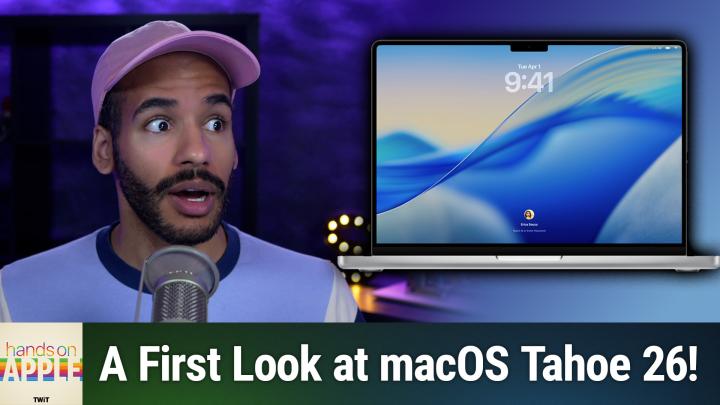
All TWiT.tv Shows (Audio)
Hands-On Apple 186: macOS Tahoe 26
00:12:04
A Walkthrough as clear as Liquid Glass
Loading summary
Transcript41 lines
- [00:00]
Micah Sargent
Coming up on the newly renamed Hands on Apple, let's take a first look at macOS tahoe 26. Stay tuned.
- [00:08]
Leo Laporte
This episode brought to you by Red Canary. When cybersecurity threats hit fast, you need an MDR partner that moves faster. Red Canary delivers 24.7expert MDR support, total visibility and actionable insights. Plus it helps you detect four times more threats so you can stay ahead with without burning out. Red Canary clears the noise and has your back every hour, every incident. Get the backup you deserve. Visit redcanary.com difference to learn more. This episode brought to you by the Electronic Frontier Foundation. In fact, if you ask me, the whole Internet's brought to you by the EFF. For 35 years, the Electronic Frontier foundation has been fighting to make sure that when you go online, your rights go with you effort. I owe them a big debt of gratitude. They rescued our podcast and every podcast from patent trolls. They helped encrypt the web to protect your privacy. They prevail in lawsuits against government secrecy and surveillance. These are the good guys, and they have a podcast, how to Fix the Internet. It's all about what happens if we win the fight and get things right online. And it's a great listen. The fight for digital rights, it's bigger and more urgent than ever. EFF is member supported. I'm a member. You should be a member. The more members they have, the stronger they can fight in statehouses, courthouses, and on the streets. Season six of how to Fix the Internet started May 7th. Listen@eff.org podcast and while you're there, join the EFF. They're the good guys.
- [01:37]
Zoe Saldana
Hi, Zoe Saldana. Welcome to T Mobile. Here's your new iPhone 16 Pro on us.
- [01:42]
T Mobile Customer
Thanks. And here's my old phone to trade in.
- [01:44]
Zoe Saldana
You don't need to trade in. When you switch to T Mobile, we'll give you a new iPhone 16 Pro. Plus we'll help you pay off your old phone. Up to 800 bucks and you still get to keep it.
- [01:53]
T Mobile Customer
There's always a trade in.
- [01:54]
Zoe Saldana
Not right now. @ T Mobile.
- [01:55]
T Mobile Customer
I feel like I have to give you something in return for karma.
- [01:58]
Zoe Saldana
That's okay.
- [01:59]
T Mobile Customer
I don't really have much in my purse. Oh, let's see. Hand sanitizer. It's lavender.
- [02:03]
Zoe Saldana
I'm good. Seriously?
- [02:05]
Micah Sargent
Hmm.
- [02:05]
T Mobile Customer
Let me check this pocket. Oh, mints.
- [02:07]
Zoe Saldana
Really, I'm fine.
- [02:08]
T Mobile Customer
Oh, I have raisins. I'm a mom. Wait, wait one sec. I've got cupcakes in the car.
- [02:13]
T Mobile Representative
It's our best iPhone offer ever. Switch to T Mobile get a new iPhone 16 Pro with Apple Intelligence on us. No trade in needed. We'll even pay off your phone up.
- [02:22]
T Mobile Announcer
To 800 bucks with 24 monthly bill credits. New line $100 plus a month on experience beyond finance agreement $999.99 and qualifying boarded for well qualified plus tax and $10 connection charge. Payout via virtual prepaid card. Allow 15 days credits and balance due if you pay off early or Cancel. See T mobile.com.
- [02:40]
Zoe Saldana
Podcasts you love from people you trust.
- [02:44]
Leo Laporte
This is Twit.
- [02:55]
Micah Sargent
Hello and welcome to this, the first episode of the renamed Hands On Apple. Yes, we were once Hands on Mac, but now I, Micah Sargent, am hosting the show Hands On Apple. It's just a little more accurate, accurate way to reflect what I do on the show, which is talk about all of Apple's devices. I thought today it would be great to sort of stay in the realm of things by talking about macOS Tahoe. So let's take a first look with the understanding that of course this is a look at the preview of macOS and is not yet the public version that will eventually be released for the platform. So let's head over and see what we're working with. Here we are in Mac OS Tahoe, and first and foremost you can kind of see the redesign of the system. We've got our menu bar that is no longer an actual menu bar. We've got a more clear look and feel. Finder looks a little different. And we can also see that the recycling bin or the trash can as it is on Mac OS is a little bit redesigned. If we hop into. Well, we'll get to the system settings in a moment, but if I right click on the desktop. Oh, I should also mention the cursor looks different too. But here on the desktop let's add some widgets just so you can see what that looks like. And so I can add a clock. For example, here's a digital clock on my desktop. Let's do an Apple News option and let's do a tips option. If we click Done, you can see these three options over here. The rounded corners are a little bit different and we can of course edit these widgets as needed to make adjustments to them by changing the topic, for example, or for changing the size of them. So we'll click Done here and move into the system settings really quickly there. You'll notice that they kind of went glassy in the background, which is quite nice. Here in the system settings, if we go to appearance, we can See that? Right now I have it on auto mode, so it's light. But we could switch to dark mode. Ooh, we can change the theme color. Right now I have it on multicolor. We could switch it to green, which kind of changes some of the stuff around. Text highlight color is set to accent color. So it will change based on what you have and then the icon and widget style I currently have set to default. There's a look at the dark icons, the clear icons, and we can have different versions of those, like a light clear or a dark clear or an auto clear that will change based on the time of day. And then tinted icons which let you make them green if you'd like. And dark green or light green or auto. I'm going to switch that back to default. The last thing we can change here is the color of our folders. I have mine set to green, but it can be set to automatic. So if we launch Finder, you can see that they are blue. I would change those so that they are green. And now you can see those changed. Now once we're out of this, you can see that when I opened up a folder here in this case, just opened up Finder, the size of the window and the roundness of the window is different. Also, the resizing icon is different as well.
- [06:37]
CIS Representative
25 years ago, a small group of business and government leaders met in Washington, D.C. they envision the creation of an independent nonprofit organization with a mission to help people, businesses and government mitigate the growing threat of cyber attacks. Today, the center for Internet Security embodies that vision. For 25 years, it's worked with a global community of IT and cybersecurity experts to develop the CIS benchmarks and CIS critical security controls. These proven security best practices defend against common cyber threats and streamline compliance with with industry frameworks, regulations and standards. Today, CIS provides cybersecurity services, threat intelligence and critical resources to help public and private sector organizations alike strengthen their Cyber defenses. Visit cisecurity.org today. That's the letters cisecurity.org to find out how CIS can help your organization as we create confidence in the connected world.
- [07:38]
Ryan Reynolds
Ryan Reynolds here from Mint Mobile. With the price of just about everything going up, we thought we'd bring our prices down. So to help us, we brought in a reverse auctioneer, which is apparently a.
- [07:47]
Mint Mobile Announcer
Thing Mint Mobile Unlimited Premium Wireless. How many get 30. 30. Better get 30. Better get 20. 20, 20. Better get 20. 20. Better get 15. 15, 15, 15. Just 15 bucks a month.
- [07:56]
Ryan Reynolds
So give it a try@mintmobile.com Switch upfront.
- [08:01]
Mint Mobile Announcer
Payment of $45 per three month plan equivalent to $15 per month required new customer offer for first three months only. Speed slow after 35 gigabytes of network's busy taxes and fees extra See Mintmo.
- [08:10]
Micah Sargent
That is kind of a quick look at liquid glass. It's not the all encompassing look at liquid glass, but I didn't want to kind of get into the nitty gritty there because we'll have plenty of time to do that. Another thing I'll mention really quick is the inclusion of the phone app on macOS now. So if I scroll down, I can see that phone is now an app on the platform. And you can of course turn on things like WI Fi calling and set of course your notifications as well. So those are available to you. And this is outside of just the FaceTime icon or FaceTime app, but gives you more access to taking and placing calls. On top of that we have an update to Spotlight Search. So command space will show you Spotlight, but you can do things like quickly send a message by saying by typing in sm, which is a quick way to get to messages. I'll hit enter and right from here I could say hello everyone, and then send recipients. Escaping lets me kind of back out of that. There are loads of different options. So I could do a search, for example, in books or search in shortcuts. I can see some of the automatic options that are available to me. Dictionary, reminders, messages, system settings. I can search in system settings, for example, and quickly do an adjustment to Bluetooth, changing Bluetooth sharing, whatever that happens to be. Spotlight Search becomes a lot more powerful. So here I can see applications. So this lets me search for applications, this lets me search through files, this lets me search through actions like with shortcuts. And Command 4 lets me look at my clipboard. Yes, Clipboard history has come to macOS. Now you have access to in shortcuts you have access to Apple Intelligence. So if you'd like, you can actually use Apple Intelligence in the private cloud Compute model to run some design or run some shortcuts. On top of the icons we also have Control center updates. So you can see over here on the right if you're looking, we have. The Control center is pretty much the same, it just gets a new design. The slider looks different for changing the brightness. And for all of the sliders you can easily kind of change the WI fi settings. Oops. And make adjustments there. Things are a little bit more glossy, a little more soft and round as well. And Something that I think is really delightful is, for example, in Safari, being able to go to a web page and scroll through and you'll notice that it takes up the entirety of the screen here, so it's a little bit more designed. And look at the top here. Even the bar at the top kind of takes in the color of what's on the screen, which is quite delightful as well. So it's all about focusing content on the screen and getting out of the way. Live translation has come to the all sorts of applications, including to your Messages app. You can also use Image Playground on the Mac to create different things. So I can create an image here and it works with ChatGPT as well. So if I choose ChatGPT and choose next and say yes, I'll enable it and in this case I will choose myself and it sends that information and I will choose Robot. So it's going to take the image sort of package that it created of me and the concept of Robot and try to combine those together as it goes to ChatGPT. That stuff will be shared with you. While this is loading, I'll mention a few other things, which is that if you use your Mac with your iPhone, live activities will appear on the Mac. So if you have an app that supports live activities, like for example, Uber or Instacart, that will appear on your Mac as well. So you can see it there. And you can do all of the things on your phone that you expect that we were announced, like being able to go into hold mode, which is called Hold Assist. That gives you the ability to be notified whenever you're no longer on hold. With Spotlight, you can easily kind of find, as I mentioned, your apps, and it has kind of intelligent suggestions. But imagine being able to automatically play a playlist or quickly create a split screen where it opens up Notes on one side and Keynote on the other. Those are some of the examples of what you can do. With Spotlight, there are new parental controls that are available. Journal, the Journal application has come to the Mac, which is fantastic. And of course there's also a new games app as well, so you are able to take advantage of that. So let's go ahead and go to Games and I'll show you. Here is the newly designed games app that lets me continue to play the games that I've already played. Visit Apple Arcade very easily and then look at apps that I can play together with my friends and invite them to play along with me if I would like. So that's a quick look at some of the new new stuff that has come to macOS and the next version, macOS Tahoe 26. As you might imagine, we will get a much more detailed look as the public betas begin to ship and more people are able to take advantage and use the system. And as I am able to kind of dig in and see what all is new across the entire platform. Folks, thank you so much for tuning in to this week's episode of Hands on Apple. Now I look forward to seeing you again next week for another episode. Bye Bye.
- [14:42]
Leo Laporte
From Silicon Valley boardrooms to tomorrow's AI breakthroughs, if you need to keep up to date with tech, you need TWiT TV. At TWiT, we are tech experts who understand what's happening and can keep you in the loop. And we do it in a thoughtful, informed and fun way. Start your Sundays with this Week in Tech, a roundtable of tech journalists and people in the know with a rundown of the week's most important tech news. But that's not all. All week long you can stay ahead of Security Threats with Steve Gibson and Security. Now. Keep up on all things Apple with Mac Break Weekly. Listen to the most informed Microsoft experts in the world with Paul Thurat and Richard Campbell on Windows Weekly. Our flagship shows feature tech's most respected voices, giving you the insight you need to understand and benefit from the changing world of technology. We give you analysis you won't find anywhere else so you can make smarter business decisions and take advantage of the technologies transforming your world. Whether you're a CEO, IT professional, or simply passionate about technology, TWiT's network of shows gives you the edge you need in today's digital landscape. Don't miss a minute. Subscribe to TWiT TV today.
- [16:05]
Zoe Saldana
Hi, Zoe Saldana. Welcome to T Mobile. Here's your new iPhone 16 Pro on us.
- [16:09]
T Mobile Customer
Thanks. And here's my old phone to trade in.
- [16:12]
Zoe Saldana
You don't need to trade in. When you switch to T Mobile, we'll give you a new iPhone 16 Pro. Plus, we'll help you pay off your old phone. Up to 800 bucks and you still get to keep it.
- [16:21]
T Mobile Customer
There's always a trade in.
- [16:22]
Zoe Saldana
Not right now. @ T Mobile.
- [16:23]
T Mobile Customer
I feel like I have to give you something in return for karma.
- [16:25]
Zoe Saldana
That's okay.
- [16:26]
T Mobile Customer
I don't really have much in my purse. Oh, let's see. Hand sanitizer. It's lavender.
- [16:31]
Zoe Saldana
I'm good. Seriously.
- [16:32]
T Mobile Customer
Let me check this pocket. Oh, mints.
- [16:35]
Zoe Saldana
Really, I'm fine.
- [16:36]
T Mobile Customer
Oh, I have raisins. I'm a mom. Wait, wait one sec. I've got cupcakes in the car.
- [16:40]
T Mobile Representative
It's our best iPhone offer ever. Switch to T Mobile, get a new iPhone 16 Pro with Apple Intelligence on us. No trade in needed. We'll even pay off your phone up.
- [16:49]
T Mobile Announcer
To 800 bucks with 24 monthly bill credits. New line 100 plus a month on experience beyond Finance Agreement 999.99 and qualifying ported for well qualified plus tax and ten dollar connection charge. Pay off via virtual prepaid card. Allow 15 days credits end in balance due if you pay off earlier. Cancel CT mobile dot com.