← All TWiT.tv Shows (Audio)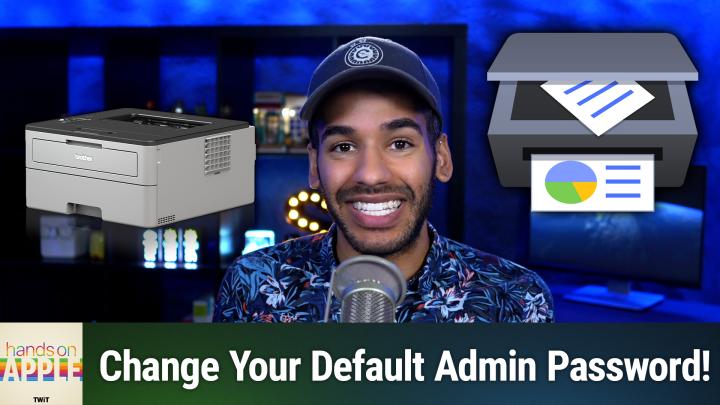
All TWiT.tv Shows (Audio)
Hands-On Apple 189: macOS Printers & Scanners
00:11:23
Dealing with that Brother vulnerability
Loading summary
Transcript7 lines
- [00:00]
Micah Sargent
Coming up on Hands on Apple, let's take a look at a recent printer vulnerability and what you should be doing on your Mac. Stay tuned.
- [00:09]
Unknown
This episode brought to you by Red Canary. When cybersecurity threats hit fast, you need an MDR partner that moves faster. Red Canary delivers 24.7expert MDR support, total visibility and actionable insights. Plus it helps you detect four times more threats so you can stay ahead without burning out. Red Canary clears the noise and has your back every hour, every incident. Get the backup you deserve. Visit redcanary.com difference to learn more. This episode is brought to you by the Electronic Frontier Foundation. I love hearing those words. For 35 years, the Electronic Frontier foundation has been fighting to make sure when you go online, your rights go with you. I'm a proud member. You should too. I also listen to their great podcast how to Fix the Internet. I don't know how I would sum up what the EFF does. It does so much. Their lawyers protect security researchers from companies that don't want them to do the research. EFF's technologists develop open source software to combat surveillance. If you use privacy badger, you oughta and their activists push companies to build tools that work for you, not against you. The EFF's podcast How to Fix the Internet has some of the best guests ever. People from like minded groups including the Digital Defense Fund, the Tor Project, the Freedom of Press foundation, leading thinkers in post quantum crypto, AI neurotechnology. And with every guest they ask the question, what does the world look like if we get this right? Visit eff.org podcast and listen to how to Fix the Internet. And by the way, join the eff. I'm a member. You should be too. Thank you. EFF podcasts you love from people you trust.
- [01:51]
Micah Sargent
This is Twit. Hello and welcome to Hands On Apple. I am Micah Sargent and as always, this is the show where I help you make the most of your various Apple devices by talking about how to set up the right settings and use the right apps and everything in between. Today I want to talk about a recent vulnerability, a security flaw that was discovered. And one of the big culprits of this security flaw is a very popular printer company, Brother. So with this, the cybersecurity company Rapid7 discovered several vulnerabilities that affected printer models from Toshiba, from Fujifilm, and from Brother. And of it it affected 689 brother printers. So given that that's the case, let's talk about what we need to do. First and foremost, understand that with this security vulnerability, essentially what's happening in the background is a bad actor is able to gain access to the printer and in doing so is able to get the printer. By the way, this is without any authentication. So without needing to type in any passwords or know the right things, gain access to the printer and get the printer to spit out its serial number. When it spits out its serial number, the bad actors are then able to generate and figure out what the admin password is for that printer. Because it turns out that the serial number is used to generate the admin password, the default admin password. So this whole episode is about using the built in functionality of your Mac to actually get into the printer and change your default password. So let's head over to macOS and take a look. Believe it or not, one of my favorite screens, One of my favorite settings places on macOS is the Printers and Scanners page. And there are a few ways to get it. My favorite way is to hold down command, hit space and type in Printers and Scanners. That'll of course bring up the Printers and scanners page, which is great, but if that's not the way you want to access it, let me tell you how to get there. Otherwise, just launch system settings, scroll down to Printers and scanners and click there. Now you can see here we are on our page. Now, once we're here, we know we're looking at this brother printer and we want to make sure of a few things. We want to make sure that the latest firmware is installed for this brother printer and that it does have the default password changed. So understand that there are multiple ways to go about getting to this page. If you know the IP address for the printer for one, you can use that to get to the page. But I want to show you how to do it with macOS defaults. So I will click on Brother Printer and up will come a page that lets me access the printer queue so I can see what files are going to be printed, the name of the printer, the location as I have set it, whether I want to share this printer on the network. You can see I currently have that disabled and then open sharing settings to get access to it even more. And then the kind of printer that it is. Now, what this means in this instance is the software that is being used to access and communicate with the printer. So in this case it's using an airprint functionality to be able to communicate with the printer and then it talks about the current driver. You can remove the printer from your printers and scanners list and you can set it as the default printer. What we want to do is choose options and supplies. When we click on this page, we once again can see the name, but we can also change the name here. We see its location, we can change the location, we see the model. And again, this is not exactly the model because as you can tell, this is instead the firmware software language that the macOS is using to communicate with this printer. The device's name and the driver version. And you can click Find Printer if you are looking for more information about its location on the network. But this page also has supply levels. Now this of course is the brother printer that has long been suggested as the printer to get. And part of the reason why I am covering this on this episode. And you can see that of course, because it is the laser printer. It just has black toner. And so the black toner is nearly full. Now what we want to do is go into general and we want to choose show printer web page. That's going to bring up a Safari page where we can see the information for where the printer is. Now you'll notice that the URL in my case is not the IP address, but instead is a series of numbers and letters. And then it says local. Now you like I will probably see a thing that says this connection is not private. And that is because it attempts to visit this page via HTTPs and it is an HTTP page, meaning that it is not encrypted, but it is on your local network. We'll choose Show Details and down below where it says to learn more, you can view the certificate, which you can. But what we want, if you understand the risks involved, as I do, which is just that it's not an encrypted connection between me and the printer, you can visit this website. We'll choose that it says are you sure you really want to do this? I say yes, I do. And then it will let me go to this website here. You can see that it slowly loads the local website for the printer. This is essentially a little server on the printer that has this information. So it slowly loads. Now the good news is I have a password set for this printer that is different from the default password that is set on the back, that is printed on the back of the printer. So what I will do is I will pop. Now I do in this case need to to copy and paste the password. It's a very long one. So we're going to switch away real quick to me while I do this. And then I will paste that in like so and choose login this episode.
- [08:42]
Unknown
Brought to you by Red Canary when cybersecurity threats hit fast, you need an MDR partner that moves faster. Red Canary delivers 24 expert MDR support, total visibility and actionable insights. Plus it helps you detect four times more threats so you can stay ahead without burning out. Red Canary clears the noise and has your back every hour, every incident. Get the backup you deserve. Visit redcanary.com difference to learn more.
- [09:12]
Micah Sargent
To then go about changing the password. You can get to this in many ways, but I want to also talk about how if you have one of these Brother printers, these screens are going to look familiar to you. Choose Firmware Update and make sure that your firmware is updated to the latest version. Now importantly, the firmware update doesn't completely solve the issue. Turns out that it's a manufacturing issue that is at the heart of this, and it requires a change from Brother going forward. But the firmware update does deal with some of the other concerns that the company had regarding this vulnerability. So make sure that you change those firmware updates or you check for a firmware update. And then over here in the left hand side we can see under Administrator tab we can click on Login password and we can change it if we'd like. If you have not changed it from the default password, this is where you do it and you need to do it. So I can close out of this because I know that I've changed it from the default, click OK and click Done. And then I just want to mention that again in this Printers and scanners section I've also got my other printer that's on the network and I could click on Options and supplies. Here I can see the supply levels for the cyan, magenta, yellow and black or key cartridges because this is an ink printer. And I could also visit the printer web page for this which once again shows that it is a local unencrypted connection and I can visit it to see that. Now you'll notice that here as well I do have a custom password set. So that's the big thing. Even if you think that your printer or your other devices are never going to be accessed from the external the wide area, it doesn't matter. Change the default passwords. If your concern is that, well then you can't look on the back of the printer to see what the password is. Get a little label, stick a little label on there. Get a piece of tape, a little piece of masking tape or painter's tape right. Your new password that you set on there, stick it on the back of the printer in any case, or do like I do, which is put it in a password manager. Change the default password for any devices you have in your home that have any type of connection to the Internet. And frankly, if you have devices that are not connected to the Internet that have passwords, you should also change them from the default. So that is a look at accessing your printer's local web page via macOS. Thank you so much for tuning in to this episode of Hands On Apple. As always, it is my pleasure to bring this show to you each and every week. Be sure to tune in next week for another episode of Hands On Apple. Goodbye.
- [12:12]
Unknown
Hey buddy, are you a geek? Are you a tech enthusiast? Then I would love to invite you to join a tech community like no other. You can gain exclusive access to our incomparable quality tech content with Club Twit as a member. You'll enjoy all Twitter shows ad free plus access private video feeds for insider shows like iOS today, home theater Geeks and so much more. Dive into the members only Twit plus bonus feed for behind the scenes content club discussions and special events. But here's the best Join our incredible Discord community to watch live show productions, chat with hosts and participate in exclusive members only activities. It's your backstage pass to the world of Whether you're a tech enthusiast or a lifelong learner, Club Twit elevates your knowledge while entertaining your interests. Get two weeks free when you sign up now and unlock unparalleled access at TWIT TV Club Twit. That's Twit TV Club Twit. And from the bottom of my heart, thank you and welcome to the.
- [13:23]
Micah Sargent
Sam.