← All TWiT.tv Shows (Audio)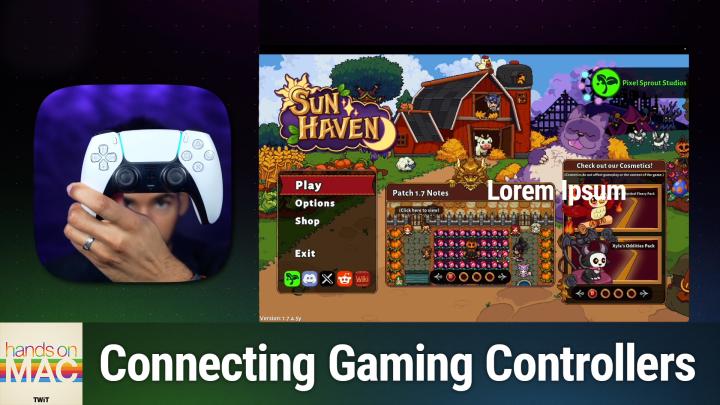
All TWiT.tv Shows (Audio)
Hands-On Mac 172: Game Mode on macOS
00:14:34
Prioritizing resources for gaming
Loading summary
Transcript6 lines
- [00:00]
Micah Sargent
Coming up on Hands On Mac. Let's take a look at using game mode on Mac as well as connecting gaming controllers. Stay tuned, podcasts you love from people you trust. This is TWiT. Welcome back to Hands On Mac. I am Micah Sargent and today we are taking a look at a special mode that is part of your Mac. It is a mode that allows you to kind of kick in, kick the system into high gear, so to speak, whenever you are gaming on your system. And so when it comes to using a Mac, you know, you may be thinking, okay, well, not really heard that that's for gaming, right? Well, you'd be surprised because there are a lot of games that, yes, you can play on the Mac, but that specifically you can play well on the Mac. They are games that are full powered, full featured, and work quite well. So I wanted to talk about that today and kind of tell you about what it means to have game mode running and what you can do with that. So let's head over to macOS to take a look. So here we are on Mac os and you can see I have Steam running and I have a game that is here. And the first thing you need to understand is that game mode on the Mac only turns on if you have your game in full screen. So by default, most games that you play on the Mac that you can start on the Mac are probably going to go full screen. And when they do that is when game mode kicks in. So I am going to click play on this game and we will see it launch and when it does, it shoots over to the side to show us the screen and immediately we're presented with a notification at the top that says game mode prioritizes the performance of this game while in full screen. Now let's talk about what that means. So when you go into game mode, it will make sure that the game that is in full screen has the highest priority access to your CPU and your gpu. So that means that nothing else is going to get to pull on your processing as much as that game. And also it lowers the usage of background tasks. So anything else that's running in the background isn't going to get as much access to resources. Kind of at the same time it makes those two things available. Something else that happens that's pretty cool is that it actually doubles the Bluetooth sampling rate. What does that mean? It means that Bluetooth is checking in even more frequently than it would otherwise do, which helps when you have controllers connected to your Mac and you're using something like Airpods So when you're playing a game, it is moving at a quicker pace than just kind of having music in the background. And it needs to be synced together so that the movement across the screen of the person is matched with what you're hearing. And if you don't have a wired connection with your headphones, if you're using that wireless connection without that Bluetooth sampling rate being bumped up, you will notice a difference between the two. Now I'm going to show you what you can do when it comes to game mode and I think you might be a little bit disappointed in terms of what functionality is available to you. So I have my game in full screen here. I'm gonna take my three fingers, put them down on the trackpad and swipe over so that I can access the main screen here. My game is still running in full screen to the right and up in the top. Now I see a little controller that symbolizes that currently game mode is running. If I click on this, I can see what game is using game mode, which in this case is Sunhave. And then the only option I have is to simply turn game mode off. So yes, all you're given is a toggle to turn game mode on or off. Game mode is a feature again that optimizes that gaming experience with lower latency and giving you kind of that smooth look and feel that is available to Macs with Apple Silicon and that are running macOS sonoma 14 or later. So that is what you get access to whenever you have game mode turned on. You can also take your cursor and in some cases move it to the top of the screen and kind of keep swiping up and it will summon the Mac menu bar which will give you the ability to turn on or off game mode There I find the easiest way because some games will kind of take over that little section again, that three finger swipe to the right to come back to the main screen and then control game mode from here. The other thing that I want to show you outside of game mode is that there may be times when you want to use a controller to access and interface with the devices, the games that you're playing on your Mac.
- [05:16]
Schwab Advisor Services
Are you a financial advisor? Considering the independent Registered Investment Advisor or RIA model and wondering where to start? Start with Schwab Advisor Services. Schwab has helped thousands evaluate the full range of options and can help you determine your best path forward. Navigate the big and small decisions by tapping Schwab's decades worth of insights on what fuels RIA success with Schwab Advisor Services, you have a custodian that will support you every step of the way. Start your journey today@advisorservices.schwab.com PEFS airport vibes got you stressing?
- [05:50]
American Express
Step out of the lines and into relaxation with the Platinum Card. Swap the noisy crowdy gate for cozy chairs in that wait, am I famous Kind of treatment. Rest, recharge or catch up on that to do list with complimentary access to over 1400 airport lounges with the American Express Global Lounge Collection. Learn more about the platinum card@americanexpress.com Explore Platinum Terms Apply.
- [06:17]
Micah Sargent
So when it comes to controllers, there are some Bluetooth controllers that are specifically made to work with your Mac, but you can also use a modern Xbox controller or a modern PlayStation controller and it works pretty simply. So I'm we're going to head over to back over to macOS to kind of take a look at what is involved there. So while I'm on macOS, I'm going to go ahead and downsize Steam here. I'm going to bring up system settings. Now the first thing I'm going to do is follow the instructions that are provided with the controller to put it into pairing mode. So with an Xbox it may be one thing, with a third party controller it may be another thing. With the PlayStation controller I hold down the PlayStation button and the share button at the same time and wait for it to begin blinking. Once it begins blinking, it's kind of flashing blue. That means it's in pairing mode. So now I can go to Bluetooth on Mac OS and I can see dualsense wireless controller which I then connect. Now this controller is connected. It is asking immediately I see that the Steam app is asking if it can control the computer using accessibility features. Now you may think that that's kind of backward, but there's a reason that it's asking for that and that is so that Steam can actually interface with the controller. And so we're going to go ahead and allow that to happen. So depending on what you have connected, you may what games you're playing, what apps you've downloaded, you may see that pop up. Now I want to go back to Bluetooth so we can see this dualsense wireless controller and we're going to swipe to the left to go to our game. And I am moving the joystick on the controller and you can see that it is changing the options, the place where I am on the screen to highlight different options here. And of note one Might think they could use the D pad to move up and down. No, only the left joystick is giving us that. So there are some ways where what happens in the game might run contrary to what you would expect. You do have the ability to make changes depending on the game to the controllers and that could then allow you to have control otherwise. But I want to show you that even if we don't use the controller within that specific game, we do have some options when it comes to this controller. For one, we can see the battery percentage is at 85%. Again, this is connected over Bluetooth and it is currently at double the Bluetooth sampling rate because of the fact that we have this controller connected while game mode is turned on. We'll click my favorite button though, that I button, and when we go to this, we can see the name of the controller. We can forget the device of course, and disconnect it. We see that it's considered a gamepad and the current version of it. But look at this game controller settings. So when I select that, we go to a special page where we can see game controllers and you'll notice that the dualsense wireless controller is currently connected and I can select it to see what the different buttons do. And we've got a default profile, whether or not it provides happy feedback, customizing the light bar color. So we could change that depending on if it has that functionality to maybe switch the color to purple or to pink or to blue or whatever it happens to be so that you can see different options for it. And we can also set this up by game. So if we hit the button in the bottom left hand corner, we can click plus and we can choose a specific game and say when we have this app launched, this is the control that I want to allow you to. So the X button, or as it's called, the cross button, we can change it so that it's non default, that the circle button does something else, that the L3, which is of course clicking the joystick does something else, et cetera, et cetera, et cetera. And then also the create button, which is what it's called, I called it the share button. But that create button you can control whether it does what you expect it to do, a double press, starting and stopping recording and whether press and hold does anything. Now these are the default controls, right? So we would have to switch to a different profile. We can click done here. And we can see that if we had an Xbox controller considered gamepad, we would be able to make those changes as well, pressing and holding the home button will launch pad, so I can hit that button. And it actually brings us into the games that we have on this system, which includes Steam and Chess and Sunhaven. Pressing it again. And of course, the home button is the PlayStation button and then our different profiles that are there. So we can say, I want to change this to a new profile called Mica. I don't like haptic feedback being too high. Of course, we'll choose green for me and we will set everything else to default. Good, good, good. For the DualSense wireless controller, the touchpad button does what you'd expect, double press. And then let's just actually set something for press and hold, which is capture highlight. Now I can go up to the DualSense wireless controller and I can change the profile from default to Mica. And we should see, in theory, the color change to green on the controller itself. And it did indeed turn green. And you will notice that on screen, it asked me for permission to allow the system to basically capture what's going on with the game. So it says allow rolling clips recording in the game controller settings. So can you do a recording of the screen and then whether or not those recordings are interrupted? So in this case, we're not actually recording something. But now that I've set that, if I were to hit that press and hold that little create button, it would allow me to capture the screen. So once again, that's because I set up a custom profile. And then the last thing that I wanted to mention is that there is what's called a buddy controller option. And essentially what it does is it makes it so that this is like if you're playing a game with a kid or with somebody else who maybe is having trouble playing the game, both of the controllers are kind of merged into one. And so if at any point the other person is having trouble, you can kind of help them along and get them to the next stage. It lets them feel like they're playing where they may not be doing as much interaction as one would expect. That's what buddy controller is specifically. At any time, you can also go down and choose Setup Game Controller, where we'll kick you back to Bluetooth so that you can connect that controller and then access it again. As I mentioned before, at any time, hitting the I to disconnect or forget the device is one way to pull that off and will allow you to disconnect from the controller as needed. So that is a look at game mode on macOS, as well as the ability to connect and control your controllers with different profiles in your setup. That is going to bring us to the end of this episode of Hands On Mac. Thank you so much for tuning in today. If you have questions for me, micahit TV is how you get in touch. Thanks so much for tuning in and I'll catch you again next week for another episode. Bye bye.
- [14:14]
Club Twit
Hey buddy, are you a geek? Are you a tech enthusiast? Then I would love to invite you to join a tech community like no other. You can gain exclusive access to our incomparable quality tech content for just $7 a month with Club Twit as a member. You'll enjoy all Twitter shows ad free, plus access private video feeds for insider shows like iOS Today, home theater Geeks and so much more. Dive into the members only TWIT plus bonus feed for behind the scenes content, club discussions and special events. But here's the best Join our incredible Discord community to watch live show productions, chat with hosts and participate in exclusive members only activities. It's your backstage pass to the world of twit. Whether you're a tech enthusiast or a lifelong learner, Club Twit elevates your knowledge while entertaining your interests. Get two weeks free when you sign up now for $7 a month and unlock unparalleled access at Twit TV. Club Twit. That's Twit TV Club Twit. And from the bottom of my heart, thank you and welcome to the club.
- [15:36]
American Express
Airport vibes got you stressing? Step out of the lines and into relaxation with the Platinum Card. Swap the noisy crowdy gate for cozy chairs in that wait, am I famous? Kind of treatment. Rest, recharge or catch up on that to do list with complimentary access to over 1400 airport lounges with the American Express Global Lounge Collection. Learn more about the platinum card@americanexpress.com Explore Platinum Terms apply.