← All TWiT.tv Shows (Audio)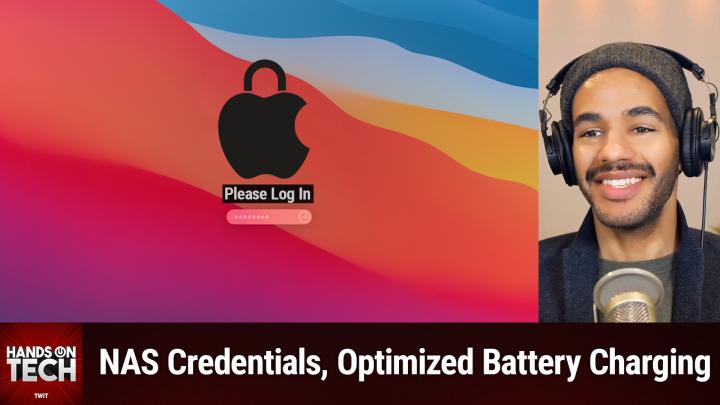
All TWiT.tv Shows (Audio)
Hands-On Tech 192: Passwordless Unlocking on macOS
00:54:44
NAS credentials, AI Video Upscalers, Optimized Battery Charging
Loading summary
Transcript19 lines
- [00:01]
Micah Sargent
Coming up on Hands On Tech. I, Micah Sargent, have some tech questions that need answered. We talk about, well, a pretty popular, pretty often recurring question. We talk about home mesh networking. We also talk about switching from Windows to macOS yet again. And some conversations about how to connect network attached storage to your device and have it stay and and work as you expect it to. All of that plus more coming up on this episode of Hands On Tech. This is Twit. Hello and welcome to Hands On Tech. I am Micah Sargent and this of course is the show where I take your tech questions and do my best to answer them or sometimes I review products. I keep promising that one's coming soon. It may or may not have been on its way to happen today before I had a little trouble with this overhead camera I have here. So that's coming down the line. But in the meantime I am very excited to be answering some great questions that made their way here. If you are joining me in the Northern hemisphere, I hope you're staying nice and toasty in the cool, cool air. If you're coming from elsewhere. Well, good for you because you're probably warm and wondering why I'm in a stocking cap. Anyway, let's get into the show. This week we're kicking things off with Susan who is, I would call friend of the show Susan. Susan is for people who've been watching Ask the Tech Guys and Hands On Tech after the fact. After the transition, you will likely remember that Susan is the individual who has a photo archive business and Susan has had some great tips in the past on helping to organize your photos. But today Susan has written in with this I have the Orbi AX6000 tri band mesh wifi 6 router. I always hear you talk about Eero and wonder if the Orbi mesh I have is okay. I have a 4000 square foot home, 2000 on the main floor and 2000 basement where my studio is. It seems to work okay, but I have terrible speed delays when using my tv. I have the TV hardwired to the satellite in my family room and yet it's not always great Internet. The other weirdness I'm having is that when I'm on my iPhone was 12 now 16 pro when on my wifi and trying to download something. Being on my wifi is slower than turning it off and using my Verizon data. I do have a cell extender for Verizon on my network because their cell service is so spotty, but I would think my own wifi network would be faster. I've got fiber to the house and currently see 950 plus megabits per second speeds up and down. So Susan, first and foremost, I don't want to introduce some sort of wifi anxiety into your life. The reason I talk about EERO so much is simply because I've used EERO for many years at this point. And it is the product that I recommend to others whom I know because I'm able to then help them with their EERO systems. And then, you know, once you're kind of on a router, you know, you've, you've made your brand choice, you tend to stick with it. That said, there's, there's a lot to kind of dig in with your question, but as far as using an Orbi, I think, or the ORBI system, it also gets really great reviews and is a okay and totally fine. I think that the problems that you're having probably involve some other things and that's what we're going to talk about. So first and foremost you said that you have terrible speed delays when using your tv. So let's talk about this. Depending on what you mean when you say using your tv, this could be different things. I don't know if you know this, but there was for a long time an Apple TV which included an ethernet port that was slower than the WI FI chip that was built into the TV that set top box. It is sometimes the case that because Ethernet is not as important a feature for a consumer, then that means that they are prioritizing something like the WI FI chip that's built in. Plus different other issues are involved, including what chip Apple decides to put into it. So if you are using an Apple tv, you'll want to check if you have a modern Apple TV with the modern ethernet port that has actually been updated to support these latest speeds and give you that much throughput that you were looking for. The same thing though would apply to a smart TV. Particularly when it comes to smart TVs, those things are consumer built, consumer focused through and through. And that usually means that they're expecting that you're going to use wifi as your means of connecting. So I would suggest, Susan, that you consider trying it over wifi and seeing if the speeds improve versus Ethernet. If that happens, then you know that the ethernet port that's built in is probably not a modern ethernet port that's going to support all that throughput. Particularly because those ethernet ports, I can't remember exactly, there was a term that somebody in the home theater area used, but Basically they called it like the dentist port or something like that, because the idea is that many times those televisions are used in dentists office and other places that have, you know, as part of the corporate building, Ethernet running to everything. And all they need to do is use that Ethernet port to kind of display some slideshow or what have you. So in that case, it's not as necessary to have that huge throughput. That said, there are a bunch of different reasons why your router may be reaching some places better than others. If you have your TV set into the wall and there's brick around it, or if you have an older home and so the walls have metal in them, I mean, there are a bunch of different reasons why that might be the case. And that is where I recommend using a tool called wireshark, which will essentially let you kind of map out your space and the wifi signal that is available. So if you decide to go with wifi for it, that could be the difference. I'm just now remembering that we were first talking about Ethernet. So in that case, again, it's hard to see how that could be a problem, except for the fact that I just recalled now, yes, you have that Ethernet running to one of your satellite Orbi devices, which means that it's wifi from the main device going into the orbi satellite, which is then running an ethernet cord. So you're only going to. Even at the best, you're only going to get the speeds that the main device can send over wifi to that satellite. If you can run ethernet from the satellite to your main router, that is very good because that does something called backhaul and that gives it essentially frees up more of the router to do what it needs to do with the actual antenna because it can use Ethernet to get in touch with the main router. So just reviewing there a couple of options that you have. First and foremost, try WI FI on that TV and see if it improves things. Then you know, it's the Ethernet port that's just old and outdated. And then secondarily consider very much consider strongly consider running an ethernet cord from your router to that satellite. In fact, that would be more preferred than anything else. And Keith's 512, I thought that wire. I thought I remembered Wireshark having a network mapping plugin. Am I mistaken on that? Yeah, there's network analyzer, right. Maybe I'm misremembering. Anyway, that's kind of your secondary tool if you would like to try to. Is there Something going on with the wifi at that point. Now the other question that you had was that Your iPhone, that's a 16 Pro now it seems to be slower than if you are using your Verizon data. I hear this a lot and the first thing that I tell people, and I wouldn't be surprised, Susan, if you are an Apple iCloud Plus subscriber, either directly or through the premium subscription, whatever it happens to be, check if you have the IP filtering settings on, which is basically Apple's VPN style relay. It's called iCloud relay system that helps to protect your privacy. What you want to do is launch the settings app on your iPhone, tap on wifi, tap on the I, the information icon next to the network to which you are connected, and look for limit IP address tracking. If it's toggled on and you're having slower, you're having a slower connection. Try toggling it off and then using it and see if that improves the speeds. If it improves the speeds, then you know that it's Apple's iCloud private relay that is causing the issue for you. And that is something that I just hear from a lot of people. ICloud Private Relay will help with improving and increasing your privacy, but it does not help in improving and increasing speeds. And that has been the issue for people. And the reason why I think that it might not be showing up on cellular is that it's more likely to be turned off by default on cellular because there are certain cellular carriers who do not support iCloud private relay. So to see it be faster with your Verizon data, that's one suggestion there. So that is what I recommend. And then I'm just double checking to see. Okay, so I do not remember why I thought that that's why. It's because people use Wireshark and NMAP together. So the tool that I'm actually going to recommend to you, by the way, thank you to the chat room for helping me out there, is nmap. That's nmap.org nmap has a tool, zenmap, which will help you to map out your network and see where the speeds are to to be able to and like the dead points and all of that kind of stuff. So forgive me, people use wireshark and NMAP in conjunction and that is why I kept thinking it was Wireshark. But NMAP is the tool that you want. So Susan, give that a shot to just kind of map out your network in your home and see what where you Might have some slowdowns, some dark spots and that can help you to consider where you put those satellites. But ultimately you're good to go when it comes to using Orbi. Everything's fine there, but I called Private Relay. Why I yadda. That thing causes so many people so many issues and I understand why it's there. It's a great feature, but still. All right. Hey Loquacious, let us move on to our next question.
- [12:54]
Ad Voiceover
Got great ideas but no idea how to build a website? Get bluehost with their AI design tool, you can quickly generate a high quality, fast loading WordPress site instantly. Once you've nailed the look, just hit enter and your site goes live. It's really that simple. And it doesn't matter whether you're a blogger, influencer or just starting your side hustle, bluehost has you covered with built in marketing and e commerce tools to help you grow and scale your website for the long haul. And when you upgrade to Bluehost Cloud, you get 100% uptime and 24. 7 support to ensure your site stays online through heavy traffic. Bluehost really makes building your dream website easier than ever. So what's stopping you? You've already got the vision. Make it real. Visit bluehost.com right now and get started today.
- [13:45]
ATT customers switching to T Mobile has never been easier. We'll pay off your existing phone and give you a new one free. All on America's largest 5G network. Visit t mobile.com carrierfreedom to switch today.
- [13:59]
Pay off up to $650 via virtual prepaid MasterCard in 15 days. Free phone up to $130 via 24 monthly bill credits plus tax qualifying port in trade in service on Go 5G next and credit required. Contact us before canceling entire account to continue bill credits or credit stop and bounce and required finance agreement is due.
- [14:13]
John Mittelkoff
This is John Mittelkoff from three and out with John Mittelkoff. You know what my friends at Travis Matthew have done? They've taken leisure wear to the next level. I didn't even know they made these, these slide slip hoodies. I don't have an undershirt on you.
- [14:26]
Micah Sargent
Just wear it over.
- [14:26]
John Mittelkoff
You can wear it around the house. As a podcaster I wear these things every day. I told them send me about 10 more, watch football for a living. Will be on my couch in this thing all day long. Obviously they're hats. No hats fit better. They also sent me a pair of jeans. These legacy featherweight jeans got a little stretch in them, you know the wintertime. We might put on a few extra around the holidays. How good do these look? I was even playing golf with a.
- [14:49]
Ad Voiceover
Buddy the other day.
- [14:49]
John Mittelkoff
He's like, I love their jeans. I'm like, yeah, they're the best. Then these daily slip shoes, wear them with shorts, wear them with jeans, wear them to work, wear them to a date, wear them just hanging out. Cannot recommend their stuff enough. So do yourself a favor and hit up travismathew.com all new customers get 20% off their first order. Again, that's travismathew.com you'll thank me later.
- [15:12]
Micah Sargent
Our next question comes in from Da DA says I have a new Mac Mini and I just switched from Windows, which I have used from day one DOS days. Thus, other than using iPads, Apple cell phones for the past 12 years or so, I have never used macOS. So here is a question I have I'm so excited to read this question out because the chat room is going to freak out and I can't wait. Okay, so here's a question I have. When I stop using the Mac and the next time I want to use the Mac, I have to put in a password every time to unlock it, which is very annoying. I don't have an Apple Magic keyboard, thus no touch id, so I have to manually input the password. I am not worried about security on the Mac, I am the only one using it. Thus I would like to just touch the mouse or keyboard to wake it up and go directly into the software. No stupid password. But I can't figure out if this is possible and if it is, how do you do it? Thanks for your help. All right, let me give the chat room a second ago. No, don't disable the password. And if no one does, I'm going to be very upset with you all. All right, so here's the thing, Da, I need to go ahead and provide the sort of caveat here. Just because this is a machine that you have at home that no one else uses. Bear in mind that disabling password login has a host of implications. In an ideal world, it's nothing that you'd ever have to worry about. Do we live in an ideal world? Well, that's up to you to decide. And so if you ever know, Knock on Wood suffered a break in and somebody wanted to gain access to all of your accounts and your information. If your computer doesn't have a password on it, the computer is one place that they might go and then they could just get right into it. So now that I'VE said that I do feel a little bit better about the fact that it is a Mac Mini and that it's not a laptop. If it was a laptop, I may have not answered this question because I didn't, I didn't want to be responsible for anything happening to the machine, although I'm not. Anyway. Okay, so given that it's a Mac mini that sits at home and you are aware of the security implications therein, there is a way to do this. Apple does provide a way. On your Mac in macOS, you launch the System Settings app, that's the one with the gear that's gray, and you click on Users and Groups in the left hand column of System Settings. Down at the bottom you will see an option that says automatically log in as. Now here's the thing. If you use a tool from Apple, a feature From Apple called FileVault, you will not be able to use this feature. FileVault is the built in system for encrypting your drive, encrypting your system when the computer is locked. And the way that that works is it uses the password that you have for your login to encrypt the data. So if you don't have that set up, then there's no way for it to encrypt, decrypt, etc. Given that you have to have FileVault turned off in order to enable automatically log in as. So the first thing that you would have to do if you have filevaults turned on is turn off filevault that is in the System Settings app and then you choose Privacy and Security and then you go to filevault which is at the bottom under Security and you toggle that off. Once you've done that, if you have it turned on, then you go back to users and groups and then you choose automatically log in as and you select yourself as the user. From that point on, simply restarting the machine or you know, tapping the space bar, whatever it happens to be, it's going to automatically log you in. You won't have that kind of stop period of having it lock whenever you're on that lock screen. Now, all that said, there is another method that can increase the amount of time before you have to type in a password. And so I want you to consider this DA before you go to the nuclear option of turning everything off. But I wanted to answer your question first so that you didn't just kind of go, oh, he's not even going to answer this. No, I did, I will. But when it Comes to doing this, you could go again into system settings and you click on lock screen and there's a third option up at the top of the lock screen settings that says require password after screensaver begins or display is turned off. And there's a setting for the time at which this feature is enabled. So this will let you lengthen that time and then you can also change when the display turns off, when the screensaver turns off. All of that can change to give you some more time before you have to actually type in your, as you put it, quote, unquote stupid password. So da, I hope that helps, but just remember the security implications therein because it is pretty serious, although I said it as if it wasn't. It is very serious. And so just keep that in mind. Maybe go for that lock screen route where it's just a little bit longer before you type in the password. And you know, if you can throw a few extra dollars into a little saving spot each month and then suddenly you've got enough money to get the Touch ID keyboard. Wow, that is very bright. It's these lights that will let you use your Touch ID to log in. Or if you had an Apple Watch, if you decided to go the Apple Watch route, then you could use that to log in as well. If you have an Apple Watch already, I don't know if you knew this, but you can use it to log in with that. As I think Gern G E r n Gern Gern on YouTube says unlock with Apple Watch is almost like having no password. It is. And so you may consider that, especially if you've been thinking about getting an Apple Watch, this may be your reason to do so and then you're safe, er, and you have an Apple Watch, so pretty cool. So those are some considerations. Da. You can disable it, you can lengthen the amount of time that it takes for that to be turned on. Or you could get an Apple Watch or a Touch ID Apple keyboard. Any of those would help you out. All right, thank you for your question. Our next question comes in from Bruce. Bruce wrote in to say hello. I recently switched from using a 201927 inch iMac to the new M4 Mac mini with 16 gigs of RAM, a 1 TB SSD. I have a Synology DS120J network attached storage with a server share mounted on the Mac Mini desktop that I use for a time machine backup. The problem I am having is that whenever I log off and then back on, the server disconnects and I get a pop up asking for the server, server username and password. I enter these and the server then reconnects. I let the mini go to sleep at night and in the morning I wake it up and again the server connection is lost. I am using automounter and also tried adding the server share to the login items without help. This behavior of disconnecting was never Observed on the 2019 IMAC running the same version of Sequoia as the Mac mini. Any suggestions on how to fix this would be greatly appreciated. So Bruce, the first thing I'm going to suggest to you is that there may very well be a credential error that is at play here. So it could be the case that macOS, when it switched over to your new Mac, ended up messing up the credential for the Synology device. So what I'm going to recommend is first and foremost opening up keychain access. Now there are a few ways to do this. You seem to be pretty well versed in macOS, so you know how to access Spotlight, command space bar, the F4 icon, or if you want to do it the long way, clicking on the search bar in the menu bar at the top. Once you're there, type in Keychain access. Now on macOS, Sequoia and also other more recent versions of macOS, you will be prompted to either open up the Passwords app or Keychain access. And that is because it's telling you, hey, the stuff you need to worry about is over in passwords. It's not in Keychain access. I'm telling you in this case, my dear friend Bruce, it is in Keychain access. So click to say Open Keychain Access. Once you're in Keychain access, you're going to look for the Synology NAS credentials so you can use the search bar to type in either the IP address for it. You can do it just by searching by looking through the list of saved passwords and you're going to find it and you're going to delete it once you've deleted it. Oh, I should mention, don't be connected to the network attached storage whenever you do this. So make sure that that's unmounted. Sorry, make sure that the network attached storage is unmounted, go into Keychain access, find the credential, delete it, then connect to the network attached storage, type in your credentials and make sure you check that box that says remember this password in my keychain enter. That will obviously reset the credential and hopefully that will take care of what's happening there where when the system knows that it's supposed to auto mount again, either via Auto mounter or by restarting, then it will do that. So that will help you take care of that if that is the problem that is, you know, at stake here. Now we've got a few other options because that may very well be one aspect that actually is working fine. But the fact that it keeps popping up and asking you to type in your username and password again, even though you have already typed it in, suggests that it is at fault here. But there are some more options and in fact, Keith's 512 is touching on the setting that we're going to talk about next. So you're going to launch System settings, and on macOS you're going to click on macOS Sequoia, you're going to click on Energy. This used to be named a bunch of different things. In that turn on the setting that says Wake for Network Access. If that is toggled off, toggle that on. And the reason why is because that's that setting is kind of misnamed or it's not entirely descriptively named. Wake for Network Access has quite a bit that they've kind of just dropped into the one setting. So it says below it, while sleeping, your Mac can receive incoming network traffic, such as imessages and other icloud updates to keep your applications up to date. It also lets scripts be able to turn on the Mac and it's very involved. It is worth having turned on because this is a Mac that doesn't have a battery. That's going to be the extent of what you can do in the Energy settings. So just make sure that that is toggled on next. And this is where you know this is completely up to you. Just go ahead and double, triple, quadruple, check Auto Mounter settings to make sure that it's set to reconnect on System Wake or login to make sure that the credentials that you've used are correct, that you didn't mistype them, because that could be why that prompt is popping up with you needing to type in the username and password because it had been typed in incorrectly. Then in the automounter app, make sure that you have whatever setting works with Auto Reconnect enabled as well. Another this is kind of moving down the line. Okay, so we've taken a look at the credential. Give that a go. If that fixes it, you're good. Then check for the network stuff. If that fixes it you're good, then check auto mounter. If that fixes it, you're good. Then we're going to do something that's a little bit more involved. MacOS occasionally mismanages network share reconnections and that again is just a little blip in the system that messes things up and suddenly you're not able to connect to the network. So there is a way where there's a will, there's a way to reset those network preferences. Unmount your network attached storage, head to Library Preferences System configuration. Again, you're pretty well versed in macOS it sounds like, but if you are having trouble getting there, bring Finder into focus, meaning that it's the front most window. Hold down command on your keyboard and press K. Oh no, that's, that's the other one. Hold down command on your keyboard and press shift and G not command K. That's how you connect to your network attached storage command shift and G. That's going to bring up the go option so that you can go to a specific folder. The folder you're going to go to again is Library Preferences System configuration I should say that's the directory you're going to go to when you're in there. Look for a file called com apple SMB server.plist and then you're going to delete it and then you're going to restart your Mac. And when you restart your Mac that will recreate that plist file and that can help with it having trouble with those network shares. If it's not properly reconnecting as you would expect. Again, it could be a corrupted plist file. And then the last thing that I would suggest if everything else fails, including that it's not quite nuclear, but more nuclear option of messing with a plist file in the server section, I mean in the system section is to use macOS's console app again from anywhere however you like to launch Spotlight. Then just type in the word consul and you should see console app pop up. What you'll do is you will look for entries in the system log file that indicates some form of network disconnect. So you would look for the network attached storage via IP via that URL SMB blah blah blah blah and also auto mounter popping up. Look for messages related to that and that should help you kind of determine oh, this is what caused the issue. So if you launch console and you look in the window rather the toolbar to the left at the bottom you'll see system log. That is where you will see all messages. You can also break that down to just errors and faults and then you can search in there for your specific network attached storage or your automount or app and see if you're getting issues. At that point you should be able to kind of follow along to troubleshoot that. If that's not if the things we suggested before didn't fix it. If you're still having trouble but you kind of can narrow it down by way of console, write in to let me know what the errors are saying in console. That would be very helpful and we can keep giving it a go to see what's happening there. So thank you to Bruce for writing in. We'll go to our next question which comes from David Next Got great ideas.
- [33:26]
Ad Voiceover
But no idea how to build a website? Get bluehost with their AI design tool you can quickly generate a high quality, fast loading WordPress site instantly. Once you've nailed the look, just hit enter and your site goes live. It's really that simple. And it doesn't matter whether you're a blogger, influencer or just starting your side hustle, bluehost has you covered with built in marketing and e commerce tools to help you grow and scale your website for the long haul. And when you upgrade to Bluehost Cloud, you get 100% uptime and 24. 7 support to ensure your site stays online through heavy traffic. Bluehost really makes building your dream website easier than ever. So what's stopping you? You've already got the vision. Make it real. Visit bluehost.com right now and get started today.
- [34:15]
Now at T Mobile get four 5G phones on us and four lines for $25 a line per month when you switch with eligible trade ins all on America's largest 5G network.
- [34:26]
Minimum of 4 lines for $25 per line per month with autopay discount using debit or bank account. $5 more per line without autopay plus taxes and fees and $10 device connection charge phones via 24 monthly bill credits for well qualified customers. Contact us before canceling entire account to continue bill credits or credit stop and balance on a required finance agreement due bill credits end if you pay off devices early.
- [34:42]
CT mobile.com Let me silence my phone real quick so I can tell you that US Days at US Cellular is back again. Exclusive offers just for customers. Just to say thanks. Right now you'll get twelve hundred dollars off any phone plus four hundred dollars off any tablet. Amazing right? But my family is so excited about their new devices they keep texting me during the show they're all about us days deals like $1,200 off any phone plus $400 off any tablet. Terms apply. Visit us cellular.com for details. This ad was an actor's portrayal.
- [35:15]
Micah Sargent
So David writes in and says, I just updated my PC from an old Dell PC that came with Windows 7 with 16 gigabytes of RAM. The new PC is an HP Pavilion 13, 13th generation intel i5 13, 400, 250 gigahertz, 16 gigs of RAM. I was doing simple video editing on the Dell, but it was slow transferring my VHS videos into the MP4. It took about five hours or more to. Oh, let me do that again. It took about five hours or more to do. So is it worth updating the RAM on the new PC or just leaving it as it is? Another question are there any video enhance programs that will improve the quality? I know VHS and Beta isn't great to begin with, but it would be nice to get a better quality video. The editing program I am using now is AVS Video and videopad, which are simple to use and enough for me, thank you. So David, this is where I worry I'm going to sound like a sort of Mac lover dork when it comes to macOS as Apple has switched to Apple Silicon. The RAM has mattered less over time. It's still important, but it's not so very important because of the way that the system architecture is. And so given that I can say 16 gigs of Ram is a okay on the Windows side of things. I have had issues on a Windows PC that has had a lot of RAM issues, on a Windows PC that has had a little bit of ram. I've been fine on a PC that had a little bit like it's hard to say. And that is because you're kind of constantly competing between is the processor enough? Can I use more RAM to sort of make up for the processor? Does the processor have discrete graphics? Well, I should say, is there a discrete graphics card along with your main cpu and does that make a difference? Depending on the tasks that I'm doing, RAM is typically about multitasking. I know that I'm really, really, really simplifying it and there are lots of little caveats. So you can email me with your caveats if you want to. But RAM is on the whole about multitasking. Being able to kind of hold a little bit in memory here and then move over to this and hold in memory here and move over and kind of switching back and forth between applications and your processor itself and Its power is more about those single tasks. And so if the processor is good enough and you're just doing one thing at a time, if you're not going to be like browsing Chrome and checking your emails while you're editing video, while listening to music, while doing this, while doing that, if you're just doing that one thing, then the 16 gigs of RAM is fine. If you can swing an upgrade, you might see some improvements, particularly when it comes to like importing stuff from another program. However you're capturing these vhs and in some cases you could see a little bit of improvement if it's multithreaded for the transcoding process. But 16 gigs of RAM is probably fine. Overall, a more performant processor and discrete graphics card have much more of an impact on video editing, single task focused video editing, than just RAM alone. And so it's not like you're going to see huge improvements because you've decided to upgrade the RAM. So yeah, I would do that. 16 gigs of RAM and just be a okay with it. Exactly. As out of Sync has sort of reiterated, video encoding is mostly about CPU and IO that's in out speeds than it is about ram. All right, so the other question you had was are there any video enhancement programs that will improve the quality? So the one that is sort of the indus, well, I shouldn't say the industry standard, but it is an industry choice, is a tool called Video AI from Topaz Labs. David. It's an expensive program. $299 for Video AI from Topaz Labs. If you had a VHS encoding and editing business, then I would recommend using a tool like Topaz Labs Video AI. But the wonderful Scooter X has provided a suggestion that I'll mention and then I'm going to suggest another one that you can try. ScooterX in the chat has suggested nero.com which has an article about using Nero AI's video upscaler to upscale your VHS tapes. So we'll include a link in the show notes to this blog post from Nero that has information about the Video Upscaler. I think it even has, yeah, an online version if I'm not mistaken, so that you can just upload the video file there, but then also you can download the program to use that. And so it's called Video Upscaler and it's@pcai.nero.com and I'm curious what the cost is for this. That one is $85. So that's a lot less money than the Topaz Labs Video AI tool. So you could try that as well. And then my suggestion is that you can use an open source tool that's available on Windows called Handbrake. Handbrake is a tool that is mostly used by people who are trying to change a video file format from one format and codec and all of this stuff to another. And also for people who are looking at turning their physical media into digital media, physical media they own into digital media. And so that is a tool that has some built in filters and upscaling options that you can try. So with Handbrake, the great thing is you can play around with it and you're able to get that to work. So I've actually used it before with kind of older DVDs to make them look better on a modern machine. And then Scooter X. Thank you. There's a deal right now where you can get the AI video upscaler tool from Nero for 64, 95. So 65 bucks and suddenly you're taking your VHS tapes and upscaling them for not, not a lot of money. You know, in the swing of things, if you've got multiple VHSs and you want to make them look better, I think this is a great tool for you to use. So that's worth checking out. Again, we'll go through. We've got Topaz Labs Video AI. Especially if this is like a business thing that you're doing that might be something you invest in. We have Nero AI's video upscaler for about $65. And then you can also just try for free the open source Handbrake which has some built in filtering. Obviously that's not going to involve AI upscaling. It's not going to be as good. It's just going to apply the same settings across the entire video file. So you're not going to get as great, as great an experience and as great a, a an output. And one more. Thank you, Paul. There is a tool. The website's a little sparse, kind of makes me a little skeezed out. Upscale Video AI. Let's do a little check on this. So be aware that, you know, be careful I guess is what I'm saying when it comes to the different tools. You know, Topaz, I know about very well and know that the business is reputable. There is upscalevideo AI, the website that includes a free trial and I don't know, it just kind of worries me a little bit. I'm not seeing too many reviews for the program but it is perhaps something to consider if everything else is not working. For you. All right, let us move along to our next question, which comes from Brad. All right, Brad writes in and says, hello, Micah. I have a question for you. What I'm asking is I keep my phone on the charger all day and all night. Is that safe? It is an iPhone 16 Pro Max. Whenever I'm at work, I keep it on an Anker 10,000 power brick. Is that safe for it as well or should I take it off the charger sometimes? Thank you. I'm a loyal Club Twit member and listen to all the shows. Brad, thank you for listening to all the shows. Thank you for your Club Twit subscription. Oh, one more thing. There is a Black Friday sale going on right now. Thank you, Doc Rock. Thank you, Scooter X. So this is back to David's question. Right now you can get the photo AI tool, the video AI tool, and something, excuse me, called Gigapixel, which upscales and enhances photos and Images, all for $299. So normally that would be $647 to use and that will let you use it for that. So what's great about this is that you are able to use this for then, you know, photographs from albums, all sorts of stuff. So you could end up using multiple tools. While these are pretty neat, I kind of want to try this out. Oh, man. But I also want a 3D printer, so I don't know. All right, there is something to bear in mind. Thank you, Doc Rock, for picking up on that. All right, so Brad, again, thank you for being a Club Twit member and thank you for tuning into the shows. First and foremost, with iPhone, if you have optimized battery charging turned on, that's your first step toward making sure that everything's okay, regardless of whether you plug it in or charge it via a, you know, wireless or whatever means you do. If you have optimized battery charging turned on, you're well on your way to doing the right thing. For people who don't know, you launch the settings app, you tap on battery, you tap on charging, and then in the middle there is a section that says optimized battery charging. You turn that on from that point on. Apple's iOS is going to manage your charging settings in the background, so you don't need to worry about them. What that will do is regardless of how you have it plugged in or on a wireless charger, it's going to take care of that system and figure out how it needs to be charged to do to keep the drive, or rather the battery. Excuse me. Health. Good. Now, should you keep it on the charger at all times? Always? Well, I know a lot of people who do, and part of the reason why they do that is because they know that the iPhone is only going to pull charge when it needs to pull charge and then not pull charge at other times. So what that means is that the system is going to turn off charging, which then will result in the. If you're using a wireless charger, the heat component not being a factor at that point, it's just a magnet. And that's the most important thing because heat is the enemy of battery longevity. So if you have an issue with the, with your wireless charger, whatever it happens to be getting hot, that's something to keep in mind and to look out for. So, Brad, my ultimate suggestion to you is do not allow your wireless charger or your power brick to get super hot with the iPhone on there, because that will start to decrease your battery life. But that's the good thing about optimized battery charging. When it comes to a, you know, a wireless charging puck or whatever tool you're using to charge it, it's going to stop pulling, which is going to dissipate that heat and keep it good to go. I can't speak for the Anker 10,000 milliamp hour power brick in terms of whether it remains hot whenever it's not pulling a charge, but I would imagine it does not. So, yeah, Brad, just, you know, touch it every once in a while and see if it is getting warm. And if it is, then that could be an issue and that's a reason to not keep it on the charger. I am curious, Brad, the. What's the reason that you keep it on the charger at all times? Is it just because that's where you think to put it? And so it's just, it's like I know it's right there and, you know, it's available to me. Or do you have battery issues where you need it to be more charged than it is? Particularly if you're going for the max phone, that battery life's pretty long. So I'm kind of curious to hear about why you keep it charging at all times. Not to say that there's anything wrong with that because again, we went through what those reasons might be. But, yeah, I'm kind of curious. All right, we are moving on to our last question. It's actually a bit of follow up, which we'll get to in just a moment. Oh, actually before we get to our follow up, I want to quickly mention those of you out there who are tuning in. If you have heard about Club Twit and you have yet to join Club Twit, can I invite you to join? Because right now you can get two weeks of Club Twit for free to dip your toe in and see if it's for you. TWiT TV ClubTWiT is where you go to sign up to join the club. And yes, right now for a limited time we've got two weeks weeks free. So it is worth checking out after that. $7 a month to be a member of Club Twit and we would love, love, love love love to have you. When you join the club you gain access to all of our shows ad free. You gain access to the Twit plus bonus feed that has extra content you won't find anywhere else behind the scenes before the show, after the show, special club twin events. So when you join you're going to have access to a huge back catalog of great content. You'll also gain access to the Members Only Discord Server, a fun place to go to chat with your fellow Club Twit members and those of us here at TWiT. Lots of cool images and thoughts being shared in the chat today and you also will get the video versions of our Club Twit exclusive shows. So that's my shows, iOS today and hands On Mac as well as Hands on Windows from Paul Therott, Home Theater Geeks from Scott Wilkinson and more. So yeah, join the club. And if you are already a member of Club Twit and you'd like to bring in your friends and your family, you can get several months of Club Twit for free. You'll basically get credit towards a month of membership when you refer a friend. TWiT TV ClubTWiT referral to learn more about that. And we thank you to those of you who are putting out the good word about Club Twit. All right, let's head into the follow up. John has written in. John is the person who wrote in a while back to ask me for suggestions on how to get their iPhone, which has a hotspot to work with an older kind of wifi device. And at the time I talked about some ways of doing it to get it to work, but at the same time I also said can you just let me know like what's I am surprised at the number of people who use their iPhone as a hotspot, but in a way that it's basically their home network at all times as opposed to kind of a purpose built device. And so anyway, John wrote in and says this, said this, this was a suggestion that I gave which was turn off limit IP address tracking. John says turning off limit IP address tracking seemed to be on the right track, if not the whole answer. It worked and then it didn't work and then it worked and then the iPhone 14 quit being a hotspot and so on. After much messing around and or perhaps coincidence, I seem to have it working for the long term or until the next iOS update. It seemed necessary that my iPhone 16 needed to be connected to the hotspot while connected to the govee wifi setup of the thermometer, the device being connected to the Internet. It also seemed necessary that the iPhone 16 also have private wifi address turned to off for the iPhone hotspot connection on the iPhone 16. I am thinking notifications and messages and such kicked it out of the discoverable mode. So I also turned off many if not all disruptive options. Yeah, as Scooter X says, WI fi is an art, not a science. Indeed. I don't know about the last part about things kicking it out of discoverable, but there are sometimes low battery stuff that could be playing against it and I guess depending on which cellular provider you're using, if you were getting a bunch of notifications over your cellular connection, yeah, that's actually not a terrible idea that that could be kind of causing the congestion that's keeping it from working. But ultimately I'm glad to hear that turning off limit IP address tracking seems to have worked. The number of times that that is a solution to the problem that a person has tells me that Apple really needs to get it together when it comes to icloud private relay because limit IP address tracking is icloud private relay just named a different way. And then interesting about the private wifi address, I'm not surprised about that either. Private wifi address is a newer, a newer feature that is being built into a lot of smartphones and other devices because it became clear that the sort of physical Mac address of a device, if it remained the same and you were connecting to different WI fi networks that all could talk to one another, then it could start to be used to profile your device and track you that way. And so different devices and platform makers, platform designers started to implement a feature where the WI FI address would, the real WI fi address would be masked by the system providing kind of a temporarily generated WI fi address. And then over time that feature has improved even more to offer you the ability to regularly rotate out your WI fi address so that you're never really tracked. Right now it kind of any network that you connect to, it gives each one of them a different WI fi address. But you can even have it go as far now as to say after a period of time with this network change my Mac address that's being reported to the router. That can cause all sorts of issues because there are lots of different ways that a router can manage what is allowed to connect to the network and not. And so Mac address filtering could be the bane of some people's existence. And having the private wifi address feature turned on can cause issues. But yeah, just in general I've seen it cause problems for different things. So I'm not surprised to hear John, that turning that off seemed to help. Yeah, that is very confusing at times how one thing seems to work one time and sometimes it doesn't. And then a leaf rolls. You open the door and a leaf happens to roll in into the house and that just throws all the wifi off of the entire house and suddenly nothing's working. It really can feel like that sometimes. So I'm glad to hear that it seems to be working right now. I'll knock on wood that it stays that way and that an iOS update does not cause issues for you in the future. And with John's question, we have reached the end of this cozy episode of Hands On Tech. For those of you listening and not watching, you're like, what's he talking about? Well, you'll have to. You have to see the video to know. Thank you all for your questions again, you can email me. Hot TV Hotit TV is how you get in touch. If you got a hot burning question that you want answered, that is how you get in touch with yours truly. This show records every Sunday at about 11am Pacific time, so feel free to tune in. TWiT TV HOT is how you go to subscribe to the show in audio and video formats. And I will catch you next week for another episode of Hands On Tech. Until then, it's time to say goodbye.
- [58:52]
Ad Voiceover
After investing billions to light up our network, T Mobile is America's largest 5G network. Plus right now you can switch keep your phone and we'll pay it off up to $800. See how you can save on every plan vs Verizon and at&t@t mobile.com KeepAndSwitch.
- [59:10]
Up to four lines via virtual prepaid card. Allow 15 days qualifying unlocked device credit service ported 90 plus days with device ineligible carrier and timely redemption required card has no cash access and expires in six months.
- [59:20]
Months Ritual is hardly the only brand running a Black Friday sale and you've probably got tons of baby items on your list. But how about what your body needs with a range of pregnancy safe nutrient support including natal choline and their best selling prenatal multivitamin, Ritual is where you can use your savings to support you and your baby. Products are heavy metal tested, clean label, project certified and sourced through their trademark traceable supply chain. So don't skip the essentials shop 40% off@ritual.com podcast 88% of the work week.
- [59:53]
Is spent communicating, typing, talking and going back and forth on topics until everyone is on the same page. It's time for a change. It's time for Grammarly. Grammarly's AI ensures your team gets the point across the first time, eliminating misunderstandings and streamlining collaboration. It goes beyond basic grammar to help tailor writing to specific audiences, whether that means adding an executive summary, fine tuning tone, or cutting out jargon in just one click. Four out of five professionals say Grammarly's AI boosts buy in and moves work forward. It integrates seamlessly with over 500,000 apps and websites, is implemented in days, and is it Approved? Join over 70,000 teams and 30 million people who trust Grammarly to elevate their communication. Visit Grammarly. Com Enterprise to learn more. Grammarly Enterprise Ready AI.