← All TWiT.tv Shows (Audio)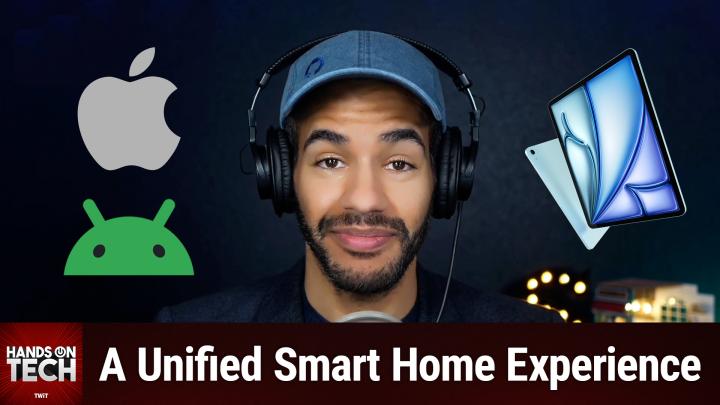
All TWiT.tv Shows (Audio)
Hands-On Tech 198: Connecting An iPad to an Android Smart Home
00:10:25
A Unified Smart Home Experience
Loading summary
Transcript10 lines
- [00:00]
Micah Sargent
Coming up on Hands on Tech, let's take a look at what's involved with setting up a home hub. Stay tuned.
- [00:08]
TWIT Announcer
This is TWIT.
- [00:17]
Micah Sargent
Nerds.
- [00:18]
NerdWallet Representative
Listeners. As we go into a new year, we all have a lot on our plates. There are backpacking trips across Europe to plan, personal best to crush in the gym, and capsule wardrobes to create good thing. Our sponsor, NerdWallet is here to take one thing off your plate. Finding the best financial products, introducing NerdWallet's 2025 Best of Awards. List your shortcut to the best credit cards, savings accounts and more. Thenerds have done the work for you, researching and reviewing over 1100 financial products to bring you only the best of the best. Looking for a balance transfer credit card with 0% APR? They've got a winner for that. Or a bank account with a top rate to hit your savings goals? They've got a winner for that too. Know you're getting the best products for you without doing all the research yourself. So let NerdWallet do the heavy lifting for your finances this year and head over to their 2025 Best of Awards at NerdWallet.com awards to find the best financial products today.
- [01:16]
Micah Sargent
Hello and welcome to Hands On Tech, the show where I, Micah Sargent, take your tech question and answer it. Or try to at least. And occasionally I also review a gadget, but today is a day for questions. And today's question comes in from John who writes, we are a divided house. I use Android, my wife uses Apple. I have all the home automation apps and devices hooked up through my phone and accounts. I'm wondering if using an old iPad she has as a home hub, my thought is she will have access to everything, thermostats, greenhouse controls, outlets, et cetera on the iPad or her phone without having to access my phone. Do you have any tips for this or am I making things too difficult? It's a seventh generation iPad and then John shares the model of the iPad. So John, first and foremost it's interesting because when I get these questions, I tend to get them in the reverse. It's that the main person is on an Apple device and the secondary person is on the Android device and is looking at how to get things set up for them. With you setting things up on Android, this actually helps in some ways because setting things up on the Apple side often involves using Apple's own home kit system. Which means that some people will forego setting things up in those third party apps in the first place because they can just scan that code in Apple's first party app, get it set up, get it roll in with HomeKit and move on from there. The fact that you've done it on Android first means you've done the harder part, which is independent setup of each of these devices with their various apps. And so it's actually much easier to do it on the Apple side if the devices that you have in the home are HomeKit enabled. So if that's the case, yeah, using her phone to scan those HomeKit codes and add those to the home app is going to be a very simple thing to do. If you're planning on using an iPad as a hub, you have a few options. First and foremost, you can just have it kind of as a floating hub, you know, meaning that she can go into the living room and grab the iPad and move it to the kitchen and be able to, you know, make adjustments there. Or you could create a hub that just serves as a hub for both of you if you want to use it, a control panel for both of you if you want to use it. And that can be done in many ways. But one of the products that I recommend for this is a product from Elago, not to be confused with Elgato, but Elago E L A G O, which makes what they call the Home Hub mount. And this, this product is essentially a little, a little pipe that runs across the top and a pipe that runs across the bottom of an iPad that you can then mount on the wall and then behind it. Because of the space between the wall and where the iPad slides in, you are able to run a cable if you want to, directly like from the wall into it. Or if you need to, you can have something running, you know, from the ground to it. But when it comes to this, it's very simple to also have your wife be able to access this, you know, these different settings. Now there are some different tools that are available to you on the third party side that could make it so you both are able to use these devices in similar ways. Meaning that when you learn how to do it, then you can also teach her how to do it.
- [05:08]
NerdWallet Representative
Listeners, as we go into a new year, we all have a lot on our plates. There are backpacking trips across Europe to plan personal best to crush in the gym and capsule wardrobes to create good thing. Our sponsor, NerdWallet is here to take one thing off your plate. Finding the best financial products, introducing NerdWallet's 2025 Best of Awards. List your shortcut to the best credit cards, savings Accounts and more. The nerds have done the work for you researching and reviewing over 1100 financial products to bring you only the best of the best. Looking for a balanced transfer credit card with 0% APR, they've got a winner for that. Or a bank account with a top rate to hit your savings goals, They've got a winner for that too. Know you're getting the best products for you without doing all the research yourself. So let NerdWallet do the heavy lifting for your finances this year and head over to their 2025 Best of Awards at NerdWallet.com awards to find the best financial products today.
- [06:06]
Micah Sargent
And that's where a third party system called Home Assistant that's at Home Assistant IO could a great choice for you. So Home Assistant also features a great app that makes your phone, your iPad, your computer, whatever it happens to be into a hub that can control lots of devices. Home Assistant works with more devices than you would get if you were using HomeKit or if you're using the Google Home Access because it is a much more open and robust platform. And so it is quite impressive. What you're able to do with Home Assistant and what that could mean, John, for you is that you're also setting up automations that make things kind of all work together even better than they would otherwise. I think the idea with a smart home is that you get to a place where the smart home is actually smart. Where smart doesn't just mean I connect to the Internet or I have some sort of wireless connection, but smart means that it's thinking ahead for you and it's doing things that you would expect it to do based on the actions that you're taking in a room. So if the humidity sensor that is built into the, you know, smart speaker that I have detects that the humidity is over 65%, then go ahead and run the fan that is, you know, part of the my H vac or when the proximity sensor detects that I am within proximity of it, turn on the lights in that space or using something like, I believe it's, it's. I'm pretty sure it's Govee Go V E E that has this product. There's a, they have this pressure sensor that they just came out with recently, I should say that it just recently came out with. And when you detect pressure of the person sitting down on the sofa, trigger my television watching scene, that kind of a thing. And these are all possible with these different smart home setups. But Home Assistant can be something that can kind of take it to the next level. So there are quite a few options for what you can, you can do, John, but I don't think that you are, you said, are you making things too difficult? I don't think that that's making anything too difficult by making sure that your wife has control. And in fact, I think that that's a necessary component of anyone who sets up a smart home. If you're setting up a smart home, you need to make sure that everybody in the home can access these various controls because otherwise you are running the risk of what they call it, spousal veto I think is the term where they say, I don't want to have anything to do with this. No, I'm sorry, but this is not happening. I can attest that it is very important that you make it so everybody in the home feels like they can use the tools that are available to them. Otherwise things can get pretty bad pretty quick. So make it complicated for yourself, John, to make it less complicated for your wife. That's my recommendation to you. To those of you who are tuning in, I want to remind you all out there that we are always hoping that you'll join us in the Club Twit tv. Club Twit is where you go to sign up for that. Club Twit is available for $7 a month. But right now and for a limited time, we are continuing to offer our two week free trial of Club Twit. So if you have not joined the club and you're looking to try it out and see what it's all about, now's the time to get those two weeks for free. To those of you who are members of Club Twitter are tuning in live. So you are seeing this Twitter tv Club Twit slash referral is where you should head because by referring your friends, you can earn free months of Club Twit.
- [10:10]
NerdWallet Representative
What up?
- [10:12]
Micah Sargent
So be sure to join the club. We've got lots great benefits to you. Ad free versions of all of our shows, access to the Twit plus bonus feed that has extra content you won't find anywhere else behind the scenes before the show, after the show, special Club Twitt events, access to the members only Discord server, which is a fun place to be to hang out with your, you know, fellow Club Twit members, but also those of us here at Twit and access to the video versions of all of our Club Twit shows, like my shows iOS Today and hands on Mac. So be sure to join the club. We'd love to have you and be sure to give me a shout when you get in there so we can answer your questions if you should have them. I also want to mention before I say goodbye today that we are in the midst of running our Twit audience survey, the 2025 TWIT Audience Survey. Of course, this survey every year helps us kind of understand our audience so that we can improve your listening experience and also tell our advertisers a little bit about the audience in general. And that's the point. It's a very generalized kind of knowledge of who you all are. It only takes a few minutes. Many of us have filled out the survey here at Twitter to check that it, you know, doesn't have any areas where you'll accidentally get stuck. And I can, I can confirm it doesn't take that long at all. So if you head to Twitter TV survey 25, that is where you will find it. Please don't wait. Take it before it closes at the end of the month. And of course, thank you so much for taking the time to do so many of you hopped on board right away and we'd love to continue to see more of you make your way over to the survey. So Twitter TV survey 25 to take that folks, that is going to bring us to the end of this episode of Hands On Tech. I'll be back next Sunday with another episode for you. Remember, hotwit TV is how you get in touch with your questions and I am looking forward to continuing to answer them. Bye bye.
- [12:24]
TWIT Announcer
If you love your phone but not your carrier, just switch to T Mobile. You can keep your phone, keep your number and we'll help pay it off up to $800 per line. You can also use our savings Calcul to compare our plans and streaming benefits against Verizon and AT&T. So switch and keep your phone, keep your number and keep more of your moolah. @t mobile.com up to 4 lines via virtual prepaid card. Allow 15 days qualifying unlock device, credit service port in 90 plus days with device and eligible carrier and timely redemption required. Card has no cash access and expires in six months.