← All TWiT.tv Shows (Audio)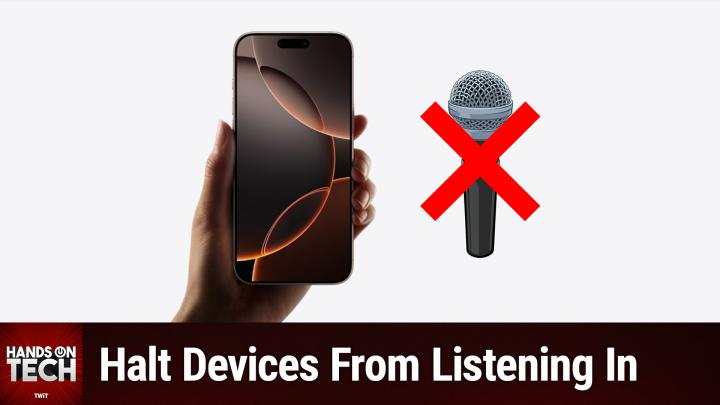
All TWiT.tv Shows (Audio)
Hands-On Tech 202: Stop Devices from Listening for Keyword Activations
00:10:02
Halt Devices From Listening In
Loading summary
Transcript8 lines
- [00:00]
Micah Sargent
Coming up on Hands on Tech, let's take a look at how we can stop our devices from listening to us. And no, this isn't the thing about devices listening to us to service ads. Don't worry, stay tuned. You'll hear more about it in a moment.
- [00:15]
Unknown
This is twit 25 years ago, a small group of business and government leaders met in Washington, D.C. they envisioned the creation of an independent non profit organization with a mission to help people, businesses and government mitigate the growing threat of cyber attacks. Today, the center for Internet Security embodies that vision. For 25 years, it's worked with a global community of IT and cybersecurity experts to develop the CIS benchmarks and CIS critical security controls. These proven security best practices defend against common cyber threats and streamline compliance with industry frameworks, regulations and standards. Today, CIS provides cybersecurity services, threat intelligence, and critical resources to help public and private sector organizations alike strengthen their Cyber defenses. Visit cisecurity.org today. That's the letters cisecurity.org to find out how CIS can help your organization as we create confidence in the connected world.
- [01:18]
Like your favorite startup's growth curve, T Mobile's coverage keeps scaling because T Mobile helps keep you connected from the heart of Portland to right where you are on America's largest 5G network switch. Now keep your phone and T Mobile will pay it off up to $800 per line via prepaid card. Visit your local T Mobile location or learn more@t mobile.com keepandswitch up to 4 lines of your virtual prepaid card. Allow 15 days qualifying unlock device, credit service port in 90 plus days device and eligible carrier and timely redemption required. Card has no cash access and expires in six.
- [01:55]
Micah Sargent
Hello and welcome to Hands on Tech. I am Micah Sargent and today we are taking a look at another tech question. This one comes in from Glenn. Glenn writes, how do I turn off Apple from listening to what's going on in a room? In this case my office. It's creepy. In my office I have a Mac studio for photography work plus a MacBook Pro with a lid closed with an Apple Studio display plus two recently purchased home pods. Quite often I'm working on one of the two systems with a YouTube video Mac break weekly. That's what they have in parentheses. Glenn has in parentheses running in the background. And suddenly from my home pods I'll get I found some web results I can show you if you request from your iPhone. Besides the annoyance factor, it's the fact that I'm being listened to without my knowledge. So what is the best way to prevent it from listening? Is there perhaps an app for that? I very rarely use Siri. It's just not that good. I mostly use Google Chrome or Ch. Glenn, first and foremost, I want to give you some assurance here when the. Let me say this too. I don't want to dismiss your. The creepiness factor. If you're feeling like it's creepy for you, totally understand. I do want to explain the technology to maybe give you some reassurance that it's not doing maybe what you might expect that it's doing. I like to imagine that the way that these keyword phrases work, it's almost like one of those toddler puzzle games. You know, you get the wooden table kind of a thing, and it's got a square and a triangle and a circle in the top of it, right? And you have all of these different blocks, and you are trying to shove all the blocks in, and only the square, the triangle, and the circle work. Imagine that you've got this kind of positioned in a. I don't know, on a. On a conveyor belt, right? And you have thousands and thousands of blocks that are coming along on the conveyor belt and rolling over the top of that toddler block puzzle. And as those thousands and thousands of words go over, only when the square, the triangle, and the circle fall into place does that toddler puzzle actually, in this case, Siri, actually activate. So it is not actively listening in the sense that it's trying to pull in everything that you say. And in particular, it is not doing anything with everything that you say. It's not off somewhere. It's not anything like that. Instead, there's like a little toddler block puzzle inside, and it's just waiting for those to fall right into place. And then it goes, oh, you're talking to me now. Sometimes, annoyingly, it misunderstands because maybe there's a. It's. It's a circle, but it's small enough that it fits inside of the square, or there's a square, but it's small enough that it fits inside of the middle of the triangle. And then there's a. I don't know, a trapezoid. But again, it's small enough that it fits inside of the circle. And so that is akin to when it thinks that you are saying the keyword phrase, but you're not actually saying the keyword phrase. That is kind of what's happening there. So it's not that actively. There's a connection between you and Apple somewhere on some server and it is listening to everything that's happening in the room and pulling that information and putting it somewhere else. No, it doesn't have, it doesn't want that information. It doesn't have that information. It is simply on device locally waiting for those blocks to fall into place and then it activates again. Though that doesn't mean that you shouldn't feel, you know, bothered by it. If you are if you feel bothered by it, even though it's not pulling that information and putting it somewhere else, even though it's just happening locally on device. Totally understandable. And it is a thing that you can turn off. I I have it turned off on my Mac because I never use Siri on my Mac and that's as simple as launching the system settings app on the Mac using Apple Intelligence and Siri. And under Siri requests there's an option that says listen for and you simply choose off. And so my Mac never is accidentally activating for Siri some of my other devices. Yes, because they are listening. But let's take a look at how to because it sounds like the home pods are your main issue. How do we go about disabling that?
- [07:01]
Unknown
Like your favorite startup's growth curve, T Mobile's coverage keeps scaling because T Mobile helps keep you connected from the heart of Portland to right where you are on America's largest 5G network switch. Now keep your phone and T Mobile will pay it off up to $800 per line via prepaid card. Visit your local T Mobile location or learn more@t mobile.com keepandswitch up to four lines of your virtual prepaid card. Allow 15 days qualifying unlocked device credit service report in 90 plus days device knowledgeable carrier and timely redemption required card is no cash access and expires in six months.
- [07:31]
When it comes to playtime, never let your squad down. Unlock elite gaming tech@lenovo.com Push your gameplay beyond performance with 13th gen Intel Core processors. Upgrade to smooth high quality streaming with Intel WI FI6E and maximize gain performance with enhanced overclocking. Win the tech search and head to lenovo.com lenovo lenovo@ameca Insurance, we know it's more than just a car. It's the two door coupe that was there for your first drive. We the hatchback that took you cross country and back and the minivan that tackles the weekly carpool for the cars you couldn't live without. Trust Ameca Auto Insurance Ameca Empathy is our best policy.
- [08:31]
Micah Sargent
Well, something that can be a little Confusing for people is that this takes place in the home app versus elsewhere, where you've got like a settings app, right, that you can work with. We need a launch the home app and we need to find the room in which the Home Pod is located. So in this case, yours is in your office. So we'll tap on the office room and we will find the Home pod. We will tap and hold on it and choose accessory settings. And then we need to scroll down to Siri and where we have the option for Listen for Siri or hey Siri, which I will not say because it will cause it to be listening to me, I simply tap on that and I choose to turn off these different devices. So I can say turn it off for the office home pod, turn it off for the kitchen HomePod, turn it off for the living room home Pod. That means that none of those devices will be listening for that keyword phrase. Now, if you want them to occasionally still have access and you want to be able to talk to them on occasion, you can keep this option that says touch and hold for Siri. What that means is if you walk up to the Home pod and you tap on the top and hold down, you can talk to Siri that way. So that gives you the ability to still access it if you want to. But you are the one saying, now I actually want you to listen. And that can be helpful when it comes to having Siri actually respond to you as you want it to versus having it do that when you don't want it to. That is how you stop the activations from taking place on your devices whenever you don't want them. Now, I wanted to mention too, there are other devices that you might have that have these activations, these keyword activations, like an Alexa device, for example, an Amazon Echo. And Amazon on almost all of its own devices makes this much simpler because you will find a physical hardware button or switch that will disable the microphone entirely and make it so that that keyword phrase is not even possible, you know, to activate the device. So if you just want to use it as a smart speaker that you control with your phone or whatever it happens to be, it's as simple as pressing a button or flipping a switch to be able to turn that off. With your Home Pods and with your Apple devices, you do have to head into the settings for those things. So again, it just depends on what device you have. But yes, all of them are going to give you that ability to turn it off in some way in case that's not a feature that you're after. A feature you might be after is ad free versions of all of our shows. How do you go about doing that? Well, by joining Club twit at Twit TV Clubtwit, when you join the club for just $7 a month, you gain access to all of our shows ad free. You gain access to the Twit plus bonus feed that has extra content you won't find anywhere else. And you gain access to the Discord Server, a fun place to go to chat with your fellow Club Twit members and also those of us here at TWiT. It's a lot of fun and we have some great conversations that take place in there every single. Hey, if you have been thinking about trying out Club Twit, well we do have a 2 week free trial twit tv club twit to check it out. And for those of you who are already club members, don't forget about our referral program that lets you earn free months of Club Twit Twit TV Club Twit Referral. For that. Thank you to those of you who have already become members and to those of you who are considering becoming members, we do appreciate it and and we appreciate your support. That brings us to the end of this episode of Hands On Tech. If you have tech questions, you can send them to me, Hotwit tv. That's how you get in touch. And I thank you so much for your great questions and look forward to answering more. And I thank you so much for your great tech questions and look forward to answering more very soon. Bye bye.
- [13:04]
Unknown
Like your favorite startups growth curve, T Mobile's coverage keeps scaling because T Mobile helps keep you connected from the heart of Portland to right where you are On America's largest 5G network Switch now keep your phone and T Mobile will pay it off up to $800 per line via prepaid card. Visit your local T Mobile location or learn more@t mobile.com keepandswitch up to 4 lines via virtual prepaid card last 15 days qualifying unlock device, credit service port in 90 plus days device and eligible carrier and timely redemption required. Card is no cash access and expires in six months.