← All TWiT.tv Shows (Audio)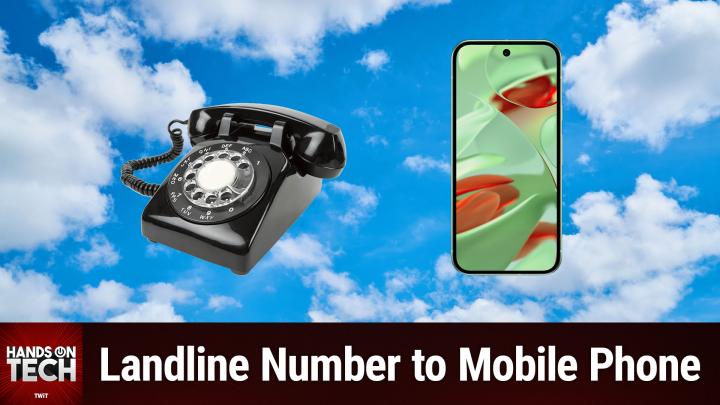
All TWiT.tv Shows (Audio)
Hands-On Tech 210: Porting a Landline to a Mobile Phone
00:07:46
Moving Your Landline Number to Google Voice
Loading summary
Transcript8 lines
- [00:00]
Micah Sargent
Coming up on Hands On Tech. Let's take a look at what's involved when it comes to porting a landline to a mobile phone. Stay tuned.
- [00:07]
TWiT
This is Twit.
- [00:16]
Micah Sargent
Hello and welcome to Hands On Tech. I am Micah Sargent and today we are taking a look at a question from Will. Will has written in to say this. I am ready to kill off my landline, kind of. I would like to port my landline number to my old Google Pixel 5 and use it as the home phone. This phone will stay at the house and be used like a home landline phone, but saving me the $35 a month at&t charges with the Internet service, all the calls that would normally go to the landline would go to this phone. What all should I do other than port the number? Should I get a new Google account for the home number with a new email address? I would like to hear all of the great ideas you have. Thank you and have a wonderful day. All right, so here is the thing. First and foremost, will you talk about saving money by porting over your number to this Google Pixel device? It depends on how and where you are porting this. So it sounds like what you're wanting to do is use Google's own services like Google Voice to port over this number. So you would take your landline that currently exists with AT&T and you would port this number over to Google Voice and from that point on this device would stay at home. And because it has a WI FI connection, it is then able to take these calls and give you access to that. There's an important point to this though. Depending on where you live, you may have an actual physical landline that is not actually just voip where you are. So if you don't have an Internet phone and you have a land, a true landline phone, keep in mind that that landline phone is one that works even when the Internet or your your home power is down. You're still able to place a call. And that's something to just bear in mind that in emergencies that might be a reason to keep it around. But if you're absolutely certain that you want to get rid of your landline and want to do this over WI Fi, this is possible. It's you. You didn't mention the service that you're wanting to use. You said in your message, what all should I do other than port the number? Which sounds like you've got that part figured out. You know what you want to do when it comes to it being figure or you know where you're going to port it to. So assume you're using Google Voice. We'll include a link in the show notes to the number porting requirements for Google Voice that involves not just what you need to know on what information, but then also the porting part itself. And so when it comes to, you know, porting over, you do need to make sure that you have the necessary approval in place. So you're going to need to contact AT&T to get all of that locked in.
- [03:17]
Amazon Music
Hey, prime members, are you tired of ads interfering with your favorite podcasts? Good news, with Amazon Music, you have access to the largest catalog of ad free top podcasts included with your prime membership. To start listening, download the Amazon Music app for free or go to Amazon.com ADFreePodcasts that's Amazon.com ADFreeP Podcasts to catch up on the latest episodes without the ads.
- [03:44]
Micah Sargent
But you ask, should I get a new Google account for the home number with a new email address? I really don't know that a separate account makes sense for this. And the reason why is because depending on how you're setting up this Google Voice, Google Voice will require that you tie an actual number to your Google Voice account that can also be used to receive these calls. And so it's kind of like a, it ends up being a bit of a forwarding service rather than a precisely a porting service. So in that way, the Google account that you're using for your personal email might be your best bet to kind of keep all of that logged and locked into the same system. If you are a household of many people, then maybe it makes sense to, you know, spin up a Google account that's just for this. But then bear in mind that every time you want to make changes or make adjustments or do anything to the Google Voice account, you're going to need to log into that system and, you know, know, fiddle around with it that way. So if you plan on perhaps, you know, making it so that you and other people in your house are all able to access the voicemail that Google Voice provides or, you know, whatever else that happens to involve, maybe then it makes sense to make your own account because a separate account, because you could make the account will Google Voice and give it a password and then share that with the other people in your household and then everybody could log in. Everybody would be able to access those transcripts of the voicemails that are sent. And so in that way it makes sense. But ultimately I, I'm, I'm kind of, of of two minds again when it comes to this, $35 is a lot. You may try getting in touch with AT and T and saying, yeah, I'm thinking about canceling my landline, what you can do about it and see if they'll give you a better deal for your land. Roorky Corky in the chat says there are some alarm systems and health care devices that also require landlines. So you know, make sure that you don't have any of those in your household before you decide to go ahead and port this over. Well, thank you so much for taking the time to write in with your question. I hope that gives you some idea of what you need to know when it comes to sort of making this porting decision. And I'd love to hear what you end up deciding to do if you go ahead and port the number. If you stick with AT and T and try to get a deal, of course, everything in between. We would love to hear from you. I want to remind everybody out there that we have a two week free trial of Club Twit available to you. Twit TV Club Twit is how you go and check that out after the fact. $7 a month gets you access to every single one of our shows ad free. Just content access to the members only Discord Server. A fun place to go to chat with your fellow Club Twit members and those of us here at Twit Access to the Twit plus bonus feed that has extra stuff you won't find anywhere else. Plus so much more. We would love to see you in the Club Twit tv. Club Twit is where you go to check it out if you have questions for me. Love, love love to hear from you. Micahit TV or Hot tv. Both of those will reach me and I look forward to hearing from you and answering your questions on future episodes of Hands On Tech. Thanks so much for tuning in. We'll catch you again next week for another episode.
- [07:21]
AT&T
Bye bye.
- [07:23]
TWiT
At Twitter tv you don't have to choose between Apple and Microsoft. You can get it all in one place. Tune into Mac Break weekly iOS today and hands On Mac for up to the minute Apple news, app tips and in depth event breakdowns for the Microsoft enthusiast. Windows Weekly delivers top coverage on Windows, Surface, Xbox and more, and Hands On Windows offers practical real world advice. Security now gives you the latest in cybersecurity insights for both. From product launches to software updates and all Those great events, TWiT TV covers it all. Discover the best of both worlds at TWiT TV. Subscribe today.
- [08:13]
AT&T
And now a next level moment from AT and T Business. Say you've sent out a gigantic shipment of pillows and they need to be there in time for International Sleep Day. You've got at and T5G so you're fully confident, but the vendor isn't responding and International Sleep Day is tomorrow. Luckily, AT&T5G lets you deal with any issues with ease, so the pillows will get delivered and everyone can sleep soundly, especially you. AT&T5G requires a compatible plan and device. Coverage not available everywhere. Learn more@att.com 5G Network.