← All TWiT.tv Shows (Audio)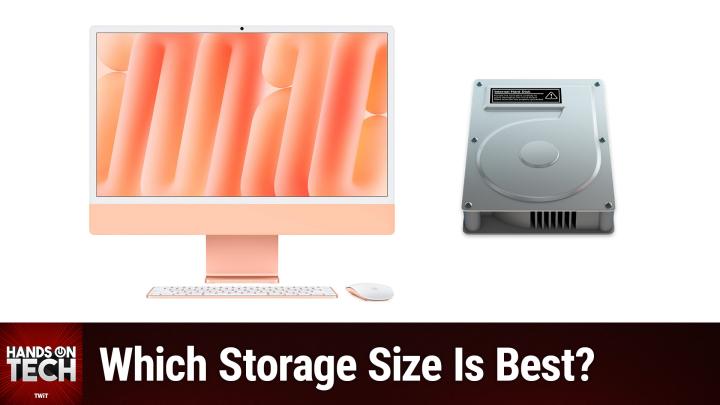
All TWiT.tv Shows (Audio)
Hands-On Tech 213: iMac Storage
00:11:44
Which Storage Size Is Best for My iMac?
Loading summary
Transcript5 lines
- [00:00]
Micah Sargent
Coming up on Hands On Tech, let's talk about Mac storage options for a family computer. Stay tuned.
- [00:10]
TWiT
This is Twit.
- [00:19]
Micah Sargent
Hello and welcome to Hands On Tech. I'm Micah Sargent and today, as is always the case with Hands On Tech, we are answering tech questions. We've got a great one that has come in from Dustin who is kind pondering what he should do for a family computer. Here's what Dustin says. A couple years back I inherited a 2008 iMac. When my uncle passed away I set it up in our kitchen and absolutely loved having a kitchen computer. So much so that I now want to pick up an M4IMAC to replace it. 2008 was ever so long ago and it's really struggling these days. My wife and I would both be using it and as a result I don't know how much storage to get. Normally I would be absolutely fine with 2, 156 gigabytes, but I genuinely don't know how Mac OS deals with two users logged into iCloud accounts on one system. We wouldn't store all our icloud data on it, only pull it in on demand over the web. It would mostly be used for surfing the web, watching media and video chatting. What do you think? So Dustin, I love this question because it's complicated and I love a complicated question. One would think that if you were planning to not have any of your stuff, as you mentioned, your icloud data stored locally on device, if you're doing the thing where your photos are only downloaded as needed and you are making sure that your music library is stored in the cloud and you only are downloading music when needed and you make sure that any of the TV shows you buy or rent or the movies that you buy or rent, all of that stuff is not stored on device that you wouldn't need that much storage space. And for the most part that is true. However, due to the nature of the work that I do, I have a personal account, my name and then I have what I call my Micah Twit account. And quite literally that is what that account is called. First name Micah, last name Twit and I do most of the kind of like screen recording and showing how Mac OS works with the Micah Twit account because it lets me keep it set to a default profile that looks like most people's Macs look, meaning that there aren't my customizations that I do to change macOS like the, where the, the where I've got my, my different stuff like the dock or how I have things set up. That means that I'm very familiar with what it means to have an account that frankly a macOS account that frankly does have a lot downloaded and an account that does not. And here's the thing, even without Store, and I also should note that I have almost all of mine set the same way that photos and music and all of that is downloaded as needed and everything else is stored in the cloud. One would think that that means that there's not a whole lot of storage space that gets taken up locally. But the problem is each instance of macOS account is going to have its own home folder that is going to include different applications and application settings and cache files and all sorts of stuff that are specific to that user. And depending on how you have other third party apps set up, you talk about, you know, surfing the web. Are you using Safari, are you using Chrome, are you using Firefox? Watching media? Are you doing that from the TV app? Are you doing that from online in a browser? Because you're watching, I don't know, Amazon prime or something, and video chatting, Are you using Zoom? What tools are you using? They may have different settings for how those devices are, rather how those files are stored locally on your device. So the thing about macOS is, and the thing about a Mac is that once you have the storage space selected, that's it, that's all, it's there, it's done. And so because of that, you can't really undo a boo boo once you've locked into 256 gigabytes of storage space. If you find yourself needing more, you can plug in a hard drive. But when it comes to it just being Mac OS itself, that doesn't really work. Some people, to save storage space will sort of put their photos library or their music library on an external hard drive, right? And that's fine. But when you've just got user accounts and if you perhaps do time machine backups, or you are trying to again watch TV shows that are in the TV app or whatever that happens to be, a lot of that stuff gets downloaded in the background and a lot of it can be removed. But what you'll end up running into, my biggest concern is that your account will start to collect some stuff and then your wife's account will start to collect some stuff and then you go back on to do something else. And now you're suddenly having to manage the storage space because you're running out of storage space. That for me is enough to want to bump it up by one degree to the next storage option, just to make sure that there's plenty of room for both of you to exist. Because there have been a couple of times where my Micah Twit account and my main account have run into some storage space issues. Because again, even though the sort of underlying system is rely is pulling from the same files and is pulling from the same data, each of those accounts on the network gets its own set of documents and music and other folders that are in your application or rather your home folder. And that means that they all start to kind of spread out and make room for themselves and then you're suddenly running up against, okay, what do I have to get rid of? How do I have to make an adjustment here? Oh, I just wanted to sit down and watch the show, but I can't. So if you can swing it. I really do feel, Dustin, that the next storage space up 512 is going to be a better choice for you versus the 256. That said, you did not include in your email what the storage space of your current 2008 imac is. And depending on how things have been for that 2008 IMAC and how much storage space that has, that could help inform your decision. So if that 2008 iMac is at 256 gigabytes and you've used it for, I guess, since 2008, whenever you started using it and you haven't had issues, you haven't needed to sort of make adjustments to how the files are stored, then you're probably good to go. But given that we don't know, I don't know how much storage space is on there that for. For all I know, maybe your uncle invested in a very hefty bit of storage. And so in that case it's got a lot more to spread out into and is not an issue. So, yeah, I know that it's always a complicated question and it always comes down to budgetary requirements and what somebody's comfortable with doing. If you feel good about just, you know, having to potentially manage storage between the two accounts, the256 is enough, especially if this is just kind of a shared machine that you have as a, you know, media viewer, video chatter, web surfer. But for me, I want to make sure that I don't have to worry about that, that I don't have that inconvenience of running into an issue of being able to have space for my account and not require my significant other to log in and delete stuff from theirs. And Then I do it and then we sort of get somewhere that's close, that gets messy. So Dustin, thank you for taking the time to write in with this question. Again, a really juicy one I think, and I appreciate it. Of course, if folks out there have questions, Hotwit TV is how you get in touch. If you are tuning in live or you're watching this show on YouTube. Well then you should hear a little bit about our club. Our club is available at TWiT TV Club TWiT. It's just $7 a month and when you join the club you help support the work we do here on the network. We do have a two week free trial to kick things off. $7 a month after that. With it, you get every single one of our shows ad free. So you won't see this ad unless of course, as I said, you're watching live. You will also gain access to the Twit plus bonus feed that has extra content you won't find anywhere else behind the scenes before the show, after the show, special Club Twit events and access to the very fun Members Only Discord Server. A fun place to go to chat with your fellow club TWiT members and those of us here at TWiT, we would love to see you in the club. I'd love to click that welcome channel in the club and see your name pop up there. Just yesterday Rob O joined the club and before that we had so many people joining shout out to. Yeah, I see him and White Bishop who's probably a chess player. And we appreciate you for being members of Club twit. All right, that is going to bring us to the end of this episode of Hands On Tech. I'll be back next week with another episode, but until then I hope you're having a wonderful day evening wherever it happens to be, wherever you are. Thanks so much. Bye bye.
- [11:01]
TWiT
No matter how much spare time you have, TWiT TV has the perfect tech news format for your schedule. Stay up to date with everything happening in tech and get tech news your way with TWiT TV. Start your week with this Week in Tech for an in depth, comprehensive dive into the top stories every week. And for a midweek boost, Tech News Weekly brings you concise quick updates with the journalists breaking the news. Whether you need just the nuts and bolts or want the full analysis, stay informed with TWiT TV's perfect pairing of tech news programs.
- [11:44]
Chris Gethard
Hi, I'm Chris Gethard and I'm very excited to tell you about Beautiful Anonymous, a podcast where I talk to random people on the phone. I tweet out a phone number. Thousands of people try to call. Talk to one of them. They stay anonymous. I can't hang up. That's all the rules. I never know what's gonna happen. We get serious ones. I've talked with meth dealers on their way to prison. I've talked to people who survived mass shootings. Crazy, funny ones. I talked to a guy with a goose slab. Somebody who dresses up as a pirate on the weekends. I never know what's gonna happen. It's a great show. Subscribe today. Beautiful. Anonymous.