← All TWiT.tv Shows (Audio)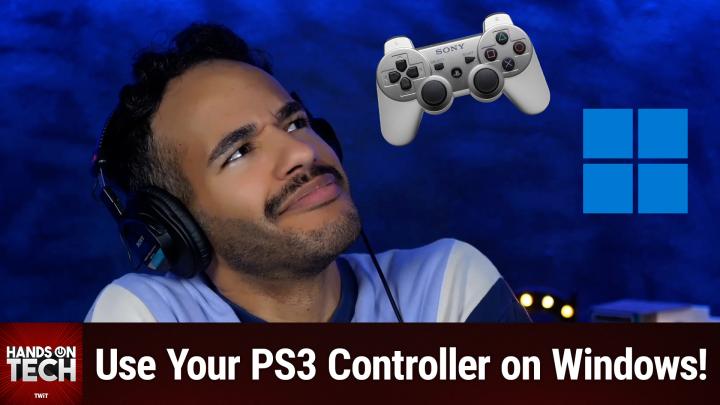
All TWiT.tv Shows (Audio)
Hands-On Tech 215: PlayStation Controller on Windows
00:11:04
Using a PS3 Controller on Your PC!
Loading summary
Transcript6 lines
- [00:00]
Micah Sargent
Coming up on Hands On Tech, let's take a look at using a PlayStation controller on our Windows machine. Stay tuned.
- [00:09]
Unknown
This is Twit.
- [00:18]
Micah Sargent
Hello and welcome to Hands On Tech. I'm Micah Sargent and as you know, this is the show where you ask your tech questions and I attempt to answer them. Today our question comes in from David. David has writt in to say this. I'm looking for using a PlayStation 3 controller on Windows 10 or 11 to use with Flight Simulator. I did find a driver that emulates an Xbox controller, but some of the buttons don't work on my PS3 controller. Is there a PS3 version so more buttons can work? Well, first and foremost, David, good question. By the way, it's kind of interesting because on the macOS side of things, macOS is very platform agnostic when it comes to controllers. So I have a Dual Sense controller that I purchased that I can use on my Mac very easily. But the Mac also supports an Xbox controller. If you'd rather use that and then also let me grab it, it's kind of tucked away back here. I also have this Luna controller from Amazon that also works with my Mac. There's this really great system for being able to just use whatever controller you want to use on the Mac. But the same doesn't quite apply on the Windows side. And that's because Microsoft has, as you might imagine, established the Xbox controller as the standard gamepad for Windows. Microsoft owns Xbox. Xbox is the controller that is first and foremost. And so most games, and in particular games that are from Microsoft, like Microsoft Flight Simulator, are designed with Xinput. And Xinput is the API that kind of does the controller translation between your device and the game that you're playing. So in order to use a PlayStation controller on Windows, you have to use some sort of third party software, which is what you talked about. You found a driver that emulates an Xbox controller, but what that does is it translates these direct input signals into the X input input format that Windows and most games on the platform will understand. So I looked into what people are doing and using in order to use their PlayStation controllers on their Windows machines, because surely there are lots who are doing that. The DualSense controllers are really popular controller format. And so it is the case that yes, people are using their Dual Sense controllers on the PlayStation. What you will want to look into is an application or sort of system, a service called DS4Windows, that's DualSense for Windows. But what this does is it lets you use your PlayStation controller, your DualSense controller or dual Shock I think was the previous name controller with the Windows platform. Kind of a cool thing about it. It works with DualShock 3, DualShock 4, DualSense 5. It also works with the Joy Con, the Nintendo Switch Pro controller and some other gamepads that are available now. What you do, this is an open source tool by the way. It will work with Windows 10, it works with Windows 11, and it has controls for PS3, PS4 and PS5 controllers. And that is exactly what you were talking about. Now because you are using one of the older controllers, you in this case are using that PS3 controller. Then what you're going to want to do is at the DS4Windows site go to supported controllers and scroll down to see what it says about the DS3 that DualShock 3, which I believe would be the controller that you're working with. So it says it needs to be running under DSHID mini driver and in DS4 Windows mode it requires Bluetooth. They're basically all of these different requirements that make it so that it will work to its best and highest functionality. So it's possible that you perhaps have, because you didn't mention, David, what specific driver you use with this, it's possible perhaps that you came across a driver and so you kind of got halfway there. You want to make sure you get all the way there. So DS4 Windows is a great way to do that. As Wizardling has pointed out in the chat though, if you do buy your games outside, of course this was specifically about doing Flight simulator, right? So you do need something like this. But if you have other games and you are playing those games via Steam, Steam has built in tools for controller translation. So it's been the case for me that when I have downloaded Steam games, I can play with whatever controller I want to because there are great built in sort of controller translation tools that help you to set things up exactly how you want them. So that's something to bear in mind as well. If you are kind of having issues still with getting things to work with Xinput, that might be something that you look into just making the switch over to Steam games for the rest of it. But David, thank you for your question there. That was a really interesting one. I do want to, while we're here, remind you all about our club at Twitter TV Club TWIT. For $7 a month, dollar a year, you can join the club. When you join the club, you gain access to some pretty awesome benefits. All of our shows ad free, including this one you gain access to the Twit plus bonus feed that has extra content you won't find anywhere else behind the scenes before the show. After the show, special Club Twit events get published there and access to the members only Discord Server A fun place to go to chat with your fellow Club Twit members and those of us here at TWiT. We would love to see you join the Club Twit TV Club Twit. We've got a two week free trial to kick things off so be sure to check it out. Race the rudders. Race the sails. Race the sails. Captain, an unidentified ship is approaching. Over. Roger, Wait. Is that an enterprise sales solution? Reach sales professionals, not professional sailors. With LinkedIn ads, you can target the right people by industry, job title and more. We'll even give you a $100 credit on your next campaign. Get started today at LinkedIn.com results, terms and conditions apply.
- [07:17]
Ryan Reynolds
Ryan Reynolds here from Mint Mobile. I don't know if you knew this but anyone can get the same Premium Wireless for $15 a month plan that I've been enjoying. It's not just for celebrities. So do like I did and have one of your assistant's assistants switch you to Mint Mobile today. I'm told it's super easy to do@mintmobile.com.
- [07:35]
Micah Sargent
Switch upfront payment of $45 for 3 month plan equivalent to $15 per month Required intro rate first 3 months only, then options available, taxes and fees extra. See full terms@mintmobile.com before we sign off for the day, I do want to mention some feedback that we got in sort of feedback. It is a message from Stephen who has written in about what Stephen calls an amazing technology resource. Stephen wrote I frequently watch the Hands on Tech podcast. I stumbled across this amazing retro technology resource that is 100% run by volunteers and I just had to share it with you for your show. It has a massive archive of all things from the past so that it isn't lost to history. It has every picture manual driver configuration for all things considered to be obsolete Retro Hardware. It's an amazing library resource of information and you out there can find it@the retroweb.com I've gone here and I'm in love. So there are loads of different categories like expansion slots, drivers and software. Floppy and tape drives. Why don't we click on hard drives? There are 1386 hard drives that are listed here and the first one that I'm seeing I think it's the same for you. John is the Maxtor6y something something. If we could click on that and just take a look. So you'll notice it talks about the interface, the power connector, the form factor, the capacity, the buffer size. It has the data sheet and the manual for it. You can see the front and the back of it, also the port side of it. This is super, super cool. I think this is a fantastic little resource that is not only just kind of fun to look through, seeing the different boards that are available, but also looking at PCI Express cards, which is there are 9,728 entries for expansion cards and you can look them up by manufacturer, you can look them up by their specific name, you can see all sorts of stuff. I think this is a super cool resource. And yeah, I don't know, I could spend all day just kind of looking through, seeing what all is available on here. Being able to see not just the description but the again the drivers, the documentation. And then also it's sort of a wiki so you can see how people have been updating this stuff over time is really cool as well. Some of the boards, like the motherboards are neat because you get to see the images of them but also sort of the data in its sort of printed format as well. So you just get everything you could possibly want to know about these different devices. So once again, that is the retroweb.com that you can check out. All righty. That is going to bring us to the end of this episode of Hands On Tech. Thank you so much for tuning in. We appreciate you, we appreciate the support and of course we'll be back next week with another episode of Hands On Tech. Bye bye.
- [11:09]
Unknown
Get tech news that keeps you updated without eating up your time. TWiT TV's short form podcasts are perfect for a break, commute or just a quick and helpful tech insight. Hands On Mac and Hands On Windows give you tips to make the most of your devices. While Hands On Tech helps solve tech issues fast. And if home entertainment is your thing, Home Theater Geeks with Scott Wilkinson has the best recommendations on top notch consumer entertainment systems. If you like watching the shows, join Club Twit to get full video access, ad free versions and more. TWiT TV, your trusted tech news made easy. Download our short format shows now at TWiT TV or use your favorite podcast player.