← All TWiT.tv Shows (Audio)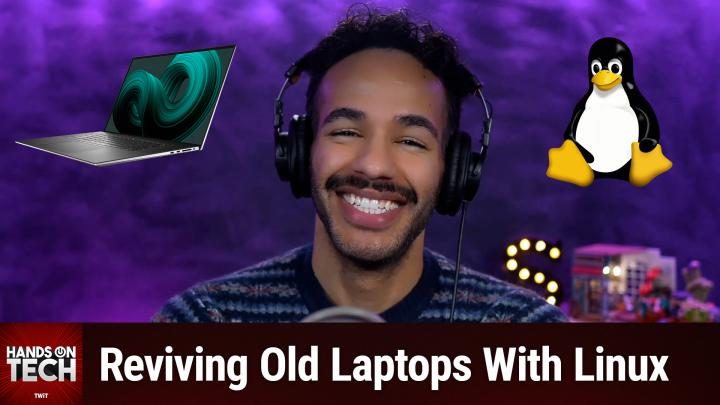
All TWiT.tv Shows (Audio)
Hands-On Tech 221: Installing Linux on an Older Laptop
00:15:01
Reviving Old Laptops With Linux
Loading summary
Transcript42 lines
- [00:00]
Micah Sargent
Coming up on Hands on Tech, let's take a look at breathing new life into an older machine with Linux. Stay tuned. This is twit.
- [00:16]
Odoo Advertisement
Imagine you're a business owner relying on a dozen different software programs, each one disconnected, more expensive and more complicated than the last. It can be incredibly stressful right now. Picture Odoo. Odoo brings all the tools your business needs into one simple CRM, accounting, inventory, manufacturing, marketing, HR and more. All seamlessly connected. Everything works together, giving you the peace of mind that your business is running smoothly from every angle. Odoo's open source applications are user friendly and designed to scale with your business, saving you time and money. Say goodbye to juggling multiple platforms and hello to efficient integr management. Stop wasting resources on complicated systems and make the switch to odoo today. Visit odoo.com o d o o.com and discover how Odoo can simplify and streamline your business operations. Odoo Modern Management Made simple hi Zoe Saldana.
- [01:18]
Zoe Saldana
Welcome to T Mobile. Here's your new iPhone 16 Pro on us.
- [01:21]
T Mobile Customer
Thanks. And here's my old phone to trade in.
- [01:23]
Zoe Saldana
You don't need a trade in. When you switch to T Mobile, we'll give you a new iPhone 16 Pro. Plus we'll help you pay off your old phone. Up to 800 bucks and you still get.
- [01:32]
T Mobile Customer
There's always a trade in.
- [01:33]
Zoe Saldana
Not right now. @ T Mobile.
- [01:34]
T Mobile Customer
I feel like I have to give you something in return for karma.
- [01:37]
Zoe Saldana
That's okay.
- [01:38]
T Mobile Customer
I don't really have much in my purse. Oh, let's see. Hand sanitizer. It's lavender.
- [01:42]
Zoe Saldana
I'm good. Seriously.
- [01:44]
T Mobile Customer
Let me check this pocket. Oh, Mints.
- [01:46]
Zoe Saldana
Really, I'm fine.
- [01:47]
T Mobile Customer
Oh, I have raisins. I'm a mom. Wait, wait one sec. I've got cupcakes in the car.
- [01:52]
T Mobile Advertisement
It's our best iPhone offer ever. Switch to T Mobile. Get a new iPhone 16 Pro with Apple Intelligence on us. No trade in needed. We'll even pay off your phone up to 800 bucks.
- [02:03]
24 monthly bill credits new line $100 plus a month on experience beyond finance agreement. $999.99 and qualifying forwarded for well qualified plus tax and $10 connection charge. Payout via virtual prepaid card. Allow 15 days credits and balance due if you pay off early or cancel.
- [02:15]
Ryan Reynolds
CT mobile.com Hey, it's Ryan Reynolds here from Mint Mobile. Now I was looking for fun ways to tell you that Mint's offer of unlimited Premium Wireless for $15 a month is back. So I Thought it would be fun if we made $15 bills, but it turns out that's very illegal. So there goes my big idea for the commercial. Give it a try@mint mobile.com Switch upfront.
- [02:39]
T Mobile Customer
Payment of $45 for three month plan equivalent to $15 per month required new customer offer for first three months only. Speed slow after 35 gigabytes of networks busy taxes and fees extra CMN hello.
- [02:47]
Micah Sargent
And welcome to Hands On Tech. I am Micah Sargent and today we are answering a great question about breathing new life into old tech, about giving the tech we have a second chance. I answered a question on the show about having an impact on our carbon footprint. What we can do individually to make a difference whenever it comes to tech. And this is a great way to do so that if you've got older technology, instead of sort of going out and buying something new, if you can keep something around for a little while longer, that's great. So this question comes in from Casey. Casey writes, I have a Dell XPS 13 laptop running Windows 10 which isn't eligible for a Windows 11 upgrade. According to the PC Health Check app, Microsoft will continue supporting Windows 10 with updates until the end of this year. Sort of until the end of this year, but I don't feel comfortable using it after support ends. Good, Casey. I'm considering installing Linux on the laptop to learn the operating system. Is this feasible? What resources can help me get started? The laptop has the following specifications. Intel Core i7 CPU, 16 gigs of RAM, 64 bit operating system, of course, and 500 gigabytes of storage. Thanks for your assistance. So let's get into it. First and foremost, yes, installing Linux on your Dell XPS 13 a great way to give the machine a second life. The hardware, when I look at it, more than capable of running modern Linux distributions smoothly. The XPS line is actually a great choice because it's historically enjoyed strong compatibility with Linux. It's a popular choice among developers and open source users. So let's talk about why Linux makes sense here. Remember I said earlier about support ending at the end of the year? Well, Support ends on October 14, 2025. So unless you're on an enterprise plan or you pay for extended security updates, most people aren't going to do that. You probably aren't thinking about doing that. Then your Support ends on October 14, 2025. Your specific hardware not available or eligible for a Windows 11 update. There are ways to make that happen, but bypassing that restriction comes with risks, so you may not want to do that. And it sounds like that's not something that you want to do, which I completely respect and understand. It's not something that I would do either, but that is technically a possibility. And then we know that Linux over Windows is lighter. It's, we know it's secure and it's great for learning new things. So you know you can, you can learn about like computing at a lower level, understanding the makeup of the system a little bit more and being able to use it for everyday tasks. So let's talk about your specific laptop. You have that Intel Core i7 CPU 100% fully supported, good to go. 16 gigs of RAM is great. You're not going to really see many issues RAM wise with the major Linux desktop environment. 500 gigabytes of storage is plenty for Linux in those files. This Dell XPS QHD Touch optional display. Depending on what you have it's supported. You might run into some scaling issues, but all of that could be tweaked depending on the distribution that you go with. Your WI FI chip is an Intel 8260 also supported out of the box in modern distributions. And then looking at the touchpad, the keyboard, and something that comes up with Linux, Linux Sleep states. These mostly work well with this specific device as long as you have the 5.10 kernel or higher. So just bear that in mind. But all of my suggestions here are going to include that or keep that in mind. Now, we've looked at your system. We've looked at the fact that even though it's an older device, it's got good specs for a modern Linux distro. But what Linux distro should you go with? I think that it's a good idea to go with a Linux distro that's not too complicated. So we can look at Ubuntu 22.04 I believe is where we are right now. And we're looking at the LTS version. That means long term support covered with updates until 2027. It's a popular option. It has great documentation, that's a big thing. So that you can always look up whenever you're having issues. And ultimately it means that you are locked in and good to go with something that if you need to reach out about help, you're able to do.
- [07:49]
CIS Advertisement
25 years ago, a small group of business and government leaders met in Washington D.C. they envisioned the creation of an independent nonprofit organization with a mission to help people, businesses and government mitigate the growing threat of cyber attacks. Today, the center for Internet Security embodies that vision. For 25 years, it's worked with a global community of IT and cybersecurity experts to develop the CIS benchmarks and CIS critical Security controls. These proven security best practices defend against common cyber threats and streamline compliance, and with industry frameworks, regulations and standards. Today, CIS provides cybersecurity services, threat intelligence and critical resources to help public and private sector organizations alike strengthen their Cyber defenses. Visit cisecurity.org today. That's the letters cisecurity.org to find out how CIS can help your organization as we create confidence in the connected world.
- [08:50]
T Mobile Advertisement
Does it ever feel like you're a marketing professional just speaking into the Boyd well, with LinkedIn ads you can know you're reaching the right decision makers. You can even target buyers by job title, industry, company seniority skills. Wait, did I say job title yet? Get started today and see how you can avoid the void and reach the right buyers with LinkedIn ads. We'll even give you a $100 credit on your next campaign. Get started at LinkedIn LinkedIn.com results terms and conditions apply.
- [09:20]
Ryan Reynolds
Ryan Reynolds here from Mint Mobile. With the price of just about everything going up, we thought we'd bring our prices down. So to help us, we brought in a reverse auctioneer, which is apparently a.
- [09:30]
Micah Sargent
Thing Mint Mobile Unlimited Premium wireless everybody get 30, 30 better get 30 better get 202020 better get 2020 everybody get 15151515 just 15 bucks a month sold.
- [09:39]
Ryan Reynolds
Give it a try at mintmobile.switch upfront.
- [09:43]
T Mobile Customer
Payment of $45 for three months plan equivalent to 15 per month required new customer offer for first three months only. Speed slow after 35 gigabytes of network's busy taxes and fees extra see mint.
- [09:49]
Micah Sargent
Mobile.Com and then there's Linux Mint the Cinnamon Edition. It's based on Ubuntu, but it is more familiar to Windows users. So coming from Windows you may like this. And a good thing is there's not a whole lot you need to do to get things rolling. It kind of just works out of the box. All right, so with that in mind, let's talk about how you can dip your toe in before you actually go full in on Linux. Go ahead and create a live usb. So this is kind of like a bootable option. You are going to be able to test Linux without actually ever interacting well messing with your current Windows install. So you need a USB drive with at least 4 gigabytes of storage space. You want a tool that is going to make that bootable usb, that live usb. One option is a tool called Rufus R U F U S which makes bootable USB drives. And then you want the ISO file of your distro. So if we're looking at Ubuntu, you go to ubuntu.com download if you want Linux Mint, you can look that up as well. Get that ISO file, you download the ISO, you open Rufus, choose your USB drive, tell it where the ISO is, keep it all default, create the drive, and then whenever you're done and it's all installed, reboot your XPS and press F12 when the Dell logo shows up. And that lets you choose from where the drive is booting. And then you can start using Linux. That gives you the opportunity to kind of test it out. You want to check your WI fi, make sure that's working. You want to check your touchpad gestures, you want to check your keyboard, make sure that's working. The screen resolution and the scaling sound, Sleep and wake, that's one that people forget. But sleep and wake is very important and is often one of those kind of hidden issues that exists. Open your apps, see what it's like to use the web browser, the file manager. You know, download a browser that you want to use on it and then see if this interface works for you. So go ahead and get Ubuntu, get Mint, try them both. This is your opportunity to give these a test drive. Now, once you've done this and you've decided, I'm going with Cinnamon, I'm going with Ubuntu, I am locked in and ready to go. Now it's time to back up your Windows stuff and your files. So just get everything backed up and make sure that it's available to you in the case that something doesn't work out. Because once Linux is installed, it's going to overwrite the disk and erase Windows. Obviously, that's what you're trying to do, is basically replace it with Windows, then you just install Linux on the live USB desktop. You can actually choose to install Ubuntu or install Linux Mint. You choose erase the disk and install Linux, obviously, and then set it all up and let it finish. It takes only about 10 to 15 minutes on average. That was my experience in reinstalling a Linux distribution that I had. And then, of course, always keeping that USB stick around as an option for troubleshooting is great. So, you know, I would not repurpose that usb, maybe get one that's made specifically to do this. You also asked for some resources, and so we'll talk about those too. Casey, you were curious about Ways to help learn it. I love a good read through of a manual. Ubuntu has a manual. Ubuntu manual.org you can also check out Linux Journey, that's@linuxjourney.com so it has kind of tutorials that walk you through Linux itself. There's also a book called the Linux Command Line book@linux command.org so you can head there. It's a PDF so you're able to download it. That kind of helps you understand the terminal specifically because that's a fun place to be. I love playing around in the terminal, but it can be, you know, little scaly at times. But I think you're, you're probably good to go, Kasey, because you're feeling comfortable about making the switch. And then There are some YouTube channels as well, popular YouTube channels, including Learn Linux TV. It's got lots of distro reviews and beginner content. So you can decide, oh, you know, especially once you've dipped your toe and you're good to go. You're like, I want to try something more complicated than good old Cinnamon. And then the Linux experiment, which has visual walkthroughs of settings and alternatives. So that's a great option to check out as well. Some final advice to round things out here, Kasey. You should expect a short adjustment period. You know, you're not. It's not going to lock in because you haven't used it to this extent before. You're replacing Windows with this. So be patient with yourself, be patient with the system and I think make sure that it's the one that you want. But also keep in mind that it doesn't necessarily have to be the one that you stick with over time. If you decide to make a change, you can. One big tip, if you hit a snag, if you run into an issue, search with the exact error text because someone somewhere has run into the same issue and there are going to be loads of forum posts and responses that are going to have the exact answer that you need. So if you hit a snag, search with that exact error text and then after a few weeks, hey, now's the time to customize this system exactly as you want it. So go in, start tweaking things, you know, maybe set up some automations, pay attention to the system monitoring, etc. I'd love to hear about how your journey goes, Casey. If you, you give it a shot and decide, oh yeah, this was the distro for me, maybe you come across a distro that works better for you than these that you like more. Would love to hear about that as well. So there are some options for you Casey, and thanks for such a great question. I want to remind everybody who's listening. If you aren't already a member of Club Twit, we'd love to have you join the fun Twitter TV club TWiT is where you go to sign up when you join the club with our monthly or yearly plans, you gain access to some pretty awesome benefits. Every single one of our shows ad free. You gain access to the Twit plus bonus feed that has extra stuff you won't find anywhere else behind the scenes before the show. After the show, special club Twitter events get published there and access to the members only. Discord Server A fun place to go to chat with your fellow Club Twit members and also those of us here at TWiT. We have live events going on in the club all the time, including our AI user group quickly becoming one of our most popular club events. My show which is or that's not really a show, it's just a hangout sesh, Micah's Crafting Corner and the book club as well. Plus loads more. We've got live tech press event coverage going on in the club too. So consider joining the Club Twit TV Club Twit. We'd love, love love to have you. Thanks so much and yeah, I look forward to seeing the club folks that is going to bring us to the end of this episode of Hands On Tech. How do you get in touch? Hot TV is how. You can email me with your questions and I will provide your answers. Yes, I'll do my best. Anyway, love to hear your questions and look forward to them. And I look forward to being back next week with another episode of Hands On Tech.
- [18:09]
Ryan Reynolds
Bye Bye.
- [18:10]
TWiT Advertisement
From Silicon Valley boardrooms to tomorrow's AI breakthroughs, if you need to keep up to date with tech, you need TWiT TV. At TWiT, we are tech experts who understand what's happening and can keep you in the loop. And we do it in a thoughtful, informed and fun way. Start your Sundays with this Week in Tech, a roundtable of tech journalists and people in the know with a rundown of the week's most important tech news. But that's not all. All week long you can stay ahead of Security Threats with Steve Gibson and Security Now. Keep up on all things Apple with MacBreak Weekly. Listen to the most informed Microsoft experts in the world with Paul Thurat and Richard Campbell on Windows Weekly. Our flagship shows feature tech's most respected voices, giving you the insight you need to understand and benefit from the changing world of technology. We give you analysis you won't find anywhere else so you can make smarter business decisions and take advantage of the technologies transforming your world. Whether you're a CEO, IT professional, or simply passionate about technology, TWiT's network of shows gives you the edge you need in today's digital landscape. Don't miss a minute. Subscribe to TWiT TV today.
- [19:33]
Zoe Saldana
Hi, Zoe Saldana. Welcome to T Mobile. Here's your new iPhone 16 Pro on us.
- [19:38]
T Mobile Customer
Thanks. And here's my old phone to trade in.
- [19:40]
Zoe Saldana
You don't need a trade in. When you switch to T Mobile, we'll give you a new iPhone 16 Pro. Plus we'll help you pay off your old Phone up to 800 bucks and you still get to keep it.
- [19:49]
T Mobile Customer
There's always a trade in.
- [19:50]
Zoe Saldana
Not right now. @ T Mobile.
- [19:51]
T Mobile Customer
I feel like I have to give you something in return for karma.
- [19:53]
Zoe Saldana
That's okay.
- [19:55]
T Mobile Customer
I don't really have much in my purse. Oh, let's see. Hand sanitizer. It's lavender.
- [19:59]
Zoe Saldana
I'm good. Seriously.
- [20:01]
T Mobile Customer
Let me check this pocket. Oh, mints.
- [20:03]
Zoe Saldana
Really, I'm fine.
- [20:04]
T Mobile Customer
Oh, I have raisins. I'm a mom. Wait, wait one sec. I've got cupcakes in the car.
- [20:09]
T Mobile Advertisement
It's our best iPhone offer ever. Switch to T Mobile. Get a new iPhone 16 Pro with Apple intelligence on us. No trade in needed. We'll even pay off your Phone up.
- [20:18]
To 800 bucks with 24 monthly bill credits. New line $100 plus a month on experience beyond finance agreement. $999.99 and qualifying ported for well qualified plus tax and $10 connection charge. Payout via virtual prepaid card. Allow 15 days credits end in balance due if you pay off early or cancel see T mobile dot com.