← All TWiT.tv Shows (Audio)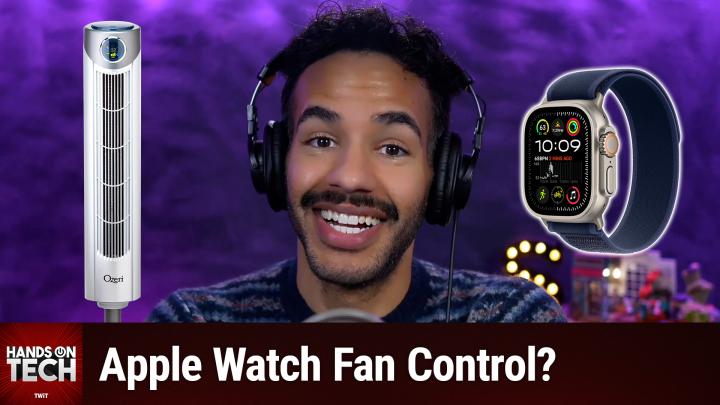
All TWiT.tv Shows (Audio)
Hands-On Tech 222: Control an IR Tower Fan With an Apple Watch
00:13:21
Apple Watch Fan Control?
Loading summary
Transcript27 lines
- [00:00]
Micah Sargent
Coming up on Hands on Tech, let's take a look at gaining access to a fan via our Apple watch. Stay tuned. This is Twit.
- [00:20]
Unknown Advertiser
Today's show is brought to you by Progressive Insurance. Do you ever think about switching insurance companies to see if you could save some cash? Progressive makes it easy to see if you could save when you bundled your home and auto policies. Try it@progressive.com Progressive Casualty Insurance Company and affiliates. Potential savings will vary. Not available in all states.
- [00:44]
Zoe Saldana
Hi, Zoe Saldana. Welcome to T Mobile. Here's your new iPhone 16 Pro on us.
- [00:48]
Unknown
Thanks.
- [00:49]
And here's my old phone to trade in.
- [00:50]
Zoe Saldana
You don't need a trade in. When you switch to T Mobile, we'll give you a new iPhone 16 Pro. Plus we'll help you pay off your old Phone up to 800 bucks and you still get to keep it.
- [00:59]
Unknown
There's always a trade in.
- [01:01]
Zoe Saldana
Right now AT T Mobile, I feel.
- [01:02]
Unknown
Like I have to give you something in return for karma.
- [01:04]
Zoe Saldana
That's okay.
- [01:05]
Unknown
I don't really have much in my purse. Oh, let's see. Hand sanitizer. It's lavender.
- [01:10]
Zoe Saldana
I'm good. Seriously.
- [01:11]
Unknown
Let me check this pocket. Oh, mints.
- [01:14]
Zoe Saldana
Really, I'm fine.
- [01:15]
Unknown
Oh, I have raisins. I'm a mom. Wait, wait one sec. I've got cupcakes in the car.
- [01:19]
Micah Sargent
It's our best iPhone offer ever. Switch to T Mobile. Get a new iPhone 16 Pro. With Apple intelligence on us, no trade in needed. We'll even pay off your phone up.
- [01:28]
Unknown Advertiser
To 800 bucks with 24 monthly bill credits. New line, 100 doll plus a month on experience beyond finance agreement. $999.99 and qualifying. Boarded for well qualified plus tax and $10 connection charge. Payout via virtual prepaid card. Allow 15 days credits and balance due if you pay off early or cancel.
- [01:43]
Ryan Reynolds
CT mobile.com Ryan Reynolds here from Mint Mobile. With the price of just about everything going up, we thought we'd bring our prices down. So to help us, we brought in a reverse auctioneer, which is apparently a thing.
- [01:54]
Micah Sargent
Mint Mobile Unlimited premium wireless. Everybody get 30, 30. Everybody get 30? Everybody get 20, 20, 20. Better to get 20, 20. Everybody get 15, 15, 15, 15. Just 15 bucks a month.
- [02:03]
Ryan Reynolds
So give it a try. @mintmobile.com Switch upfront payment of 45 for.
- [02:08]
Micah Sargent
3 month plan equivalent to 15 per month. Required new customer offer for first 3 months only. Speed slow after 35 gigabytes of networks busy. Taxes and fees extra. See mintmobile.com hello and welcome to Hands on Tech. This is the show where I, Micah Sargent, take your tech questions and answer them. Yeah, it's that easy. You write in at Hotwit tv and I answer your question. I love it, and you love it, and that's why you're here, right? All right, so this week we got a question in from Dave Steve, who writes, I have an Ozeri Tower fan that's spelled O Z E R I Tower fan that I can control from the top of the fan or its infrared remote. I also have the Ozeri app on an iPhone that I can control the fan using Wi Fi. Is there a way to control the fan from my Apple Watch? I wish there was an Ozeri app for the Apple Watch, Dave. So here's the thing. I looked into this. This issue. I downloaded the Ozeri app on my device. And one of the ways that you can see if you are able to sort of set up a way to pull off this automation is by launching the shortcuts app and tapping to create a new shortcut by hitting the plus icon in the top right corner and then simply scrolling down in the actions pane and looking for the name of the app. So in this case, Ozeri. And it did not show up. Which tells me, okay, Ozeri is not an app that has any shortcuts actions. And honestly, one way that you can also tell is just by launching the app. And if you look at the Ozeri app, it's scaled poorly. So you know that the app really hasn't had many updates in a long time. So that's the other way that you can kind of tell, okay, this probably doesn't have any integrations for automation. So I said, if I can't get it to work that way, is it possible that Dave may have just missed that there was an Apple Watch app? So the next thing I did was I went into the Watch app on my phone, because that is where you can go to install apps. And you scroll down until you get to the section that says available apps. And I scrolled through and I looked for a Zeri, and I didn't see it there either. And then I said, okay, sometimes it does take a sort of cache refresh to make that happen to have it appear. So I launched the Ozeri app. I force quit the Ozeri app. I launched the Apple Watch or the Watch app on my iPhone and quit the Watch app on my iPhone, restarted both of them, looked through again. No, now I can confirm absolutely there's no Ozeri app and there's no Ozeri shortcuts integration. So what do we do in this instance? How do we fix this problem? How can we make it possible for our dear friend Dave to be able to control the Tower fan from an Apple Watch? Well, then I said, you know, not too long ago I had an episode of Hands On Tech where someone was asking about changing the media buttons on their TV remote and I suggested that they get a, an IR Blaster that they could use to control the TV in a different way from what they were doing before. And so I, and I also have one of these devices. It's a Broadlink RM4 Mini. So I looked at the Broadlink RM4 Mini app. It's just the Broadlink app. And I launched the Watch app and I launched the Shortcuts app. And also none of them supported the Broadlink. So I knew, okay, that's not going to work either. Well, dear Dave, I believe I found your answer. There's a company called Tuya T U Y A and Tuya makes, what's it to you? Makes an IR blaster that's available for $27 on Amazon's website. And this IR blaster does have. Oh, and by the way, there's a sale, there's a $3 coupon so you can actually save a little bit of money. This does give you the ability to control via ir, but more importantly, it has two things. It has an Apple Watch app itself and it also has shortcuts integration.
- [07:08]
Unknown
25 years ago, a small group of business and government leaders met in Washington D.C. they envision the creation of an independent non profit organization with a mission to help people, businesses and government mitigate the growing threat of cyber attacks. Today, the center for Internet Security embodies that vision. For 25 years it's worked with a global community of IT and cybersecurity experts to develop the CIS benchmarks and CIS critical security controls. These proven security best practices defend against common cyber threats and streamline compliance with industry frameworks, regulations and standards. Today, CIS provides cybersecurity services, threat intelligence and critical resources to help public and private sector organizations alike strengthen their Cyber defenses. Visit cisecurity.org today. That's the letters cisecurity.org to find out how CIS can help your organization as we create confidence in the connected world.
- [08:08]
Unknown Advertiser
Does it ever feel like you're a marketing professional just speaking into the void? Well, with LinkedIn ads you can know you're reaching the right decision makers. You can even target buyers by job title, industry, company seniority skills. Wait, did I say job title yet? Get started today and see how you can avoid the void and reach the right buyers with LinkedIn ads. We'll even give you a $100 credit on your next campaign. Get started at LinkedIn.com results terms and.
- [08:38]
Micah Sargent
Conditions Apply Today we'll attempt a feat.
- [08:41]
Unknown Advertiser
Once thought impossible, overcoming high interest credit card debt. It requires merely one thing, a SoFi Personal loan. With it, you could save big on interest charges by consolidating into one low fixed rate monthly payment. Defy high interest debt with a SOFI personal loan. Visit sofi.com stunt to learn more. Loans originated by Sofi Bank NA member FDIC terms and conditions apply. NMLS 696891 so what you will do.
- [09:11]
Micah Sargent
Dear Dave, is you will if you if you choose to do this, you'll get the Tuya Smart IR controller and you will set it up with your tower fan. There are a bunch of ways to do this. It's got like a library, but it can also learn what the command is. And of course it needs to be in the same room with the fan. And then from there on your Apple Watch you can install the Tuya Smart app and set up the device that way. Or you could use a shortcut and so you can run that shortcut from your Apple Watch. But in either case you would then be able to use the Apple Watch to actually make this control. It's kind of wild how often our the problems that people have with automation can be solved with an IR Blaster. They're pretty powerful tools. There's one other suggestion that I have for you that I don't think is as elegant a solution. But the company Switchbot is a company that's been around for a long time and it makes all sorts of little devices, including what's called the Switchbot Bot. And the Switchbot Bot is a tiny little device that you can attach to the side of a tower fan, for example, or a humidifier or whatever device it happens to be. And all it amounts to is being a button. It presses things. It has two options. There's the rocker switch mode which can switch on and off lights, or other rocker switches, and then just the button mode which will press a button. And so you could stick this to your tower fan and have it press the button that way again, controllable via your Apple Watch. So either of these solutions will work for you. I personally find that the IR Blaster is a much more elegant solution because I'm going to share in the discord an image of something that you would never catch me doing. But they do offer it as an option, and that is using that SwitchBot button to turn on an espresso machine in the morning. But you have to stick the honkin wall wart thing onto the espresso machine and it looks so goofy. Maybe John will be able to add this in post, but essentially, if you can imagine a small little rectangular prism just, just glued to, sort of awkwardly glued to the side of an espresso machine, sticking out all over the place. No, there's no way. Not, not in my lifetime. But it is. You know, if you've got no other solution and you want to make something automated, that's a way to do it. Ultimately, I think the IR Blaster is your better choice. And we know now that Tuya makes an app for the Apple Watch and also an app for or shortcuts integrations. I should mention that switchbot is also supported by the Apple Watch. So if you decide to go with that option, you can use that directly. But I have to say I'm very glad that I can now delete the Ozeri app from my iPhone that we've done that research to determine what's possible. I should mention too, tower fans are not the only thing that IR blasters are good for, although it seems to be the modern choice. There are lots of IR controlled devices. You know, you might have a humidifier that has an IR option. You might have a space heater that has an IR option. You of course have televisions that have IR options. Almost all of them do. And the cool thing about IR Blasters is they don't have to be single purpose devices. So you can use them in a room that has a tower fan, that has an overhead fan, that has a remote perhaps that has a humidifier that has a television. And when it comes to the television, different buttons send out different codes. So you can use that IR blaster to send out different codes. So you could have it, for example, switch modes automatically and turn off the fan because you're trying to watch something on television. And then of course you're starting to be able to get things set up. So you can say this has a humidity sensor and if the humidity raises above 56%, then please IR blast to turn on the humidifier in the space. That's one example of a way to use it. So yeah, this can become really powerful pretty quickly if you are looking to do that. So Dave, that is my suggestion for you and as always, I'd love to hear what solution you end up taking. That's my favorite thing is hearing back and knowing that the the option that you chose to to take and how it worked for you. I believe that it's time for me to remind you all about our wonderful offering called Club Twit at Twitter TV Club Twit. When you head to Twitter TV Club Twit, you will gain access to to our awesome benefits. It's a monthly subscription or a yearly subscription and in doing so you will get every single one of our shows ad free. You also get access to the Twit plus bonus feed that has extra content you won't find anywhere else behind the scenes before the show. After the show, special Club Twitter events get published there access to the members only Discord Server which is a fun place to go to chat with your fellow Club Twit members and those of us here at Twitch plus check out special Club Twit events like my Crafting Corner where we all hang out and have a chill nice time where you can check out our book club and also see our live coverage of tech press events. Leo and I recently recorded WWDC in the Platform State of the Union and that was certainly a lot of fun to do and so yeah, be sure to check all of that out when you become a member of Club Twit. And if you're listening to this and you are a member of Club Twit, thank you. Because you don't have to listen to this version that has the ads in it. I want to remind you, head to Twitter TV Club TWiT referral where you can bring your friends into the fold and earn months of Club Twit for free. That would be awesome. We'd love to see you and your friends in the club. Thanks so much and yeah, don't forget Twitch TV Club Twit. All right folks, that is going to bring us to the end of this episode of Hands On Tech. I will be back next month with more episodes of the show, but until then, I remind you, Hotwit TV is how you get in touch with me. It's time now to say goodbye. We'll see you next time.
- [16:33]
Unknown Advertiser
No matter how much spare time you have, TWiT TV has the perfect tech news format for your schedule. Stay up to date with everything happening in tech and get tech news your way with TWiT TV. Start your week with this Week in Tech for an in depth, comprehensive dive into the top stories every week and for a midweek boost, Tech News Weekly brings you concise quick updates with the journalists breaking the news. Whether you need just the nuts and bolts or want the full analysis, stay informed with TWiT TV's perfect pairing of tech news programs.