← All TWiT.tv Shows (Audio)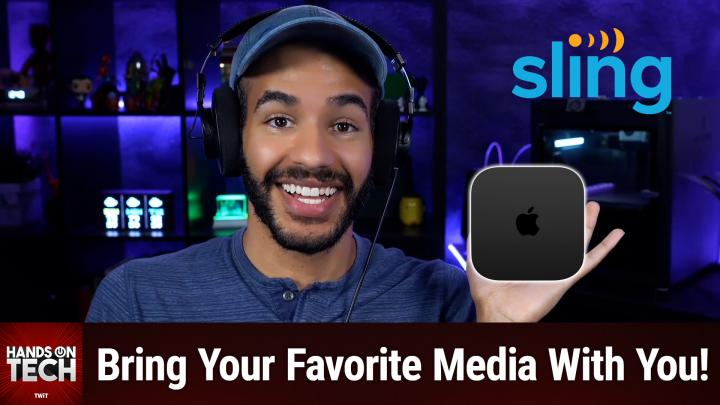
All TWiT.tv Shows (Audio)
Hands-On Tech 229: Streaming Videos on a Hotel TV
00:11:55
Bring Your Favorite Media Wherever You Stay
Loading summary
Transcript9 lines
- [00:00]
A
Coming up on Hands On Tech, let's take a look at what we can do when we want to stream our own stuff while we're staying in a hotel, a motel, or even a Holiday Inn. Stay tuned for this episode of Hands On Tech. This is twit. From unsolved mysteries to unexplained phenomena. From comedy goal to relationship fails, Amazon Music's got the most ad free top podcasts included with prime. Because the only thing that should interrupt your listening is, well, nothing. Download the Amazon Music app today. Let's map out this week's amazing destinations and travel tips.
- [00:51]
B
Honestly, Will, I didn't plan any trips, but I did switch to T Mobile with their new Family Freedom offer.
- [00:59]
A
That's not the itinerary we're following.
- [01:02]
B
Well, I'm departing from AT&T and embarking on a new journey with T Mobile. They paid off my family's four phones up to $3200 and gave us four new phones on the house.
- [01:15]
A
Bon voyage.
- [01:17]
C
Introducing Family Freedom. Our lowest cost will switch our biggest family savings all on America's largest 5G network. Visit your local T Mobile location or learn more@t mobile.com familyfreedom. Up to $800 per line via virtual prepaid card typically takes 15 days. Free phones via 24 monthly bill credits with finance agreement eg Apple iPhone16128 gigabyte 82999 eligible trade in eg iPhone11 Pro for well qualified credits end and balance due if you pay off early or cancel contact T Mobile.
- [01:43]
B
How do you make an Airbnb a vrbo? Picture a vacation rental with a host. The host is dragging your family on a tour of the kitchen, the bathroom, the upstairs bathroom, the downstairs bedroom and the TV room which stands surprise is where you can watch tv. Now imagine there's no host giving you a tour because there's never any hosts at all. Ever. Voila. You've got yourself a vrbo. Want a vacation that's completely and totally host free? Make it a vrbo.
- [02:13]
A
Welcome back to Hands on Tech. I am Micah Sargent and today we are taking a look at an interesting question that comes in from Larry. Larry has written in with the following I recently returned from a trip to San Francisco in the Bay Area. I use Sling TV at home for my streaming TV at the hotel I stayed at. I attempted to cast the feed from the Sling TV app to the smart TV in the hotel room. It didn't work. I had to watch the channels that were not available on the hotel TV on my phone, on The Sling TV app. I assumed the same problem would occur attempting to watch YouTube videos or other streaming apps even. Is there a way to cast from a phone app to a hotel TV when traveling? Yeah, there is. And honestly, I get it. It's frustrating. It's annoying. One of the main reasons why this is the case and why this works the way that it does is that hotel networks have a lot of different protections in place because they are often offering WI fi to their many guests. So different devices are kind of isolated so that you aren't running into issues where someone is accessing, you know, the hotel TV after they are checked out. Right. Like you don't want this stuff to be accessible after the fact. And so that's probably what's preventing your phone from being able to look on the network and find the TV on that same network. There are some hotels that have figured out ways to make this work, and so that's probably why, you know, you had this, this expectation it can be hit or miss. So let's talk about what we can do to solve this issue and what I do to solve this issue. Anytime I'm traveling, I take an Apple TV with me. So with an Apple TV, the Apple TV 4K, little expensive, but you can use it at home as well. And it's very small. As long as the TV has HDMI and you can plug it in, then everything that you watch at home in the way that you watch at home is going to work there on the Apple tv. You can also airplay from your phone to the Apple tv, which is kind of the big thing there. Being able to just mirror the content that's on your phone to the television. Assuming that you have an iPhone, being able to mirror that content onto the TV is really nice. And you can also use it, you know, with your. Your phone's hotspot if you need to. If you're having trouble getting it to connect to the network from the hotel. But that is one option. You can also go with an Amazon Fire TV stick. These are much less expensive and are very small, which is great and includes the Sling TV app and is just as simple as plugging in the HDMI dongle to the back of the television and then being able to watch content there. The mirroring and phone view is not going to be what you would want likely, but given that it has the Sling TV app built in well, or is available to you rather, it's going to provide what you're asking for specifically here. Another suggestion I might make to you, not as convenient but perhaps the most foolproof option is to just get an HDMI cable, USB C to HDMI or Lightning to HDMI adapter. If you don't have. If you've got an older iPhone, you plug in your phone and you plug it into the HDMI port on the television and then you're able to see your Sling TV stuff. Now, depending on the app and depending on the content protections that are in place, you may, may have issues here. So give this a shot at home before you, you know, take it with you on the road. Make sure that, you know, Sling TV is showing up on the, the television that's, that's being connected to the phone. But that is a good option because you're essentially circumventing any necessary part of connecting to, connecting a device to the network that is not a phone. Sometimes it can be difficult to get these little, like the Apple tv, like the Fire TV stick. It can be difficult to get them to connect to the WI Fi because of what are called captive. Captive networks where you. I think it's captive, I'm forgetting the term, but it is where you have a little interstitial screen that pops up and says, what room are you staying in? What's your last name? And you hit enter and then it lets you connect to the wifi. That can be something that confuses these devices. Apple has improved it with the Apple TV because a lot of people do like to take them with them and use them in hotels. But you know, you just want to make sure that the option that you're choosing works. So some suggestions here, don't rely on the hotel having an HDMI cable. If you're going to bring your Apple TV or your Fire TV stick, or just do this HDMI cable solution, bring that HDMI cable with you. Some hotel TVs have hard to reach ports, so be mindful of that as well. Also pack a small USB power adapter because not all hotel TVs are going to power the device adequately. So in the case of the Amazon Fire TV stick you want, the idea is that you would be able to just use the USB port on the back of the tv. Some of them don't have them, some of them have them, but they're lower powered. So bring a little USB power adapter with you. And might I suggest that if you aren't needing to watch live content, why not download content for offline viewing in case the hotel has, you know, crummy WI fi and is not able to do it as well. The Apple tv, the Fire TV stick or might I suggest if you can find one, because I think they're like gold these days, a Chromecast. Because the thing about Chromecast is the multi platform streaming mirroring aspect of Chromecast and it was a bummer to see Google switched to the Google TV streamer. Something, something. It's this huge device from these beautiful Chromecasts that they used to tout. But those are going to be your best bets for a seamless experience. Of course, yeah, you got to pack an extra device. But honestly, over relying on the media that the, that the hotel is going to provide, I think it's a better experience in general. If I'm going to be going there, I just want to watch the stuff that I would normally watch. And for me an Apple TV has always provided that because even when I'm not trying to access something directly on the Apple tv, being able to use my phone to connect to the Apple TV which then projects it onto the screen is very handy. So those are my suggestions for you, Larry, when it comes to streaming content on a hotel tv. Hey, I would love, love, love if you joined us in a special place. The special place is Club TWiT. TWiT TV. Club TWiT is where you go to sign up when you join our club. We've got monthly and yearly plans available to you again at that special link, TWiT TV Club. You can join for $10 per month or $120 per year. And when you do, you get a lot of great stuff. You get every single one of our shows, including this one, ad free. It's just the content, none of the ads. In fact, you get your special little. These feeds are unique to you. They say your name in them even. And so when you go and you get these free or these feeds that are ad free, you are able to, you know, get them right there in your podcast player as soon as they're available. You also gain access to our members only video feeds. So that means our club Twitch shows like Hands On Apple, the other show that I do, hands on tech, which is this show, Hands on Windows home theater geeks, iOS today, this week in Space and the Untitled Linux show. Plus access to our Twit plus bonus feeds which include behind the scenes stuff, My Crafting Corner, Stacey's Book Club, the AI User Group, and access to the members only Discord Server, which is a fun place to go to chat with your fellow Club Twit members and also those of us here at twit. Lots of conversation today in the Club Twit Discord, which we love. And I'm going to be running a D and D campaign or an adventure. I shouldn't say campaign an adventure soon with contributors and hosts for our club members. So if you like Dungeons and Dragons you gotta join the club. It would be great to have you there. And by the way, it does start with a 14 day free trial so you can check it out see if it's for you. I think you'll end up sticking around Twit TV Club Twit. That's how you get into the club and I am looking forward to saying hello to you there. Thank you so much for writing in. As always, I invite you to let us know what you decided to do. In the end. You can reach out Hotwit TV is the email address where you can send your questions and your follow ups as well. Thank you so much Larry for writing in this week and I will catch you all again next week for another episode of Hands On Tech.
- [13:02]
D
No matter how much spare time you have, TWiT TV has the perfect tech news format for your schedule. Stay up to date with everything happening in tech and get tech news your way with TWiT TV. Start your week with this Week in Tech for an in depth, comprehensive dive into the top stories every week. And for a mid week boost, Tech News Weekly brings you concise quick updates with the journalists breaking the news. Whether you need just the nuts and bolts or want the full analysis, stay informed with Twitter TV's perfect pairing of tech news programs.