← All TWiT.tv Shows (Audio)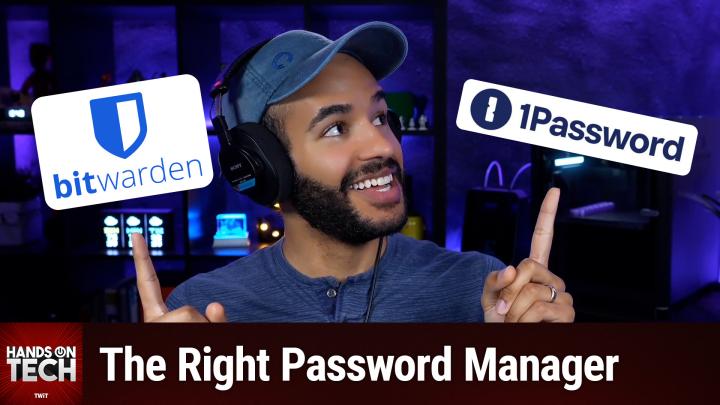
All TWiT.tv Shows (Audio)
Hands-On Tech 230: Cross-Platform Password Management
00:10:27
Picking the Right Password Manager
Loading summary
Transcript11 lines
- [00:00]
Micah Sargent
Coming up on Hands on Tech, let's take a look at some suggestions for a cross platform password manager once you've made the switch to a new machine. Stay tuned.
- [00:13]
Leo Laporte
This is TWIT this episode brought to you by the Electronic Frontier Foundation. For 35 years, EFF has been fighting to make sure when you go online and your rights go with you. They work to protect programmers and developers engaged in cutting edge security. Their technologists develop open source software, some of which you might have used. It's great to combat surveillance. Their activists push companies to build tools that work for you, not against you. What you might not know is they have a great podcast called how to Fix the Internet hosted by Cindy Cohn and Jason Kelly. In it, they ask every guest what does it look like? If we get this right, you'll hear about activists and experts building a better Internet. That's what EFF is all about. Listen to how to Fix the Internet. Wherever you get your podcasts and do what I do, join and support the Electronic Frontier Foundation. They're fighting for us all to make a better Internet. EFF.org listen to the show donate support.
- [01:19]
Chris Gethard
The EFF everything from clothing to household items are getting more expensive each day. American Giant is about keeping things simple and close to home. They aren't affected by tariffs because their products never leave the US. Support American made tariff free clothing with American Giant. With American Giant, get 20% off your first order when you use promo code STAPLE20@american-giant.com that's 20% off when you use code STAPLE20@ameran-giant.com hi, I'm Chris Gethard and.
- [01:52]
I'm very excited to tell you about Beautiful Anonymous, a podcast where I talk to random people on the phone. I tweet out a phone number. Thousands of people try to call people. I talk to one of them. They stay anonymous. I can't hang up. That's all the rules. I never know what's gonna happen. We get serious ones. I've talked with meth dealers on their way to prison. I've talked to people who survived mass shootings. Crazy funny ones. I talked to a guy with a goose laugh, somebody who dresses up as a pirate on the weekends. I never know what's gonna happen. It's a great show. Subscribe today.
- [02:19]
Micah Sargent
Beautiful Anonymous hello and welcome to Hands On Tech. I'm Micah Sargent and as is always my way, I am taking your tech questions and answering them here on Hands On Tech. The question this week comes in from Jim, who writes in with the following now that I have My new Mac. It's time for a new and better password manager. I was still using LastPass on my PC. Yeah, I know you and Leo urged us to switch after LastPass had been hacked, but I never got around to it. Now is finally the time I, and I bet most people need one that works across platforms. And in my case, I want it to work seamlessly on my Mac, iPad, iPhone and my wife's iPhone. If my wife wants to check our bank statement on her iPhone, she shouldn't have to wonder what the password is just because I created it on the Mac. And no way can anyone correctly hand enter one of those long, ugly, complicated, strong passwords that password managers love to create. Bonus points if the password manager can work with Roku. So a Netflix password created on my iPad will automatically log me into Netflix on my tv. So let me talk about some password manager options. I, for years now, probably since like 2011 maybe at least since 2011, I think have been using 1Password, 1Password has been a sponsor on the network. So just putting that out there, it's $36 a year for families I think is the current pricing and so that's a really good price. It works across Mac, it works with iOS and we'll talk about how it can work with Roku as well. I think one of the best things about it is the family sharing portion of it. Once it's set up on your wife's phone, it's very easy to use on iOS. It will kick up those passwords as are needed in the background. And this is the way that it would work with Roku. The app, just like any third party password manager that has this functionality built in will suggest the password on Roku's mobile app which can then forward those credentials along to the television where the Roku is installed. Very, very strong security as far as we know, never meaningfully breached. And it has a really nice set of tools built in to help you migrate from LastPass specifically. So a little bit more expensive than free and a little bit more expensive than the next option, which is bitwarden. And they of course have also been a sponsor on the network, free for basic use. And it works on and with everything that you mentioned. It does have family sharing options available. It is an open source password manager and so that has its positive implications as well. And again, it works on iOS in the same way with those integrations of allowing you to put in your password in the Roku mobile app and then have that be forwarded along to the television where the Roku is plugged in and also has a nice import feature from LastPass.
- [05:51]
Leo Laporte
This is one of the most spectacular venues with all kinds of character and hospitality scenery. These people in this Kittitas Valley, they love when you come to see what they have to offer.
- [06:03]
J.J. Harris
I'm J.J. harris, an Ellensburg Rodeo clown and I want to invite you you to the rodeo. Come hang out with us in Ellensburg. Great rodeo. Great time. Two performances on Saturday. One is the Extreme Bulls of the Year event. Do not miss the Ellensburg Rodeo August 29th through September 1st. We'll see you there.
- [06:21]
Micah Sargent
That said, I also want to mention that you've got a free option built in. Apple has its Passwords app that uses icloud keychain to sync between your different devices. With the Passwords app you can share passwords with other people. It works across all of your Apple devices in the same way that these third party options work in terms of working specifically on Apple platforms. If you were ever stepping out of Apple platforms, that's where things aren't going to be as easy and clean. You can download an app from Apple in Android in the Google Play Store that will work. And you can also download an app from Apple for Windows that will work with your passwords. But it's not as clean and slick as being able to use Apple passwords across all of your Apple stuff. So if you, Jim, are a complete Apple household, then I think you could probably get away with just using Apple passwords. For one thing, I found that it's very easy for less technical users given that it will automatically suggest to save passwords and has that built in functionality of just kind of running in the background and saying okay, this is an account you're trying to log into. Are you ready to log in, Face ID or touch or type in your pin, whatever. It just kind of works. And that's helpful. And what you would do, Jim, is you would create a group is what it's called and we have a link in the show Notes that talks about this a group and you would add your wife to that group and then you would share specific passwords from your passwords to that group and that group will include your wife and so on her device. Then she would get suggestions for being able to connect as well. Now in this you would probably have to as long as you're using the Roku app, then once again you should be able to get that suggestion and have it be forwarded along to the Roku device. Bear in mind that Roku itself obviously doesn't Support browser extensions. It's not a traditional browser in any means the device itself and so you're not going to be able to just install one password on Roku or install Bitwarden on Roku. But again those mobile apps are what make it easy to just copy and paste those passwords and then send those credentials to your Roku connected to your television. I think that the family sharing options and the cross platform meaning Linux, Android, Windows, Mac usability of 1Password make it my choice. Having used it for so many years now and not having had any had issues with it. That's that's why I recommend it. It does cost more than Bitwarden.
- [09:49]
Leo Laporte
So.
- [09:50]
Micah Sargent
That'S something to bear in mind. The thing that I would suggest to you Jim, more than anything else is don't force your wife or anyone else to try out multiple options that is going to make someone not want to participate in password management at all. That's been my experience. At least provide the least amount of friction as possible for someone who is not interested in digging into the techie stuff by doing that hard work yourself. So if you want to see if Bitwarden is good enough, if you want to see if 1Password is the one you want to go with, if you want to see if Apple passwords is good enough, try to do as much of that testing yourself first and then when it's time you can very easily help your wife set up that password autofill and everything. If you're using Apple passwords or if you're deciding to go with 1Password and that way it's not like okay, we're going to try this password manager, download this and then you got to go in here and you got to do this and you got to do that and you got to do this and then oh no, this doesn't work. You're going to get a new email and it's going to be coming from this instead. No, don't do that. Figure out which one you want to go with and then go from there. I very much a 1Password user, have been for years, highly recommend it, think it's great. That's my suggestion. So Jim, thank you for writing in. I am very curious to hear what solution you end up going with, so please let me know. Hot TV is how you get in touch with me. And I can't wait to hear from you everyone. Thank you for tuning in to this week's episode of Hands on Tech. I'll be back next week for our final episode of August. Bye bye.
- [11:40]
Leo Laporte
Hey, thanks for tuning in to Twit your tech hub for intelligent, thoughtful conversations. If you want to take your experience to the next level and support what we do here at TWiT, say goodbye to ads and say hello to Club Twit. With Club Twit, you unlock all our shows ad free. You also get exclusive Members Only content. We do a lot of great programming just for the club members. You also get behind the scenes access with our Twit plus bonus feed and live video streams while we're recording. And don't forget the fantastic members Only discord. It's where passionate tech fans like you and me hang out, swap ideas and connect directly with all of our hosts. It's my favorite social network. I think you'll like it too. Club Twit. It's not just a subscription, it's how you support what we do and become part of the Twit family. Your membership directly supports the network, helping us stay independent and keep making the shows you love. If you're ready to upgrade your tech podcast experience, head to TWiT TV club TWiT and join us today. Thanks for being here and I'll see you in the club.