← All TWiT.tv Shows (Audio)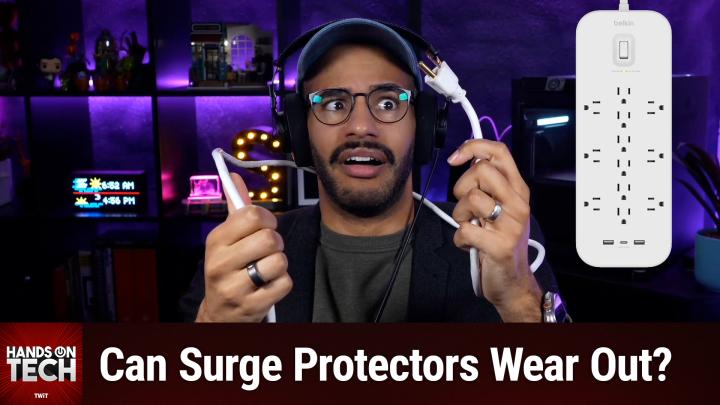
All TWiT.tv Shows (Audio)
Hands-On Tech 243: How Often Should I Replace Surge Protectors?
00:34:56
Can Surge Protectors Wear Out Over Time?
Loading summary
Transcript10 lines
- [00:01]
A
Ever notice how ads always pop up at the worst moments when the killer's identity is about to be revealed during that perfect meditation flow On Amazon Music we believe in keeping you in the moment. That's why we've got millions of ad free podcast episodes so you can stay completely immersed in every story, every reveal, every breath. Download the Amazon Music app and start listening to your favorite podcasts. Ad free included with Prime AI Agents.
- [00:35]
B
Are everywhere, automating tasks and making decisions at machine speed. But agents make mistakes. Just one rogue agent can do big damage before you even notice. Rubrik Agent Cloud is the only platform that helps you monitor agents, set guardrails and rewind mistakes so you can unleash agents, not risk. Accelerate your AI transformation@rubrik.com that's R U B R-I K.com Hey Ryan Reynolds here wishing you a very happy half off holiday because right now Mint Mobile is offering you the gift of 50% off unlimited. To be clear, that's half price, not half the service. Mint is still premium unlimited wireless for a great price. So that means a half day. Yeah, give it a try@mintmobile.com Switch upfront payment of $45 for three month plan.
- [01:28]
A
Equivalent to $15 per month required new customer offer for first three months only. Speed slow 135 gigabytes of network's busy taxes and fees extra.
- [01:33]
B
See mintmobile.com coming up on Hands On Tech do you really need to replace that power outlet? That surge protector? Let's talk about it. Stay tuned. This is twit. Hello and welcome to Hands On Tech. I am Micah Sargent where I take your tech questions and do my dadgum best to answer them. This is the show where you write in to Hotwit TV with your questions and and I try to find them in the midst of dozens of emails asking me to be a collaborator on on all sorts of product launches. I swear I get more email from the spamazoids on our hot email than than I think I've ever seen. I don't know what it is about those short letter emails, but goodness gracious in any case, when I'm going through and every five is a is a great question. Super, super happy to find it and talk about it. This week's question really interesting comes in from Elizabeth who says I've heard it said that power strips wear out after several years and thus need to be replaced. My response to that is, well that's mighty convenient for power strip manufacturers. What makes these things wear out? Love this question. First and foremost I Want to do some clarifying? This reminds me of high school debate a little bit because one of the first things that you do in Lincoln Douglas debate in particular, which is one person versus another, there are like three main forms of debate. Debate, puff, which is also called policy, Lincoln Douglas and no, no, I think it's policy puff and Lincoln Douglas. I don't recall now, it's been so long. But certainly the kind that I did was Lincoln Douglas 1v1. And in it, the first thing that you do is define terms because if you can't come to an agreement on what the terms are and what they mean, then you're not able to make your arguments in any case. And there were many a debate. There was many a debate one on, on my part by disagreeing with and providing better definitions for the terms therein. So let's talk about terms. When we're talking about power strips, we need to be clear about what type of power strip we're talking about. Because when I say the word power strip and when you sort of picture a power strip in your head, I imagine that you're picturing some sort of device that has this plug that you plug into the wall, right? And then there's this, this rectangle. In many cases it doesn't have to be a rectangle, but we'll go with like a classic power strip, a rectangle. And on that rectangle are four, five, six different places where I can plug something in. Six outlets I can plug in something and it gives me the ability to turn one outlet on the wall, one plug in an outlet on the wall into, you know, three, four, five, six different plugs that I can plug stuff into that is a power outlet. But when we're talking about power outlets, we're often actually talking about surge protectors. And a power outlet can be a power outlet that is just a power outlet, or a power outlet can be a power outlet that has a surge protector. And when we're talking about devices that need to be replaced, when it comes to these power strips or power outlets, the replaceability is often referring to surge protectors, not power outlets, not just standard power outlets or power strips. It is a power strip that has surge protection built in. So now we have to kind of talk about surge protection in order to understand what we're talking about here. So by the very nature of having a multi plug device, you are running the risk of requiring more from your electric components and your electric setup in your home. Then your home is capable of delivering. And then you also have the issue of surges coming into the home that could then go through and potentially fry a component that's plugged in. Right. And that's where this protection comes into play. So the idea is that from both ends of things, your devices are protected and your home electrical grid is protected. Not like the full grid, but your home electrical grid is protected. The full grid has a lot of protections in place. And so I've seen this happen a couple of times where I will have two high power devices on a power strip. And these are typically like a heater. And by a heater I mean, I don't mean a space heater, I mean a device. Let me just, I'll just be specific. A kettle for warming and boiling water. And so a kettle's got a lot of energy requirements in order to pull enough heat and produce enough heat to warm your water and then boil your water. And then a motor by way of a conical burr grinder. So that motor needs a lot of energy as well to be able to power that. Those are both plugged into the surge protector and they both run at the same time. And then someone comes along and there's also a coffee pot that is on the, the same outlet and it is a heater because it has that base plate that's heating and it has a pump inside that has a motor inside that pumps the water from the reservoir into the basket that then puts, you know, brews the coffee. Those three devices are all vying for power. And so they all are kind of pulling and that causes the thing to flip it saying, whoa, you're trying to take way too much power. And that's not good because it's going to heat up the cable, the, the, the, the electrical cable inside of your wall to a point that is dangerous. And, but instead of flipping the breaker all the way at my breaker box, because there's an out, there's that power strip there that has all the built in safety features and safety mechanisms. It can keep that from happening and flip the switch there. Now let's talk about then, what is the surge protector functionality? There's this device called a metal oxide. I think it's Varister, but it's V A R I S T O R. And this mov, which is what we're going to call it from now on, is in charge of protecting devices from surges. A stand like an old school surge you could think of like Frankenstein's monster moment where a bolt of electricity from lightning strikes the antenna above a home and sends so much power into the home and these little movs, the way that they work is they have the ability to kind of siphon off some of the current in a way that keeps the voltage standard. And so where normally that surge would pass through and just kind of completely wreck the system, they're able to kind of take in a bunch of energy and go, everything's fine. And kind of, it almost calms it down. Any electrician right now is cringing because it's so much more complicated than that. But this is a, this is just me trying to kind of keep it where I understand it and hopefully where you're able to understand it as well. Some of you, I'm sure, have much more knowledge about the situation. But those movies, even with small amounts of surges over time, because most of us are not getting that electric or that lightning striking the top of our house and sending electrical current through our home that is causing, you know, big issues. But little power surges for different reasons can happen throughout the, you know, the life of your home. One time where that's especially an issue is if the power goes out in your home because it goes out in the neighborhood and then the power kicks back on. Those are surges that will have issues over time. And those movies, the metal oxide varisters degrade over time as they work to absorb the spikes in your power. After enough hits, then they no longer are able to protect the devices that you have plugged in. So that's why surge protectors have ratings on them that tell you how much power they're able to, how much of a surge they're able to protect against and sort of the typical life on them. But here's the problem is that most power strips do not come with built in technology that shows you when they're no longer being a surge protector. And that is where the cynicism, Elizabeth, is good. Because essentially what they're doing there is they're not telling you when it's out. So then you may decide to replace it sooner rather than later. I don't know, it's probably bad by now, so I need to get a new one. But if you invest a little more money in your surge protector, you're going to find them surge protectors that have either have one or two LED lights on them. If it's one, it'll just be to tell you that the connection is protected. And when that goes off, then you know that the surge protector, the mov is it's degraded. Many of them will have two. One is just letting you know that power is actually making its way to the outlet. The other one is for that surge protection. When that surge protection one goes off once again, it means that that MOV is gone. However, you can still use it as a power strip. At that point, you just have to understand that no longer are those devices that are plugged into the power strip protected from surges by way of the surge protector. Hey, I'm Micah Sargent, host of Tech News Weekly and several other shows on the network. If you're looking for a smarter way to advertise in 2026, look no further, because TWIT is where tech decision makers listen to and ROI never ends. Our audience isn't just passionate about technology either. They actually work in it. Over 90% of our listeners are IT professionals, developers, engineers and business leaders who shape the products and the decisions that move tech forward at their companies. Here at twit we produce an array of trusted tech shows. These include the latest news and hands on advice featuring authentic embedded host read ads delivered by Leo Laporte and yours truly. Now our partners see real results because our listeners actually trust us and then take action. And that's because of authenticity. When I'm talking about how I like a product or a service, it's because I actually do. And our listeners know that. And here's something we're super proud of. 88% of our listeners say they've made a point purchase because of a TWIT ad. So if you're ready to reach the most intelligent audience in tech with that purchasing power to back it up, let's talk. We'd love to help your brand grow. Email PartnerWIT TV or visit TWiT TV Advertise.
- [13:33]
A
Whether you're solving murders during breakfast, cracking cold cases on your commute, or playing amateur detective at bedtime, Amazon Music's got millions of podcast episodes waiting. Just download the Amazon Music app and start listening to your favorite favorite true crime podcasts ad free included with Prime.
- [13:52]
C
Hi, I'm Chris Gethard and I'm very excited to tell you about Beautiful Anonymous, a podcast where I talk to random people on the phone. I tweet out a phone number. Thousands of people try to call, talk to one of them. They stay anonymous. I can't hang up. That's all the rules. I never know what's gonna happen. We get serious ones. I've talked with meth dealers on their way to prison. I've talked to people who survived mass shootings. Crazy funny ones. I talked to a guy with a gooseneck laugh, somebody who dresses up as a Pirate on the weekends. I never know what's gonna happen. It's a great show. Subscribe today.
- [14:20]
A
Beautiful Anonymous Amazon Five Star Theater presents real customer reviews performed by a real serious improv podcaster. Tonight's Spatula for the Stars. When I'm dead and civilization eventually collapses, this spatula will remain. It will be the only rune uncovered by some unknown species of the future upon which they base their assumptions of our existence. Eggs, they will posit. These extinct people like to eat their eggs scrambled, omeletted and fried. They loved to eat eggs and this was their primary tool for cooking them. Now come, let us teleport to the Intergalactic Museum and put this device in the Milky Way exhibit. 5 stars Zachary. Thank you for listening to Amazon 5 Star Theater. A spatula of such enduring majesty. Truly the perfect gift for my co hosts. May they wield it nobly in the Breakfast Wars. To come find your perfect gift this.
- [15:26]
B
Holiday on Amazon along with the mov, that's the main thing. So again, when we're talking about power strips, we're talking specifically about surge protecting power strips. That's how they can wear out over time and when it comes time to replace them. But any power strip can start to wear out over time as the outlet contacts loosen from when you're plugging it in and unplugging it. Plugging it in and unplugging it. When those connections are looser, what happens is it still is providing enough connection that signal is sent through, but it's not provided. Not signal, excuse me, that current is sent through, but it's not providing enough of a connection that that current is sort of spread out and properly sent over the connection. And so there's actually more resistance in the plug, which then causes an issue where it gets very hot. And when it gets very hot, then it leads to a fire hazard. So if you have outlets that the contacts are very loose, if you look to your wall and you see like your outlets or your whatever you've got plugged in is starting to fall out, it's probably a good idea to replace those because you're, you're running the risk of a fire hazard because you're reducing the contact, which increases the resistance, which leads to more heat. More resistance equals heat equals fire hazard. Then there are some other issues. You can, you could often find that the solder joints inside of these components will over time due to, once again, thermal cycling due to heat. Heat is always the enemy. In this case heat and oxidation, which, depending on who you talk to, is also technically Heat involving process. In any case, those solder joints can start to degrade as well. So if your outlet's getting old, you unplug it, you take it apart so you can see inside. Check those solder joints, make sure they're still good to go. Are they rusted, oxidized, Is everything fine or not? And then of course some will also have the switch mechanisms fail. If that thing won't turn on anymore, you keep flicking it and it's not turning back on. Well, then you know also that that means it's time for the outlet. But that is where, Elizabeth, I think you would be aware, right? Oh, it's time to replace that. What you're talking about is more how these companies are saying replace it sooner rather than later. Well, how do I know it actually needs to be replaced? Some other things again with thermals sustained high loads on these outlets. In particular, if you're doing, if you do have a, an actual space heater running on a power outlet which powers or power strip they say you're not supposed to do, there's a reason for that. Their hydraul devices. Hydraul devices are going to require or are going to create more heat along that electrical wire. And of course then that means that it runs the risk of heating to a, to an extent that it's dangerous, which can cause the cable to melt. That's why we have breaker boxes and you know, surge protection, not surge protection in place, but fuse protection in places so that these things don't overheat. But with that thermal damage, the plastic housing can become brittle, the wire insulation degrades. And again, these are things that are for the most part engineered against these. These things are built to last a long time. That's why they have these hefty cables that are connected to them. It would have to be a very, very old power strip for that to be an issue. We're almost always talking about mov degradation when we're talking about it comes time to replace basic power strips with no surge protection protection probably last you like a decade. Right. If it's not abused. If you don't have like three space heaters plugged into it running all the time. Copper wiring doesn't really degrade as long as it remains protected within the insulation quality strips that you, that you invest in. Typically those last a long time. And so the replace every three to five years advice doesn't really apply to non, non surge protecting power strips. But of course it's fair, Elizabeth, to say that manufacturers do benefit from replacement cycles. Yes. And that is something that is not just coming from manufacturers and retailers, but in some cases comes from insurance providers. If you have insurance for different devices in your home, you may need to read the fine print to see what it says about having surge protection involved and understand that in many cases these strips do outlast their recommended lifespan. It's almost like what we say with Best Buy dates and consume by dates and that kind of a thing, where it's choosing to be on the safe side of things. So what are the warning signs? Well, again, if the outlets feel loose when you're plugging them into the wall, if the strip feels warm or hot when it's in use, that's something to be mindful of. If you can see visible damage, if you see burn marks or scorch marks anywhere on your plugs, it's time to replace it. Absolutely. If the cord is damaged, I don't want to see you wrapping it with electrical tape. It's time to replace it. If the indicator light shows that the surge protection is gone, first of all, good for you for investing in one that tells you when the surge protection is out, now's the time to do it. And of course, if you are Frank Dr. Frankenstein, and you did bring to life Frankenstein's monster recently, Sorry, Frankenstein, you've got to take a little bit of all of the money that you have, go tell Igor to run to the department store, the power, the hardware store, I mean, and get some new surge protectors because all of them in your home probably need to be replaced by that point. The movies have probably, you know, degraded to the point that they need to be replaced. Replaced. So here's my kind of final recommendations. Go ahead and go with I, I do this for every, every power cable I buy, even if it's not a power strip or a power outlet or a, a surge protector, even if it's just an extens. I have lots of like one foot extension cords because they're great for plugging into a power strip with a huge wall wart that then is kind of out of the way. Always look for UL listed. UL listed certification is what you want. And then from there you can get a little bit more fancy by understanding wire gauge. So depending on the amperage rating of your circuit, if your circuits in your home, you may need a specific kind of, a specific gauge of wire for that setup. So simply, many homes are going to have 15amp circuits. And therefore that just means that the cabling that's in the wall is of a certain thickness that it can handle up to 15amps and therefore you want 14 gauge wiring. But many of the strips that you're going to, and you know, extension cords that you're going to buy in the home, you're buy at a, you know, at a, at a hardware store, going to be fine. For this specific instance point is UL certification. First and foremost, choose ones that have surge protection indicators. That's huge. Then, you know, and you don't have to question it and then use them where they're needed. If you're going to go for a surge protector, you know, use it where it's needed. These are your more expensive devices. So an entertainment center. What should you have behind you behind that? A surge protector. Absolutely. Your, you know, your computer area surge protector ups whatever it happens to be to protect the devices there. Really invest in those more than anything else. And then low power devices, just a strip without surge protection is fine. So if you've got a lamp, you don't, you don't necessarily need to surge protect your lamp, particularly if you've got LED bulbs in it, you'll be fine. So just invest in, in the better quality product in the first place and then you're good to go. Understand last but not least that if you experience a big surge in your area, that may be the time where those surge protectors are of use. And one way to kind of handle that as you are slowly replacing them. Buy one surge protector that has the indicator on it, right. And then if you are a place that gets lots of surges, you go and you look at that one, you see that the surge protecting light is out. That's a good indicator. Okay, probably time to replace the ones throughout the home. So it's good to have that cynicism there that, oh, well, yeah, of course you got to replace them. That's what they'd want you to do. When it comes to surge protectors, you need to when it comes time. But outside of that, it's all about sort of feeling it out and feeling what's right. So Elizabeth, when you sent this, I don't know if you expected me to talk for that long about it. I don't think I expected me to talk for that long about it, but it ended up being a really fun one to talk about and research and make sure that we're all aware of the importance of surge protectors and understanding the difference between them. And I hope that you will vote for me to win in this Lincoln Douglas debate. All right, let's take a quick break so I could tell you about Club Twit before we come back with a quick question from Stan, let's take a moment here so I can tell you about Club Twit at Twit TV Club Twit. When you head to Twitter TV Club Twit, you out there can join our club. It is $10 a month, $120 a year. When you join the club, you gain access to some pretty awesome benefits ad free content. It's just the shows, none of the ads, because you in effect are the support of the show. So we give you special custom feeds that are just yours and yours alone that you are able to listen to all of our shows with no ads. You also gain access to our special club feeds. So these feeds include bits and clips. These are behind the scenes, before the show, after the show, bits that are, you know, exciting, interesting, hilarious, what have you. There's also a feed for our coverage of tech news events. So Leo and myself covering Apple's recent event, we have live commentary of all sorts of stuff as it comes up, the Made by Google event and many more throughout the year. And then you also gain access to another special feed that has our Club Twit shows like Micah's Crafting Corner, that's my crafting show, as well as Stacy's Book Club, the D and D adventure that we kicked off last month, mid last month, late last month, and so much more. So when you join the club, you're going to get access to a huge back catalog of great stuff that you have not seen yet. So that's always a fun time. And then you also gain access to our Discord server, a fun place to go to chat with your fellow Club Twit members and those of us here at Twit. So if all of that sounds good to you, well, join the Club Twit TV Club Twit is where you go. We kick things off with a two week free trial. We've got some promos running right now as well. So now's the time to head to Twit TV Club Twit and check it out. And we would love to have you as a member. So thank you very much. All right, back from the break and Stan has written in with a very simple question. Stan writes, is there any smart light switch that connect to my 5.4 GHz router? So Stan, there's a reason that almost every in wall switch that you come across is going to be if it's just a WI fi connected switch, it's going to be 2.4 GHz and it's not going to be 5 GHz. And the reason is because of physics. So I will talk about that in a moment. I'll talk about the physics in a moment. But first let me say this. There is a smart light switch brand that will connect to your router regardless of what signal you're using, what frequency you're using. And it is the in wall switch brand that I have recommended for years and used for years and has never let me down. And that is Lutron's Caseta line. That's C A S E T a the E little accent over it Caseta. And Lutron's Caseta line is incredibly robust. Again, I've lived in like five different homes as an adult who had Lutron Caseta. And by that I'm saying I've moved between homes with these devices and installed them in these different homes, some of them older, some of them newer and then, you know, had to get them set up again and they continue to work and run flawlessly. Lutron Caseta is controlled over a bridge. And so you plug the bridge into your router and then they talk to the bridge. So it doesn't matter what frequency your router is because it's not the router's wireless connection that is talking to those switches, it is instead the bridge that is doing so. And when it comes to a multi device setup like this, I almost always recommend a bridge over individual WiFi addressable devices because of what we talked about in many an episode of the show about the chance for crosstalk and interruptions and interference that comes with having so many different WI FI chips all talking on your network trying to gain access. Right. It's, it's, it can become unwieldy for the network which then slows things down and reduces reliability and impacts everything. So that's why I recommend for a more robust smart home setup to use bridges. I know that they can be annoying for some people, but it's, I honestly, I struggle with why people find them annoying. And get a power strip, in this case a surge protecting power strip, put it next to your router, wherever it is, plug one of these into your router and one of the ports on the back, plug it in and then you're good. And if you need to, you can do what I do, which is I also have a switch. And so there are, I point back because it's literally I have it installed behind this device here. There's a 16 port switch that's along the back here that is connected to my router and then everything plugs into that 16 port switch. And you know what's back there? A surge protector with an indicator for surge protection. And my point is that's the best way to do it. And then there are like four different bridges that are also all back there. And mind you, this is in the basement of a three story, okay, It's a two story home with a basement. So three floors, three floored home. And even though some of the devices are across the entirety of this home, and this is an old home, everything works flawlessly. So that's why I recommend it. Now let's talk about why you're not going to find many that say we'll connect over 5 GHz. It's because the companies know better. They know that if they offer 5 GHz connection, that the signal is not always going to be there. And it's going to be frustrating. You're literally sticking this in a wall, which means that the chip is going to have interference from the little bits of electrical interference that are taking place right there, mixed with the drywall interference, mixed with the metal interference of the junction box that it goes into. All sorts of stuff is interfering. And a 5 GHz network or 5 GHz frequency does not travel as well. So here's what we talk about, the physics. The higher the frequency, so the more up we go from 2.4 all the way up to 5, the shorter the wavelength. Okay, so shorter or lesser frequency, lower frequency has longer wavelength. So 5 GHz waves oscillate at about 5 billion times per second. And these wavelengths are about 6 centimeters in length, whereas 2.4 GHz oscillates at 2.4 billion times per second. Wavelengths are around 12.5 centimeters. So quite a bit longer. Oh, I thought, I thought this was my, my ruler because it's green. But that's not. So I can't show it to you. But you can, you can imagine it, right? The shorter wavelengths, those 5 GHz wavelengths, they have more trouble getting around and passing around obstacles. And so they are being interfered with much more frequently than these 2.4 GHz wavelengths. Energy absorption, the sort of power of those wavelengths is absorbed as the frequency is higher. So when a radio wave at 5 GHz hits drywall, then molecules in those materials are actually going to take some of the energy from that wavelength a lot easier. And that of course, is not as much the case when it comes to those 2.4 GHz wavelengths. So looking into the sort of process specifically, and I think this is kind of cool, let's talk about the different materials that you typically find in a home. Drywall, 5 gigahertz is going to lose 3 to 4 decibels more of its signal capability than 2.4 gigahertz. So 3 to 4 more decibels with concrete and brick, 6 to 8 more decibels. Even glass and windows, because modern energy efficient windows will sometimes have metallic coatings in different places and also other coatings on the glass to help protect those will not in this case just cause signal degradation, but can sort of attenuate the 5 GHz signal that will then impact its ability to communicate with whatever it's trying to communicate with, to get in touch with what it's trying to communicate with. And then with wood and furniture, wood and furniture is, is supposed to be a little bit easier for things to pass through, especially just just wood on its own, but it can still absorb a 5 GHz signal much more than the 2.4 GHz. So all of this comes through to say that if a device that is going into a wall, where there's drywall around it, where there's concrete and brick, where there's wood around it, is providing the option for you to connect to it over 5 gigahertz, that is just because the company wants to say that it has the 5G activity, because people who aren't necessarily as aware think that, oh, more means better. And that's not the case. The reason why, you know, 5 gigahertz is, is, is important and is trumpeted and is pushed is because with the shorter wavelength and the, you know, those waves being sent at 5 billion times per second, you can transfer more bandwidth, you can get more. It's. So it's a higher bandwidth situation. It is a more robust connection. But the trade off is it doesn't travel as well around obstacles. So while I'm within line of sight of this router over here that has 5 GHz waves, then my phone, zippity doo dah zippity day is, you know, blazing fast. But the second I go upstairs and has to go through a floor that has drywall and wood and nails and everything else in the way, my phone may decide that it wants to switch to the 2.4 GHz radio because that is going to better travel through and around obstacles. So that's something to bear in mind. When it comes to this. So Stan, ultimately my suggestion is don't look for a light switch, an in wall light switch that can connect to 5 GHz in the first place because it's not going to give you as good of a connection. And that company, I then question why they're marketing it as a 5 GHz connectivity device instead. When it comes to in wall switches, look for a bridge option and go with that. And if you can afford it, Lutron Caseta is a great option. So that is my suggestion to you Stan. And that brings us to the end of this episode of Hands On Tech. If you have questions, send them. Hot TV is how you get in touch. Thank you so much for tuning in today to this episode of Hands On Tech.
- [37:59]
A
Welcome.
- [37:59]
B
We'll be back next week to record for. No, let me do that again. Thank you so much for tuning into this episode of Hands On Tech. We'll be back next week for our next episode. Bye bye.