← All TWiT.tv Shows (Audio)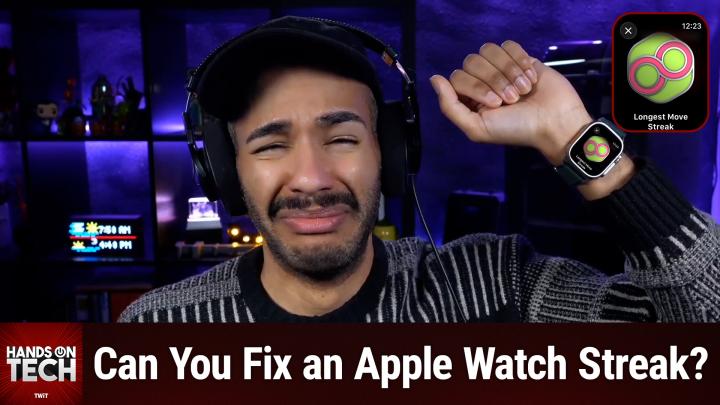
All TWiT.tv Shows (Audio)
Hands-On Tech 249: A Broken Apple Watch Streak
00:22:08
Can You Fix Broken Apple Watch Streaks?
Loading summary
Transcript1 lines
- [00:00]
A
Coming up on Hands On Tech, it's time for that question, the one that plagues anyone with an Apple Watch. How do I fix my broken streak? Stay tuned for the answer on this week's episode. This is Twit. Hello and welcome to Hands On Tech. I am Micah Sargent and it is once again time to answer your tech questions. There is a question that I hear every once in a while and every time I go look for some new answers to this question, and every time I'm disappointed with where things stand. It is a question for people who have Apple Watches. And this question comes in from Angelo, who writes, I recently broke my streak by accident and I tried to add an exercise and it didn't do anything. Do you have a suggestion? So, Angelo, that was the full extent of the message. I have to assume based on the word, based on the word streak and add an exercise. So those words that Shirley Angelo is talking about, Apple watch, streak and being able to sort of fix that for people who are not initiated. On the Apple Watch, there is an activity tracker that is sort of three different rings and in the middle is the stand ring. In the ring right outside of that, these are concentric rings is the exercise ring, and then the one outside of that is the move ring. The stand ring basically keeps track to see that in 24 hours of a given day, you stand for a short period of time. I think it's like 60 seconds or something like that in 12 of those hours. And the idea is that you are avoiding a sedentary lifestyle by standing at least half of the day, but it ends up being more than half of one's day, given that we sleep for eight hours of those days. So really that you are standing for a majority of your day is what the hope is. The next one is the exercise ring. And you know, the recommendation that we have is 30 minutes of moderate, I believe, exercise per day. It may be vigorous, but regardless, 30 minutes of exercise per day. And so your Apple watch will keep track of that. Now, now, it's not just specialized exercises that you have to do with the Apple Watch. It is any amount of vigorous activity that you do or moderate activity that you do that gets your heart racing while you're moving around. So the Apple watch will kind of consider certain things that you're doing in a day exercise, even if you don't necessarily see it that way based on how your body is reacting to the movement that you're doing. The outer ring is the move ring, and it is a calorie burn and, and it just looks for active calories burnt in a day. So it may not be that you are exercising, but if you're walking around, if you are, you know, getting your heart rate up in some way, then that goes toward the move ring based on a goal that you set. Now, if you close the ring, meaning because as a ring it fills up sort of from the top all the way around. And so by filling it up all the way, that means closing it. And if you close a ring, then you have met your goal for the day. But as you continue to close your rings, you start to build a streak, right? And so some people have over time closed all three of their rings every single day, day after day, for many weeks, many months, and in some cases for multiple years. Which is why understandably, some people get very sad, very upset, very frustrated when some outside external issue causes them to not be able to close their rings. One of the most common ways where I used to hear from people was when, when they would travel and cross the international date line. Due to that, it would basically result in the phone and the watch telling each other, oh, there's been a whole day or enough of that that no exercise has taken place and therefore you have unfortunately not completed your exercises and therefore you have broken your streak. So we receive this question a lot. How in the world can I fix my streak if it's broken? Let's take a quick break so I can tell you about our sponsor. This episode of Hands on Tech brought to you by Melissa, the trusted data quality expert since 1985. Bad data probably costing your business. Melissa has specialized in making data clean, accurate and of peak quality. And they've been doing it for 40 years now. Combining expertise with that very important buzzword, it's cutting edge AI. Here's what that means for your business. Address verification it validates addresses globally in real time, reducing failed deliveries. Mobile identity verification so you can match customers to mobile numbers, which lets you cut fraud and open SMS channels. Change of address it keeps customers connected automatically when they move. Plus AI powered deduplication on average a database contains 8 to 10% duplicate records. Melissa's powerful matchup can identify non exact matching duplicate records. Customer data Intelligence as well, where you can enrich records with demographic, geographic, psychographic, firmographic and property info for more intelligent targeting. Plus the new Melissa Alert service which monitors and automatically updates your customer data for moves, address changes, property transactions, hazard risks and more clean data. Leads to better marketing, roi, higher customer lifetime value and AI that works as intended. If you're using AI for Personalization or predictive analytics. Garbage data means garbage results, while Melissa ensures your AI learns from accurate information. When it comes to data, Melissa's got you covered. For example, Etoro, the social investing platform with 23 million users, uses Melissa for identity verification. Their business analyst says, quote, we find electronic verification is the way to go because it makes the user's life easier. Easier users register faster and can start using our platform right away. So whether you're a small business just getting started or an enterprise managing millions of records, Melissa scales with you. Melissa has easy to use apps for Salesforce, Dynamics, CRM, Shopify, Stripe, Microsoft Office, Google Docs, and more. Melissa's APIs integrate seamlessly into your existing workflow or your custom builds, so no worries there. Plus, Melissa's solutions and services are GDPR and CCPA compliant. Also ISO 27001 certified and meet SoC2 and HIPAA high Trust standards for information security management. Get started today with 1000 records cleaned for free at melissa.com TWIT that's melissa.com TWIT thank you so much Melissa, for sponsoring this week's episode of Hands On Tech. Here is the thing to understand. Apple seems to prioritize streak integrity over everything else. And by that I mean there's no real way to, there's no reliable way to game the system. And Apple will actually err on the side of, of ignoring attempts to game the system over, giving you the ability to game the system. So by that I mean that. Well, we'll talk about it. There are, there are ways that one would think that you'd be able to fix this, that you simply are not able to. Activity streaks cannot be restored once they're genuinely broken by any supported means. That said, display bugs, and I'll explain what that means in a moment, it's a very specific term. In this case, display bugs are fixable. So if your workout data exists but the streak count does not display as you want it to, that is a display bug. That is what we're talking about when we're talking about a display bug. It means there's something wrong with this not displaying as it should display bug. So if your workout data is there, if you actually did stand for 12 hours in a day, burn 350 calories in your move streak, and complete 30 minutes of exercise in a day and your streak shows as broken, well then yes, there's something wrong and that should be fixed, right? So what you need to understand is that in that case Apple support might be able to help you if no Data was recorded that day. However, there's not a verified method for restoring the streak it ignores. Apple system actually will ignore backdated data and so retroactive manipulation is not possible with any verified method. Yes, wizardling streakers have integrity. So this is a way for Apple to. I think it. Look, there's an argument to be made that it's a little frustrating and it can be demoralizing. I have had a streak broken through. It wasn't any fault of my own, but it was also like it was legitimately I was not able to work out. And that's because I had Covid and so I was bedridden and therefore my streak was broken. And I'm not gonna lie to you, for the first two days of COVID before the stuff really started to settle in, I was exercising to try and maintain my, my, my rings. So sometimes it can be very bad. Like it doesn't. It's not necessarily a good thing to have so much focus and attention. Part of that. That said, once it was broken, it was not as easy for me to stick to what I was doing before. So it's kind of a back and forth. Right. I understand wanting to fix it. So let's talk about what you can do. If the workout data is actually there and was there and was real and should support. It's not backdated, but it's there and should support you being able to see that. The way that you check is you open the fitness app, you tap on your rings, you scroll through the calendar to the problematic day, whatever day it is, that is not showing properly. If the rings actually are fully closed but the streak count is wrong, that's a display bug. In that case, very fixable. Now, if the rings show as incomplete or missing data like some exercise is missing, that's data loss and it's pretty much unrecoverable. So if you have the display bug, from what I've read multiple accounts, you can contact Apple support and they have some magical way reportedly to refresh your calculations from their side and in doing so, it will then display the correct streak. I've also read that force restarting both your phone and your watch can fix this problem. So if you. I would. I would start with the force restart and then contact Apple support if the force restart doesn't work. Allegedly that's supposed to help. Hey, I just want to tell you really quick, remind you of course, about Club Twit, Twitter TV slash Club Twit. That is where you go to sign up when you join the club. $10 a month, $120 a year. You can help support the work that we do here on the network. It means the world to us A to have you in the club, but B, of course to know that we've got so many of you out there who keep on keeping on with your excitement, your energy and everything else that you bring to the table. Now, if you are thinking about joining the club, you may be going what is. Well, what's. What does the club get me? Well, I will tell you what the club gets you. First and foremost, it gets you access to every single one of our show ad free. Just the content, none of the ads, all that good stuff. You also gain access to our special Club Twit feeds that includes a feed devoted to behind the scenes, before the show, after the show, special club Twitter events. You also gain access to the feed that has our live coverage commentary of tech news events, and access to a feed that has all of our club Twitch shows. That includes my crafting corner. It includes. What else does it include? My crafting corner, D and D Adventures, Photo Time with Chris Marquardt. So much more. All of that's there. And access to the members only Discord Server. A fun place to go to chat with your fellow Club Twit members and those of us here at Twit. If that sounds good, head to Twitter TV Club Twit. We're always running different promos, so you can check it out at a discounted rate in some cases. At other times you can get free trials. It's a great time. And to those of you who are already members of the club, don't you dare forget that you can earn free months of Club Twit. Well, you can earn months of Club Twit for free by referring to your friends, your family, and even your enemies. Slide it under a door. You know I'm not responsible if you slide it under a door, but do it. So be sure to check it out. Twit TV Club Twit and I look forward to so much more fun in the year 2020. Thank you. And back to the show. Now, if the workout data does not exist, if there's no workout data there, then understand the following manual health app entries do not restore streaks past 24 hours. So you can't just pop in some data and expect that it's going to restore. Now you'll notice I had a little caveat there right past 24 hours. That's because there are multiple reports that I read that suggests that Apple does give a 24 hour grace period, probably from enough people complaining about the international dateline issue and other things that have happened, so that if you add a workout within 24 hours, it will restore a streak. But then I've also seen others who say, well, I tried that and it didn't work. Know this as well. Third party apps cannot backdoor the system. So once again, third party apps cannot backdoor the system and then unpairing and repairing your watch, it rarely works. So some people thought if I unpair my watch, that's definitely going to fix the problem. No, it's is not worth the trouble that you would go through. So it, it's everybody who has tried that has ended up with more issues where some of their exercises have disappeared, some of their activity has disappeared and it just doesn't work. Now lean in closely, lean in very closely and listen up. Because although there are no verified official ways for you to restore your streaks, if the data does not exist, I have seen some evidence which I have linked in the show notes to some clever individuals who've gone with that old school sort of roll back the clock method. Okay, so maybe in the past you've played a game on your PC or on a console or somewhere else and maybe something within the game was time based. And so maybe you change the date back to the past or to some point in the future to maybe hack things and maybe that's something that will work here. Now, it's important to understand that you basically need to Faraday cage the situation. From what I'm reading, from what I read, the Apple Watch, the iPhone, no network access, you roll back the clock to, and by clock I mean the one on your phone to a specific day where that happened. And then your Apple Watch also needs to be rolled back to that day and then you put in the missed entries. You wait long enough for the Apple Watch to update with those new entries and then you set your time forward again. However, while I have seen someone say thank you so much, it restored my 900 day streak, which is wow, that's awesome. I have seen other people say it caused me so many other issues. I had the weirdest bugs going on within my fitness app. Things were not syncing properly after this. I had issues in other apps I had. There's all sorts of stuff that can go wrong. So I want to be able to provide you with the information that is out there and the research that I, you know, have come across. But that does not mean that I suggest this method. Ultimately, unfortunately, I feel that it's one of those. And this is normally like, if we had the money, I would have frozen's Let it go start playing. But we don't have the money and I have a dry winter voice, so you're not going to hear me sing it. I do think you just need to let it go. Apple did finally introduce the ability to pause rings because they finally said, you know, what's, you know what the case is. Sometimes people get sick or sometimes there are other reasons why they can't complete their streaks. And that has been one of the best additions to Apple Watch or the whole fitness of it all since it first came forward. So that is is my suggestion to you, Angelo, on how to deal with a broken Apple watch streak. I do believe you wrote in a lot longer than 24 hours ago. So hopefully you were able to catch it within 24 hours. If it was just that problem. If it was longer than that, let me know about your Faraday cage. And hey, as is always the case, would love to hear if somebody out there has found some other way to pull this off and it's actually worked for them. There are all these little, kind of like little moments sprinkled throughout where there was a, what is it called? Not a break in the Matrix. What's that called? Not a shift in the Matrix. I mean, a disturbance in the Force. But that's really not what I'm looking for. There's been a sort of break in the simulation and they somehow were able to get things to work and so a glitch in the Matrix. Thank you, Briggs. Very good. A glitch in the Matrix. And you know what, Moose Espionage. These are people in the chat, by the way, and Joe got it too. Moose Espionage has the best advice ever. I fixed breaking my Apple watch streak by learning to not care. I think it's, I think there's a way to find an in between to care enough that it motivates you, but not care so much that it breaks your heart, your soul and your ability to continue to exercise and be motivated by it if something goes wrong. Because you know in your heart of hearts that there was a good reason for why that day you weren't able to complete the, the streak or the, you know, the rings. So good advice from the chat and thank you all for your answer, for your answers on that. But also thank you all for your support of this show. If you have questions, you can email me Hotwit tv. That's how you get in touch and I'll pull out the magnifying glass and start doing the research to figure out what the heck is going on. And that is what we got to this week. Week on this episode of Hands on Tech. Thank you for being here. I'll catch you again next week for another episode. Bye. Bye.