← All TWiT.tv Shows (Audio)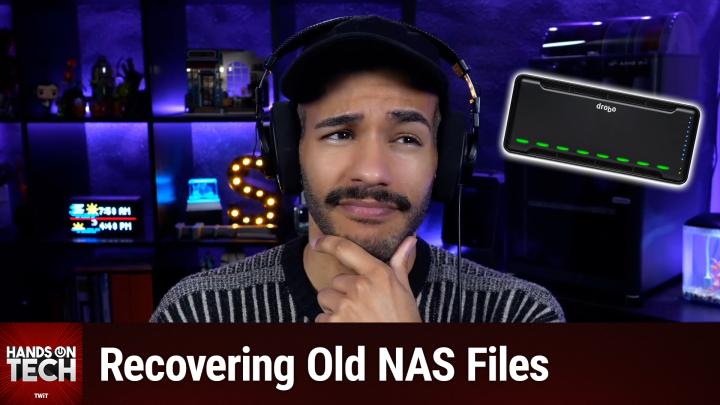
All TWiT.tv Shows (Audio)
Hands-On Tech 251: Accessing Drobo Files
00:15:24
Recovering Files From Obsolete NAS Devices
Loading summary
Transcript3 lines
- [00:00]
A
Coming up on Hands On Tech. What do I do when I have files stored in a proprietary format? Well, let's take a look. Stay tuned. If you haven't done so yet, now is your last chance to take the 2026 TWiT audience survey. We of course appreciate the feedback we've received thus far. If you haven't yet done it well, you still have time. Now's the time. Head to TWiT TV Survey 26 today. It closes January 31st, so run, don't walk. Thanks so much is TWiT. Hello and welcome to Hands On Tech. I am Micah Sargent and today I'm taking your tech question and I'm answering it. This week's tech question. Oof. It hits because it is one I hear about all the time, I'm sure many of you have heard about in the past. And you go, why is this happening? The question is comes in from Jeff who writes, I just retired from the military and came across a four bay Drobo drive that I had in storage for people who aren't familiar. Really quick I'll cut in and say drobo network attached storage that, you know, wanted to be a sort of better solution for network attached storage options at the time and do backups of your machine and all sorts of stuff. It was kind of an all in one option. Anyway, Jeff goes on to say it has tons of photos from my military days and I would like to see them. I also have to pause again because Jeff spells in this case photos F O T O S which I know that is a way that it is spelled in other languages. However, there has been a surprising number of people in email recently that I've seen spell it that way and I'm trying to figure out what the pattern is there. So if you spell photos whenever you're just like quickly trying to talk about photos F o T O S and it's not a language thing, can you let me know? I know it's really weird, but I'm just trying to figure out if there's a pattern. If it's a. If it's maybe it's a certain. Like my aunt spells tonight T o N I T E and spells night N I T E a lot of the time in messages. So I'm kind of curious if maybe. Anyway, Jeff goes on to say it has tons of photos from my military days and I would like to see them. I hooked the drive up to my computer but after four days the drive never booted. My question is if there is a software based way to move that data off those drives. And then how would I be able to see the data since it's in Drobo's encryption and they are out of business. Hope you can help. So, Jeff, I started off my notes by saying this is a tricky situation, but there may be some hope, because it's a tricky situation, but maybe there's some hope. First and foremost, we have to understand what's going on here. And you point out part of the issue. Look, Jeff, you are knowledgeable enough about this to understand how you may have trouble accessing these files. Drobo, in its attempt to be a better way of doing things, used a proprietary system called beyond raid, unfortunately not compatible with standard RAID recovery tools. Oopsie. It means you can't just pop those drives into any other enclosure or connect them directly to a computer and expect to read the data. So here are the challenges that we're dealing with here. First and foremost is getting the Drobo in unit itself to boot. Because if you could get it to boot, that would help. After years in storage, though, it seems like you are feeling like it may have issues. And the other problem that we're dealing with, of course, is that proprietary Beyond RAID format, so that even if the drives are fine, you might have trouble accessing the files on it in conventional means. Let's first start with, with what we should do before we go toward the software route that you're asking about or other options. First and foremost, let's see if it's truly dead. If the Drobo is truly dead, you've had it in storage. It's possible that it's fully, truly and completely dead, but maybe there's just something that's wrong with it that can be fixed. Check the power supply before anything else. Drobo power bricks. I was reading this over and over and over again. They fail all the time. So if you can find the voltage and amperage specs on the unit, then you might be able to get a compatible replacement. You could check iFixit, you could check ebay, look in different places to try to find a replacement for the power supply. You get a replacement power supply, you hook that up and suddenly you've got what you're looking for. And even if you're seeing it power on, it could still be something more than that. So just start there. But then also let's try different cables. So swap out the data cable, whether that's USB. I think at one point it had Thunderbolt FireWire. Depending on your model, especially if it's FireWire, my friend. Try to get a newer FireWire cable, which I know is also kind of difficult, but they are still made and will give you, you know, certainty. Even if you just get it and then you return it, you know, it's just certainty that it's a newer cable that, you know, means it's not the cable's fault. And now normally the, the recommendations that I saw were go ahead and let it sit powered on. Because these can take an extraordinarily long time to fully rebuild the database if something, you know, is messed up and it needs to kind of figure itself out again. I know I take a while to wake up in the morning. This is an option as well. I will say four days of you waiting. That does seem excessive. By that time it should have been okay. But if we do a new power supply and we do new cable and then we let it sit powered on, check that. Lastly, this is a gotcha. Sometimes if you ever took out the drives at any point or if you pulled it out and you had the drives in, you know the drives weren't in it. Those drives have to be in their original slots. So you may need to rearrange them again if you put them in or if at some point you went back and you, you know, switch the drives around and you didn't power it. Whatever it happens to be, just check the drive order. Hey, I just want to tell you really quick remind you of course about Club Twit. Twit TV Club Twit. That is where you go to sign up when you join the club. $10 a month, $120 a year. You can help support the work that we do here on the network. It means the world to us a to have you in the club. But be of course to know that we've got so many of you out there who keep on keeping on with your excitement, your energy and everything else that you bring to the table. Now if you are thinking about joining the club, you may be going what is. Well, what's. What does the club get me? Well, I will tell you what the club gets you. First and foremost it gets you access to every single one of our shows ad free. Just the content, none of the ads, all that good stuff. You also gain access to our special Club Twit feeds that includes a feed devoted to behind the scenes, before the show, after the show, special Club Twit events. You also gain access to the feed that has our live coverage commentary of tech news events and access to a feed that has all of our Club Twitch shows. That includes my Crafting Corner. It includes. What else does it include? My Crafting Corner D and D Adventures Photo Time with Chris Marquardt. So much more. All that's there and access to the Members Only Discord Server. A fun place to go to chat with your fellow Club Twit members and those of us here at Twit. If that sounds good, head to Twitter TV Club Twit. We're always running different promos so you can check it out at a discounted rate in some cases. At other times you can get free trials. It's a great time. And to those of you who are already members of the club, don't you dare forget that you can earn free months of Club Twit. Well, you can earn months of Club Twit for free by referring to your friends, your family, and even your enemies. Slide it under a door. You know I'm not responsible if you slide it under a door, but do it. So be sure to check it out. Twit TV Club Twit and I look forward to so much more fun in the year 2026. Thank you and back to the show.
- [09:05]
B
This episode is brought to you by State Farm. Checking off the boxes on your to do list is a great feeling. And when it comes to checking off coverage, a State Farm agent can help you choose an option that's right for you. Whether you prefer talking in person on the phone or using the award winning app, it's nice knowing you have help finding coverage that best practice fits your needs. Like a good neighbor. State Farm is there.
- [09:30]
A
New Year. Same extra value meals at McDonald's. So now get two snack wraps plus fries and a medium soft drink for just $8 for a limited time only. Prices and participation may vary. Prices may be higher in Hawaii, Alaska and California. And for delivery. Oh, such a clutch off season pickup. Dave. I was worried we'd bring back the same team. I meant those Blackout motorized shades. Blinds.com made it crazy affordable to replace our old blinds. Hard to install? No, it's easy. I installed these and then got some for my mom. She talked to a design consultant for free and scheduled a professional measure and install hall of Fame son. They're the number one online retailer of custom window coverings in the world. Blinds.com is the goat. Visit blinds.com now for up to 45% off site wide plus a free professional measure. Rules and restrictions apply. After you've done all of that, here's where the bad news comes in. No reliable software that can reconstruct beyond RAID other than a Drobo unit. Okay, so the Drobo magic is what's required here. That said, that said, some folks have talked about and it's hard to tell if this is a fluke, being able to use UFS Explorer and rstudio which I've linked to in the chat, in the chat, in the show notes, which do claim some Drobo support, but again not full support and sort of finicky support, inconsistent support, however you want to put it. They may or may not work for what you're looking for and this is particularly the case if those photos are spanning multiple drives. So if you have your Drobo set to where it sort of expanded storage, then it's even less likely that it is going to be able to access the files there. Does that mean you shouldn't try it and see? No, I think there's still worth trying it just to see. But then if that's not working, if you've checked the power supply, if you've tried different cables, if you've let it sit powered on after doing those other two things and then you've checked the drive or order and then you try UFS Explorer or rstudio and neither of those are giving you what you're after. Then we go to the most expensive option, but the one that is most likely to give you what you need. And that is because these companies that I'm going to mention have the hardware in many cases necessary to access what you have in your Drobo. There are you want to look for one that you know that specifically talks about Drobo or beyond RAID support. And the ones that I saw were drive savers and on track and we have those linked in the show notes but breathe in, breathe out. I saw quotes between 500 and $2,000 for being able to recover the files on the Drobo drives. So that's why it's your last bet. Do those other things first before you consider doing this, which is the most expensive. One other thing that I think is worth looking into, check out the Drobo community first and foremost on Reddit. So the Drobo subreddit Reddit.com r Drobo There are four forums of course where people are selling working units and so you may be able to get a unit for bay Drobo Pop in your drives of the same generation, make sure the Drobos are the same generation, pop in your drives, be able to get it that way and will likely be less expensive than the data recovery option, where what they're probably doing is using Drobo hardware to access the files on your drive that they've kept in, you know, as pristine condition as possible. So it's probably not the answer that you were hoping for. But my hope, dear Jeff, is that you're going to find out that it was just a power supply issue or the FireWire cable you were using was, you know, had a short in it or something, and that you replace one of those and suddenly you're able to access your stuff. Or even better, the drives were just popped in in the wrong order. Wouldn't that be amazing? That's what I hope for for you. If not, I hope that you can find something in the Drobo community or some of that software will work for you before you have to go to that professional data recovery option. In any case, as is always the case, please do. Jeff, reach out. I'd love to hear how things go for you. What solution worked for you, hoping that one of them does. And if you out there are listening and you have existed in the Drobo community for some time and have a solution for Jeff, or even better, have a working for bay unit you're no longer using, wouldn't that be amazing? That'd be awesome. So reach out Hot tv. We can put you in touch with Jeff in that way. Dear listeners, thank you so much for tuning in this week. As I asked last week, I'll put out the call again in the month in the month in the year of 2026. I'm hoping to do some more reviews on this show. This is always meant to be a hybrid show. I go hands on with the before and the after. The sort of tech that is coming to you by reviewing it to let you know, hey, this is worth it. And then after, when your tech is failing you, then I go hands on to help you solve your problems. So if there's something out there that you would love for me to review, reach out Hotwit tv. I'm firstly looking for some kind of fun, silly, wacky tech and then we'll get into the more serious stuff as the months progress. So be sure to let me know and I will catch you again next week and next month for more episodes of Hands On Tech. Bye bye.