Loading summary
Transcript6 lines
- [00:00]
A
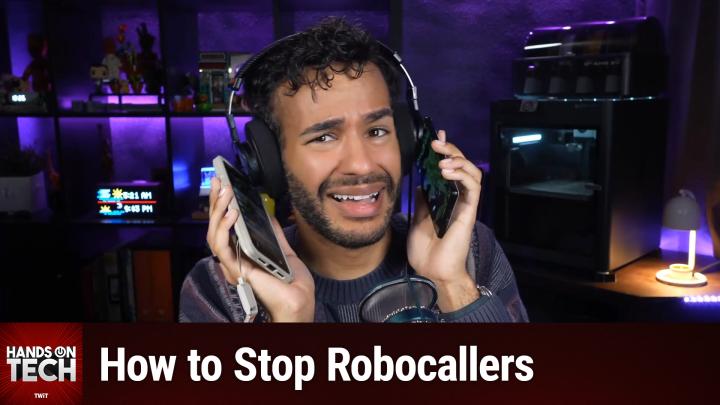
Coming up on Hands On Tech. You keep getting those calls and you don't want them. How can we handle robocalls? Stay tuned for this episode of Hands On Tech.
- [00:11]
B
This is Twit.
- [00:20]
A
Hello and welcome to Hands On Tech. I'm Micah Sargent and today we are taking your tech questions and yes, we are answering them. Can you believe it? Today's question comes in from Big Jim. And thank you, Big Jim, for writing in. I do want to remind you all, you can email us Hot Twit TV with your questions and we would love to hear them. All right, let's see what Big Jim has to say. Big Jim says, hey, Micah, longtime listener, I am getting absolutely buried in spam, fake delivery texts, your account is locked, messages and robocalls about my car's extended warranty that I'm pretty sure don't exist. I've blocked numbers until my thumb hurts and it doesn't seem to make a dent. Is there anything that actually works to cut this down or am I just stuck with it forever? I'm on an iPhone, but my wife has an Android, so bonus points if you can cover both. Big Jim from Tampa, Florida. Well, dearest Big Jim, the, the question is a good one and it's one I think a lot of people have. Obviously. I know that I used to get a whole heck of a lot of robocalls, a whole heck of a. Of texts, and over time things have, have, you know, improved. But it is something that I still see people dealing with and it's, it's fascinating to me because a lot of the stuff that's worked for me has been more passive rather than active. And so it's kind of one of those situations where I go, I wonder what is different for you that you end up still getting this. But let's kind of talk about it before the fixes. We do need to kind of reframe things, right? Because blocking numbers one at time, it's never going to win the situation. It's never going to be the answer. And the fact is a lot of people are going, well, I feel like I'm doing everything I can. You probably are. It's not your fault. And blocking numbers is useless because scammers will spoof and rotate between thousands of throwaway numbers all the time. So whatever you're blocking today, they don't need it or want it either. It's going to be gone tomorrow. Blocking an individual number you is not going to stop the robotexts coming through from all of the different numbers that they have. So instead you need to be able to filter out messages and numbers at the network level instead of trying to play whack a mole. And here's an important thing, it can be fun for sure and feel very rewarding to sort of play around with someone who is calling you to try to spam you, scam you, right? You sometimes see messages where somebody says, hey, I followed through on this message and I did this and I did that. And you know, it's funny, they keep this person busy for a while and yeah, from time to time maybe that's something that you want to play around with. But it's important to understand that when you engage, you are telling the system that this is a system that or that this is a number that is going to engage in some way that you know this is a number to a real person and not just an empty opportunity. And so engaging it all. Pressing one, replying, stop texting back, wrong number means that your number stays active in whatever database they're using and that's going to lead to more messages. So you don't want to do this. You don't want to do this if you can help it. You want to just ignore it and move along. Before we get into how to go about filtering things a little bit better on iPhone, Android and at the network level, let's take a quick break so I can tell you about the sponsor of today's episode of Hands on Tech. Today's episode brought to you by Melissa, the trusted data quality expert since 1985. Inaccurate data doesn't just hinder operational efficiency, it also directly degrades the quality of your AI outputs. I know that is important, even more so now than ever before. As AI models, they're only as reliable as the data that feeds them. Whether you're managing customer relationships, logistics, internal analytics, well, clean data is essential. Melissa has been solving data quality issues for going on 41 years now. And here are some of the ways that Melissa can help you with your business. Melissa's alert service is the best way for companies to keep track of changes to their customer data in real time. That includes address updates, change of address, property transactions, hazard risks. There's also Melissa's Matchup technology which provides smart deduplication by finding non exact matches. There's also Global address verification and Autocomplete, which will validate and standardize addresses in real time across more than 240 countries. Melissa's change of Address Tracking monitors and updates customer address records data enrichment, which lets you append demographic data, property information and geographic insights and then there's also mobile identity verification, which connects customers to their mobile numbers seamlessly and reduces fraud. What we're talking about Today, you can join more than 10,000 businesses worldwide using Melissa, including Etoro, the social investing platform with 23 million users. EToro chose Melissa for its unmatched global data coverage, proven expertise in electronic identity verification, and commitments to compliance. Etoro's business analyst says, we find electronic verification is the way to go, but because it makes the user's life easier, users register faster and can start using our platform right away. No matter the size of your business, Melissa integrates with you. Melissa has easy to use apps for Salesforce, Dynamics, CRM, Shopify, Stripe, Microsoft Office, Google Docs, and more. Plus, Melissa solutions and services are GDPR and CCPA compliant, FedRamp and ISO 27001 certified, and Meatsoc 2 and HIPAA High trust standards for information security management. So get started today with 1,000 records cleaned for free at melissa.com TWIT that's melissa.com TWIT thank you, Melissa, for sponsoring this week's episode of Hands On Tech. Let's head back to the show. Big Jim has written in to ask about how to handle robocalls. And Big Jim uses an iPhone, wife uses Android. So we're going to talk about both. First and foremost on your iPhone, if you go into the Settings app now, you do need to go to another part of the Settings app called the Apps section, and then you'll find Phone. That's the phone app from Apple. Here there's a feature called Turn on or there's a feature called Screen Unknown Callers. It was called Silence Unknown Callers in previous versions. It's now called Screen Unknown Callers. And what that does is it automatically is going to make it so that numbers that aren't in your contacts are silenced and sent to voicemail. Okay. In that same area, there is an option to flip on what's essentially spam filtering, spam silencing. And this is cool because it uses the carrier Networks information. So at&t t Mobile, Verizon, whichever carrier you happen to have, or you know, if it's not one of the big ones, one of the smaller ones, if the network is flagging these as spam or fraud, they get silenced, they get sent to voicemail, they get moved to a SP list and we've got a link in the show notes that will show you Apple support document for it. When it comes to texts, well, you can open the Messages app, you can tap in the menu at the top there's an option called Manage Filtering. This lets you screen unknown senders from that point forward. Messages from people that aren't in your contacts are going to get filtered into a separate folder and then you're notified unless you choose to be. Or excuse me, you're not notified unless you choose to be. So you don't have to worry about Bing Bing getting those notifications. You can also turn on the text message filter to sort sms, MMS and RCS messages from unknown senders into transactions and promotions. This is a nice feature that Apple has set up and so it will separate them all into the different categories and kind of get your real messages out of the out and in front of you versus these that are coming in. That could be about, you know, you just went and had a burrito somewhere and when you tap to pay and typed in your phone number to get the receipt, that could show up in transactions, for example. Now, on the Android side of things, in the phone app there is a setting that you can use. You turn on Caller id, you turn on spam protection and Google Messages. The spam controls live under your account icon and then messages settings and then spam protection. I think because again, Android changes just as much if not more than iOS. These things change over time. I think that newer builds are calling it text protection and that text protection lives under protection and safety. We'll have links in the show notes for sure. And you can also report junk text messages. You long press the messages, you tap block and then report spam. That's going to block. That number, which we've talked about before, is a little bit of whack a mole. But it does report and that's good because there are times where these larger companies are able to use lots of data to show that there's someone that's abusing the system. And then they're able to get these networks shut down whereas they normally wouldn't be able to. In the chat, Scooter X says, I love having a personal secretary in my Google Pixel phone. Calls from numbers that are not in my contacts get screened. And it works so well and is linked to a support document for the feature called Call Screen, which will of course find out who's calling and why before you pick up a call. That's actually a feature that has been added to Apple's iPhone and one that I now use where it will also ask the person first, hey, what you calling about? And give them an opportunity to say, so I get a notification saying someone's calling you this is what they're calling about and I can choose to answer it or not. So in my experience that that serves as a great filter on its own because some system, some robot calls it ask, asks the my phone asks what you calling about? And then the system just shuts off. That said, those are ways that you can take direct action. But the real way to stop this stuff is at the network level. And every major US carrier has a free app or service that labels and blocks junk at the network level and that's before it reaches the phone. AT&T has something called Active Armor. Verizon has Call Filter, T Mobile has Scam Shield. And all of these have a basic tier that don't cost you anything. You can pay to have these other things like reverse lookups, try to figure out where the number is actually coming from, a vpn, that kind of a thing. But you can access those at the carrier level and make a difference there. So I do have AT&T's active armor turned on on my device and it's, it works quite well. I get far fewer robocalls than I ever have. And I know that a big part of that is because at the network level these things are being blocked or labeled as junk as needed. We'll include links in the show notes to each of the pages for Those major carriers AT&T, Verizon and T Mobile to their services that are the way to block it. Now outside of that, you may be wondering, does any of the reporting actually work? Well, yes. When you report a spam text, if you Forward it to 7726 that actually spells out the word spam. And your carrier will then use the contents to spot patterns and block similar messages. They also will file this information with the feds. Each agency handles this from a different angle. So the FTC is going to track Do Not Call violations and fraud is trackable@report fraud.ftc.gov the FCC handles spoofed caller ID and robocall complaints@fcc.gov complaints and you can also get on what's called the Do Not Call registry, do not call.gov it doesn't stop scammers, but it does get does give you a standing against legitimate telemarketers who call you. So bear in mind that that's scammers don't care if you go there, but the people who are registered telemarketers are legitimate. I mean telemarketers have to follow those rules and so you can wield that. I was on the Do Not Call list And you're still calling me. Stop. So Big Jim, here's the bottom line. You got to stop blocking these one at a time. It's really not doing much. Turn on those built in filters that you have, use your free carrier, app or service and then idea of do not engage as gospel because engaging only confirms that you're there on the other end. You're not going to kill 100% of it. Nobody's able to. Although someone out there is going to be like I was able to. But you will knock out most of it and you won't get those 3am buzzes anymore. One thing that I do want to mention, kind of a sensitive area. If a text ever claims to be your bank, the IRS or a delivery service and you don't believe it to be real, don't tap that link. Go to the company directly through its own app or use a number that you already have to contact. So that's just a little bit of extra about the fraud and phishing aspect of of this. But ultimately and most importantly, do not engage and let your carrier handle as much of it as possible. That is my answer to you, Big Jim. Thank you for writing in. If you out there have questions, Hotwit TV is how you get in touch. I do want to remind you all about our awesome club Twit offering at Twit TV Club Twit you can join. You can also use that QR code in the top corner to get to the site. $10 a month, $120 a year gets you some awesome benefits. Every single one of our shows ad free. Just the content. Very exciting. You also will gain access to special feeds behind the scenes feed that has before the show, after the show we've got a feed that has our live coverage of tech news events and a feed that has our that we do in the club. So my crafting corner recent media club where we covered the Fifth Element had a great time with that. We also have Stacy's Book Club, we have the AI user group and so much more all in the club and very excited to say something that's been long requested and something that we are able to offer to club members because there aren't ads, it's chapter markers. That's right. You are able to use chapters if you're a member of of the club. So if that sounds good to you, you should join. If not, well there's one more perk and that is access to the members only Discord Server. A fun place to go to chat with your fellow Club Twit members and those of us here at TWiT. Are you excited? I know I am. Join the Club Twit TV Club Twit and I thank you. Alrighty. I will be back next week with another episode of Hands On Tech. But thank you for tuning in this week Week. Bye Bye.
- [16:32]
B
You can't reason with the sun. Trust us. We've tried. This summer, it's time to put that angry ball of fire on mute. Columbia's Omnishade technology is engineered to protect you from the sun's harsh rays that can burn and damage your skin. The sun is relentless, but so is our gear. Level up your summer@columbia.com to spend more time outside and less time slathering on aloe lotion. You're welcome Columbia. Engineered for whatever
- [17:02]
C
the right Window treatments change everything. Your sleep, your privacy, the way every room looks and feels. @blinds.com, we've spent 30 years making it surprisingly simple to get exactly what your home needs. We've covered over 25 million windows and have 50,000 five star reviews to prove we deliver. Whether you DIY it or want a pro to handle everything from measure to install, we have you covered. Real Design professionals free samples. Zero pressure right now. Get up to 45% off site wide plus get a free professional measure at blinds.com rules and restrictions apply.
- [17:34]
D
Athletic Brewing Company crafts award winning non alcoholic beers for those who want to be part of every round. With over 185 flavor awards, there are exceptional NA beers that fit your lifestyle and any social occasion. Summer's full of good times and Athletic fits right in. Go to athleticbrewing.com to have brews delivered to your door or find them at a bar, restaurant or store near you. Near Beer Athletic Brewing Co. Fit for all Times.