← All TWiT.tv Shows (Audio)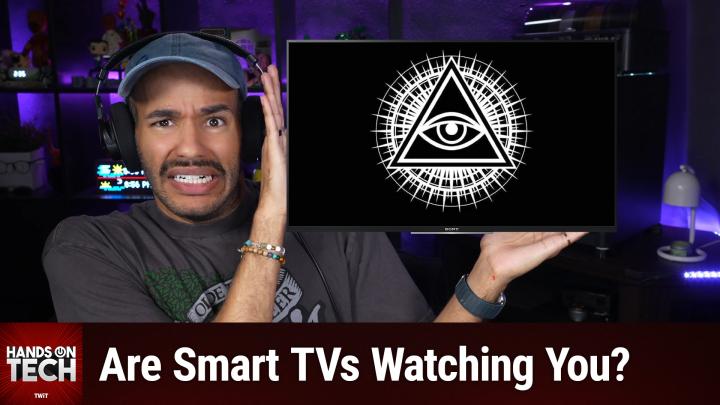
All TWiT.tv Shows (Audio)
Hands-On Tech 276: Smart TV's ACR Tracking
00:18:49
Stop Your TV From Spying!
Loading summary
Transcript2 lines
- [00:00]
A
Coming up on Hands on Tech, let's take a look at smart TVs and how they're taking a look at us. Stay tuned. This episode is brought to you by Black Hat usa. If you listen to this show, you go deep on the technical detail. So does Black Hat. For nearly three decades it's been where the security industry's most rigorous research gets presented and pressure tested. More than 100 hands on trainings taught by practitioners who've actually deployed in live environments, not lectures reading from slides and hundreds of peer reviewed briefings that go well past the overview into the real work across the four areas defining security, right AI and autonomous threats, cyber conflict, systemic resilience and identity. This year, Black Hat's briefings pass includes all keynotes and mainstage access plus business hall entry. You also get breakfast lunch, Arsenal live tool demos, on demand session access and admission to the midnight in the war room screening. Black Hat takes place from August 1st to the 6th in Las Vegas. If you want the depth this show gets into in person with the people doing the work, this is the room. Oh, and we'll be there too. Use code TWIT for $200 off your briefings pass at blackhat.com us-26 that's B L-A-C-K H-T.com us-26 this is TW. Welcome back to Hands On Tech. I am Micah Sargent and today we are once again taking your tech questions and, well, answering them. Today's question is another good one. This one comes in from Denise in Green Bay, who writes, Micah. I bought a new smart TV and during setup it asked me to agree to about nine different privacy policies, including something about viewing data. Then I started noticing ads on the home screen that felt suspiciously related to what I'd been watching. Is my TV really tracking what's on my screen? Can I turn that off without breaking the tv? And is there a more private way to do streaming altogether? This is Denise from Green Bay, Wisconsin. Denise, thank you so much for writing in the first thing that I want to say. Short answer. Absolutely. Yes, your TV really is tracking what's on your screen. And, well, the good news is you can turn a lot of it off without breaking anything. So, you know, at least we can, we can be happy about that. Let's talk about what's actually going on when it comes to your tv, keeping track of the stuff that you're doing. The typical sort of industry term for this is a C R, Automatic content recognition. And almost every smart TV these days ships With ACR turned on by default. If you're trying to sort of think about how ACR works, what it does, what's its purpose, well, think of it kind of like Shazam, but for your TV screen, okay? So what happens is your screen is doing the stuff that it does. It's playing a show, it's playing an ad, it's playing something. And there are essentially small, little visual kind of fingerprints of whatever is displayed on screen. So little bits of data of what's displayed on screen. So it's not watching every part of your screen or everything that you're doing, but it's looking for what is on your screen to match it with a huge database that includes shows and movies and ads. So by kind of paying attention, it can figure out what you're watching and then let the system know what you're watching by matching it up against this database. And this is the thing that I think a lot of people miss. The kind of arguably insidious thing about ACR is that it's not just for the TVs, built in apps. In many cases, ACR is looking at all of the stuff that the screen actually displays. So anything connected to the tv, cable box, a game console, Blu Ray player, even a laptop that you plug in over hdmi, all of that is able to be viewed, fingerprinted and recorded. Depending on the TV and the brand that you have. Some of them will sample the screen between every 15 to 60 seconds. So when you do the math, there it can be many, many, many, many, many snapshots an hour. Every 15 to 60 seconds starts to add up. And then this data gets. Excuse me, gets shared with a manufacturer, it gets shared with data brokers. And that is why probably, Denise, those home screen ads are really sticking out to you. But here's the thing. It may also be that the ads that you're getting on your phone are feeling eerily on target because those data brokers share across the board automatically and start serving you ads based on what they know that you have. And look, this stuff, when. When we first started talking about it, there was arguably this idea, right, that this is a. This is some sort of. This is a conspiracy. This isn't real. I beg to differ. In fact, the Portland FBI put together a guide for its FBI Tech Tuesday, talking about how you can better secure your smart TVs. This was back in 2019 that they did this. And so it talks about what you can do, how you can kind of protect yourself. Now, since this guide came out, since this little tech Tuesday bit came out. It is no longer available on the FBI website directly. So I was able to find, find this through the Internet Archive. But it talks about not just the automatic recognition of the sort of bits on your screen, but also TVs that have built in cameras and some of them can use facial recognition. It all depends on what you have, what you understand, what you have turned on, what you don't. Okay? And here's the thing. FBI, that's one example. The Attorney General in Texas was able to get Samsung to settle over a data collection suit. Also, there are suits against Sony, against lg, against Hisense and TCL that continue on. But in Texas, Samsung ended up settling with Texas over ACR because of the argument that there wasn't full consent and understanding of what was being tracked, how it was being tracked and what was being done. So if you have been kind of suspicious about this and someone said, oh, that's a bunch of malarkey, well, I'm here to tell you it's not. The FBI is on it. Multiple attorneys general are on it, and I am on it. And now you are too. So why, why, why, why, why do TVs do this? Well, the cost of the TV is subsidized by the ads and the ad revenue. Okay? So TVs are less expensive because they know that they can make money with ads and with the data that they collect. And so your nine privacy polys policies that set up, that was the consent screen. You know, you go through and you say yes, you are allowed to say no, you're allowed to say no, but most people just go, okay, yeah, that's fine. So we will take a look at how to turn it off because depending on the brand, that will determine whether it gets turned or where you go to get it turned off. But I want to take a quick break to tell tell you about our sponsor of today's episode of Hands on Tech. Today's episode brought to you by Shopify. If you've been sitting on a business idea while Shopify makes it easy to turn it into a reality, everything you need to start selling is included and ready from day one. Shopify Checkout helps people finish their purchase and when they come back, their details are already saved. One tap and they're done. I love Shopify as a, as a customer because when I see that shop button, I know that my contact details, my, my purchasing details are all saved. I can just access them easily. I have multiple payment options if I want them. But for me, it's especially nice that I can. There's more tracking typically available, so I can see that I've bought something, that it's making its way through the company even before we get to shipping. That extra tracking makes me feel a little bit more secure, that I know my purchase is on its way. Because Shopify handles the setup and checkout, you have more time to focus on growing your business and the tools to do it. Shopify powers millions of businesses worldwide, from household names like Mattel and Gymshark to small businesses just getting started with Shopify. Nothing stands between your idea and a real business. So go make it one. Start your free trial at shopify.com hot. Start your free trial at shopifY.com hot. Thank you so much to Shopify for sponsoring this week's episode of Hands On Tech. Let's head back to the show. So we are talking about acr, how it works and what you need to do to turn it off. The feature, very rarely is it ever going to be labeled acr. You're going to want to look for some sort of, you know, friendly names, some kind of sweet names. And these can be very heavily buried in settings. If you've got a Samsung tv, go in. Again, this is going to depend on your exact model. But look for something called Terms and Privacy if you can find that. But the feature that you're looking for is called Viewing Information Services. If you have that, uncheck it. If you see interest based advertising there, you can also turn that off. In LG, look for something called Live plus that. Yeah, it's called Live Plus. That sounds great. I want Live Plus. No you don't. In Roku TVs look for something called use info from TV inputs. So you can usually find this in the Private section under Smart TV Experience for Sony TVs look for Samba Interactive. Google TVs a little bit easier. You can usually find it by just looking in the ads section. Visio look in Viewing Data. We want to turn that off as well. Fire tv. Well, Fire TV actually follows what we want, what we would expect. They call it acr. So you can just turn that off anywhere. You can look for sections that are marked personalized intricate based ads. Those are typically in those same privacy menus, usually a separate toggle. And so you want to turn those off. And this is super cool. If you are wanting a much more detailed set of instructions. Well, the wonderful folks at Consumer Reports have put together. In fact, this is James K. Wilcox who has put together a guide back in 2025 that walks you through a lot of the process of turning off the ACR on Vizio, on Sony, on Samsung, on Roku, on Dash, or on Dancer, on Prancer, on Vixen. So you can definitely learn more about that by heading to that link in our show notes. Now software updates have been known, at least reported in some cases to re ask or somehow work in a new data sharing agreement. So if you do a software update check that you don't just click accept and move along. There could be a reason that it's asking you that and you may need to go in and do it as well. If you are kind of worried that you are opting out and it's still not quite doing what you would expect. Totally understandable that that is, that's a fair concern. And so here's another option for you see ACR only works if the TV is online. Well, I mean it works in the background, but it can't send that data anywhere if it's not online. So if you never connect the TV itself to wifi, then it's not able to send that data anywhere and that way it's kept from being an issue. So instead use a set top box or some other trusted device that has the Internet that connects. I use an Apple TV for example. So you know, do your streaming through that external box. Use an Apple TV 4K. Frankly Apple is well known for its privacy policies and very privacy respecting comparison. You can also use Roku and Fire TV devices. Those will collect data. But the good thing about it is it's limited to what you do on those devices. So it's not going to be able to sort of push through its HDMI cable, down another HDMI cable and figure out what you're displaying playing from, you know, PlayStation or something like that. And then of course if you do go this route, understand that you will lose the TVs built in apps. But remember that the streaming box replaces it. So in most cases you'll probably not notice. Now this is always the time where I get the question, okay, I'm not going to use a smart tv. I'm. I don't want the smart features turned on. In fact, what if I could, what if I could find a TV that was not smart? I gotta tell you Denise, I went looking and it is hard to find a smart or a non smart tv. A dumb TV that is still high quality. Scepter is one company that does still make make televisions. They without any smart apps inside they tend to be maybe not the sizes that people would want. Of course there's no added benefit of having the subsidies that are tied in. So that is an option. So Scepter being a brand that makes true non smart TVs that you know are not bad. And Westinghouse and Impecca. Impecca have smaller TVs 43 inches and under that may be helpful. There are also commercial displays from the big companies. Samsung has some smart TVs that are, excuse me, some commercial TVs. These are the kinds that you would see in like sports bars. They come in huge sizes, big sizes. In some cases they don't have the consumer smart platform, they don't have ads. The problem is that they are in many cases they don't have as good of speakers because they're meant to be just sort of on the wall as digital signage or you know, may playing a game in a sports bar. And unfortunately they typically cost more than an equivalent smart TV because again they aren't subsidized. So you know, whatever TV you want, I think it's best to just get the TV that you want and then decide to not go with the WI fi, feed it with an external box. You're going to get that top tier picture, you're going to get the, the cost savings and you're not going to have to worry about the tracking. So frankly it's kind of an interesting, it's sort of an interesting experience because to get the best picture and the best privacy, you buy a smart tv but you just don't let it be smart. Don't let it connect to the Internet. That's your best bet. But your original question, Denise, is it tracking? Yes. Are you paranoid? No. Heading into the privacy menu. Getting rid of ACR and personalized ads in the multiple ways that it's described is going to help you keeping the TV offline. Streaming through a box is the best bet. And if you want zero smart anything, then check out Scepter or check out Samsung's. If you're really wanting to invest, check out Samsung's television series for commercial displays that will help you out there. Denise, thank you so much for taking the time to write in with your request and your question. It's always a pleasure to get to answer these on the show. Before I go, I do want to remind you about something awesome. It's Club Twit, which you can get to by heading to TWiT TV ClubTWiT or using that QR code in the top corner there. When you join the club, you gain access to some pretty awesome benefits. Every single one of our shows ad free, just the content. You also gain access to special feeds behind the scenes, before the show, after the show. That's one feed. We have a feed that has our live coverage of tech news events and a feed that has our special club twitch shows like My Crafting Corner. We also have Stacy's Book Club. We have my Media club, we're doing the Matrix soon, as well as the AI User Group and so much more. All available in the club. We'd love to have you join us again twit tv club twit to check it out. $10 a month, $120 a year. You also gain access to the members only Discord Server. A fun place to go to chat with your fellow Club Twit members and those of us here at Twit and Chapter Markers. That's right. If you've been waiting for Chapter Markers, join the club. We've got them there. Thank you for considering your support. We really appreciate it. And with that, we have reached the end of this episode of Hands On Tech. Thank you so much for watching, for joining us and I'll see you again next week. Bye bye.
- [18:51]
B
Your package says delivered, but delivered where exactly? The hallway, the lobby? Your neighbor's apartment? Instead of playing detective with your delivery, get a mailbox at the UPS store. We'll sign for your packages, text you when they arrive and keep your deliveries low key under lock and key. Get 3 months free mailbox services with a new annual agreement at the UPS store. For full details and to get your Coupon, visit the upsstore.com offer.