← All TWiT.tv Shows (Audio)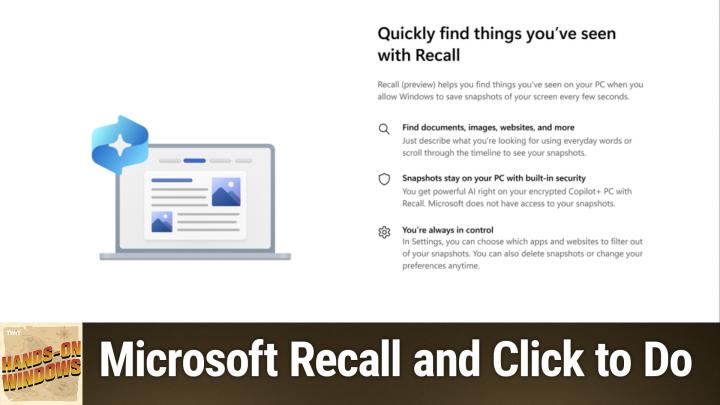
All TWiT.tv Shows (Audio)
Hands-On Windows 128: Recall and Click to Do
00:21:53
Two New Premiere AI Tools in Windows
Loading summary
Transcript1 lines
- [00:00]
Paul Thrott
Coming up next on Hands on Windows, we're going to look at one of the most controversial features ever introduced in Windows and another fun AI tool that I think you're going to like a lot. Podcasts you love from people you trust. This is Twit. Hello everybody and welcome back to Hands on Windows. I'm Paul Thrott and this week, week we're going to look at two of the premier new AI tools coming to Windows 11. Both of these features require Copilot plus PC and if you want to use them now, as I record this in early 2025, you actually have to enroll your PC in the Insider program. So it's not for everybody. But sometime this year it will, you know, these features will make their way into Windows, into stable so to speak, and they will require a Copilot plus class PC, but they'll be more broadly available. So just quick recap. This computer I'm using here today is a Surface laptop. So it's a Copilot plus PC running Snapdragon X Elite. So this is the ARM based version of Windows. But it looks and works of course like Windows does. It has that 16 gigabytes or more of RAM. The I think it's 512 gigabytes or more of SSD storage, a 40 plus tops MPU. So it meets that copilot plus PC specs. And if you think back to, I don't know, mid 2024 and beyond, there was this set of features that these types of computers could get right. So the full Windows Studio effects for mostly video but also a little bit of audio, live captions with real time translations, co creator capabilities in paint, restyle images and some background removal stuff as well in photos, Auto SR super resolution in games. Not that that helps too much on Snapdragon. And then there was Recall. Remember Recall? So Recall was announced in May last year and then delayed and then I think it was November 2024 they finally put it out in preview on Snapdragon X based copilot plus PCs. So couple of big changes since then. One, those copilot plus PC experiences are starting to come to intel and AMD based copilot plus PCs. Right? So you'll start seeing that. And the Copilot, I'm sorry, the Recall preview is now available on those computers as well. But Microsoft also announced a new set of features that will be unique to Copilot plus PC. And over the next couple of videos and then beyond, I'm going to look at some of those those. So Recall, we knew about, but there's a related feature called Click to Do, which I think is actually a lot more interesting and is going to benefit a lot more people than Recall. And so we're going to look at those two today in this video and then in future videos we'll look at some of those other new features. So Recall, the way that this works is you sign into Windows for the first time, you'll get a promotion basically for it. You can opt in. If you don't opt in, it's not running in the background anymore. That was the original plan. I'll just bring up the UI so you can kind of see it. It does this Windows hello thing. I have to look over here. That's where my webcam is. And if you saw that, you would have seen the Also, what is a new Windows hello experience? Right. That's new to 24H2. So here we can see the other screens. These are my notes and the recording that we're doing here. But I can go back in time and click around. So we're going to look at this. I'll just try to find a safe place to put this. There's my notes from today, actually. So we've got. I think there's probably. Let's actually see. There's some amount of data in here. So I have some days, some weeks, whatever it is of data. Okay, so here's a document I was working on recently. Okay, we'll just leave it there. So this is just an example of a recall, what they call a snapshot. But before we get into the UI and how we might use this and so forth, I just wanted to go over some of the kind of management related stuff. So if you go into the Settings app and you go to privacy and security, you'll see this recall and snapshot section, which is new now. Right. If you have this capability, you'll see this in Settings. Like I said, by default this thing is off, but I've turned it on. And when you turn it on it will allot a certain amount of storage based on how much storage your PC has and also the free storage. So I just downloaded a. An enormous hundreds of gigabytes Google takeout file and I. This used to be about 1.5 gigabytes. That was reserved because I'm taking up more space now on the disk. It's gone down to a little bit under a gigabyte. Right. Or I'm sorry, that's the amount I'm using. Excuse me. Oh, it is 100. I'm sorry, this has not changed. It's 150. So this is the amount that's put aside. You can change it. This particular disk has a one terabyte drive, so actually that. That hasn't changed. That's pretty good. You can decide how long you want to keep these snapshots. You can go in and delete snapshots as a snapshot management capability. And then they have these filters. So there are automatic filters and then there are manual filters. So the automatic filters are based on heuristics and some rules. Microsoft will try to hide sensitive data. So things like Social Security numbers, credit card numbers, etc. In my experience so far, this is a preview. I haven't actually experienced it doing that successfully, but it's supposed to. And you can also add your own apps or websites to the filter so they're not recorded. So you'll never get a screenshot of those items. If you want to keep that private. And not that anyone could actually get into this, but if you're worried about whatever it is, whatever it is you're doing, no one's asking questions, you can hide that from Recall. So when as Recall runs, you can see this little icon down here in the tray and that just tells you it's saving snapshots. And it has a little fly over here where you can open it, you can pause it for some amount of time, you can go in and access these settings which you can see here, etc. So I've already opened Recall, so I don't have to open it there. But this is the basic ui. And if you're familiar with file history, the feature, I think it debuted in Windows 7 and it's still in Windows today. It's not used as much. But Windows Timeline, another feature that has come and gone, that one debuted in Windows 10, gone in Windows 11, but kind of the same style timeline based UI, right? You can go back and forth in time. You could go snapshot by snapshots. You can see here, I'm working on this document, working on the document. You know, it's. You can see as things change on the screen, it's taking a screenshot. So taking a screenshot doesn't seem that sophisticated. But a big part of Recall is these local, what they call small language models that are downloaded to your drive the first time that you install or enable this feature. It's actually a little tedious to install them. You have to do them one by one. It's very strange. But they go through Windows Update. So if I go into Windows Update History, I think they are under. Yeah, AI component updates, of course. So at the day I recorded this, I actually got an update to all four of these models. It used to be three models. When this feature first arrived, it was three. Now there are four. And you can see here the top four of those things. So image extraction, image search, semantic analysis, and Fisilica, which is a Microsoft LLM that's been brought down to a smaller size. So these are what's necessary to do the work that recall does. And so what that work is is essentially image and text recognition. Right? So the point of the screenshot is that as you're working on your computer, things change. It takes a picture. You're working on a computer, things change. It takes a picture. Now you've got some body of work. And so like I said, you can click through here and look for things like this. I don't actually think this is how most people are going to use this product or this app or service or whatever you want to call this. But I think the real point here is search, right, that you know you did something on your computer, but you can't quite remember it. Right? So the week that I write this, I know that Sonos has been in the news a lot, for example, So I can type in Sonos into the search box and I can search. And when you get results in recall, the results are in two batches, right? So you get text matches and you also get visual matches. And when there are multiple apps, it will actually give you a chance to filter per app. And so here you can see these are articles I wrote about Sonos this past week. They had revenues, they had a restructuring. There was a rumor in the Verge about them coming up with their first set top box. So this is a way to go back to that thing. I saved this somewhere. I don't maybe remember where it is. This is kind of a neat way to get back to it, right? And so there's some number of snapshots in there, and then visual matches are usually images, right? And this one's kind of interesting because this is actually a Sonos speaker. So it knew looking at that speaker and analyzing that image that that wasn't just a speaker, it was in fact a Sonos speaker. Right. So that's pretty smart. And that's what those SLMs are doing. I'll do an. I've read about Microsoft a lot, as you might imagine. So I will do a search for Microsoft and it will be similar, I would imagine. Yeah. So I've got text based well, that's interesting. This is text inside of an app, but mostly, hopefully images or images of apps where Microsoft appears. In this case, it's a website and there were more. They go off to the side. There's going to be a bunch of them, I bet, because I write about Microsoft all the time. And then Visual Match is the same thing. Like, here's a Microsoft presentation from before Windows 10 was released. Actually some stuff from my website, et cetera. So it's analyzing the images and trying to pull things out. It's. It's not because it says Microsoft somewhere there. And actually, I don't think it does, but. Or maybe it does somewhere, but it's. It's more. It's doing that kind of, you know, matching capability where it's trying to find images based on specific criteria. So I will bring up. Let me see which one of these. Actually, none of these. Let me go back to my. Yeah, I'll bring up a Sonos. Well, that's not a complete article, so that's okay. Here's a. Here's something that's in place, right? So this is kind of interesting. This is a snapshot. This is a picture of a text editor, essentially where I was writing an article. It's got hyperlinks, etc. It has highlighted all the text. And this feature here is something called Click to Do. And when Microsoft first announced and then released this in preview, it only worked within Recall, which is this app we're using here. So the way this works is it analyzes what's on screen, and if it's a text, it will select it in this way. It's got that kind of purple, pink AI halo effect that we're getting kind of used to. Right. If there was an image in here, it would do the same for the image. Right. I've got this kind of fun cursor now, but I can click on any of these things to select. I can right click and then I get certain actions. So in this case, it's just copy and open with. It's not particularly interesting, but there are other actions you can do against text. And those things become much more interesting when you're outside of Recall. And we're going to get to that in a moment. But if I copy this to the clipboard and then paste it, you can see it's actually pulled in the text that's in the menu of the app as well. I'm doing a very kind of dumb copy. It's describing everything. Right. But this is all of the text that's in there. So it's doing this image to image recognition, OCR capabilities, right? Putting it in the clipboard as text and then allowing me to use it in some other app, in this case Notepad. So, you know, useful, not revolutionary or anything, but interesting. So that's basically Recall. Now, there was a bunch of controversy around this app. For some reason it's a little strange, right? But I think this is pretty tame. I mean, depending on how you work, you may or may not find this useful, right? So in this case, I search for blue item just to get a color in here. And you can see that these images include items that are blue. Like this blue keyboard, this blue background. This is a blue hard drive, right? I mean, it's kind of interesting. Like that's, it's, you know, depending on how you think and depending on your work, you might find this really useful. I'm really organized with my files and everything. I actually know where everything is. So I don't really need this kind of thing personally, but I do think it's something that will benefit a lot of people. That said, I think that Click to Do by itself is actually even more interesting. And like I said up front, I think this is something that's going to benefit more people in the long run. So Click to Do inside of Recall. You know, it's. It's okay. But Click to Do gives you access to these AI capabilities anywhere in Windows, in any application. And it works with text and images, and I think that's far more powerful. So to show you that, I will do a couple of things. First, I will bring up a text document. So I'm actually going to bring up a. Let me bring up one. I've already written a live document. So I was writing about GitHub earlier today. So again, text document, text editor, et cetera, et cetera. The way that this works is I. You hold down the Windows key and then you click and you can see I've got that now. I've got that fun little AI icon. And you click somewhere, it does the little animation. Now it's selecting everything. I probably actually. Let me do it. Let me do this in a way that I am only selecting part of it so you can kind of escape out of this. Let me just select this. So that might make a little more sense just to kind of keep it to the. It's not going to do it, but okay, so we have other options here. So remember before and Recall Copy. Yes. Open with, write whatever apps I might have on the system that are compatible with this format, this text. But then you have these AI text actions, right? So summarize. I can summarize the document that I wrote, which is itself a summary in a way of a news item. And then there are these rewriting tools, not as extensive yet as those tools we looked at in that preview version of Notepad a couple of episodes ago. That was a. Another AI feature that's coming down the pike pretty soon for Windows 10, Windows 11, rather 24H2. But you could rewrite in a kind of a formal way, casual way, refine, etc. So I don't want to do this to the whole thing. So what I'm going to do is let me just find a one that doesn't have a quote. So it's just straight up writing. I'll start a new document paste. Right, I'll do that thing again. And now I can generate a summary. Right now this isn't a lot of text. Generally speaking, you would want to do a summary on something longer, right? A big PDF or whatever it might be, but still interesting. It's arguably this summary is roughly the same size as the thing I wrote. Again, that's just because it's not a great example. But you could also rewrite it to be more casual, to be more formal. Just refine it. In this case, I'll just refine it. So this is just going to rewrite it. And this is, you know, as we had the conversation with Notepad a few episodes ago, is sort of what a blogger does, right? You take something that has been announced over here and you rewrite it and then you post it on your own site. And so this new feature lets you specify a set of files, which is exactly what I wrote. And these natural language, blah, blah, blah. Okay, so actually that first sentence hasn't changed at all. But you can see, you know, there's an idea here of taking the words that I wrote and shifting them somewhat. So that's pretty interesting. But I think these other options are, depending on what you're doing here, might be more interesting. So is there a way to make this technical topics slightly more approachable by making it more casual? My writing here is a little stiff. This new feature lets you do this. They say you can tell, you know, they kind of reposition it in that way. So this is a good example, I think, of just kind of a small way that AI is going to start, you know, just making these little things a little easier. Kind of like spell checking or grammar checking. Right? It's. It's A. It's kind of an interesting idea. Okay, so that's text, but what about graphics? So we will discard you and we will close this or minimize that. I've got. We're going to be doing an episode soon about some new photo features. But so I do have some photos here, but that's okay. We can just, you know, bring this up. We'll put this over here. We can see it. So this is a photo of me and my dad when Millionaire. Well, you can see 1968 forever ago. The Photos app has AI features built in. We're going to look at those in probably the next episode. But we could just use click to do right. This could be in any app. And so here the options change because now we're looking at something that is an image. And so there are slightly different options. Copy, obviously save, open with different apps that are compatible. And then you have these app based AI features. So we're going to look at that stuff later. But interesting, right? Visual search with Bing is actually pretty interesting too. Let me. This is opened in the wrong place. Let me pull that over off here. Sorry. So this is open in, in Microsoft Edge. So this is kind of fun to me because this is a picture of a small child and a guy and skipping stones in a pond or whatever. And this is Bing Visual search. So it searched the web for images that look like this image and you can see most of these are pretty close. Kid, guy, kid, guy. You know, kid, guy, kid, water. You know, with the water and the ripples and you can kind of go down the list. Right, that's, that's. I mean that's kind of fascinating frankly. It's pretty good. I'm not sure what I would use that for personally, but if you have an image of some type and you're trying, you, you know, I want to find an image like this. Maybe you want to use it in some kind of a design or you probably publishing to the web like I do. I mean this is rather, this is rather incredible frankly. Right. So it's kind of amazing. In fact, some of these are so close I'm wondering if those aren't pictures of my dad. It's like what's going on here? So that's pretty cool, right? So that's, that's neat. So that to me is, that to me is. Is going to evolve into something that I think is going to be much more compelling for more people because it works with everything. So this text editor that I'm using, for example has basic spell checking. I Don't think it has grammar checking per se. There are AI tools you can download to provide those right on top of the app. But the AI tools that are built into Windows in particular click to do in this case work with everything. Right. So I don't. This document certainly doesn't need it. But the ability to go in here and rewrite it if you're not a writer, you know, if you're not really sure that this is what you mean to write, I think is really compelling. And the fact that it's just so universally available across applications. Right. Is amazing. Right. You do need a Copilot plus PC like I said up front. So there is that little wrinkle. But more and more PCs sold over the next year or so will be copilot plus PCs and then eventually that will just be all the PC. So we. We're on the leading edge of this right now, but it's not going to be too long before, you know, this stuff is just available everywhere. There are more features coming. This particular computer doesn't have them all. I'm enrolled in the Insider program. But they roll out features over time, et cetera. So this semantic search which is going to be tied to Windows key +S is not available here on my computer, but it will be soon. The Windows key +Q used to work for search. That's being remapped to click to do. Right. So now that, because it's a search of its own, in this case, we're finding something on the screen. So that's interesting to me. I was very curious why they had two keyboard shortcuts for the same thing. Windows key +J I think it is. Yeah, it came up on the other computer. Let me. I have to do the whole Windows hello thing, but that's what launches recall. So there you go. Depending on the type of PC you have, you will either never get these features or you get them in the near future. My expectation is that copilot plus PCs will. Will see these features in stable sometime in the first half of 2025. So it won't be too much longer. And if you don't have one, you might. You know, I'm not sure if this is enough to convince you to get one, but it's certainly something to think about. So I hope you find this interesting. We will have a new episode of Hands on Windows every Thursday. You can find out more at TWiT TV. How. Thank you so much for watching. Thank you especially to our Club TWIT members. If you are watching this on YouTube and stuck with all the advertisements. Please do consider subscribing Club Twit. It's inexpensive and it's a ton of great content. Not just this podcast, but many, many others.