← All TWiT.tv Shows (Audio)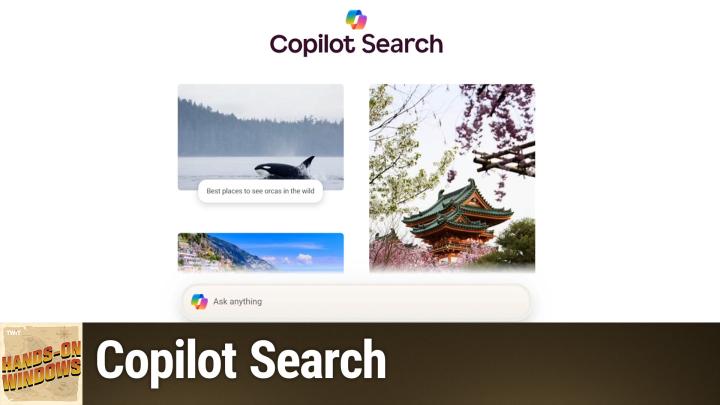
All TWiT.tv Shows (Audio)
Hands-On Windows 144: Copilot Search
00:13:28
Reimagining Search Engines with AI
Loading summary
Transcript27 lines
- [00:00]
Paul Thurott
Coming up next on Hands on Windows, we're going to take a look at a new Copilot feature. Or maybe it's a new Bing feature called Copilot Search.
- [00:09]
Sponsor
This episode brought to you by Red Canary when cybersecurity threats hit fast, you need an MDR partner that moves faster. Red Canary delivers 24.7expert MDR support, total visibility and actionable insights. Plus it helps you detect four times more threats so you can stay ahead with without burning out. Red Canary clears the noise and has your back every hour, every incident. Get the backup you deserve. Visit redcanary.com difference to learn more. This episode brought to you by the Electronic Frontier Foundation. In fact, if you ask me, the whole Internet's brought to you by the EFF. For 35 years, the electronic Frontier foundation has been fighting to make sure that when you go online, your rights go with you. Eff I owe him a big debt of gratitude. They rescued our podcast and every podcast from patent trolls. They helped encrypt the web to protect your privacy. They prevail in lawsuits against government secrecy and surveillance. These are the good guys and they have a podcast how to Fix the Internet. It's all about what happens if we win the fight and get things right online. And it's a great listen. The fight for digital rights, it's bigger and more urgent than ever. EFF is member supported. I'm a member. You should be a member. The more members they have, the stronger they can fight in statehouses, courthouses and on the streets. Season six of how to Fix the Internet started May 7th. Listen@eff.org podcast and while you're there, join the EFF. They're the good guys.
- [01:39]
Trading shouldn't have barriers. When Robinhood started, it was built to make trading more accessible. Now Robinhood offers more sophisticated trading tools. Experience the future of trading on Robinhood Legend, the all new desktop platform that harnesses intuitive design to deliver a seamless experience for traders. Free to use with a Robinhood account, Robinhood Legend is designed for how you trade with powerful charts including custom intervals down to the tick and over 80 indicators and drawing tools. Trade all your favorite assets, including popular stocks and ETFs, all in one place. Take your trading to the next level by customizing your layout in seconds and and even enter and exit positions in one tap right from the chart with up to eight charts per layout. The future of trading is fast, powerful and precise. Experience it now on Robinhood Legend Sign up today. Investing is risky. Robinhood Financial LLC Member SIPC is a registered Broker, dealer. Other fees may apply.
- [02:39]
Podcasts you love from people you trust.
- [02:43]
Paul Thurott
This is twit. Hello, everybody, and welcome back to Hands on Windows. I'm Paul Thurat, and this week we're going to look at one of what I believe is about a million new copilot features. Microsoft announced this probably a month or so ago as I record this, and it's only recently started rolling out. And it's kind of a new, interesting new entry in the whole copilot over, for lack of a better term, one of many, many, many copilot features. And, and it's called Copilot Search. And so you would think with something called copilot Search, you could go to Bing.com, or I could just search from the address bar here and type in copilot Search, you know, to find this thing. And of course, this time, okay, this time it worked. Last time I did this, it didn't find it, and I had to use Google to find it. But there is a direct link to go to this. It's in some kind of a really bright white mode, but maybe that doesn't matter because you can't see me now. Hopefully it's a pleasant little interface. The other. There are other ways to get to this, by the way. If you go to just Bing.com for example, there are these copilot links, neither of which actually brings you to Copilot Search. So I'll control click these, the two that you can see. Both of them, as you can see, actually go to Copilot on the web, not Copilot Search, which for some reason I'm not signed into. So let me get that going here and I will just close you. So, okay, and from here, you can't get directly to it. There's no link to it. In other words, just as there isn't on Bing.com so the prescribed way to do this is maybe you search for something. So I'll search for something innocuous like, you know, what is. Let me get the search box selected. What is the capital of Maine? Right? And what you get at the top are these sort of, you know, nice tiles with different things. And because this one is not a. Is not something that lends itself to an AI search, you don't actually get any copilot search links, but you do get this link up here. And now that will switch you over to Copilot Search. So that's one of the ways you kind of get into this. I don't know exactly why they don't just have a link to it on Bing.com, but they don't. So what is this thing and why would you want to use this instead of traditional search, whether it's Bing.com or Google search or whatever. And right now we're still in this era where I think Microsoft and you know, ChatGPT and Google and all these other companies are still sort of trying to figure out what's what and, you know, how to present UI to people and so forth. So when you think about something like ChatGPT, one of the weirdnesses there is you get this dropdown where you can choose different models, which is a weird thing to ask of people. In the case of Microsoft and Google, which both have search engines, they're sort of protecting their own search engine in a way. They still have these normal search engine type experiences, but they also have these copilot chatbot type of experiences as well. So it's almost up to you. Although as I showed here, you can kind of get into it from various places, right? And so there's that. I guess the way to think of it for now, I think in the future this will just be the normal way to do things. There'll be one way to do this. So I'll go to the same thing, but for now, you know, you go to Bing. Well, you would go to Google, really, But if you're a Microsoft guy, you go to Bing, you can search for fax, you know, direction shopping, you know, you want to find a website, maybe a particular article, some product info, that kind of thing. Copilot search is for those chatbot type experiences. You want contextual answers. So for example, this is not a. Actually it's showing me stuff about copilot search, which is pretty funny. So you know, it provides you a bunch of information. There are links here that are cited so you can go and find the original source of that information, make sure it's correct and so forth. You can do get deeper insights into something. Maybe you want to do some research. You're looking for something that's more than a set of links, which is familiar but not always optimal. Right? But again, for now, you're kind of stuck doing this work for yourself.
- [07:04]
Sponsor
This episode brought to you by Red Canary. When cybersecurity threats hit fast, you need an MDR partner that moves faster. Red Canary delivers 24.7expert MDR support, total visibility and actionable insights. Plus it helps you detect four times more threats so you can stay ahead without burning out. Red Canary clears the noise and has your back Every hour, every incident. Get the backup you deserve. Visit red canary.com difference to learn more.
- [07:34]
So when I ask, what is Odoo, what comes to mind? Well, Odoo is a bit of everything. Odoo is a suite of business management software that some people say is like fertilizer because of the way it promotes growth. But you know, some people also say Odoo is like a magic beanstalk because it grows with your company and is also magically affordable. But then again, you could look at Odoo in terms of how its individual software programs are a lot like building blocks. I mean, whatever your business needs, manufacturing, accounting, HR programs, you can build a custom software suite that's perfect for your company. So what is Odoo? Well, I guess Odoo is a bit of everything. Odoo is a fertilizer, magic beanstalk. Building blocks for business. Yeah, that's it. Which means that Odoo is exactly what every business needs. Learn more and sign up now@odoo.com that's O-O-O.com Ryan Reynolds here from Mint Mobile.
- [08:35]
With the price of just about everything going up, we thought we'd bring our prices down. So to help us, we brought in a reverse auctioneer, which is apparently a.
- [08:44]
Thing Mint Mobile unlimited premium wireless. 30. 30. Better get 30. Better get 20. 20. 20. Better get 20. 20. Everybody get 15. 15. 15.
- [08:51]
Paul Thurott
15.
- [08:51]
Sponsor
Just 15 bucks a month.
- [08:52]
Paul Thurott
Sold.
- [08:53]
Sponsor
Give it a try. And mintmobile.com switch upfront payment of 45 dollars for three month plan equivalent to 15 dollars per month required new customer offer for first three months only. Speed slow after 35 gigabytes of networks busy taxes and fees extra.
- [09:03]
Paul Thurott
See mintmobile.com so I always do this example because I think it's just a good example of something that AI is pretty good at. And also it's something I'm a little bit familiar with. Right. So I can type in something like a five day itinerary. Itinerary for Mexico City. Right. So you could type this in a Bing search or Google search. Right. In fact, maybe we will in a moment. But let me just do this. And so you can see this kind of thing is thinking about it. It's, it's looking on the web for various references and then it's supplying this list of things you might want to do one day, one through five. And we could go through this if you wanted to. But you know, one of the problems that this type of tool had in the beginning, in fact this specific tool was that it would often recommend things that were all over the city. Mexico City is humongous. You don't want to be driving, driving, driving, Right. So they're doing a better job here than I had seen in the past of putting things together on a day. Right. So day one is historic center. All these things are actually pretty close to each other. Day two, Koyokan San and hell, those are close to each other. This one's kind of an outlier because these pyramids are actually very far away. But then you would come back to the city and you'd want to do something that was maybe close to where you were staying, et cetera. We don't have to go through the whole list, but you, you kind of get the idea like this is, this is a little more involved than something you might do, you know, from Bing. But that said, if you go to Bing, which again, not recommending necessarily, but it will just do the same thing and kind of compare the results. So in this case Bing, the Bing search engine can tell that this is a better choice for Copilot or for an AI. Right. And so at the beginning you get this block that is based on those AI results you saw earlier. They're not going to be identical. That's one of the weird things about AI. But it's close, you know, it's a different order. You know, Centro is there to go on this, you know, day four instead of day three, whatever, it doesn't really matter. But it has these links where you can get more information and then it gives you the standard set of links that we're very familiar with from any search engine. Right. And so these are hopefully high quality sources. Viator, let's travel to Mexico.com, mexico travel blog, et cetera. So pretty straightforward, right? So that's kind of interesting. But because this is Copilot, part of Copilot, and because Microsoft is putting Copilot everywhere, literally in every product it makes, you can also get access to this in other ways. So for example, I'm using the Edge web browser here. And let me just go back to like a standard homepage, right. And so when you go into this sidebar that's built into Edge, this is your basic Copilot chatbot. So it does all the things that, you know, Copilot does anywhere, basically, or almost anywhere. It's a little bit different in some places. But again, I'm just going to put in the same results here or the same query, I should say, and it's going to basically do the same thing Again, it's interesting I was practicing with this prompt earlier today and the word vibrant is the one word that appears every single time. Mexico City is a vibrant metropolis in some form of that. But here too again, historic center. Day one Kurokan Santa and Hell, day two. Yeah, so actually this is, this is very close and we could compare them side by side. There's actually probably going to be some differences in there because again, it's not always the same, but this is interesting. So if you do use the Edge web browser for whatever reason, this is one way to do it, right. And you could do that across platform, you could do this on a Mac, you could do it on Linux, you could do it on Windows. It's up to you, it's fine. But this is of course hands on Windows. So we have Copilot built in and we can run the Copilot app and that will eventually load and you can actually see I was doing this earlier today, but I'll just do it again here. So this is your standard Copilot app interface. Looks very similar. Again, vibrant. Just want to point out the word vibrant that appears every time, so. And the same, same places basically. Actually, right. So actually I wonder if it isn't just take. It's seeing that it did it earlier and it's saving some electricity and just showing me the same thing again. So why would you use this over Bing search or Google search? Again, I listed some things earlier but when you think about how these things work, chatbots like Copilot, the big thing to me is, well for now because actually these things are evolving very rapidly. But the two big things that come to mind immediately are this is a conversation. So when you do a search on Google or Bing or whatever, it's a one off interaction. That's it. You ask a question, you get results, you go find it, hopefully you find your answer, you're done. This one is a conversation so you can ask it these follow up questions. It's following, it's well not just these, any follow up questions. So it understands that we're having a conversation about this thing. So I've not tried this particular one before, but I said what about if I had seven days, what would you add right now? Actually I don't know how it's going to respond to that, but it thinks that's a fantastic choice and it responded as expected actually with some, actually some of these are pretty good. So there you go. Day trip, that's kind of cool. Local markets, good choice. It's retaining the context of the conversation that's occurring. Right. So until you go and start a new conversation, I think this is the button here. It's going to retain that, but it also retains it beyond this. Right. So that's the other thing that's happening with Copilot and with other chat bots. They're developing a memory, and the memory is understanding not just what you've typed into it. Exactly, although it's obviously based on that largely. But it's understanding you. So the more that you interact with it, the more it understands you and the more it understands the type of things you're going to want. And so as we open this thing up to maybe the documents on our hard drives, the documents we have in OneDrive, whatever, it's going to have a better and bigger understanding of you and what you're all about, and what's the type of thing you might want to look at. And I can't really show you that type of thing, but it may exclude certain information or include certain information for me that it might not give to you based on what its understanding of me is. Right. And so that's kind of interesting. If you stick in the Microsoft ecosystem, a lot of you do. So you're using Windows, maybe using Edge, maybe using Bing, and you're using Copilot. Which of these interfaces you use, honestly, kind of doesn't matter. The stuff that I just demonstrated, which was the same thing over and over again, was largely identical as we moved around from each of the interfaces. So it's just whatever you're most comfortable with. I didn't include the phone, but you could also get the Copilot app for the phone as well. So I feel like Copilot is one of the safer AI ecosystems to get involved in, in the sense that it's probably has legs. Right. Microsoft has got this big ecosystem heavily involved in productivity space. They're going to keep working on this. We've seen the crazy revolutions that have occurred just in Windows, right. Over the past year or so. So as these things improve generally across the board, Gemini, Chat, gdp, anthropic, whatever you're talking about, you're going to see that stuff appear here. And it's. It's a safe choice in that sense. I didn't mean it from like a safety security standpoint, although that as well. So, you know, this is. This is pretty exciting. I mean, obviously you could just create a shortcut for Copilot Search. If you're going to use it from the web someday, I suspect you'll be able to make that your search engine in a browser. That hasn't happened yet. But there are other web browser advances coming, especially on the edge side that we'll talk about in the future as well. But for now, that's Copilot Search. So it's kind of a peanut butter cup thing. You got your Bing search and my Copilot kind of situation. It's the two things combined. Hard to find if you go on the web, but it's the type of thing you'll just get to typically if you go to Copilot wherever you do that. Mobile, web, Windows. Right. So there you go, check it out, see what you think. And hopefully you found this entertaining, possibly interesting. I guess we'll see. Thank you so much for watching. We'll have a new episode of Hands on Windows every Thursday. You can find out more at TWiT TV. How thank you for watching. Thank you. Especially if you're a Club Twit member. If you're not, please check out the club. It's at Twit tv Club Twit and your subscription there provides you with an amazing range of content, but it also supports the company and all the great content creators and such forth. Get no ads. It's kind of cool. You also get good comments, so definitely check it out. Thank you. I'll see you next week.
- [17:56]
Zoe Saldana
Hi, Zoe Saldana. Welcome to T Mobile. Here's your new iPhone 16 Pro on us.
- [18:01]
Sponsor
Thanks. And here's my old phone to trade in.
- [18:03]
Zoe Saldana
You don't need a trade in. When you switch to T Mobile, we'll give you a new iPhone 16 Pro. Plus we'll help you pay off your old Phone up to 800 bucks and you still get to keep it.
- [18:12]
Sponsor
There's always a trade in.
- [18:13]
Zoe Saldana
Not right now. @ T Mobile.
- [18:15]
Sponsor
I feel like I have to give you something in return for karma.
- [18:17]
Zoe Saldana
That's okay.
- [18:18]
Sponsor
I don't really have much in my purse. Oh, let's see. Hand sanitizer. It's lavender.
- [18:22]
Zoe Saldana
I'm good.
- [18:23]
Sponsor
Seriously, Let me check this pocket. Oh, mints.
- [18:26]
Zoe Saldana
Really, I'm fine.
- [18:28]
Sponsor
Oh, I have raisins. I'm a mom. Wait, wait one sec. I've got cupcakes in the car.
- [18:32]
It's our best iPhone phone offer ever. Switch to T Mobile. Get a new iPhone 16 Pro with Apple Intelligence on us. No trade in needed. We'll even pay off your phone up to 800 bucks with 24 monthly bill credits. New line 100 plus a month on experience beyond Finance Agreement 999.99 and qualifying ported for well qualified plus tax and 10 connection. Charge payout via virtual prepaid card. Allow 15 days credits and balance due if you pay off earlier, cancel CT mobile dot com.