← All TWiT.tv Shows (Audio)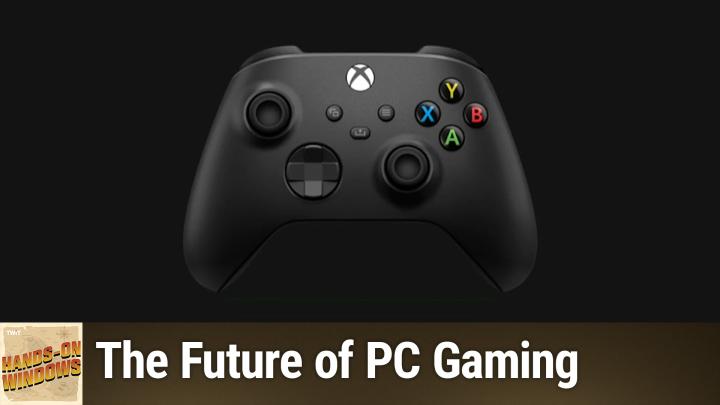
All TWiT.tv Shows (Audio)
Hands-On Windows 145: The Future of PC Gaming
00:13:08
Windows 11's Game-Changing Features
Loading summary
Transcript19 lines
- [00:00]
Paul Thurott
Coming up next on Hands on Windows, we're going to take a look at some recent advances in PC gaming. In particular an interesting new feature called Edge Game Assist for the Game bar in Windows 11.
- [00:12]
Unknown EFF Representative
This episode brought to you by the Electronic Frontier Foundation. In fact, if you ask me, the whole Internet's brought to you by the EFF. For 35 years, the electronic Frontier foundation has been fighting to make sure that when you go online, your rights go with you. Eff I owe him a big debt of gratitude. They rescued our podcast and every podcast from patent trolls. They helped encrypt the web to protect your privacy. They prevail in lawsuits against government secrecy and surveillance. These are the good guys and they have a podcast, how to Fix the Internet. It's all about what happens if we win the fight and get things right online. And it's a great listen. The fight for digital rights, it's bigger and more urgent than ever. EFF is member supported. I'm a member. You should be a member of the the more members they have, the stronger they can fight in statehouses, courthouses and on the streets. Season six of how to Fix the Internet started May 7th. Listen@eff.org podcast and while you're there, join the EFF. They're the good guys.
- [01:12]
Unknown CIS Representative
25 years ago, a small group of business and government leaders met in Washington D.C. they envisioned the creation of an independent non profit organization with a mission to create help people, businesses and government mitigate the growing threat of cyber attacks. Today, the center for Internet Security embodies that vision. For 25 years it's worked with a global community of IT and cybersecurity experts to develop the CIS benchmarks and CIS critical security controls. These proven security best practices defend against common cyber threats and streamline compliance with industry frameworks, regulations and standards. Today, CIS provides cybersecurity services, threat intelligence and critical resources to help public and private sector organizations alike strengthen their Cyber defenses. Visit cisecurity.org today. That's the letters cisecurity.org to find out how CIS can help your organization as we create confidence in the connected world.
- [02:12]
Julio Gallerati
Hey guys, I'm Julio Gallerati and this is oops, the podcast we would love to collab with you. Our listeners love oops for its sophisticated banter, AKA your mom could listen. And many feel like they're in the room with us, chopping it up with old pals. And pals we are indeed. I'm joined every episode by my producer and confidant, Ryan lynch, various comedians and other interesting people for Witty, candid and intoxicating conversation. Join us.
- [02:41]
Zoe Saldana
Podcasts you love from people you trust.
- [02:46]
Paul Thurott
This is Twit. Hello everybody and welcome back to Hands on Windows. I'm Paul Thurat and it's been a while since we've talked about PC gaming. This is a space that's been moving really rapidly and there have been advances both on the hardware side and on the software side. And so on the hardware side we've often talked about these copilot plus PCs and MPUs and things like that. But when you look at The intel and AMD based copilot plus PCs, what you see there are the very latest processes from those companies which also have incredible integrated graphics that among other things can play even AAA games pretty effortlessly. Like this laptop I'm using here is just nothing special, honestly. It's a Lenovo Yoga 9. Two in one, but it's an Intel Core Ultra 7 Series 2 processor, Arrow Lake 32 gigs RAM, which is great, but really good NPU, but also really good integrated graphics from Intel. The AMD stuff is even better. So the latest Zen 5AMD processors are rather incredible on a system with a really high res screen, all the HDR capabilities, all that stuff, full resolution, all the graphics turned on, high frame rates. It's insane. It's insane. Now I'm not going to show you that, I'm going to show you Solitaire because I'm recording and this is too much to do to this poor laptop. But if it was just playing a game like the latest Call of Duty for example, it works wonderfully. And this is just a mainstream prosumer consumer type laptop. So on the software side you see improvements across various parts of Windows 11. There's Xbox as the platform. Microsoft has these plans to merge Xbox the consoles, with Windows the PCs. That's partially rumor, but it's very clear from what they've said and what we've seen that this is where the world is going. And so we have the Xbox app here which has become a front end to most of the gaming one might do on a PC and will soon be front end to even more of. Looks like they're going to evolve the Xbox console so that maybe they play PC games and that they would use this interface or some future version of it there as well. So we'll see what happens there. One of the big advances though over the past year, a little bit more than a year, is native support for new handheld gaming PCs. And these are those things that it looks like a screen with halves of a Controller on either side, and the Xbox app, the game bar we're going to look at later, both support those things natively. They look and work differently when you use that kind of a hardware. So the big components here from a software perspective are again the Xbox app, the game bar I mentioned, and just kind of general compatibility with hardware like gaming peripherals. So I have a non standard looking purple Xbox controller, but a standard, it's an Xbox wireless controller. I have it wired with usb, but it works wirelessly as well. And when you go into search here and just type game controller, start to tape game controller, you'll see this kind of old school interface. This is a control panel from the old days. But one of the things it does is it allows you to make sure that all of the buttons here are working correctly. So you can move things around, you can press different buttons. So if something's wrong with your controller, you think there's something wrong. Like this is a good way just to make sure. Maybe it's you, not the controller, maybe there's something else going on, but very basic. And it also just demonstrates that when you plug in this thing, it just works with Windows. You don't have to do anything. There's no drivers to install this, no app or whatever. You can of course install an app to configure the controller. And I actually do recommend that you do that. It's called Xbox Accessories. And what this does is it gives you an interface for each of the accessories, typically controllers, but also headsets and other hardware that you might have attached to the PC and you can configure it with different profiles and remap the keys and all that kind of stuff. But actually the big thing here is the ability to update the firmware in the controller. Now if you have an Xbox, that happens automatically. So you plug the thing in or you just connected over Bluetooth or the Xbox frequency and it will do that for you automatically. It will prompt you. But you don't get that on Windows. And so if you're playing exclusively on Windows with an Xbox controller, definitely recommend getting this app. I'm not going to update this now, obviously, but I could and I should and I will actually, after we're done here. But this is a good app to have because that's kind of a vital capability. Obviously the Xbox app we have looked at in the past, it has evolved in some interesting ways. But primarily this is an interface for the games that you've purchased from Microsoft, whether through the Microsoft Store or through Xbox for the PC. If you have a Game Pass subscription. It's an interface for that. I could go in here and say, well, I want to play the Division 2 here and I could install it and this would install it from the store. But I get that with my Game Pass subscription. I also have a game I have. My particular prescription is Xbox Game Pass ultimate or Game Pass Ultimate. And that gives me cloud gaming, which is Microsoft's cloud streaming service. And this is a list of all the games that I could play over that. And these are the ones I've actually played recently that way. So the new Doom game is in here, the latest Call of Duty, et cetera. So these stream over the Internet. Obviously you need to have a pretty good connection there, et cetera, et cetera. And then I can go into my library and these are the games that I own, right. So I've somehow over the years, apparently I've bought a lot of PC games like an idiot. But whichever they are, they're available here. And again, same thing, I could go into this game and just say, okay, I want to install it, blah, blah, blah, whatever. So that's, that's, that's fine. Right. So this has been like this basically for a long time. You get notifications, you have, you know, different things going on here. But there's a couple things you should probably know about here. Let me get rid of that. You get a menu when you click this profile icon up here in the corner. Settings. Couple of things with this app that I actually don't like is by default the first time you launch will then launch with the PC when it boots up. And when you close it, it actually doesn't close. It's still running in the background. So I actually turn those things off. I want this thing running when I want it running. I don't mind that, but I want it gone when I'm done with it, right? When I'm done playing the game, I'm out. I don't need Xbox running. And then there's this offline permissions enabled feature. This is kind of a squirrely feature. You can only change it three times per year. So you want to do it on a PC that you know you're going to want play offline on. So for example, the latest Doom game is a single player experience, or has a single player experience. I didn't, but I could configure this to be the PC that I have offline permissions enabled. That means if I'm on a plane or offline in some other way, I will be able to play that game. It doesn't have to check for the license online. And that could be useful. But you just want to be careful with this because you can only change it three times a year. And then there are notifications and all the other stuff in there. But the big one here to me is this compact mode. So when I turn this thing on, the UI changes, it gets simpler. I have the controller, so I'm going to use the controller now. And now this is designed to work with the controller. And really this is for those handheld gaming PCs, right? These are things that look like Steam Deck, but we have a bunch of them and there are a bunch more coming this holiday season. And the point of this is for it to look good on a small screen, for one thing. So everything's a little bit bigger. It doesn't look horrible here, but also that it's fully controller enabled. So if I go into any of these screens, if I click on something, I can always get back to where I was using the standard buttons like you would on an Xbox. Right. And so that's kind of interesting. I'm going to actually turn that thing off, but that's useful. And again, kind of points to the perceived future of this thing as perhaps, you know, the underlying platform for consoles as well. We'll see. We'll see what happens here. I talked about the peripheral. So the other part of this is the game bar. And so again showing the lamest possible game, but it's the one that comes with Windows and it's not going to stress the system too much. Typically I would be playing a slightly more violent game this, but Solitaire is built and it's fine. So I could type Windows key +G to bring up this interface. Actually, I need to make sure it's selected first so it comes up in the right place. So you can see the overlays on top of this game. Or I could use the controller and you hit the white Xbox button and same thing. So a couple of things to this. This also supports a compact mode. So if I put it into. If I could figure out how to do that. Where is that interface? There is a way to. There's an interface here somewhere. But this allows you use the controller. Right? That little toggle I use is actually one of two ways to do that. But I'll just put it back in the normal mode for the mouse. I think it must be. Which one is it? It's bugging me. I can't find it. I'm sorry, I don't usually use this in Compact mode. But you get this selection of widgets right. Most of what you see here are the default widgets. But there's also a new feature which is really cool. I typically put this kind of. I put this on so I can see the frame rate. That's something when I review laptops, I want to see how well they're performing. I will actually turn that off because it stays on all the time otherwise. But we've got this thing here. So this just debuted as I record this, this feature has finally come out. It's out of preview. You'll just get it automatically. If you have the latest version of Edge, this will just appear. There's nothing to configure. It just shows up. And what this is is a mini version of the Edge web browser. Doesn't have to be many. You can make it bigger as well. And if you pin this like I had pinned that performance widget before and go back to the game, it stays. And the idea here is that it may have. It doesn't always, but it doesn't for Solitaire. I actually loaded this myself earlier. But what this allows you to do is interact with the game while you're playing the game without alt tabbing to a browser, which a lot of us do. So if you're playing a single player game, you need help with a particular level. You might go and Google or Bing and say, I'm playing this game. Here's the level I need the walkthrough or something like that. You can do that. You can do that here, right? I, I don't know what kind of help I could get for Solitaire exactly. But I can definitely do that here if I want to. But if it detects the game, it actually has a mode where it can use AI to examine the game that you're playing and figure out where you are in the game or what's happening in the game. And then it will give you context sensitive help. So the goal here is that this thing will eventually just be interacting with you as you play a game. You don't even have to bring this thing up. It will just be there running in the background. You can talk to it, it will talk to you. And while you're playing the game, you can get help or just express frustration or whatever it is you might want to do. But in this case, if I was running, say the latest Call of Duty, I believe the latest Doom, probably, I think a lot of the Microsoft Activision games feature this, it would detect what you were doing and then provide proactively provide help. It looks like you're having trouble with the sniper in the window. Here's something you could try which would probably involve a rocket launcher or whatever. So it's kind of interesting. It's kind of. A lot of kind of hardcore gamer types might have mocked this feature when it was first announced, but honestly, this is incredibly helpful. And if you've ever. Anyone who's played video games has googled or used search or whatever to try to find help. And so to me, this is actually a very welcome addition. So I think this is really cool. Anyhow, it's available now, so if you have Windows 11 update to the latest version of Edge and you'll just get it, you can enable it, you can pin it if you want, you can use it as you go. It's good stuff. And yep, solitaire. Sorry about that. Someday I'll have a powerful computer and I can do two things at one time. But that day is not today. So hopefully you found this interesting and useful. We have a new episode of Hands on Windows every Thursday, which you can find at Twit Table tv. H thank you so much for watching. Thank you especially to our Club Twit members. We love you. If you're not a member of Club Twit, get access to all the content. No ads, good karma, all the right reasons. You can learn more about that at Twit tv. Club Twit. Thanks. I'll see you next week.
- [15:36]
Zoe Saldana
Hi, Zoe Saldana. Welcome to T Mobile. Here's your new iPhone 16 Pro on us.
- [15:40]
Unknown T-Mobile Representative
Thanks. And here's my old phone to trade in.
- [15:43]
Zoe Saldana
You don't need a trade in. When you switch to T Mobile. We'll give you a new iPhone 16 Pro. Plus we'll help you pay off your old Phone up to 800 bucks and you still get to keep it.
- [15:51]
Unknown T-Mobile Representative
There's always a trade in.
- [15:53]
Zoe Saldana
Not right now. @ T Mobile.
- [15:54]
Unknown T-Mobile Representative
I feel like I have to give you something in return for karma.
- [15:56]
Zoe Saldana
That's okay.
- [15:58]
Unknown T-Mobile Representative
I don't really have much in my purse. Oh, let's see. Hand sanitizer. It's lavender.
- [16:02]
Zoe Saldana
I'm good. Seriously.
- [16:03]
Unknown T-Mobile Representative
Let me check this pocket. Oh, mints.
- [16:06]
Zoe Saldana
Really, I'm fine.
- [16:07]
Unknown T-Mobile Representative
Oh, I have raisins. I'm a mom. Wait, wait one sec. I've got cupcakes in the car.
- [16:11]
Paul Thurott
It's our best iPhone offer ever. Switch to T Mobile. Get a new iPhone 16 Pro with Apple Intelligence on us. No trade in needed. We'll even pay off your phone up to 800 bucks with 24 monthly bill credits. New line $100 plus a month on experience beyond Finance Agreement $999.99 and qualify imported for well qualified plus tax and $10 connection charge. Payout via virtual prepaid card. Allow 15 days credits end in balance due if you pay off early or cancel. See t mobile dot com.