← All TWiT.tv Shows (Audio)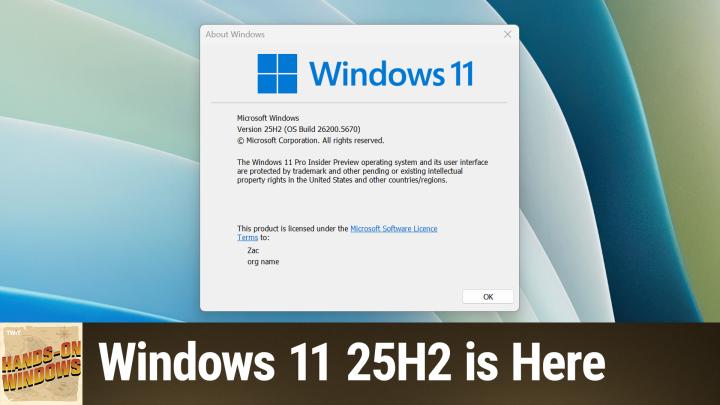
All TWiT.tv Shows (Audio)
Hands-On Windows 153: Windows 11 25H2 is Here
00:21:28
What's Real, What's Hype, and What You'll Actually Get
Loading summary
Transcript9 lines
- [00:00]
Leo Laporte
Coming up next on Hands on Windows, I've got big news. 25H2 is real.
- [00:07]
CIS Security
25 years ago, a small group of business and government leaders met in Washington, D.C. they envisioned the creation of an independent nonprofit organization with a mission to help people, businesses and government mitigate the growing threat of cyber attacks. Today, the center for Internet Security embodies that vision. For 25 years, it's worked with a global community of IT and cybersecurity experts to develop the CIS benchmarks and CIS critical security controls. These proven security best practices defend against common cyber threats and streamline compliance with industry frameworks, regulations and standards. Today, CIS provides cybersecurity services, threat intelligence and critical resources to help public and private sector organizations alike state strengthen their Cyber defenses. Visit cisecurity.org today. That's the letters cisecurity.org to find out how CIS can help your organization as we create confidence in the connected world. Podcasts you love from people you trust.
- [01:15]
Leo Laporte
This is Twit. Hello everybody and welcome back to Hands on Windows. Some time ago, several episodes ago, I guess we were guessing whether or if Microsoft would ever come clean on Windows 11 version 25H2. Would this be the next version of Windows? Since that time they have in fact admitted that this was happening. And of course they do. So in the way that Microsoft always does things, they buried it in a blog post about the insider program, which almost no one would ever read. But if you scroll through this thing like la la la la la, and it's like, oh yeah, by the way, we're updating to 25H2 and we are now saying that Windows 11 version 25H2 will be this year's annual feature update. So what that means to you is that in October, ish, Microsoft will release this if you have a compatible PC, which you will, because this is a very Minor update to 24H2, you should just get that functionally, honestly, there won't be any difference because 24H2 was a major release with some compatibility issues that they ironed out over time. For the past now three releases of Windows, they've been keeping them kind of aligned with features. So whatever features we see in 25H2 for the most part will be available in 24H2 as well. And why bother, I guess. And really it's just about the support life cycle and mostly for businesses, but also for consumers who are moved along more quickly. But 24H2, major update, major changes to the underpinnings. This is going to be deployed as an enablement package. And that just means these things. The new features will actually be installed in the background in previous updates. And then this thing will come out, they'll flip a switch, Microsoft, that is, and you'll start seeing the new features. So what this also means to you is that as we've been talking about new features in Windows 11, in some cases, we've been talking about things that are kind of targeted at 25H2, meaning for the second half of this year, even though you will also see them in Windows 11.24H2. I know this is confusing. So rather than going through every single feature that will be in this thing that we know about today, because there will be more, I thought I would just focus on a few that are new ish or newer. And maybe we haven't talked about that much, but we've talked about the new Start menu, which is not available on this computer for some reason, although it was earlier today. And whatever other features coming to Copilot. All of the new Copilot plus PC features, features across, you know, recall and click to do and semantic search in the file system, in settings, et cetera, et cetera. So what I'm going to do here is focus on some of the features that I believe to be newer than those that we have discussed so far. So the first one involves passkeys. And this is something that Microsoft started integrating into Windows, I want to say, late last year. So this would have been a 24H2 thing. And if you go into accounts, this is mostly the same as it's ever been, but they added this interface here at the bottom called passkeys. And so we discussed this at some point in the past. But when you sign into Windows 11 with a Microsoft account, it creates a passkey for that account. And that's the technology that passes through your authentication when you need to sign into Microsoft Services on the Web or in apps. And so by signing into Windows 11 with my Microsoft account, when I open the Store app, for example, and it eventually loads, you'll see that the same account is signed in here as well. So I get all of the things that are associated with that. Same thing with Internet Explorer. So I've changed the default new tab screen here. But a lot of the settings customizations that I've done to this app, if I'm using it for passwords and autofill and all that stuff, it all passes through thanks to the Microsoft account. But what they're doing in 25H2 is adding this advanced options interface at the top. Now I don't have anything here that integrates yet, but the point of this is that you could install an app like 1Password, a password management app, or an identity management app. I use Proton Pass personally, but you know, Bit Warden, One Password, obviously, Dashlane, whatever. You know, all the top players I'm sure will be in here and what this will allow you to do is save passkeys to this password manager instead of the one that's built into Windows. Which is good because the one built into Windows is pretty bare bones, whereas the one you're probably paying for or using from a third party is much more full featured. So now when you go to do password autofill in a web browser, in an app you know, that you download from the store, etc. You'll be able to use this integration and it will be built right into your PC. Right. So that's nice. We talk a lot about Copilot. I spent a lot of time trying to ignore Copilot personally, but that it's fair to say this app and the underlying service have improved dramatically and it certainly could get it on the screen, have added all kinds of new features and over time. So one of the ones we've talked about is Copilot Vision. And the way Copilot Vision works today is you would typically use this in kind of a side by side scenario. So actually let me, let me try that and see how that works. So if I bring this up and say, well, I want to, I want this over here and I want this over here, I could use this thing to point to the app, just the window, right. And share that with Copilot. And now I can ask it about this thing. Now I'm not going to do that. But that is a feature that's cool, that's been around for a little while. But there is a new way that you can share your entire screen. So I actually, I have three displays attached to this computer because I hate myself. But now I can and anyone can soon share their entire screen. So rather than limiting that to just the one window, you can interact with anything that's on screen. You can do it with voice, you can do it with typing if you want to use the app itself instead of the voice feature. So it's just kind of an expansion of that capability, which I think is pretty cool. This feature is. I'm not going to be able to show this properly because of the way this computer is configured. But Microsoft has a lot of accessibility tools built into the operating system. Magnifier, color, filters, live captions, etc. We've talked about some of these over time. One of the big ones is narrator, and narrator is for people who are blind or have vision issues, and they need a screen reader that will tell them audibly what's happening on screen. And you can enable that.
- [08:27]
CIS Security
Quick Settings Pane Vision Group Narrator, Toggle Switch Quick settings pane accessibility button 5.
- [08:34]
Leo Laporte
Of 14 okay, so the new feature.
- [08:37]
CIS Security
Here, Taskbar, Home File Explorer, Window Navigation Items, View list, Ignite that I can't show you. Ignite JPEG 1:1 file S I'm just.
- [08:47]
Leo Laporte
Gonna turn you off for a second there, honey.
- [08:50]
CIS Security
Exiting Narrator.
- [08:51]
Leo Laporte
There you go. So the way that this is going to work is it will give you more detailed descriptions of images. So the way it works today is I bring this thing up and it says file, img, underscore, whatever. And then, you know, whatever the file name is and what it will do soon is actually describe in natural language and normal language what the image is showing. So in this case, it would say something like, there are six people there, you seem to be having a good time, perhaps too good of a time, etc. Etc. So that's actually really nice, you know, for people who can't maybe see that image or see it clearly. Kind of a nice. The other one I can't show you exactly only because I haven't enabled it yet and I'm a little nervous with how it might impact the recording. We're trying to do here is something called administrator protection. This is built into the Windows security app, right? Which you get to from the tray down here. That's this icon here. And we've talked about this from time to time. There's not too much you do in here. Remember Smart App control? Once it's off, it's off. You know, that kind of thing. Pretty much this runs in the background. You can leave it alone if. If there's a yellow or red bang on the icon, you might go in here and make sure everything's turned on. But it's something you don't typically interact with. It just works in the background. But administrator protection will soon be one of those things. You're not really going to interact with it, or at least with this interface, but you can go in here and just turn it on. Now when you turn it on, you have to reboot. I'm not going to do that, obviously. But the way this is going to work is to solve one of the big security problems in Windows, which has been a big security problem, Windows forever, which is that most people are administrators and that means that everything they do has elevated privileges and that exposes them to potentially being hacked or whatever. Vulnerabilities with maybe apps they're running, etc. Because everything they do is elevated. If something can get in, if some errant code or whatever it is can break through, they can then run processes at that elevation level. So Microsoft tried. You could do something like once you've created your first user account, which will always be an administrator, it has to be, you could go into this accounts interface, you could create a new account right through here. You could make this new account a standard user account, which it would be by default. This one's an administrator and there is no way to change it because it's the only one on the. Well actually it's going to let me change it. So I'm not going to do that. But it should be the only one on here. But normally you wouldn't be able to change that. And then you can run it as a standard user and that means everything you run is at a non elevated privilege level. The problem with that is you have to type in the administrator pass key or sorry, the PIN or password or whatever. Or if it's a multi user computer with other actual human beings, you could actually send them a message and say hey, I'd like to do this thing that requires elevations. It's a hassle, right? And so what this will do now is by default run everything at standard user level. So it's. Even though you are an administrator, which I am. But when you need to elevate to do something that requires that security elevation, it will just do it on the fly. So the difference between this and other security interfaces you've probably seen like uac, the user account control, this is a dialog that comes up. It's kind of like a middle red light on a car, you know, the back of a car. It's supposed to be like another step, like think about what you're doing for a second. But you're not elevating or de escalating or anything like that. You're just saying yeah, yeah, no, I really want to do this. This time with administrator protection you're actually going to elevate and that means you have to authenticate. And so it will use Windows. Hello. So if you have a camera like I have here that has an IR sensor, it will look at your face and say, okay, we're going to elevate this one process for now briefly. Or you have a fingerprint reader or you can type in a pen if you don't have any of those things. So depending on the type of authentication you're using, it might be better or worse than UAC from a user experience perspective, but it will be a lot more secure, and that's actually pretty huge. They're also going to. From kind of a similar vein from Permissions. If you open an app like the camera app, the first time you run it, it will say, hey, we have to use the camera. Do I have your permission to use the camera? And then you click yes or no. That to date has just been a standard dialog box, right? So I'm going to. I don't have a way to show you that, but let me just run Notepad and, you know, standard app. And I made some changes to the document, but I'm going to close it and it brings up this confirmation dialog. Right? And so the point of this is this is modal, so I can't click out here. I can't do anything else. Like I have to deal with this dialog before I can move on. And that's the way these permission dialogs are going to work. So if you imagine this was the camera app and. And it says, hey, we can't do anything unless you let us access the camera. Can we access the camera? Will you give us that permission? It would say yes or no. You have to deal with that thing before you move on. And also there's that kind of visual cue that this thing that's highlighted in the middle because the rest of it's kind of grayed out a little bit, is something you have to deal with. Right? And so again, it's a small change, but actually very meaningful. And it's just, it's going to make that very clear that you're doing something very explicit. The other one is something that's going to evolve over time and it's going to vary by PC. So if you think, if you go into apps today, for example, this is a Copilot plus PC. So I have text and image actions that I can take on. Items I'm seeing through either recall or click to do. Right? And so actually I'll bring up click to do here. I'll try to. I guess I'll run. Just run it. If I bring up click to do here, I could select this is text and then you right click. And what you will see here are other actions that you can take. I haven't actually selected any text. I think that's part of the problem. So if I Select some text. Right click. It's not working very well, but you get the idea that there are these actions that I can undergo. All right. So because this is extensible, Microsoft has added this interface. This is in 24H2 today. And this is a set of apps and system services. It will soon include third party apps that can provide actions that work against text or images. Right. With click to do or recall. So you could imagine. Actually, you don't have to imagine. I'll just show you. If we bring up an image like from the pictures folder here and I could hopefully. Yep, right. Yeah. Do the keyboard shortcut here. You can see what's here. And we've talked about some of this stuff. So describe image. By the way, new to 25H2, it will be in 24H2. This is the feature behind that thing I was talking about with Narrator that I couldn't show you through narrator just because it's. It's so busy with audible cues. But Ask Copilot has been there for a little while. Visual Search has been there for a while. And then these app specific things for photos and paint. Useful. But eventually you'll see things in here for third party apps like Affinity photo perhaps or Photoshop or whatever. This dialogue or this pop up context menu is going to get pretty big. So let's see now we will finally do that describe image that I talked about earlier. I've never successfully done this, so I'm curious how this is going to do. It's six drunken people acting stupid at a trade show. We'll do something to that note, but maybe we won't see it. I don't know. I'm afraid to go somewhere else because I wanted to show you the other new UI that's coming in 25H2 here, but. Well, yeah, let's just start. It's probably downloading a model or something. So anyway, you get the idea how it will work eventually. So like I said in the Settings app, this text action. So let me get rid of this. Sorry, let me get rid of the. There we go. So this text actions interface exists today, but there are other interfaces that are coming that allow you to take control over what's going on with AI on the system. Right. So today you could just disable these things like I don't want text actions. I don't want this app to be allowed to do this thing. That's good. You can do things like Uninstall Copilot. If you're never going to use that. You could do that kind of stuff. But there's so much more coming. And so what they've started at, or what Microsoft is starting to add is more permissions in this privacy and security section related to these AI features. Some of them are Copilot plus PC specific. This recall and snapshot section, for example, click to do, which is that feature I've been using A bunch in this episode are specific to copilot PCs. But now if you scroll down this giant list and here you see the camera permission, right? So I had mentioned this with the camera app, but actually I could have done that. So the camera app, it does not have permission to use the camera yet. So the next time I run it, it will ask me for that. But if you scroll down all the way, there's this new thing here at the bottom. And this is actually kind of interesting. So these are permissions related to text and image generation. These are things that are going to happen in apps like Notepad with its text generation capabilities, paint and Photos with its generative AI based image generation capabilities. You're soon going to be able to turn that stuff off at kind of a system level. Right? And so if I actually turn this off today, I could go into Notepad if I could only figure out a way to get some good text in there. But, and you know, we've done this. We, we, we did an episode about this where you can, I'm going to just try to find something knowing that I never will really. But yeah, here we go. This is text pretty much. You know, I could select this and choose from the various writing tools here, right? Like write, rewrite the customer. Remember there's this awesome thing where you can make a poem, et cetera, summarize, you know, all the stuff everyone's pretty familiar with. But if you don't want that, instead of worrying about it at sort of an app level, you can just come in here soon and do it at the system level. I don't have anything in here, which is odd to me because I actually do do this sometimes. It might be because they're still starting to implement this. But what you should see here is a list of the apps that have already requested to use those models which are on the computer to do text or image generation. And once you have that list, you'll be able to do this on an app by app basis. So you might say, actually I do want to leave this on, but I don't want this particular app to ever be able to use these features. Right. So if you think about it, this is tied to, but sort of also the opposite of this app actions feature that I showed you here. The idea here is that you're using an app that has AI functionality that may or may not require local models. Sometimes it will be in the cloud and if you have a Copilot plus PC, you can access some of those features from outside of the app. That's an app action. It's a way for an app to expose that functionality. Whereas if you go into privacy and security and down to this text image generation, this is about the actual app and what AI features can be exposed in the app. So you can enable or disable as you want. So for example, Paint exposes certain features for actions on images, but you could also come in here and say I don't want any app to do image generation. And that would means when you run Paint, those features would not be available. Right. Kind of interesting. So a lot of the features I just highlighted here are what I would call security or privacy related. It's not a lot of the typical kind of UI kind of the fun stuff, but this is fundamental and it's interesting because even though 25H2 itself is not a big bang release, you know, from a technology perspective, the end user features, especially security privacy, if you look at the list, are actually pretty good. Now they will come to 24H2 as well. But I like to see this kind of thing because I feel like there's been a lot of superfluous functional additions to Windows over the last couple years. And this stuff for the most part, administrative protection, the PassKey, integration with third party solutions, the permissions across all of the generative AI capabilities and the app actions that are coming is all just kind of amazing stuff. Honestly, even though it's not, you know, it's not fun, you know, but, but it's super useful. So I hope you found this interesting. I'm looking forward to 25H2 like I know you are. So we will have a new episode of Hands on Windows every Thursday. You can find out more at TWiT TV. H O W thank you so much for watching. Thank you especially to our club TWIT members. We love you. If you're not a member, please do think about joining. You can learn more about that program at TWIT TV clubtwit. Thank you. I'll see you next week.