← All TWiT.tv Shows (Audio)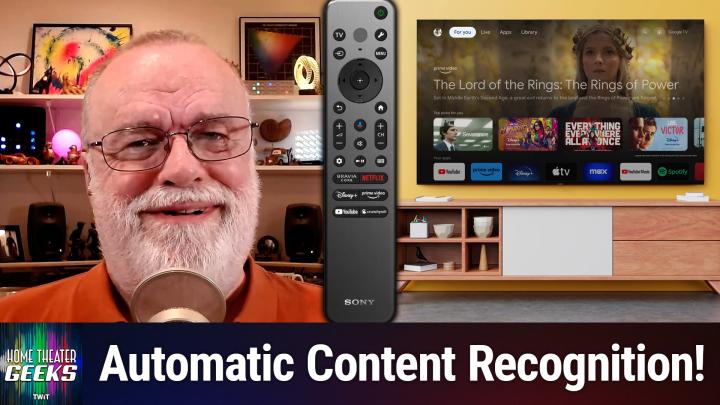
All TWiT.tv Shows (Audio)
Home Theater Geeks 495: Disabling ACR
00:10:24
Your TV knows what you are watching
Loading summary
Transcript9 lines
- [00:00]
Scott Wilkinson
In this episode of Home Theater Geeks, I talk about automatic content recognition and how to disable it. Stick around.
- [00:10]
Leo Laporte
Let's map out this week's amazing destinations and travel tips.
- [00:14]
Chris Baer
Honestly, Will, I didn't plan any trips, but I did switch to T Mobile with their new family freedom offer.
- [00:22]
Leo Laporte
That's not the itinerary we're following.
- [00:24]
Chris Baer
Well, I'm departing from AT&T and embarking on a new journey with T Mobile. They paid off my family's four four phones up to $3200 and gave us four new phones on the house.
- [00:37]
Scott Wilkinson
Bon voyage.
- [00:39]
T-Mobile Representative
Introducing family freedom. Our lowest cost to switch our biggest family savings all on America's largest 5G network. Visit your local T Mobile location or learn more@t mobile.com FamilyFreedom up to $800 per line via virtual prepaid card typically takes 15 days. Free phones via 24 monthly bill credits with finance agreement eg Apple iPhone16128 gigabyte $8,029.99 Eligible trade in eg iPhone 11 Pro for well qualified credits end and balance due if you pay. Contact T Mobile.
- [01:07]
Scott Wilkinson
Podcasts you love from people you trust. This is twit. Hey there Scott Wilkinson here, the home theater geek. In this episode I'm going to talk about a function that is found on most modern TVs called ACR or Automatic Content Recognition. I ran across an article not too long ago on ZDNet by editor Chris Baer and the article is called how to disable ACR on your TV and why it makes such a big difference doing so. We'll include the link in the show notes. Of course you can check out that article. It describes this function called acr, which monitors what you watch and that lets manufacturers identify what you watch and then send you targeted ads. Now ACR can potentially monitor content from the TV apps, of course within the tv but also from external devices. It captures screenshots and cross references them with a database. Very large media database. Now according to eMarketer in this article it says in 2022 advertisers spent $18.6 billion on smart TV ads. So there's a strong motivation for doing this. Now according to an article in the markup, ACR captures up to 7,200 images per hour. That's about two per second. Now this can reveal connections between what you watch and your personal information, including email address, IP address, even your street address. Now of course the most disturbing thing about this is the potential for abuse, including security risks and even identity theft. So this article on ZDNet describes how to disable this function in your TVs in a variety of brands too. It goes through Samsung, Sony, LG, Hisense, TCL and other Roku based TVs. Now the procedure as outlined in this article is not simple or intuitive. It's as if the manufacturers don't want you to find it and turn it off. So that gives me a good reason to maybe want to turn it off. So I tried the procedure that they specified for Sony TVs on my Sony 77 inch, a 95L, which is my current TV. And I have to say there were some inconsistencies between what was in the process or the procedure that the article laid out and what I actually found in my menu system. So I'm going to show you the procedure here in a graphic. It's just a list of what to do step by step, which is really good. They have this not only for Sony, but for Samsung and and other TVs as I mentioned. But I'm going to show you point out a few inconsistencies. For example, it says press the home button. Now you can do that and you can eventually get to Settings. But it's a lot easier to press the tool button on the remote. That gets you to a place where you can get to Settings a lot quicker. And then it says go to Settings and then go to initial Setup. Well, Initial setup was not easily found in my menu system. I went to System instead and that was made it a lot easier. And going to System takes you to a screen that lets you enable or disable various parameters, including Samba Interactive tv, which is Sony's, the name Sony gives, it's acr. So you can, you can enable or disable Samba Interactive TV separately, you can enable or disable ad personalization, analytics and measurement, third party licensing. And there's also a switch for accept all. Well I turned them all off. And when you dis, in fact when you disable Samba, Samba I suppose enter a TV that deselects everything. So then you hit save and exit and that part of it's done. Notice there's three procedures here altogether. The second one allows for enhanced privacy by disabling ad personalization. Well, I already did that in the last process. And so this whole process, steps one through four. The second process in this list here is not separate in my Sony tv it's included in that first process. Then it says as an extra step you can enable it. You can entirely disable the Samba Services manager which is embedded in the firmware of certain Sona Sony Bravia TVs as a third party interactive app. So go to Settings, select Apps, select Samba Service Manager. Well, that's not in my menu and Force Stop is not in my menu. Once I get to the Samba Services Manager, which is actually labeled TV in my menu, choose Clear Cache and select Force Stop. Well, I don't have a Force Stop. I only have an okay and cancel. So it doesn't even let me do this. So I did everything I could. But what my experience points out that I think is really important to understand is the difficulty in trying to provide a step by step procedure for any modern tv. They're so complicated and different model years can easily have different menu structures. Even firmware updates to a given TV could easily alter the menu structure. The markup, which is another article about this subject, disabling ACR is available as well and I'll put that link in the show notes also and it's from 2023 so the and it has procedures like this in it as well and they may very well not match what you see when you try to do them in your tv. Still, I recommend disabling ACR in any event for the reasons we I talked about earlier. You want to maintain some privacy. You don't want manufacturers and advertisers looking at what you watch. I don't. So I think it's a good idea to disable it. I would start with the procedures in the ZDNet article or even the Markup article and take your time to figure out, well, where is it different? Where is this procedure different from what I'm actually seeing on my tv? That's, that's a bit of advice. And, and it's not simple, it's not intuitive. They don't want it to be, obviously. So be, be stalwart about it, be resolute and find your way through that menu system to disable this, this acr and I think you'll be better off for it. Now, if you have a question for me, send it along to htgwit TV and I'll answer as many as I can right here on the show. And as you know, TWIT now provides all of its programs for free on YouTube, but with ads. Speaking of ads, if you want to go ad free, all you have to do is join the club. Go to TWiT TV club TWiT to join today. Until next time, geek out.
- [10:26]
Leo Laporte
Get tech news at your pace with Twitt TV's perfect pair of shows for quick, focused insights Tech News Weekly brings you essential interviews with the journalists breaking today's biggest stories. But maybe you need more. That's why I'm here. Dive deep with me on this Week in Tech, your first podcast of the week and the last word in tech industry. Insiders dissect everything from AI to production, privacy to cybersecurity in tech's most influential and longest running roundtable discussion. Short or long, Streamlined or comprehensive, TWiT TV keeps you well informed. Subscribe to both shows wherever you get your podcasts. And head over to our website, Twit TV for even more independent tech journalism.