← All TWiT.tv Shows (Audio)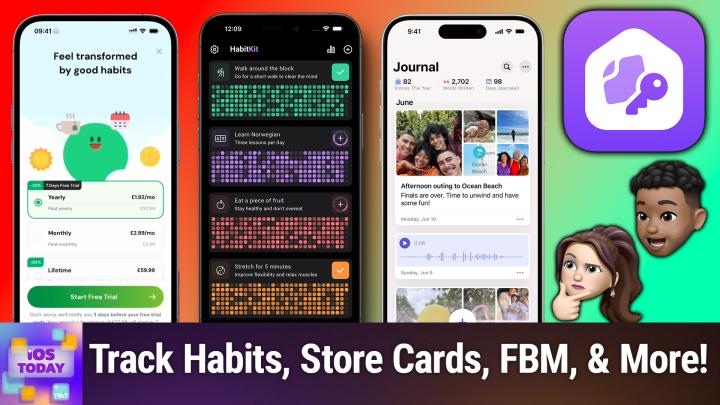
All TWiT.tv Shows (Audio)
iOS Today 733: Starting 2025 With Good App-its
00:31:48
MyRoutine, Pass4Wallet, HomePass, and more!
Loading summary
Transcript23 lines
- [00:01]
Micah Sargent
Coming up on this episode of iOS today, it is the new year and that means it's time to kick off said new year with good and smart app. Its those are your habits by way of apps. All of that coming up on this episode of iOS today. Stay tuned. Podcasts you love from people you trust.
- [00:29]
Rosemary Orchard
This is Twit.
- [00:33]
Micah Sargent
This is iOS Today, episode 733 with Rosemary Orchard and me, Micah Sargent. Recorded Tuesday, December 10, 2024 for Thursday, January 2, 2025. Starting 2025 with Good Habits. Hello and welcome to iOS Today, the show where we talk all things iOS, iPados, TVOs, WatchOS, HomePod, OS and all the other OSes that Apple, we love to talk about them here on this show. We love to help you make the most of your devices and we love to have a good time doing just that. I am one of your hosts. My name is Micah Sargent and I am Rosemary Orchard.
- [01:21]
Rosemary Orchard
And very happy and excited to get people started with great things for the next year.
- [01:27]
Micah Sargent
Yes. So now that it is the new year, hello and welcome to 2025. Don't forget to write it on your checks and homework assignments and everywhere else that you know the new year needs to be plugged in. And we're glad you made it. And this is often the time where people are kind of trying to start fresh, kick off things with a clean slate or an upgraded slate, so to speak. And that means setting new habits, if that is your thing, if, if that is what you're hoping to do in the new year. There are some apps out there that can help you do that and some will encourage you along the way, some will bully you along the way. No, I'm just kidding. Will help you though, keep track of them. So, yeah, with that, I think let's kick things off by talking about routines and habits.
- [02:24]
Rosemary Orchard
Yeah. So one of the apps that I have been experimenting with and playing with a little bit recently is called my Routine, Routine Habit Goal. And I have just reset and reinstalled the app so that I can give folks the little intro setup as well. Because this app is not just a hey, yeah, check the boxes and say that you've done the thing. It's actually got, you know, evidence, like science behind it. It's kind of amazing. So it's based on actual studies in habit psychology and it's using the fog behavior model, which is basically saying, hey, if something is easy to do and you have high motivation, then you know you're going to get it done. If it's hard to do and you have Low motivation or no, no motivation, it's not easy to do. And so it suggests connecting habits to situations. Like for example, if you have a cat giving your cat a treat before you have to do a thing like take your own medication, your cat will not forget. As soon as the cat Cotton's on that 11am Every day it gets a treat. It will come find you and harass you until it gets that treat. So, you know, connecting these things together is always a good idea. And then it's got a lovely sort of overview to keep you get everything set up. So when you join you can create an account, which it does with your Apple id and then you can say, okay, when do you wake up? Now I often wake up around 8:15 in the morning because I work from home. And how much free time do I have? About 15 minutes because I, you know, I cut it pretty close. And so yeah, I can select the things that I've already been doing and you know, I've, I've got three of those, those and then I spend my afternoons at home. My energy level is not too bad in the evenings. And then what time do I go to bed? This one's not so great, sometime between 11 and midnight. But then, you know, I have some other things that I have been doing and you know, I can say that I'm doing okay keeping up with those. And I actually found this through the app store, so I'll just tell them that. And then, you know, my energy level has not been low. No. Because I'm recording iOS today, I don't really have a hard time cleaning up after myself, but I do start my day feeling rushed. If I got up a bit earlier, I probably solved that problem. Yes, my evenings can be unproductive, but they're not that unproductive and I'm forgetful, definitely. So you choose whether or not you want reminders. I will allow this. And then I am going to go with staying organized as a thing for now. And then it's going to make a routine for me and this is what I really like. It asked some questions and figured out, you know, what, what am I doing? And then it's going to suggest some other things. So it's saying, hey, maybe try organizing three things in the room, wash your dishes and pick out tomorrow's outfit as my new habits. So it is a free app to download and give it a try. And it does have a one time purchase option of $60 or it is about 23 a year or $3 a month if you would like to pay for it. But what I do really like about this app is, and I've just tapped away from that to close that because I didn't want to pay for the trial again or sign up for the trial again because I'm already paying for it. But I've now got this really nice little overview where I can see my routines and it's just walking me through everything so that I know when things are. So I've got all my routines, I can even add my own to dos. And then I can also see, you know, for everything how it is going. And yeah, I, I just really like this. I love the fact that it's backed in psychology and also they've actually gone, hey, what are you already doing? And then can we add on to that? So you know, as soon as you get out of bed, drinking your glass of water is great. Other things that you might want to do, you know, you can specify times of day when you should be doing them, and so on and so forth. And then you've got little journaling options built in as well, if you would like.
- [06:35]
Micah Sargent
Beautiful. Yeah, sometimes those apps can be intimidating at first, I think, when there are a lot of sub features right. That are part of it. But it's almost like it goes hand in hand with this idea of setting these habits and keeping track of them. If you take the time to dig in and kind of learn how to set this up and give it the time and space that's needed, that little bit of time is going to pay off in the end for the larger period of time that you're hopefully tracking and maintaining these habits. The next app that you have on the list is one that I used for quite. It's funny again, I had made a habit out of using this habit tracking app because it's so beautiful. I will not lie. I will be honest and saying that I did eventually fall off from using it, but that is because I went back to my tried and trusty and true do app for the things that I needed to manage. However, I think that this app in particular kind of scratches the itch for people who are looking for something that's sort of low maintenance and also gives you kind of a pretty picture along the way. Tell us about your next pick.
- [07:59]
Rosemary Orchard
Yeah, so my next pick is an alternative to my routine and it's called Habit Tracker Habit Kit and it is a habit tracker. So you get started, you add your own habits. So I'm going to put in, say I can't type at all today. Say hi to Maika, which should be something fairly easy to do. Now I can add a description here. I can add reminders so I can say hey, yes, I want reminders for this. And I could say hey, maybe remind me at like, I don't know, say 5:00pm um, which, you know, that seems like a decent time. Um, and then I can also set my streak goal. And this I really like because sometimes there are things that you do not need to do or should not do every single day. So I can say hey, it's a daily one. Or I can say hey, I want to do this about three times a week or five times a month. Or I could even just say once a month. Um, you know, I'll go for once every or twice a month rather. Um, and then you can categorize things if you like as well. So I am just going to put this under, I guess health because it's good for my mental health to say hi to Maika. And then you can also specify completions per day. So if you've got something like brushing your teeth that you want to track in here as well, because let's face it, we've all written something on a checklist that we've already done just so we can check it off and have that success feeling of I did a thing. Putting brushing your teeth into your habit tracker, probably without reminders, is a really great option. So for something like that, you can have multiple completions per day and then you can choose your. So there's a sort of baby here. I'm going to go for the one that's got sort of two people connected to each other there. And then there are color choices for this particular habit. Now if our memory serves, Micah's favorite color is green. So I'm going to pick one of the green colors there. And there we go. Say hi to Micah. And if I tap on plus, then ta da, I've done it. That's it. And these are, you know, grouped based on the category that you've given it. You don't have to specify the category. You can have different views. So you can have a sort of monthly grid view for each one. You can have a checklist view or you can then have a different version of the monthly grid. And yeah, I just really like this. It's very simple but pretty. It is free to download and use for a limited number of habits. And then there are subscription or one time purchase options. So one time purchase option is 30 pounds, I believe it's also $30. And then the annual is currently on sale. As a note, it's 50% off down from $24 to about 12, I think $11.99. It translates to $11.99 from pounds to dollars in Apple subscription pricing. And then the monthly is about $2 a month as well. And it gives you extra things like import and export as well as widgets, charts and statistics. Lots of people love charts and statistics. I am one of them. And yeah, your unlimited number of habits. But it's also just, just a nice app to have and enjoy the free section of to get started and then maybe later if you decide you love it, you might want to support the indie developer behind it.
- [11:19]
Micah Sargent
Lovely, lovely, lovely app. And again I've used it so much that I think yeah, it's worth checking out at the very least. Now you don't necessarily need to step, step outside of the apple garden, the apple orchard to oh to be able to use, use an app that can help you start to set good habits. Because I think when we think about habits we think about things we don't want to do, right? We think about trying to eat healthier or make sure that we are flossing regularly or, or all those things that we have yet to succeed in making repeats. But there's a habit that I don't think people don't necessarily avoid but instead just haven't maybe taken the time to try to commit to it. And that's journaling. And Apple rather recently introduced a built in tool to help you to journal and to you know, keep track of what's going on in your, your life and kind of practice gratitude and, and, and I think to a certain extent practice the art of, of archiving like memories and being able to check in with them later. Tell us about journal.
- [12:50]
Rosemary Orchard
Yeah, so I'm, I'm not going to show journal because just because I've got a whole bunch of personal journal entries in there that I don't necessarily want to show, show off. But one of the things I do really love about the journal app is it out where you've been, who you've been with and all of those things and then suggest that you might want to jot down some thoughts about that and it just sends that as a nice little push notification and then it will automatically put that data if you tap on that notification into the journal entry that it starts creating. So if for example it had messaged me yesterday at lunchtime to say hey, you went for lunch at this place, which I'm, I didn't but this is an example Then, you know, I, if I tapped on that now, then it would back date my journal entry for yesterday. And if I've maybe taken a photo of my food, then it might even have the photo in there already as a suggestion. And that is what I really love about this. It is, you know, it's, it's, it's not with any third party developer or anything. You don't need to worry about your data being leaked outside of, you know, your devices. And you can also, you know, do formatting and so on in there. There. The journaling suggestions are really nice and there is also the ability to lock your journal. But unlike those tiny little padlocks that you might have got on like a, a notebook when you were a kid, that would have been tr. Easy to pick. I remember picking it with a literal pencil, one of the ones I had when I was a kid. Like, it wasn't even like a hair grip or anything like that. I literally just stuck a pencil in there and moved it around a bit and the lock popped right open. This will lock with face id, touch ID or your passcode, depending on what the biometrics are on your device. And yeah, I really love that. Yeah. Journal entries are stored in icloud by default, which means that they're encrypted. You can search, you can modify your journaling suggestions as well if you are under. If you go into settings, privacy and security journaling suggestions, you can turn on and off various categories. But yeah, I, I just, I think the journal app is a really great option for, you know, keeping, keeping track of what's gone on in your life without having to put too much effort into it, but being able to expand as you want because the thing with any new habit that you're trying to build is that it needs to be easy to get started. And setting a really low bar of hey, just write a couple of words to go with this picture is a really great place to start.
- [15:11]
Micah Sargent
Nice. All right, now I am actually curious to see how this next one makes the list for starting things off with great app. It's. I have a feeling I can see where this is going, but tell us about pass for wallet, Rosemary.
- [15:31]
Rosemary Orchard
All right, we all know somebody whose wallet is about this thick. Okay. It's a couple inches thick and they put it in their back pocket and they sit on it and then they complain about having back problems. Well, there's only so much you can do. If they offer to give you a large watch of cash out of it, you are obviously welcome to take it. But One of the things that is really easy to do is any store cards with like barcodes on them and stuff like that for loyalty programs or you know, getting in to certain places and so on. Those can all be digital. And as you go through, it's also a nice opportunity to go, hey, this store closed in 1982. Maybe we don't need this store card anymore, dad. Not that I helped my parents with this last weekend at all. And there's a whole bunch of great apps out there. I've used Make Pass a lot in the past, but it does now have a subscription model and some people don't love that. So Pass for Wallet is entirely free. Free. That's it. It's a free app to download. There are no in app purchases or subscriptions. That's it. And so you can use this to create store cards, coupons, tickets, boarding passes and even contact cards, personal information. There's Covid, passports, all sorts of things. And so you pop in the name of it. You can scan a barcode or you can scan it from a photo or PDF. You can specify when a expires, if there is an expiry on something, you can choose relevant locations, which means that when you get to a place it'll show up. Which makes it much easier to remember to use these things, especially things like gift cards and so on. And you can have, you know, various options for like supporting barcodes. You can choose colors, you can add notes to the back of it if you need to. Like, you know, don't forget that the PIN for this loyalty cart card is 1, 2, 3, 4. If it is 1, 2, 3, four, please change it and, and so on and honestly like it. This is a really great time of year, especially if anybody gets anybody a gift card or anything to help your family and friends go through and just maybe have a clear out of some of those things that have been hanging out in their wallet, taking up space, you know, and you know, even if you are somebody that carries a bag on your shoulder, guess what? It weighs you down. Can end up with back problems that way as well. Even if it's in your front pocket. Like let's, let's try and trim all these things down and go digital where we can, you know, by all means keep the physical card, stick it in a little box at home with all these things just in case you ever need it. But the vast majority of places are very happy with you going digital on your phone. And if you can add it to Apple Wallet then that's much easier for you too. And it means you're not holding up the line digging through the 28, 000 loyalty cards in your wallet looking for the right one.
- [18:18]
Micah Sargent
Yeah, this app is really cool and I think everybody should consider digitizing their different passes. I think about those keychains and stuff too, that have just cards on cards on cards on them and they just wear out and then you can't scan it sometimes. This simplifies it so much.
- [18:35]
Rosemary Orchard
This is also a really great way to share a loyalty card between family members. Like my parents use exactly the same supermarket loyalty card and this way, like we created it on my mom's phone, shared it to my dad's and ta da, done. Like it's exactly the same one.
- [18:49]
Micah Sargent
That's very clever. That's very clever. Last but not least, this is something I'm guilty of. It's really annoying that part of the process for home kits involved in, especially in the beginning, the creation of physical, like printed out HomeKit codes that you would need to use to be able to control. Well, to pair to and control your HomeKit devices. And depending on the manufacturer, they may not have included the sticker in the code on the product itself, but instead had it inside of a paper manual. And you may lose that manual, in which case, case you no longer have the code and have trouble being able to pair with that device. That is frustrating. And even if you do hold on to all of them, if you don't organize them in an easy to find way and you just have a huge pile of them and you're digging through trying to find the right code, that's not great. There's a way, there's a way to help with this situation. And Rosemarie has your answer.
- [20:05]
Rosemary Orchard
Yeah, yeah. Or it's just that device is behind the TV unit. So you got to unload the TV unit, pull the whole TV unit forward, which means you need to get somebody else so the TV doesn't tip off with the TV unit to get at the thing behind it. So you can scan the barcode that's on the actual, you know, smart switch that you've got back there. It gets messy. So yeah, I have a suggestion for this and this is called Home Pass for HomeKit. And Matter recently went to version 2. It is a free to download and then there is an in app subscription to get all of the features. And one of the things that I should say is this app is available on all of the devices. And when I say all of the devices, I mean it's available on iPhone iPad, Mac and Apple Watch. So you can see a pass on your, your Apple Watch if you really want to. Not quite sure exactly what that is going to be hugely helpful for, but that's okay. So Once you're in HomePass, you can tap on the plus button and then you pick a device. So say, for example, I wanted to store the button for my curtain in the bedroom, then I can tap on that and then I can add a code. Now this is a bridge device, so it, it didn't, it wanted me to say, hey, are you, are you really sure about this? And then I can scan a code. Now I don't actually have a code for this because, because it is a bridge device, there isn't a code for it. But this is the sort of thing where you can just spend a bit of time, you know, going through, saving all these codes and then if you ever have to unpair and repair a device, you don't have to like, figure out how to like get your phone into a really small gap to like try and scan a barcode on it or whatever it is. You can copy the code and then tap in HomeKit to re. Add that device and, and so on. And, and yeah, this is genuinely very handy for a whole bunch of things including being able to say to my parents, like, no, no, just tap on this, then tap on this, then type in this code. Because of course they didn't save their own passcodes, but I did, so that's okay. It does support multiple homes, so you can have all of the homes set up in there. You can also see all of your bridges, all of your accessories, et cetera. And yeah, it's just a really smart way of, of, you know, keeping all this data for HomeKit around. And also if you were an original HomePass purchaser, then you get all the HomePass plus features, which is really nice. You know, that was a very nice touch that wasn't required from the developer. But yeah, HomePass is great and the developer, Aaron, has a whole bunch of other apps as well, including things like Home Log, which can try and help you get logs of HomeKit devices for things Home Run for, for running certain actions, Home Scan for finding devices, Home Cam, seeing all of your cameras and so on. But Home Pass is definitely something that I would try to get into the habit of when you're adding a new smart device so that you have all of that data should you ever need it. Fingers crossed, you never will. But if you've got it in Home Pass, it won't be as much of an issue if you do need it again.
- [23:11]
Micah Sargent
All right, yes, I started using I was playing the fool a little bit earlier. I started using HomePad right after it first came out because at that time I was the fool and needed a solution for keeping track of my different HomeKit enabled devices. And it's just a delightful, easy to use app that is so smart about the way that it works and so it's fantastic. That brings us to the end of the good app. It's for 2025. If you have apps that you're using to help you set or start or continue good habits in the new year, of course, be sure to reach out to us iostodaywit tv. Up next, we're going to head into Shortcuts Corner. I can hear the music. It's time for Shortcuts Corner. Our Shortcuts Corner request this week comes in from Peter. Peter writes. Hi, Rosemary. I'm always leaving my phone in my car when I go out on it, when I go out or on a trip. I have an iPhone 13 and I run wireless CarPlay in my car. My car is hybrid, so it switches automatically between the petrol engine and the electric motor. So I don't want a reminder every time the engine or motor switches over. Is there any way I can set a reminder not to forget my iPhone? Like can Siri say, remember your iPhone? Or some reminder on my Apple Watch 4? And then in parentheses Peter says, I will upgrade to the Apple Watch 10 later this year.
- [24:56]
Rosemary Orchard
Yeah, so this is an interesting one because if we go into the Shortcuts app and then we look in automations, then we can say, hey CarPlay. And then you can say when CarPlay disconnects as a trigger. However, the problem with that is that's then not going to run until CarPlay turns off on the car, which in my experience for my car is when I lock my car and I walk a distance away. And unless you have a cellular Apple Watch or you then connect to WI Fi, anything that happens on the phone is then not going to sync to the watch, which means that we need to get a little bit creative. So instead I'm going to use the automation and I'm going to say run immediately and I'm going to say when you connect to carpl and this is the trick. So I'm going to create a blank automation, but I will recreate this as a shortcut that folks can then download. So what I'm going to do is I'm going to add a reminder and so I Use the add reminders action. And then I can use an alert and instead of at a time, then you can actually say hey, when I arrive somewhere, which would be great. While I leave somewhere or in reminders. And I'll just pop into the reminders app. There is actually a really nice little function which is you can actually say hey, when I am getting out of my car. And this is not something that's directly available inside of shortcuts. So we're going to do a little bit of a magic thing here, which is I'm going to create a reminder that says don't forget your phone exclamation mark. Okay. And so I've set that reminder for when I'm getting out of the car. Okay. Now the problem with this is, of course you'll check it off because you've remembered it right. So instead inside of the shortcut, we are going to say reminders and we'll find the reminders app actions. I'm going to find reminders and I'm going to say where the title is. Da da da da. Copy that. And then go over here and paste ta da. So now I'm going to find my reminders where this is my reminder. Great. And then I'm just going to do a nice little if action and I'm going to say, hey, if is completed. And then I'm going to edit the reminder. There it is. Edit reminder. Pop that in here and set is completed to no. And that's it. And then every time you get in the car, it'll find your reminder that says don't forget your phone. And if it's completed, it'll uncomplete it so you don't end up with 20,000 reminders all saying the same thing that are checked off in your list. And then it will pop up. And because we do this when you connect to CarPlay, then while you're driving, that syncs over to your Apple Watch. Then you get out of your car and you walk away and it should still pop up. Now, there are some other apps that I have used previously to try and get notes, like notifications on my Apple Watch when, like, I've walked away from my phone. But I found that they're a little bit tricky because, like, sometimes they're triggering because I've deliberately left my phone in my office and I've walked to my kitchen, which is not that far away. So by doing this, then we get the advantage of the when you get out of the car from reminders, but you get the advantage of the Apple watch working.
- [28:28]
Micah Sargent
That is so stinking clever. Rosemary. Brava. Bravissimo.
- [28:34]
Rosemary Orchard
Thank you very much.
- [28:35]
Micah Sargent
Wonderful, wonderful, wonderful work. Yes. That is so cool. And that is the kind of answer you get here on this iOS today show. If you have shortcuts, corner requests, you can email Rosemary. Iostodaywit TV is how you get in touch. This is the end of the show, if you can believe it. And so now is the time where I remind all of you that if you have other questions, feedback, et cetera, poems you feel like writing to us, email us. Iostodayt TV Right now is a great time to join the club if you have yet to do so. Because for a limited time we're offering a two week free trial of Club Twit at Twitter TV Club Twit. So if you haven't joined the club yet, now's the time to check it out, see if it's for you. I have a feeling you're gonna love it. And when you join the club, you will gain access to some pretty awesome benefits. Every single one of our shows ad free. You'll gain access to the Twit plus bonus feed that has extra content you won't find anywhere else. Behind the scenes before the show, after the show, special Club Twitt events. You'll get access to the members only Discord Server, a fun place to go to chat with your fellow Club Twit members and also those of us here at TWiT and access to the video versions of our Club Twitch shows like this iOS Today Show Show. If you are already a member of Club Twit and you're watching live so you're hearing this, then I want to remind you that you can earn free months of Club Twit by heading to Twitter TV club TWiT referral and as you might imagine, referring your friends. So be sure to join the Club Twit TV. Club Twit is just $7 a month after that two week trial and we would love, love, love to see you you there, Rosemary Orchard. If people would like to follow along with what you're doing, where should they go online?
- [30:24]
Rosemary Orchard
Well, rosemaryorchard.com has links to the apps, books, podcasts and of course all the social media sites that I am on. So you can find me on any of those and you can find me in the Club Twit Discord during the show when we're recording, where sometimes people have got great questions and immediate feedback for us. And also after the show where people are maybe hanging out in the general discussion channel or the episode specifically threads where everybody gets to talk about each episode. Maika where can folks find you?
- [30:51]
Micah Sargent
If you're looking for me online, I'm at micasargent on many a social media network. Or you can head to Chihuahua Coffee, that's C H I H U A H U A dot Coffee, where I've got links to the places I'm most active online. Be sure to tune in later this week for Tech News Weekly and also Hands On Tech, the show where I take your tech questions and answer them. The show's been going pretty well with all the questions that have been pouring in and yeah, I've been really enjoying getting to answer all of those. Thank you so much for tuning in this week. Happy New Year to all of you. I'm in my Happy Holidays get up because it's still December 10th as we're recording this episode, but it has been a pleasure being here with you all today and we will catch you again next week for another episode of iOS today. Bye.