← All TWiT.tv Shows (Audio)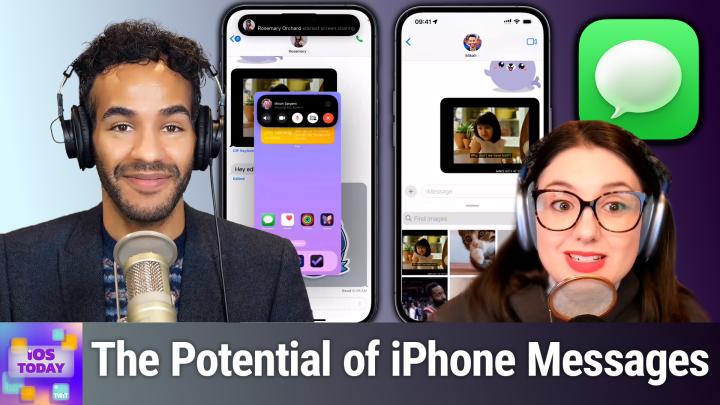
All TWiT.tv Shows (Audio)
iOS Today 734: Magic with Messages
00:42:04
Scheduling, Check In, GIFs, & more!
Loading summary
Transcript21 lines
- [00:01]
Micah Sargent
Coming up on iOS today, Rosemary Orchard and I, Micah Sargent, talk about making magic with messages. Yes, it is the features and the settings that are available to you as part of the Messages app. Stay tuned. Podcasts you love from people you trust. This is twit. This is iOS Today with Rosemary Orchard and me, Micah Sargent. Episode 700 recorded Tuesday, January 7th, 2025 for Thursday, January 9th, 2025. Magic with messages. Hello and welcome to iOS Today, the show where we talk all things iOS, iPad, OS, watch OS, TVOs, vision OS and all the OS as Apple has on offer. We love, love, love to talk about them here on the show, love to help you make the most of your Apple devices and I am looking forward to today's episode. I am one of your host name.
- [01:04]
Rosemary Orchard
Is Maika Sargent and my name is Rosemary Orchard and I think it might be time that we talked about how popular some of us are, Micah and got on top of our messages situation.
- [01:16]
Micah Sargent
Exactly. Yes, you may be flooded with messages and there are lots of things that you can do within the messages app that you may or may not know about. So we thought it'd be a good time to refresh your memory in some cases and in others maybe this is a feature that you did not know existed. Because that's one of the things about the messages app is over time Apple has added more and more features to it, I think to bring it in line in some ways with some of the third party options that are out there. You know, WhatsApp is an incredibly popular service, not just an app, but a service that people around the world use. And there are other options that people will use on Android for example. And I think Apple, you know, with its pretty popular imessage platform, looks to offer some of this functionality, if not all of this functionality baked right in. So let's kind of kick things off by just talking about the messages app in general with an understanding that imessage is a subset, a service available within the messages app, where an imessage is the sort of system for sending messages to other people. It's the blue bubble system.
- [02:35]
Rosemary Orchard
Yes, imessage is an incredibly popular feature and it is the blue bubble one, not the green bubble one. And there is actually a great support page on the Apple website, support.apple.com messages which has guides on how to use messages in a lot of different ways and a handy little help article on if your iPhone messages are green. Because this is a problem that people do end up with every once in a while. And yeah, it is a pretty nice application And I definitely use messages, a whole bunch, including to message Micah. And as you can see, these are my messages with Micah. So I sent him a little voice message earlier, and then I sent him a little sticker that said good morning with a little seal bouncing up and down, waving. It's not quite a seal of approval, but I don't know, maybe by the end of the show I can have a seal of approval. And yeah, there, there's a whole bunch on this screen right here, which is quite useful to know about. So starting at the top, obviously in the top left, we have our back button, which takes us back to our list of messages, which, as you can see, I have some messages pinned here at the top. And you can tap and hold on any message from people and, or group and pin that, which is quite nice. You can only have up to nine pins, but once you've got those pins, then you can have those. And I've used my Focus Fil to hide some of the messages, but we'll come back to those later. Um, and then once again, in the messages in the top, in the middle, I can see Micah. Um, and if I tap on him, then I'll get some extra information. So it's not actually showing his phone number or things, so we don't need to worry about that. It will if I tap on info, so I'm not going to do that. Uh, but I can see some options here. I can request my look his location, I can share my location. I can show things from Micah and shared with me. So if you've got a friend who loves to recommend television and shows, and those are just not your jam at all, you can turn off show in shared with you for that particular person or a conversation, you can specify that you want to hide alerts from this person and whether or not you would like to send read receipts. And this is something I really enjoy. It's not just a whole binary on off thing. It is a. You can turn this on and off per person. And then down here, and this is all under where I tapped on Micah's little picture at the top there. And this is the same in groups as well. I can see collaboration. So a document in page that Micah and I were demoing together for hours today, some photos that we've sent each other, some links that we've sent each other, and some documents. And then at the bottom, there's contact key verification, which we'll come back to. And then over, across from there in the top right, is a FaceTime button, which if I were to tap on that would call Micah on FaceTime, which is pretty nice. Then in the middle, we've got our messages. And then the sneaky little thing that I love in the bottom left is that plus icon. And when you tap on the plus, then we've got all of our options. We can take a picture and send it. We can use photos, we can use stickers. There's Apple Cash, which is available to folks in the US there's audio for sending messages, sending later Image Playground, and much, much more, including a handy little images feature. So if you'd like to send an image, for example, to Micah, a little animated image, then I can send him this poke nostos. Why not have both? You can have animated images as well as stickers in messages.
- [06:05]
Micah Sargent
I love that meme. Well, that commercial, I guess that's become a bit of a meme. Yeah, I mean, it's kind of wild how just how much is tucked behind that little plus button. Right? You've got, you know, your. Your regular options of camera and photos and even the stickers that you might be aware of. But there's a lot that's back there. And depending on whether you've downloaded those apps, the App Store, you may have more. I was in the process of trying to find a seal of approval, and so I didn't catch if you told folks about the little shortcut that you can do, which is that if you tap and hold on the plus button in your. So let's say you are here. I'm going to try to pull this up for a second just so you can see if you are in a message with someone. And the plus button is there to the left that lets you access the apps. If you tap and hold on that button, it will automatically bring up your Photos library and so you can actually see immediately your photos, as opposed to having to hit the plus button and then choose Photos. So if you're looking for a quick shortcut to access photos, because that's the thing that you may likely do the most, that's a way to do it. I would love it if in Future versions of iOS, Apple gave us the ability to choose what that long hold option did, because some people might want to automatically access the camera or maybe they regularly use stickers rather than that. But that's a quick way to get into the photos drawer that is available to you and shows you kind of what's there. All right, let's see what is next within the Messages app as we continue to kind of look at the features that are available.
- [07:57]
Rosemary Orchard
Yeah. So I have two great features for people who perhaps like me, lack a little bit of impulse control. So have you ever sent a message and then noticed, oh my God, there's a terrible typo in this or I didn't mean to send that. You know, I accidentally sent a party sticker in a response to somebody telling me that their grandmother is ill. Whoops, that's not a great response. I haven't done that. But you know, I have definitely typed the word things before and it got replaced with Australian footwear and things like that, which can very change the context of a message. So if you tap and hold on a message that you have recently sent, then you have some options here. So there's replying and we'll come to message threads in a bit. Adding a sticker so I can add a sticker to it. And then my two most important ones that I'm talking about here, edit and undo send. So whoops, I didn't mean to send Micah that party sticker so I can unsend it and you know, there still information there so that we can find out what happened. And now if I send Micah a message and I can see this is delivered, that I can tap on it and I can just edit it and I can just say hey, edit instead of hello. And now if I tap on the edit underneath it, then it will show me hello as a sort of like faded out bubble above the bubble that is now visible so that folks can see what it originally said. And so, you know, I very quickly sent off a message, I fixed my typo or I've unsent it because I sent it to the wrong person because I was tapping too quickly. Great. But what about, hey, I found this really cool thing and I want to send it to you, but it's 3:00 in the morning and that seems like really bad time to send it to you. Well, if I tap on that plus button over on the left, then I can send later and I can adjust this to be a different date and time. I can even go all the way into, you know, the, the end of January, almost 21st of January and send a message. And this can be really great for, you know, saying, oh yeah, I'll remind you of this on this date or something like that. And then obviously you can schedule a message so that you don't actually have to remember to do it yourself or set up a reminder to tell you to do it and things like that. And so this is really nice. And if I set Up a demo message that says, ooh, for example, now I can see this at the bottom of my messages. And so it says send later. And it's got the time that it's scheduled for. And then instead of it being a blue bubble with white text, which is what I see for the messages I have sent, um, it is a dotted or dashed light blue outline around a white bubble with blue text. So that's telling me that it hasn't sent yet. Um, and if you. You've tapped on send later and you don't want to send something later, you can tap on little cross there to get rid of that. Um, and now if I were to tap on the little edit where the time is, then I can see, hey, I can send that message now. I can change the time it's gonna be sent, or I can delete that so that that goes away. And this is just a really nice little feature. And I do really like the scheduled messages, especially if you combine it maika, with that little feature where you can say, hey, remind me when I'm messaging somebody. Have you used that before?
- [11:15]
Micah Sargent
Yes. So there are times when I am looking to send somebody a message, particularly someone who lives in a different country in a different time zone. And think of it during a time when I'm wide awake, but the other person might very well be asleep. And because of reasons, I am a, you know, I could be a forgetful person. And so I want to make sure that when the time comes, I remember to talk to that person about whatever it was. So I will use reminders, which gives you the ability to say, and you can also do this via Siri, but it gives you the ability to, the next time you're messaging with somebody, to actually prompt you to send whatever message it was. So, for example, if I knew that I was doing a show with Rosemary and I had thought of an idea, then Rosemary usually messages me over the weekend before our show and has some ideas. And so I have forgotten that earlier on I came up with this great idea. Right. Well, when Rosemary messages me and I pop in to message her back, suddenly up pops the reminder telling me, micah, remember you had this idea so that I can know right in that moment to share it with Rosemary. So those little prompts that can come up. Yes. It's not just for location reminders or anything like that. You can use it with messages, which is fantastic.
- [12:52]
Rosemary Orchard
Yes, it is. And I really like the fact that, you know, a reminder can, you know, do so many things. You can be reminded when you get into and out of a car at particular locations, which can be great for hey, like when I get home, remind me to do this thing. But also just like, hey, next time I'm talking to this person, like, you know, maybe there is something that you keep meaning to talk about. Like if I'm planning on visiting Portland and I would like to see Micah at the same time, I can absolutely shoot micro message out the blue and say, hey, I'm coming to Portland. Would you like to meet up and have dinner? And that's okay. But there are some topics that are a little bit bigger than that and you want to be already having a conversation with somebody before you then bring it up. Right. Especially if you're going to be asking them for a favor. So it can be really nice for that. And yeah, I personally find this feature to be incredibly handy for all sorts of things. And yeah, it just, you know, it's one of those things where it's like, yes, when I'm messaging this person, yeah, remind me that, oh yeah, I was going to talk to them about what the weather's going to be like when we go on that trip. And if we're planning on going, I don't know, scuba diving. I don't think I should go scuba diving. I'm a little bit too clumsy. I feel like that could be a really bad idea. But if I were to go scuba diving, I could share my location with you for a period of time, an hour, until the end of the day or indefinitely. And sharing your location and or using the check in feature are two really nice safety features in messages. And I personally have some friends who I just permanently share my location with. I think we have a sort of accidental competition going on to see who has like the most people in Find my. I am currently winning, but that's neither here nor there. However, it is quite nice because if you are in messages and you've got the location sharing on then at the top where I can see it says Micah and there's a little picture of Micah there underneath that. It would show the current biggest like location that Mica is near. So for example, if Micah were out in the middle of nowhere but kind of vaguely near Portland, Portland, then it would probably say Portland there. And yeah, I just find that that's quite a nice way to know like oh yeah, okay, this is where some of my friends are, especially those people who travel a lot. It can be interesting just to see. Oh yeah, okay, this person is here at the moment. They did end up traveling there and so on and so forth. So yeah, but to use the check in feature, if you tap on the plus button then you can scroll down a little bit and then you can do a check in and it will check in. And this is an address that I set up a little while ago. That's nice little fake address. But I can say, hey, am I planning on getting there by driving public transport, walking? I don't think public transport takes 30 minutes to get there. It's more like an hour. She have to go and change buses twice. And then I can change my check in data in messages settings and I can also add a little buffer which is quite nice. So say for example, if I am walking home from my ballet class and it usually takes me like 10 minutes to walk home. But, but it's quite possible that I'll set this up and then get caught chatting to somebody in my ballet class or you know, having a chat with a friend on the way home. And it'll take me an extra 5, 10 minutes to get home. So I can add an extra 15 minute buffer onto that check in as well. And that is just really nice. It's 15, 30 minutes or an hour to add that check in. So yeah, you can also, instead of doing destination check ins, you can also just do a timer check in. So like say like, like check in in six hours or you can tie it into your workout so when you finish your workout then it will notify that person. And I think the check in feature is very nice and I wish more people would remember that it exists and use it. I used it a couple of times recently with my parents. My mom every time was like, oh yeah, this is really nice. And we have officially, I am pleased to report, show my grandmother how to use it. And she has used it for going to a couple of checkup appointments recently. So we know when she's got home. Which is really nice because that's also a nice way of know when somebody's got home. So if you're going to want to call them when you know they, they're home or they've been home for a little bit, then it can be a nice way of knowing, okay, so this person's home, they it's automatically checked in. I'll give them 10 minutes and I'll call them and see how they are and if everything's okay and if there's anything I can do to help. So yeah, check in is a great.
- [17:13]
Micah Sargent
Feature and I like it too. As you pointed out, the difference between find my and check in being that you don't have to because I I've always been pretty like against the idea personally of sharing my exact location with a lot of people and so I am very much not winning in that competition of having a lot of people in my Find My section. However, the Check in feature gives the ability to just kind of notify that and only in the case of the emergency of you not making it home then it can share that that extra bit of information. I think that that is more likely to get people to who, you know, who may be pretty private about their exact location give the ability to offer that as well. And something that I had not considered is that there is a battery impact when you are sharing your location using Find My, particularly if you are sharing it in multiple instances and via maps and everywhere else that is going to result in the system sending your location more regularly. Like Check in can be helpful in this instance where it's just regularly doing that and not needing to provide that extra information except in the case of the emergency. So so yeah, I'm with you on kind of wanting more people to remember about Check in because I think it's a feature that a lot of people will like and it's always a good reminder that it's there. If you have a locked AT&T phone we're here with bolt cutters. T Mobile will help pay off your locked phone and give you a new 5G phone for free. All on America's largest 5G network. Visit t mobile.com carrierfreedom via virtual prepaid MasterCard in 15 days is free phone up to $830 via 24 monthly bill credits plus tax and a $10 device connection charge. Qualifying port and trade in service on Go5G next and credit required. Contact us before canceling entire account to continue bill credits or credit stop and balance on required finance agreement as do you have bill credits and if you pay off devices early I'm no tech genius but I know if I want my business to crush it I need a website now. Thankfully Bluehost makes it easy. I customized, optimized and monetized everything exactly how I wanted with AI. Within minutes my site was up. I couldn't believe it. Plus Bluehost keeps me protected 24. 7. No more worrying about hackers. I just relax and focus on my customers. So whatever your hustle may be, secure your online presence in 2025 with Bluehost. Head to bluehost.com to start now. Now I we talked a little bit earlier. You showed that you had sent me an audio message and audio messages have been in the app for a while. But transcriptions for audio messages is a newer feature in most cases, if not in every case. But I know for sure in most cases what happens is when you record an audio message, your phone itself is going to, you know, your. Your chip is going to do the transcription of what's in the audio message before it's actually fully kind of sent over to the other person. So let me kind of explain here, because essentially what happens is you record the audio message, and then the phone. Your phone takes a moment to kind of look through the message, and then we'll update that file with that transcript after the fact. And that's because it takes a little bit longer than just the simple process of recording it. It's not doing a live transcription. And so it takes a second to, you know, transcribe the full message, but then that information is provided to the other person or the other parties on the other side of the phone. And this is great because I. I will say that I've been. I've kind of changed my behavior over time. I used to send audio messages a lot. I really kind of liked the idea of being able to get out my thoughts quickly in the way that I'm used to communicating as I do on this show. But the problem is, for me, I wasn't super keen on receiving audio messages, and so I had to kind of remember my empathy. And that resulted in me not sending as many audio messages because, you know, do unto others. Well, I have some friends and family who still do send audio messages pretty regularly. And so this transition transcription feature has been a wonderful addition to iOS for me because it means I can just read what the transcription is, and in most cases, I can figure out what the person's trying to say. Sometimes it's like, oh, you have to listen to get the nuance and understanding of what's being said. But in the case of the message that I got from you this morning, everything is right there that you said in the message, and I can easily just read through that. So if you're in a place where you just can't play back audio or where you just don't want to play back audio, having that transcription is really nice. And for everyone who's listening and watching, this isn't something that you need to, you know, add or anything like that. It's not as if you say, hey, now that I've sent this message, I also want you to add a transcript or something like that. So I love that it's kind of just built in. Yeah.
- [23:03]
Rosemary Orchard
Yes. Yeah. And the alternative, of course, is sending an audio message is by tapping the microphone in the bottom right of your message and then it will just transcribe whatever you're saying straight into text for you, which is quite nice and it's a good option. So, yeah. So having, you know, thought about being nice to other people. Are voice messages great? Are they terrible? It very much depends on a whole bunch of things. I am very on the fence about them. Sometimes they're fabulous, sometimes they drive me crazy. So the transcriptions for me are definitely a massive plus. But while you're helping other people out, sometimes you want to share a screen. And you can now do this by tapping that little FaceTime button that we talked about earlier and sharing your screen and asking somebody to share their screen is right there. So if I tap on this, then it will create a share a screen sharing session with Micah and it's doing a little audio call as well. So I'll just mute that. And there we go. Now I am in a screen sharing session. So Maika can actually see what's on my screen right now.
- [24:11]
Micah Sargent
There you can see that's Rosemary's screen on my phone. So I'm actually able to see right there what's happening. And this means that I can say, oh, Rosemary, what you want to do is tap on this and then tap on that on the screen and then, you know, go into settings and do this. So if someone is having an issue being able to access it and you notice that I just pulled this up, right, I've got the option to draw on the screen if I want to. So this is actually, I just. I'm going to cancel that because I don't want to do remote control, but I have the ability to take over control of Rosemary's phone by asking for permission to do so. So if you're working with a family member who maybe doesn't know what they're trying to access, then that is a way to do that. I've circled something on the screen and that will show up on Rosemary side, so she's able to see, you know, what it is that I'm trying to get them to do. I can say, oh, yeah, go into the fitness app and then do this, do that. You can tap and it does a little circle around things so it'll show, you know, what you're trying to select. So if you've ever had an issue where you, well, of a family has had an issue where you're trying to help them get things figured out. This is a great way to be able to offer that feedback and that support from a distance. The screen sharing feature is incredibly powerful at this point. And the option to actually control the person's phone or iPad or whatever it happens to be is pretty magical because you are able to show them exactly what they need to do, exactly where they need to go by way of FaceTime. Screen share sharing, such a cool feature. And I'm glad that that has been added because it's saved my family, who's very far away, whenever we have, you know, attempted to. To do kind of remote support. Yes.
- [26:15]
Rosemary Orchard
Without the need. Yes, yes. And there is also the option to allow somebody to actually control your device as well. So you can request control and you can also grant somebody the ability to control your device as well, which can be really handy for like, okay, just let me go in and change like three settings for you and then I'll explain to you how this works. But you don't. Like, if I try and explain to my grandmother how to change three settings on her iPad, we're going to be down there for a good hour and a half, like just getting that bit done because, yeah, she's not going to be sure. We're going to ask lots of questions and you can still see everything that the other person is doing, which is really nice. So, yeah, this is a sort of like adjacent to share play feature where you can watch content with somebody else and enjoy that content. So say, for example, if you were watching something on Disney or Apple tv, then those shareplay options tie in to make sure that we get the option to share our fun. So if you are streaming the Wicked movie, which came out, you know, just over a week ago. Yeah, just over a week ago on Disney, and you want to share it with your friends and have a conversation for the 18th time that you watch it, because now you can do that. Now you're in your own home instead of in the cinema, then you can do that. So, yeah, all of the choices.
- [27:34]
Micah Sargent
All righty. We are needing to get to the end here. Any kind of other tips that you want to provide to our lovely listeners and viewers about messages in iOS and iPados, etc.
- [27:52]
Rosemary Orchard
Yeah. So I am just going to take a moment to say, say, don't forget the Settings app. If you go into Settings, apps and then messages, then you will see a whole bunch of options that you can toggle on and off here. So for example, you can turn imessage off. I recommend not doing that because that will mean that messages kind of go into a void and you don't receive them. And that gets very complicated. But you can specify whether or not you want content from messages to show up in search, whether or not Apple Intelligence and Siri can learn from this, whether it's got access to your focus modes, sensitive content warnings. There's the option for default messages apps which neither here nor there for most people. But then there's also things like sharing your name and photo which you can customize in here you can see what is shared with you and automatic sharing. If summarize messages is turned on, this can be great or terrible. If you don't like having Apple intelligent summaries of notifications, then you can turn that off off in general for notifications, but you can also turn it off per app, including for messages. You can turn on and off things like sharing contact photos, the global option for sending read receipts and text messages. There's options to set up RCS messaging if you're in an area that supports that MMS messaging. And there's also a good old subject field. So if I just pop it back into my messages with Micah, I can now send Micah a message for the subject that says hi and then the message can say how are you? And the subject is in bold. And that can be a nice option for those that want that. You can block contacts and also you can say when to purge your messages. So you can keep Your messages for 30 days a year or forever. And that can be quite nice to be able to just say hey, automatically get rid of that. Especially if you send a lot of media back and forth. Here is also where you can customize your check in data. I should note even though the message history is up here, you have to scroll down a bit to specify when audio messages expire and control that. But there is a feature I would like to mention which is filter unknown senders. If you have filter unknown senders on, then here in messages I can just see the pinned people that I have. If I go back to filter I can see unknown senders. And this can result in a lot of the spam stuff going into the unknown senders area where you just don't see it because they're not somebody in your context book. So why would you want to get a message from them?
- [30:27]
Micah Sargent
Love, love, love that feature. Very helpful to get rid of those of note. You know there will be times where you are unfortunately getting two factor authentication codes via messages and if you have not added the short code or whatever it happens to be contacts, then those will appear there. So every once in a while you'll need to check that section, particularly if you're doing a login. So just be aware of that. That may be something you need to do, but I recommend most places that are still doing for some reason. Two factor authentication via SMS are using a short code that stays the same and so you can add that to your contacts and then it'll show up in known senders instead.
- [31:14]
Rosemary Orchard
Yeah, they tend also to be verified business numbers which Apple have got listed in a directory. So in my case I find they don't end up in that spam, which is quite useful. And also Messages has that feature where it can automatically pull out the codes for you and it pops it up above the keyboard where you can tap on it and then it gets rid of the message, which is really nice. It does the same for email too.
- [31:35]
Micah Sargent
Yeah, that's a great feature for all sorts of logins. And being able to have that deleted afterwards instead of going back and saying 900 codes is quite nice. Like, what's this imessage conversation? Oh, it's not an imessage conversation, it's this. Um. All right, I think we are going to need to head into Shortcuts Corner in just a moment, but I just want to remind everybody out there that you can send us your feedback, your questions, maybe even your topic suggestions to IowaWit TV. IowaWit TV. And by the way, I also have another reminder, which is that right now we are running the 2025 TWIT audience survey. Our annual survey helps us understand our audience so we can improve your listening experience. And it only takes a few minutes. I can confirm that many of us have gone through the survey to check it to make sure everything's working properly. And so Twitter TV Survey, if you head there, it's only going to take you a few minutes to fill out. Please don't wait. Take it before it closes by the end of January. And thank you to those of you who rushed in to get survey filled out as quick as you could. We appreciate it. TWIT TV Survey 25 or Twitter TV Survey. Both of those will get you there. And of course, thank you for helping us make Twit even better. All right, I can hear the music. It's time for Shortcuts Corner. Hello and welcome to Shortcuts Corner, the part of the show where you write in with your shortcuts requests. And Rosemary Orchard, our shortcuts expert, provides a response. This week's Shortcut Score request comes in from Andrew, who writes. Hi, Micah and Rosemary. I work in a warehouse with strict breaks for each shift. I have three alarms set on my iPhone with the word break at the end of the label at specific times, giving me enough time to walk to the break room. I'm trying to create automation shortcuts to turn these alarms on when I arrive to work and off when I arrive home or leave work if possible. So I'm not inundated with alarms when I leave early or take days off. I tried my best, but I couldn't even get a Find alarms with label Break and turn alarm on Action to work. Can you help? I love listening. I love listening to your show and others as a Club Twit member. And thanks for all you do. Regards, Andrew. Andrew, thank you for being a Club Twit member. We really appreciate it. Twitter, tv Club Twit. Rosemary, any answer for Andrew here on Automating the Alarms?
- [34:25]
Rosemary Orchard
Yeah, yeah, I've got some information. So just to set the scene, I have set some alarms. I do not want my 3:45am alarm to go off tomorrow morning. So this shortcut better work because otherwise I'm going to pay the price. As you can see, my regular alarm is set for 8am So I have one called another break at 3:45am, one just called break at 6:45am, one called break at 7:45am and one called break two at 8:55. So we've got break at the end, we've got just break and break at the beginning. And this also means we have a mixture of upper and lowercase letters. So we're going to need to make sure that this works with all of them. So in the Shortcuts app, I've started just by creating a shortcut, I'm not creating an automation, I'm creating a shortcut. And then we will add some little magic to this to make it work via automations. So to start with, we need the find alarms action from the clock and we'll start by adding a filter and it has come up with label. But I suspect I have found your stumbling point, Andrew. We found got label is rather than label and if we tap on the is contains. So if I tap on is, I can change it to contains and then I can pop in break. And now if I run this, I can see, hey, there's another break schedule for 345 and that's enabled. And then if I just open this up, then I can see that there's 645, 745 and 855 and all these containers, the word break. So I think we need the contains there. And then what we also need to do again from the clock app, we are going to find the toggle alarm action. Now we don't actually want to toggle the alarm because then if it's already turned off because you used it and it turned itself off, then it's going to turn back on when you leave. And that's not great. So instead of toggling, we're going to have it say, hey, turn these alarms off. So I'm going to run run this. And what you should also do is toggle off that show when run. Now if we look here, I can see I only did the first one and that is not great. So I'm still going to get working at 6:45 in the morning. So what we need to do is we need to add a little repeat with each action underneath our alarms or underneath our find alarms because you said you have three there, Andrew. And so just to make sure that this works, we're going to toggle off those three. So now I am going to run this. And now when I pop back into my cl, all of those are off. Fabulous. So having done that, now we just need to make it work with our automation. I am going to just rename this to control alarms. Now I'm going to pop over to my automation and I'm going to say, hey, I'm going to do this at a time of day and I will set this for a few minutes into the future. But you can use location triggers. The, the what we're going to do is go remain the same. Now I'm going to create a new blank automation and I'm going to do this for a reason and I'm going to use the run shortcut action. Um, and so I'm going to say that I want to run that shortcut and I'm going to type in the name of it, which is control alarms. And now if I tap on that little arrow to the end, I can see I can give it an input. And this is what we're going to do. So we're going to add a little text above this and this we can use to say leaving or arriving. Okay. And now we're passing that text into our control alarms. So now back over in control alarms we are going to do a little if statement and we are going to say not of our label. Not. Now we are going to say if our shortcut input and we're Going to specify that it should be a type of scroll down a little bit text and then we can say if it is leaving, then we're going to turn it off and then otherwise I'll copy that, paste that here, here, turn it on and there we go. So if our shortcut input tells us we're leaving, we're going to turn the alarms off, but if our shortcut input tells us we're arriving, we're going to turn them on. And that is what I would do to have one little shortcut that can be run by two automations, one when you're getting there, one when you're leaving. And it means you're not going to accidentally end up with a one alarm flipped situation where it's not quite doing what you expected it to do because it's toggling and toggles are fabulous. Unless you react, really want to turn something off and you're just flipping it up and down going, I don't know, is this on? Is it off? I've got no idea. So there we go. This is what I would do. So I'm going to share this shortcut now I am going to change this. I'm just going to clear all of those shortcut inputs. That's it. Very simple. Because we don't want the showing up in the share sheet. But now I can show that shortcut and then folks will be able to download that from the link in the show notes so that they can get this. So you're going to have to create the automation yourself and I'm sorry, you're going to need to put together two shortcuts, actions for a text and a run shortcut. But I have faith in you. If you're watching iOS today, I believe you are more than capable of doing this.
- [39:58]
Micah Sargent
You could do this, Andrew, because Rosemary has taken care of the parts that involve a lot of logic all coming together to make that happen. And as usual, I'm always impressed and amazed at how you have figured out the stumbling blocks there and put it together. Beautiful work as always. And that is the kind of response you can get when you send in your shortcuts requests to rosemary again@iosTodayWit TV. With that, we have reached the end of this episode of iOS today, which means it is time to say Goodbye. Email us iOS today TV. And for those of you out there who are curious about the club, I want to remind you to join the club. Twitter TV Club Twit next. Now, and for a limited time, we are offering a free two week trial of Club Twit at Twitter TV Club Twit after your two weeks you'll be able to join the club at $7 a month. That's it. And when you do, you get some pretty awesome things. You get access to the ad free versions of all of our shows. You gain access to the Twit plus bonus feed that has extra content you won't find in other places, access to the Members Only Discord Server, a fun place to go to chat with your fellow Club Twit members and also those of us here at Twit and and access to the video versions of our Club Twitch shows like this show, iOS today. So join the Club Twit TV Club Twit for those of you who are already members, Did I did you remember that you can get free months of Club Twit? You simply need to refer your friends Twit TV Club Twit Slash Referral is how you can earn free months of Club Twit. Thank you to those of you who are Club Twit members who are watching live because I thought otherwise you won't hear this and yeah, that is where you want to go. Rosemary Orchard if people are looking to follow you online or just know what you're doing out there, where should they go to do so?
- [42:02]
Rosemary Orchard
The best place to go is rosemary orchard.com which has got links to apps, books, podcasts and all the fun things including the social media websites. Or you can find me hanging out in the club Twitter Discord where folks chat live during the show and also they send in questions often after every episode. Or there's just a general iOS today chat channel which is a really nice place to hang out if you've got questions about iOS things. Maika where can folks find you?
- [42:28]
Micah Sargent
If you're looking for me online, I'm ikasargent on many a social media network. Or you can head to Chihuahua Coffee that's C H I H U A H u a Coffee where I've got links to the places I'm most active online. Be sure to check out my other shows including Hands on tv, Tech and Tech News Weekly and Hands On Mac. And we thank you so much for tuning in today. We'll catch you next time for another episode of iOS today. Bye bye. If you love your phone but not your carrier, just switch to T Mobile. You can keep your phone, keep your number and we'll help pay it off up to $800 per line. You can also use our savings calculator to compare our plans and streaming benefits. Against Verizon and AT&T. So switch and keep your phone, keep your number and keep more of your moolah. @t mobile.com up to 4 lines via virtual prepaid card. Allow 15 days qualifying unlock device, credit service port in 90 plus days with device and eligible carrier and timely redemption required. Card has no cash access and expires in six months.