← All TWiT.tv Shows (Audio)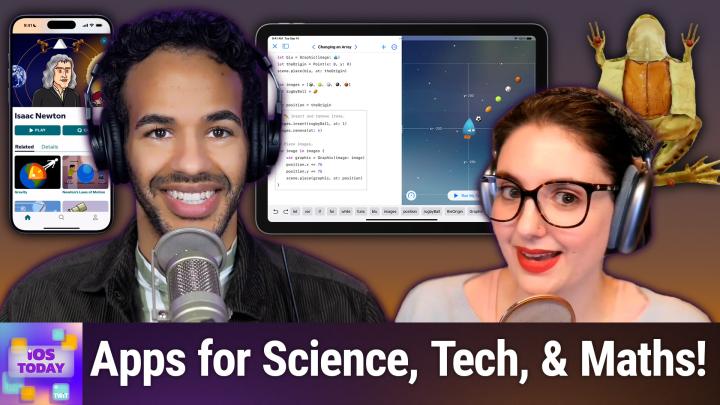
Loading summary
Transcript44 lines
- [00:00]
Micah Sargent
Coming up on iOS today, Rosemary Orchard and I, Micah Sargent, talk about some apps for stem. Yes, Science, technology, engineering, and mathematics. All of that coming up on iOS today. Podcasts you love from people you trust. This is Twit. This is iOS Today with Rosemary Orchard and me, Micah Sargent. Episode 742, recorded Tuesday, February 18th, 2025 for Thursday, March 6th, 2025. STEM apps for iOS hello, and welcome to iOS Today, the show where we talk all things iOS, iPados, DVOS, WatchOS. I almost said Zoom OS. That's not a thing. Vision OS. It's all the OSes that Apple has on offer, not the other ones. And we love to talk about them here on this show and help you make the your iOS devices. I am but one of your humble hosts. My name is Micah Sargent and I.
- [01:10]
Rosemary Orchard
Am another one of your hosts. And sometimes I'm not so great at being humble, but I'm still here. And I'm Rosemary Orchard.
- [01:17]
Micah Sargent
Hello, Rosemary. You have no reason to be humble because you are awesome.
- [01:22]
Rosemary Orchard
So are you, Micah.
- [01:23]
Micah Sargent
Thank you. This, of course, is our opportunity, as you heard if you listened to the intro, to talk about some STEM apps. You know, there are lots of opportunities out there to learn about science, technology, engineering, and maths. And so I thought we would take the time to talk about some of the things that are available to us not just on our iPhones, but also on our iPads and occasionally on our Vision Pros and our Macs. I mean, there's a lot out there and there's some easy, fun stuff, there's some complicated stuff, but you can do a lot of learning, a lot o learning on your devices. I think we should kick things off with a real cool app, Rosemary, that you are looking to feature. Tell us about your first pick.
- [02:15]
Rosemary Orchard
Yeah, so my first pick is Skeleton 3D Anatomy. Now, I should note this is the free version of the Anatomy 3D Atlas app, which is free to download, but then has around about A$30 in app purchase to unlock absolutely everything. But if you just kind of want to figure out, like, what bones are where and, you know, maybe what they look like, then you can do that here in the app. So I can tap on skeleton and. Or the skull, and, you know, I can learn that. That part, that big part at the top, that is indeed the cranium. And down here we have the mandible. And if I tap at the back, I've got our hyoid bone, which is.
- [02:53]
Micah Sargent
That one freaks me out.
- [02:55]
Rosemary Orchard
Yeah, that's the one that usually gets broken if somebody is strangled. Do I watch too many detective shows? Maybe. Anyway, you know, I've got our C1 and our C2 here from our skull. And then we've got various teeth which you can tap on as well. And, you know, there's a couple of options here. You can specify specific views and so on. And this can be quite good for just revising, you know, relearning the things that maybe you learned in a biology class, or if you're learning, looking to get into medicine, having something to help you, you know, quickly familiarize yourself with this. So there's four different areas of your body. There's your head, trunk, upper limbs and lower limbs. So if I were looking at upper limbs, then I could look at the whole upper limb, which would be sort of an arm. Or I could look at the hand and then lower limbs, I could look at the leg or the foot. And so I can see here, you know, we've got our actual leg and I've got a right femur and a right tibia as well as a right hip bone, which is quite cool. And as well as the English names, also specifies the Latin as well, which is os femoris, os longisum, dexter. So there we go. There is the Latin from my secondary school education coming into play. Now, if I were looking for something, like, for example, if I were looking for the mandible, if I could spell mandible, which if it turns out, if you leave out the end is a little bit difficult, then it gives me mandible and also angle of mandible, which if I tap on that, then I can actually see the angle of mandible, which is, you know, spec. Specifically this area here. And yeah, it will give me more information about it. There's also a little question mark where, you know, it explains how to use the app and so on. You can reset your views. And it's got little pins in this view as well. So I can see what parts of this particular part of the skeleton are called. But, yeah, it's great. It's free to download, free to use. And if you are looking for an Upgrade, then Anatomy 3D Atlas has all of the muscles and all the others lovely body parts that you might need, like organs, veins, arteries. I've heard all those are quite important, but I don't know how because I've only investigated skeletons so far, which also seems quite important to me. So who knows, maybe I'll get there at some point.
- [05:19]
Micah Sargent
All righty. The next app on the list is a familiar one, but you might Be thinking that we're making a mistake as we're talking about it because of a recent change. The next app we're talking about is Swift Playground, and it used to be called Swift Playground Z with an S at the end, a plural. But now it has become Swift Playground and it is, of course, the app from Apple that teaches you how to use Swift in, you know, I would say a sort of elementary way of, of. Of learning. But I think at the same time, I found it to be very helpful in kind of understanding some of the concepts. So again, when you're looking to kind of get into the habit of, of thinking in a way that leads to code and computer science, these kinds of apps I think can be very helpful to, to. To make that happen. Any other changes that have happened to Swift Playground since it became Swift Playground and lost the S?
- [06:34]
Rosemary Orchard
Yeah, the UI changed a little bit. Micah. So this here is my iPad. And if I see the recents area, then that's all the things that I've been playing with. And so I can create a new playground. And I can start by creating an app or a book. And this is kind of the big thing that's happened since Playgrounds came out, which is why it's now Swift Playground. It is a playground for just writing your own app as well, which you can then transition to Xcode on a map, but you can also write an app completely and publish it straight from your iPad. And you don't need a Mac necessarily for it. But if you go into the learn to code, then at the start at the top, at the beginning, right at the beginning, there is getting started with coding, getting started with apps, getting started with machine learning, which could be quite interesting for some folks. And then there's sort of keeping going and learn to code one and learn to code two. And then there's also an app gallery, which is quite nice. So if you're looking to build something and for example, you're like, okay, well, how do I build a sound pad? Or how do I make an About Me tab? Like, that seems like something that would be quite useful. Always love it when apps have an About Me. And then there's further things like extending your app by organizing things with grids and capturing photos, recognizing gestures. So if somebody's doing a pinch to zoom, for example, and then there's also just some books at the bottom which can help. So you could make a brick breaker game. There's also code machines for forging new coding knowledge. There's a battleship with algorithms. So Battleship's the game where you've got a grid and you have to put the on it and the other person guesses. And if you're me, you always, you know, you do a good number of guesses and you track how many guesses you've got. And then at some point you put in i1, which is of course a coordinate position in, you know, column I row one. But then they say, wait, no, but you haven't won. But that's just me. But yeah, and there, there's a lot of fun things in here. And while this app was originally targeted at getting kids into coding and this being part of the one to one iPad program that Apple has with certain schools, it's a good app for writing an app. And you don't necessarily have to know all the things about coding to get started. So I definitely recommend checking it out if you are interested in this at all or if you just kind of go, yeah, I'd like to learn a bit about coding and how me typing letters and words can make things happen. Like, I don't really understand that. It is a really great place to start with that because this will all run on your iPad.
- [08:59]
Micah Sargent
Beautiful. The next one that I want to mention, or actually, no, let's, let's have you cover another one real quick. And then I have one that I want to mention because we can't forget Khan Academy.
- [09:15]
Rosemary Orchard
No, we can't. And Khan Academy, it does more than just stem. It's also more than just an iPhone or an iPad app or even an Apple TV app because it's in so many places. But the Khan Academy has tutorials and courses to learn a whole bunch of things. So you have of course the option of signing in and learning things. But there's maths, there's science, there's economics, there is even arts and humanities. So it's not just limited to stem, there's computing and there's life skills as well, including things like financial literacy, doing college admissions, which could be very useful for some folks. Personal finance courses, things like that. There is just a whole bunch of stuff that you can learn here with the Khan Academy. They also do have partner content, including things like biodiversity. With the California Academy of Sciences, if you might be interested in that. They've got NASA is a partner. So you could learn about modeling the solar system and measuring the solar system or orbital mechanics if you are so interested. And I just really like this, you know, it does say math instead of mathematics. Mathematics is a plural. That's why we say maths in British English. But, you know, I can go in here and I can be like, okay, I'm just going to go back and redo some basics of algebra. Okay, well, I know about exponents and square roots, fractions, decimals, percentages, etc. That I'm good with. Okay. I probably want to brush up on my algebraic expressions and you can master points. So algebraic expressions has 1100 possible mastery points, which is a lot because turns out maths is a big subject. But it is quite nice for you to be able to just sort of drill down and go like, okay, I'm just going to do AP calculus and I'll do the AB section or the BC section, or I just want to do differential equations. And you can go off and learn about differential equations. It has videos. You can save them. You can save a whole course as a bookmark and come back to it later. And yeah, I just think that this is a really great way of learning. And it's free. Khan Academy is free. I would recommend creating an account and signing in because then you can track your progress and, you know, watch it on different devices. Especially if, you know, students who can't necessarily use their phones when they're in school to just, you know, watch a Khan Academy video, then they could still use their school laptop because they could sign in on that if they have a school laptop or a tablet. So, yeah, definitely recommend checking out the Khan Academy.
- [11:44]
Micah Sargent
My next pick is one that I remember fondly in my, I think, like maybe middle school education. So apparently not too fondly. I don't remember when exactly, but this is Brain Pop makes videos, educational videos about different concepts and individuals. And so, for example, Sir Isaac Newton, there are videos about Sir Isaac Newton himself. There are videos about gravity, Newton's laws of motions, refraction and refraction and diffraction. And all of these videos have little quizzes that follow them. And so you can kind of learn and then immediately apply your knowledge regarding them. There are many free movies that are available to you. So, you know, free videos about computer programming and some of the individuals involved in the sort of initial creation of computer programming. And then afterward, again, you can test your knowledge with these quizzes. I'm not going to play the videos because I think that it'll probably be an issue with, you know, the, like YouTube and stuff. But these videos I always found very engaging and fun and often involves a robot, as you can see here on the left if you're watching, and a human being kind of working together to try to solve different problems and figure out a specific bit of information. Brain pop I remember again fondly, and I think that it can be helpful for anybody who's trying to learn concepts in stem. All right, we have more apps in just a moment with Rosemary hey prime.
- [13:42]
Rosemary Orchard
Members, are you tired of ads interfering with your favorite podcasts? Good news with Amazon Music you have access to the largest catalog of ad free top podcasts included with your prime membership. To start listening, download the Amazon Music app for free or go to Amazon.com ADFreePodcasts that's Amazon.com ADFreeP Podcasts to catch up on the latest episodes.
- [14:05]
Unknown
Without the ads, the battlefield is set, the stakes are high. The only thing standing between you and victory are nothing. Ascend to the pinnacle of gaming greatness with Lenovo Legion Laptops, Towers and the new award winning Legion Go, the world's first officially licensed handheld. Powered by SteamOS, Legion relentlessly pushes gaming technology forward with towers built for raw untamed power laptops with best in class AI tuning that sharpen your reflexes and the Legion Go, a handheld for serious gaming on the go. Stay ahead with lightning fast responsiveness on a stunning 16 inch PureSight display. Keep your cool with cold front thermal technology engineered for marathon sessions and with all day battery life. The game never stops until you say so. So check out lenovo.com legion Lenovo Lenovo empowering creators everywhere.
- [15:07]
Micah Sargent
Rosemary, what is your next app?
- [15:10]
Rosemary Orchard
Pick well the next apps. I'm not going to go into detail and show them on my phone just because we could spend hours on these if we wanted to. It would be so easy. But the first one up I'm going to recommend is Enki Enki, which is for learning coding slash programming and it is a free app that you can grab on the App Store and it's about teaching you to program. But unlike Swift Playgrounds, it does languages other than Swift. So it's got Python, it's got JavaScript, and it's also got some SQL for databases and even CSS for styling the Internet to make it look prettier or uglier depending on how good your CSS skills are. As all these things go, don't forget if you're learning anything programming wise, there are two important questions for programmers. Why isn't it working? And why is it working? And these two cycle on and off 100% of the time. That is all of your life. So Enki is a great app. It is free to download and then it's 7.99amonth for the learn mode. And yeah, that's that just gives you, you know, access to all the things. You can also purchase it in six monthly or yearly bundles if you would prefer. So that was Anki, but next up, next up there's. I mean, I kind of want to just give a shout out to nature guides for having so many cool apps, but the Elements by Theodore Gray. This reminds me, and this is going to date me, of the Dorling Kindersley Encyclopedia CD ROM that I used to have on my Windows machine as a kid. And I was obviously a nerdy kid. I also lived in the middle of nowhere, so there were no other kids around. So I used to spend a lot of time reading like the encyclopedia and learning about various things, you know, know, like ancient Egypt and so on, because it was interesting. And the Elements by Theodore, Great really reminds me of that. But it's specified, it's based around the periodic table of elements. So it has images of the different elements that are there in the periodic table. Instead of it just being like, you know, the. They're so pretty numbers and they're really pretty and they, they represent, you know, all, all the things and they've got all the information. There's stories with facts in there as well. You can play with things in 3D. And I, it's, it's of those things where if you are struggling to learn the periodic table, as I did when I was doing chemistry at school, I found that the only thing that made it interesting for me was learning why is gold so popular as a metal? What is it that makes it really popular? It's not just the shiny and pretty. There's got to be something else to it, right? Turns out there is. There's a whole bunch that is useful to learn and yeah. So related to that, moving from chemistry to biology, I take it that dissecting a frog is like a common thing in American biology classes. We didn't do that over here in the uk. So whenever people are talking about that, I'm there going like, what the heck? Why would you dissect a frog? But should you want to learn more about frog dissection or learn about just being a frog from tadpole to full amphibian, then you could download Froggypedia, which is 3.99 from the App Store one time purchase. It's available on iPad and iPhone and it will go through the life cycle of a frog.
- [18:37]
Micah Sargent
You they are too.
- [18:40]
Rosemary Orchard
Yeah. And it's. I really love this because it's not feasible for everybody to like catch some tadpoles or, you know, the eggs and hatch them into tadpoles and look after them. Not everybody lives somewhere with an outdoor space that is suitable for that or even with an outdoor space. So froggypedia is a great digital alternative to that where, you know, you're, you're. People can play with a frog. And if you missed doing the whole frog life cycle thing at school or you've forgotten about it for 3.99, you can relive that. And I just love that idea. So, yeah, yeah. And then last, it's a bundle. And this bundle is called Labo by Thix T H I X. And this one caught my eye because specifically of an app by them called Beaker, which is basically, if you remember at school, you put different things together in a test tube or beaker and maybe heat them up and see what would happen. Right. I was. Not necessarily. It wasn't that I wasn't good at following instructions. I wasn't good at remembering which instructions I'd already followed. So after a couple of close calls where my chemistry teacher had to go, rosemary, no, stop. Don't double the magnesium, because that would have been bad. She paired me with somebody with really bad handwriting. So I would, you know, mostly do handwriting. And he supervised making sure that we didn't accidentally double up on magnesium. Well, instead of blowing up the chemistry lab, Beaker will let you do it digitally. So you can play with 150 different chemicals in a. A virtual app on your iPhone or your iPad. You can heat them up, you can shake them, and it involves physically shaking your device as well to see what happens. And there's a whole bunch of cool apps here. There's space, one for learning all about space and so on. And yeah, I just think that this bundle is really good. And if you only want to buy one of the apps, then you can always come back and purchase the bundle later. If you are looking at getting more of them, then you can can finish off any app bundle if you've already purchased one or more apps by just buying the bundle to get a discount on the total price. So, yeah, if you're looking for really cool science apps like who doesn't want to play in a cosmic sandbox? That just sounds like so much fun. Maybe it's because I'm partially a cat, I don't know. But yeah, they've got all sorts of things, including, you know, biology things for exploring a living human body, obviously in digital form, rather than just, you know, poking around inside of a human who's alive and possibly not very happy at you for not sedating them first. But yeah, really cool series of apps by Fix.
- [21:18]
Micah Sargent
Yes indeed. Meet me at the Cosmic Sandbox look again. When it comes to stem, I think that you think your classic your your classic options of being in class, right? Of of learning at school, of learning in college, of learning from different books. But over time we've seen the introduction of some really cool apps that in so many ways make use of the psychology of learning to help us to better understand these different topics. And many of these apps are regularly updated with new information, they add new categories and I think that's what sets these apart and makes them worth looking into. I mean, I now want to go and just sit down and look at the human body for a while and learn about different parts of the body that I've either forgotten about or didn't know about because this kind of thing just seems so. It's so inspiring and so cool to me. So I'm really happy to have done this episode. I do want to mention too that if there are STEM apps that you're using that you think we should mention, iostodaywit TV is again how you get in touch. All righty. I can hear the music. It's time for shortcuts Corner.
- [22:48]
Unknown
The battlefield is set. The stakes are high. The only thing standing between you and victory. Nothing. Ascend to the pinnacle of gaming greatness with Lenovo Legion laptop towers and the new award winning Legion Go, the world's first officially licensed handheld. Powered by SteamOS, Legion relentlessly pushes gaming technology forward with towers built for raw untamed power laptops with best in class AI tuning that sharpen your reflexes and the Legion Go, a handheld for serious gaming on the go. Stay ahead with lightning fast responsiveness on a stunning 16 inch PureSight display. Keep your cool with cold front thermal technology engineered for marathon sessions and with all day battery life. The game never stops until you say so. So check out lenovo.com legion empowering creators everywhere.
- [23:47]
At ritual we know what goes into a magical holiday season. The potluck planning, the gift giving, the spreadsheets. This new year take a moment for yourself with simple daily rituals that help you put your foundational health at the top of your to do list. Rituals essential for women 18 multivitamin is a clinically backed multivitamin featuring nine high quality key essential ingredients to help you fill key nutrient gaps in your diet. Or maybe you're stressing your daily protein intake or you want to double down on support for your gut microbiome from plant based essential protein to three in one pre pro and postbiotic strains with Symbiotic plus. Ritual helps you focus on supporting your body after a long season of juggling everybody else and for a limited time do it with 30% off a three month supply@ritual.com podcast. These statements have not been evaluated by the Food and Drug Administration. This product is not intended to diagnose, treat, cure or prevent any disease.
- [24:48]
Micah Sargent
Welcome to Shortcuts Corner, the part of the show where you write in with your shortcuts requests and Rosemary Orchard, our Shortcuts expert, provides a response. This one comes in from Chris who writes hi Micah and Rosemary, longtime listener here. Thank you all. No, excuse me. Thank you for all that you do for us. I am running macOS sequoia first 15 and I would like to create a shortcut or an automation that triggers a notification as soon as I launch NordVPN. I use my personal Mac for work and occasionally will launch and connect via NordVPN. But I forget to quit all work related apps, OneDrive, Teams, Outlook, etc. Before connecting via NordVPN. It triggers a false positive alert to my employer. My employer has not asked me to use a third party VPN such as NordVPN. So I'd like to trigger a reminder to myself to quit all work related apps before I connect using NordVPN. I know how to have macOS notify me when I connect. By then it's too late because I have already connected. Unfortunately, NordVPN no longer offers split tunneling since the launch of Big Sur. I appreciate any assistance with this. And then Chris has very handily paid the pet tax. Who says? My pet tax is my amazing crazy 3 year old boy Tito. He can open doors, adjust the thermostat, flip light switches, and lovingly drive me crazy. Let's see. Tito. Oh my goodness. I was wondering if it was going to be a cat or a dog. That is incredible. That is wild.
- [26:25]
Rosemary Orchard
Yeah. Tito is slightly stripy but like in the best of ways.
- [26:29]
Micah Sargent
So pretty.
- [26:30]
Rosemary Orchard
So cute. So cute. Well, this is an interesting one. So the first place that I would start is just by creating a, a a fake app. Okay. And it's not a fake app in the sense that it's not a real app. It's an app that is the thing that you launch instead of launching NordVPN. Okay, because I'm guessing NordVPN is set to automatically connect when it opens, which is kind of part of your problem, and you could uncheck that, but then you're still going to have to remember and NordVPN notifying you is going to come too late. Um, and so what we can do here is we can have a notification and we can say, hey, show notification. And then we say don't forget to quit your apps. Oops. And then I would suggest we add a little wait in here and I'm gonna set that to like 30 seconds or something just because then, you know, we, we're not waiting for too long. And then after that we can use the open app action, which will then allow us to open. I don't have nor VPN, so I'm gonna use ExpressVPN here instead as my. But that is what I would use. And then if you are using something like say Alfred on your Mac to launch NordVPN, then you can just make sure that when you type in Nord a NordVPN, this comes up as a key. Use your keyword to then run the shortcut instead. But. And you can add this to your doc, you can find this through Spotlight, all sorts of things. However, this is kind of the dumb solution. Now I'm not saying this is a bad solution. I'm just saying this is the solution that's lacking in smarts, because we could add smarts to this. So for example, you've mentioned that you need to quit OneDrive teams and outlook. Okay. And I'm, I'm just taking those as our three basic ones. Well, there is a really great app that you can actually download. It's only available on Mac, but it's called Shortery. Okay. So shorter with a Y at the end. And this is automation for shortcuts on macOS. And this includes an action called app running. And so what you could do is you could build a list of the applications that you need to check if they're running and then repeat with each on those apps and use the short reaction for app running to check if the app's running. Now if none of those are running, you could go ahead and launch NordVPN. And otherwise you could even perhaps use AppleScript to kill that application and turn it off entirely for you. So that is probably what I would suggest here for adding a little bit of smarts to it. So we do have our, our, you know, simple solution. And I would definitely put the weight in there before launching NordVPN because otherwise it's going to launch and you're still going to be quitting things. However, from personal experience, Microsoft, Outlook, Microsoft Teams, etc, they all take a little while to quit. So even if you were super quick at quitting them, you might. They might still be running like they might still be shutting down in the background when NordVPN launches and then starts the connection, therefore triggering the false positive. Which is why I would recommend Shortery, because that can then help solve the problem with all of that. It also has the option to trigger shortcuts automatically and various other places, various other things. It's a really cool app. It's free to download and then it does have a 9.99 in app purchase to unlock all of the features. But yeah, I definitely recommend checking out Shortery and checking if the apps are running because if not, you can go ahead and you can launch NORDVPN straight away.
- [30:11]
Micah Sargent
There you go. So it is possible to get that, you know, response and get what you're looking for there. It's just. It's too bad that the split tunneling thing has changed. I think the networking stuff has gotten a lot more difficult over time as Apple reasonably chooses to make its system more locked down. But when that happens, it can cause issues like this. And I've seen some just plain issues with regular old VPN stuff. So yeah, it kind of goes back and forth there for sure.
- [30:48]
Rosemary Orchard
But I believe Tito can show us exactly what happens if you don't connect to a vpn.
- [30:53]
Micah Sargent
So thank you so much Chris for writing in there. We appreciate it and thank you for paying the pet tax. That is an incredible kitty.
- [31:03]
Rosemary Orchard
Yeah, Tito's just opening the door. Doesn't quite know what to do now. The door has been opened by the look of it. So you know that that's fine. But still, thank you Tito, greatly appreciate that. And thank you Chris for writing it as well.
- [31:16]
Micah Sargent
That folks, is going to bring us to the end of this here episode of iOS today. If you have feedback, questions, apps, et cetera, send those to us. Iostodaywit tv. We'd appreciate it and we'd love to hear from you. I want to mention Club TWiT. TWiT TV Club TWiT. $7 a month with a two week free trial to kick things off. We love having you in the club. You gain access to ad free versions of all of our shows. By joining the club, you gain access to the Twit plus bonus feed that has extra content you won't find anywhere else behind the scenes before the show. After the show, special club events get published there. Access to the members only Discord Server. A fun place to go to chat with your fellow Club Twit members. And also those of us here at Twit and that warm fuzzy feeling knowing that you're helping support what we do here on the network. Thanks so much for being a member of Club Twitter if you already are. Don't forget about Twitter TV Club Twit slash Referral where you can go to refer your friends and earn free months of Club Twit. Rosemary Orchard if people would like to follow along with you and check out all the great work you're doing, where should they go to do so?
- [32:22]
Rosemary Orchard
Well, the best place to go is rosemary orchard.com which has got links to apps, books, podcasts and all the social media sites. Where can find me? And of course you can also find me in the Club Twitch Discord where we chat during the show as we're recording. Sometimes folks can give us some great live feedback. And of course you can also find us there after the show in the iOS today for Maika. Where can folks find you?
- [32:45]
Micah Sargent
If you're looking to follow me online, I'm ikasargent on many a social media network. Or you can head to Chihuahua Coffee that's C H I H U A H u a Coffee where I've got links to the places I'm most active on online. You can also catch my other shows including Tech News Weekly, Hands On Mac and Hands On Tech and we'll be back again with another episode of iOS Today in the future. But until then, it is time to say bye Bye.
- [33:21]
Rosemary Orchard
Foreign.
- [33:25]
Unknown
We know what goes into a magical holiday season. The potluck Planning, the gift giving, the spreadsheets this new year, take a moment for yourself with simple daily rituals that help you put your foundational health at the top of your to do list. Rituals Essential for women 18 Plus Multivitamin is a clinically backed multivitamin featuring nine high quality key essential ingredients to help you fill key nutrient gaps in your diet. Or maybe you're stressing your daily protein intake or you want to double down on support for your gut microbiome from plant based essential protein to three in one pre pro and postbiotic strains with symbiotic plus Ritual helps you focus on supporting your body after a long season of juggling everybody else and for a limited time do it with 30% off a three month supply@ritual.com podcast. These statements have not been evaluated by the Food and Drug Administration. This product is not intended to diagnose, treat, cure or prevent any disease.
- [34:25]
Rosemary Orchard
Airport vibes got you stressing?
- [34:28]
Unknown
Step out of the lines and into.
- [34:29]
Rosemary Orchard
Relaxation with the Platinum card.
- [34:32]
Unknown
Swap the noisy crowdy gate for cozy chairs in that wait, am I famous?
- [34:37]
Rosemary Orchard
Kind of treatment.
- [34:39]
Unknown
Rest, recharge or catch up on that to do list with complimentary access to.
- [34:43]
Rosemary Orchard
Over 1400 airport lounges with the American.
- [34:46]
Unknown
Express Global Lounge Collection.
- [34:48]
Rosemary Orchard
Learn more about the platinum card@americanexpress.com Explore Platinum Terms apply.