← All TWiT.tv Shows (Audio)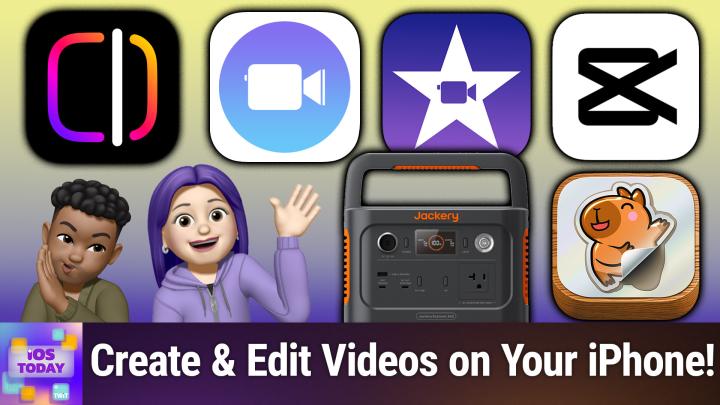
All TWiT.tv Shows (Audio)
iOS Today 751: Video Editing on iPhone
00:44:19
Edits, CapCut, iMovie, & more
Loading summary
Transcript33 lines
- [00:01]
Micah Sargent
Coming up on iOS today, Rosemary Orchard and I, Micah Sargent, talk about apps to help you edit video. Stay tuned. Podcasts you love from people you trust. This is twit. This is iOS Today episode 751 with Rosemary Orchard and me, Micah Sargent. Recorded Tuesday, April 29, 2025, for Thursday, May 8, 2025, video editing on iPhone. Hello, and welcome to iOS Today, the show. We talk all things iOS, iPad, OS, Watch OS, Home Pod OS, and all the OSs that Apple has on offer. We love to talk about them here on this show and help you make the most of your devices. I am one of your hosts on this. My name is Micah Sargent.
- [01:01]
Rosemary Orchard
And my name is Rosemary Orchard. And I am ready to move into making some clips with our video cameras, which are built into our iPhones.
- [01:11]
Micah Sargent
Yes. So this is. I think this remains one of the most elusive aspects of iPhone use for me because I'm already like, I'm not great Rosemary, about pulling out my phone and taking photos in the moment. And it's not even this weird sort of smug thing of, oh, when I'm existing in the moment, I'm just existing in the moment. I am existing in the moment. But I'm also just an incredibly forgetful person. And so I forget to, you know, oh, this would be a great thing to capture, and I don't capture it. And I've gotten a little bit better about that, but still not great. And so when I do pull up my phone, it's a take photo. And video is something where it really has to be the perfect thing for me to go, oh, what I want right now is video of this. I absolutely have to have video of this. But despite that, there are lots of people out there who do think about video a lot. And there are lots of apps that help you to create video. One of those apps that sort of inspired the introduction of this episode is a new app from the folks at Meta and in particular from Instagram called Edits. And Edits is a new app aimed at helping you create social video first and foremost. And I know that Rosemary and I both have had an opportunity to play around with the Edits app. So, Rosemary, I'm curious to hear kind of your initial thoughts about it, and we can show folks how it works.
- [02:54]
Rosemary Orchard
Yeah, so I originally heard about this from one of the developers over Instagram who posted that they were super excited that they've been working on this for months, and then it shot to number one. So I immediately downloaded it and then completely forgot to try it out for like, three or four days until I was scrolling through my app library and I was like, what the heck is this? So I opened it up and I gave it a play. And it's one of these things where I feel like for a lot of people, videos are just kind of like something that you take. And then there are other people who are people who will take videos and edit videos. I fall into the former category very much where I just take videos and I record them and that's kind of it. My dad, on the other hand, very much falls into the latter category. And so I try to get him to try it out, but he's much more comfortable editing videos on his Mac, which is where he's going to stay doing it. But I thought it was a really fun app and I know that you've been playing with a lot more Micah, so I was wondering if you would like to show it off.
- [03:57]
Micah Sargent
So when you open the app, first and foremost you're taken to a projects page where you can, as you might imagine, create a project. A project is the sort of canvas where you can then add. Add different. Different clips, different video, different photos, whatever it happens to be. But I want to show how this is a content creator focused app first and foremost. Because if we look in the bottom left hand corner, there's a little sticky note icon and we tap on that and it says add stickies. This is a place where you can write down ideas for your next Instagram reel. So I could say quick video showing new skin care routine. That sounds like something that an influencer would do. And you'll notice that now I've got this kind of saved. The idea here is that regularly you are marking down ideas for what you might create. And the next icon that we hit is the play icon. And when we go to the play icon, we are given the inspiration page. Now, this gives you inspiration on creating different content and it shows you things that have been created using the Instagram Edits app. You'll notice in the bottom corner we've got a plus icon. So we could create a sticky that kind of ties it to this content that's been created. And then you can also check out just videos of people whom of whom you're following. The next page is that projects page we talked about before. But the next pa, it's the record page. So here I am able to do things like add music to the track. Already I can cut myself out and change the background. So it's doing its best to try to capture just me. The next thing is to Set a timer with a countdown. So I want, you know, a 600 second clip, I want a countdown of five seconds to start. And then the final is magic wand icon which can make some kind of slight adjustments to the photo. So you'll notice it's sort of hiding some of the 30ish year wrinkles on my forehead. And then we've got our flash, we've got our camera reverse and forward. We can go into our photos library. And then you can also change the resolution so HD, which of course is 1080p2k4k the frame rate which is all the way at 60. Interesting. And then whether you're using standard dynamic range or high dynamic range for your sort of color profile. But let me just record a little clip here of me talking into the microphone and moving my head back and forth, blah blah, blah, blah, blah. And then I will record another clip that has this going on just so we can kind of differentiate between the two. Because we're going to use these in a second. And now I've got these clips at the bottom. I can hit that arrow and immediately I'm taken to. And this is the last thing that I wanted to show you all, which is the sort of editing option. So here you can add audio, you can add text. I can do a voiceoverlay if I want to add captions, which is great. It will actually generate the captions while I'm talking with the audio that's going and will then show that as well. And so you can easily set that up. You can add overlays and sound effects and do cutout after the fact as well as of course adding fun stickers to the mix. So I could say Tuesday, because it is indeed a Tuesday, at which point I'm able to export this project and you can export it in many different formats. But as you might imagine, first and foremost, Edits wants to give you the ability to share to Instagram and share to Facebook with the video automatically saved to your library. So that is everything except for the final page, which is just a look at your account and how your reels have done over time. So absolutely a creator focused app influencer, slash creator focused app for being able to create video on Instagram, for Instagram. But of course, as I mentioned, you can place it elsewhere if you'd like. And that's the Edits app. It's available for free in the App Store and I am impressed with its ability to quickly help you cut, edit, remix, remaster video on your, on your iPhone. But it's not the only option out there. There's another social app editor that's available made by Apple and it's there right? I can say, we can say that at least it's there.
- [09:28]
Rosemary Orchard
Yeah, yeah it's there. It's cute. It predates edits which is you know, a thing if you care about who was there first then I guess Clips wins. But yeah, Clips is available, it's free and it's, it's pretty cute. So I'm in Clips right now and it's, I've created a new project which you can do in the top left and you can create, create projects there. Over in the top right you can choose your aspect ratio so 16 by 9, 4 by 3 or square and you can also choose audio. I'm gonna skip that option for now. Um, and then it's defaulted to the front facing camera. However down in the bottom left there's a little picture icon and if I select this then I get the choice of posters versus photos. Now photos is a little bit of a misnomer because I was like wait, I have videos. I took videos. Where are they? Because I hadn't used this in a while. Videos are under photos. So I can just add a video that I've already taken to this and then when it plays then tada. I have me showing off the slightly matte cover for my miniature E ink reader which is just here on my desk. It's title handheld. What's it? But I can also add photos or posters rather. And so posters could be some like hey, here we go before after a few minutes later. Can't wait to see what happens. One more thing. I love the fact that that's in there though. Do we really need one more thing? And yeah there's, there's all sorts of things that are in here which are just like pre created things that you might want to drop in. So I'm just gonna drop in a little Love it. And then what you do after you got your poster and this can be really handy if you're trying to sync something up to like music or similar, you you just press and hold the little record button and then that drops it in. So now if this plays which you can just press play at any time to see what it's like then I can see me showing off the COVID the Ian Mat screen and I've got a little love it at the end. Now if I go back to the beginning I can and tap on that first video that I added in then I can mute it which is good because we don't really want the sound of me just like moving the thing around. I can add effects to it, which includes things like filters and so on. So this is egg, so it's not really showing up a huge amount. But yeah, there we go. So Super 8 would make it look like one of the Super 8 lenses. I can add speech recognition, including live subtitles. And this is something I really like and that has definitely improved. You can add a little text so I can add a little look for example, and say hey, look or lol or you know, I've got my befores, afters next, meanwhiles, all sorts of things. It even dropped in the name of the town that I'm currently in, Chippenham, and all sorts of things. Now I can split this, I can trim it so I can just, you know, drag it in and out. If I don't want to like start exactly where I want it to, then I can do all of that. And then once I'm done, I appear to have added an effect here. Yes, I have. There we go. Citrine is doing something. Then I have a little share at the bottom and once I've got that, then I could do something like send that over to Micah and it will create a little export and then pop that into my messages with Micah so I can send that over if I wanted to. I'm not going to spam Micah with that because he doesn't need an 8 second video of me dragging, showing off my ebook reader. But the other thing that I can do is I can, you know, drag these clips around and rearrange them. And it's just, it's nice, it's basic, but it's also a little bit more than basic. It's pretty easy to use. I've never had weirdness when using it. It just works. And yeah, I personally find that this is a really cool little app to have and keep installed on my phone. So there we go. That's clips.
- [13:41]
Micah Sargent
And then we have the all powerful and all important imovie. Imovie, of course, is the kind of classic method of creat video on your device. And it is something that you know, has existed on the Mac for a long time that lets you kind of create what they kind of put between what's called a storyboard or a movie for creating content. And usually I see people use it to help you create video out of photos is a really common way of kind of interacting with the app. And I'm going to show you what that looks like in a Moment. I'm just trying to respect, you know, friends privacy here. So I'm selecting a few photos from my photo library that are not of friends. And so once I have some photos selected, I've chosen the Create Magic Movie option. And what this does is you select different photos, videos that you want included, and Imovie creates a magic movie for you. So as I play this, you'll notice that it is doing some nice zooms and pans on different things that I've added. And if there was a video clip inside of this, then it would also have that and it does some nice transitions. So that's one way of kind of quickly adding to your magic movie. If I hit the little icon in the top right, the sort of magic icon in the top right, I can choose a different style. So there are loads of styles available. Impact and paper, dots, stencil, stripe. And each of them, of course, gives a different look and feel and they need to be downloaded to be able to try them. I'm kind of going through and looking at the different options that are available. It comes with music, it comes with a typeface choice, the color aspect of the content, and then if you want the content itself. And so now I've changed this Magic movie to feature the Gold option and it has this title right at the beginning. And once we've got that, we can see it's a little bit quicker, it seems, and some nice blooms in there for the transitions. But there are loads of different options again when it comes to Imovie. And then when you click the share sheet, you do have the ability to export this project so that you could open it up on a Mac, for example, which is really nice. Or you can save and share the video across your different platforms and you're not locked in the kind of only being able to use it for something like Instagram first and foremost, which is quite nice. That's the classic Imovie for folks who want to kind of go old school, but I think frankly still have a lot of the tools that you have on modern platforms. It's just that modern platforms are made more for that social video aspect versus this. Whereas you'll note by default it's 16:9 for that, you know, landscape view as opposed to the portrait way that many of us view video these days. All right, one more app to talk about here and Rosemary Know has a nice caveat to kick things off.
- [17:41]
Rosemary Orchard
Yeah, I mean, I wasn't going to talk about it a huge amount because I don't personally use this app. Because it has pretty pricey in app purchases. There is no annual option, there is only monthly and it ranges from 7.99 to 19.99amonth. And that is capcut. And I just want to mention it because this is something that I often see like at the end of a video that somebody's posted on Instagram or TikTok or somewhere that it was made with Cap Cut or there's a little tag with an attribution which takes you to the Cap Cut app. And so I just wanted to mention to folks that, you know, it's out there, it's a pretty good app. Like there's nothing with it, but there are plenty of other great apps out there which are actually free. So, you know, maybe it doesn't work exactly the same way or look exactly the same as everybody else's videos, but do you want your videos to look the same as everybody else's? Do you want to have to do things a particular way? Or maybe you can try edits or clips or imovie for free and then you don't have to pay that money and you can save it and maybe use it to do something like buy a little Bluetooth microphone to stick on your lapel so that when you're talking it actually sounds decent. Because that is what I would personally do with the money instead of paying for a cadcal subscription. Because if you want to improve your video, you probably want to improve your input rather than your editing. Because you don't have to edit so much if your input's great.
- [19:04]
Micah Sargent
Absolutely. All right. As is always the case, this is the time where I remind you that if there are apps that you are using, like our friend Wizardling in the chat who says that they use Inshot, you can get in touch with US iostodaywit TV to let us know the apps that you love for video capture and editing. With that though, it is time for us to move along from apps to the news. The news is up next.
- [19:35]
Unidentified Speaker
Trading shouldn't have barriers. When Robinhood started, it was built to make trading more accessible. Now Robinhood offers more sophisticated trading tools. Experience the future of trading on Robinhood Legend, the all new desktop platform that harnesses intuitive design to deliver a seamless experience for traders. Free to use with a Robinhood account, Robinhood Legend is designed for how you trade. With powerful charts including custom intervals down to the tick and over 80 indicators and drawing tools. Trade all your favorite assets, including popular stocks and ETFs, all in one place. Take your trading to the next level by customizing your layout in seconds and even enter and exit positions in one tap right from the chart. With up to 8 charts per layout. The future of trading is fast, powerful and precise. Experience it now on Robinhood Legend Sign up today. Investing is risky. Robinhood Financial LLC member SIPC is a registered broker dealer. Other fees may apply.
- [20:34]
Micah Sargent
Race the rudders. Race the sails. Race the sails. Captain, an unidentified ship is approaching. Over. Roger, wait. Is that an enterprise sales solution? Reach sales professionals, not professional sailors. With LinkedIn ads, you can target the right people by industry, job title, and more. We'll even give you a $100 credit on your next campaign. Get started today at LinkedIn.com results. Terms and conditions apply.
- [21:03]
Unidentified Speaker
This podcast is supported by Talkspace. When my husband came home from his military deployment, readjusting was hard for all of us. Thankfully, I found Talkspace. Talkspace provides professional support from licensed therapists and psychiatric providers online. Military members, veterans and their dependents ages 13 and older can get fast access to providers, all from the privacy of their computers or smartphones. I just answered a few questions online and Talkspace matched me with a therapist. We meet when it's convenient for me and I can message her anytime. It was so easy to set up and they accept. Tricare. Therapy was going so well, my husband and I started seeing a couple's therapist through Talkspace, too. Talkspace works with most major insurers, including Tricare. Match with a licensed therapist today@talkspace.com military go to talkspace.com military to get started today. That's talkspace.com military.
- [22:03]
Micah Sargent
All right, there's one little news story I wanted to mention this week because Apple has announced a new website hub service tool thingy. It's called Snapshot. And Snapshot is this page that lets you kind of learn more about specific artists and actors and athletes and then see where they show up across Apple's various platforms. So if you go to snapshot.apple.com you will see a bunch of artists kind of scrolling along the screen, which in one way is kind of annoying because wouldn't it be great if I could say, hey now instead of being this cutesy little thing, make it into a list so I can just scroll through because now I just have to wait for the person to come by. Anyway, that's my first critique, but let's go ahead and click on Maya Rudolph. If you click on Maya Rudolph, it will go to Maya Rudolph Rudolph's specific Snapshot page. And on this page it shows Maya Rudolph's newest release. So what she is involved in on Apple TV as well as other things that she has been involved in. So where she shows up on Apple tv, where she shows up on Apple podcasts, where she shows up in Apple music. And last but not least, a little bit of an about page. So from Gainesville, Florida, born July 27, 1972. And then once again, you can click on any of those pages and it will take you to her specific content across those different platforms as well as I should mention that at the top is a little bio. Maya Rudolph is an American actress and comedian, cast member on Saturday Night Live. One outstanding character voiceover performance for her Emmy work, or, excuse me, an Emmy for her work on Big Mouth and then talks about her production work as well. So anyone on that snapshot page has a nice little kind of bio. And again, all of the places that they show up. I imagine that over time Apple will add more information to this page, but this is kind of online access to. Yeah, I agree, Dustin. Not good UX at all. Online access to what has become part of Apple tv, where it works a lot like Amazon's X Ray. You can pause and you can learn more about a specific person that is involved with what's going on on camera. And so who's that actress again? Who's that actor? Where did they show up before? That kind of a thing gives you easy access to that, but now you can look at it online. So that's snapshot apple.com I imagine more people will be added over time and maybe they'll improve on the ux. We'll see. Alrighty, that's all the news I got for you this week. It's time now to move along to the part where I can hear the music because it's time for shortcuts Corner. This is shortcuts Corner, the part of the show where you write in with your shortcuts requests. And the Rosemary Orchard shortcuts expert provides a response. The Shortcuts Corner request this week comes in from Dave. Dave writes, hello, Micah and Rosemary. The iPhone's control center has an icon for the Apple TV remote. Is there a way to place this icon on the iPhone's home screen as a shortcut to the control center icon? It would be more convenient for me to access it from the home screen rather than control center. Thanks, Dave from Medina, Ohio. So moving that control center remote shortcut. By shortcut, I don't mean shortcut shortcut. I just mean shortcut as in quickly access from the control center to the iPhone home screen such that you are not required to swipe down from the top right corner of the screen to access it. Is it possible, Rosemary?
- [26:33]
Rosemary Orchard
It is. So before I create the shortcut which is very simple and show people how to do that, I do just want to take a moment to note that if you search in spotlight for remote, then the remote will show up there. However, that's still not on your home screen. So I have created a shortcut to share with you all and this is very exciting. I believe this is possibly the biggest shortcut I've ever created on the show. Oh wait, no, it's one action. It's one action. Now there is a little bit of a trick to this. So I have configured this where every time it runs it's going to ask me which Apple TV I want to control because I have two. I have one in my bedroom and one in my living room. However, you may only have one Apple TV or you may want to add two icons to your home screen for or multiple icons to your home screen for each Apple tv. So what we're going to do is in the search actions this I'm just going to show folks where this is. If you search for remote, it will give you an action to show remote control. And then when you tap on that and this is the bit that takes a while for reasons I don't quite understand, it will pop up and give you a list. So you could have just your bedroom Apple TV for example. Now instead I've configured this to ask me every time. So when I run it, it's going to take a moment and then it'll pop up and ask me which Apple TV do I want. So the first, first Apple TV right at the top of the menu, that's just the title. And then it gives me Bedroom Apple TV or Living room Apple tv. So I can select one of those and I'll select the bedroom one and then ta da. I'm straight into the remote control app. That's it, very simple. So now from here you use the little share icon at the bottom and you scroll down and underneath copy icon link there is an add to home screen. And this is where you can rename it because Show Remote Control, which is the default name is quite long. And so I am going to use my little aapl which is an expansion I've added in the keyboard shortcuts to turn it into an apple and then write TV after that. And I put a space in there. But I probably shouldn't. But you have to give this a title. So I will add that to my home screen. And then look at that. Ta da. I now have a little home screen icon which will pop up and ask me which Apple TV I want to control. And then it opens the remote for me and that's that. That's very simple. And there is a link in the show notes for folks to download this. So just remember to change the short Apple TV if you only have one or if you just want it to be a particular one. And if you want it to be a particular one and you want multiple icons, duplicate your shortcut so that you have all of those ready to go.
- [29:26]
Micah Sargent
Love it. Love it. All right. Am I see something else in the shortcuts corner section? Yes.
- [29:38]
Rosemary Orchard
I was going to do a little demo.
- [29:39]
Micah Sargent
Oh, beautiful. Beautiful.
- [29:41]
Rosemary Orchard
Yes. So something I have been encountering recently is I found this really great website called bookbub where you can sign up and they will send you links every day of ebooks or audiobooks that have been discounted so that you can get them and you specify your preferences, what you like. You can add favorite authors and so on. And this is great. However, because of this, I get it and I click on the link and I open it and I get the free book and I add it to my Kobo library, because that's what I want to do. I've already added this one. But then in Safari I've got three Kobo tabs and there's loads of these. And this happens every day because almost every day there's at least one free book that I want. As you can see, I've got three of them here. That's a lot. And even though I have Safari automatically closing tabs after a week, like there's still a whole bunch of things that are just, you know, tabs that are there that, you know, I kind of just want to clean up. So I've created a tiny little shortcut and I. I do mean tiny. It's three actions where it's going to close all of these tabs for me. Okay. I've called it Close Kobo Tabs and I'm using two Safari actions. First Find Tabs is the first action. And I have set this up to find all tabs where the URL contains kobo.com now if had already done a filter, then I, you know, could further filter if I wanted to. But I just, I'm just going, hey, if it's a Copa.com link, like just help me close it. It's all good. And then I've added a repeat with each after that. And inside of that, repeat with each, I've put a close tab action. So now if I run this, then it closes those tabs for me and that's it. Really simple. So now I can see. Oh, yeah, I was googling the emu war that Australia lost because Australia decided to clap war on emus and then lost it. And it just, I find, helps clear out my safari tabs and can be really good if you have, you know, hundreds of tabs open that you. You were going down a little rabbit hole, as some of us want to do, and you're like, hang on a minute. No, close any tab where the title contains emu, please. That, that could be quite good if you've accidentally opened 100 or so tabs and you're just. Just looking to try and thin things down. But maybe you don't want to just close all of your tabs, though if you do want to close all of your tabs, I'm going to remind folks, if you tap and hold on the little button in the bottom right hand corner, which is the two squares overlapping, then there is the option to close all tabs. But that may be a little too far for you. So that's just a little shortcut to help you manage some of your tabs by closing them.
- [32:23]
Micah Sargent
Yes. Okay, I guess I'll get that one.
- [32:27]
Rosemary Orchard
It's sel. Micah, I'm not saying that you have to close all of your tabs. I'm just saying, like, hey, if you're finished with this thing, here's a way to clear it up.
- [32:36]
Micah Sargent
I think maybe we could add a little, like a little prompt that pops up and it says, okay, breathe in, breathe out. Now close the tab.
- [32:48]
Rosemary Orchard
Yes, a follow up notification of, I've closed 728 tabs. Aren't you happy now? What decisions have I made in my past?
- [32:59]
Micah Sargent
Whatever will I do? All those tabs are gone. No, I think it's great. All right, the next section is. What next section? Yes, there's a new section that is an old section that's coming back to iOS today. We have heard from you. You have said, please, please bring back app caps. And we said, well, here's what happened. Is that Micah? A long time ago, that's me. I. I got tired. This is such a silly thing, but I got tired of how wearing hats meant that my hair was messed up for the rest of the day.
- [33:40]
Rosemary Orchard
I have to say, Micah, I also got tired of how much wardrobe space and indeed space in my house was dedicated to a collection of hats. Because there's only so many hats that can compact down. And I have had humongous boxes of hats which I was recycling and I had a spreadsheet to keep track of when I'd lost worn them, so I didn't wear the same one like two weeks in a row. It the hat thing was complicated, I have to say. Like it was worth it, but it was complicated.
- [34:12]
Micah Sargent
Yeah. And then when we moved from California to Oregon, I was, I was blown away by the fact that I had two garbage bags full of hats. And that's when I said enough is enough. So we are bringing back the App Cap segment, but it is just the end cap of the show. That is where the cap part comes in. There will be no hats placed atop our heads, but instead we will cap off the show with our app or gadget picks that we want to share with all of you. So without further ado, welcome back to the App Cap segment. Rosemary Orchard Tell us about your your app or Gadget Pick of the Week does it ever feel like you're a marketing professional just speaking into the void? Well, with LinkedIn ads, you can know you're reaching the right decision makers. You can even target buyers by job title, industry, company seniority skills. Wait, did I say job title yet? Get started today and see how you.
- [35:15]
Unidentified Speaker
Can avoid the void and reach the.
- [35:16]
Micah Sargent
Right buyers with LinkedIn ads. We'll even give you a $100 credit on your next campaign. Get started at LinkedIn.com results terms and conditions apply.
- [35:26]
Unidentified Speaker
This podcast is supported by Talkspace. When my husband came home from his military deployment, readjusting was hard for all of us. Thankfully, I found Talkspace. Talkspace provides professional support from licensed therapists and psychiatric providers online. Military members, veterans and their dependents ages 13 and older can get fast access to providers providers all from the privacy of their computers or smartphones. I just answered a few questions online and Talkspace matched me with a therapist. We meet when it's convenient for me and I can message her anytime. It was so easy to set up and they accept Tricare. Therapy was going so well, my husband and I started seeing a couple's therapist through Talkspace too. Talkspace works with most major insurers, including Tricare. Match with a licensed therapist today@talkspace.com military go to talkspace.com military to get started today. That's talkspace.com military.
- [36:26]
Rosemary Orchard
All right. Well, I mean, I would say I need to do weightlifting, but this isn't all that heavy, to be honest, because technology, as it turns out over the last couple of years has got lighter when it comes to batteries. This is the Jackery Explorer 240 version 2. So this is a 256 watt hour battery. Okay. Which. That's a big battery. Okay. You're going to charge your iPhone a lot off of this. This is intended for. So like I'm going camping for a weekend which is why it has. After you've turned on the power on it, it's got things like a light built into it which is really bright if you are looking at it. It then also does flash mode for SOS and then you can turn it off. It's got an AC power port on it so I can plug things in by a regular. In this case UK3 Pimp Port. They make European and US versions of these as well. And then it's got a USB A port which does up to 15 watts, USB C port that does up to 15 watts and then 8 USB C second USB C that does up to 100 watts in or out which is one of the ways you can recharge it. It also has a DC power adapter like a car one and then it's got an AC power input on the side. And this I got because I'm going camping in camping before it's. It's good fun. But I am a person who likes my creature comforts. So you are not gonna catch me going camping and not having a way to charge my phone or not having my phone. And that's also just a personal safety thing. Like my phone has satellite in it. If there's a problem, I want to be able to use the satellite. Thank you very much. I'm not going camping anywhere remote, but you never know, somebody could fall over and break a leg. Like it's. It's good to have options and having charge devices and ways to keep things going. It's the uk, it's likely going to rain the entire weekend which means that I will be sitting in my tent with my little ebook reader which I will need to charge every so often. You know, these things aren't particularly high power but I always like having more than enough power. Not scraping around going, ah, I need a bit more power. I have to go sit in the toilet block for half an hour to recharge all my devices. Cases like that's not me. So I have a jackery and honestly they, they make loads of these different ones. I picked this one up. The only thing I'll say is if you're going to be charging it via solar or anything you may need to invest in the jackery, USB C or sorry, DC8020 to USBC cable. And I found a lot of things don't come with DC8020 like outputs on them. So you'll probably need an adapter from whatever that is to DC 8020 to this, this. But yeah, that way you can charge it or you can just plug it in. Like the first time I charged this, I literally just plugged it into 100 watt USBC charger and it was pretty darn fast. But yeah, there are lots of different models. There are also some great ones available from Anchor. Anchor has a range called Solix S O L I X Bluetti and River Ecoflow also make good ones. So if you are interested in this like as a backup power source for, you know, your laptop or something, if you have intermittent power outages at home, I know that as we are recording this this week, there were major power outages in Spain and the south of France and Portugal. And you know, I'm sure in the vast majority of those people's cases their bosses were like, okay, well you know, the whole country had no power. What are you going to do? But if you were working from home, home, you may want backup power as an option. So yeah, something like this, These are also great if you're going somewhere where you know, they're like, for example, you're going camping and you have a CPAP machine or something for sleep apnea. You may, you may need something like this to power your sleep apnea machine so that you can breathe while you sleep. Because turns out we love it when our listeners can breathe. It's a thing, it's a little pet like thing that I love when our listeners can actually breathe. So yes, all sorts of uses for something like a jackery. And that is my pick of the week.
- [40:30]
Micah Sargent
Beautiful. My pick of the week is a game from Apple Arcade that I love. If you watch Mac Break Weekly, you will have seen me talk about it on the show when I was a guest on the show, but I have not had the opportunity to talk about it here and I'm very excited to. It is a game called Puffy's made by, I believe it's like studios. Yeah, Likey Studios. And Puffy's is a game where you basically take what are Puffy stickers and put them back onto the sticker sheet that they come from. I am currently ranked in the top 1% of players globally. There are something like 2 million people playing this game and I'm top 1% because I have actually completed all of the sticker packs. And so now I'm in what's called remaster mode, which is where they kind of algorithmically cut the stickers in a different way and then let you place them. And so I don't really play any of the sticker packs until they come out with new ones. But let me just show you kind of how it works. Kevin gave a little preview from the video, but essentially you are attempting to get the stickers to line up by dragging and dropping them onto the sticker pack. And as you go, of course, you're building out from where it was before. There are black lines that kind of show you where. Where you should be looking to add stickers and what's already been done. And what I like about this is it is just enough low brain power that I can interact with it while listening to an audiobook or maybe listening to music or whatever, and just kind of get into the flow of sticker. Sticker pack recreation, which is essentially what. What we're doing here, sort of putting the stickers back together. And I just stinking love this game. I mean, top 1%, you know, I. Clearly I do. And it is a delight. The themes are wonderful as well. They have all of these different kind of themes for this one, of course, is Little Red Riding Hood for people who are listening and not watching. It's a bunch of different wolves and Little Red and Granny, and they're all doing different things. The wolf is looking at the basket. There's a wolf mounted on the wolf head mounted on the wall, for example, and you just kind of move through and build your sticker pack back. And I'm almost done here because I want to show what I've been doing in the meantime, because as I mentioned, these are all just remasters of sticker packs I already completed because I'm hungry for new sticker packs to come out. And so I don't have any new stuff to do yet, except for the daily challenge. So there's the completion of that sticker pack and the daily challenge. Once I see the score that I got out of this is one that gets created every day. And it's a little bit more difficult than the stick. The standard sticker pack challenges. So the daily challenge, and I'll click play here. I'll show you what this looks like. These are shiny, sparkly stickers that are cut in the strangest ways and make it much more difficult to figure out. And so I love these because there's just a little bit more of a challenge than we get from the other sticker pack options. And so, yes, check out Puffies, as it's called in the App Store in the Apple Arcade Library. Because it's in the Apple Arcade Library. That of course means you are not inundated with advertisements. You are able to just play the game. There's no free to play mechanics or anything like that. It just lets you create sheets of stickers and it's wonderful. So yeah, check that out in the Apple Arcade Library. With that, we have reached the end of this episode of iOS today. I thank all of you so much for being here. Of course, if you are not already, you should become. Yes, give that man some more stickers. Amen. You should become a member of Club twit at Twitter TV Club twit. When you join the club, it's just $7 a month. Month, $84 a year. That's right. The annual plan is back. You will be able to not only help support the work that we do here, but also gain access to the members only Discord Server. A fun place to go to chat with your fellow club, Twitter members and those of us here at Twit. Access to the Twit plus bonus feed. That is extra content you won't find anywhere else behind the scenes before the show, after the show, special club to advance, get published there and access to ad free episodes of every single one of our shows. If all that sounds good to you, I mean, of course it does. Join Club Twit, Twitter TV Club Twit. $7 a month, $84 a year. And we can't wait to see you there. I'm very excited. Leo and I will be for the first time in a bit doing coverage of WWDC together, exclusive to the club. So that's the only place you're going to be able to go to see it. And so it'll be, you know, I've heard from folks, hey, you know, I miss you and Leo doing a show together. If you've been missing the razzmataz and I bring, well, that is your opportunity to see that again. Plus so much more. Mike is crafting corner. That's me. I do a crafting corner. It's a great time and coffee club and Anthony Nielsen kind of runs an AI user group experience. The Chris Marquardt photo assignment. All of that is in the club and it's fantastic. Maybe one of these days, days I can, I can chat with the Rosemary about doing some sort of automation thing. Wouldn't that be fun? But no promises. Anyway, check out Club TWiT, Twitter, TV Club TWiT and that is all for that. Rosemary Orchard if people like what would like to follow you online, where can they go to do so?
- [47:21]
Rosemary Orchard
The best place to go is rosemary orchard.com which has got links to apps, books, podcasts and more where you can find me including the social media sites. Or you can find me in the club Tour discord in the iOS Today forum where we have a general discussion and threads for every episode. Plus we're in the live chat during recording which is great when people give us feedback and you know also when people email it in afterwards we we love all the feedback basically. Micah, where can folks find you?
- [47:49]
Micah Sargent
If you're looking to find me online I'm@micasargent on many social media network or you can head to Chihuahua Network that's C H I H U A H u a coffee where I've got links to the places I'm most active online. Thanks so much for being here with us today. We'll catch you again next week for another episode of iOS today. Bye bye.
- [48:17]
Unidentified Speaker
This podcast is sponsored by Talkspace. May is Mental Health Awareness Month and Talkspace, the leading virtual therapy provider, is telling everyone let's face it in therapy by talking or texting with a supportive licensed therapist at Talkspace, you can face whatever is holding you back. Whether it's mental health symptoms, relationship drama, past trauma, bad habits or another challenge that you need support to work through. It's easy to sign up. Just go to talkspace.com and you'll be paired with a provider, typically within 48 hours. And because you'll meet your therapist online, you don't have to take time off work or arrange childcare. You'll meet on your schedule. Schedule + talkspace is in network with most major insurers and most insured members have a zero dollar copay. Make your mental health a priority and start today. If you're not covered by Insurance, get $80 off your first month with Talkspace when you go to talkspace.com and enter promo code SPACE80. That's S P A CE80 to match with a licensed therapist today, go to talkspace.com and Enter promo code space.