← All TWiT.tv Shows (Audio)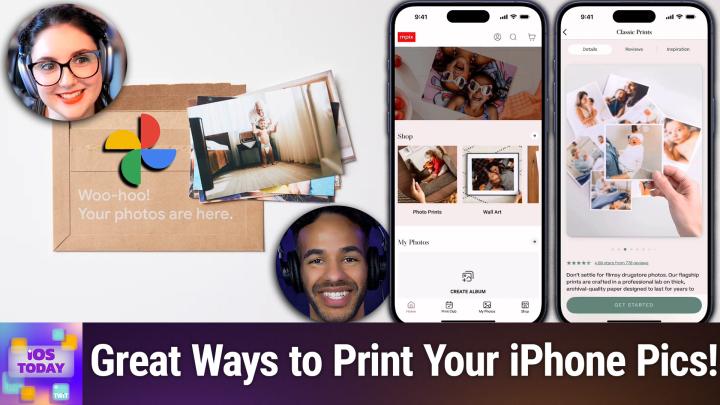
All TWiT.tv Shows (Audio)
iOS Today 752: Print Out Your Photos
00:21:21
Social Print Studio, Shutterfly, Mpix, & more
Loading summary
Transcript25 lines
- [00:00]
Micah Sargent
Coming up on iOS today, Rosemary Orchard and I, Micah Sargent, give you some ways to make sure that those photos you're taking are available to you in physical form. Stay tuned for this episode of iOS today.
- [00:15]
Odoo Advertisement
Imagine you're a business owner relying on a dozen different software programs, each one disconnected. More expensive and more complicated than the last, it can be incredibly stressful right now. Picture Odoo Odoo brings all the tools your business needs into one simple CRM, accounting, inventory, manufacturing, marketing, HR and more. All seamlessly connected. Everything works together, giving you the peace of mind that your business is running smoothly from every angle. Odoo's open source applications are user friendly and designed to scale with your business, saving you time and money. Say goodbye to juggling multiple platforms and hello to efficient integrated MA management. Stop wasting resources on complicated systems and make the switch to odoo today. Visit odoo.com o-o o.com and discover how Odoo can simplify and streamline your business operations. Odoo Modern Management Made simple does it.
- [01:15]
LinkedIn Advertisement
Ever feel like you're a marketing professional just speaking into the void? Well, with LinkedIn ads you can know you're reaching the right decision makers. You can even target buyers by job title, industry, company seniority skills. Wait, did I say job title yet? Get started today and see how you can avoid the void and reach the right buyers with LinkedIn ads. We'll even give you a $100 credit on your next campaign. Get started at LinkedIn.com results, terms and conditions apply.
- [01:45]
Ryan Reynolds
Ryan Reynolds here from Mint Mobile. I don't know if you knew this, but anyone can get the same Premium Wireless for $15 a month plan that I've been enjoying. It's not just for celebrities so do like I did and one of your assistant's assistants switch you to Mint Mobile today. I'm told it's super easy to do@mintmobile.com.
- [02:03]
Mint Mobile Advertisement
Switch upfront payment of $45 for 3 month plan equivalent to $15 per month required intro rate first 3 months only, then full price plan options available, taxes and fees, extra default terms@mintmobile.com.
- [02:18]
Micah Sargent
Podcasts you love from people you trust.
- [02:22]
Rosemary Orchard
This is Twit.
- [02:27]
Micah Sargent
This is I Today episode 752 with Rosemary Orchard and me, Micah Sargent. Recorded Tuesday, April 29, 2025 for Thursday, May 15, 2025. Print out your photos. Hello and welcome to iOS Today. This is the show where we talk all things iOS, iPados, WatchOS, HomePod, OS and all the OSes Apple has on offer. We love to talk about them and help you make the most of your apple. We being, well, first. Well, not first, but partially me. Micah Sargent, one of your hosts and.
- [03:09]
Rosemary Orchard
Me being Rosemary Orchard. And I'm ready to snap away, Micah, because I think this is going to be a fun episode.
- [03:17]
Micah Sargent
Yes, I do too. So I love the opportunity to get photos that I have taken and make them physical. And of course, if you have a printer at home, congratulations, you're one of a shrinking number of people. You are able to, you know, get some photo paper, print those out, get them up on the wall, fantastic. But many a person no longer has a printer at home and therefore needs to find some way of printing out their photos. And I have tried a lot of different photo printing apps. That is because I, as I said, am a person who does like to print out photos and make them physical manifestations because, you know, object permanence, it's, it's nice to have them in front of me. So the first app that I want to talk about is one that I'm actually a little sad because if you look at it in the App Store, in the US App Store, anyway, there's one review and that one review has put it down to a one star and reasonable for the person that had the experience. You know, you're allowed to not feel great about it, but it was because the app lost the project that they had created. It wasn't that, you know, the thing that was made was bad, it was just that they went back to crew to finish the project and a bunch of the stuff that they had done was missing. So all that's to say bugginess that the person experienced resulted in them feeling very upset and it wasn't the end product. And so I just want to make that clear. If you go and you, you know, go to download this app, why is Michael recommending a one star app? Well, I have had a great experience with this app and so that is why I am recommending it. And that is Social Print Studio. Social Print Studio is available in the App Store. Many of these are going to be available for free with in app purchases. But what it is is a photo printing app that has a lot of different options. You can do just straight up prints, you can create a calendar, you can do cards and stationery, wall art and decor, framed prints, photo books and special gifts as well. Now I have used Photo Print Studio in two ways. One is for the magnet option. So I love the magnet option. Essentially what happens is it'll take your photos, print them out and then place Them kind of folded over a magnet and then put a plastic coating over the top of that. And then you've got fridge magnets. And I have found the prices to be very reasonable. So you can get multiple. I think it's sets of. So it's 6 for $23, 10 for. And then it goes up from there. They are water resistant because they do have that, that, that coating over the top of them. And I think they are fantastic. The magnets are very strong. So you can actually use them to hold things if you'd like. And yes, you're right, Burke. I should leave an app in the app store for this and you can see some of the stuff that people have created in the past with them. Including, and I love this including because the magnets stick to, you know, many metals. This person has a metal tree and on it they are displaying the, the photo magnets that they had printed. It's very simple to set this up. And then the other option that I printed were these classic square photo prints. They are on this really thick archival paper and of course are printed in a way that they are meant to kind of last for a long. And I used this to create. It's been a while in a previous home of mine, previous rental home of mine, a display on the wall. And I was able to then get more photos over time and swap them out. And I found that incredibly delightful. Now, a couple of things about Social Print Studio. One, the turnaround time was great, so I was very happy about that. Two, they have sales all the time and that's the big thing. I believe that I bought the set of magnets while there was a sale going on. So if you're thinking about getting, you know, prints from this app, just know that you can kind of hang around for a little while and wait for a sale. If you turn on notifications, then you are able to very quickly. You're able to very quickly get a, a notification whenever there's a sale available is the thing I'm trying to say. So I love that as well for its, you know, again, quick ability to just pop in, get some prints done and, and pop back out. Now there are different ways to go about to go about using the app itself. Of course, when you're using the app, you'll need to give it access to your photos library and then from there you're able to kind of do basic editing, which is what you would expect from an app like this. The second option that I wanted to mention is an app called MPIX that's the letter M, P I X. And the reason why I want to mention this more than anything else is because MPIX is one of the apps that has integrations with the Photos app for the Mac. So when you get this for your iPhone, you can also get it at the same time for your Mac. And what that allows you to do is never leave the Photos app and still be able to make adjustments, make edits to the actual, you know, the content that you're working with. I like this app because it has a, it has your, your standard photo prints and wall art and cards and things like that, some cool tabletop stuff. But it also has a print club. And so it's a monthly subscription. It's $19 a month. And when you do it, you're able to get 19 photos that you like printed and sent to you each month. And so you'll see if you're, if you're watching this, there's this envelope that has the month and the year. And inside of the envelope is your set of 19 photos. The 20th item in that is an actual kind of printout of all of the photos on one thing, a little sort of gallery to show you what you got printed out for that month. So that's pretty cool. But I actually want to mention another product that I use. Mpix is again, fantastic for I've heard very good things about the quality of the prints from mpix. Prices are a little more expensive, but again, it's all about kind of where you want to put the money and, and how much you're willing to invest and what you get out of that. So that's something to bear in mind. And it's also worth noting that many of these companies, I'm not speaking to these companies specifically, but many of these companies do use a lot of the same printers on the other end of things. And they are essentially just their own services that work with these specific printers. All of that said, I want to mention the Premium Print series from Google Photos. So Google has a thing called Premium Prints and I have used it for years now. And what it is is a $7 a month subscription. And for $7 a month, you gain access to every or to 10, 4 by 6 photos. You can choose to have them printed in matte or glossy form, are getting them from your Google Photos library. So if you have Google Photos and you are regularly uploading photos to Google Photos, Google Photos will kind of look through your library and suggest photos for you based on what it sees. And then it notifies you, hey, this is what I think you're going to want for this month. And then boom, mails you 10, 4 by 6 prints for that month. I have loved this service. You can make it so that each of the prints has on the opposite side side a little kind of note card, postcard sort of print on it. So you can just send these out, which is delightful. But I have so many physical prints that I would not otherwise have because of the premium print series from Google Photos. So that's well worth checking out as as well. And then Google Photos also does allow you to print books and, you know, gallery pieces and all sorts of other gifts. But specifically I wanted to mention that Google Premium print series because it's much less expensive than what MPIX was offering, given that it was just $7 a month.
- [13:22]
Mint Mobile Advertisement
All right, let's be honest. Most of us have a love hate relationship with wired bras. We love the lift, but hate the digging. We love the support, but hate feeling trapped. Well, Nyx just changed everything with Free Flex, a wired bra actually designed to work with your body, not against it. FreeFlex features a revolutionary flexible wire that moves when you move, bends when you bend, and keeps everything exactly where you want it. No poking, no stabbing, no constant readjusting, just freedom to move. It also has a demi cup shape for a natural lift with a lower neckline that flatters in everything from V necks to dresses. And because it's from Nyx, it's available in sizes for every body. Experience the first wired bra you'll actually want to wear all day. Visit knix.com for 15% off your order with Free Flex 15. That's knix.com code Free Flex 15 for 15% off nyx.com the last thing that.
- [14:25]
Micah Sargent
I wanted to mention is Shutterfly. People are probably going, micah, what about Shutterfly? You know that big, well known company? Yeah, no, it's here and I have not forgotten about it. Shutterfly is the place you want to go if you're looking to a print in like a bunch of photos. Print in bulk almost. Or if you're looking to make weird things like printing out photos on a water bottle or making a giant blank or making a mug or getting a puzzle or you are looking to make a metal print or perhaps can I interest you in a printed wine glass? Because that is also an option. Shutterfly is the place to go for those kind of odd choices that you might make. And that is is where Shutterfly comes into play. It's not my first choice for the smaller prints and the more Standard prints, because for me, I have found that it's not as high quality. But again, when it comes to kind of the weird stuff, they've done it for a long time, so they do it best. And that has been my experience. So all of those are available for free with in app purchases to kind of access that. And of course, these are very us friendly app experiences. I don't know, Rosemary, if you have any that you want to mention for the UK that you have used or if you just kind of head down to the. Oh, boy, what do you call it? The chemist, the drugstore there for printing.
- [16:17]
Rosemary Orchard
So one of the ones I want to mention actually is a chemist slash drugstore store called Boots, because that's where you go to buy, you know, like plasters or band aids and stuff like that here in the uk because of course you go to a shoe shop for that. No, Boots has a photo printing app, which my family has used in the past. I'm not really a photo printing person. However, I asked my dad and he said if he didn't have a printer because he has his own photo printer at home, because he likes printing photos in various weird sizes for my grandmother's, then he would use Jessups, that is his go to. They don't appear to have an app, last time I checked, but they do, you know, produce decent quality prints and they have options for printing photo books as well. Both Boots and Jessups do. So those are good options. And yeah, there's loads of options in all sorts of countries around the world, but I would definitely look for something relatively local to you just because that way you don't have to worry about paying import tariffs on any of your things, you know, when they. When they get sent to you or anything like that. So, yeah, yeah, Boots or Jessups here in the uk.
- [17:31]
Micah Sargent
Boots or Jessups. Boots or Jessups. So there you go. That is a look at the apps that we use to print out photos. Of course, this is always the time where I invite you if there are apps that you love that help you print out photos that you think are great, that make, you know, high quality prints that you're thinking, oh, wow, Micah, you print out a lot of photos, but you're not doing it right. I want to hear about it. So let us know by getting in touch. IowaD WWIT TV is how you do. So and we would love to hear about what you think are the best methods for printing out photos from your iPhone. Well, not just photos, but wine glasses even. All right, that's. That it is time to move on. I can hear the music. It's time for Shortcuts Corner. It's time for Shortcuts Corner, the part of the show where you write in with your shortcuts requests. And Rosemary Orchard, our shortcuts expert, provides a response. This request comes in from Diana. Diana writes, hello, wonderful peeps. I've got a. It's very Easter appropriate. Anyway, I've got a wonky shortcut request that confused AI, so I very much hope this won't be a silly request for you. I'm quite the reader with heaps of epubs. In my icloud, I've been trying to tackle the following. A shortcut that will identify every file in a single icloud folder and move the last word to the front of the file title, separated by a period. For example, in my icloud folder, books change each each title in the folder as thus. This is my book title hyphen John Doe changes to Doe, period. This is my book title hyphen John. So essentially the last word gets moved to the front, then there's a period, then the rest of the title is just following that. Diana says, I hope I made sense, but it's maddening not sussing it out correctly. You lot rock. Diana. It sounds like we're looking at regular expressions. That's my regular expression song. Thank you. Oh, no.
- [19:56]
Rosemary Orchard
Rosemary's gonna tell me no guess Micah. But we can do it without regular expressions.
- [20:02]
Micah Sargent
I am shook. I didn't think this was possible.
- [20:04]
Rosemary Orchard
Tell me how it is totally possible. So I was just quickly looking for a folder on my phone which has some files in that we can use for our example, and I think I have one here, which it's not perfect, but it'll do. Okay, so we need to create a shortcut and to start with, we need to get the contents of a folder because Diana has very cleverly put all of the things in one folder. So that's a good start. So using all the files actions to get the contents of a folder, that's what we're gonna do to start with. Now, if there are nest nested folders inside of these. So for example, if inside of the folder there was a folder called John Doe, and then inside of that folder you would have this is my book John Doe. That's John Doe as the title. Then you would want recursive. But if. If it's just one folder with loads of files inside of it, then you don't need to change anything. So after this, we're going to need a repeat with each because we're going to need to go over every single file in the folder. Okay. And then what we are going to do is we are going to split some text. Okay. So we are going to split the text of the repeat item and I'm going to tap on the repeat item and just double check that that is the name. Okay. Because we. We just want to get the name. Okay. And then we're going to get an item from a list, and so there is an action called get item from list and then we're going to get the last item. Yep, that's right. Okay. And then we're going to do a little replace text option. Okay. So we're going to replace the text. And now here we're going to have to start by changing that last section. I'm going to do that first. So in our scroll along repeat item name, we're going to replace that last item from the list with nothing. Okay. And then we are going to use a rename action. So there's a rename file action. And once again, we are going to change that. It defaults to renaming the updated text. No, we don't want that. We want to rename our repeat item to. And then we're going to grab that item from list dot and then we're going to grab our updated text and that's it. That's all you need to do. So, you know, once this is done, so our rename thing is there, we're just going to make sure that we save that file just to make sure it's been updated and then we're done. That's it. No regular expression required, which is a little bit simpler just to, you know, save us a little time and explaining what regular expressions are. I think Micah probably had a little mental explanation of what a regular expression is planned. Slightly disappointed he doesn't get to do it this week. But that's okay. We'll save it for a future episode. Micah.
- [23:09]
Micah Sargent
I love it. I love it. Listen, I love a regular expression, but it's fine because regular expressions, when I first started learning about them, made things very difficult and frustrating. And so saving someone, that frustration is great. And that's what Rosemary does. That's why I love Rosemary and the work that she does. It's fantastic. Diana, congratulations. And I hope that I also love when someone. Because I'm guilty of this all the time. There'll be something that I'm working on. And it was Rosemary who kind of broke me of this habit. There's something that I'm working on. And instead of just telling the person who I'm asking for help what I'm working on and what I need help with specifically, I come up with like an example of a thing that I want to have done that is not part of what I'm actually doing in the hopes that I can for some reason obfuscate what I'm doing. I don't know why I did it.
- [24:04]
Rosemary Orchard
It's also one of these things where when you're trying to solve a problem and you're asking for help, okay, you've or you've already done like this bit and this bit and, and that bit, and you just need to bridge the gap. Gap. So you're trying to ask for help on the bit to bridge the gap. But if you explain the whole problem that you're having and say, I've already done this bit, this bit, and this bit, I'm just trying to solve this bit, then I can see like, okay, I can see why you've broken this into four sections, but I would do it in two. And that can also be, you know, quite helpful because somebody's saying like, hey, I just need a really big stack and you give them a big stick and then they go and they poke this button that's in a really hard to get to place. It's like, okay, but if you told me you're trying to poke the button, I could have moved the button. I could have you a shortcut to press the buttons that you don't need the stick. So, yeah, problem solving is one of those weird things where it's really good to solve the problem yourself. And if you've already started solving the problem and you're asking for help, please share what you've already done. Because I may take a totally different approach. But that's okay. It's nice to see what you've already done. And I can point out like the advantages to a different approach or a way that your approach is actually better than what I was thinking and so on. But yeah, yeah, detail is always appreciated. So share examples with us. We love them.
- [25:19]
Mint Mobile Advertisement
Let's be honest, most of us have a love hate relationship with wired bras. We love the lift, but hate the digging. We love the support, but hate feeling trapped. Well, Nyx just changed everything with Free Flex, a wired bra actually designed to work with your body, not against it. Free Flex features a revolutionary flexible wire that moves when you move, bends when you bend, and keeps everything exactly where you want it. No poking, no stabbing, no constant Readjusting, just freedom to move. It also has a demi cup shape for a natural lift with a lower neckline that flatters in everything from V necks to dresses. And because it's from Knicks, it's available in sizes for every body. Experience the first wired bra you'll actually want to wear all day. Visit nyx.com for 15% off your order or with free Flex 15 that's K N I X.com code free Flex 15 for 15% off nyx.com and last but.
- [26:20]
Micah Sargent
Not least everyone, our very popular and recently returned app Caps segment as we cap off the show with our picks of the week. Rosemary Orchard, what is your pick of the week this week? Very exciting stuff.
- [26:38]
Rosemary Orchard
Enough. Okay, well so last time my, my pick seemed big. Congratulations folks. I've outdone, I've outdone myself. My pick is bigger than I am so you can't really see it. But like this is the length of my arm and better still, yeah, this is a little grab handle right here. It unfolds to be twice this size because this is folks, it's a 100 watt solar panel panel and this is a portable solar panel. It's from a company called Eco Worthy and It is their 12 volt foldable solar panel. And the reason why I got this links to my app cap from Last week's episode, episode 751 where I talked about getting a jackery battery pack which I happen to have here just to to show off. So this solar panel is to recharge the jackery as I'm using it while I go camping. So it is only 12 volts. If you're looking for an in home solar setup, you're probably going to be looking for 48 volts, 24 volts at minimum. But this is intended for portable camping. Now there's a couple of reasons why I got this one and I'm not going to show them off on camera because I do not live in a mansion or a gazebo which is the kind of space I would need to put this up and, and show it off on camera. But it has two angles that you can set it up at so 30 degree or 40 degrees because it's got some legs on the back that you can unclip and then slot into the stand to prop it up correctly. It is waterproof. So the connector where the cable goes in on the back has a slide on screw on part so that you don't get any water inside of that because water and electricity. Yeah, you'll remember your science Classes don't mix. Not unless you want problems. Please don't do that to yourself. That, that would not be good for you. Even though it's only 12 volts, still don't do it. Okay, that would be bad. But yeah, this comes with a whole range of adapters. I will say I did have to buy a separate adapter for my jackery because the jackery you get my jackery, you get A USBC to DC8020. And there is an adapter that comes with this that looks like it fits. It does not, it does not actually pass power through. So you need to make sure that you get the right one, which is a DC5521 to a DC8020. But you know, you can figure all that out for yourself depending on what setup you've actually got. But this, this, this solar panel in particular I got because it's actually waterproof, so I can leave it outside overnight when you get a bit of dew and stuff and catch that early morning sun. Yeah, there, there is a good reason for this. A lot of the other portable ones you can get have got like fabric connectors. This one also doesn't have magnets in the handles. It's got poppers in fabric handles. And I think that that might be a little bit better. There it is. Not the lightest thing, but I can lift it up and bounce my microphone with like, that's two fingers and a thumb. So it's not that heavy and I, my hands aren't that strong. I have arthritis in them. So, you know, I probably don't want to be doing that on a regular basis. But yeah, this is a great little solar panel. Now other solar panels do have the option of having USBC and USB A outputs. However, I think a lot of the time you can do just get a power station to plug this into where then also any overage from that 100 watts I'm not currently using can recharge the battery pack as I'm going and then keep things running throughout the night, which could be really nice. And I also think it's just nice to have a backup power option just in case, you know, as we record this, the previous week there were massive power outages in Spain and Portugal and the south of France. Not great. And so if you have anything that you need to keep running, then you may want to investigate something like this. And this being a camping setup, it is quite small and portable. I have a really low to the ground bed and I can definitely fit this under it. It's the sort of thing you could stick in the back of a wardrobe and not really worry about. And then when the day comes you can be like, aha, I am prepared. Without going fully into the whole prepper thing and having meals ready to eat everywhere. Having a little bit of solar could take to just maybe, you know, keep, keep your insulin chilled. If you have diabetes, perhaps that could be useful. So yeah, I picked some solar panels by Ecoworthy.
- [30:54]
Micah Sargent
Lovely. My pick is a fun little app called Daze D A Y s available in the app store. Daze is an event countdown app. You can get it for free in app purchase to kind of add more than one day $0.99 a month or a year. And what it does is it just lets you create countdowns. So if you have an event coming up and then it also you put those countdowns as widgets on your screen. So if you have an event coming up and I'll show an example here. Let's say there's I don't know Lucy's birthday and. And I spelled birthday wrong, which is cool. But I was able to fix that. And then we choose continue And Lucy's birthday is on the 6th of June. Sure. Of this year it's an all day event and then you can give it access to your photo library and select photos from there. But you can also use online photos like those from unsplash or colors. So we'll choose some birthday balloons and then it's going to generate after it downloads that photo photo itself. You can crop it, you can change by panning it what parts in focus. And now I've got Lucy's birthday. It shows that it's in 38 days. I can change the event style. So by doing that I can change the typeface that's used. I can change the color and then I can add the. When I tap add widget it just shows you how to add a widget. So you all know how to do that the category. So in this case it knows it was smart enough to know it was a birthday and then I can tap done. Now that is one option. You can also share this with other people. So you can create it kind of as a cover. Watermark is on there if you are not. If you are not a subscriber, watermark is off if you are a subscriber. But let me create a different kind of event. Let's say Garfield visits. So my friend Garfield is coming to visit soon. Sure. Let's see, I'm gonna need obviously a Monday, Monday May 12th. So we'll go to the 12th of May and we'll say that he's going to of course visit at 9am on Monday and be there until 10pm and we click Continue. And I said Garfield. So of course Unsplash has looked at some cats. So we'll go with this fun cat that looks a little grumpy and choose Continue. Now, when I do the category, you'll see here that it's an other. I could change it to travel and I'll keep it at other. But then I can also again change the type of color that's here. Now, as it gets closer, as the event gets closer, you are able to say, I don't want it to just be days. I actually want it to be hours, minutes, seconds. So. So let me just show one more because I want, I don't know, Odie. Is that how it's spelled? Sure. Od Hangout. And that is today. That's going to be later today. So we'll go 6pm until 8pm like so. And then we'll choose a beautiful dog. Look at the dog. And now you can see 7 hours 25 minutes. That's a better understanding of kind of how it looks. Whenever you have a quicker countdown at any time, this can be added to your home screen. You can pull it up in here, which is quite nice as well. And yeah, yeah, if you're wanting a little countdown, a little reminder. A friend recently came to visit and leading up to her visit, I had set up a little days countdown. So I was able to have that pop up in on my my home screen, which was nice, just so that I was kind of aware of what was of whenever she was coming to visit. And let me see here, I want to show. So here's what it looks like on the screen. So that's the little widget. In 38 days is Lucy's birthday. Will Micah remember to remove those fake countdowns? We'll find out. But that is Daze, the event Countdown app in the App Store. There are quite a few out there and I was kind of looking for one that got out of the way and wasn't too ad heavy. And days ended up being the choice that is going to bring us to the end of this episode of iOS today. If you would like to help support the work that we do here and get ad free versions of every single one of our shows, might I invite you to join the club at TWiT TV ClubTWiT. For just $7 a month or $84 a year, you out there can join the club and when you do, you gain access to some pretty awesome benefits. As I mentioned, ad free versions of all of our shows. You gain access to the Twit plus bonus feed that has extra content. You won't find any behind the scenes before the show. After the show, special club events get published there. Access to the Members Only Discord Server, a fun place to go to chat with your fellow Club Twitt members and those of us here at TWiT, as well as access to the events that we have in the club, including exclusive events like the upcoming coverage by Leo laporte and myself of the Apple Worldwide Developer Conference. So be sure to join the club. $7 a month $84 a year Twit TV Club Twit it can't wait to see you there. It's going to be great. Rosemary Orchard of people would like to follow you online and keep up to date with all the work you're doing. Where should they go to do so?
- [37:24]
Rosemary Orchard
Well, the best place to go is rosemary.com which has got links to apps, books, podcasts, social media sites and all of the other things. And other than that, you can also find me in the Club Discord where we hang out during the live shows. There's a live chat and if you can't join us then there is an I forum section with threads for every single episode as they release. And also just a general iOS today discussion channel. What about you Maika? Where can folks find you?
- [37:49]
Micah Sargent
If you're looking to find me online, I'm ikasargent on many a social media network. Or you can head to Chihuahua Coffee that's C H I H U A H u a Coffee where I've got links to the places I'm most active online, so be sure to follow me around the web. Thank you, thank you, thank you for your time for your support. For your enjoyment of the show. Remember to reach out to us iostodaywit TV and we'll catch you again next week for another episode of iOS today. Bye bye.