← All TWiT.tv Shows (Audio)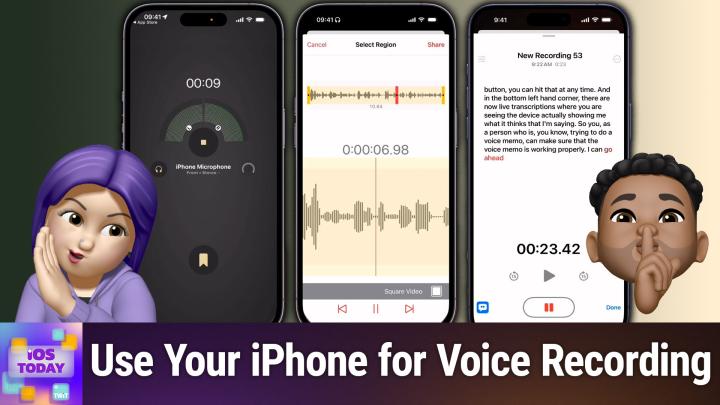
Loading summary
Transcript38 lines
- [00:00]
Micah Sargent
Coming up on iOS today, Rosemary Orchard and I, Micah Sargent, talk about some tools for recording, editing and doing what you need with voices. Stay tuned.
- [00:12]
Rosemary Orchard
Ryan Reynolds here from Mint Mobile. I don't know if you knew this.
- [00:15]
Micah Sargent
But anyone can get the same Premium.
- [00:17]
Rosemary Orchard
Wireless for $15 a month plan that I've been enjoying.
- [00:21]
Micah Sargent
It's not just for celebrities. So do like I did and have.
- [00:24]
Rosemary Orchard
One of your assistant's assistants switch you to Mint Mobile today. I'm told it's super easy to do@mintmobile.com Switch upfront payment of $45 for three month plan equivalent to $15 per month required. Intro rate first three months only, then full price plan options available, taxes and fees extra. See full terms@mintmobile.com.
- [00:45]
Micah Sargent
Podcasts you love from people you trust. This is twit. This is iOS today, episode 753 with Ros, Rosemary Orchard and me, Micah Sargent. Recorded Tuesday, May 20, 2025 for Thursday, May 22, 2025. Voice Tools hello and welcome to iOS Today, the show where we talk all things iOS, iPadOS, WatchOS, HomePod OS and all the OSes that Apple has on offer. We love to talk about them on this show and help you make the most of your devices. I am but one of your humble hosts of this show. My name is Micah Sar.
- [01:32]
Rosemary Orchard
And my name is Rosemary Orchard. And I'm very excited to be here again because you know, who doesn't love using their voice to control their devices and to do all those magic things?
- [01:43]
Micah Sargent
Yeah, who doesn't? Because if you don't, I want to know why. That's just wild. That's, that's silly. No, this of course is an opportunity for us to talk about something that is in some cases kind of built into your device. And it's something that I see people use quite often for all sorts of things. You know, whether you are attempting to kind of keep, keep, keep memories around, you know, remind yourself of things that you need to get done. If you are, you hear something that really sticks out to you and you want to go about making it even more powerful, you are, you hear like, you know, music or something and you're going, ooh, that's really inspiring. It's called Voice Memos and this app has long lived on your and it gives you the ability to simply record different audio. And yes, it works kind of like a little portable audio recorder. You are able to do, you know, simple recordings, but then you can actually take those recordings and get a little bit more from them. It used to be that back in my day. When I was in journalism school, we would have you go and you buy a personal audio recorder. And I was. There were. I will. I'm not going to lie. There were options that had a little tape, but we also did have digital. I'm not that aged. And so I had a digital audio recorder. And I'd sit it down on the table and start asking questions and then realize that I didn't hit the record button and then start over. And then you would go back later and you'd put on your headphones and you'd listen and you type out the transcript of the conversation. Things have gotten a lot easier since then. It's now possible to get a transcript of your voice memos. And I can't imagine the amount of time and money that being able to do transcription has saved. But before we get into that, I want to make sure. Rosemary, there's, you know, whatever you might want to say about voice memos before we talk about the transcription features.
- [04:07]
Rosemary Orchard
I mean, voice memos is just one of those things where I think a lot of people kind of forget that it's there on their device. And it is such a useful tool. Like, we do have, you know, recordings built into the phone app now where if you're making a call, you can record it. It will inform the other person you're being recorded. But sometimes it's just nice to be like, okay, like, we're. We're talking about a lot of things here. Like, let's just, like, I'm gonna hit record on this, and then we can play it back and make sure that we've heard all the points and we've got everything later. And you don't have to sit and type notes and so on, because especially as somebody who is female and identifies as female, guess who usually gets asked to take notes in a meeting? Yeah, that would be me. And guess who is not doing that? That would be me. But I will suggest an alternative to that sort of thing, which is doing a voice recording with optional transcription for later, which solves so many of these problems. Because then also, it's not. This is what I wrote down. This is exactly what you said. And honestly, I just love voice memos for this sort of thing. Or, you know, I'm sure you've had this, Micah, where you said, hey, apple lady, or, hey, dingus, remind me about X or add Y to the shopping list. And then you're in the supermarket and you're. You're looking at your shopping list and it says something like, I don't Know, you know, grass clippings. And you're like, what the heck? Why, why do I want grass clippings? Like, where did this come from? And you've said something totally different, but it's got it wrong. So where you're going to be, you know, just sort of rambling a little bit to yourself, you know, voice memos are, and, and voice recordings are just such a great idea because then you can, you can sit down and figure it out later. And I often find this is a great example of, you know, rubber duck debugging, which is something we use in software development. But I feel a lot of people can benefit this. And the idea is that instead of actually having to call another person and try and explain something to them and ask them to help you solve it, you start by trying to explain your problem to an inanimate object. And by explaining the, the thing to the inanimate object and explaining everything from the beginning to the end, you solve the problem yourself. And I found one of the really useful things I can do is I can actually record these little explanations because then A, I can just send that to somebody else later if they're like, oh, hey, could you explain this little thing to, I can send off to somebody else. But B, it also allows me to re listen where I had that aha moment or when I inevitably get a little distracted with my train of thought and I go down a rabbit hole, I can go, no, I, I'm going to re listen. What was I saying? Ah, okay, now I see where I was going. And they're just such a useful tool in so many ways. And you know, you don't have to use them all the time. I only maybe use them like once or twice a week at most. But I'll go through phases where I'm using them every single day for huge blocks of time and then phases where I'm not. But it's just a handy tool to have in your pocket or built into your phone, as the case may be, whenever you might need it.
- [07:12]
Micah Sargent
And so let me just show here we have a little example. So down at the bottom you got the big old recording button. You can hit that at any time. And in the bottom left hand corner there are now live transcriptions where you are seeing the device actually showing me what it is thinks that I'm saying. So you, as a person who is, you know, trying to do a voice memo, can make sure that the voice memo is working properly. I can go ahead and hide that live transcription and you'll see the Actual audio wav files kind of playing out. And whenever you're done, you can hit done. But you can also pause in the middle of a recording. You can resume at any time. You can do things like cut it into two pieces and you can also do multiple channels. You can replace text that's not text, but voice that's already been added or audio that's already been added. And then you have some tools like skipping silences after the fact, enhancing the recording after the fact and changing the playback speed. And all of that is something that you're able to do if you need to. Again, those transcriptions being there, I think is very handy so that you can just view the transcript and see what has been said. And being able to pull that up wherever you need it, you are able to view and copy the transcribed text if you need to, so that you can then like take it and put it into another document. And at any time, all you do in the Voice Memos app is you open it and you swipe down from the top of the list of recordings that'll show you the search field. And in the search field you can enter the text that you're looking for and Voice Memos will search the transcripts of your recordings. So then you can go and find that one that you're trying to remember, which is just very handy. So all of that being there in the Voice Memos app, I think this app has gotten a lot more powerful over time. But Voice Memos is just one of the many options that are available to you. And there is certainly a. I would call it a fan favorite and one that I know a lot of people love to use. And I was hoping, Rosemary, you could tell us a little bit about Just Press Record.
- [09:35]
Rosemary Orchard
I can indeed, Maika. And Just Press Record is one of those apps that it's been around for a very long time. And it had transcription long before Voice Memos had transcription. One of the things that I love about JustPress Record is the fact that I can record. I can choose what microphone I'm recording from. I can save the files out as audio files, which is great. Like for example, if you are going to journalism school and you're doing an interview and you want to be able to upload the audio of the interview as part of the article. You could do that. You can also, unless is one of the things I love, import the audio. So say, for example, you've recorded a chunk of audio with another application or something and you're like, oh, no, I'd really like to get an automated transcription of this. You can import that to just press record. It also has a watch app and everything. So I can just go ahead here and start doing a recording. It doesn't do a live transcription, but I actually kind of prefer that because I think that that can be a little distracting. And I'll just stop there at the 10 second mark and now I can see the transcription. And that's it. It just did it. It's automatic. I can tap on a particular word and it will take me to that point in the translate transcription, which is amazing. I can manually edit this if it got something a little wrong like that. It put distract instead of distracting. So I've just changed that. I can see the waveform and go through. And just like you can with voice memos, you can edit it and so on and so forth. You can delete them, you can even rename them if you would like to. Um, and yeah, there is of course the watch app integration as well. And just like you've got voice memos, you've got the search. Um, and honestly I just find this really handy. One of the other things that I like is I can choose what kind of files. So do I want an M4A, an AIF or a WAV file as the file type? Do I want to use stereo microphone or mono microphone? What sample rate do I want to record at? Which if you're plugging in an external microphone is very important. And then I can also choose the transcription language. And this has been really helpful for me where for example, somebody has left a message on my parents also phone in French because my parents have a place in France. I do speak fluent French. I do not however, speak answer phone fluent French. You know, when pilots are talking and it sounds almost like they swallowed the microphone phone and it's inside their mouth. That is what an answer phone message often sounds like. At least in France, at least in the area that my parents are in. And it's hard being able to understand that. So I can just record that, you know, play the answer phone message into. Just press record and switch to French. And it will do its best to transcribe it again. It's not perfect, but for things where I'm just a little bit. I'm not sure what, what, what is being said here. It's great. I can choose whether I store the files in icloud drive because then I can sync them between my devices or just on my iPhone or there's legacy option. And then there's also, you know, some advanced Options like transcription highlighting, where I mentioned you can tap on a word and jump to that particular point, showing the badge on the app of all of your unplayed recordings. And also you can change your auto transcription. So do you just want automatically transcribe short recordings or none of them until you manually go and do it or do you want to do all of them and automatic punctuation. So automatic punctuation. I'm just going to show folks here there is a comma between the word transcription and. But because that is what it would actually, you know, have if I had written this and it just did that automatically for me and that is part of the advanced settings there. Um, there's also the option to re index recordings if something goes wrong and it's not showing a recording that should be showing. I've never once had to use that. Um, they do have a whole section of FAQs and support, which is very nice. Um, but honestly, this is just an incredibly solid application. Um, one of the things I do love, and I should have mentioned this earlier, is when you go to share a recording, do you want to share the audio? Do you want to share the text? Do you want to share the audio and the text or do you want to share as a video? And you can do a little portrait video or a landscape video or a square video of, you know, your recording and it will save that out and it does it with the little waveform as well. So if you're trying to put something on Instagram, you can have a little, you know, video of it. You can also just straight up print your transcript, which I'll show folks by zooming in a little bit, shows you the title, when it was recorded, how long it is, and then the actual transcription there. And it's just a nice little PDF, you know, nothing too crazy. But at the same time that's the sort of thing that you would, I personally really appreciate. It's an app that does one thing. It's been doing the same thing for a long time. They've made a point of updating it regularly and I'm just going to give them 10 out of 10 because they've made a really solid app. It was a one time upfront purchase and you know, I, I personally have found this to be incredibly valuable as a audio recording tool for all of my voice memos.
- [15:03]
Ryan Reynolds
Trading shouldn't have barriers. When Robinhood started, it was built to make trading more accessible. Now Robinhood offers more sophisticated trading tools. Experience the future of trading on Robinhood Legend. The all new desktop platform that harnesses intuitive design to deliver a seamless experience for traders. Free to use with a Robinhood account Robinhood Legend is designed for how you trade with powerful charts including custom intervals down to the tick and over 80 indicators and drawing tools. Trade all your favorite assets, including popular stocks and ETFs all in one place. Take your trading to the next level by customizing your layout in seconds and even enter and exit positions in one tap right from the chart. With up to 8 charts per layout, the future of trading is fast, powerful and precise. Experience it now on Robinhood Legend Sign up today. Investing is risky. Robinhood Financial LLC member SIPC is a registered broker dealer. Other fees may apply.
- [16:01]
Bluehost
I'm no tech genius, but I knew if I wanted my business to crush it, I needed a website. Now thankfully, bluehost made it easy. I customized, optimized and monetized everything exactly how I wanted with AI. In minutes my site was up. I couldn't believe it. The search engine tools even helped me get more site visitors. Whatever your passion project is, you can set it up with Bluehost with their 30 day money back guarantee. What do you got to lose? Head to bluehost.com that's B L U E H O S T.com to start now.
- [16:33]
Rosemary Orchard
So the next step I am going to talk about is say for example you may maybe you need to do a little bit more with your audio and you know this is one of those things where are you looking to record audio or are you looking to produce audio? Because there are that. That is two different tools and skills that you would need. If you're just looking to record the audio then you can use something like voice memos. Just press record, whatever. However, if you are looking to do maybe some podcasting could be light podcasting. You maybe want Ferrite and Ferrite is a great application. If you're looking at my iPhone screen you can see here as I'm talking, it's using my iPhone microphone here and it's recognizing that I'm talking and I can just go ahead and record and you know this is pretty great. It will go ahead, it will record what I'm saying. Now the purpose of this is not to do transcription or any of those fancy things. The purpose of this is to create a podcast with. So now I have my new recording. I could have multiple layers of audio here. I could add another one if I wanted to. I can, you know, import something there. I can select something if I want to. I can go ahead and trim this off, which I'm not trying to do. I can go ahead and move the playhead and then I can actually cut it and split it in the middle and then move things around if I need to. So it's currently got everything selected there. So there we go. I could just, you know, do a little section there or over here. Now I could split this and then I could delete this little segment here in the middle and just move those things together to just remove that segment. There is, of course, an undo button for all the things I did there, which, you know, solves the problem of whoopsie. I got a little too enthusiastic with my editing and I wasn't supposed to do that. And that playhead, as I move it across at the top, is also showing me the timestamp of where it currently is at the bottom. Now I can zoom in on this, which is really great. If there's like a little stutter somewhere and you just need to remove that. Or I can zoom out to get a big picture view. And, you know, there's all sorts of features in this. I am not going to dive into this because we don't have three days for me to do a ferrite tutorial here. Now, that does not mean that you need three days to learn about this, but there's effects that you can apply. You can do noise gate, you can do automation of panning and automatically adjusting volume. You can change things. So if you've got multiple tracks, it can duck. So that means that as one track is playing and then another track starts playing, the first one automatically lowers the volume. And then when the second track stops playing, the first track comes back up. If you have ever been listening to music in the car and it's giving you directions, it probably has lowered the volume of the music, but kept it playing whilst the directions were being given and then brought it back up. That is what ducking is. And, you know, there's just so many options here for all of the things. I couldn't possibly explain everything because, you know, otherwise we will be here for hours. But it is really useful to be able to just, you know, go in and play with this sort of thing, have multiple tracks, especially if you've got multiple people talking. One thing that you can do, and I'm just going to recommend this here, everybody could download their own devices, okay? And I've seen a lot of film students do this where they will have their own device, their own iPhone, they'll stick it in their pocket. Or, you know, like, if you're wearing like something with a pocket like, you know, near your face. That's great. You could tuck it inside your top maybe. But everybody records their own audio on their phone and then somebody stitches it all together. And Ferrite is an amazing tool for doing that. If you are going to do that, I'm going to give everybody a little pro tip. And this is something highlighted so many years ago, which is when you do this, because everybody's going to start recording ideally at the same time. Ideally, however, 10 out of 10, what somebody's going to be a little bit later. It could be a half second, it could be five seconds later, pressing that start button. So after you've all hit the start button, everybody claps at the same time. Then you've got a really nice loud point. So if you see in fair right here, right at the beginning, I've got some really big vertical bars that would be your clap. And then you can line all of those up, chop that off at the beginning and then off you go. You've got lined up audio recordings and then you can just trim out the bits where that person is not talking and you can turn into a wonderful, maybe a little radio show type thing. Odd like animated audio book recording whatever it is you're doing. But Ferrite is honestly amazing. It's called Ferrite Recording Studio. I primarily used it for editing podcasts, but it does the recording and everything else as well. And it is free to download with an in app purchase of. I believe it was $20 when I got it. It may have gone up in price because I've had this app for so long. It's an in app purchase of $30. I have to say, if you had Ferrite 2, it's only $15 to upgrade. But yeah, it's a great app, really good value and you know, you can download it for free and have so much fun playing with it. And there's just so many options. Yeah, I can't recommend it enough.
- [22:10]
Micah Sargent
Super popular among many an Internet podcaster I know for sure. I've seen a lot of, a lot of folks using their iPad with it to not only just record, but also edit the audio afterward. And I think that's a pretty cool thing to be able to do. The next one on the list is what used to be a little app. Over time it has become a far bigger app in its capabilities, but also in the company behind it. And it is an app called Otter O T T E R Otter, a voice transcription, or I should say audio transcription service. That will let you record and transcribe all sorts of audio. It again, it kind of first started as this app that you would just hit the record button, think about, you know, being in a lecture, for example, hit the record button and be able to look back later at a transcription of the lecture and get information about what was going on. Over time, Otter has kind of become a much more, what's the word I want to use Enterprise Y tool, I guess, where there are integrations with Zoom and Google Meet and Microsoft Teams that lets you kind of have Otter as part of the conversation and then transcribe it and give you those meeting notes and also give you your action items and that kind of a deal. It does now have AI in it, so you can sort of talk to an AI agent about different parts of the conversation. So you could say what are the key action items from the review that we just had that kind of a deal. And it will also do things like capture your slides that are taking place. It'll automatically generate summaries of the conversation and you know, write notes. So I will say this about Otter, very powerful, super cool. In fact, according to Otter, it's trusted by more than 10 million people. So it's been used by quite a few people and it is a little pricey if you are looking for those kind of integrations. But if you just want to use it as a base tool for being able to listen to a conversation and transcribe it and then search that conversation, I think it's very helpful in that instance. So it's well worth worth checking out Otter just to give it a shot. And then last but not least in our list this morning of apps for recording and editing voice is a little kind of heads up about what you are able to do in the Notes app with your audio recordings.
- [25:15]
Rosemary Orchard
So the Notes app actually has a whole bunch of things inside of it including the ability to record audio. And this is so good if you're doing lecture notes, for example, and I've used Notability for this in the past. But Notability is really more of a note taking app, whereas Notes, I mean it is a note taking app, hence the name, but it's also the multi toolbox of Notes apps where it it really is for audio recordings and PDFs and all sorts of things as well. So in the Notes app you can actually just start a recording and it will record the audio. So I am just going to pop my Notes app. So under the paperclip in the Notes app you can start an audio recording you just say, start recording and that's it. And then you can swipe this section down and then you can continue. So I can type things as I am, you know, making my audio recording, and then I can tap on the audio and say, pause, done. And then as I play it, then it will actually, you know, you know, look at all things and it combines it all together in one note. And if you are using your Apple pencil to make notes that you can actually have it highlight the things that you have written or drawn at the same time and it will do an automatic transcription. And it's using the same technology that powers voice memos. Just press record and all of those things. Things. And yeah, and you can also at any point pop back up, you know, tap back on it and then resume, which can be really good. That's playing it again. But, yeah, there is the option to continue the recording. If you go to the end of it, you can search your recording as well. Um, so, for example, if I look for the word continue, it finds it there. And yeah, honestly, like, it is just a really useful tool. It's available in the iPhone and the iPad and it's also available on Mac as well. However, I will say the microphones built into Max are not as good as the microphones built into an iPhone or an iPad. So if you're looking at using this for lecture notes, I would actually recommend. Don't take a Mac to your lecture. Take an iPad especially. You know, Apple Pencil is a great tool, as is Magic Keyboard. But. But I'm aware Magic keyboards and Apple Pencils are pricey. You can just buy a cheap Bluetooth keyboard like Logitech is fine. Newgreen, have a great alternative to the Apple Pencil and use those to take notes and get the advantage of all this technology without having to spend all the money on it. Because, yeah, even with your student discount, it can get a little pricey to do things like this. So. Yeah, but I. I have to say I appreciate the fact that in Notes you can play the audio from specific points. Points and more.
- [28:14]
Micah Sargent
Beautiful. Now, as I always say, there are many apps and services out there that will help you in recording voices, transcribing voices, and doing everything in between. You know, some of them are just available on the Mac, so we didn't talk about those, like MacWhisper for example, but if you have an app that you like to use for transcriptions or voice editing, as always, you can reach out to us, iostodaywit TV to talk about what you think is awesome. And well worth discussing. Discussing. All right, that is the app segment for Voice Tools. Next, we've got a little news to get to. So Apple, recently, as we record this episode, put out a press release about CarPlay Ultra. We have been hearing about CarPlay Ultra for some time, the next generation of CarPlay. And finally, finally, finally we are seeing an actual instance of CarPlay Ultra making its way into the world. Now it is making its way into the world in a very premium way. You will need an Aston Martin vehicle to be able to use CarPlay Ultra.
- [29:24]
Rosemary Orchard
James Bond will have this. The rest of us not so much.
- [29:29]
Micah Sargent
So new Aston Martin vehicle orders in the US and Canada. It's, it's rolling out or actually starting today. And then it's going to be available to those who have existing models. As long as you have the new next generation infotainment system. Listen, if you are listening to this show and you have an Aston Martin and you're getting this reach out, because we will literally, like, have you on the show to talk about the experience, that would be wonderful. So, yeah, if you work in an.
- [30:00]
Rosemary Orchard
Aston Martin, like car dealership and you can take pictures or something, that would be great. Yeah, by all means. Like, yeah, we, we want to see this stuff. Unfortunately, I don't know about you, Micah. I haven't won the lottery ever, so I, I can't afford an Aston Martin. That's, that's not a thing. And we checked the twit budget. The twin budget is fabulous. It is not Aston Martin fabulous, unfortunately. You know, Aston Martin, just to Talk about on iOS today, for one episode, that, that would be a bit much, unfortunately. The, the accountants said, nah, I don't think that's legitimate business expense there.
- [30:41]
Micah Sargent
It. Apple did say that other CarPlay, other automakers are working on adding it. Hyundai, Kia and Genesis all have committed to bringing it. But essentially what you have is a new experience where there's the two screens, typically one that is kind of in front of the driver, and then the main infotainment screen that we're all used to, and you get some more controls and information than you would before the instrument cluster gets changed. It's dynamic, it has your miles per hour, it has, you know, RPMs, it's got your, your engine temperature. If you have sensors in your car, which, again, in most cases, these vehicles will have that. And it'll show you the stuff in front of you and behind you. Music and media will appear as needed. It's all very dynamic and sort of changing as things need to happen. Tire pressure Some of the experiences I've seen people talk about the UI of it, but I think that one thing to keep in mind is that the UI designers who are working on these tools have to create a system that is incredibly dynamic and incredibly flexible. Right. You are trying to, to get this to work for screens of all different shapes and sizes. Not just sizes, but shapes and sizes.
- [32:13]
Rosemary Orchard
And some of them are touch screen and some of them still have physical controls. And the EU has just come up with a law which is going to require car manufacturers wanting the highest degree of safety to use physical controls. Because it turns out that having a physical dial that you can, you know, twiddle or a physical button you can press reduces the number of crashes. So they've got to handle all of that. And just thinking about it, like, I don't know about your car, Micah, but my car. The shape of the screen in, like the speedometer area is not a rectangle, it's not a square, it's not even straight on all sides. It's straight at the bottom, goes out on two sides and is curved at the top. That is the shape of the screen where my speedometer lives. And there is. There are like three dedicated sections. One for like fuel economy and that sort of thing. Another one which could be like music or driving directions. And then the one at the bottom is for stuff like tire pressure and so on. And those are different shapes, much like you can have different shapes on Apple. Watch faces for complications. This is complicated. Yeah. Like, we've got laws, we've got rules, we've got what car manufacturers actually have available. Like, yeah, you're trying to build the most impressive Swiss army knife and you have no idea, like, what kind of thing that the Swiss army knife is going to need to do or what pocket it's going to be put in here, it's going to be okay. Or what, Even. Even what color it is.
- [33:42]
Micah Sargent
Yeah, exactly.
- [33:43]
Rosemary Orchard
Are you allowed knives? Are you allowed knives on your Swiss army knife? Maybe, maybe not. Depends on your jurisdiction.
- [33:50]
Micah Sargent
Exactly. Yes, I agree. So all of that's to say I am looking forward to seeing this in more vehicles and seeing how it plays out. I like my carplay that I currently have and I thought one of the really cool things about this is CarPlay Ultra, works with phones as far back as the iPhone 12, as long as the device is running iOS 18.5. So I think that's a really cool sort of part of this, is that this next generation carplay is available on older phones to use with your vehicle as Long as for now you have an Aston Martin, but once it comes to Kia, Hyundai and Genesis, then at least there'll be a few more options available and maybe more will jump on the bandwagon soon, which we would love to see. So that is the news for this week. I do believe I can hear the music. It's time for Shortcuts Corner. This is Shortcuts Corner, the part of the show where you write in with your shortcuts requests. And Rosemary Orchard, our shortcuts expert, provides a response. This week, Rosemary has a fun demo for us that I know I am very excited to see play out.
- [35:21]
Rosemary Orchard
Yeah. So every time Apple releases an update to iOS that is also an opportunity for Shortcuts to update, and they do have a dedicated page on their website where they should tell us all the things that have been updated in shortcuts. Now, if you do go to that page, you will notice that, for example, iOS 18.3 is not listed there. That does not mean Shortcuts didn't get updated updates. That just means that it was very much along the lines of bug fixes and improvements. And they only talk about the new stuff that they've done here or significant like, you know, breaking changes to things. But there are a few new things that have happened in iOS and iPados 18.4, as well as Mac OS 15.4, WatchOS 11.4, and Vision OS 2.4, because who doesn't need 20 billion version numbers to keep track of? But either way, the IS.0.4 of the current operating system available for various devices contains so many things. So for the clock, there is the option to add a city and remove a city. And I've been thinking about this because I was like, okay, why would you need a shortcut for this? And then I realized that as I do travel planning, one of the things that I do is I do actually add a clock for the city that I'm going to be traveling to, unless it's in the uk because, you know, if it's in the uk, it's going to be the same time zone. And so I've realized I can actually use this as part of my travel planning shortcut series, where I do things like create packing lists and I create projects in omnifocus and things like that. I can add the city straight into the clock app. And then also I do actually have a shortcut. But when I come home from a trip and I have the things that I need to add to my task manager of things like, you know, unpack Your laundry first so that laundry gets done and things like that and removing the city can go into that as well. So you can add or remove cities in the clock, which is great. Another one that has popped up which is brand new is opening a conversation in messages. And this opens a specific conversation in messages. And this can be really handy for things like for example, if you use the send message option then or send message action, I should say then this has an option when you tap on the little arrow to show when run. If you turn off show and run it will automatically send it. And personally if I am running an automation, I want the message to automatically send. That is kind of the purpose of an automation. However, it is also entirely possible that somebody like that person that I'm missing has messaged me. And if I'm sending them a message, it is also a really good idea to just check if there are any messages from them that I need to reply to. So I can now open a conversation which would be the same conversation that I have, you know, just sent a message to. And that is a really great little option to have as an action. And then the final series of actions which are available are getting and setting settings for various apps. So this has actually come to the books app calendar, free form maps, news reminders, Safari TV and voice memos. Yes again voice memos and set voice memo settings allows us to do things like find out the current audio quality and change it. Clear our deleted ones use location based naming and stereo recording. But where this is really interesting for me is actually when it comes to Safari settings. And so this I love because I can do things like turn on and off autofill using contact information or credit card information. Blocking Pocket pops, close tabs for example. So I can say change close tabs to manually after a day, week or month and landscape tab bar opening links. So do I want to open links in the background or in a new tab do I want to turn Safari suggestions on or off?
- [39:31]
Ryan Reynolds
Off.
- [39:31]
Rosemary Orchard
Changing the search engine, changing the tab bar configuration, changing the tab layout and things like that. Um, and yeah, this is just, you know, this is something that it seems to start with like it's not very handy but block pop ups. Okay. Usually I won't turn block pop ups on however. And this is turned on on my devices and on my parents devices every so often it will break a website side. So now there is a handy little button on the home screen for my parents that says hey, turn off blocking popups in Safari. So now they don't have to Go and dig through the Safari settings to find this and you know, update it and they can just do that. And actually what I have it do is I use the get action to find out what it currently is, is it on or off and then I flip it it. So then they just, you know, they tap it, they reload the website, it works, they do the thing and then ideally they tap it again later and, and turn it back on so that they don't have all the pop ups getting in the way. But you know, if they forget, that's okay. Like you know, they're, they, they've done it for a good reason because a website is broken. And yeah, there's also things like reminder settings. So do you want to include Jude today in at you know the, the options. And also yeah there is the, the toggle here as well. Show things as overdue mute notifications. So suggestions or the today notification. Um, and honestly like the settings things they are definitely more if you think about it for power users. But you know, I can see why you might want, for example TV. There are a whole bunch of action for the TV app that are available there for the settings specifically and it is hiding from me. But you can change the settings. And I personally on my home screen down in the bottom left, I have a black and purple Safari icon. When I tap this, it opens Safari. It opens a new tab in DuckDuckGo and I can see adding more to this so that it makes sure that my default Safari settings are correct if they have been changed. You know, doing custom home screen icons doesn't just allow you to make the app look different with a different icon. It also allows you to open it differently, open it to specific tabs, make sure your settings are right and things like that. And especially with your custom home screens, if you have a requirement or a desire to open Safari to a particular profile when you are at work, then you can add a Safari button to your work home screen that does this, does that and changes these three settings which are ideal for work and have a different Safari icon on your home screen for regular everyday stuff. Because we don't really have profiles for iPad, OS or iPhone or iOS, but we do have the ability to change settings through shortcuts and sort of give ourselves these profiles. Yay.
- [42:40]
Micah Sargent
I am very excited about this addition to the system. We've got around it in different ways before and so just having it right there is delightful. As you all know, or many of you know, we have now re added our end of the show app picks the app cap segment is here. I'll kick things off to talk about an app that I have found delightful. It is an app called Partyful that is an events app. Now, you know that Apple has its built in. Well, not built in, but you can get an invites app. And invites is really cool because you are able to create an invite that will let people say, okay, yeah, I want to go to this event. And it has access to a playlist, an Apple music playlist, which is kind of fun. People can add music to it and then also a icloud photo library, like a shared photo library that people can add to and then everyone's able to view it. Well, Apple is only the latest in the game. This is something that's been available for a while in other places. And so I want to show an example of this. So here I have Partyful open and I am going to create a new event. I'm going to call this event iOS today meetup. And by the way, this is not an announcement of a meetup, just we're doing this as an example. We'll give it an eclectic style. We can change the look and feel. So let me do meet up and see. Whoops. Not m. Meet up and see what pops up here. I'm going to go back to posters and let's just look for something fun here. Party. That's great. You're invited. Let's go with. We were talking about allergies earlier. Let's go with the weird allergy poster. So now it's changed it to this weird allergy poster. We can set a date now. What's cool about this is I am able to set a date or I can pull my guests to figure out a date for this event. But in this case, say it's next Friday at 11am and it ends next Friday at 2pm and then you can see that it's hosted by yours truly. I can add a co host, so I could add Rosemary here if I wanted to. I can set the location. I'm not going to tap on that because if I set the location, it's going to probably show my location, how many spots there are. So, you know, we could have 20 people total and yes, we'll have a wait list and then cost per person if it was, say, tickets or something like that. In this case there's no cost. You can add a link, you can add a playlist. So this is going to be a Spotify playlist. That's what the integration is here. You can add a registry, you can Add a dress code, including a link. If you wanted to do like a Pinterest board that had the dress code, what the food situation is, whether it's byob, if it's a potluck or something like that, you can add parking information, you are able to add accommodations. And of course, last but not least is just additional information that you can add as well. You give a description for your event. So meeting the hosts and, and also the fans of iOS today. And then you can also. This is a new thing that they just added. It's kind of silly, but they're excited about it. You can create a group order of snacks and drinks that will show up at the party. So this is just some integration that they have. It's a little bit like, you know, ordering groceries that will allow you to, to kind of as a group work on that. It is. Then you have your RSVP options. So you can choose to have emojis or icons or perhaps flowers. You're going, you're not, you might be going or you can't go. You can add a questionnaire. So if you were trying to get information about what people are looking for at the event, adding reminders, that kind of a deal.
- [47:34]
Rosemary Orchard
And then ideal for a potluck actually what are bringing. And then a reminder. Bring the thing that you said.
- [47:40]
Micah Sargent
You're beautiful. Yes. And then we'll change the color here to something that feels more iOS today. There are these different effects that can play in the background. You can set that to random. And then just a little bit more information. Again, managing the hosts, the RSVP options, whether it accepts RSVPs, if there's an option for a plus one, up to one or more requiring get guest approval. Which basically means that even before they're allowed to say yes, no, maybe you can say I'm allowing this person to say yes, no, maybe. And then from there, if you can even RSVP maybe or if it's just yes or no. Again, as we talked about the questionnaire, the photo album, this is a specific photo album that has, that is part of the partyful servers. So just bear that in mind versus invites. And then there's a chip in option which lets you request money. And I can't remember what service they use for that. If it's unique to this. Let's see. So you can use venmo cash app PayPal handles. Okay, so that's right. It is specific to. To this. And then they are able to get to. To pay that way. And then you would be able to, you know, get the cash there. So there are also auto reminders and you can set up information like vaccinations or masks for these events as well. So it is, I think because it is a purpose built app that is specific to just figuring out how to do these invites, I think that they've done an incredible job of making this as, as feature packed as possible. I also love and the reason why I like this app is because it lets you do something called a text blast, which if people have added themselves to the conversation, you can set up different reminders but also you can send a text blast that says hey, by the way, it's supposed to be raining on the day of the event, so just be mindful of that. We're going to have it inside, blah, blah. Powerful is available for free in the app Store. And so again that's one thing to bear in mind. It's free. So where are they making their money? Just you know, be, be aware of the privacy policy and that kind of a thing. But very cool app. I have now received some invites to events through Partyful and that's what of kind, kind of got me interested in it. And then seeing what's possible with it is, it's, it's pretty cool. And I again, I love that chip in feature. Makes it very simple for people to chip in. So that's mine. Rosemary, tell us about your pick.
- [50:41]
Rosemary Orchard
Well, my pick is not an app because I am continuing to break the rules. Micah. I haven't done an app so far yet since we've reintroduced app caps. But that will probably change. That will probably change. And my app cap for this week, it's gray. I mean it's also blue. This is a new iPad in my case, mini case, but it's available for all of the iPads. This is the Moft Dynamic Folio for iPad. And so this is a vegan leather. So no animals were harmed in the making of this, which is very nice and it feels nice and it's got a couple of features to it. So if you're looking at the front you might be like, whoa, there's like triangles and stuff there. That's kind of fancy. If you're looking at the back, you're like, oh, there's like a little flappy thing which I'm trying to open from the wrong side because it's backwards to me. And what does this do? Well, this has and I, I am not kidding over 20 angles. It comes with a little booklet to show you the different ways unfold this to Actually, like, get the advantage of it. So I've had a moft case that could do like different angles and heights and everything before, and it was great, don't get me wrong. But it had like a weird sort of slit in the middle and it kind of felt a little bit off occasionally. And so this to start with, I can just, you know, pop the, the back onto it. And then it sits at a nice angle, lifting in this case, my iPad mini, a little bit it off of the, you know, surface itself, which in this case is my hand. If I lift up this little flap, then I can detach this. And this is quite difficult to do because I'm trying to do it on screen, but there we go. And I can pop that in there and it's a lower angle and it's. It's not on there. Of course, all of these can then, you know, flip around to the other side. So there are, you know, some other options. Well, as well, Well, I obviously I can just fold it over, but one of the things I really like is this is still attached to my iPad.
- [52:43]
Micah Sargent
Huh?
- [52:44]
Rosemary Orchard
What? Yeah. So this case is fully attached to my iPad. There is a section here that is still connected to the iPad. And then I can, you know, fold the case in and I could stand it up this way or I could stand it up this way. There. There's so many angles you can do with, with this. And it's a, like, it feels like a nice case. So this particular color combination, it's a gray and a nice bright blue. This is a concrete is the name of the gray color. But it is such a nice case. And I believe it's going to be retailing for about $40. However, it's not shipping just yet because this was a Kickstarter. So I've ordered. I backed this through Kickstarter. I've got it. I'm very excited. But buy it. And it comes for all of the iPads. So it doesn't matter if you've got a 13 inch or an 11 inch iPad Pro, or if you've got an 11 inch iPad Air, 13 inch iPad Air an iPad 10 or an iPad mini like me. The price does vary depending on the size of your iPad. So if you are an iPad mini girl like me, or an iPad mini boy, or an iPad him, any person, then you get the choice of cement and sapphire, which is my color combination, or jet black. And then for the others, there's also soothing mist and misty cove, which is a sort of turquoise on the outside, or like a pale Turquoise on the outside and a gray on the inside, which I would have loved. But that wasn't available for the iPad mini. And I understand them limiting the options, but honestly, like this, it, it just, it feels like a nice case. It's got enough like slide that if I'm going to put it into a bag, it is not going to get stuck on the way into the bag. And like this section here, the, the flap that folds out that you can use to make more angles, that is not going to get caught either because that is, that is pretty flush. But it's also got enough grip that like, you know, I'm waving the iPad around here and I'm not gripping it super hard, like it's not going to go flying. It is not super slick and slippery, which is just a great, you know, it hit the, the optimum option. There is also the option to add a pen holder and I'm just going to pop the case off of my iPad because I just want to note. So up next is a camera cutout. On that edge there is a little sort of rectangular slot where if I had chosen to add the modular pen holder, that would just slide in right here and then that would hold the Apple pencil. Pencil. I tend not to use an Apple pencil with my iPad mini, so I didn't bother with that. But honestly, this is a really great case. It's affordable, it's sustainable and moft make really great things. So thank you to moft for, you know, sending me my Kickstarter nice and early because yeah, these will be available to everybody hopefully around about the end of the month. But yeah, if you want a lightweight case that can do 20 plus extra angles. And don't forget, you've always got the option of like stacking it on top of random other things that were in your bag and then it folds super flat and super skinny. Yeah, this is the iPad case for you.
- [55:52]
Micah Sargent
Love it. Wow. Moft makes some really cool stuff. All right, folks, that is going to bring us to the end of this episode of iOS today. As I always do, I remind you that you can reach out to us. IowaD WWIT TV is how you get in touch. We'd love to hear from, from you. I also want to remind you about Club Twit at Twit tv. Club Twit. Head there and join the club. Join the fun. We've got a monthly subscription option and a yearly subscription option. When you join the club, you gain access to the ad free versions of all of our shows. You also gain access to the video versions of some of our shows, including this iOS Today ad free video version of this show iOS Today. You also also get access to the TWIT plus bonus feed that has extra content you won't find anywhere else behind the scenes before the show. After the show, special club Twitter events get published there. Access to the members only Discord Server a fun place to go to chat with your fellow Club Twitt members and those of us here at TWiT. And that also means access to some pretty cool events like the live recordings of many a news piece from from the different tech companies. So for example Leo and I will be covering we will be covering WWDC but also the platform State of the Union. So all of that's going to be available only to members of the club and we look forward to seeing you there. Join the Club TWIT TV Club Twit Rosemary Orchard of People would like to follow you online and check out all the great work you're doing. Where should they go today? Do so?
- [57:27]
Rosemary Orchard
Well the best place to go would be rosemercher.com which has got links to apps including a new one coming soon, currently a beta and and you know, books, podcasts, so you name it. All of the fun things are up there and there's links to all the social media websites except for Discord where I do often hang out in the club to Discord we are usually there live recording the show. There was a little bit of a thing this week with Google IO having like a big event with what when iOS today is on. They need to check our calendar clearly. But yes, we're usually there at the for the live recordings. And of course there's Also the lovely iOS today discussion area and threads for every episode. Where can folks find you?
- [58:09]
Micah Sargent
Micah if you're looking to find me online I'm ikasargent on many a social media network. Or you can head to Chihuahua Coffee that's C H I H u a h u a coffee where I've got links to the places I'm most active online. Thank you so much for tuning in and we'll catch you again next week for another episode of iOS today. Bye bye.