← All TWiT.tv Shows (Audio)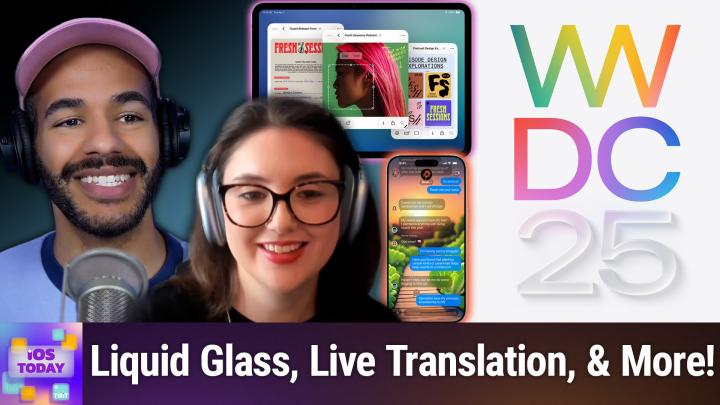
Loading summary
Transcript80 lines
- [00:00]
Micah Sargent
Coming up on iOS today, Rosemary Orchard and I, Micah Sargent, finally get to talk about WWDC 2025. Stay tuned.
- [00:09]
Sponsor
This episode brought to you by Red Canary. When cybersecurity threats hit fast, you need an MDR partner that moves faster. Red Canary delivers 24.7expert MDR support, total visibility and actionable insights. Plus it helps you detect four times more threats so you can stay ahead with without burning out. Red Canary clears the noise and has your back every hour, every incident. Get the backup you deserve. Visit redcanary.com difference to learn more. This episode brought to you by the Electronic Frontier Foundation. In fact, if you ask me, the whole Internet's brought to you by the EFF. For 35 years, the Electronic Frontier foundation has been fighting to make sure that when you go online, your rights go with you effort. I owe them a big debt of gratitude. They rescued our podcast and every podcast from patent trolls. They helped encrypt the web to protect your privacy. They prevailed in lawsuits against government, secrecy and surveillance. These are the good guys. And they have a podcast, how to Fix the Internet. It's all about what happens if we win the fight and get things right online. And it's a great listen. The fight for digital rights, it's bigger and more urgent than ever. EFF is member supported. I'm a member. You should be a member. The more members they have, the stronger they can fight in statehouses, courthouses, and on the streets. Season six of how to Fix the Internet started May 7th. Listen@eff.org podcast and while you're there, join the EFF. They're the good guys.
- [01:38]
Zoe Saldana
Hi, Zoe Saldana. Welcome to T Mobile. Here's your new iPhone 16 Pro on us.
- [01:43]
Customer
Thanks. And here's my old phone to trade in.
- [01:45]
Zoe Saldana
You don't need a trade in. When you switch to T Mobile, we'll give you a new iPhone 16 Pro. Plus we'll help you pay off your old phone. Up to 800 bucks and you still get to keep it.
- [01:54]
Customer
There's always a trade in.
- [01:55]
Zoe Saldana
Not right now. @ T Mobile.
- [01:56]
Customer
I feel like I have to give you something in return for karma.
- [01:59]
Zoe Saldana
That's okay.
- [02:00]
Customer
I don't really have much in my purse. Oh, let's see. Hand sanitizer. It's lavender.
- [02:04]
Zoe Saldana
I'm good. Seriously.
- [02:06]
Rosemary Orchard
Let me check this pocket.
- [02:07]
Customer
Oh, mints.
- [02:08]
Zoe Saldana
Really, I'm fine.
- [02:09]
Customer
Oh, I have raisins. I'm a mom. Wait, wait one sec. I've got cupcakes in the car.
- [02:14]
Sponsor
It's our best iPhone offer ever. Switch to T Mobile. Get a new iPhone 16 Pro with Apple Intelligence on us, no trade in needed. We'll even pay off your phone up to 800 bucks with 24 monthly bill credits. New line 100 doll plus a month on experience beyond finance agreement 999.99 and qualifying ported for well qualified plus tax and $10 connection charge. Payout via virtual prepaid card allow 15 days credits and in balance due if you pay off earlier. Cancel CT mobile.com.
- [02:41]
Micah Sargent
Podcasts you love from people you trust.
- [02:45]
Sponsor
This is TWIT.
- [02:50]
Micah Sargent
This is iOS Today, episode 756 with Rosemary Orchard and me, Micah Sargent. Recorded Tuesday, June 10, 2025 for Thursday, June 12, 2025 WWDC 2025 hello and welcome to iOS Today, the show where we talk all things iOS, iPadOS, WatchOS, HomePod, OS and all the OSes that Apple likes to talk about and share with all of us. I'm very excited today for this episode. My name, by the way is Micah Sargent.
- [03:24]
Rosemary Orchard
And my name is Rosemary Orchid. And I am very excited as well. I'm wearing an Apple Park T shirt. It's. It's mostly hiding, but I'm wearing an Apple Park T shirt because, you know, there was a big event at Apple park yesterday and I thought it was appropriate and we should celebrate.
- [03:38]
Micah Sargent
Indeed, indubitably, et cetera, et cetera. Yes, wwdc, Apple's Worldwide Developers Conference is underway. Technically, sort of kinda it's over, but not quite over. In years past. The way that it worked is that throughout the week you would attend a conference in person and then also videos would be published online for people to learn about the new stuff. Last year and well, actually since the pandemic, things have been online, but they've still released the videos throughout the week. This year, instead of doing a staggered release, they just decided let's get all of the sessions out there on day one so everybody can look at them throughout the week. So technically, WWDC is going on, but also not exactly is WWDC going on because the keynote and the State of the Union have already happened. Now, I'm sure that lots of you had tuned in yesterday to join Leo Laporte and myself as we covered the keynote and the platform State of the Union live. Great times, good stuff. And now today we kind of get to break it down a little bit. You know, we don't have an extreme amount of time to do so, but I have been waiting to hear from you, Rosemary, about your excitement for iOS and iPados because boy howdy, did iPados get a huge update. But, yeah, are you rocking the betas?
- [05:07]
Rosemary Orchard
Well, Micah, if people are watching, then they might be able to tell. Yeah, I'm running the beta. I'm currently experimenting with the glass icons, and I have to say, it's really interesting the way that it applies to widgets as well. Have the big tip widget on my home screen of my podcasting, focus mode, background or home screen. And yeah, it. It's gone transparent and everything's all glassy. It's fun, it's shiny, it's interesting. And so far, weirdly enough, I've not had all that many crashes, which is really good. It's feeling, you know, quite stable. It was a bit laggy to start with, as all of these things are, but, you know, this is been going pretty well. And as a software developer, I don't have any problems with installing the beta and getting on with it. If you're not a developer, I would just say, please don't. Don't install developer betas, because that. That's not gonna, you know, go well for you should something go wrong. These are really intended for developers, and my iPhone right now is pretty toasty. So, yeah, it's. It's worth it for testing everything out and making sure the apps work. Not worth it if you want to be able to use your iPhone for more than, like, three charging it. Are you running the beta, Micah?
- [06:21]
Micah Sargent
So I am not currently running the beta on my phone. I have yet to make that plunge because I am nervous. But I am running the beta on iPad and I am in the process of beginning to run the beta on one of the Macs that I have, and that's probably going to be how I do things for a while. My iPhone tends to be the. Well, technically, it's my Apple Watch that tends to be the last thing that gets the betas, but the iPhone is right before that. And the way that I've done this in the past is I do have another phone that I use for shows, and that tends to get the beta on it. But then a little while into things, I realize, oh, I'm not using this enough to really know what's going on. So I'm just going to have to install it on my main phone. So that will come. But for now, I'm happy with keeping things where they are. Been very excited, though, about looking at this on the iPad and seeing what it looks like in the early days. So let's kind of break into what's going on here. For anyone who may have missed it, the long Rumored redesign as absolutely the case, as you saw with Rosemary showing her phone. We have seen. You know, I think they talked about this being the biggest design change since iOS 7, and I do think it is the biggest design change since iOS 7, but it is not as big of a design change as iOS7 was. So what we have here almost is if someone just took the opacity slider on iOS and iPadOS and all the rest of them and drug it down a little bit, and then took a bunch of flashlights and sort of positioned them around the screen. And by that I mean there are lots of really cool highlights and lighting effects and everything is a little bit more see through. And what's cool about that is you get this. You get this understanding of where you are on the platform and like, in what. Where you are in an app, what layer of the app you're in. And the navigation kind of makes a little bit more sense from there. I really like the look and feel of the design in terms of kind of positioning you in a specific place. And one of the things that they talked about at the platform, say the union in terms of this design language is hierarchy, harmony and consistency. These are the three words that they used. And then layering, depth and vitality were three other words that they used. And you definitely see that there's the hierarchy that comes from that layering. So knowing where you are in an app, there's the harmony that you get between different design elements and the way that lighting helps to play into that harmony and then consistency. Just meaning, of course, that kind of across the whole platform, all of the platforms, you are seeing this consistent design. But I think the big one and the one that I'm hearing people really excited about is that vitality, the vitality of the movements and the animations and the expressiveness of what they call liquid glass is what's really cool about it. So, yeah, that's kind of an overview of what I have learned thus far about liquid Glass and the new Design language of iOS.
- [10:16]
Rosemary Orchard
Yeah, yeah. And that design language really shows up in things like messages, for example. And yeah, I, I'm just really liking a lot of these things. You know, there's just. It feels a little whimsical, but it's still very professional. And then all the icons have got this sort of translucent feel to it. And if you swipe down the control center, then you can, like peek to the background behind it, which is really cool. And yeah, everything's gone a little bit ghosty, but in a fun way.
- [10:45]
Sponsor
This episode brought to you by Red Canary when cybersecurity threats hit fast, you need an MDR partner that moves faster. Red Canary delivers 24.7expert MDR support, total visibility and actionable insights. Plus it helps you detect four times more threats so you can stay ahead without burning out. Red Canary clears the noise and has your back every hour, every incident. Get the backup you deserve. Visit redcanary.com difference to learn more.
- [11:15]
25 years ago, a small group of business and government leaders met in Washington, D.C. they envisioned the creation of an independent nonprofit organization with a mission to help people, businesses and government mitigate the growing threat of cyber attacks. Today, the center for Internet Security embodies that vision. For 25 years, it's worked with a global community of IT and cybersecurity experts to develop the CIS benchmarks and CIS critical security controls. These proven security best practices defend against common cyber threats and streamline compliance with industry frameworks, regulations and standards. Today, CIS provides cybersecurity services, threat intelligence, and critical resources to help public and private sector organizations alike strengthen their Cyber defenses. Visit cisecurity.org today. That's the letters cisecurity.org to find out how CIS can help your organization as we create confidence in the connected world.
- [12:16]
I want my kids to have a healthy relationship with food, which means avoiding junk food as much as possible and giving them things that are good for them. That's why I love giving my kids orgain. It's convenient real nutrition that checks all the boxes for me me. It provides a good source of complete protein to keep my kids going strong and giving them energy to do all the things they want. It offers over 20 essential vitamins and minerals. Organ is an excellent source of vitamins B12D and zinc to support immune health. It's USDA certified organic and has 25% less sugar than the leading kids high protein nutritional shakes. One of the best things that I love about organ is that I do not have to force my kids to drink or eat anything from orgain because the second they tried their Shakespeare they loved them. Jase loves the fruity cereal flavor. Jolie loves the vanilla and chocolate. So shop Orgain Kids now available@orgain.com and selected retailers.
- [13:08]
Micah Sargent
So that is kind of a quick look at some of the design. We also have seen an updated an updated ability to to to adjust the way that the the phone presents for you. So with the lock screen and with the different icons. But there was a little bit more of a conversation about Apple intelligence. This time we saw a demonstration of the live Translation features that are integrated in Messages, FaceTime and the phone to help you kind of understand whenever you're speaking with someone who speaks a different language. So you get during a FaceTime call, you can see a caption that is in your language while the person speaking on the other end is speaking in theirs and vice versa. This all is run on device, so that's helpful in terms of maintaining privacy, which is great. Those conversations are going to stay personal and then being able to just do that in messages as you need to is great as well. On a phone call, you speak and the person on the other end is able to hear it read out in their language, and then they speak and it's read out in your language, which is really nice. The example they gave was a little odd, where they were speaking to someone who was German, who they were asking for if they were able to do catering. I think it was for their wedding. And the person was able to respond and say, oh, yeah, yeah, I've got those dates open. But the other place that Apple Intelligence has shown up a little bit more prominently is with Visual Intelligence. And so we've seen Visual Intelligence to a certain extent, where you could tap and hold on that capture button on your iPhone and pull up Visual Intelligence to, for example, take a photo of a poster and have that poster with dates on it automatically get suggested as a calendar event. Now you can do a screenshot. So instead of it just being from the camera itself, Visual Intelligence comes to screenshots. And if developers add what are called app intents to their own apps, meaning if they say, hey, I want to be part of this, and here, here's how my app can be part of this. An example they gave was if I take a photograph of a product, a lamp, for example, because I think the lamp is cool and I want to know where I could buy that lamp. An app can automatically serve itself up if it has search functionality to look for that lamp on that platform. And so that's a pretty cool kind of extension of Visual Intelligence that we hadn't seen before. As we continue, I think, to see improvements to Apple Intelligence ability to kind of be aware of what's going on on the screen. Looking at an event suggests adding it to the calendar, repopulating date, time and location, and then doing searches for things that you see on screen. So that was a cool set of features, if not what we are hoping for eventually from the Apple Intelligence lineup.
- [16:32]
Rosemary Orchard
Yeah. But at the same time, it does feel pretty cool. And the fact that they are allowing more and More apps to integrate with things like this. The example they used was Etsy. So if you find something really cool that's handmade, you could hopefully then find an alternative version of that on Etsy or maybe the same seller is, is, you know, making that available. And yeah, I, I thought that that was really nice. And the other thing that I'm quite excited by, Micah, is a CarPlay improvements because, you know, your iPhone is CarPlay, you know, CarPlay is running on your iPhone. So if you connect your phone to cars and there's CarPlay, then you know you have full CarPlay and CarPlay has been fine. I have played a little bit with some of the new UI and it, it's like everything's just a little bit more rounded off and so on. But what I'm really excited to try that I haven't yet tried are widgets in CarPlay. So for example, you know, I'm hoping that this will mean that some of the navigation apps that I like to use will add widget support. But more importantly than that, we can now tap back to messages incorrectly so you no longer have to send a message that says okay. Or one that occasionally comes through is the words thumbs up emoji. You know, it gives you the option of tapping back right on the screen. And it just has the standard default one. So you can do thumbs up, thumbs down, a heart, ahaha, exclamation marks and a question mark. And that will be possible whether or not you have CarPlay Ultra. So you don't need the latest, fanciest Aston Martin, only available in the United States and Canada to, to get these features. You know, these features are coming along for everybody else as well. I would still want. And I, I haven't seen this. And I, I didn't have a friend with me when I was driving this morning, Micah, to test this. I want lyrics to pop up on other people's phones in the car. If you're doing like that, share play for the music. But which would be really cool, especially because they've added lyric translation to iOS and iPados in Apple Music. So now you can find out what those songs actually say. I will warn you, you may not want to do this for all songs.
- [18:51]
Micah Sargent
I was gonna say you might go, oh no.
- [18:53]
Rosemary Orchard
You may remember some things about some of your favorite songs that you didn't know. And you know this, this can happen even in your native language. My grandmother used to love Fairy Tale of New York and thought it was her favorite Christmas song. And then at one point she heard the Lyrics, so you know. But you may find this happens a little bit more with songs in foreign lang. You just think that they sound very cool. But yeah, it's, it's going to be interesting. With Apple music. I wanted like, I, I had Auto Mix on this morning and it does like a crossfade of the tracks as it's playing, which caused me a little bit of confusion as it was doing it. So I need to like it. It just sounded a bit off and so I need to have a play and see if I can tweak some of those settings. But yeah, Auto Mix I think would be pretty nice having a personal DJ in your car with the ability to add in shareplay in CarPlay from last year so that friends can request stuff. Yeah, I'm looking forward to playing with that.
- [19:49]
Micah Sargent
And the cool thing about it is so you can currently, for the listeners out there right now, if you wanted to, you could go into your settings, you could go to music. And I mean this on your current version of iOS, this goes back a long time. And you can go down to the audio section and turn on Crossfade. And Crossfade on its own is essentially, it's what it sounds like that you, if you were to look at the audio tracks, they kind of cross over each other and there's a one side that is angled down and one side that is angled up. And what's happening is one song is getting quieter as the next song in the track is getting louder at the same time. So that there's just kind of a nice ending and beginning, beginning to the next song. But with this new feature, this is something that I've been wanting forever because there used to be an app on the App Store that was called Vire. And when I, because I lived in, in Missouri and that's where I'm from. And in Missouri you have to go pretty far to get to different places and to different people. And so I was regularly taking, you know, two, three hour trips there, three hour, two, three hour trips back from wherever I was. And so I listened to a lot of music in the car and I got kind of sick of the song ends and the next song begins. And I don't like Crossfade because it ends the first song too quickly and it just doesn't sound good to me. And so Vire was this app that let you do what this new DJ Mix kind of functionality is doing where it doesn't just crossfade, but it also tries to beat Match. So it will kind of figure out like A DJ would how to make the song transition sound like it is. It was meant to happen. And given that the Vire app and a few others went away, the only apps that are available now are apps that are specifically made for DJs to play out music. In that way, they're not just hit this button and it goes. This is something that's new that I'm very excited about. And it honestly might be the thing that gets me to install the beta on my iPhone quicker than anything else because I want to see what the current kind of algorithm sounds like and how it will improve because I've been without it for so long now, given that that Vire app just does not work anymore. So very excited about that. There were also some updates. Apple Intelligence, I feel, really has said, okay, we can't do everything and that's fine. And so there was lots of mention of ChatGPT across the platform, which is good. The image Playground gets an update that allows you to use ChatGPT with. It makes sense. And one of the things, one of the areas that I was most excited about was in communications, different types of communications. Live Voicemail has gotten an improvement. So this is a feature. I'm curious, Rosemary. I don't know if you've used Live Voicemail. I turned it off pretty quickly because for me it just did not work how I expected it. But Live Voicemail was basically what was happening on the other end for the other person is my phone was answering the call and then the person on the other end was able to kind of talk and explain what they were doing. And I could see that the call was coming through. I could see what they were saying and then go from there whether I wanted to answer it or not answer it. And I just, it just. I didn't like it. I don't know why. Like, it gave me anxiety. I think I just was worried that it was going to mess up when I needed a good call or whatever. And so I turned it off pretty quickly. Call screening is a step, step further than Live Voicemail. And what it does is the call gets answered on the other end and then it pops up. But it doesn't. Like, it doesn't bust into what you're doing. And it says the. It says iPhone is asking the caller for their name and why they are calling. So then you will see a little transcript that explains why they're calling, at which point you can answer it it and then talk to them. So I like this a lot more than Live Voicemail does. There's Also a new feature called Hold Assist. And essentially what'll happen is the system will automatically detect hold music. And if you have hold music, you can have it sort of automatically listen for you and stay on hold for you. And then when an actual human being hops back online or on the call, then it'll notify you. And what's great about that is I can go about doing other things on my phone while it's happening and then pop back in and get to it. And then the last thing is kind of improvements to the phone app where, and I liked this, the unified combination of favorites, recents and voicemails all in one place because for me I would go into the phone app and I would kind of get lost a little bit and overwhelmed with the different places and making sure that I'm, you know, that I didn't miss a call and you know, who I recently placed a call to, that kind of a thing. So I, I'm really happy about the improvements that they've made there.
- [25:27]
Rosemary Orchard
Yes. Yeah, I think that the, the improvements in the phone app are really nice. I have to say. I have live Voicemail turned on and I've never once actually had a live voicemail like do the thing. I don't know if it requires some kind of carrier level support or something, but it is turned on for me and I've just actually never had it. I'm going to be intrig with the call screening and I feel like this might be the push that some app developers need to actually go and do live activities. Because live activities I feel like would solve a lot of the problems with the call screening stuff. The example that they used was like, hey, like I'm downstairs with your delivery and I'll wait another minute. It's like, okay, well if there was a live activity where you knew when your delivery person was coming, this would already provide the information. So, you know, you would, you know, as soon as you would get a call you could start walking down because you would know. Or it would just pop up and say, hey, this person is here. And yeah, I'm, I'm gonna be intrigued by that. It's, you know, it's gonna be fun to, to have a play with. But speaking of fun, Micah, are you excited for the new Apple Games app? Because there is a new app called Apple Games and it recommends arcade games and there's a play together feature which I, we may have to try at Some point on iOS today. And then you can also see your games library. And I swear these things I don't play games all that much on my phone, but I can see that. I haven't played tatami in two weeks, so maybe, maybe I should give that a go and do that one next, you know?
- [27:05]
Micah Sargent
Yeah, that's an app gap. That's kind of nice. The, the library. We talked about this a little bit, Leo and I, that it does feel like Apple is sort of trying to be. And this is good, a little bit like Steam. I have the Steam app on phone and it is nice that I'm able to gain access to all of that there. So all in one place. Seeing what I have on my device is really nice and I'm looking forward to seeing kind of how it makes me because right now I'm pretty much a solo game person with the little games that I play. But if this encourages me to occasionally reach out and play with some of my friends over the Internet, that's pretty exciting stuff and I would love to see that kind of come to the forefront. A few other updates in messages. You can now kind of screen messages from unknown senders. So it will sort of cut the cruft away from the message and puts these messages in their own conversation list. Now this was somewhat possible if you had a third party app that would do message sorting. You could set it up so that unknown messages would appear in a different place. And now it's just a little bit easier to get to. So you can keep them in a dedicated folder and you can mark the number as known or you can delete the message very easily. That's a great update. Another update I'm excited about and I've talked about this before. I have been unfairly and unnecessarily bullied by my group chat friends who every time I'm trying to do a poll I'm getting them to download an app and they're going, oh boy, here goes Micah again. Try to get me to download a new app. And so seeing that polls are now built into messages is great because that is just a common thing that happens in a group chat. You are all trying to decide on a thing together. And clever person who works, you know, at Apple said one clever, multiple clever people said, okay, but let's make it so that people can add to the poll choices. And that was so good. Now Rosemary has sent me a polls message and so the options are cookies, brownies, cake. And I am going to add an option. What is. Oh, I know. And now she and I are able to. If you want to show her screen for me, Kevin Now I can vote on the one that I want and we can see my face pops up next to my vote. Oh, it looks like Rosemary's also voting for brownies. So brownies win.
- [30:02]
Rosemary Orchard
It's multiple choice, though, so I can.
- [30:05]
Micah Sargent
Brownies and ice cream, and I'll choose brownies and cookies.
- [30:11]
Rosemary Orchard
Excellent choice.
- [30:12]
Micah Sargent
So fun. And I'm very excited again about this just being built in by default. That's how it should be. You can also request, send and receive Apple cash in a group chat. So if you are all going to do, like, karaoke, as they show in the screenshot, you could all pay the person who is paying for the karaoke room and you're splitting it up afterward. And then custom backgrounds, which Rosemary has already set up in our chat. It's green, which is cool. I was wondering about this. Rosemary and you have have shown me what the case is, which is that the background is set up based on what. Like, the background that you choose is for both people. And I didn't know if it was going to be for one person and then the other because I. I don't use many other apps besides. Besides iMessage as my main app. Now, knowing what that looks like, I have actually just. It was green before. I've just updated it to make it purple. I don't know if it's showing up, though, because again, we're still on betas. Yay. Now we've got these nice, beautiful purple tones as well. That is also, along with custom backgrounds, you can also do colors and photos and all sorts of things, including using Image Playground to generate a background that's unique to your group of friends. Yes.
- [31:52]
Rosemary Orchard
Like, maybe we want green and purple. Micah would be a good option.
- [31:57]
Micah Sargent
Perfect. It's both of us.
- [31:59]
Rosemary Orchard
I'm just playing with the green a bit. I feel like maybe we need, like, a slightly darker green and then like a lighter purple.
- [32:07]
Sponsor
Very pretty.
- [32:09]
Micah Sargent
Yeah, it's sort of Hulk. The Incredible Hulk. And I like that.
- [32:14]
Rosemary Orchard
Yes. It's maybe a little too. There we go. That's. That. That's pretty. There we go. And now. Now we have a choice. Yeah, it's. It's. I'm. I'm really enjoying playing with this. And it's. It's one of these things where I feel like a lot of this stuff is also just gonna sort of tie in together over time. So they were talking about, you know, the hold assist features and so on. Those are also now available on Apple Watch. And that's great because that will aut add to that smart stack that appears at the bottom of your Apple Watch screen with whatever is currently going on and then from, from there you, you know, you can see that you're on hold and then you get a notification in and you now have the option. Or there is a new gesture with the Apple Watch so you can flick your watch away and then back towards yourself. I'm doing it as though I've installed the beta on my watch. That is going to be probably an app. A couple of releases I'm going to say, because I don't want to break my Apple Watch. And if you do, it'd say you have to go to the Apple Store and they might just have to replace it depending on what the problem is. So yeah, but I love the fact because that happens to me all the time. Like as I look at my watch to see what the time is, somebody sends me a message or I get some notification and it's blocking the time. And when you've got your hands full, you end up doing the awkward nose dance where you're then trying to like swipe a notification away with your nose, nose or like you're trying to like use your chin to push the button on the side and that's that, you know, that's just not what I want to be doing when I'm like, I just wanted to see the time. Just show me what the time is, please. So now you can just, you know, dismiss it and bring it back your, you know, flick your wrist away and then flick it back and ta da. And yeah, I think a lot of these things will work out really well. Like there's configurable widgets as well. Well on the Apple Watch. And I think that these will also be bleeding into the, the other areas as well where we'll have more configurable widgets on iOS and so on. But I've not had a chance to play with the weather widget yet, which is what I wanted to do. But I am looking forward Micah to being able to mix emoji so you can add a little light bulb to a sloth or you know, add some little zeds maybe to a dog if you're, if you're feeling a little sleepy because you've been out running bit little a day.
- [34:28]
Micah Sargent
Yes, I love, love the idea of a sleepy little dog. We also I want to mention there are some new accessibility features. Apple previewed these ahead of time, including an accessibility reader that gives you system wide improvements to your reading experience. Braille Access, which is an interface for iPhone devices with connected braille displays, updates to live listen, background sounds, personal voice, and all of are making kind of leaps and bounds improvements upon what we've seen already where again, ahead of time, Apple announces these accessibility features that are super, super cool and add so much functionality that it kind of gets its own announcement ahead of time. I think now is a good time for us with the little bit of time we have left to shift entirely over to iPad OS because Apple saved this for the end of its announcement and I think with good reason. It is pretty stinking cool. What happened with ipados? Rosemary, do you want to tell our listeners what's going on with the iPad?
- [35:48]
Rosemary Orchard
I mean, I don't know if I can. Micah, have we got three hours?
- [35:53]
Micah Sargent
So.
- [35:54]
Rosemary Orchard
So I. I'm sure those of you who have an iPad that is capable of it have at least turned on stage Manager at some point and played with it. Some of you will have gone, nope, not for me. Turned it straight back off. Personally, I love stage Manager on my iPad Pro and I get really frustrated that it's not there on my iPad mini because it works differently. But. But with IPadOS 26, because we actually haven't mentioned this, they've changed all the version numbers so it's going to be the year that it's. It would be available for the whole year. So IPADOS 26 is, you know, the, the next release that will come in September and then be available for all of 2026. But what they've done is they've added close, maximize, minimize buttons. If these sound familiar and you're thinking, huh, are they red, yellow and green by any chance? And in the top left corner? Yes, yes, they are. This is just like the Mac. And I have to say I am really excited by this, but because previously it was kind of hidden under the three dots in the middle. So if you knew what the three dots in the middle did for an app on iPad OS, then that would make sense. Um, but yes, I really need to install this. But a lot of really great Mac features that people have been asking for for a long time are coming to iPad. So. And this will also bleed back to the iPhone as well. So for example, you can set default applications to open certain file types. As somebody who has multiple applications capable of opening a text file, I am very excited for this. I no longer have to do the tap and hold open in blah blah blah. I can just say no. Txt files open in this, PDFs open in that and so on. Which also ties into we've got preview now for iPad and iPhone, which is the Mac OS application now available for iPad and iPhone in iOS and iPadOS 2026 for looking at PDFs and images and so on. And it has, you know, some great utilities, for example. You can crop images and things like that and annotate them and so on and so forth. And you can do the same thing with the PDFs, you can, you know, add annotations at comments and so on and so forth. And I'm just really excited, Micah. Like here we're going to have, you know, folder customization.
- [38:16]
Micah Sargent
Yes.
- [38:18]
Rosemary Orchard
As well. So all of your folders in, in. In the Files app could be green.
- [38:23]
Micah Sargent
I know, I'm so excited. I. Oh, I. Because here's the thing. Right now, to do that on macOS requires what is essentially jailbreaking your Mac. It used to be more. It was easier to do a long time ago and then they made it more difficult for system integrity protection. And yeah, now it's not easy to, to make that level of adjustment across the platform. You can technically change icons, but they don't. It doesn't stick very well per folder.
- [38:53]
Rosemary Orchard
Yeah, yeah, it gets, it gets messy.
- [38:56]
Micah Sargent
Yeah. And I love, I was just saying yesterday, I already know some of the way that I'm going to be doing it, like with I have a folder that is my veterinary folder that of course is going to have a dog on it, like, obviously. And I'm very excited about, about that update for sure. Yeah. This is great stuff, that customization in particular and just like a full featured finder is so cool.
- [39:25]
Rosemary Orchard
Yeah. Yes. And speaking of full featured, I'm sure you've had this, Micah, you've been doing something and then the apps needed to, like, I don't know, keep working on exporting a video or uploading a thing to, you know, like Dropbox or something. And so it needs to. The app needs to keep running. But you want to go off and open email and open your mail app and you know, answer an email or, you know, reply to somebody in messages or facetime somebody. And if that app is in the background for too long, it just kind of goes and gets killed. And at that point, you know, your export stops, your upload stops, whatever it is that it's trying to do in the background. Like especially with, you know, on device learning and all of these exciting new intelligence features that are coming. Like it could be analyzed, analyzing some audio for you to see if it can fix it, but you know, that would just get killed. Well, now it won't because you can perform Computationally intensive tasks in the background with a new feature called Background Tasks and they appear at the top as like, it pops in as like a little banner notification with a progress icon in it over on the right. So there'll be like a stop button so you can actually stop it running so you'll know what background processes are running and then it'll show you the progress as, you know, sort of clock thing and. Oh, I'm just, I'm so excited for this because it feels like these are all the things that the iPad users have wanted for so long. I mean, I still can't quite use it for my personal development work, but, you know, it's. It's getting so much closer all by itself and that is just truly great. It. It feels like having the magic keyboard on the iPad is going to really pay off even more now and that I'm really excited to.
- [41:08]
Micah Sargent
Yes, I agree. I mean it makes the. It makes the iPad just that much more interesting for anyone already playing with the. I've played with the audio settings that have come to the. To the platform I have checked out. I have not yet done a test of the recording, but I plan on doing that as well with the ability to do local recordings of both video and audio at the same time is just wowza. Very, very cool. And having all of that available to you right there is something that I think is going to set the. Or not set but. But bring the iPad to new levels for sure. And I'm looking forward as well to seeing how developers make use of this. And maybe if there have been some apps that people have wanted on the platform that have yet to come to the platform, if this is what does it. That's also very exciting stuff. So yeah, all around very pumped about this and keep will of course continue to cover everything that's been announced. I mean, here's the deal, everybody. Apple always announces as much as it can on stage and then rolls out the rest of the stuff over the course of the next week. There's stuff that we're still digging into to learn more about it. There's stuff that people are going to come across that you may have missed. And then there's also the fact that a lot of this can change and will change over the course of the summer as we head into the fall when this software is released. If you out there listening and want to participate in. I mean a. If you're a developer, then you can join now, but in July the public betas will release and so you can hop on that beta train at that point and give everything a go and see. See if you like it. Anthony Nielsen has just posted into the discord a redesign of the Twit logo. Did you use, did you use the app, Anthony, that. That Apple made to do that? But in any case, there's a. A Twit logo that has the new look and feel. Yeah, he used the icon creator. I forget what it's called. Icon.
- [43:33]
Rosemary Orchard
Icon creator. That's part of Xcode.
- [43:34]
Micah Sargent
Icon Composer. Icon composer. That's part of Xcode 26. Yeah, me too. It's like, what is it again? And so now that is there as well. So cool stuff. Lots more that we'll be talking about over the course of time. And until then, I think it's time to say goodbye. Oh, wait, no, I'm sorry. We, actually, we've got. We've got a lot more to go to, so let's, let's keep on. Because you know how I knew? It's because I was. I thought I heard something. I did. I. I can hear the music. It's time for shortcuts Corn.
- [44:19]
Sponsor
This episode brought to you by Red Canary. When cybersecurity threats hit fast, you need an MDR partner that moves faster. Red Canary delivers 24.7expert MDR support, total visibility and actionable insights. Plus it helps you detect four times more threats so you can stay home at ahead without burning out. Red Canary clears the noise and has your back every hour, every incident. Get the backup you deserve. Visit redcanary.com difference to learn more. This episode brought to you by the Electronic Frontier Foundation. In fact, if you ask me, the whole Internet's brought to you by the EFF. For 35 years, the Electronic Frontier foundation has been fighting to make sure that when you go online, your rights go with you. E.F. i owe him a big debt of gratitude. They rescued our podcast and every podcast from patent trolls. They helped encrypt the web to protect your privacy. They prevail in lawsuits against government secrecy and surveillance. These are the good guys. And they have a podcast, how to Fix the Internet. It's all about what happens if we win the fight and get things right online. And it's a great listen. The fight for digital rights, it's bigger and more urgent than ever. EFF is member supported. I'm a member. You should be a member. The more members they have, the stronger they can fight in statehouses, courthouses, and on the streets. Season six of how to Fix the Internet started May 7th. Listen@eff.org podcast and while you're there, join the EFF. They're the good guys.
- [45:48]
Zoe Saldana
Hi, Zoe Saldana. Welcome to T Mobile. Here's your new iPhone 16 Pro on us.
- [45:53]
Customer
Thanks. And here's my old phone to trade in.
- [45:55]
Zoe Saldana
You don't need to trade in. When you switch to T Mobile, we'll give you a new iPhone 16 Pro. Plus we'll help you pay off your old Phone up to 800 bucks and you still get to keep it.
- [46:04]
Customer
There's always a trade end.
- [46:05]
Zoe Saldana
Not right now. At T Mobile.
- [46:07]
Customer
I feel like I have to give you something in return for karma.
- [46:09]
Zoe Saldana
That's okay.
- [46:10]
Customer
I don't really have much in my purse. Oh, let's see. Hand sanitizer. It's lavender.
- [46:14]
Zoe Saldana
I'm good. Seriously.
- [46:16]
Customer
Let me check this pocket. Oh, mints.
- [46:18]
Zoe Saldana
Really, I'm fine.
- [46:19]
Customer
Oh, I have raisins. I'm a mom. Wait, wait one sec. I've got cupcakes in the car.
- [46:24]
Sponsor
It's our best iPhone offer ever. Switch to T Mobile, get a new iPhone 16 Pro with Apple intelligence on us. No trade in needed. We'll even pay off your Phone up to 800 bucks with 24 monthly bill credits. New line 100 plus a month on experience beyond Finance Agreement 999.99 and qualify imported for well qualified plus tax and 10 connection charge. Payout via virtual prepaid card. Allow 15 days credits and imbalance due if you pay off early. Or cancel CT mobile.com It's time for.
- [46:50]
Micah Sargent
Shortcuts quarter, the part of the show where you write in with your shortcuts requests. And Rosemary Orchard, our shortcutcuts exper provides a response. This week Rosemary is doing something a little different, but it's probably something you expect. Rosemary, tell us what's going on.
- [47:05]
Rosemary Orchard
So it turns out that wwdc, they announced a couple of things about shortcuts. In fact, shortcuts got a lot more screen time than shortcuts has previously gotten at some dub dubs. And so I was really excited. One of the things I am super excited about are automations are coming to shortcuts on Mac os, which means that you'll be able to say, hey, when this focus mode turns on, run this shortcut and so on and so forth and that's really exciting. And it means that for all of you who previously asked me, hey, can I do this? And I've had to just be like, no, like, or use keyboard maestro or Alfred or something else. You no longer have to use any of those. I would say all those are still amazing automation tools. But the point is shortcuts is getting more powerful. And speaking of getting more powerful, it's added some action. Yeah, I'm not gonna go through everything because first of all, I've not found all the new actions. I, I probably need like you know, the entire summer to find all the new actions, especially as more and more will sneak in here and there. But Messages has got two new actions. So you can find conversations and you can find conversations by display name or date. So a conversation is a series of messages back and forth between you and one or more other people. Uh, speaking of messages, though, there is also another is finding a message. So you can find messages, you know, and you can specify that you're looking for unread ones. You could even look for messages where the subject contains a particular thing. Some people turn on the subject field and messages, did you know you can do that, you can do that and you can search through the body, you can search by date. So you can be like, I know I got this in January. So you can specify, you know, between the 1st of January and 31st of January, January, for example. And honestly, like, I can, I can imagine this being really useful, you know, especially if you frequently want to just check like, oh yeah, hey, how much have we been talking about? You know, insert name of new TV show that you're really excited about and you've been chatting about with your friends a lot. You could, you know, search for that. Now Find Message has it's, it's expanded a little bit because Find Message, it exists in both messages messages, but also in mail. So now you can search for an email to get an email and then use that to do other things. So for example, if your work is somebody that just emails you like a list of dates for your new shifts every week, then you can have a shortcut that you can run and just be like, okay, I'm gonna do this and I'm gonna grab this message, I'm gonna take the body of the message and I'm gonna grab all the dates and I'm gonna add those to my calendars, my new shifts. Because you can do that. Um, so yeah, this is really exciting. And there is also another one that I do want to talk about. Use model. So, you know, Apple Intelligence has a lot of things. Some people love it, some people hate it. But you now have the explicit option to use a model. And you can choose what kind of model you would like to use. Um, so you can either use a cloud model or a non device model, or if you have set up chat GPT, which you can do over in the Settings app. And if you haven't done it, it'll prompt you to do it here like it's showing me. Then you can send a request to that model and you know, say, okay, suggest a pasta dish for dinner and I will just change that to spell pasta correct correctly and then tada, you can run this and it will use the on device model. It's taking a little while and it's suggesting a classic spaghetti carbonara. Now I might want to turn on follow up here because actually, you know, I, I probably am going to need a recipe for this. Can you give me a recipe please? And now I'm interacting and doing a little back and forth with it. So it's, it's chewing on the can, it can give me a recipe. And here is a simple recipe for spaghetti carbonara. 400 grams of spaghetti, 100 grams of guanciale or pancetta, two large eggs, some pecorino cheese, fresh ground black pepper and salt. And then a series of six instructions. I love it. And you know, this is just one of the many things you can do with this. You know there's, there's gonna be so much more that we can find out about and with shortcuts and automations. But what I really love is you do get the output of this and you can, you know, you can even specify that it's going to be, you know, in a particular format. So I could say hey, you know, and then like please return all outputs as JSON, JSON and it chat GPT may or may not be capable of doing it, same as the on device model or the cloud model model. But we have a lot of options and I'm really looking forward to playing with all these. And I'm going to give folks a little teaser in the next episode. I'm going to show you a bunch of the things that you can use this use model shortcut action for because Apple's got some great ideas lined up for us.
- [52:17]
Micah Sargent
Awesome. All right, let us round out the show super quick with our app caps, the apps or gadgets that we think are awesome that we want to share with all of you. I'll go first to give Rosemary time to kind of shift gears a little bit. And the app that I want to talk about is one that's been around for a while, but recently came to Apple Arcade and I was very excited about it. Typically when an app comes to Apple Arcade, if it exists on the platform already, it gets a little plus icon afterward. And that is the case with this. It is called Hidden Folks Plus. And Hidden Folks plus is a kind of search and find app. But it's got clever interactions. So when you first start the game, it quickly shows you what those it gives you. It tells you a little bit about itself. You will see it have these little animations, but you're looking for different folks that are hiding in a scene. And right now I'm in this desert scene that turns out it's like a concert that's going on. It's a little bit like Burning man or Bonnaroo, I think, is the other one. That's the desert. And you are looking for different items and animals and cacti in this case. And so it gives you a hint about where this item might be. So it says, all our hopes are for this one plant to grow here in the desert. Don't drown it. And so what I would probably want to do is look in a place where I can see the. That there's water. And that could be that they are spraying water as they are here. And I can zoom in and try to find the item and watch what happens when I tap on the different things. So boom, it made that plant grow. And that was indeed the plant that we were looking for. You can tap to open doors, for example, and sometimes you'll find a toilet in an outhouse, but sometimes you'll find a little person hiding out in an outhouse. Tapping on hay bales, in this case could make them roll. If there are trees, sometimes you can tap on those and it will make someone fall out of a tree that you're looking for. So it's a very clever seek and find game that takes things a step further than just being a simple, you know, sort of move around and try to find something. You are actually interacting with the screen as well. So let's see. It says it was only the woman's glasses the three vultures didn't eat. So basically I'd be looking around for three vultures that probably ate a body. And then the glasses, of course, remain. And this is honestly, this is the biggest map that I've come across thus far. The maps have been pretty small, which I enjoyed. I. Or I like them where I can zoom out and see almost the whole thing. This one is huge. So I felt a little intimidated by this. But I've started to get the hang of it. You can only zoom in and zoom out so far. So that's something to bear in mind. But I have really quite enjoyed playing this Game. I used to play it when it was just in the App Store, but it was a little pricey for me at the time and so I stopped playing it. So when I saw it come to the apps or to Apple Arcade, I said yes and I immediately picked it up. All right, so that's my app cap again. It's called Hidden Folks plus and you can get it as part of your Apple Arcade subscription or you can just look up Hidden Folks and get the app itself in the App Store. All right, Rosemary Orchard, what is your pick?
- [56:00]
Rosemary Orchard
Well, my pick is specifically geared for folks who are there going, okay, you know, summer's coming up, I'm going to go on vacation and I'm going to go visit somewhere new. Visiting somewhere new might be in a different country where, where you might have to pay a fairly high fee to your cell provider or your phone provider to be able to use your data. Well, you don't want to do that, not if you can avoid it. And for a couple of years now I have been using Aalo, that's a I R, a L O. So this is an app that you download and install, it's free and then the cost of the data varies on how much data you need, how long you want to be able to use it for and where going. So some countries will be cheaper and you know, lots more data than others. And you know, the inverse also applies. But say for example, if I were going on trip to France, I can select France and I can say okay, one gigabyte for seven days, that is three pound fifty and I can purchase that. Or if I scroll down I can get 20 gigabytes for 30 days for £18. This is only data, it doesn't offer calls or messages. But you can can still use imessage with your phone number. Just make sure that you turn off data roaming for that EIM or physical SIM on your device because you can have multiple EIMs at once. There are also, and I do really like this regional eims. So you could say I'm going to the Caribbean Islands for example and you can get an island hopper pass which covers 26 countries. And if you tap on that, it'll show you that it includes everything, everything from Antigua all the way down to Turks and Caicos, which is pretty awesome if you are going to multiple places and that's you know, 1 gigabyte for 6 pound 50. So it's more money because you know, it's covering 26 countries. But yeah, I've had pretty great results with this it even has global sims as well. So you can just be like, okay, I don't know where I'm going to end up. I don't know. Micah, do you in the US have like columns, college student challenges where you're trying to raise money for charity? And so people try to see how far they can go for free. And so they'll do things like, you know, they'll, they'll like get a lift from truck drivers and stuff. Like they go in like small teams of like two people and they write to ferry companies and play and airplane companies and say, hey, we're doing this. Stories made for charity. Can we have like a free ticket somewhere, please?
- [58:24]
Micah Sargent
I don't think I've heard of that. That sounds cool.
- [58:27]
Rosemary Orchard
Yeah, it's something a lot of like first years do at universities in the uk. Like, not huge numbers, but like there's always some kind of competition like that. If you were doing that and you wanted to see like how far you could go, I would definitely be like, yeah, I'm going to get like the 1 gigabyte, like 7 day anywhere in the world SIM. Because that way it doesn't matter if I end up in India or Japan. Like my phone's going to work when I get there. So I could be like, I think I might have won. I did hear about one student getting all the way to the south of France with like, you know, free lifts from other people, which was pretty cool. So, yeah, it's, it's nice to have the options for all of these things. Now some of these options you can toggle between data and data, calls and text, but you will of course need to be aware that that will be making calls from another number. So you'll need to remember what that is. And if people call you on your regular number, you'll still have to pay whatever the roaming fees are for that. So personally, I don't tend to use calls and texts on EIMs for travel. I just use data and I just use iMessage, WhatsApp and FaceTime to communicate with people if they are the folks at home. So yeah, that is Aralo. Prices vary for the ESIMs and duration, but I have to say I do recommend it. I've had great experience.
- [59:47]
Micah Sargent
Awesome, awesome, awesome. All right, that is going to bring us to the end of this episode of iOS today. All that's left is to remind you to join Club Twit at Twitter tv. Club Twit. When you join the club for our monthly or yearly plans, you gain access to ad free versions of all of our shows. You gain access to the Twit plus bonus feed that has extra content you won't find anywhere else, and you gain access to the Club Twit Discord Server, a fun place to go to chat with your fellow Club Twit members and those of us here at TWiT. We just hosted our WWDC and platform State of the Union coverage yesterday and we'll continue to do news events there in the club. The only way to be part of them and to tune in and watch live is by being a club member. So be sure to join the Club Twit TV Club Twit. We would love to have you Rosemary Orchard if people would like to follow you online and check out all the great work you do, where should they go to do so?
- [60:44]
Rosemary Orchard
Well, the best place to go is rosemary.com, which has got links to apps, books, podcasts and more where I am, plus links to all the social media sites. Or you can find me in the club to a Discord where we hang out during the live shows as we're recording. And then also we have a really great iOS today area where there's threads for every episode, plus a nice general discussion area that you can just sit and chat in with other people, post questions and get some great ideas answers. Where can folks find you?
- [61:11]
Micah Sargent
Micah if you're looking to follow me online, I'm ikasargent on many a social media network. Or you can head to Chihuahua Coffee, that's C h I h u a h a Coffee where I've got links to the places I'm most active online. Thank you so much for tuning in. We'll be back next week with another episode of iOS today, but until then we'll say goodbye.