← All TWiT.tv Shows (Audio)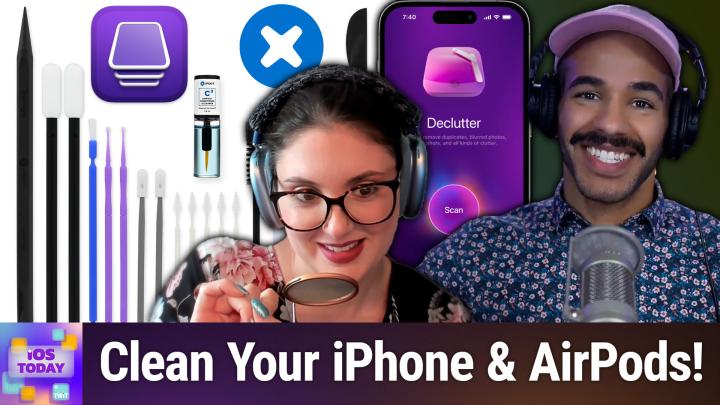
All TWiT.tv Shows (Audio)
iOS Today 758: Spring/Summer Cleaning Your Devices
00:45:35
Precision Cleaning Kit, Apple Configurator, & more!
Loading summary
Transcript69 lines
- [00:00]
Micah Sargent
Coming up on iOS today, Rosemary Orchard and I get out the brushes because it's time to spring summer clean your devices. Stay tuned.
- [00:09]
Rosemary Orchard
This episode is brought to you by the Electronic Frontier Foundation. I love hearing those words. For 35 years the electronic frontier foundation has been fighting to make sure when you go online, your rights go with you. I'm a proud member. You should too. I also listen to their great podcast how to Fix the Internet. I don't know how I would sum up what the EFF does. It does so much. Their lawyers protect security researchers from companies that don't want them to do the research efforts develop open source software to combat surveillance. If you use privacy badger, you oughta and their activists push companies to build tools that work for you, not against you. The EFF's podcast How to Fix the Internet has some of the best guests ever. People from like minded groups including the Digital Defense Fund, the Tor Project, the Freedom of Press foundation, leading thinkers in post quantum crypto, AI, neurotechnology and with every guest they ask the question what does the world look like if we get this right? Visit eff.org podcast and listen to how to Fix the Internet. And by the way, join the eff. I'm a member. You should be too. Thank you eff. Today's show is brought to you by Progressive Insurance. Do you ever think about switching insurance companies to see if you could save some cash? Progressive makes it easy to see if you could save when you bundled your home and auto policies. Try it@progressive.com Progressive Casualty Insurance Company and affiliates. Potential savings will vary. Not available in all states.
- [01:40]
Unknown
25 years ago, a small group of business and government leaders met in Washington, D.C. they envisioned the creation of an independent nonprofit organization with a mission to help help people, businesses and government mitigate the growing threat of cyber attacks. Today, the center for Internet Security embodies that vision. For 25 years, it's worked with a global community of IT and cybersecurity experts to develop the CIS benchmarks and CIS critical security controls. These proven security best practices defend against common cyber threats and streamline compliance with industry frameworks, regulations and standards. Today, CIS provides cybersecurity services, threat intelligence and critical resources to help public and private sector organizations alike strengthen their Cyber defenses. Visit cisecurity.org today. That's the letters cisecurity.org to find out how CIS can help your organization as we create confidence in the connected world.
- [02:42]
Podcasts you love from people you Trust.
- [02:47]
Rosemary Orchard
This is TWIT.
- [02:52]
Micah Sargent
This is iOS Today episode 758 with Rosemary Orchard and me, Micah Sargent. Recorded Tuesday, June 24th, 2025 for Thursday, June 26th, 2025 spring slash summer cleaning your devices hello and welcome to iOS Today, the show where we talk all things iOS, iPad, OS, WatchOS, HomePod OS, TV OS and all the OS's that Apple has to offer. We love to talk about them here on the show, help you make the most of your devices and teach you some cool things you can do to make everything great as far as, you know, your, your apps and your, your phones go. Anyway, I am one of your hosts, my name is Micah Sargent and I.
- [03:37]
Rosemary Orchard
Am Rosemary Orchard, your other host. And I'm very excited to be here and bring a nice herbal scent to the spring cleaning. Though I have to say, Micah, I took my iPhone to the beach this weekend. It was a gorgeous sandy beef beach. For those of you who know the uk, it was down in Weymouth, lovely sort of golden sands. There was a military parade with a slightly out of tune brass band and I don't quite know how they managed that, which I was, I mostly avoided. I just wanted to hang out on the beach for an hour. But I kind of got sand in my iPhone and I was wondering, you know, like, do you have any recommendations for like cleaning any of your Apple devices and things like that? Because I feel like, you know, I, I didn't really get any sand in my iPhone, but like there was a moment where I was like, no, no, I'm picking this up and shoving this in a very tight pocket that I know does not have sand in it because otherwise that USB C port might have been toast.
- [04:35]
Micah Sargent
Yeah. So especially with sand that can be kind of, it could be an issue, sand getting into those little cracks and crevices and then trying to put a port in there, you up rubbing things. So for people who are out there, try to avoid sand in your devices at all costs. That is the one that is perhaps kind of the big oh situation versus some of the other things that we might need to do to clean our devices that are just a little bit easier. So when it comes to cleaning your devices, in particular your iPhone, Apple actually put together some recommendations for what to do when you clean your phone. And I think one thing that we saw during the the sort of heights, heights of the pandemic was the question of whether it was safe to use disinfectants on our phones. So if you go to the support guide on your uncleaning the iPhone, you will find a little kind of box that sticks out at the top and it says, is it okay to use a disinfectant on my iPhone? Well, using a 70% isopropyl alcohol wipe, 75% ethyl alcohol wipe, or Clorox disinfecting wipes, Apple says that's okay to use those. It says, don't use products containing bleach or hydrogen peroxide. Those can likely damage the coatings on the device. And then of course, try to not get moisture in any of the openings. And of course, don't submerge your iPhone in any cleaning agents. But once you, you know, if all it takes is a nice little wipe down with a Clorox wipe, you let the Clorox wipe the Clorox wipe juice, sit on the phone for a little bit and then wipe it away. That's going to disinfect, which is great.
- [06:38]
Rosemary Orchard
But that is something I would actually recommend everybody read. If you're ever using any kind of disinfectant cleaner, read the bottle. Because a lot of the time it's not spray it on, wipe it off, it's spray it on, leave it to sit for anywhere between 2 and 20 minutes and then wipe it off. Because that makes a big difference. And it doesn't matter what you're cleaning. Always read the instructions for things like that.
- [07:00]
Micah Sargent
Absolutely. And of course, different devices are going to have different sets of instructions. And so Apple does provide different instructions. In fact, the iPhone 16, 15, 14, 13, 12 and 11 has one set of instructions versus the iPhone SE, the XS, the XS Max, and so on behind that. And that is because of the textured matte finishes on the back glass or around the camera area. And so it talks about how that can have an impact on the textured glass that exists there. And of course, the oil can color the outside band of some of the phones. If you do have your phone without a case on it, and if you do have something that could cause a stain, of course Apple says, let's clean it right away. You unplug it, you turn off the iPhone. Makes sense. Use a soft, slightly damp and lint free cloth. So if you have a lens cloth around, that's a great option to use. Any of Apple's microfiber cloths are great as well. I have like a big old, you know, 50 pack of, of microfiber cloths. Don't get moisture in the openings to the best of your ability. And as we talked about before, cleaning products kind of keep those in the realm of what Apple recommends. Although there are some third party companies who make great cleaning products that are Specific to tech. And Apple actually says don't use compressed air. That's. That is a suggestion that Apple has. There is one thing that I want to mention that is quite delightful that I ended up picking up from iFixit. It's available for 995 and it is called the Precision cleaning kit that Ifixit makes. Now you can buy a lot of these products individually. However, some of the most helpful products in this kit I was not able to find in individual purchasing unless I was, you know, gonna wait six months for it to arrive to me. And so the precision cleaning kit has these great in. They're super, super, super tiny little almost like Q tips but they're very, very small and they're perfect for getting into the speaker grills of the iPhone. There are lots of different brushes and some of you will recognize that part of what's included in this precision cleaning kit are actually repurposed toothpick used in this case they're plastic toothpicks with a brush on one side and a sort of angled pointer on the other. I happen to have those in the toothpick form and so I kind of took a few of those and added it to my precision cleaning kit. But I have loved this thing. It comes with not just a bunch of different brushes and foam tipped swabs, but also comes with a, let me see what it's called the contact conditioner and cleaner which will clean tarnish or corroded electrical contacts which will of course improve connectivity and stop or help to protect against future corrosion. So you can actually use that whenever you are cleaning your device as well. If you've got an older device that has a headphone jack for example, or anything where you've got those contacts, it's a great thing to have. And then they also offer what they call the kit refill that has more of the foam tipped brushes and swabs. And so you can always help to refill your, your kit. So I have loved that for my fix it. Not a sponsor or anything like that. It's just a great little kit of items that has, that have come in handy for me including all sorts of electronics, including my phone. I also regularly, I've got a.
- [11:12]
Rosemary Orchard
UV.
- [11:14]
Micah Sargent
Light tray thing and I will regularly pop my phone into that. But it's important to understand that UV light is a pretty, can be a pretty destructive thing. I mean that is what it's doing to the germies that are on the phone. But that also means it can start to break down the materials and so that's just something to bear in mind that if you're going to use it and you have a case that could be sensitive to UV light, you know, you need to keep that in mind. So, yeah, that's some of the ways that I go about cleaning my phone and disinfecting my phone on the way towards sanitizing, which of course requires a lot of work.
- [11:56]
Rosemary Orchard
This episode brought to you by Red Canary. When cybersecurity threats hit fast, you need an MDR partner that moves faster. Red Canary delivers 24.7expert MDR support, total visibility and actionable insights. Plus it helps you detect four times more threats so you can stay ahead without burning out. Red Canary clears the noise and has your back every hour, every incident. Get the backup you deserve. Visit redcanary.com difference to learn more.
- [12:26]
Unknown
Hi, Zoe Saldana. Welcome to T Mobile. Here's your new iPhone 16 Pro on us.
- [12:30]
Thanks. And here's my old phone to trade in.
- [12:33]
You don't need a trade in. When you switch to T Mobile, we'll give you a new iPhone 16 Pro. Plus we'll help you pay off your old Phone up to 800 bucks and you still get to keep it.
- [12:42]
There's always a trade end.
- [12:43]
Not right now. @ T Mobile.
- [12:44]
I feel like I have to give you something in return for karma.
- [12:46]
That's okay.
- [12:47]
I don't really have much in my purse. Oh, let's see. Hand sanitizer. It's lavender.
- [12:52]
I'm good. Seriously.
- [12:54]
Let me check this pocket. Oh, mints.
- [12:56]
Really, I'm fine.
- [12:57]
Oh, I have raisins. I'm a mom. Wait, wait one sec. I've got cupcakes in the car.
- [13:01]
It's our best iPhone offer ever. Switch to T Mobile. Get a new iPhone 16 Clean Pro with Apple intelligence on us, no trade in needed. We'll even pay off your phone up.
- [13:10]
To 800 bucks with 24 monthly bill credits. New line 100 plus a month on experience beyond Finance Agreement 999.99 and qualifying boarded for well qualified plus tax and ten dollar connection charge. Payout via virtual prepaid card. Allow 15 days credits and imbalance due if you pay off earlier.
- [13:25]
Micah Sargent
Cancel CT mobile.com Ryan Reynolds here from Mint Mobile. With the price of just about everything.
- [13:30]
Rosemary Orchard
Going up, we thought we'd bring our price up down.
- [13:32]
Micah Sargent
So to help us, we brought in a reverse auctioneer which is apparently a thing Mint Mobile unlimited premium wireless Everybody. To get 30, 30. Better get 30. Better to get 20, 2020. Better get 20, 20. Better to get 15, 15, 15, 15 just 15 bucks a month. So give it a try@mintmobile.com Switch upfront.
- [13:49]
Rosemary Orchard
Payment of $45 for three month plan equivalent to 15 per month required new customer offer for first three months only. Speed slow after 35 gigabytes of networks busy taxes and fees extra CMN. So that was cleaning your iPhone physically. But of course you can also clean your iPhone digitally, and that would include, you know, doing little bits of spring cleaning. And one of the apps that I really love for this is called Clean My phone, which is from a great company called Macpaw, who by the way, are based in Ukraine and they are spending all of their money on helping people locally. So that's always a good thing. But this will help clean up iPhone as well as icloud things. So it will do things like duplicate photos or deduplicate your photos. But it's not just, I have five of the exact same picture. Maybe you're trying to get your dog to pose in a very particular way. So you're waving treats around and your dog was posing or not posing, and you took 20 pictures of Missy, for example, or whatever your dog's name is, and there's 20 almost identical pictures. Clean My Phone actually will help you find all of those 20 pictures that look almost identical. And then you can go, okay, like, these are the two I really want to keep from this because if you've got 20 photos, do you actually want 20 or do you want maybe one or two of those? And that is, you know, the, the beauty of Clean My Phone. And they are using a combination of AI things and so on to do this. This app used to be called Gemini Photos Cleaner, however they renamed it, I suspect partially because of Google's Gemini, which is an AI program. But this can do all sorts of things. It can help you find, screen, record, clean up, like all of those weird screenshots that you've got of things that maybe you didn't actually need. And it will even do an AI organization of your camera roll if you want. So you can put like food in one folder, pets in another, and, and so on and so forth. And it's just really good for going through and going, okay, I have a bunch of stuff on my phone, but maybe, maybe I don't need as much, especially with new iPhone season coming up in September. And I know a lot of folks like to get a new iPhone or consider getting new iPhones in September when the, when the new ones come out. Before you do that, you do want to check how much storage you're currently using. But before you check how much storage you're currently using, I'd highly recommend actually cleaning up the storage on your iPhone. So clean my iPhone or clean my phone is a great way to do that. There's also a companion Mac app called CleanMyMac by the same people. And yeah, I highly recommend looking into that. But the other thing you can do is just delete those unused apps. I don't know how many apps you have installed, Micah. I checked before the show. Well, I had 827. I've now whittled it down a little bit and I'm actually using my Mac for this. And I'm using an app called Apple Configurator, which I'm sure nobody uses here, at least for. Not for its intended purpose. Apple Configurator is an app made by Apple and its whole purpose is for managing like fleets of iPads and iPhones for like schools, businesses, etc. You can manage your own device with this? I have to. I actually use it to manage my grandmother's devices remotely so that I can like change her permissions. So it's just locked down a little bit so she doesn't just randomly uninstall her banking app again, requiring another call to the bank to set it back up again. Because that's always a fun excursion to grandmother's house. I'd much rather sit and chat with her and eat cake. So I have. I'm using it for its intended purpose, but what I'm really loving it for right now is I just plugged my phone in and then it came up with the list of all of the apps and I'm just scrolling through, going click, click, click, click, click, click, click. And then deleting. And I'm deleting like 20 at once. It does take a little while to do it, but oh my God, this is cleaning up so much space on my phone, which is also going to speed up the restore when I do get my new iPhone in September. So definitely worth spending a little time doing.
- [18:09]
Micah Sargent
That is a great tip, as you said, especially for the when it comes time to do a restore, being able to just move over the apps that you actually are going to be using and not ones that are there for whatever reason that you're going. That app actually hasn't worked and hasn't been updated for six years at this point. Yeah, it is nice to kind of quickly right go through. And that's where Apple Configurator comes in handy and is reminiscent of the time whenever we could more easily do a lot of that stuff from itunes. Some of it is still available via Finder, but not to the extent that Apple Configurator is able to do. There's also a third party app that I'll mention that does that and other things as well, called Imazing. We've talked about that before on the show and on other shows. So that's something to bear in mind if you kind of want to go a little deeper than what Configurator does kind of on the surface. Now, there are of course, many ways to go about cleaning the gunk out of your devices. And when I say that, I mean both internally and externally. I wanted to mention a common device that needs to be cleaned if you've got AirPods, those things that go into your ears. Well, of course our human body bodies have this very cool protective feature called ear wax that helps to keep gross things from getting deep into our ears and also of course, helps to kind of lubricate the ear canals. And when you pop those little airpods into your ears, the two of them get together and have a party. So Apple has provided, as it did with the the iPhone, cleaning instructions. It also provides instructions for cleaning your AirPods and it talks about cleaning the meshes on the AirPods specifically and how to go about doing that. And Apple mentions specifically a cleaning kit that I have purchased. I've used this in the past and it works well. It has in it the AirPods cleaning kit, micellar water that also has PEG6 caprylic capric glycerides. Now, what that does is it is sort of a surfactant that helps to break down the waxes that are from your ears. And then it has a little tube of distilled water and a little brush. So what you do is, is you break down the wax with one and then after you've sort of brushed that on there with the micellar water, then you are able to kind of rinse it away using the distilled water. So you kind of do the brushing process with the micellar water, then do the brushing process with the distilled water and let them dry completely. That's very important. The other good thing about this page is that it kind of shows you the different parts where your mesh so you can make sure that you are properly cleaning those parts of the device and what you need to do for other parts of it. The charging case, of course, is a little bit more difficult. I like to use a little Q tip to sort of get down into the parts where the Stems go in. But be careful when you're doing that because there are little prongs at the bottom that can collect some cotton. And so I will sor of stop before I get to the bottom and kind of clean it up that way. And then Apple recommends a soft bristled brush to clean it as well. So those are some methods for going about cleaning off your AirPods. And you know, one pro tip there. If you do spot cleanings more regularly, the deep cleanings are far less necessary. And you might be surprised at how much of a difference it makes to the audio quality when there isn't wax in between you and the speakers that are on the other side of the speaker grill. So, you know, it's worth doing and seeing. Oh, right. I should perhaps clean that off a little bit more.
- [22:52]
Rosemary Orchard
I mean, one thing I would. I definitely recommend everybody do is think about the last time you took the case off of your iPhone. Was it never? Has that thing been living in a case since you bought it? Maybe take your iPhone case off a lot of iPhone cases, especially like the ones that are made of like, plastics and silicones. You can just wash those with like dish soap and warm water and. Or just give them a good rinse off with warm water. Obviously, if you've got like a leather phone case or something, don't wash that with water. You'd need to use like a leather cleaner or something on there. So you use whatever's appropriate. But take the case off of your iPhone and honestly, just. Just like a damp paper towel and I mean damp, like lightly damp. There are no drips of water. And wipe your iPhone off underneath that and wipe out the inside of your case at the minimum because all sorts of gunk can build up in there. This is a now discontinued Nomad Leather magbag. I don't use it all that much, but look at, like the things that are on the sticky pad. Like, that's like. That's a lot considering the fact I've only had this like a couple of months and probably only used it for a few weeks on and off in those times. So, yeah, don't forget, take your iPhone case off and clean your iPhone and the inside of your case at minimum.
- [24:08]
Micah Sargent
Absolutely. I just did that a couple of days. Well, I think it was last week. Took that off and said, oh, right, yeah, that needs to be cleaned. Absolutely. It's about time. So whenever we do that, it's a great time to kind of, you know, do it all. Well, you don't have to do it all at once. But it's kind of nice just you, you kind of are reminded in that moment. Oh, right. I also should clean this and oh, I also could take a moment to clean the apps that I'm no longer using.
- [24:42]
Rosemary Orchard
So, yeah, don't forget, folks, clean your keyboards, clean your mice, and also maybe like clean your other accessories like charging cables. Those can get really grimy where you're grabbing them all the time.
- [24:56]
Time.
- [24:56]
And now is also a really great opportunity to make sure your charging cables are not kinked. They're not bent at really sharp angles or trapped under pieces of furniture or in pieces of furniture. Or like I saw the other day in a video, somebody was having issues with their steering wheel. They couldn't adjust their steering wheel anymore because their charging cable was running from their center console over the steering wheel to the charger on the other side. And it was like tucked into the steering wheel mechanism where you could adjust the height of your steering wheel. Like, they could still turn their steering wheel. So it wasn't like an active safety issue for driving. But yeah, have a look at where you're running your cables and make sure that they're run in sensible places. Like now is a great opportunity to tidy those up, do a little inventory and like rearrange things. You know, I love those plastic zip mesh bags and I label them and I put all my cables in those. So I've got USBC to usbc. It literally says USBC dash USBC on the front and it's all in there for USBC to usbc. I've got USBC to Lightning and USB A to Lightning and USB A to USBC and all of those, they're all like labels in bags in a massive bin in this calyx behind me. And I, I highly recommend that for like organizing your cables. You don't have to get fancy with the labeling. Masking tape and a Sharpie is just fine. But yeah, use this as an opportunity to go tidy things out. You know, there's a couple of months until new devices come out, whether or not you're getting one, then you should definitely have a, have a cleanup and clean out of things. And don't forget to check for recycling centers near you where you can take things like cables that you no longer need. And if you have things like USB A to Lightning cables or things like that and chargers that you're no longer going to be using, consider homeless shelters and so on. If there are any near you that will accept electrical goods, because those folks that do have those phones still need able to Charge them. And they may have broken charging cables or chargers, so would definitely appreciate them.
- [27:00]
Micah Sargent
Absolutely, yeah. You have made me the biggest fan of those mesh bags. I use them for everything. Not just for, you know, recording, I mean for, for cables and stuff, but I mean, all sorts of stuff.
- [27:13]
Rosemary Orchard
They're great for travel. Like, my parents have their passports and stuff in one of them with like all their travel documents. Honestly, like, they're the best. I was camping this weekend, like, one of my friends was like, like, what's this? And she pulled out like the bin that was just full of these. And I was like, okay, so we've got cutlery, we've got seasonings.
- [27:29]
Yes.
- [27:30]
Like all of my kitchen organized in there. And like in the big one for my cutlery, I had smaller bags with like this one's forks. This one's nice. And she was like, okay, this is perhaps going too far. And I was like, yeah, but if I want a teaspoon, I can find it.
- [27:44]
Micah Sargent
I love it. I love it. Yeah, they're great. And I end up. And they're so cheap with. Exactly. With friends and stuff. If they, if I'm ever giving them something than just having it in one of these, it like elevates it, which is nice. We'll include a link in the show notes to some of these mesh zipper bags as well. Alrighty. So those are some of the ways that Rosemary Orchard and I are spring cleaning, summer cleaning our devices. There are probably other ways that people are going about it, and as always, we'd love to hear the way that you, you clean your devices. So be sure to email us iostoday@twit tv. We've got the news up next. It's time for the news. And of course, we are tracking what's going on with the iOS 26 beta. As you know, Apple recently had its Worldwide Developers Conference at which it introduced new software across the entire suite and announced a new numbering system that has to do with the coming year. So, like a car model, the coming year. So iPadOS 26, iOS 26, etc. And we are currently in the developer beta stage. This is pre public beta, which is supposed to start sometime in July. And the second version of iOS 26, the beta was released and MacRumors, among others, has posted a little guide for things that have changed thus far. So Rosemary, tell us a little bit about what has changed. Because the reason why, I think for people who are listening, we take the time to talk about this is because it kind of gives you an idea first and foremost of what is within the realm of possibility for changes in a beta. So from the time that you see something to the time that it's actually released in probably September, October, here are some of the things that Apple might change. I think it gives insight into that, but it also specifically gives insight into when you get into the public beta, if you're not doing this developer beta, things that you might comment on, that you come across that are worth changing, that may actually have an impact on the future of the platform.
- [30:27]
Rosemary Orchard
So one of the things that's changed I'm really pleased about Control center is now not as transparent as it was. So this is Control center on my iPhone for those of you looking at the video. And I can see that there are things behind the Control Center I can no longer read the contents of the widget. Um, this is something that previously I could definitely like, read things through the Control center, which had its benefits, I will absolutely grant. But it was also quite distracting and I ended up like opening Control center and then closing Control Center a number of times over the last couple of weeks with the, the first round of the beta because I would get distracted and forget what it was that I'd open Control center for. Now, 90 of that is my brain, I will guarantee it. However, it's also nice that they have just toned down the transparency. It's still glass. It's just frosted glass, like the kind that you put in a bathroom window so that people can't see in and just see you wandering around. And related to this, they've also enhanced the effect of the reduce transparency option in these accessibility settings so that you don't basically really have transparency much at all, which is really nice. And yeah, I'm, I'm just finding that that is quite beneficial. I've also made a tweak in Safari. So this is my Safari and I have already made a change thanks to Simon Stovering, the creator of Scriptable and many other great apps, who posted on Mastodon. The. He has put the tab bar at the bottom, uh, with the, the, the buttons at the bottom, which is good because I'm actually, I was really frustrated with Nuclear and I wasn't sure why I couldn't put my finger on it. It turned out the buttons were just in the wrong place for me. But the, the, the, the tab things are now at the bottom, which is just, yeah, much more like iOS 18. It's not as big of a change. And the bigger thing, however, is in the App Store, there's now an accessibility section for product pages. So this means the developers will be able to, I believe they are developers will be able to specify what accessibility features they support within the app, which is going to be a really great thing for all users. Because, you know, just because you are not necessarily the target market for accessibility features does not mean that you might not benefit from them. You know, people who are colorblind aren't often considered to have major accessibility needs. However, they would still probably appreciate the differentiate without color color setting that is available in the accessibility settings of iOS. And seeing that an app offers that where instead of it maybe just being that you have boxes which are gray and then colored when they're checked, there's also a little tick mark below the ones that are colored so that it's really easy to tell when there's a checked. And yeah, I personally think that that's really lovely. Wallets, parcel tracking getting way more powerful where you can track track anything. So you can enable Siri to scan mail to find all orders and emails from merchants, even if those weren't made with Apple pay. So now it's gonna be able to track way more. There's a new ringtone, there's a new radio widget, low power mode. Got a better description? And live captions for phone call transcripts. The transcribe calls option is now called Save Call Transcript Transcripts and that feature makes it clear that it's going to inform everybody on the call with a sound before transcribing begins. And so yeah, I think that these are all pretty great changes and it's really interesting to see what is coming so that we can, you know, see, see what the future will hold for us because we are getting a look inside the crystal ball at this point in time.
- [34:25]
This episode is brought to you by the Electronic Frontier Foundation. I love hearing those words. For 35 years the electronic frontier foundation has been fighting to make sure when you go online, your rights go with you. I'm a proud member. You should too. I also listen to their great podcast how to Fix the Internet. I don't know how I would sum up what the EFF does. It does so much. Their lawyers protect security researchers from companies that don't want them to do the research. EFS technologists develop open source software to combat surveillance. Have you used privacy Badger, UI and their activists push companies to build tools that work for you, not against you. The EFF's podcast How to Fix the Internet has some of the best guests ever. People from like minded groups including the Digital Defense Fund, the Tor Project, the Freedom of Press foundation, leading thinkers in post quantum crypto, AI neurotechnology. And with every guest they ask the question, what does the world look like if we get this right? Visit eff.org podcast and listen to how to Fix the Internet. And by the way, join the eff. I'm a member. You should be too. Thank you eff. Today's show is brought to you by Progressive Insurance. Do you ever think about switching insurance companies to see if you could save some cash? Progressive makes it easy to see if you could save when you bundle your home and auto policies. Try it@progressive.com Progressive Casualty Insurance Company in affiliate. Its potential savings will vary. Not available in all states 25 years.
- [35:56]
Unknown
Ago, a small group of business and government leaders met in Washington, D.C. they envisioned the creation of an independent nonprofit organization with a mission to help people, businesses and government mitigate the growing threat of cyber attacks. Today, the center for Internet Security embodies that vision. For 25 years, it's worked with a global community of IT and cybersecurity experts to develop the CIS benchmarks and CIS critical security controls. These proven security best practices defend against common cyber threats and streamline compliance with industry frameworks, regulations and standards. Today, CIS provides cybersecurity services, threat intelligence and critical resources to help public and private sector organizations alike strengthen their Cyber Defense. Visit cisecurity.org today. That's the letters cisecurity.org to find out how CIS can help your organization as we create confidence in the connected world.
- [36:57]
Micah Sargent
All righty, so let us go ahead and head on to Shortcuts. I'm sorry, there is some feedback this week as well, so let's take a look at the feedback. Johnny writes in with the following hello, Maika and Rosemary, I'm Johnny and I have to use Voiceover on my iPhone and iPhone, iPad and MacBook Air because I'm blind. I've tried using Adobe Acrobat to fill out forms, but it does not work correctly using Voiceover. Do you have any suggestions that will work with voiceover Such as PDF, Expert or Ultimate? But they're expensive. Expert is $80 per year. If Expert or Ultimate. Oh, sorry. If I have to use them to make it work correctly, I will. But I need to know if if it does work correctly with Voiceover. I need your help desperately. Thanks in advance. Your friend, Johnny. So this is a big issue when it comes to, I think in particular some of these big companies that have the resources to do this right and yet don't seem to do it right. And I'm talking about in this case Adobe, that Acrobat doesn't work with voiceover I think is an egregious failure on the company's part.
- [38:15]
Rosemary Orchard
Well, I have to say there is an element of this which is down to the people who create the PDF. If they don't annotate and label those fields and actually make them fields that can be filled out. So it's not just that you have to click with the little text thing and add like a text bubble onto the field that is not an accessible field. A lot of companies make really inaccessible PDFs. Unfortunately from me, this is part of my day job and so I get to go and yell at some people occasionally and be like, yeah, so you sent me a PDF and you said it's a form but it's a Word document that you printed as a PDF. Try again because they don't make PDFs, they, they're just writing a form and Word. So yeah, sorry side rant but that may be a chunk of your problem unfortunately Johnny, in which case I, I can't tell you anything that helps. But anyway Micah.
- [39:04]
Micah Sargent
Yeah, so that's, that. That is a big issue and I, but here's the thing too, is, is, yeah, it's, it's sort of, it is on both the part of the people who are making the PDFs and the people are making the PDF software. If you make a piece of software that claims to be able to open and view and let you consume PDFs then it should be doing that regardless of how the PDF is made. So I, yeah, I, I'm, I feel you Johnny, in terms of it being there. My first thought here, and I'm curious to hear yours, Rosemary too. With the introduction of preview on iPadOS and knowing Apple's commitment to accessibility when it comes to the software that it makes, Preview does have have built in autofill functionality. Now to be fair, as Johnny may know. I'm not sure because Johnny doesn't mention Preview here. Maybe it doesn't work to the extent that Adobe's Acrobat program is able to when it comes to filling out forms, but I found it pretty handy in filling out most forms that I've come across and I'm curious if that could be the option to make, make it possible to at least understand where you are in the form. Absolutely. Work with voiceover well, because it's Preview and in some ways automatically provide form filling functionality.
- [40:55]
Rosemary Orchard
Yes, I think that would definitely be worth trying if you haven't tried it out already. Johnny. And yeah, I mean PDF Expert does have a free trial, so absolutely test that out. But I would also love our listeners to tell us if they have found anything that works well with Voiceover for filling out PDF forms. I would also suggest, Johnny, that every time a company sends you a form, if it's not correctly labeled or annotated, you'd send them feedback and tell them it's not accessible. And also that actually web forms are usually a heck of a lot better at this because at least, least browsers have got some built in accessibility features. So yeah, that is something to consider there. But I'm really hoping some of our listeners have got some feedback for us about what has worked well for them because I know we have a lot of listeners who use accessibility features and Voiceover in particular. So if you use Voiceover, you fill out PDF forms and you have found something that sucks less than the other options. Options. And that is a deliberate choice of wording. I'm not expecting an amazing app because there are so few amazing apps in this space, even though I personally feel that that is wrong. But yeah, if you are aware of anything like this, please write in and let us know and then we can talk about them on our next show. And yeah, we can send that over to Johnny as well.
- [42:23]
Micah Sargent
Alrighty. I can hear the music. Music. It's time for Shortcuts Corner. It's time for Shortcuts Corner, the part of the show where you write in with your shortcuts requests. And Rosemary Orchard, our shortcuts expert, provides a response. This week's Shortcut Corner request comes in from Bjorn who writes, hi Rosemary, Mary and Micah. It's in parentheses so I whispered it. I am butting against the upper limit of the number of automations and must try to reduce the amount I have. For many devices I have two dual automations. For example, one to turn off a heater if a window opens and another to turn it on if a window closes. I have tried to use one shortcut to achieve this but cannot find a way way to do this. Having two if sentences in sequence seems to mean that only the first is checked. So it works for turning off a heater at open window, but not for turning it on again at closed window. Is there any way this could be done without using two automations? Best regards from Norway, Bjorn. Okay, some logic problems.
- [43:47]
Rosemary Orchard
Yeah, and specifically this is a logic in HomeKit problem. So yeah, I think I found why your automation is not triggering Vjorn and I will caveat this by saying I'm on the iOS 26 beta. So there may be some stuff that's funky here, but I was pretty certain I remembered this correctly. So I am creating an automation and I've just said when an accessory is controlled. Now I'm selecting my living room light just as an example and I can see that I've got the option for turn on or turn off and that is an exclusive or it's not a, you know, optional or and if I do sensor detect something, then I can go to, for example, I've got my lounge sensor which has motion and I can say hey, when this detects motion or when this stops detecting motion, this is the problem. Unfortunately, I am pretty certain that your issue is actually with the trigger of your automation. The fact that you cannot have multiple triggers for the same automation. Now if I go to next oh, anyway, and then I scroll down through my list of a bazillion one things and I convert to a shortcut. I can do whatever I like here. I can put in any series of actions. However, unfortunately I run into the limitation of my trigger is still set the same way. And even if I go back here, here and you know, I've, I've confirmed this, it's still not giving me the option to add more triggers. So this is one of those things where you may be able to work around this with alternative actions or with alternative apps I should say so. For example, there are really great apps that allow you to enhance your HomeKit experience Experience and the EVE app is one of those where you can actually edit automations and so on there. However, any and all of these are going to eventually run into the inbuilt limitations of HomeKit and that is unfortunately just the way Apple have programmed it and they have not necessarily thought about about how real people use their homes. A friend of mine loves to go on a little rant about this on a regular basis because their favorite items in their home are not the same as their roommate's favorite items in the same home. And so either they both have their bedside lamps favorited or neither of them have them favorited. Controller for HomeKit is another really good option. If you've already got it, you could try it. But unfortunately my recommendation for this, for this, it's pretty huge. Requires a fairly fundamental change to how you do HomeKit things, but it's actually to not use HomeKit, it's to use Home Assistant and just share your Accessories back to HomeKit for those things that need that you want to control in HomeKit because that way you can have one automation in Home Assistant that says hey, when this window sensor changes and then you can have your entire IFF flow, it's got traces for your automations and all of those things and you can turn automations on and off. You can see exactly when they last ran and what they did and so on and so forth, all of those things. That would be my recommendation. However, it is going to require an always on device and it is not necessarily the simplest to set up and it is a big change. However, it has also been significantly more reliable than Homebridge for me, which I used to find whenever I was using Homebridge it would just randomly reset everything back into the default room in HomeKit and that was something somehow related to the way that HomeKit, Home Assistant, HomeBridge, sorry, was sharing the devices. I've never had that happen with Home Assistant. However, that has always just worked. Yeah, Kevin in the Chat is saying HomeKit is a dumpster far. I wouldn't go that far personally I, I would say HomeKit's fine, but you're running into the limitations of it. If you're running into the limitations of HomeKit right now with your automations, I bet you've already run into limitations where you're like oh no, I want this light to turn on for five minutes and then turn off and you like that requires usually tow automations in Homecoming Kit like when the light's on for five minutes, turn it off. That's a second automation most of the time unless you're using scenes in which case it, it all gets really messy. So my recommendation, if controller for HomeKit and the Eve app don't sort you out, I'm afraid the next step is go big, go to Home Assistant. However, it's also fully local, doesn't share your device and offers a whole bunch of integrations including things like, like fake devices. So like my main doors on my house I have made into a fake garage in HomeKit so that I can open it from CarPlay when I get home. Which means as I'm grabbing the bags of shopping out the car, I can just tap the screen, tap the button on the screen of my car stash and as I get to my front door it unlocks. And that's something I can do thanks to Home Assistant, which I couldn't do in HomeKit.
- [49:11]
Micah Sargent
That is very nice and I, yeah I agree. Ultimately, ultimately for me there were just some things that I wanted to be able to do that I couldn't count on with the simplicity, ease, etc that HomeKit is trying to provide and so I had to look elsewhere and outside of that Alrighty folks, this is normally where we would do the App Caps section, but Rosemarie and I don't want to force App Caps and that means, you know, occasionally we haven't come across something new and exciting that we think you should know about, but we also want to put forth the call to you all. If there's an app or a gadget, you know, hardware, software, whatever it happens to be that you just think is so awesome that you feel deserves to be in the AppCap segment, you can submit those to us. Iostodayatwit TV is how you can send those in. Give it if you can, send the link to us. If you can't, that's fine, just give us the name. At the very least, IowaD WWIT TV is where you send it and one of us will give it a go and see if it's up to snuff. And it could end up being featured as an app cap in one of our episodes, so be sure to email us iostodaywit TV with that, we have reached the end of this episode of iOS today. I want to remind you all about Club Twit at Twit tv. Clubtwit if you are listening to this and there are ads playing throughout, then I've got a way for you to get the show without ads. That is by going to Twit TV Club Twit and becoming a member of the club. When you do, you gain access to ad free versions of all of our shows. You also gain access to the Twit plus bonus feed that has extra content you won't find anywhere else behind the scenes before the show. After the show, special club Twitter events get published there and access to the members only Discord Server A fun place to go to chat with your fellow Club Twit members and those of us here at Twit Twit. All of that plus so much more available at Club Twit Twit tv Club Twit Rosemary Orchard if people would like to follow you online and check out all the great work you are doing. Where should they go to do so?
- [51:28]
Rosemary Orchard
Well, the best place to go to rosemaryorcher.com which has got links to apps, books, podcasts and all the social media websites where you can find me. However, you can also find me in the club Tour Discord where we have a little chat during the show. Every so often somebody provides a lovely little piece of information which is really nice and people just chat as we record the show and share their thoughts. And also there is a lovely discussion area. So if you can't join us live while we're recording, that's fine. You can still join in the chat after the show in our lovely iOS today area where people can leave all sorts of feedback and post questions and more. Where can folks find you?
- [52:05]
Micah Sargent
Maika if you're looking to find me online, I'm at Micah Sargent on many social media networks. Or you can head to Chihuahua Coffee. That's C H I H U A H where I've got links to the places I'm most active online. Thank you all so much for tuning in to this week's episode of iOS today. We'll catch you again next week with another episode. Bye bye.
- [52:37]
Unknown
Hi Zoe Saldana welcome to T Mobile. Here's your new iPhone 16 Pro on us.
- [52:42]
Rosemary Orchard
Thanks.
- [52:42]
Unknown
And here's my old phone to trade in.
- [52:44]
You don't need a trade in when you switch to T Mobile. We'll give you a new iPhone 16 Pro plus we'll help you pay off your old Phone up to 800 bucks and you still get to keep it.
- [52:53]
There's always a trade in.
- [52:54]
Not right now. @ T Mobile.
- [52:55]
I feel like I have to give you something in return for karma.
- [52:58]
That's okay.
- [52:59]
I don't really have much in my purse. Oh, let's see. Hand sanitizer. It's lavender.
- [53:03]
I'm good. Seriously.
- [53:05]
Let me check this pocket. Oh, mints.
- [53:07]
Really, I'm fine.
- [53:08]
Oh, I have raisins. I'm a mom. Wait, wait one sec. I've got cupcakes in the car.
- [53:13]
It's our best iPhone offer ever. Switch to T Mobile. Get a new iPhone 16 Pro with Apple Intelligence on us. No trade in needed. We'll even pay off your phone up.
- [53:22]
To 800 bucks with 24 monthly bill credits. New line $100 plus a month on experience beyond finance agreement $999.99 and qualifying ported for well qualified plus tax and $10 connection charge. Pay off via virtual prepaid card. Allow 15 days credits end and balance due if you pay off early or cancel CT mobile dot com.