← All TWiT.tv Shows (Audio)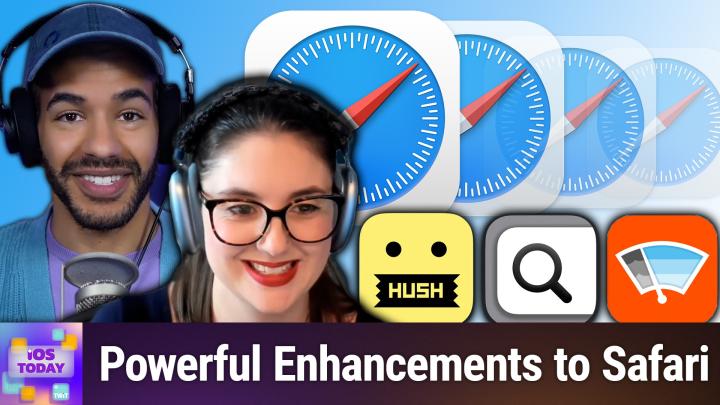
Loading summary
Transcript54 lines
- [00:01]
Micah Sargent
Coming up on iOS today, Rosemary Orchard and I, Micah Sargent, talk about safari extensions to improve your browsing experience. Stay tuned. Let's map out this week's amazing destinations and travel tips.
- [00:15]
Will
Honestly, Will, I didn't plan any trips, but I did switch to T Mobile with their new family freedom offer.
- [00:23]
Unknown
That's not the itinerary we're following.
- [00:26]
Will
Well, I'm departing from AT&T and embarking on a new journey with T Mobile. Paid off my family's four phones up to $3200 and gave us four new phones on the house.
- [00:39]
Micah Sargent
Bon voyage.
- [00:41]
T Mobile Representative
Introducing Family Freedom. Our lowest cost will switch our biggest family savings all on America's largest 5G network. Visit your local T Mobile location or learn more@t mobile.com FamilyFreedom up to $800 per line via virtual prepaid card typically takes 15 days. Free phones via 24 monthly bill credits with finance agreement eg Apple iPhone16128Gigabyte8029 99 Eligible trade in eg iPhone 11 Pro for well credits end and balance due if you pay off early or cancel.
- [01:06]
Unknown
Contact T Mobile this episode is brought to you by the Electronic Frontier Foundation. I love hearing those words. For 35 years the electronic frontier foundation has been fighting to make sure when you go online, your rights go with you. I'm a proud member. You should too. I also listen to their great podcast how to Fix the Internet. I don't know how I would sum up what the EFF does. It does so much. Their lawyers protect security researchers from companies that don't want them to do the research. EFS technologists develop open source software to combat surveillance. If you use privacy badger, you oughta and their activists push companies to build tools that work for you, not against you. The EFF's podcast How to Fix the Internet has some of the best guests ever. People from like minded groups including the Digital Defense Fund, the Tor Project, the Freedom of Press foundation, leading thinkers in post quantum crypto, AI neurotechnology. And with every guest they ask the question what does the world look like if we get this right? Visit eff.org podcast and listen to how to Fix the Internet. And by the way, join the eff. I'm a member. You should be too. Thank you EFF this episode brought to you by Red Canary when cybersecurity threats hit fast, you need an MDR partner that moves faster. Red Canary delivers 24.7expert MDR support, total visibility and actionable insights. Plus it helps you detect four times more threats so you can Stay ahead without burning out. Red Canary clears the noise and has your back every hour, every incident. Get the backup you deserve. Visit redcanary.com difference to learn more podcasts.
- [02:46]
Micah Sargent
You love from people you trust.
- [02:50]
Unknown
This is Twit.
- [02:55]
Micah Sargent
This is iOS Today episode 762 recorded Tuesday, July 22, 2025 for Thursday, July 24, 2025 Safari extensions hello and welcome to iOS Today, the show where we talk all things iOS, iPadOS, WatchOS, HomePod, OS and all the OSes Apple has to offer to you. We have to offer to you the opportunity to learn more about your various devices, to help you make the most of your apps, to help you make the most of your phone, your tablets, etce. I am one of your hosts. My name is Micah Sargent and I.
- [03:37]
Rosemary Orchard
Am your other host. I am Rosemary Orchard and very happy to be here to extend everybody's possibilities with their iPhone and iPad today.
- [03:47]
Micah Sargent
Absolutely. So this episode is about sort of adding on some functionality to your browsing experience. Now Apple added, along with, you know, many a browser maker, the ability to add extensions to your macOS Safari browser a long, long, long time ago. But as time progressed, the company decided, hey, you know, this should be something that you are able to use across your other devices as well. If you're using Safari on your phone, if you're using Safari on your iPad, those should be able to have ext as well. And then the company also added the functionality to sync your browsing extensions between your various devices so that if they're turned on on one, they can be turned on another. If you remove them, then you remove them on all of them, of course, with the ability to turn that functionality off. But Safari Extensions can be, I think, quite powerful devices. Some of us, you know, just have them as simple ways to have our password manager in the browser if we use a third party password manager. But that's not, that's not the extent of what, the extent, if you will, of what is possible when it comes to browsing. Now, Rosemary, I believe you and a listener in the chat both sort of made this first extension, brought it into my awareness and it is an extension that I now use in place of one that I used to use. Can you tell us a little bit about Wiper?
- [05:39]
Rosemary Orchard
Yeah, so Wiper was first mentioned, I believe by Dustin in April of this year during the show. And it is something to wipe away the ads as you browse the Internet. So it's one of those apps that's really difficult to show off as Wiper as an application doesn't do a whole lot. I've opened it up for the first time in a while and it's ready to refresh. So I can tap on a refresh button where it's going to update the sources of things to block and to be aware of. And that's kind of it done. It's up to date. If I go to more, then I can find out more about Kayleigh, the developer of this. There's a tip jar, there's some help for things like setting it up and extra and so on. Basically what this does is you go to a webpage that would have ads on and they're gone. And this, it's one of those things where I was there going like, oh, I should open a webpage and show it. And I couldn't think of which websites have got ads because I don't see them. And that is the beauty of wiper. What I will say is if you open a web page, so I'm just going to open my Safari here to go to DuckDuckGo, then sometimes web pages will load funny if you've got any kind of content blocker installed. And so if that is the case, then you can tap on the little puzzle piece in the address bar and then there is the option to turn off content blockers and it will just automatically reload the page. Um, you can then do the same thing tapping on the reader slash puzzle icon to reload with content blockers. Um, and this is also where you can see all of your extensions. Um, so there is a wiper extra here which gives you some quick access to those help topics before, where it shows you how to disable, how to quit and all those things. Honestly, it's just a really great way of just wiping the web clean. It's also something that I've installed for my parents and my grandmother and my grandmother in particular. Not great remembering instructions for things like this is what to do if a website is being funny and doesn't work right. And she doesn't have any issues. So I mean, very occasionally websites get blocked. But that's because I turn on child protection on Haruto because she keeps tapping on random things that she sees on Google. But you know, wiper itself isn't blocking those. But yeah, it is really good at just keeping all of that gunk and stuff that appears on the web. Like I really thought pop ups were a 90s thing, but it feels like they're coming back. Like you start scrolling down a webpage and it'll throw up like a newsletter Sign up form or something like that. And that's just horrible. You don't want those. So yeah, Wiper just helps get rid of all of it.
- [08:23]
Micah Sargent
Yeah, and that's what I really like about Wiper. You, you talk about it's, you know, it just does the thing. It's very simple, it works in the background, it just does what it needs to do and gets out of your. I am going to name because I still think that it's a great app. It just ended up not being for me. I used One Blocker before this point and one of the things that bugged me about One Blocker that was a reasonable functionality of the app is that when you install and enable One Blocker, it has multiple instances within your Safari Extensions menu. So it sort of separated each of the keys filter categories out into their own thing so that you could control those independently. And also within the app you could control them. And having that many extensions could become kind of unwieldy when you're trying to look through and find others. And then I also had the issue where occasionally web pages seemed like everything was fine and then I would go to do something and it wouldn't work. And then if I disabled extensions then it would work. And as you mentioned with your grandma mother, I have not had this issue as much with Wiper. So I think that Wiper is a little more delicate perhaps and choosy about how it removes things and that has been beneficial. So you know, if you're using One Blocker, that may still be the choice for you. And certainly if you're looking for having the option to make changes to how things are blocked and you're more of a power user, that's where I think One Blocker is a great extension. But for me, Wiper ended up being the simple solution that yes, not only I could use, but I could recommend to friends and family as well as a choice for them. So yeah, I really am impressed with what Wiper is able to do.
- [10:24]
Rosemary Orchard
Yes, it's also worth noting, Wiper is a $1.99 one time purchase. That's it. One blocker, which both of us were previously using is $14.99 a year. Even the monthly is $2.99, which is more than Wiper for Lifetime. Now personally, my philosophy is Kaylee's made a really make the point of popping in once a year or so and just doing one of the chip the tip options just to make sure they regularly get money because I know it's not free to maintain apps you know, every time Apple updates something, developers have to go off and do a bunch of work to make sure the app still works like that. So yeah, but it is, it's nice that it's a 199 one time purchase and that works with Family Sharing 2 folks. So I bought it for me and got it for free for both of my parents and that is really hard to say no to.
- [11:13]
Micah Sargent
Let's map out this week's amazing destinations and travel tips.
- [11:17]
Will
Honestly, Will, I didn't plan any trips, but I did switch to T Mobile with their new Family Freedom offer.
- [11:25]
Unknown
That's not the itinerary we're following.
- [11:27]
Will
Well, I'm departing from ATT and embarking on a new journey with T Mobile. They paid off my family's four phones up to $3200 and gave us four new phones on the house.
- [11:41]
Micah Sargent
Bon voyage.
- [11:42]
T Mobile Representative
Introducing Family Freedom. Our lowest cost will switch our biggest family savings all on America's largest 5G network. Visit your local T Mobile location or learn more@t mobile.com familyfreedom up to $800 per line via virtual prepaid card typically takes 15 days. Free phones via 24 monthly bill credits with finance agreement eg Apple iPhone 16 128GB8,299 eligible trade in eg iPhone 11 Pro for well qualified credits end and balance due if you pay off early or cancel contact T Mobile.
- [12:08]
Unknown
Whether you're into comedians roasting each other's life choices or turning yesterday's bad decisions into today's funny stories, Amazon Music's got the most ad free top podcasts included with Prime. Download the Amazon Music app and get in on the joke or go to Amazon.com adfreecomedy that's Amazon.com adfreecomediDy to catch up on the latest episodes with without the ads.
- [12:36]
Micah Sargent
All right, moving along to the next extension, I want to mention a really great app called Keyword Search. Now there's not a lot to show with this one, but I can explain how it works. Keyword Search is this fantastic extension that knows that you go to different sites on the web and you search those sites. And the cool thing is many of those sites have kind of a built in pattern for how searching works. It's typically the website with sometimes it's like slash, search, question mark and then whatever words you're trying to search for. And so what they have done is give the ability for you to search specific sites for content. So you know, typically if I go up to the menu bar and I click and I type in something that's going to do for me a Google search, you have the choice of what search engine you're using. If I have keyword search enabled, it comes with these little built in kind of text snippets to say don't search Google, search this instead. So for example, for me, if I hit let's go with semicolon TW and then I hit space and then I type in my search query. It actually uses Twit's websites search to search the Twit website. And that way I can find like an old video that I did to see when was the last time I had, you know, somebody on the show or whatever. There are other ways of doing that, but that's just an example. Another thing that I'm constantly looking at, not constantly, but regularly looking at AP Stylebook. So I have a semicolon AP and I hit space and then I type in a search and it will properly go to the website and it will give me the ability to search for the ap, you know, on the AP style book. What's great is all you have to do to add something is do a search functionality and then where your term is supposed to go, you just type in three signs and then the system interprets the extension, interprets that, that is where the search query should go. And it does the right job of making sure that the terms that are put in are properly spaced for a URL. So the one that I regularly use, constantly use, is one that I created for the Apple support page because I am of course doing stuff all the time with Apple support for my different shows. And so I have asup and I type that in and hit space and type in a query and it just searches the Apple support database for the content that I'm looking for. So this is a really great way to quickly try to find content without having to go to the website first and then find the search functionality and then type it in. It ends up being a shortcut, I think for a lot of people, believe it or not, keyword search available for free in the App Store. So well worth checking out. Dan Moran, who I believe has been on this show before even and has been on Tech News Weekly as well, turned me on, like told me about this and I just think it's a fabulous little extension.
- [16:21]
Rosemary Orchard
Yes, it's also a way to get better, different search results because for example, if I search for something on the Apple support website, like I don't know, shortcuts, guess what? One of the first things that comes up is Customizing keyboard shortcuts on Mac os. Guess what? I'm not looking for customizing keyboard shortcuts on macOS. I'm looking for the application named Shortcut and it's documentation and that is much more difficult to find. So by searching through DuckDuckGo and just limiting my results to that, then I get much better search results, which makes me much happier. So I definitely recommend that. But say for example, you found the Apple support document that you're looking for and you start reading through it and you know, some of these are really short. They're really to the point. There's like five, five steps and two pictures and it's like, cool, done, I'm finished. Others you open for example, something to do with notes and you fall down a rabbit hole of all of the things that you could do with notes and you think, I really must remember to come back to this later. What do you do? Because I have been guilty of definitely just going, I'll just leave that tab open. Hi, I rose and I have a large number of open tabs. It's a problem and I never remember to go back through them. I have them auto close after a while. But for things that I actually want to read again later and I want to reference later, I use a great app and also Safari extension called Good Links. And good links is 4.99. And all you do is you. You have your page in Safari and you can just use that little puzzle icon and tap on the Good Links thing. Or you can share and share to Good Links and you can add whatever it is, whatever article you want into Good Links. One of the things I love about this is you can put your login details for certain websites. Like for example, if you have a subscription to the Wal and you want to save Wall Street Journal articles later, all of them are behind a paywall. So you could put your login details for that into Good Links and then it will still be able to download the article for you so that you can, you know, read it later, including offline, which is great. If you're planning on going somewhere on a plane or somewhere with spotty signal, then you can save things for later. So the way it works is very simple. You just open a web page and once you have that webpage there, you tap on oop, not like that. You tap on your little puzzle piece and then you just tap Good Links and then it pops up with all of the lovely information. Now one thing I will say is Good Links also has extensions for other browsers not Just Safari definitely has a Firefox extension. I believe it has a Chrome extension too. And so I can now save this article on hamburgers restrictions at UK airports. Am I planning on flying somewhere? Maybe. Yes, maybe I am. And yes, so I can pop in my tags. I could choose to mark it as red or add it to my start list and it automatically populates the title and summary as well as the URL for you. So yeah, definitely recommend good links. And also if you're watching the video, it has come up with some little purple things. By default good links is red but if you, you, if you pay for it then you get to choose your color. So my good links is purple but Micah could have green if you wanted to love.
- [19:39]
Micah Sargent
And then I think there's another one that goes really well with the good links there that because. Okay, I want to mention too, there are some sites or some extensions that are kind of big full featured extensions that work as kind of you launch it and it's a homepage and it has all of these flashy images and you can have it do quotes and this and that and the other. I don't know about you. I tend to avoid those because they kind of sort of take away from what I'm trying to do when I'm just trying to get to a webpage and get to what I'm after. These seem to be some of the most popular extensions mentioned. Whenever I look at different lists of extensions, but I tend to avoid those. I like this extension that you talk about for adding little notes to pages on the web. Can you tell us about that?
- [20:48]
Rosemary Orchard
Yeah. So if you've ever wanted to stick a physical post it note on a website that just comes up whenever you open it again, like I don't know, for example, you've got a discount code for a website or you need to remember to log in using this other form of single sign on or something like that. Then you can do that with browser note. So Browser note is a Safari extension and tap on the little puzzle piece in Safari and I'll just scroll down. I've got quite a few things here. I tap browser note and there pops up and. And it says hey, enter your notes. And then there are some options. So I could put something really important here like bananas. Question mark. Am I allowed to take bananas on the plane? The answer is depends on where you're flying. But then I can say hey, do I want to see this on every page on in this case www.gov.uk but this would be on every page on a domain. So if you say something on one of the particular podcast pages for iOS today on the Twit website, you can say, hey, I want this to appear on every page on the Twit site. Or I just want it to appear on this particular episode of iOS today that I have open. And then I can also say whether or not this note can be snoozed, which means that when I reopen the page, then it will give me the option to hide it temporarily and then come back the next time I open it. So I'll just add this note. And now I've opened the webpage and it says bananas question mark and that's it. It's very simple because I've allowed it to be snoozed. I can just tap view website and continue on my merry way. But this is really great if you've like coupon codes or you know, like, oh yeah, like next time I order something from this website my mom asked me to grab, blah, blah, or oh, don't forget that they have a sale coming up on this date and things like that. I tend to use this for like things that I would buy and so on. And yeah, just giving myself ideas of presents for people and so on as I save it. But browser note, it's just, it's a great digital sticky note for websites and it's a really random thing that sometimes I need and most of the time I forget that it's there. And then I hit a website that's got this setup on it where I saved myself a note and I go, oh, ah, very useful. So yeah, yep, it's just a really nice way of remembering that you have all these little, little things set up to remind yourself. I can also say if you open the app, this, this particular Safari extension has an app that does the thing and I can see go UK bananas question mark is a note. If I tap on that, then it opens the webpage that I saved on.
- [23:28]
Micah Sargent
Delightful. The other thing I want to mention this is just for people who are, if you're on your Mac, I know I'm talking about the Mac on iOS today, but while you have Safari open, you can click on Safari in the menu bar and choose Safari Extensions. And that will take you to the sort of built in sub store that is the Safari Extension store and that has a bunch of suggestions. The app that I was thinking about earlier that I am not a big fan of but always makes the lists is an app called Momentum or an extension called Momentum. And it is essentially like a yeah, home base for your homepage for your browser. And people use this across different browsers even. I've tried it and it wasn't for me, but I wanted to mention it because I know that there are people out there who use that and very much like it. So Momentum was the other app as well that is available. And then the last one that I actually want to mention is an app that aims to get rid of not it's not a browser or it's not an ad blocker per se, but instead is a nag blocker. And it is in fact called Hush Nag Blocker. And its job is to get rid of those annoying cookie and privacy prompts at the bottom of the page or in the middle of the page or wherever they appear. And that's all it does. It just goes in and gets rid of those nags and blocks. Now the cool thing about Hush Nag Blocker is that it has always promised and has continued to maintain that it does not use any third party dependencies. So. And it doesn't do crash tracking or anything like that. So it's very, very, very privacy minded where some other extensions might not be. It aims to just block nags and get out of the way. It's a little bit like Wiper, but more focused in blocking. Specifically those little things that pop up and say, hey, would you like to allow the 100,000 cookies that are on this page that are not necessary? And so that's what it does. So yeah, that is Hush Nagblocker, which is available for free in the App Store as well. All right, Rosemary, round us out with your final two picks.
- [26:29]
Rosemary Orchard
Well, my final two picks are related to, you know, getting things out of Safari because Safari is a great place to start. Is it a great place for things to live? Maybe, maybe not. And the first one is called Printer Friendly for Safari. And guess what? It helps make pages more printer friendly. So on this Gov UK page that I have open, we've got this entire like content section up here in an overview and if I just tap on share and then when it comes up, then I can scroll down and go to the print option, then I can see that that is actually taking up like a whole page and this whole thing is taking up like four pages. There's a massive footer at the bottom, all sorts of stuff going on. And like, this is just not necessary. I don't need an entire page of the overview. Now, of course, I could just choose to not print that one page, but sometimes there's like little Bits here and there inside of something that you want to get rid of. This is where Printer Friendly for Safari comes in. So I tap on it and then I can do things like start webpage editing and I can actually literally just do this. And then I can select entire sections of the web page and get rid of them. And that's it. Super simple. And then when I go to print, I'll just scroll down a little bit to get to my print option and ta da. I now have the overview. The little table of contents at the top is gone. Okay. I haven't got rid of the footer and everything yet, but this is really great for. Especially if you're trying to print a return label for something and they've got like a page of instructions at the beginning, but it's like not quite a page. And then the labels getting split into two pages because they've not programmed the website right. One of my pet peeves. I'm a web designer, I know how to say that this shouldn't break, but apparently some people aren't good at that. Then you can use this to get rid of those, those ridiculous bits that you just don't need to print and you don't want to print and you don't want to waste ink and paper on printing either. And this is something that I've recommended for all of my friends and family because my dad in particular loves to print things. And you know what, it's a better way for him to retain information. So I'm not going to stop him from doing that. But I found a way to help him make it a little bit better for the environment. He's also learned about double sided printing recently. It's very exciting. Oh yeah, yeah. Their printer has an auto duplexer so it will like flip the paper for you. And he found the toggle for it the other day and called me and was so proud and I'm there. You bought the printer. But okay, well done, you caught up. It's fine. But yes. So the next one is for example, you're preparing like a little project or something or you're just planning for a trip and you want to share some of these details with a friend. And you've got like 30 barrels of 10 apps now you can share tab groups in Safari. That is a thing that you can do. However, not a great solution for everybody, for everything. Sometimes you just want to share a bunch of links and obviously individually I can tap on the share sheet and send those off, but instead if I tap on the puzzle piece and then I go to share tabs for Safari. Then I can see a list of all of the tabs that I've got open. If I scroll to the bottom, there's a clear all button, there's including the tab title and then you can just select is lipstick really a liquid? And also hand luggage restrictions at UK airports and then copy those to your clipboard. And then if I were to open, I'll just pop into drafts to paste all of these. Oops, there we go. Ta da. Then I can see I have a nice list of tabs which is great for like sharing with people and so on and so forth. And it's just a really handy way to share a list of tabs. Now, one thing I will also mention, I forgot to put in the show notes. Can't believe I did because I've used it literally like seven times preparing for the show today. There is another great Safari extension called URL Linker for Safari. A lot of these have got For Safari in them because otherwise other apps exist with basically the same name and they're trying to explain their Safari extensions. URL Linker exists so that when you share a link you can share in a particular format. So for example, title, tab space URL or title in square brackets, URL in round brackets. What's it called? URL Linker for Safari. Congratulations, Mikey. You'll be the first person to download it from today's episode and I'll make sure to pop a link into the show notes. But it is such a handy little app that is just an extension. So yeah, highly recommend that.
- [31:06]
Micah Sargent
Absolutely. Check that one out as well. All right, Anything else that you want to share while I add URL Linker for Safari to the show document?
- [31:23]
Rosemary Orchard
No, but it has also just arrived with you via imessage because I was about to paste it into the show document because I used my URL Linker for Safari to copy it with tab spacing.
- [31:32]
Micah Sargent
Love it. All right folks, if you have Safari extensions that you're using that you're going up. Micah, Rosemary, what you missed this one. We would love to hear about it. We love to hear what extensions you are getting pumped about. So email us iostodaywit tv. That's how you get in touch. I have a little bit of a news segment and then we will head into the rest of the show. So one little news item that Apple put forth is that the company has introduced a new game. Now this is a game that I had been playing because I'm running a beta, but Apple has now brought it to just News plus subscribers entirely. And that is a game called the Emoji game. Now, in order to have the News plus subscription, you either have to subscribe directly to News plus or have an Apple One subscription, which gives you access to Apple music, more cloud storage, as well as their News plus subscription. And in it is the new or games that you're probably familiar with, like being able to do a crossword. But along with that, there is a new game now in the puzzles section, and that is the emoji game. So it has Sudoku, it has a game called Quartiles, it has a game called Crossword and the emoji game. Now, in the emoji game, you will have a bunch of letter spaces that you have to fill in. And you fill them in by looking at the emoji that you have at the bottom of the screen and figuring out what those emoji likely mean. If you can figure out what those emoji mean, you can fill them in to the words at the top. So. So on the screen you can see these sort of blank spaces and you get the beginning of the hint. So individuals top something disrupts a something and cocktail something. I'm guessing the last one is going to be like a cocktail drink. But let's look at the bottom here. We've got a submarine and then a speaker. That could be ping, because I think of the sound that. Or sonar, maybe the sound that a submarine makes. I've got a plug with an arrow pointing toward the plug. That might just be plug. I've got a scorpion, I've got a boat and I've got pointing at the ice that goes into a cocktail that's feeling like that could be rocks or on the rocks or something like that. Not just ice, but. But what I have to do is try to fill in these blanks. So you want to use as few moves as possible. If you get the full hint, it takes a move. And so I have been trying to do this without ever getting a hint on the hint and just figure it out from that. But for the sake of doing the show and making this a little bit faster, I'm going to use a move to expand the clue. So individuals top performance. So that could be personal ends at an L per personal best or something like that Something. So it definitely is sonar. This is sonar personal. Individuals top performance. Your personal. We'll come back to that. And then in the second one, I'm going to reveal it again just so we can kind of move things along. Disrupts a balanced routine. So like upsets the.
- [35:34]
Rosemary Orchard
Oh, there's. There's something coming to mind like in the. Like on the tip of my tongue. There's.
- [35:40]
Micah Sargent
Right. What's the front? Does anyone know what the front of a boat is called?
- [35:44]
Rosemary Orchard
Oh, the hull.
- [35:46]
Micah Sargent
Is that the stern or the. Oh, yeah, you're right. Personal record. Good job, Jammer. B. So it is point. The emoji is not pointing at the plug. It's pointing at the cord tied to the plug. So personal record. Very good. Bow. Bow. So I don't know if it is bow, then prow. Okay. The prow disrupts about. Okay, let's go with the last one. This is probably like cocktails served in a communal ceramic vessel.
- [36:15]
Rosemary Orchard
Oh, punch bowl.
- [36:16]
Micah Sargent
Punch. Okay. Yeah. So bow. There we go. B O W L. So maybe that's the back of the ship. I don't know. And then we don't. So it can't be punch. But you're definitely. It's got to be something like that. What is the cocktail that's served in it? A. It's not Scorpion bowl, surely. S C O R P I. Alright, let's try. Is. I've never heard of that. A Scorpion Bowl. Weird.
- [36:47]
Rosemary Orchard
Is that because people spike the punch maybe?
- [36:49]
Micah Sargent
Yeah, I guess so. And then rocks the boat. That's what that is. Rocks the boat.
- [36:56]
Rosemary Orchard
Got it.
- [36:56]
Micah Sargent
And so we did it in nine moves, which is not bad. We still got a great job, which is good. But I do try to get those with just the. Without even getting the hints as much as I can. Sometimes I end up though having to add those as well. But anyway, that is the emoji game. If you are an Apple News plus subscriber, you will have access to the emoji game and can therefore play it. All right, let's map out this week's amazing destinations and travel tips.
- [37:31]
Will
Honestly Will, I didn't plan any trips, but I did switch to T Mobile with their new Family Freedom offer.
- [37:39]
Unknown
That's not the itinerary we're following.
- [37:41]
Will
Well, I'm departing from AT&T and embarking on a new journey with T Mobile. They paid off my family's four phones up to $3200 and gave us four new phones on the house.
- [37:54]
Micah Sargent
Bon voyage.
- [37:56]
T Mobile Representative
Introducing Family Freedom. Our lowest cost will switch our biggest family savings all on America's largest 5G network. Visit your local T Mobile location or learn more@t mobile.com familyfreedom up to $800 per line via virtual prepaid card typically takes 15 days. Free phones via 24 monthly bill credits with finance agreement eg Apple iPhone16128 gigabyte 802999 eligible trade in eg iPhone 11 Pro for well qualified credits end and balance due if you pay off early or cancel contact T Mobile with that.
- [38:24]
Micah Sargent
I can hear the music it's time for Shortcuts. Cor welcome to Shortcuts Corner, the partner show where you write in with your shortcuts requests and Rosemary Orchard, our shortcuts expert, provides a response. This week's Shortcuts Corner request comes in from Kevin, who writes, I'm a longtime iOS today watcher. Thanks for all the valuable content. Hey Kevin, you're welcome. I'm trying to create an Apple reminder for a specific episode of a podcast in Apple Podcasts using shortcuts. I found a shortcut on Reddit which will create a reminder when I run it from the share sheet in podcasts, but it only puts the episode URL in the title field of the reminder. And that's it. I would like to have both the title of the episode and the URL included in the reminder. Artwork would be cool too, but not necessary. Have you been able to make that happen? Can you help? Interesting. So a shortcut to remind this person to watch or listen to an episode of a podcast that does some, I guess podcast feed scraping to get the the the artwork if possible. Tell me, tell me what is possible with this Rosemary, I'm curious.
- [39:45]
Rosemary Orchard
So this one's a little bit interesting because Kevin did actually share a link to a shortcut. Unfortunately that link says not available in icloud so I am just gonna kind of have to go off of what I I know about the shortcuts, what I know about the podcast app, and so on. So I'm gonna start by just here in podcasts because I just want to make sure and this is always the first thing with automation. Check to make sure that the thing that you're trying to automate doesn't already do the thing that you want to do by itself. So I'm just going to use more here to find reminders wherever it's hiding from me and then hopefully I am missing it. It's hiding somewhere in plain sight. I am very sure of it. There it is not interesting. Why is reminders hiding from me? But yeah, so you should be able to add something to reminders from the share sheet. My share sheet is currently apparently being a little bit flaky. I'm going to try and blame that on iOS 26, but it might Also just be something else that I'd like. But if I start by sharing drafts, then I'll see what I get. And I do just get the URL. So, yeah, that, you know, in that particular case, because the way that things share on iOS is they change their content dynamically based on what they're sharing to. So for example, by sharing to Drafts, Drafts only supports text. So that means that I'm never going to get an image in Drafts. But I have a URL. So I'm going to start. I've created a new shortcut. I'm going to use the information option at the bottom to say show in share sheet. Okay. And now I am going to clear all of these options from share sheets. Now if I scroll down, I can see that there are things like itunes, products and so on, but I kind of just want URLs and going back to what I was saying, sharing is dynamic and adapts. So we've got Safari web pages here as well as URLs. Safari webpage. If you think of it, it's kind of like a book. Okay. Or a card, which I happen to have a birthday card here on my desk. Okay. And there's a whole bunch of stuff in here as well as the envelope and the card itself, which means that, that like the URL is included as part of the Safari webpage or you could just share the URL. So in this case we just want the URL. And if there's no input, then I'm going to say ask for. I'm going to ask for text to try and get that URL. And then what we need to do is we need to get the contents of the URL or the contents of the web page. And this is one of those things where depending on how you handle it, is this URL, is it a web page, is it an article? And so on and so forth. So I'm going to go with get contents of web page and then I'm just going to briefly change this to get clipboard so I can copy the link to this and run it without having to go back and share every single time. And you'll need to make sure that you always allow access to all of the URL else because otherwise it's going to take a long time. But now I can see I have a little web page here. Amazing. So now I've done this and then I can use the reminders action too. And I am going to add a new reminder. I'm going to add a reminder and I'm going to use Contest of webpage and then I can use the name of this and then if I scroll down I can change the URL and I'm specifically going to put the URL in here rather than anything else else. And then I'll select my variable and use the shortcut input. And then ta da. This is how this has worked. So now if I just pop over to reminders and go down to automated processing, I can see the link. Now the reason why I put the URL in the URL field, not in the notes field is because this way there's a little picture of the artwork already built in there for you because that's how the Apple podcast link works. And the thing to remember about automations and shortcuts is keep it simple. If you can make things happen magically without having to go around and go like, get the images from the webpage, figure out which image is the most important image, use that image and then put that into the reminder. That's going to make your life a lot easier and also make your shortcut line less prone to failure and problems and then require troubleshooting later. So by putting the URL in also bonus, you just tap on, it takes you straight to the podcast app.
- [44:29]
Micah Sargent
Nice. I love the little tapping and popping right in. That's fantastic. All righty. We are nearly to the end of the episode, but we have our app caps now. These are the apps or gadgets we're using now or have been using for some time that we think are great and want to share with all of you. Recently rediscovered an app that I had been using quite a while ago because the app recently added some new functionality that intrigued me and I have found myself using it regularly once again. The app is called Endel E N D E L and Endel is an app app that plays background music. But it's not just a background music app. It's using science. It's using sort of an understanding of sound science and psychology to create soundscapes that can and have been shown to have an impact on different aspects of your cognition. And so in this case, there's sort of a basic soundscape that will play in the background and it changes based on your location and the time of day to sort of give you, make you, attempt to give you more energy. I'm being very careful about how I say this because, you know, we're obviously not making claims that this is going to relieve a headache or something like that, but it attempts to sort of look at when you would typically Have a dip in energy or an uptick in energy and use that, leverage that to kind of move you into a place where you're more productive or you're more focused. But recently Endel added some specific soundscapes and sounds and experiences for people with adhd, with diagnosed adhd. And in it are some new exercises that are like guided exercises to refocus and in particular these really interesting soundscapes, solfeggiotones, which is a kind of a newer field of study in terms of how it can impact the ADHD brain. Colored noise, which of course we know goes beyond white noise, pink noise, brown noise, and something called 8D ODYs, which kind of provides sound in a virtual soundscape around you to attempt to help you refocus. We've got your classic binaural beats, something that's kind of cool, which are two things, an app blocker and a focus timer so that if you are trying to get a task done, this can help you do that. It's that pomodoro timer sort of situation of it all. And I'll quickly mention solfeggiotones. So says the concept of solfeggio frequencies traces back to medieval Europe, linked to an early musical notation system, science still emerging, these frequencies have built a strong following for their soothing grounding effects, especially among those with adhd. I will tell you I found that solfeggiotones were not my cup of tea. They were kind of grating for me, but perhaps they are yours. But the 8D Odyssey, which makes it feel like the audio is kind of moving back and forth between your brain, in between your ears, I mean, is really kind of a cool thing that I found to be really satisfying and kind of calming. So those are just two examples of what Endel has added to improve upon the basic app of focus, relax, sleep, move, nature elements, etc. It's a really neat app and has some great sounds. It can be a little on the pricier side, so that's something to be mindful of. I believe it is. I think it's 7:50amonth if I remember correctly. Because the problem is there are multiple in app purchases for multiple different price subscriptions and if you buy it for just 12 months straight out, it's $120 a year. So yeah, little expensive. But what I basically did is I said I'm going to give it a month of trying it again and if I'm using it every day then perhaps it's something that I'll continue to use. So that is Endel E N D E L in the App Store. Rosemary, what's yours?
- [49:47]
Rosemary Orchard
So my pick is actually related to a problem that I need to solve this week. So I am picking up a new car on Saturday and I realized this week or after I walked away from arranging for the new car that I was like, ah, I have registered my license plate, my number plate as it is over here in the UK with a whole bunch of like parking apps and services and so on. So that for example if I go to do an airport drop off or pick up, I won't get a random fine through the post. Six weeks later, they'll just bill my card when they see the the license plate and so on. But I don't want to be paying for somebody else now. Fortunately, as it turns out past R Rose was a lot smarter than Rose on Sunday morning, was at 3 o' clock in the morning when she woke up going, oh my God, I have to de register my car from all these places. And I used a feature in notes that I'd actually totally forgotten about, which is that I had a note and I had added password protection to this note. Inside of notes you can create your own super secret note and it can have whatever content it is in there that you want. Now bear in mind your title, title is not going to be super secret. That's still going to show in the list. But if you then tap on the three dots at the top, you can lock your note and you can use either your iPhone passcode for this or a separate passcode. So I'm going to use my iPhone passcode and it's popped up. You don't see the numbers on your screen, but I see them on my screen and then it's asking me if I want to enable face id. And now if I want to see this, I can see it, it's currently unlocked, but then I can just tap lock at any time and I'll still see super secret note in my notes list but then when I go back into it I can't see any content and if I tap view note then it checks my face and then it can show me the note. And this can be really great for things like present ideas for your partner that you want to keep secret from them so that they don't just see them over your shoulder quite so easily. Like you know, they can still see the title that says present ideas for partner, but they don't, you don't necessarily see the contents and so it gives you that extra moment of going like over here. Okay, cool. And then you have a look at it. Um, and I also just find it as a useful marking for like, these notes are really important. Now obviously you also have the option to do things like pin your notes, move your notes into particular folders and so on and so forth. Um, but yeah, you can lock notes, which is really great for things that have got like payment details in there or stuff related to like your car and what gets auto paid for. Uh, so, so yeah, I need to go deregister my car from London's ultra low emission zone because if somebody else drives my car in there next week, I'm not paying for that. That's going to be their problem, not mine.
- [52:34]
Micah Sargent
I love that. Alrighty, let us say goodbye because we have reached the end of this episode of iOS today. I want to thank you all for tuning in. Remember, you can email us iostodaywit TV is how you get in touch with us. Be sure to reach out out there. Rosemary Orchard. If people would like to follow you online and check out all the great work you're doing, where should they go to do so?
- [53:00]
Rosemary Orchard
The best place to go is rosemary orchard.com which has got links to apps, books, podcasts and all the social media sites where you can find me. With the exception however of Discord because Club Twit has an amazing discord with a live chat during the recordings of the show and then an iOS today area for after the show. There's an open discussion thread and there's also threads for every every episode. So you can always give us feedback on things or ask questions and chit chat to one another there, including myself and Maika. Maika. Where can folks find you?
- [53:28]
Micah Sargent
If you're looking to get in touch with me, you can find me at Micah Sargent on many social media site or you can do Chihuahua coffee that's C H I H U a H u a coffee where I've got links to the places I'm most active online so be sure to head there and check that out. If you are not currently a member of Club Twit, I want to invite you to join the Club Twit tv. Club Twit is where you go to sign up up. We've got monthly and yearly plans. When you join the club you gain access to some awesome benefits. Every single one of our shows ad free. Just the content, none of the ads. You gain access to our Twit plus feeds. So there are multiple feeds depending on what you're looking for. You may want all of it. We've got news events there, we've got club shows, we've got bits and clips. It's all there and available to you when you join. So you join and you've got access to a bunch of extra stuff right away that you can go and listen to. And access to the members only Discord Server. A fun place to go to chat with your fellow Club Twit members and also those of us here at TWiT. So be sure to head there TWiT TV Club TWiT to sign up monthly and yearly plans and I can't wait to welcome you to the Discord. We have so much fun. We've got a 3D printing thread going and I am looking at running a D&D one shot adventure as well. That is going to be a Club Twit exclusive. So if that sounds good to you, you got to join the club to check it out. All right, well with that we've reached truly and finally the end of this episode of iOS today. Thank you so much for being here. Thank you for tuning in and we'll see you again next week. Bye bye.
- [55:14]
Rosemary Orchard
Sat.