← All TWiT.tv Shows (Audio)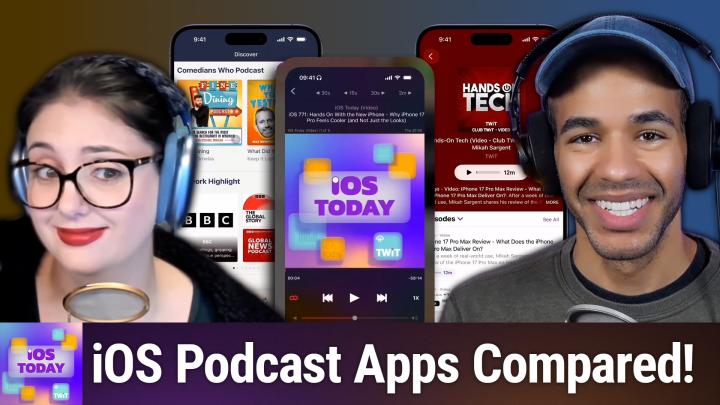
All TWiT.tv Shows (Audio)
iOS Today 773: Podcast Apps for iOS
00:49:31
Must-Try Features for Savvy Listeners!
Loading summary
Transcript37 lines
- [00:01]
Narrator
25 years ago, a small group of business and government leaders met in Washington, D.C. they envisioned the creation of an independent nonprofit organization with a mission to help people, businesses and government mitigate the growing threat of cyber attacks. Today, the center for Internet Security embodies that vision. For 25 years, it's worked with a global community of IT and cybersecurity experts to develop the CIS benchmarks and CIS critical security controls. These proven security best practices defend against common cyber threats and streamline compliance with industry frameworks, regulations and standards. Today, CIS provides cybersecurity services, threat intelligence, and critical resources to help public and private sector organizations alike strengthen their Cyber defenses. Visit cisecurity.org today. That's the letters cisecurity.org to find out how CIS can help your organization as we create confidence in the connected world.
- [01:01]
Sponsor/Announcer
And now, a next level moment from AT&T business. Say you've sent out a gigantic shipment of pillows and they need to be there in time for International Sleep day. You've got AT and T5G so you're fully confident, but the vendor isn't responding and International Sleep Day is tomorrow. Luckily, AT&T 5G lets you deal with any issues with ease so the pillows will get delivered and everyone can sleep soundly, especially you. ATT 5G requires a compatible plan and device. Coverage not available everywhere. Learn more.
- [01:32]
Micah Sargent
Coming up on iOS today, let's take a look at some podcast apps. That's right, stay tuned.
- [01:42]
Rosemary Orchard
Podcasts you love from people you Trust.
- [01:46]
Sponsor/Announcer
This is TWiT.
- [01:51]
Micah Sargent
This is iOS Today episode 773 with Rosemary Orchard and me, Micah Sargent. Recorded Tuesday, September 30th, 2025 for Thursday, October 9th, 2025 podcast apps for iOS hello and welcome to iOS Today. This is the show where we Talk all things iOS, iPadOS, WatchOS, HomePod, OS, TV OS and all the OSes Apple has has to offer. We love to talk about them here on the show and help you make the most of your devices. I am one of your hosts. My name is Maika Sargent.
- [02:28]
Rosemary Orchard
And my name is Rosemary Oshut. And yeah, we thought we would get more iOS today and other Twitch shows in your ears for this episode.
- [02:36]
Micah Sargent
Indeed. Look, there are many podcast apps out there, but I think there are some that have quickly climbed sort of to the top of the charts both in the App Store and in our hearts. And so when it comes to podcast apps, it can be kind of difficult, right, to decide what podcast app makes sense for you, what you can actually have that makes it different from the others. And often I feel like it comes down to just a matter of personal preference on visual design as the functionality sort of locks in across the board. There's certainly a lot of parallels between podcast apps, but arguably it all starts with the big podcast app, the one that comes with your device. And that of course is the Apple Podcasts app available for free in the App Store, which has all of the basic functionality you would come to expect. I think the only thing that's that you can't expect is that beautiful reel to reel podcast player that we used to have back when iOS had that delightful design where everything was wood and cloth. And again that reel to reel player. I miss it. I miss it so much. I thought it was so cute, but now it's, you know, it's fine, it's fine, it's ui, it's fine.
- [04:18]
Rosemary Orchard
Well, funnily enough, maika, Apple podcasts or itunes as it was back in the day is how I discovered Twit and all the twitch shows, including iOS today itself. So yeah, it's pretty great app. It's free, comes installed on all of the Apple devices, including Apple TV. It's not pre installed on a HomePod, but the HomePod doesn't really have apps as such. But you can just say hey Apple lady, play iOS today. And she will, but you won't get the video, which you know is definitely a benefit if you are watching us today because we do like to show you all of the apps. And speaking of which, Micah, can you show the Apple podcasts app at all?
- [04:56]
Micah Sargent
So with the Apple podcasts app you get in your sort of home screen. Of course you're going to be very familiar with the look and feel of the podcasts app. If you have other Apple installed apps, especially with a new Liquid glass look in iOS 26 you have your kind of three collection options down at the bottom, home, new and library. And you can see your up next feed up at the top and if you tap into up next you can see different podcasts that have come through, you can hit play and of course it will play through that content. So oh look, I recently did an iPhone 17 Pro Max review that was published so I could tap on that and I see this pop up at the bottom of the screen. I also functionality that again you would come to expect across the different apps. So down at the bottom I can go back 15 seconds, go forward 30 seconds, I can change the speed of the playback, but there's also a built in enhanced dialog option that sort of makes adjustments to the audio to Improve upon that. I have a sleep timer, which of course is to be expected. So I can say, hey, after 30 minutes, stop playing or when the episode ends, stop playing. If it comes with a transcript, that is something I can view with it as well. And then I can set up a queue to play other podcasts afterward. I can go to this show, hands on tech. Oh, by yours truly and subscribe, or they call it Follow now follow this show. Of course, I am already following that. But let me see, I'm trying to think of a podcast that definitely has a transcript as part of the feed. Let's see if primary technology is one that does. Yeah, so if I top in the, if I tap in the bottom left corner here, I can see the transcript of this episode and it will actually play along with the show if the transcript is set up to do so, which is a really cool thing. But I can also then look at the chapter markers to go a specific portion of the show there, which is really handy. And with the transcript being synced to the playback, that can be very helpful as well. You can also of course search that transcript, which is great and get more information there. So depending, as is the case with this specific podcast, you, there's a lot that you can do for sort of adding to the experience. And so you could see hosts and guests here and it all depends on what the person puts into the podcast feed on what pops up. Oh, this episode of Clockwise has a transcript. Now we did not add that transcript. I can confirm this because again my show and so this one was one that was automatically transcribed by Apple to add in there as into the stream. And then let's take a look at this one. Whoops from iOS today. And so I can hit play back on there. And yes, this has been transcribed at this point. So I can see it pop up at the bottom there. But you'll notice for this show, let me see, view the details there. This has just the information. It doesn't have the hosts for example, at the bottom. So it just depends on what has been added to the feed to provide that extra, extra information. You can of course also use the search functionality that has your top charts, your kind of your other categories of what might be interesting to you sleep, for example, and learn a little bit more about the different shows. So again, this is just simply an experience of I think the base experience. Right. It's got all the stuff you would come to expect from a podcasts app and can give you what you're looking for when it comes to the Podcasts that you want to watch or want to hear. So that's podcasts. You can set up some different settings for automatic downloads and what ends up staying on your feed itself, but that is managed within the podcasts app. So that's something to bear in mind. I'll show you really quick here. If you go into the settings for podcasts first, you can sync your library, which basically just means that across your entire account. So if you're on an iPad, if you're using your phone, if you're using your Mac, all of that information can be synced, whether it allows for cellular downloads, automatic downloads. So you can have it download every latest episode, every two latest episodes, all new episodes, all of the episodes across the last seven days, that kind of a thing, as well as offering changes to how the podcast skips and what the external controls do. Does it go to the next or previous podcast or does it do, you know, skip X amount of time or back X amount of time? So, yes, that's Apple Podcasts providing that kind of base functionality that you would expect from a podcast player. Now, the next one is a very popular app among iOS users. It is not one that I use. And so, Rosemary, I was hoping we'll see if this is the podcast app that you use that you could tell us a little bit about Overcast.
- [11:08]
Rosemary Orchard
Yeah, I can tell you a bit about Overcast Maker, because I do use Overcast. And it's one of these things that with the pandemic, my podcast listening changed significantly. But the app of choice has not changed for me, and that app of choice is overcast. Now, there is a caveat to Overcast that I do need to mention. It is audio podcasts only. It does not do video. So if you're looking at the screen here, then you'll see it says iOS today, and then in brackets audio. Because I have subscribed to the audio feed of iOS today because those episodes are of course, audio files. So they're a bit smaller than the video files. And it doesn't need to do all the magic with it just to turn it back into audio when Twitter is great and provides an audio file for me anyway. So I can see here I have my current episodes, which is the latest episode of iOS today, because I haven't had a chance to listen to last week's episode yet, but I can toggle over to all, and then I could scroll back and see and go back to listening to our episode about Safari extensions if I wanted to. Now, there are per podcast settings which can Be really, really useful. So you can say, hey, I do want to follow all the new episodes of this podcast. Or maybe you've just downloaded an episode of a podcast, perhaps because a friend recommended it to you or something, but you don't actually want to follow all the new episodes yet. So you can toggle that off if you want to. You can also pin it up to the top of your podcast list, keeping it front and center, because of course you're gonna be doing that for all of the Twitch shows. Um, and then you can get really nitty gritty nerdy with things if you want, so you can say, hey. So this podcast, maybe, for example, it's a podcast, one that I listened to. I did struggle a little bit with it because of the audio quality. The Isdal Woman, which was recorded by the BBC, which is storytelling true crime about the Isdal woman, a woman who was found in Iceland. And I'm not gonna tell you any more than that because it's a little bit gruesome. But either way, you could say, no, I want oldest first, newest last, because those are more like a story. However, for something that's news based, like the Verge podcast, you might well say, hey, newest, oldest. And you can also do things like adjust your episode limits. So if it is news based. So for example, maybe you listen to an actual, like news news podcast, like a breaking news podcast, or a daily news summary, you probably only want, like today's summary. Having a summary from 10 days ago, that's not hugely helpful. So you can say, hey, I want to keep every episode of this podcast ever. I want 1, 2, 3, 5, or 10 episodes, and it's entirely up to you. Now, some podcasts have a little musical intro at the beginning, which is fabulous, and I personally love that. If you don't like, because you only listen to that podcast in like a block and it gets a little repetitive with the intro and the outro, you can adjust your intro and outro to skip, say, 35 seconds, and you can adjust this by five seconds at a time. And same with the outro. So it'll just skip the first block of time and the last block of time that match those. Those timestamps. So that is, you know, some of the nitty gritty of overcast. Now it does have even more within the podcast playing. So you can adjust the podcast playback speed. And I can say, hey, this podcast people talk really, really slowly. And this drives me a little crazy. And I can crank this speed up to three times. That's. That's as Far as it goes. Now, my default is 1.2 times speed. But on top of that, Overcast has this thing called Smart Speed. So Smart Speed is if there's a really long pause somewhere, it will basically grab that and shrink it down and just not entirely remove it. So you won't have all the words stuck together, but it will shrink it down and just trim all of the gaps in the audio, allowing you to listen faster but without, you know, sometimes it gets really high pitched or really low pitched because they're messing with the speed. That doesn't happen in Overcast, but when you use Smart Speed, it gets rid of the sizes. There's also a feature called Voice Boost, which can, especially with something like the InStyle woman, try to pick up on the voices and improve the quality of the audio. Now, I personally feel that this is something that the production side of people should be doing, which is why we've got the wonderful people in Twitch Studio, or, you know, Twittigital Studio as it is now, who are doing all this work to make this better. And they're getting rid of all those weird background noises and everything for us. But not every podcast has that. Not every podcast has got the budget for it, or even the technical know how, or they just don't realize that there's a wind blasting in the background, making it really difficult to hear what people are saying. So you can turn on Voice Boost, um, and you can also specify that these settings are custom for this podcast. Um, and so now I can say, hey, I'm going to increase this to 1.3. But this is only going to affect this podcast. It doesn't affect any other podcast. The other options at the bottom are where the audio is going, is it playing to, for example, the AirPods Max on my head, which I'm using for podcasting. So I will not be selecting that. My living room speakers on various other AirPods or HomePods and so on. And then there's also a sleep timer, because who doesn't like Sleep Timer? Now, you can hack a sleep timer into any audio app, and that's with the clock app and the alarm you can have. Or a timer, sorry, the timer sound can be set to sleep audio and that will just pause any audio after that period of time. You can also say, hey, I want to stop after this episode and just, yeah, when this episode's done, just stop playing. Now, the final feature I want to mention about Overcast, because there's so much I could talk about. But I'm just going to mention this one is excellent. Exporting and sharing clips. So I can share a link to a particular podcast at a specific timestamp. So if I were to just fast forward this a little bit, there we go to 157, then I can share a link to the current time, which will then open this podcast online, overcast fm, and link to that explicit time that the podcast is being is at in my podcast player. So if I said to my, if I want to say to Micah, hey, have you heard this? I can link Micah to that specific moment of something happening in a podcast instead of expecting him to sit there and listen to a 2 and a half hour extravaganza and figure out which bit I was referring to in that. Um, I can also just share a link to the podcast episode. Um, I can export the audio file or I can share a clip. And so that clip will start shortly before where I currently am and I can just adjust that if I want to. And so I can say, hey, you know, I want to start this at like 1:32 and I'm just gonna scroll across and yeah, up to about there. That's perfect. Now I can specify this audio. I could do it as a portrait video, landscape video or square video. And these are designed for sticking on Instagram or something, but of course you could put them on any social media site you like. And I just think it's really lovely that you can share these little or in few choose not so little clip of, you know, audio for a podcast. If somebody's made a really great point, why not share it and you know, share a little bit of imagery about that podcast as well.
- [18:41]
Micah Sargent
Yeah, I love the share feature. I think that's the share feature. I think it's fantastic that that is a, you know, possible option there. My on my side of things, I am a Pocket Casts user. Pocket Casts was originally create by Russell Ivanovich and a team at a company called Shifty Jelly in Australia. And Russell's a friend. His app was acquired for a period of time by NPR and then was later brought in and acquired by Automattic, the folks who make WordPress and own Tumblr and a few other different online properties. The app is available for free. It went, it went free when NPR owned it and continues to be so. And again, it is an app that for the most part is the same, you know, of what you would expect from a podcast app. So your main kind of feed has your list of podcasts and you can tap on one and see the information about it. So here I'VE got my episodes. Something that I do like about it is it has this you might like option and that has stuff that you might be interested in based on listening to this podcast. Now, the way that that works, there are a couple of ways that that works. One is Pocket Casts makes it possible for a podcast publisher to choose some things that appear in that feed. But it can also use sort of anonymized data to determine what other podcasts people might be listening to. Also subscribed to this specific podcast and then give that information in the you might like suggestion. So people who listen to a pod. This podcast called Dragon Friends, which is a D and D actual play podcast from Australian comedians, also likely subscribe to a podcast called DND is for Nerds and a podcast called Baseless Speculation. So if you're in the. In the market is the idiom I'm looking for. If you're in the market for podcast recommendations, this could be very handy. Now the, the information that you have available to you right here in the kind of episode or excuse me, the show feed has of course, the description. It also has a sort of smart feature that tells how often the podcast is released. So this says released fortnightly. It looks at the podcast feed to determine when that is. And then we'll also try to predict when the next episode will be available. So it's predicting that the next episode will be available on October 12th. You can set up folders for your podcasts. So if you have, you know, these are my tech podcasts, these are my D and D actual play podcasts. You can set it up. That way you can turn on notifications individually for a podcast app and then you have lots of other settings. Automatic downloads. Again, notifications when episodes are available, whether they get added to your up next queue. The playback effects are very similar to Pocket Casts. And so let me hit play here just so you can see what that looks like. So in this I have the option to apply an overall speed increase, which of course is going to suddenly make the person speak a lot faster, but also trim silence, which like the feature that Rosemary was talking about. With Overcast there are three options, Mild, Medium and Mad Max. So you can basically more cuts of the spaces between people's words or less cuts between people's words. And then a feature called volume Boost, which just improves voices. Like the option that Rosemary was talking about as well. It's got your basic built in sleep timer, the option to share or excuse me, to play back on, you know, a Bluetooth device or an AirPlay device. There's also a clipping option within Pocket Casts so you can share an episode, you can share the podcast itself, you can share the podcast at the current position, or you can create a clip and this is what clips look like. If you're watching on Pocket Cast, you set the duration, you can set the clips size and then it creates a little illustration and you know, option to share on social media. So there is a sort of lens or portrait and square and landscape option and then it will let you create that clip. You can also just share an audio clip, which is nice if you don't want to share it on social media. And then last but not least, you can view, you can download the episode if you don't have it downloaded, but you can view the transcript so that information is available within the app as well and has more information on that. You also have of course duration as you might need it and you can even set up little bookmarks. So if you are listening to an episode of a podcast and you really like something that's said, you can create a little audio bookmark there as well. The podcast also has a discover feed. So here it has trending podcasts and podcasts that are set up based on the editorial team at PocketCasts. So it has information about what you might like to listen to. And then one thing that I really enjoy is the stats feature that shows that I have listened since February 14th of 2016 when I first downloaded Pocket Casts. I've listened for 109 days and four hours, it says, during which time 39,301,387 babies were born in the last 109 days. Which. Well, that's. Yeah. Over the course of that many days. But you know, obviously there have been a lot of a lot more days since 2016. But what's cool is it also shows you like how much time you have saved based on skipping parts of podcasts, setting up variable speed, setting up trim silence and then also auto skipping, which is what Rosemary was talking about. This also has that feature where if you're just trying to get past the intro and of all of it, Trim silence has saved me the most time. Five days and 12 hours of silence trimmed out of podcasts, which is pretty wild. So that is Pocket Casts. If you like what you heard and you want more of this week's top stories in tech, well, subscribe to Tech News Weekly. Every Thursday I talk with the journalists making and breaking the tech news. The last app we're talking about this morning is an app called Downcast. And there, I would argue is the. It is the sort of most. I don't know if industrial is the right word, but it's sort of just no bones, right? It's just a podcast app that lets you listen to podcasts and organize podcasts however you want to. And in fact, that's why it's called why Wired called it the best podcast downloader for iPad and iPhone.
- [26:37]
Rosemary Orchard
It's just.
- [26:38]
Micah Sargent
Yeah, it's a podcast downloader.
- [26:40]
Rosemary Orchard
Yes, it is. But however, unlike Overcast and Pocketcast, which have optional in it up subscriptions, this app is not free, but it is 2.99 and that's it forever. Forever and ever and ever and ever. So, you know, it's got some things going for it. And unlike Overcast, this also does support video podcasts. Now, because of the way that I've configured this to share my screen, I can't actually show folks the video podcast being played because it would potentially violate, you know, agreements and all those things. And they don't want to do that. But it is pretty simple. You add a podcast or more than one podcast, you have, you know, the option to view more episodes, to say, for example, you've already watched an episode of iOS a day, but you're like, no, no. Rose mentioned that safari extensions episode 762. I want to go back and listen to that because I feel like I didn't get as much out of it as I should have. Well, you can do that now. When you tap on an episode, it jumps straight into the player, which immediately starts playing, which is a little jarring when you're also podcasting because then you hear Micah's voice inside your head as well as Micah's voice inside your head. And it's very confusing. Multiple micas. Don't get me wrong, I love Micah, but it's a little confusing to have two Micahs at the same time in my head. So, you know, it's not an anti recommendation, it's just a commentary.
- [28:01]
Micah Sargent
As someone who regularly has multiple me's inside my head, it is a little confusing. I understand.
- [28:06]
Rosemary Orchard
Exactly, exactly. So there's a bunch of things that you can do here much the same as the other apps. You can control things like your playback speed, you know, going up to two times and beyond, which is great, and you just tap that to change it and then it eventually goes back to half speed and then one time speed. But something this app has, which not many apps on iOS have as just, you know, a feature is this has Chromecast capability. So this can cast to a Chromecast. So there's a little icon down in the bottom right and it's, it's just a square with a little cast icon in the bottom left. And if I tap that, I can cast this to my kitchen television because my kitchen television does not get enough use for me to have purchased an Apple tv. So I bought a Google Android TV which has a remote control so I can play things while I'm cooking and cleaning up and everything. Which you know is great for me, but also great. If I'm using Downcast to play a podcast episode, I can stream it to my kitchen television as well as of course airplane it to another television if I wanted to. Downcast is actually also available on Apple tv. So yeah, it's great. But I love the fact that you can swipe to skip forward and backwards. There are little buttons at the top to adjust. So go back and forwards by 30 seconds -15 seconds or go forward by two minutes. So for example, if somebody is talking about an app and you're like, ah, I've been using Downcast for years, I can skip this section. You could skip forward by two minutes. That might be overkill because I'm done talking about Downcast. But it's a great app. I've had it in my arsenal for years and honestly, you know, it would be difficult to convince me to get rid of it.
- [29:48]
Micah Sargent
Yeah, especially as you point out, those, those unique features to it that make it important now. Now we know there are loads of other podcast players. In fact there could be a podcast player that you love that you use regularly that we did not mention. And if that's the case, let us know. IowaD WWIT TV is how you can reach out and get in touch and let us know about your podcast player of choice. Moving along to the news, I wanted to mention Apple just yesterday as we record this on September 30th, put out a newsroom release about its foundation models frame. The foundation models framework, which is for the uninitiated or the non devs amongst us, basically gives developers the ability to access and leverage the AI models on iOS, iPadOS, iOS devices. So what this means is a third party developer can add AI functionality to their own app that doesn't require needing to communicate with, you know, ChatGPT or well I should say OpenAI's technology or one of the others, but instead can leverage that on device stuff as well as the on device, sorry, large language model that is sort of part of what Apple intelligence is. So this Newsroom release has information include or kind of lists the different apps that Apple is highlighting, including Smart Gym, which has new features to help a user describe a workout. And then Smart Gym can turn it into a structured routine. And then also Smart Trainer, which learns from a user's workouts and offers recommendations like changing weights or creating new routines based on what's already happened. Stoic, the journaling app I believe we've talked about Stoic on the show before. It uses the Foundation Models framework to provide journaling prompts that are generated based on recent entries. So if a user logs a low mood or poor sleep the receive an encouraging compassionate message is another way that it also works. But then again can also prompt to say oh you know you've been talking about this lately. Here's a little bit more information about that. You can also deliver context aware app notifications so reminding users of recent written entries or moods logged and will then notify them based on that. Again this is able to do so completely on device, which is really good when it comes to, you know, privacy implications. There's an app called 7 Minute Workout and will automatically create dynamic workouts using natural language. You know the user provides natural language and then it will create that as well. Gratitude, which generates weekly summaries of challenges, wins, intentions and affirmations. And then excuse me, streaks will automatically categorize tasks in a to do list based on the AI model. A couple of other things include Cell Walk, which is an immersive biology app and it will provide a little bit more information to kind of look through and get further clarification about what's going on. It says it uses the Foundation Models framework to generate a conversational explanation of a term using tool calling to ground the responses based on the app's scientific information. So with a also with a a user profile it can kind of lock things in based on the learner's knowledge level as well and help to better provide information there. And then I'll mention let's see one more which is an app called I'm going to say Velo. It's V L L O and it's for it's like a content creat and it says that it uses those foundation models and also Apple's Vision framework to analyze a video preview and automatically suggest the perfect background music and dynamic stickers tailored to each scene. So you may start to see this pop up in a few apps. I have seen one example of this with I believe it was fantastical that it's little parser for Creating an event based on a sentence that you pop in, so to say, for example, dinner later this week with Rosemary at place. And it tries to create an event based on that information, a calendar entry based on that information. That technology has in theory improved by leveraging these on device foundation models. So a little bit more information there about what's going on with Apple's Foundation Models framework. All right. I believe with that I can hear the music. It's time for Shortcuts Corner. This is Shortcuts Corner, the part of the show where you write in with your shortcuts requests. And Rosemary Orchard, our shortcuts expert, provides a response. This week's Shortcuts Corner request comes in from Steve, who writes, hey, Rosemary and Micah, love your show. Longtime follower of the Twit network and happy club member. Thank you for being a member of the club. So I am a diabetic who takes sliding scale insulin. I track my usage of my Quick pen in the Apple Health app. It's set as an as needed medium. I try to utilize Siri. Instead of opening the app to log when I take my insulin, choosing the med and saying how many units I take, I tell Siri, hey, you know who log 14 units of the Quick pen, which is the exact name of the medication in the app. Siri either tells me, I can't help you with that or I can't find a medication called Humalog. Any help on this?
- [36:37]
Rosemary Orchard
Insulin? Lispro is a prescription drug.
- [36:39]
Micah Sargent
Siri stop.
- [36:40]
Rosemary Orchard
Diabetes Humalog comes as hey, Siri, stop.
- [36:46]
Micah Sargent
We love. We love our Siri. Any help on this? So I can do this with less manual input. Maybe a shortcut, maybe even with capsule. Ah, good mention. Plus pet tax. This is my Robby. Some images are AI enhanced. That's very sweet that you point out that some of them have been AI enhanced. Are these all different links or are these all the same link? I guess they're all different links. Oh, wait, this is so interesting. For some reason when you say Robbie, that sounds like a dog to me. So I was not expecting this beautiful gray, like light brown cat. That would definitely be. Yes, I can imagine. That's an AI stim witch. Robbie the King. Wow. I should say Robbie the Royal is.
- [37:37]
Rosemary Orchard
A sort of light brownish gray tabby, I guess.
- [37:40]
Micah Sargent
Yeah. What a. What a glorious cat glory.
- [37:46]
Rosemary Orchard
Oh, I think that was not AI.
- [37:48]
Micah Sargent
In house, that one. Yeah, that one looks like a true Christmas photo. That's I've always said, again, I'm super allergic to cats and so I don't have A lot of feelings about cats in general. Like, it's not negative feelings. I just stay away from them, then it's fine. But there's something about a gray cat that I just think they're so handsome.
- [38:10]
Rosemary Orchard
They're adorable.
- [38:11]
Micah Sargent
Yeah, they're just really striking. So, yes, Steve, thank you for paying the pet tax. Rosemary, I love the mention of Capsule in there, but do you have some advice for our dear Steve?
- [38:24]
Rosemary Orchard
Yes. So, unfortunately, the Shortcuts app does not have access to Apple health medications, and they're is pretty much like a universal thing across the board. Apple did add some new fancy stuff with iOS 26, however, that's limited to like a big important export of your data from the Health app, specifically the medications area. There is no way to access medications outside of the Health app. And I suspect what is tripping Siri up here, among other things, is the fact that your medication name has two words in it. It. So it listens to the first word and there's like, cool, I know what to do. And it runs off to do it without reading the rest of the instructions. It's like the meme that says, please don't unplug the black cable. If you've already unplugged the black cable, please do not plug it back in. And there's people who, who are unplugging it where it says find the black cable and they unplug it and then plug it back in. It says, please do not. Yes. So basically, Siri is getting a little too excited and running off and trying to be helpful. So unfortunately, as we can see here in shortcuts, this is a search of the shortcuts actions. I've just searched for Medicat. I've not typed the rest of the shin. So to make it medication. But you can see there are a bunch of options from Capsule here. There's trimmed media, there's encode media, and then from note, another app from Snail development is Create media Blocks, which is an automate for notion. So unfortunately, that's not Go Fly. So what we're going to do is in Capsule, I'm just going to create the medication and I'm going to turn off has a due date, because it doesn't have a due date. And then I'm going to call this, oh, I can't spell. Or I can spell, but Siri is trying to be helpful. Humalog, quick pen. And there are options to go through and customize the icon and everything else. We don't need to worry about that right now because you're mostly going to be interacting with this through shortcuts. So I've just created this. It is an as needed medication. It does not have a due date. So that's all we need. And then what we need to do is go back and say, mark, medication as taken. And we're just gonna add that one. And then I can say, hey, let's log the Humalog Quick pen. Now if there is for example a specific unit that you would like to log, you've mentioned that you would like to log 14, then you can change that by tapping on the little expand arrow there. And if you need to add a note, for example, example, you could do that. And then you can just rename your shortcut to say, you know, log humor log oop. It's autocorrecting for me. So helpful, but also so unhelpful at the same time. Thanks Siri. Now you could specify 14 units. However I would personally try to make your Siri interactions as short as possible. Now Siri has got a lot better over the years. However, you're still dealing with a computer and I'm assuming if this is a kind of insulin, that you could be taking it in potentially medical emergency. So you want this to be as quick and easy to access as possible without having to say lots of words. So yeah, if you do this then you can say, hey Apple lady, log Humulo quickpack. And then the shortcut will run. We go back here and I can see 14 doses is logged as taken at 17:52. Because my, my iPhone is set to 24 hour time, so it would be 5:52pm which is the current time. And that's it. Very simple, very easy and as a bonus, a little bit of information. You can export all of your Capsule data at any point in time without needing a subscription or anything like that. You can just export it and you'll get JSON files, which yes, they're nerdy, but they can be handled by most other applications to automatically import your data for you. So yeah, your data will not be held captive, but then you'll be able to see everything quickly and easily in the history and in the individual medication as well. So that is what I would do. I'm sorry you can't do it with the Apple health stuff. I really wish you could. Good, that would be amazing, just, you know, for everybody. But as it is, sadly you're going to have to use Capsule. But you can use Capsule for free and to get the shortcuts support is.
- [42:49]
Sponsor/Announcer
14.99 a year this episode brought to you by Red Canary when cybersecurity threats hit fast, you need an MDR partner that moves faster. Red Canary delivers 24.7expert MDR support, total visibility, and actionable insights. Plus it helps you detect four times more threats so you stay ahead without burning out. Red Canary clears the noise and has your back every hour, every incident. Get the backup you deserve. Visit redcanary.com difference to learn more.
- [43:22]
Micah Sargent
Have you heard of Club Twit? Well, here's what it gets you. Ad free versions of every show, a feed of bonus content, and members only shows you won't hear anywhere else. Like My Crafting Corner and Stacy's Book Club, it's the easiest way to support the work we do and stay even closer to the tech community around Twit. Join today at TWiT TV. All right, with that, let's head into our app caps to round out the show. This is the part of the show where we share apps or gadgets that we love that we want to share with all of you because we think you might like them as well. If you recently purchased or plan to purchase AirPods Pro or any AirPods where the case has the little lanyard holes on the side of it, then might I recommend a little product that is sold in Apple's online store? This is a little product from Incase and Incase has this little lanyard and what's cool about it is of course, it attaches to the lanyard holes on the side the lanyard attachment, whatever you want to call it, on the side of the case. But but there's a clever little design where there's a plastic portion that's sort of not halfway, but maybe one third of the way between where it attaches to the AirPods case and the string that you can sort of loop around your wrist. And this clever little plastic portion has an opening in it that kind of makes for it almost looks like a, like a crochet hook, a little bit elongated crochet hook. And what you can do is you can take the sort of wrist holding part and fold it in half and put it underneath that hook and it locks in. And then this thing that was once for a wrist can suddenly be something that you attach to your belt or your backpack or whatever it happens to be. So it's just a nice little way to quickly fasten your AirPods to something. And I will occasionally use that to kind of loop around a bag and then pull tight and then it's suddenly locked onto the bag but on top of that, I just find having any lanyard attachment to my AirPods to be quite delightful. One, so that I can carry them that way, but two, because it just makes them stand out that itty bitty bit more without taking up a lot more physical space because it's a lanyard and so it can be kind of folded up and I can easily carry my AirPods. It's just that extra little bit of string on there that makes it more visually available to me, I guess, and therefore I can just see them. It's also handy if you have upgraded to a new pair of AirPods Pro and you've still got some old ones hanging around somewhere. And so this has become. The lanyard has also become the way for me to go. Oh, that case, that white case that looks a lot like the other white case. That's the one that I want to pick up and use. Those are my AirPods that are my, you know, active pair of AirPods. The Incase lanyard is available for 12.95 $12.95 in the Apple App Store. Incase sells another version outside of the App Store that is like a weird. I say weird pink, not because pink is weird, but because this color of pink is weird.
- [47:03]
Rosemary Orchard
They have this, it's more of a purpley shade. I have one and I actually quite like it. But I bought the kitchen case with the lanyard, so it kind of.
- [47:10]
Micah Sargent
Oh, nice. So it kind of matches with it. Nice. So that's another option as well. I just have the Apple version that's in the Apple Store. So that's my pick this week. Rosemary, what's yours?
- [47:24]
Rosemary Orchard
So my pick this week. It's free because everyone loves a little freebie. And it's the Apple Sports app, the app that I decided I had zero use for. So I'd install from my phone. And then a friend of mine was at the Vikings vs vs Steelers NFL game. This is the point where I my level of sports knowledge is basically, whoa. Go Sports. Did they do a thing? Cool. They did a thing. Go sports team. So a friend of mine was at the Vikings vs Steelers game on Sunday in Ireland in Dublin, and I thought it would be interesting to try and follow along. But after 10 minutes of refreshing the DuckDuckGo search results to try and figure out what was going on, I went, I need a better way to do this. I remembered the Apple Sports epic exists. Now, the downside of the Apple Sports app is I can't show you what I saw on Sunday because that match is not happening right now. And match game, sports thing. The sports thing isn't happening. They're not sporting right now. They're doing other things, I presume transiting, traveling, I don't know, training could be any of or all of these things. My level of sports knowledge, as you can tell, minimal. Nepal on the other hand, I'm pretty good at. But NFL I discovered there's an NFC and an AFC at the that point my brain just went kaboom. But you know, there's the Apple Sports app allows you to follow a variety of sports. They recently added the Premier League, which is the Portugal's league for football. And by say football, I mean soccer for the Americans, the Bundesliga, which is the German soccer league, and the second division, which I don't remember where that's from, but that's another soccer soccer one and there's a couple more. But you can follow a variety of sports here, including nascar, women's college basketball here. There's a really good team in San Francisco at the moment, so I've heard that they're pretty good. And there are some little sort of sub notes so I can see the FA cup says it's the off season. I didn't realize we had on seasons for that. But cool. But yeah, if you, if you search for things like if I just type in Steelers then I can can see that, you know, they're a thing. And if I go then to the NFL from there, then I can see that there are matches upcoming today. What I liked about this is added a live activity to my home screen. It sent me push notifications which didn't make a huge amount of sense to me. Something about coming and going or forwards and backwards with the yards. Go sports. But it was interesting to try and figure out what was going on and it was kind of like I was reading cryptic messages between spies and I googled some of the things and went cool, Ghost Sports. But the Steelers won. And I got to see that happen sort of through the push notifications that I got from the Apple Sports app, which is free. So if you are a fan of sports or you're trying to get into sports, try the Apple Sports app.
- [50:19]
Micah Sargent
And that folks, brings us to the end of this episode of iOS today. Thank you so much for tuning in. I want to remind you all, Club TWiT. TWiT TV Club TWiT. With that, let us say goodbye. First and foremost, Rosemary Orchard. If folks would like to follow you online and check out all the great work you're doing, where should they go to do so?
- [50:40]
Rosemary Orchard
The best place to go is rosemarychard.com which has got links to apps, books, podcasts, and of course all the social media sites where you can find me as well. But one social media website is not mentioned because it's the Club Twit Discord, where people are currently chatting about a potential new podcast idea for you and me, Micah, because you know, those are always fun and cricket it because apparently I've confused people with the NFL. So go me Maiko. Where can folks find you?
- [51:07]
Micah Sargent
If you're looking to follow me online, I'm icasargent on many a social media network where you can head to Chihuahua Coffee, that's C h I H u a h u a Coffee, where I've got links to the places I'm most active online. Thank you so much for tuning in to this week's episode of iOS today. We'll be back next week with another one. Bye Bye.