← All TWiT.tv Shows (Audio)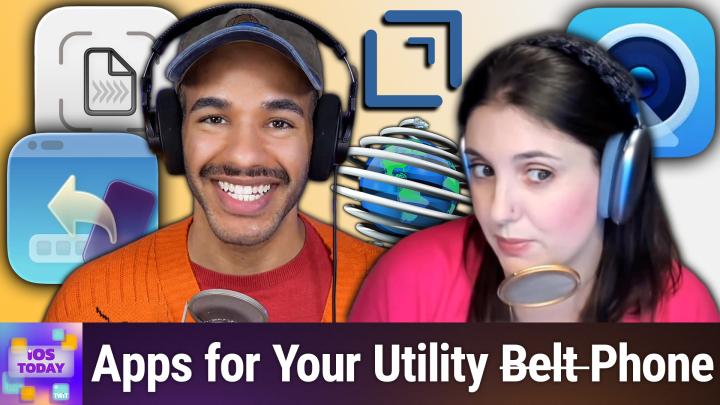
All TWiT.tv Shows (Audio)
iOS Today 775: Utility Apps
00:51:08
Essential Digital Tools Every iPhone User Needs
Loading summary
Transcript71 lines
- [00:01]
Narrator
25 years ago, a small group of business and government leaders met in Washington, D.C. they envisioned the creation of an independent nonprofit organization with a mission to help people, businesses and government mitigate the growing threat of cyber attacks. Today, the center for Internet Security embodies that vision. For 25 years, it's worked with a global community of IT and cybersecurity experts to develop the CIS benchmarks and CIS critical security controls. These proven security best practices defend against common cyber threats and streamline compliance with industry frameworks, regulations and standards. Today, CIS provides cybersecurity services, threat intelligence, and critical resources to help public and private sector organizations alike strengthen their Cyber defenses. Visit cisecurity.org today. That's the letters cisecurity.org to to find out how CIS can help your organization as we create confidence in the connected world.
- [01:01]
Sponsor Announcer
This episode is brought to you by Cohesity. For security and IT professionals, resilience is not just a feature, it's a movement. Cohesity makes sure you're ready for the midnight alerts and morning reviews. With Cohesity, you can secure and protect your company's entire data estate with a single platform, reduce your risk from threat actors and quickly respond and recover from destructive cyber attacks, strengthening your company's resilience. That's why Cohesity is trusted by 70% of the Global 500. Learn more@cohesity.com Resilience everywhere Morning Zoe.
- [01:33]
Jeff Bridges
Got donuts.
- [01:34]
Dana
Jeff Bridges why are you still living above our garage?
- [01:37]
Jeff Bridges
Well, I dig the mattress and I want to be in a T mobile commercial like you teach me.
- [01:43]
Dana
So Dana oh no, I'm not really prepared. I couldn't possibly at T Mobile get the new iPhone 17 Pro on them. It's designed to be the most powerful iPhone yet and has the ultimate pro camera system.
- [01:56]
Jeff Bridges
Wow, impressive. Let me try. T Mobile is the best place to get iPhone 17 Pro because they've got the best network.
- [02:03]
Micah Sargent
Nice.
- [02:03]
Dana
Jeffrey, you heard them.
- [02:05]
Jeff Bridges
T Mobile is the best place to.
- [02:06]
Micah Sargent
Get the new iPhone 17 Pro on us with eligible traded in any condition.
- [02:12]
Jeff Bridges
So what are we having for lunch?
- [02:13]
Dana
Dude, my work here is done.
- [02:16]
T-Mobile Ad Voice
The 24 month bill credit is on experience beyond for well qualified customers plus tax and $35 device connection charge credit send and balance due if you pay off earlier Cancel Finance agreement. IPhone 17 Pro 256GB $1099.99 and new line minimum $100 plus a month plan with auto PayPal taxes and FE mobile network in the US based on analysis by Ooklove speed test intelligence data 1H 2025 visit t mobile.com Coming up on.
- [02:33]
Micah Sargent
Ios today, Rosemary Orchard and I, Micah Sargent, help you find the apps for your utility belt. And by that, I mean the utility apps for your phone. Stay tuned for this episode of iOS today.
- [02:47]
Rosemary Orchard
Podcasts you love from people you trust.
- [02:51]
Micah Sargent
This is twit. This is iOS Today episode 770, recorded Tuesday, October 14, 2025, for Thursday, October 23, 2025. Utility apps. Hello, and welcome to this spooky episode of iOS Today. I say that because it's October and we're approaching the spooky season. This is not necessarily itself a spooky episode. But you don't know who I am, and that's scary. So I have to tell you who I am. My name is Micah Sargent. I am one of the hosts who.
- [03:33]
Rosemary Orchard
Haunts this podcast and another host haunting this podcast. Or maybe I'm possessing this podcast. I haven't decided yet. You know, I could be animating things, I could be doing all sorts of things, but I'm Rosemary Orchard and I'm very happy to be with you, even if we're not going to scare you away just yet.
- [03:53]
Micah Sargent
Yes, please stick around. We won't get too scary until the end. This is our episode where we're going to talk a little bit about utility apps. So these are apps that in many cases make other things possible. Right? There's, there's. I don't. I think it's not a disagreement on what makes a utility app, but instead it's sort of a. Because it's such a broad category, it can be hard to say, is this a utility app? And for me, it's kind of like it's a vibe. It's a vibe. A utility app for me is an app that is not, you know, you know, a place where I'm going to necessarily create, but instead am going to use to create elsewhere or use to do elsewhere. And this just enables something for me. And I like to think of it as Batman's utility belt or Inspector Gadget's sort of whole vibe. It's these little things that we could use to do what we need to do. So there are lots and lots of utility apps out there. And as I always say, love, love, love to hear about the utility apps that you use. You can always email us iostodaywit tv, but with that, let's kick things off with a tool you can use if you're trying to have arguably a nice camera webcam for your Mac.
- [05:25]
Rosemary Orchard
Yeah. So if you have an iPhone, which, if you're watching a podcast called iOS today. I'm guessing you might be a user of an iPhone or an iPad, but if you have an iPhone, then you have a webcam. It's amazing. It's very cool. It lives in your pocket. Now, of course, you can just do, you know, the easy thing of join meetings and so on from your iPhone and use your iPhone as a camera that way. That's a very valid way of doing things. You can, if you want to join a FaceTime, call on your Apple TV, use your iPhone as a camera there, too. That all links up magically with the wonderful Apple Universal magical sharing. However, if you want to use your iPhone as a webcam on your Mac, gets a little bit trickier, but not that tricky, thanks to a great app called Camo. Now, I can't really show you how to do this because, first of all, I'm actually using my iPhone to share, well, what would show on my iPhone. And I'm. I. You know, it's. It will be quite difficult to show my iPhone working as a webcam if I were also using it as webcam. But essentially what you can do is you can download camo. You can set it up. It's a very easy process. Mike has used it many times before. I might even be using it right now. I don't know. It's hard to tell. He's got a great camera, so perhaps. But you. You download it, you set it up, and the only thing you. You might want to do is grab some sort of stand for your iPhone to hold it, you know, on your monitor or laptop screen or put it somewhere else. Because the brilliance of using camo as a web camera for your Mac or for a PC. Yes, it works on PC as well, is that you could put your iPhone in the right place. It doesn't have to be pointing right at you. And especially if you've got a Windows laptop and it's got one of those amazing nostril cameras that's down by the keyboard hinge, staring straight up your nose, you can now plug your iPhone in and use it as a web camera that does not stare directly up your nostrils. So, definite bonus from Camo. So I would definitely recommend having a look at that. Micah, I know you've used it before. Is there anything you want to mention about it?
- [07:36]
Micah Sargent
So, first and foremost, the great thing about Camo is that it actually came out before Apple added the continuity feature that allowed for you to use your iPhone as your webcam for your Mac. Now, when that feature came out.
- [07:58]
Rosemary Orchard
It.
- [07:58]
Micah Sargent
Did make it relatively simple for you to be able to just either plug in your phone and set it up with your Mac or even just use it wirelessly. And that connectivity just kind of clicked into place. However, Camo was first before that feature had come out. And Camo did something pretty amazing because it's a full featured app that has so many options for using your webcam or, excuse me, for using your iPhone's camera as your webcam. And for years, that is how I did my shows. I have now a whole complex setup with a dslr and it's silly in comparison to what before was just me taking an iPhone and putting it up. Now I can't speak to his current, current setup, but for a long time, Paul Thurat on PC was using Camo every week for Windows Weekly to be able to, you know, show up for the shows as well. You've got this great camera in your pocket and it can do a really good job. And something that I loved about it is being able to switch between the different lenses. So if I ever wanted to do, you know, a quick close up, or if, God forbid, I wanted to show the entirety of my office, I never did, but if I wanted to, I could because of the, the ultra wide camera as well. Camo. I remember how I came across it. It was on my old podcast called Smart Tech Today. And Matthew Casanelli brought up this app. And when I first heard about it, I thought, hmm, I'm a little concerned at what the developers of this app have to be doing in order to make use of what's coming in from the webcam. And that's, you know, I'm just like a little bit scary. The privacy. Dah, dah, dah, dah. Shortly after that episode went live, the CEO and creator of Camo reached out to me and was like, hey, just wanted to let you know we make use of, you know, official tools and talk to me through the whole thing and very, very kind, very, very thorough. And from that point on, I've been, you know, a huge fan. I started using it after that regularly and realized just how great it is. So, yes, despite the fact that Continuity Camera is now an option, Camo still deserves a place on your Mac and your phone if you are using your iPhone as a webcam, because you can do so much more with it. So well worth the ongoing subscription if you choose to use it in the long run. It's a licensed product available for free to download on your phone so that you can get started. But from there yeah, you can add overlays and you can use all sorts of settings. They've also built in like Snapchat filters, so you could do funny things like have a cat on your head or have it dramatically zoom in on your face and sort of like keep your face tracked. It's really, really very awesome. So, yeah, check out Camo for sure. Not a sponsor, just a really cool app that I very much enjoy. Now that's a look at how I can be able to bring myself up on. On screen. Right on. In. In an app or. Or in an app like Zoom or if I am trying to host a seminar. What if I want to save my documents that I have? I keep getting all this mail and I'm tired of holding on to the physical mail. Can I get rid of it?
- [12:02]
Rosemary Orchard
Well, depends on various things. If it's a finance document, maybe keep it for seven years and just chuck it in a fireproof box just in case. Even if you're keeping a digital copy. But there are various things that one might wish to digitize. I have an excellent copy of the book say Cheese here, which is. Oh, look, shaped like a block of cheese. It's really cool. I've had this book, as per the inscription, since I was 8 years old. So it's a really cool, wonderful book. But it's the sort of thing where it's got 3D parts to it. So this is not something you can put on a flatbed scanner. So I can't put this through a feeder. I cannot put this off. Like, I mean, I can. Technically, it's just going to get squished. So if I want to scan this, my best option is actually a camera. And there are ways built into iOS. And thankfully, with the preview app, it is a bit easier now to actually scan a document. But my personal preference if I'm going to be scanning something on iPhone or iPad is to use a great app called Simple Scan, which, believe it or not, is a simple way to scan documents. It's from a great company called Agile Tortoise. And I am going to be talking about one of their other apps later in the show because I can't let a utility apps episode go past without mentioning simple scan and drops, because they're. They're just the best. But it. It is a free app to download and you can get a couple of scans for free and then it's either 9.99 a year or 30 bucks lifetime purchase. And the developer is a really wonderful person. But once you open it up, you get the Choice of how do you want to scan something? Okay, so what is it that you're looking to get? Are you looking to create a PDF from something? Are you looking to scan images? So say for example, you are visiting some family. You know, we've got some various occasions where people might be visiting a whole bunch of family coming up, in which case you probably, you know, might get to see some photos and maybe grandma has dug out some photos that you've never seen before and you'd love a copy of. Well, there's an image option and there's a text option, which is great. For example, if you're trying to invoice a receipt or something, you know, you pay for something out of your own pocket and you need to get the money back. So you can also create have a number of destinations here. I've just set it to the share sheet and then I'm gonna start with just scan document. Okay, so this is the part where it gets a little tricky because I'm gonna have to scan this portrait, but I have say cheese here on my keyboard. And you'll notice even though the book is, you know, it's, it's a triangle, it's automatically used the built in iOS scanning to flatten this out. And you can see that mouse inside the front cover. Perfect. Very simple. Uh, if there was an issue, I could adjust it so it'll go back and show me the full image. So you can see that my mouse, sorry, my microphone cable is there and this is sitting on my laptop. Uh, but that looks pretty good to me actually. I could apply some filters so I can make it more like a photo if I wanted to, which is just gonna change how the colors are interpreted. And then I can go back and I could take a picture of the next page. Now this is where it gets really tricky because this is such a big page because it's the whole book, but I'm gonna call that good enough and just tap the little button at the bottom. And did it get it? It's a little fuzzy because it decided the top corner, my laptop, was the correct corner to scan there. But you know that understandable considering the fact that this is a very non flat book. So I'll just adjust this ever so slightly and you'll notice that as I adjust the corner, it's popped up a little loop so that it's, you know, a magnifying glass to help me see. Uh, and there we go. That's, that's how I can scan things with simple scan. Uh, now I'm done there. I can just say, hey, tap the little tick. Done. Uh, and then it pops up the chair sheet, uh, which. There we go. It just took a moment. And I can do whatever I want with it. I can airdrop it, etc. It's just a very simple app. It works. I love it. I use it more frequently than I would think because it doesn't feel like I need to scan documents very often. But what this really means is when I am somewhere and somebody gives me a piece of paper, I can go, oh, no, I will lose this piece of paper and scan it right there and then before I actually lose the physical piece of paper. And then if I do lose the physical piece of paper, I have a digital version which hopefully I've named wisely and put somewhere I can find in my documents. But okay, because if there's words in it, simple scan does do OCR, which will help iOS and macros. If you transfer the document to a Mac or Windows machine, I would hope to find the contents because it will do optical character recognition, so that document will be able to be found later with the words say cheese.
- [16:50]
Micah Sargent
Love, love, love. On all accounts. I love that. That's a really cool book. But yes, I love the ability to quickly be able to scan something and not have to think about it in terms of, oh, is it working? Is it properly picking up what I'm looking for? Have I done a good job of. Because you can, as you mentioned, go back later and look at the kind of original photo for it and be able to make edits there. Let's have you go ahead and talk about drafts and then I will mention my next choice. And yeah, since the drafts kind of pairs well, so to speak.
- [17:33]
Rosemary Orchard
Yes. So if anybody's ever heard the field notes logo, which is, I'm not writing it down to remember it later, I'm writing it down to remember it now. That is how I use drafts. Some people prefer physical, some people prefer digital. I am a even mix. I'm an even split when it comes to note taking. Sometimes you can't pry a pen or a pencil and paper out of my hands. Sometimes I want it on my iPhone. And I use drafts for all sorts of things. One of the biggest ways that I actually use drafts, though, is by putting a widget on my home screen, because the number of times that something, somewhere will share junk basically to the keyboard. So I'm just going to add a widget. I do have a widget on my regular home screen, but this is my podcasting home screen. So I don't actually have a drafts widget here. So I'm just going to add a widget to my home screen and I'll just add this little four up one. Now if I tap on the widget, I can change the four options that appear. So this is a small widget and I'm gonna swap out dictate for new with Clipboard because a lot of the times if I'm trying to share something with somebody from say the Amazon app or something like that, it's gonna put a bunch of other details on the keyboard and I don't want that. Or for example, I get sent a parcel tracking link and I just want the parcel tracking number that's in the link so that I can put that in parcel. And this way I can paste whatever it is on my keyboard. And there's nothing on my keyboard right now that can be pasted because there's no text there. But I can just tap that from my home screen and it will dump all of that stuff onto the into a new draft. I can select the bit that I want and then actually share that and just delete the draft. Now some of you who are eagle eyed might have noticed here in my inbox there's 1,986 drafts. That's because I can just dump stuff into drafts. I can tap on the plus button on a widget to open a new draft. But if I don't do something with a draft within five minutes, it's not gone. But the next time I open drafts, I will see a blank draft. And this can be customized. You can customize actions that you can do with drafts. You can just write text. You can format it if you would like. There's many, many options you might be able to see here. I've customized this a little bit to be purple rather than blue, which is the natural drafts color. But you know, it's a good color. There are so many things that you can do with drafts. I actually have cranked it all the way down to create a new draft after 60 seconds. Now you can actually go as low as 30. Personally I found 60 is a happy medium between the I'm still doing something with this versus I, you know, have gone off and I'm doing something different. If I come back to the previous thing that I was seeing, I will get distracted and go down a rabbit hole. But I, I just really like drafts. It's a great place for little bits of text. Somebody is going to give you an email address or something and you don't want to email somebody right now. You don't want to create a draft right now even. You just want to dump a bit of information in somewhere drafts like that's. There's so many things that just end up in drafts for me on a day to day basis that it, it's hard to quantify. Just a very small list because you know I've got 2000 drafts in my inbox. I've got more in the archive. I've got a bunch that have been deleted. It's. It's a great app and I use it all the time. I use it for preparing episodes 5s a day. If you send us some feedback, I copy that, I put it into drafts and tidy it up. And I have a little script that goes through. If somebody spells Micah's name wrong, it gets fixed automatically with a little script that I wrote that I can run in drafts. There are so many really cool high end things that you can do with. Or you can keep it really simple and just dump some text in there and come back to it later. It's very simple.
- [21:20]
Micah Sargent
Love. The app that I want to mention is available for free. Absolutely. Utility app. And if you're kind of a, if you're a general nerd, but especially a networking nerd, I think it's a fun app to have. It's called Discovery. And this app sole job is to look at your local network. Excuse me and look for what essentially amounts to different devices shouting out on the network. So if I tap on local then I can see some of the different devices that are currently using DNS means to communicate on the network. So Bonjour Scanning which is a macOS tool that allows different devices to communicate as well as you can see digital audio access protocol. So all that is is it's a itunes library network plugin situation where my music library can be shared with other devices. For example my Apple tv. I've got standard like HTTP and HTTPs protocols, several printer protocols and tapping into them can give you info about what device on the network is using this means of communicating on the network. So the Internet printing protocol is being used by the Brother laser printer that I have and Internet printing protocol over HTTPs. I wouldn't be surprised if both Brother and HP were to show up here. But it is scanning that protocol to see and. Oh, there we go. So there was an option for my OfficeJet printer as well. And then this has all of the local information about where it is on my network and how to gain access to it. So this is very Helpful if you are trying to remember what the specific URL is for getting to your printer or perhaps your network attached storage ended up changing its assigned IP and you can't. I'm not, certainly not speaking from experience. And you can't seem to remember or you can't seem to find it on the network and then you remember, oh right, you set it up so that you need to use the name that it's chosen instead of its IP because it's over HTTPs now instead of HTTP. If that sounds like you, then this is what you're looking for. But what I love about it too is this has been a way for me to go, oh, interesting. This is communicating on my network and it's communicating on my network this way. I didn't know that this device actually had a place on the network Right here. For example, I'm using ECAMM Live as my means of showing you my phone and also recording this episode. But there is an ECAMM Live remote option here that is part of my local Mac and I can see information about that as well. Oh, Lutron by way of the bridge has a DNS DNS communication going on. Also matter is there. Meshkop is also matter as well. I can see so much Spotify Connect is on the network doing stuff and so it's just a really handy way to know what is talking on your network. And for me, I've used it in the past to kind of track down things that I didn't realize, you know, were sending messages. So very much like Discovery again, available for free in the App Store, you can get it on Mac and iOS. I of course showed it to you from the Mac. Now let's round things out with a last minute addition. But that's because it just needed to be one of the options for sure. And I respect its reinclusion. Right. Because it was part of the original notes.
- [25:49]
Rosemary Orchard
Yes. Yes, it was. So Transloader is an app. It exists on your iPhone, but its primary purpose is to get things off your iPhone onto your Mac. So if you've ever, you know, found a link and you're like, oh yeah, I need to download this on my Mac at home. I'm not at home or I'm sitting in the living room, my Mac is in another room. I don't want to get up and go get it or I just want this to download on my Mac next time I'm using it. Transloader is the app where you can just send it a link and it will just send it off to the Mac for you. If you have multiple Macs, you can even specify which Mac to send it to, which is really great. If you discover a really cool application, you're like, okay, cool, I'm going to download the iOS version of it it on my phone. But the Mac version, it doesn't come through the Mac app Store. It's a separate download on the website. Well, I'll just have it download automatically so next time I look at my downloads folder, it's there. It can also log into websites for you or be logged into websites. So it has, you know, the cookies to be able to then download stuff at any point. So for example, say you are a fan of Humble Bundle and you like buying Humble Bundle bundles of books, but you don't want to download all the bundles on your phone or your iPad. That's a little too much. You prefer managing that sort of thing on your Mac. It could be locked into Humble Bundle and you can just send it your Humble Bundle links and it will go and ta da, have the files downloaded. It's really simple. It's very easy to set up. I use it without thinking about it, which is a really good sign. It feels like it should be part of the whole universal clipboard setup for Mac OS and iOS. Guess. But yeah, it isn't. But that said, you know, you can, you can get magic happening and in conjunction with some other apps that are part of SetApp as well, it can be even cooler with things like Downy and so on. But yeah, as it is translator, it's made by the same people that make yoink, which is the really cool shelf app for macOS. It is available, I believe as part of setapp and it has a 28 day free trial. If you go to eternalstorms at transloader then you can try it for 28 days for free. So definitely recommend that.
- [27:59]
Micah Sargent
All right. Again, if you have apps that you would like to share with us that you think are utilities worth mentioning, reach us iostodaywit tv. All right, coming up, we're going to talk about the news. The news is up next.
- [28:18]
Mayra Ahmed
A mochi moment from Tara, who writes for years all my doctor said was eat less and move more, which never worked. But you know what does? The simple eating tips from my nutritionist at Mochi. And after losing over 30 pounds, I can say you're not just another GLP1 source, you're a life source. Thanks, Tara. I'm Mayra Ahmed, founder of Mochi Health. To find your mochi moment, visit joinmochi.com.
- [28:44]
Narrator
Tara is a mochi member, compensated for.
- [28:46]
Sponsor Announcer
Her story this episode brought to you by Red Canary when cybersecurity threats hit fast, you need an MDR partner that moves faster. Red Canary delivers 24.7expert MDR support, total visibility and actionable insights. Plus it helps you detect four times more threats so you can stay ahead without burning out. Red Canary clears the noise and has your back every hour, every incident. Get the backup you deserve. Visit redcanary.com difference to learn more.
- [29:17]
Rubrik Announcer
AI agents are everywhere, automating tasks and making decisions at machine speed. But agents make mistakes. Just one rogue agent can do big damage before you even notice. Rubrik Agent Cloud is the only platform that helps you monitor agents, set guardrails and rewind mistakes so you can unleash agents, not risk. Accelerate your AI transformation@rubrik.com that's R U B R-I K.com if you like what.
- [29:48]
Micah Sargent
You heard and you want more of this week's top stories in tech, well subscribe to Tech News Weekly. Every Thursday I talk with the journalists making and breaking the tech News. This is iOS today and we are talking about the latest news RIP clips, the beautiful application created by Apple that allows you to create social video. It was at the time mostly for Instagram, a little Snapchat moment, but it has gone the way of the Dodo 512 pixels.net by the inimitable Stephen Hackett points out in Apple Support a change that says, and I quote, the Clips app is no longer being updated and will no longer be available for download for new users. As of October 10, 2025. You can continue to use clips on iOS 26 and iPadOS 26 or earlier. Save your Clips videos to your photo library or another location. We'll talk a little bit more about that in a moment. Now, before we actually talk about how to do what you need to do to keep this stuff, I was just kind of curious Rosemary, if you were a Clips user, what you thought about it when it launched and kind of, yeah, your take on on this. This removal of or I guess sun setting of an app.
- [31:28]
Rosemary Orchard
Yeah, it's it's a shame it's being sunset because this came about in the era where Instagram shorts were or Instagram reels, sorry were becoming a thing before YouTube shorts, before TikTok and and the thing that I liked about Clips is that it would allow you to make a real or short or TikTok video without using Instagram or YouTube or TikTok itself and therefore not having your raw content locked into that platform for and just being at the mercy of their export options to then download it and re upload it to another platform. The reality is, while I thought it was really cool, I. I don't make Instagram reels, I don't make YouTube shorts, and I don't make TikTok videos. So I didn't really use it. I've used it for a couple of little silly things here and there that I've sent to friends and family, but I've not really been a heavy user of it. That said, I'm not a user of any video editing app, portrait or landscape, professional or casual. So yeah, the closest I come is using photos and editing a live photo to have a bounce effect so it looks like a dog is going from left to right and back again or something like that. Unfortunately, I don't really do any video editing, so it's a shame that it's going away. But yeah, I mean I'm guessing most people probably weren't using it anyway.
- [32:53]
Micah Sargent
Yeah, that's my feel as well. I think most people probably weren't using it. Therefore why keep working on it? And also the team, you know, assigned to do it probably have other things they need to work on. So why, why keep doing this Now? Apple introduced Clips in March of 2017, so it actually has been around for a while. I remember when it came out, I think at the time I would have been working at Imore from Mobile nations and probably wrote a couple of articles on using Clips. So at the time I used it to figure out how to use it and then occasionally created some app or some video after the fact. But yeah, if I am producing little videos, I'm probably just using the tools that are available to me within an app to make that happen. And so this just ended up not being a tool that I used regularly. In any case, you want to save out your Clips videos, Apple has a little guide on how to do so to make sure that you have them available because you need it in your photo library if you did those little effects and stuff as well. So yes, we'll have a link to that in the show notes that talks about how to save out your clips and in the same way that I say let us know about utility apps that you love. Also reach out if you are a Clips user, I want to hear from you. Like if you regularly were using Clips, I would love to know what you were using it for, how it worked for you, and we can always offer some advice on a replacement. Apple itself suggested some third party apps naming specifically InShot, VN Video Editor and GoPros Quick. I'm a big fan of GoPro's Quick. I used to use it used to have a different name before GoPro acquired it. And despite the fact that GoPro acquired it, it still works very much the same. It was for me a great way to quickly create those really nice photo video slideshows that have like nice music in the background and have movement and make it very easy to quickly create something. So I. If you're looking for a replacement for clips, that's the one I would go to. I've had a number of family members specifically reach out and say, hey, I want to do this for my family. I want to make a little video. And I say, quit. Gotta. And I. Well, I say Quick. And then they go what? They say, no, no, no. The app, it's called Quick. And then we have a little moment. It is great and it is the one that I recommend.
- [35:39]
LifeLock Announcer
All right.
- [35:41]
Micah Sargent
Oh, and I should also mention, of course, Apple, Apple's own app, can do those video memory slideshows, but I don't find it as powerful in doing so. All right, moving along, our next slide section is feedback and we do have some feedback that has come in. This comes from Judy, who writes. Hello, Mike and Rosemary. I just wanted to thank you both for doing a show on the new Apple Watches.
- [36:06]
Rosemary Orchard
Yay.
- [36:06]
Micah Sargent
I popped in briefly to the Discord Chat a couple weeks ago to get Rosemary's point of view on the Apple Watch Ultra. I love the idea of it and the features, but the size doesn't work for me. I've tried one on at an Apple store a couple of times, thinking I just didn't give it enough of a chance. My hope was that if I knew Rosemary could wear it, there was a possibility. I know, just try to unpack that logic. Perhaps Apple will listen and come up with a smaller version of the Ultra for those of. For those of us with smaller wrists. Anyway, I did not expect a show dedicated to the subject. It was incredibly helpful. I'll stick with my Series 9 and see what they come up with next year. I just have to say that's so satisfying to hear. Thank you so much for saying that. That has ended up being a very popular episode, which is awesome. That's always the goal, genuinely, is to try to help people in whatever way we can. And those decision episodes ended up being some pretty important episodes. So kudos, Rosemary, on your work in that. I think we did. We did a job I'm proud of with those so it's really nice to hear that it's been helpful. Judy goes on to say, I know it's not required, but here are Arya and Sansa to say thank you as well. Of course, those are references to the. Not the Iron Throne. What's a Game of Thrones? They are indeed sisters and would like to know. And I would like you to know that they are named after the characters in the book, not the HBO series for some reason. Listen, it's important to them. Love the show. Keep up the great work. Cheers. Judy. Yes. So, Kevin, if you want to show, we've got. That would be Aria, right? It looks like a suitcase. Very pretty. Now that is a mantle if I've ever seen one on Aria. Wow, that's very impressive.
- [38:06]
Rosemary Orchard
It's definitely a mane mantle combination. And such beautiful eyes too.
- [38:11]
Micah Sargent
Yes.
- [38:12]
Rosemary Orchard
Such a cute kitty cat.
- [38:13]
Micah Sargent
Striking cat. And then we have Sansa, who I feel is very real regal, very, very, very pretty kitties. And thank you, Judy, for that feedback. We appreciate it. And I also hope Apple, you know, we know you're listening, so get on it with a smaller Ultra. The ultra mini. That'd be nice. Thank you. Yeah, please.
- [38:39]
Rosemary Orchard
I would buy one very happily, very quickly. I just can't wear a watch that big on my wrist. It does not work.
- [38:47]
Micah Sargent
Moving right along. Up next, we have shortcuts corner.
- [38:53]
Jeff Bridges
Morning, Zoe. Got donuts.
- [38:55]
Dana
Jeff Bridges, why are you still living above our garage?
- [38:58]
Jeff Bridges
Well, I dig the mattress and I want to be in a T mobile commercial like you teach me.
- [39:03]
Rosemary Orchard
So. Dana.
- [39:04]
Dana
Oh, no, I'm not really prepared. I couldn't possibly at T Mobile get the new iPhone 17 Pro on the them. It's designed to be the most powerful iPhone yet and has the ultimate pro camera system.
- [39:16]
Jeff Bridges
Wow, impressive. Let me try. T mobile is the best place to get iPhone 17 Pro because they've got the best network.
- [39:24]
Rosemary Orchard
Nice.
- [39:24]
Dana
Jeffrey, you heard them.
- [39:26]
Jeff Bridges
T mobile is the best place to.
- [39:27]
Micah Sargent
Get the new iPhone 17 Pro on us with eligible trade in in any condition.
- [39:32]
Jeff Bridges
So what are we having for launch?
- [39:34]
Dana
Dude, my work here is done.
- [39:37]
T-Mobile Ad Voice
Monthly bill credits on experience beyond for well qualified customers plus tax and $35 device connection charge credit send and balance due if you pay off earlier. Cancel Finance agreement. IPhone 17 Pro 256 gigs $1,099.99 A new line minimum $100 plus a month plan with auto pay plus taxes and fees required. Best mobile network in the US based on analysis by Ooklove Speed Test Intelligence.
- [39:51]
Micah Sargent
Data 1H2025 Visit t mobile.com AI agents.
- [39:54]
Rubrik Announcer
Are everywhere, automating tasks and making decisions at machine speed. But agents make mistakes. Just one rogue agent can do big damage before you even notice. This Rubrik Agent Cloud is the only platform that helps you monitor agents, set guardrails and rewind mistakes so you can unleash agents, not risk. Accelerate your AI transformation@rubrik.com that's R U B R I K.com October is cyber.
- [40:25]
LifeLock Announcer
Security Awareness Month, a reminder that your digital life is always at risk. Every day, hackers steal identities, drain bank accounts and open fraudulent accounts. LifeLock is here with tips to help prevent you from becoming a victim. Use strong passwords, set up Multi Factor Authentication on your accounts, report scams and update the software on your devices. And for peace of mind, get LifeLock. LifeLock monitors millions of data points a second for threats to your identity. If your identity is stolen, a LifeLock US based restoration specialist will fix it, guaranteed or your money back. Plus LifeLock plus include the million dollar protection package, meaning LifeLock will reimburse you to your plan's limits if you lose money due to identity theft. Stay smart, stay safe and stay protected. Get comprehensive identity protection with a 30 day free trial@lifelock.com use promo code NEWS that's lifelock.com promo code NEWS for 30 days. Free terms apply.
- [41:24]
Micah Sargent
If you enjoyed this, well, there's something else you might like. If you want the big picture on what's happening in tech, subscribe to this Week in Tech. Leo laporte and the panel bring you the stories shaping the industry Every Sunday. I can hear the music. It's time for Shortcuts Corner. This is Shortcuts Corner, the part of the show where you write in with your shortcuts requests. And Rosemary Orchard, our shortcuts expert, provides a response. This week's Shortcuts Corner request comes in from Sev, who writes, hi Rosemary, I created a shortcut that makes use of the new Apple Intelligence feature. The shortcut runs perfectly fine on all of my Apple devices except the Apple Watch. I'm aware that the Apple Watch do the Apple Watches do not support Apple Intelligence directly, but neither do my HomePod minis. Any idea why my Apple Watch throws an error when reaching the Apple Intelligence part of my shortcut? The error says something along the lines of Apple Intelligence is not supported on this device. I'm using an iPhone 16 and an Apple Watch Series 11. SEV has provided the shortcuts as well and says the shortcut lets me dictate my groceries in natural language items that are already in the Reminders list become unchecked and new ones get added. Love your show. Cheers, Sev. Okay, so little issue trying to use Apple intelligence on device when kicking it from an Apple Watch, but not from a home Pod Mini. Interesting. Interesting what?
- [43:06]
Rosemary Orchard
Unfortunately, I have the answer. Unfortunately, people are not going to like it. So a couple of years ago, Apple made the move for the Apple Watch to try and make it significantly more independent from the iPhone. The idea being apps like podcast apps should download podcasts directly on the watch instead of trying to transfer them from the phone. And the Watch should basically be able to do things independently without the iPhone, which means that shortcuts in particular was negatively impacted because it shouldn't phone home to the iPhone when it came across something that it couldn't do. And I believe this differentiation is essentially, the Apple Watch has a screen. The HomePod mini, and the HomePod do not have screens. So the HomePod, when it gets to a point where it's like, oh, I'm not gonna be able to do this. No, Now I should clarify, it's not working its way up to this point of the shortcut and going, oh, no, I need help. And at that point, phoning for help, it's looking at the shortcut before it runs it and going, ah, I will need help to run this. And passes the entire thing off to the iPhone in the background. Now, unfortunately, the. The Apple Watch does not do that. The Apple Watch is not able to do that, which is a little bit of a problem because, yeah, there, there, it just ends up stalling out. So there's not a huge amount that you can do here because there is a really good shortcuts action. And I'll just pop up my iPhone screen here, which is for continue. And you can actually say, hey, dis dismisserian, continue. And this is a really great action that if you were running on an iPhone, it would then, you know, be able to switch into the shortcut app and then do the next section in the app. And this is really useful for certain bigger actions that might time out if it were running in the background in Siri, unfortunately, there is no option to continue on iPhone. So unfortunately, I don't really know what to suggest here. Sev. There are not that many options for you. The best I can come up with is dictating into drafts and then using drafts graphs on the iPhone as a way to export that information and dump it into your shortcut and just modifying your shortcuts, if it's not given any input, then it asks you to dictate your grocery items. But unfortunately I don't have another solution because the Apple Watch just can't do this and there isn't really a way. I mean, realistically, in theory, that shortcut shouldn't show up on your Apple Watch. And what you should be able to do is in the little info bubble at the bottom, there is a toggle for show on Apple Watch that as far as I'm aware, shouldn't actually work with something that contains Apple intelligence for Apple Watch, but I'm guessing it does. That could be the bug or it could be that it's not trying to pass it off to an iPhone. I would suggest finding Feedback so you can open Feedback Assistant on iPhone running a beta or you can go to apple.com feedback to file that and let Apple know. The more people that do this, by the way, the more it gets escalated so that the Shortcuts team actually gets to see it and then can figure out whether or not it's something they can solve or if it's an Apple Watch issue. But yeah, there isn't a solution to this problem and I'm really sorry. My best suggestion is dictate it into drafts and then use drafts to pass that off into shortcuts later when you have your phone handy again.
- [46:43]
Micah Sargent
And there is your answer. All right, if you have shortcuts Corner requests iostodaywit tv. Let's move along to our app caps. The app that I want to mention today is an app that I came across. I think I was just browsing on social media and happened to see someone talking about this app. The developer of it now works at Apple and is not able to continue work on this app at the time. But I did. I reached out to the developer because I said I don't know how I had not heard of this when it came out, but this is such a cool app and I think people should know about it if you have adhd, if you're diagnosed with adhd. I've talked before about my experience. I was in college and talking to my doctor about some stuff and ended up going and seeing a neuropsychologist and going through this whole process, scanned my brain and they did all this stuff and kind of trying to figure out what was going on. Lo and behold, you have adhd. And I started a bunch of different things to try and mitigate some of the symptoms of it, including talk therapy and that aspect of it, but also medication. And this app, which is called Theraview, is an app for those of you who use stimulant medication as part of your ADHD treatment, or it could be narcolepsy. There are multiple reasons why one would take stimulant medications. That just helps you keep track of your dosing, which I, for a long time have used the do app as my means of remembering to take medication that I take. But what Theraview does that's different is it uses an understanding of the half life of these medications in, in the average metabolism and gives you information about how much the dosage is affecting you at any given time. So what you do basically is you tell it what your medication is. It sort of covers the standard swath of ADHD medications like Concerta, Adderall, Ritalin, those kinds of things. And you say, this is when I take it, this is how much I take. And then at that time you can tap it and say, okay, started taking the medication. And it creates a graph immediately and it'll show you if it's an extended release medication, it's going to start coming on and working for you at this time. This is when it reaches its peak, this is when it starts to dip. And then if you have a supplemental dose, it can remind you about that throughout the day and when you take that and it'll show if there's some overlap between the two medications. It's really cool and something that I think should exist. It's just, it's very helpful. It also will send notifications saying, hey, your medication is likely starting to wear off and so you're going to, you know, feel, you may feel that difference. But what I love about it, and I think what's been most important is it also gives you information and insight into when that dose should be out of your system, giving you an understanding of when or if it will affect your sleep. And I think that's the most important aspect of this app. So if you do take medication as part of the treatment for the symptoms of your ADHD, TheraView available for free in the App Store and it's all happening locally on your device. The privacy policy is great. This is a really, really cool app. I wish that there's nothing in particular that I would want added, so it's fine in that way. But I wish that the developer was able to just keep on with it simply so that it is always ready, but is currently looking for a steward to carry on the project. So if you think that's you, you should check out TheraView and then reach out to the developer about it. All right, that is my choice. Rosemary what's yours?
- [51:25]
Rosemary Orchard
Well, have you ever wanted to Terraform Mars? Because turns out there was a board game called Terraforming Mars. It's been around for a number of years, but there's also an iOS version and I should note this isn't, isn't explicitly only an iOS version. There are digital versions and you can actually play online against people on multiple platforms. So I played against people on Android, on the Steam deck, on Steam, just generally all sorts. So to Terraform Mars it is a long complex. Complex is the wrong word. It is a challenging engine building game. So it's not Monopoly where you roll a dice and you go around a board. There's cards that you draw on, all sorts. There is a tutorial built in here. Here I'm not going to go through the tutorial, I'm just going to highlight some of the cool things about Terraforming Mars, the digital version. So first of all, in the shop there are a number of expansions that you can purchase. You can purchase Prelude 1, Venus Next, and Helas and Elysium which are alternative boards that you can play on prelude 2, colonies next and some other options aren't yet available as digital options but you know, they, they will probably come sooner rather than later. There are three ways to play the game. So you can either locally and I'll come back to that with a little more detail a second. You can play a solo challenge or you can play online. And playing online is everybody has their own devices all logged in. You can log in yourself and then you can say okay, cool, I would like to play against this friend, this friend and more friends. It's a minimum two player game unless you're doing the solo challenge and you just play and it shows you what they've done once they've done it. And, and yeah, it's, it's basically a digital version of the board game. The local version has a few options. So player one is required. Player two, you can choose to add either a human player and then pass and play. So if Micro and I were sitting together in the same room, then I could pass the iPad to him. Once I played my turn, he would get to have a go. Or there's three kinds of AI to play against. It's just playing against the computer. We've had this since the days of Cluedo on Windows 98. So you know, they just rebranded it to AI. There's easy, medium and hard and you can select one or more of those. I'll just add easy. You can actually change a whole bunch of settings, which is really cool. So you can include various expansions, etc. And then you start your game and it gets you ready to play the game game. Once it is in the game, then you need to choose some cards to get yourself set up. Which you know, once, once you're done is pretty cool. I'm not going to actually play this game, so I'm just going to. Yeah, I'm actually not buying any cards because I just want to show everybody how this works. So you have Mars itself floating around in the middle. Then you have a couple of other places that you can build cities off to two sides. It shows you your resources, shows you what's currently going on, things that you can do. And there's a nice log so that you can actually say, hey, this is what's been done. It shows everything in a really nice way. I find it, it's just a really nice way of playing Terraforming Mars. And it's $8.99. The actual board game itself is about $50 if I remember correctly. So this is a really great way to get the whole board game super cheap. The expansions are also only 3.99, so obviously I then can't easily lend this to a friend unless I lend them my iPad. But you know what it's worth? Worth it. 10 out of 10. If you are interested in a really cool sci fi engine building board game that's way more fun than Monopoly because Monopoly is the standard people seem to measure board games by, which is a bad standard. It's not a great game. Then give Terraforming Mars a try. And you know, then if you ever end up stranded on Mars a la the Martian, at least you'll know what you need to do to survive.
- [55:27]
Micah Sargent
There you go. Very cool. It's. I love the, the graphics. I think that's well done.
- [55:33]
Rosemary Orchard
Yes.
- [55:34]
Micah Sargent
All right folks, that brings us to the end of this episode of iOS today. We thank you so much for tuning in this week. We'll be back again next week with another episode. But remember, email us iostodaywit tv. Thanks. Oh, there's more to say. First and foremost, let me remind you about Club Twit tv. Club Twit. That's where you can go to become a member of the club. $10 a month, $120 a year lets you gain access the ad free versions of all of our shows. You also gain access to our club feeds which include our live commentary of tech press events as well as our club shows like My Crafting Corner, Stacy's Book Club and so much more. And access to the members only Discord Server. A fun place to go to chat with your Wonderful fellow club TWiT members and those of us here at TWiT. If all of that sounds good to you, well head to Twit TV Club Twit to check it out. Rosemary Orchard if people would like to follow you online and check out all the great work you're doing, where should they go to do so?
- [56:45]
Rosemary Orchard
The best place to go is rosemaryorcher.com, which has got links to all the books, apps, podcasts and social media sites where you can find me with the exception of that club Twitter Discord, where Judy asked us that wonderful question about the Apple Watch, which turned into a whole episode that loads of you are loving. So feel free to join us and hang out there while we're recording the show or after the show where there's a great place to post feedback to you. Micah where can folks find you?
- [57:09]
Micah Sargent
If you are looking to find me online, I'm ikasargent on many a social media network. Or you can head to Chihuahua Coffee that's C H I H U A H u a Coffee where I've got links to the places I'm most active online. Thank you so much for your support and we'll be back again next week for another episode of iOS today. Bye bye.