← All TWiT.tv Shows (Audio)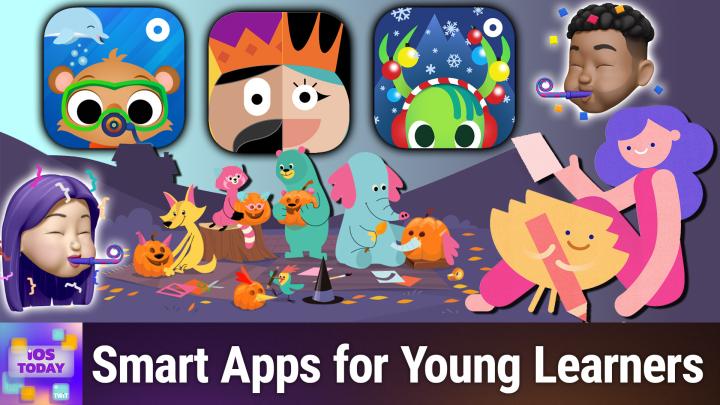
All TWiT.tv Shows (Audio)
iOS Today 776: Apps for Little Learners
00:29:10
Apps That Spark Curiosity for Kids!
Loading summary
Transcript75 lines
- [00:01]
Mayra Ameth
A Mochi moment from Sadie who writes I'm not crying, you're crying. This is what I said during my first appointment with my physician at Mochi because I didn't have to convince him I needed a GLP one. He understood and I felt supported, not judged. I came for the weight loss and stayed for the empathy. Thanks, Sadie. I'm Mayra Ameth, founder of Mochi Health. To find your mochi moment, visit joinmochi.com.
- [00:27]
Narrator/Announcer
Sadie is a Mochi member, compensated for her story.
- [00:31]
Commercial Narrator
Resilience isn't just about bouncing back. It's about being ready. It's how you show up every single day. Because every name in your system is a person who trusts you and every password is a door you're responsible for locking. And when the threat comes, and it always comes, you hold back the chaos. Learn more@cohesity.com Resilience Morning Zoe.
- [01:02]
Jeff Bridges
Got donuts.
- [01:02]
Dana
Jeff Bridges why are you still living above our garage?
- [01:06]
Jeff Bridges
Well, I dig the mattress and I want to be in a T Mobile commercial like you teach me.
- [01:11]
Dana
So Dana oh no, I'm not really prepared. I couldn't possibly at T Mobile get the new iPhone 17 Pro on them. It's designed to be the most powerful iPhone yet and has the ultimate pro camera.
- [01:24]
Rosemary Orchard
Wow.
- [01:25]
Jeff Bridges
Impressive. Let me try. T Mobile is the best place to get iPhone 17 Pro because they've got the best network.
- [01:31]
Dana
Nice Jeffrey, you heard them.
- [01:33]
Jeff Bridges
T Mobile is the best place to.
- [01:35]
Micah Sargent
Get the new iPhone 17 Pro on us with eligible traded in any condition.
- [01:40]
Jeff Bridges
So what are we having for lunch?
- [01:42]
Dana
Dude, my work here is done.
- [01:44]
T-Mobile Commercial Voice
The 24 month bill credit is on experience beyond for well qualified customers plus tax and $35 device connection charge credit send and balance due if you pay off earlier Canceled Finance Agreement iPhone 17 Pro 256 gigs $1,099.99 A new line minimum $100 plus a month Plan with auto, PayPal, taxes and FE Best mobile network in the US based on analysis by Ooklove Speed Test Intelligence data 1H2025.
- [01:59]
Micah Sargent
Visit t mobile.com Coming up on iOS today, Rosemary Orchard and I, Micah Sargent talk about some apps for the little learners in your life. Stay tuned.
- [02:13]
Rosemary Orchard
Podcasts you love from people you Trust.
- [02:17]
Commercial Narrator
This is TWiT.
- [02:22]
Micah Sargent
This is iOS Today episode 776 with Rosemary Orchard and me, Micah Sargent recorded Tuesday, October 14th, 2025 for Thursday, October 30th, 2025 apps for little learners hello and welcome to iOS Today on this very spooky day before Halloween. Despite the fact that I'M being spooky in the moment. Don't worry. This is an app that is not meant to be spooky. An app. This is an episode that is not meant to be spooky. I am your scary host, Micah Sargent.
- [03:07]
Rosemary Orchard
And I am your not so scary host, I hope, Rosemary Orchard. And we'll see. We'll see. Maybe this episode will haunt you, or maybe it'll just stick around in your memory for a time when you need a recommendation for a friend. Or it'd be useful for you right now.
- [03:21]
Micah Sargent
Absolutely. So in this episode, I was actually inspired by the App Store. The wonderful App Store editorial team will occasionally. Well, not occasionally, quite literally every day, put together different guides and different collections of apps. One of the collections of apps really stuck out to me as a category that I don't know that we have covered in this way before. So we often talk about around the time that school starts up again, we talk about about apps for education. And many of the times we're talking about being able to help your child with homework or learning a new skill or something like that. But specifically, we wanted to talk this time about apps that are great for little learners, meaning young folks who you may be helping to learn something new or who might have a device that they can use to kind of interact. And so there are some great apps available to you that will help you to be able to teach or in some cases, just allow your child to run off into the world and create. And the first app that we want to talk about today is an app from Khan Academy called Khan Academy Kids.
- [05:01]
Rosemary Orchard
So this is Khan Academy Kids. So Khan Academy Kids is basically designed, much like the Khan Academy itself, to provide free education, but this is specifically targeting younger learners. So there are two modes here. There's home and school. I'm gonna go with the home one, because you probably are gonna be using this at home, and you can sign in with Google, Apple, or you can create your own account. And I'm just gonna use my Apple ID to sort that out because I thought this was set up for the show, but clearly when I reject things, then, yeah, that's just how it works. I'm gonna call my child Rose, because I don't have children, but that's okay. And I'm gonna say Rose is four and select a bumblebee as the avatar. Actually, no, I'm gonna be Unicorn, because unicorns are the best. So once you've done this, then you are blended in. Now, this is thematically appropriate for the episode that we're releasing. Just before Halloween. And we have a little spooky house here showing us everything. So in the top left there's a library where we can see various books. There are some really cool ones. Wuzzle spiders, baby owls. So cute ones on trick or treat. And then there's other stories to go with lessons. Just you wait. A seahorse with. Hold on. There are videos. The skeleton dance for Halloween. There's early counting ones. There are creation action or creation options, so you can do drawings and coloring. And there are also things that work entirely offline, which is really useful if you would like to entertain a small child in an educational manner for a period of time. For example, maybe you're going to be traveling somewhere by plane or just in the back of a car. There are, you know, there are plenty of options. There are things to practice, letters and reading and maths and logic here. So I'm gonna go back to maths. And we want to count pumpkins. Who doesn't want to count pumpkins? This is amazing. So I can tell you that we have three pumpkins here. Very spooky and exciting. One, two, three. So I am not listening to the audio, so I don't exactly know what I'm supposed to be doing here, but. But I'm gonna try taking a guess and tapping on them. That didn't work. So you do need to listen to the audio and these things to know what to do. But I'm demonstrating and having the audio coming from the app and also trying to talk to you would be a little bit confusing. But these things tend to be quite simple. You can change things around so you can look for something that maybe go back to age 3. So, you know, you've got a kid who did something last year and wanted to do this pattern thing again with skeletons and cats. Then I guess we're. Do I drag them? I don't. I can drag. I can drag skeletons. I don't know what to do with these. Ah, that's useful. Okay, cool. Ah. So I just have to match the pattern up. Very simple, very easy, fun. And the bear seems very happy with me. And now I have something a little bit more complicated where I have to guess what the pattern is myself based on the information available, its logic, its deduction, its reasoning, and it's entirely free. So it's really hard to go wrong with the Khan Academy stuff. And Khan Academy Kids is designed for younger learners, I believe, up to age 8. At which point Khan Academy itself takes over and starts providing education options for those children who would like the Bonus education or, you know, if they need that additional support of teaching in a different format.
- [08:38]
Micah Sargent
There are. I love again that you can switch right to an older. It can feed right into the older version. Khan Academy is super, super cool. And I think that it is one of those things that people don't take enough advantage of what you're able to do with it. And so I love. Excuse me. That it is something that you can make use of for sure. Let's see. And I'm going to set up this app as well with this next app. Oops. I want to show how you can use one that Apple has mentioned. And so let me just type in a couple of things here to get it set up. It's called Fun Expected plus, which of course is a pun on unexpected. And it is an app for teaching math. I want to show this because in the same way that you are able to create with the. Or that you're able to learn through some of these apps that teach these basic skills. I think math is one that is always. It can be difficult. And so let's take a look at this. Here is the app and I'm going to choose a hero. You can imagine I'm going to choose the green hero. And you set it up based on your child's age. So it'll ask you your child's age at the beginning. And much like Rosemary was talking about, this has audio that's built in for it. But we can take a look at this math warm up and go through here. Let me actually just.
- [10:35]
Fun Expected App Voice
And what is your name?
- [10:36]
Micah Sargent
That's close to my name.
- [10:38]
Fun Expected App Voice
We're off to our first star mission. Let's practice before we start. Tap on the rocket.
- [10:48]
Micah Sargent
So the first thing I need to do is tap on the rocket. And so we will do that. So there's a monkey and a rocket. Can I click the right button now?
- [10:59]
Fun Expected App Voice
Press the button.
- [11:00]
Micah Sargent
Well done.
- [11:04]
Fun Expected App Voice
Give me five.
- [11:05]
Micah Sargent
Oh, high five.
- [11:07]
Fun Expected App Voice
Great job.
- [11:08]
Micah Sargent
Now this would be great on an iPad where you could put your whole hand on there.
- [11:12]
Fun Expected App Voice
Listen carefully. Let's go. How much does the chicken weigh?
- [11:19]
Micah Sargent
So I've got a one and a two. So we need to add those together.
- [11:25]
Fun Expected App Voice
Right. Which piece of tablecloth did the kid cut off?
- [11:30]
Micah Sargent
Oh, dear. I think it's this one.
- [11:33]
Rosemary Orchard
Great.
- [11:34]
Micah Sargent
These are kind of hard.
- [11:36]
Fun Expected App Voice
How to build a tower. Drag the correct steps into place.
- [11:40]
Micah Sargent
Only because I'm thinking about how. I just don't even know if I would conceptualize as a child, but I'm maybe thinking about me not being sort of platform native. At the time, right? Whoa, that's loud.
- [11:52]
Rosemary Orchard
We made the first stop.
- [11:55]
Rubrik Commercial Voice
We.
- [11:55]
Micah Sargent
We did it. We made the first stop. You get the idea. I'm not going to to belabor the point there. It's great visuals, great graphics and very engaging, but again, I think better on an iPad. That's called Fun Expected. It is available to download for free. You do need an in app purchase in order to use the more involved Aspects app, so that's something to check out as well.
- [12:28]
Narrator/Announcer
25 years ago, a small group of business and government leaders met in Washington, D.C. they envisioned the creation of an independent nonprofit organization with a mission to help people, businesses and government mitigate the growing threat of cyber attacks. Today, the center for Internet Security embodies that vision. For 25 years, it's worked with a global community of IT and cybersecurity experts to develop the CIS benchmarks and CIS critical security controls. These proven security best practices defend against common cyber threats and streamline compliance with industry frameworks, regulations and standards. Today, CIS provides cybersecurity services, threat intelligence, and critical resources to help public and private sector organizations alike strengthen their Cyber defenses. Visit cisecurity.org today. That's the letters cisecurity.org to find out how CIS can help your organization as we create confidence in the connected world.
- [13:28]
Rubrik Commercial Voice
AI agents are everywhere, automating tasks and making decisions at machine speed. But agents make mistakes. Just one rogue agent can do big damage before you even notice. Rubrik Agent Cloud is the only platform that helps you monitor agents, set guardrails and rewind mistakes so you can unleash agents, not risk. Accelerate your AI transformation@rubrik.com that's R U V R I K.com have you heard of Club Twit?
- [14:00]
Micah Sargent
Well here's what it gets you. Ad free versions of every show, a feed of bonus content and members only. Shows you won't hear anywhere else. Like my Crafting Corner and Stacey's Book Club. It's the easiest way to support the work we do and stay even closer to the tech community around Twit. Join today @Twit TV ClubTwit Rosemary what's next?
- [14:23]
Rosemary Orchard
Well next up I am going to talk about Thinkrolls, Kings and Queens. So think roles make a number of different apps. Kings and Queens is one of them. Now it is worth noting that there are two versions of all of their apps. So this is the free version of Kings and Queens which contains in app purchases and so on and so forth. There is also a full version of the app which I believe was 8.99 where you can download it and it's got everything already baked inside. But as always with these kit things, I would recommend try before you buy. If there's a free option, download it, give it a go. It may gel with your kid, it may not gel with the kid who is playing this or you know, giving it a go. But this is a game and so I, or you know, I need to press number two for three seconds to prove that I am a grown up and then it's gonna pop me over to the other option. There we go. So I'm doing so great at this. I started by tapping the wrong one. So you start by building an avatar. I'm going to add some. Maybe not those lips. There we go. I think maybe just a tiara. And maybe not that hair. Some funky hair. Why is this looking so weird? There we go. Some blue hair. That seems pretty cool. And who doesn't want a tiara? So I'm going to start with the easy puzzle. There's a whole bunch of puzzles here. The idea is that there's dragon and you want to try and get across the castle to the dragon. So I'm gonna roll over and I have made it into the drawbridge and I'm just gonna keep rolling. Oh, there's a spider. And now I need to ah, there we go. Get the key that opens the gate and I can keep rolling. Essentially you just drag your finger along to figure out how to solve various parts. But now I need to know how to get up there and I can't go back. Oop. I can't open slider. I can't open stage view though. So I am stuck. And this is the problem. Ah, there we go. So I figured out how to move that. It turns out you can move things without rolling into them, which is good. Got some gems. And now I need to move myself. Apparently.
- [16:42]
Micah Sargent
It's funny, these apps end up really capturing our attention, right?
- [16:46]
Rosemary Orchard
Oh I know, it's so much fun. But basically you're trying to get to the dragon, which I've successfully got to. And then there's an ice cream. And then ta da. I have escaped the dragon. Tada. Very exciting. There's a cupcake. Who doesn't love cupcakes as prizes and there's more ice cream. But either way that's think girls. The idea is it's puzzle solving and logic. So you are attention. You're. You're teaching problem solving skills. And who doesn't like problem solving skills? Well some people think that they don't like them. Problem solving skills are however useful for everybody and I would suggest that everybody should try to learn them. And so a game which is like this, which teaches problem solving skills so you can figure out, okay, I need to put this over here to get that, you know, that all works out really well and it's quite a bit of fun. So that's think girls, kings and queens.
- [17:42]
Micah Sargent
That is lovely. Again, what I love about these, it ends up being little apps that I kind of like to use myself. They are engaging and I think that speaks to the design and the ability to pull in focus. If you have ever introduced your child to Finding Nemo and they like being able to do they like sort of the ocean and exploring and that kind of a thing. Can I introduce you to Marco Polo Ocean, which is a little app where you are able to build your own submarine. Now, Marco Polo Ocean received the parents choice Gold award. It also received App Store best of in 2014 and has been an Editor's Choice pick in 16 countries. So very popular. You're basically doing these different build and play activities where you are able to learn a little bit more about the ocean, reinforce vocabulary and you know, create with little fish. What I love about it as well is that it does have some free play options available to you. So it's not just, you know, stuck to these specific requirements. You can, you can kind of build out from there. So any. Well, yeah, because you're actually showing they have regular updates there like the Arctic option.
- [19:19]
Rosemary Orchard
Well, so Arctic is another version of the app. So Marco Polo make a couple of different apps and Marco Polo Ocean, Marco Polo Arctic and I believe Marco Polo weather are all free. And when I say free, there are no in app purchases for kids to go. I want it, I want it, I want it. Now it's you download the free app and you get everything for free. That's it there. There's no option to purchase extras. So there's the Arctic version where you've got a little seal telling you about traveling to the Arctic. And yeah, you can join Polo's on an adventure to learn all about his cold and mysterious home. And yeah, you can jump in. There's polar bears, there's all sorts. It should be fun, it should be exciting, it should be educational. There is a little bunny hopping around, which I'm not sure there are that. I suppose there are arctic hares. They're a thing. So yeah, there, there's also some cute options. Really love the combination of things that you can do with the the apps and the fact that it's available on iPhone and iPad means that you can do bigger or smaller screens as is appropriate, or if you suddenly find yourself with an unexpected wait somewhere, 500 megabyte download is not going to be the fastest, but you know you can also have it on a small screen ready to go potentially.
- [20:41]
Micah Sargent
Any other apps you want to mention before we move along with the rest of the show?
- [20:47]
Rosemary Orchard
One thing I would say is talk to teachers because teachers probably have app recommendations of things that will help and also look in the app store for recommendations in your country. Over here in the UK there are a bunch of apps recommended for Key stage one Key stage one being reception years one, two and three in primary school. Key stage one doesn't exist in America or Canada or in fact most places outside of the uk. But there are other, you know, subsections of schooling. So I would recommend having a look and seeing what is available and recommended locally for you because that will also be tailored towards your education systems. And as much as teaching kids what an eraser is could be really useful. There are also different ways of pronouncing Z versus Z. So you need to make sure that you have the correct education stuff on your devices for kids. They are learning cord little things like that which could otherwise trip them up later.
- [21:48]
Micah Sargent
All right, I believe it is time for us to move along. Although I do want to mention that if you have apps that you think are awesome, this is always the time. I want to remind you iostodaywit TV is how you get in touch. This of course is the part of the or this, this this category specifically is is always filled chock full of different apps that are available. And as I mentioned to the wonderful app store editors are regularly putting together guides on this particularly around the time of specifically around the time that we have the education. You know, the restarting of schools. You know when the the the schedule lines up there. So be sure to check out if you are looking for more recommendations. With that it is time to move along to our feedback segment. Our feedback segment is up next. Here we are in the feedback segment where you write in with your questions and we hopefully are able to provide a response. This week's question comes in for or this week's feedback comes in from Madeline who writes after hearing to the after hearing the listener feedback for episode 769 chronology with calendars. I believe that was an episode that Dan Moran co hosted with you. It occurred to me that a lot of the advanced planning apps focus understandably on the resource of time. Several months ago, when I found myself, as always, falling behind on my planned tasks, I searched for yet another tool to try and in SetApp found structured. Structured can show your calendar, events and reminders, let you create them within the app or do a combination of the two tasks, and events can be assigned the amount of time they will take, but also the energy level required. You can set a daily energy limit, assign energy levels to tasks, and now plan a manageable day. One can even indicate if a task or event is energy neutral or even restorative. If a task is high energy requiring three lightning bolts, and I've assigned a half hour to it, it uses three bolts for my budget. If it's an hour, it uses six. So one lightning bolt per half hour. Structured has really helped me account for the cognitive load of my tasks and create plans that are achievable. Love this. I should check out Structured because yes, time management is one aspect, but that's not all. It also involves energy management as well. Madeline did pay the pet tax and says for the pet tax, I've attached a picture of my dog Harriet and Ozzy playing tug with a banana stuffy. Thanks, Madeline. So, yes, we have two dogs that are playing tug of war with each other over a banana toy. And just a delightful little moment there. I love this. I love this. And Madeline, that's so that. That is really great to hear that you found an app that does what you need specifically and that has the features that are specific to what you found lacking in other apps. And I think that's one of the magical things about the developer ecosystem is that just like me with Theraview, right, there are apps out there that are made by developers who go, oh, yes, that is something that I need and it's not there. And so I'm going to put it out there. And this is great. So thank you, Madeline, for writing in. All right, let's round out the show with our app caps. Our app caps are up next.
- [25:45]
Jeff Bridges
Morning, Zoe got donuts.
- [25:47]
Dana
Jeff Bridges, why are you still living above our garage?
- [25:50]
Jeff Bridges
Well, I dig the mattress and I want to be in a T Mobile commercial like you teach me. So, Dana.
- [25:57]
Dana
Oh, no, I'm not really prepared. I couldn't possibly at T Mobile get the new iPhone 17 Pro on them. It's designed to be the most powerful iPhone yet and has the ultimate pro camera system.
- [26:09]
Jeff Bridges
Wow, Impressive. Let me try. T Mobile is the best place to get iPhone 17 Pro because they've got the best network.
- [26:16]
Micah Sargent
Nice.
- [26:17]
Dana
Jeffrey, you heard them.
- [26:18]
Jeff Bridges
T Mobile is the best place to.
- [26:20]
Commercial Narrator
Get the new iPhone 17 Pro on.
- [26:22]
Micah Sargent
Us with eligible traded in any condition.
- [26:25]
Jeff Bridges
So what are we having for launch?
- [26:27]
Dana
Dude my work here is done.
- [26:29]
T-Mobile Commercial Voice
The 24 month credit is on experience beyond for well qualified customers plus tax and 35 device connection charge credit send and balance due if you pay off earlier Cancel Finance agreement. IPhone 17 Pro 256 gigs $1,099.99 and new line minimum 100 plus a month plan with auto pay plus taxes and fees required. Best mobile network in the US based on analysis by Oklahoma Speed Test Intelligence.
- [26:43]
Rubrik Commercial Voice
Data 1820 AI agents are everywhere, automating tasks and making decisions at machine speed. But agents make mistakes. Just one rogue agent can do big damage before you even notice. Rubrik Agent Cloud is the only platform that helps you monitor agents, set guardrails and rewind mistakes so you can unleash agents, not risk. Accelerate your AI transformation@rubrik.com that's R U V R I K.com if you like.
- [27:16]
Micah Sargent
What you heard and you want more of this week's top stories in tech, well subscribe to Tech News Weekly. Every Thursday, I talk with the journalists making and breaking the tech news. Rosemary Orchard can you tell us about your app cap this week? I have not selected an app cap for this week. There are some that I'm testing that will potentially be an option, but I am hesitant with one of them because I need need to understand if the the most recent reviews on it are accurate or if it's a situation where someone said I'm just very angry that this isn't working for me and therefore you shouldn't use this app. Because I'm always of course wanting to make sure that we're not recommending apps that are to our listeners. But you have a hardware pick.
- [28:12]
Rosemary Orchard
It sounds like I do have a hardware pick. I also have a ask iOS today problem that I have solved because with iOS 26 I was beta testing all summer long with the developer beta and I had no issues with CarPlay. CarPlay was rock solid or as solid as it had been before. It was absolutely fine. No issues. I got my new iPhone 17 Pro and CarPlay stopped working. And when I say stopped working, I didn't mean I don't mean it completely quit working. What I mean is it would work for a little bit and it would drop out. And this happened either wired, which my car has wired CarPlay or with this Cplay to air adapter. This is not my recommendation, by the way, because as you'll hear, it did it with both and I could plug directly into the car, I could plug in through the adapter and it was just dropping out like every couple of minutes. And there didn't seem to be anything in particular causing it. I searched online. Casey Liss, host of the Accidental Tech podcast or were the three hosts for that, had the same problem and posted that the only solution he'd heard about was buying a new CarPlay adapter. And what I had noticed with this CarPlay adapter specifically, there were two things that didn't work very well. One is I couldn't get directions on my in car. Next to my Speedo. I have the option of showing the next direction that needs to be done taken. So the next turning, you know, turn right in three miles or whatever it is. The other thing was music would show up again next to Speedo. That's an option on my car. But it would lag to the point where if you had a short song it might not show up at all. And there were a couple of issues. So I thought, well, I've been considering getting a new CarPlay adapter. Now seems like a good time to do it. And I bought the GG CarPlay adapter. Now I am not expecting people to actually buy this exact one. What I did is I researched on Amazon UK because they happen to be the best big box seller for this stuff and I'm not going to go into my local electronics store and pay 70, 80 pounds for a CarPlay adapter. So I looked on Amazon and I found this one. This one, unlike the previous one, is not a dongle situation. It just plugs in, it sticks out, it works the music updates in real time. The heads up directions on the display appear. If I'm wireless, that's, that's, that's a thing as well. And most importantly, it does not cut out every couple of minutes requiring me to unplug my adapter and plug it back in or unplug my phone and plug it back in. So if you have been having issues with a new iPhone or the latest update, it could be software, it could be hardware, I don't know and CarPlay connections. Consider updating your CarPlay adapter. Now I can include a link to this one in the show notes. This one was about £20. It doesn't appear to be available from this exact brand on Amazon.com it is available on Amazon UK. It came with a little box with some adapters in. I specifically bought a USB A1 because my car does not have USBC port. So if you have a car with a USB C port, a USB C1. Just that you don't have an extended dongle poking out. But if you've been having issues with CarPlay or your CarPlay adapter is 5 plus years old, definitely consider updating to a newer one. Just to see if maybe some of those features that just kind of didn't work right or you didn't even know didn't work actually come along and if it fixes some problems, because I'll say for 20 quid this was well worth the update. Um, and I think, and from my research on Amazon.com, it looks like you can get wireless CarPlay adapters for about $20 as well. So if you're having issues with wired CarPlay or getting fed up with plugging the cable in, et cetera, consider a wireless carplay adapter. They're tiny. They work. I love it.
- [32:10]
Micah Sargent
All right, folks, that is a wrap on the show. I want to remind you about Club Twit at Twit TV Club Twit. When you join the club, $10 a month, $120 a year, you will help support the do here on the network. You also gain access to ad free versions of all of our shows. It's a great way to, as I said, not only help support, but also just get the content. And you also get access to our special feeds, our club feeds. Those include our live commentary of press events. You will get a feed that are bits and clips from our shows and a feed that is just our club shows like Micah's Craft and Corner, that's Me as well as Stacy's Book Club and so much more. And did I mention access? You get a key to the Discord server so you can open up the door, come on in and hang out where you can chat with fellow Club Twit members and those of us here at TWiT. All of that available at TWiT TV Club TWiT plus a two week trial to kick things off. Oh yeah. So be sure to check that out. Rosemary Orchard if people would like to follow you online and check out all the great work you're doing, where should they go to do so?
- [33:21]
Rosemary Orchard
Well, the best place is rosemaryosha.com which has got links to apps, books, podcasts and all the social media sites where you can find me too, with the exception of the Club Discord where people like to hang out while we record the show live. And also after the show where they can give us feedback and have a chat with other fabulous Club Twit members. Maika where can folks find you?
- [33:41]
Micah Sargent
If you're looking to follow me online, I'm ikasargent on many a social media network. Or you can add two to Chihuahua Coffee. That's C h I H u a H o a coffee where I've got links to the places I'm most active online. Thank you so much for tuning in. We'll catch you again next week for another non spooky episode of the show. Bye bye everybody.
- [34:12]
Rubrik Commercial Voice
AI agents are everywhere, automating tasks and making decisions at machine speed. But agents make mistakes. Just one rogue agent can do big damage before you even notice. Rubrik Agent Cloud is the only platform that helps you monitor agents, set guardrails, and rewind mistakes so you can unleash agents, not risk. Accelerate your AI transformation@rubrik.com that's R U B R-I K.com.