← All TWiT.tv Shows (Audio)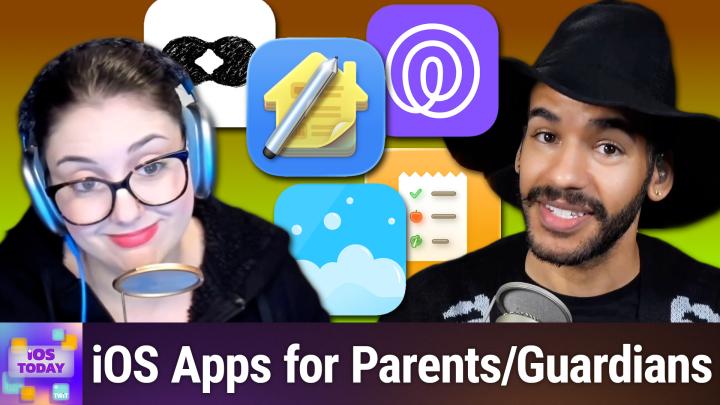
All TWiT.tv Shows (Audio)
iOS Today 777: Apps for Parents
00:45:35
Reinforce Family Organization, Safety, & Chores
Loading summary
Transcript37 lines
- [00:01]
Narrator/Ad Voice
Resilience isn't just about bouncing back, it's about being ready. It's how you show up every single day. Because every name in your system is a person who trusts you, and every password is a door you're responsible for locking. And when the threat comes, and it always comes, you hold back the chaos. Learn more at cohesity.com/resilience Introducing Family Freedom.
- [00:32]
T-Mobile Advertiser
From T Mobile we'll pay off four phones up to three 200 and give you four free phones, all on America's largest 5G network. Visit t mobile.com familyfreedom.
- [00:43]
T-Mobile Advertiser Details
Up to 800 per line via virtual prepaid card typically takes 15 days. Free phone via 24 monthly bill credits with finance agreement example Apple iPhone 16128 gigs $829.99 Eligible trade in example iPhone 11 Pro for well qualified credits end in balance due if you pay off early or cancel Contact Us.
- [01:00]
Rubrik Advertiser
AI agents are everywhere, automating tasks and making decisions at machine speed. But agents make mistakes. Just one rogue agent can do big damage before you even notice. Rubrik Agent Cloud is the only platform that helps you monitor agents, set guardrails and rewind mistakes so you can unleash agents, not risk. Accelerate your AI transformation at rubrik.com that's R U-V-R-I-K.com Coming up on iOS today.
- [01:32]
Micah Sargent
Rosemary Orchard and I, Micah Sargent, talk about some apps for parents. Stay tuned.
- [01:41]
Rosemary Orchard
Podcasts you love from people you Trust.
- [01:45]
Micah Sargent
This is TWiT. This is iOS Today episode 777 with Rosemary Orchard and me, Micah Sargent Rose recorded Tuesday, October 28, 2025 for Thursday, November 6, 2025. Apps for Parents hello and welcome to iOS Today. This is the show where we talk all things iOS, iPad, OS, watch OS, home autos. My voice isn't ready to go that high yet this morning. Regardless, this is the show where we help you make the most of your devices by talking about the apps, the settings, the gadgets, the gizmos, and everything in between that you can use to make them awesome. I am one of your hosts. My name is Micah Sargent and my.
- [02:33]
Rosemary Orchard
Name is Rosemary Richard and I'm feeling slightly under Halloweened as of this episode. Mike is all dressed up. Unfortunately my fancy new witch hat is both not yet here. It should have been here yesterday and there was some kind of issue with the courier system and it also wouldn't fit over my headphones. But I'm really excited because it's a knit one so it's going to last for years.
- [02:54]
Micah Sargent
Ooh yes. Yeah, this one will probably fall apart after this Halloween. I had to switch to my in ear monitors for this. For this hat to work. Of course. Yeah. It's November if you are watching this and so well, if you're not watching it live. And therefore this is not anachronistic. I don't know what you would call it. I suppose it's a form of anachronism. Regardless, that's not what this show is about. This part of the show is for us to talk about apps that you can use as parents or guardians. It's funny, the App Store occasionally puts together different guides on apps that people might want to to use for whatever category it might be a specific topic. And there was a recent EP or recent topic about parent apps and I saw some inside that I thought were really interesting. There's one that will kind of put at the top because it's one that I would imagine quite a few parents will be familiar with. Again, parents are guardians. It's not just parents. And that is an app called Life 360. Now Life 360 is an app that again for parents, that helps a parent kind of keep track of the person or people that they are trying to keep track of. I'm trying to be kind of neutral in the language, but forgive me if I, you know, go back to sort of a parent child relationship. The idea is that in this app you are able to set it up on someone's phone and you can do more than just keep track of the location of your child. But it also has built in features that you don't get from something like Find my. It has the ability to let a parent know how charged a device is. It can also use a user's camera to take photos or videos on the app. So you can imagine if they were ever in a situation where you're going, okay, I'm unsure of what's going on. The person isn't responding to me. You could launch that camera and be able to take a look at that. You are also able to use this now more recently to keep track of pets. This is a new feature that's been added to the app. Now I have a few family members who do use Life360 and one of the things about it is I can remember sitting and talking to them and hearing buzzes of some sort, notifications coming through. And ended up being the Live 360 app because they had set up a lot of sort of not Bluetooth but GPS beacons when the person leaves this place when they enter this place, when they leave that place, when they enter that place. So it is a very, very, very, very powerful app in terms of what all it is able to track. And this is where I want to be mindful and have you all be mindful of what it means to use a third party app for this kind of tracking. It's very important that if you choose to do this that you read the privacy policy or try to get an understand whatever, whatever method you want to use to try to get an understanding of what the privacy policy is. I highly encourage you do so because this is an app that has so much information about a user with everything set up that it is worth making sure that you are comfortable with this app having all of that information. Again, because it's able to be more powerful than the built in Find My app. That's why a lot of people end up using, a lot of parents especially end up using this. It's giving much more information than you would have otherwise. But, but a lot of this can be achieved with the app or services that come with your Apple device. And Apple's track record on privacy is of course very, you know, very good. So again, there are cases where this makes more sense. I think that Life360 does a great job of helping parents quickly, parents or guardians quickly get things set up and understand what it is that they are doing versus find my and family apps which can be a little bit more complicated. And I think that that's something that makes it so good, right is that it's able to do so now when it comes to the pet location stuff, those require a special GPS tag that you get from Life360. So you have to buy the tag that goes on the collar of the dog and then it's able to track them across different places. Life360 has partnered with Tile for trackers for wallets and keys and anything else that you want to tie it to. So there are also those options and of course as I mentioned, the phones are the main thing. So there's lots of options when it comes to this. Oh yeah, I forgot the one thing that I think is pretty cool about it too that you don't get with a with you know, find my is driving information. So it has built in understanding of of like if a crash happens which you know is built into the, which is built into many modern iPhones now. But it also gives a weekly snapshot of everyone's driving behavior if you have the feature turned on so it can talk about who is speeding. It gives you information about high risk habits like sudden braking and if you are texting while driving as well. So again, that last one may kind of tweak your your mind. You're going, wait, texting while driving? How would it know that? And that's where you have to realize the amount of permissions that you hand over to an app like Live360 when you choose to use it. So again, just be, just be aware of that as you as you give it a shot. That's life 360 free in the app store with many an in app purchase. For more, let's move on to our next app. Rosemary, you added Sweepy to the list. Not to be confused with sleepy.
- [09:43]
Rosemary Orchard
Yes. Well, some of us may be feeling sleepy and I'm sure every person who looks after a small child has immediately heard, I'm sorry, sleepy. When it comes to chore time things like putting away toys or making their bed, things like that. Well, Sweepy is designed to help split up chores in the home so that not everybody's doing the same thing all the time and everyone can see what is still to be done. So we can see that. My bedroom in my version of Sweepy is saying it's shiny clean. That's because everything's done. I assure you folks, it's not actually shiny clean. But I have checked off my Sweepy tasks. However, my kitchen is telling me to get down to work. Now, I should note Sweepy is free for one person. If you want to be able to do the family things and have widgets and some other stuff. It is 1699 a year, but that then covers the whole family, which is pretty nice. So I can see that. I last cleaned the fridge about three months ago. Yeah, that, that sounds about right. So I need to do that. I can't mark that as it. However, I did clean out my freezer the other day. I didn't do a full defrost. My Freezer is about 15, 16 years old at this point. It is not one of those magical it doesn't frost up ones. It is a take everything out of it, hope it doesn't all defrost too quickly, defrost the freezer and keep going. But I, I did well enough on it and there wasn't too much ice in there. So I'm gonna mark that one as done. I have cleaned my oven today, however, I'm feeling very proud about that. I also clean the stovetop and I clean my microwave. I haven't cleaned my kettle, but I can now See if I go back that my kitchen, it's good enough. It's. It's no longer get to work. And one of the things I love about Sweepy is I can add new rooms and I can also duplicate existing rooms and it's got suggestions in it as well. I have talked about this on show before as an app cap. So I could pick a child's room. I'll just leave it as child's room and then I can choose the chores that we want to add to it. So tidy up the toys every three. Does anybody know any child out there that doesn't immediately pull out like the entire bucket of toys? No, no. Everybody knows at least one kid that will pull out the entire bucket of toys. That should probably be a daily task in most cases. But yeah, changing the bed sheets and so on. Depending on the age of a kid, they may be able to do it themselves, they may not. They may need some help. All of these are great options. I love the fact that it suggests tasks for each room as well and they are customized to a room. So for example, in your own bedroom, tidying up toys is not something that's going to be recommended. I assume you don't have plushies everywhere. That is the kind of toy I was referring to, by the way. So do you want to add a custom task that was not in the list? I'm just going to say no for expediency. And now I can see the child's room says it's shiny and clean, wonderful. So I am going to say that the wardrobe is done. Woohoo. Toys are done, desk is done and bed sheets, well they still need doing but the, the kids are pretty clean and tidy. So there are a few other things that you can do as well with Sweepy. So you can scan a barcode which these are for sort of checking off chores via barcodes. And there's also various things where you can, you know, customize the appearance of it. But what I really like is under the double person icon in the bottom menu there are among other things, you can see your leaderboard and everything and how well things are doing, adding members and so on. As I mentioned, that's part of premium. But I can see challenges. These challenges are tailored to the time of year that you are in. So some of these challenges exist all the time. But pre party cleanup challenge that has been added because of Thanksgiving and I assume Bonfire night. Here in the uk some people have parties, Halloween, various Christmas and Diwali and Hanukkah parties, New Year Parties, things like that. So there's 22 tasks on that. So if I added, I could see it would go through things like dusting all the surfaces, cleaning the toilet, cleaning the sink, creating a party playlist, because that is something that should be on your list for a party or at least some kind of music setup. Create a. Prepare a designated space for guest shoes and outerwear, because Sweepy actually is there going, hey, folks, you know that you won't have to vacuum and clean your floor so often if people aren't wearing shoes and tracking a bunch of dirt inside. That's an option. So I can start this challenge and I can add that, and then I can go through and check off all these things, and it gives me a difficulty. So it's saying, hey, cleaning the toilet is hard. Now, that's not necessarily talking about mental hard, like physical difficulty. It can also be talking about mental difficulty. I know some people struggle a bit with germs and things like that, so it is talking about those, too. And then, yeah, there are some other challenges. Like there's a before vacation one, a decluttering one, a moving out cleanup one, all sorts. And these are just really great options to have to add challenges. And yeah, I. I just really like Sweepy. And you can divide up the chores by adding multiple people to the app as well so that everybody can see what they're supposed to be doing. So there's no longer the excuse of. But I didn't know that you wanted me to. Blah, blah, blah, blah, blah. And that goes for adults that you may be living with as well as the kids.
- [15:13]
Micah Sargent
I have to ask, what's Bonfire Night? Never heard of it.
- [15:16]
Rosemary Orchard
Bonfire Night is celebrated on the 5th of November here. It's where we celebrate somebody who attempted to blow up our Houses of Parliament. Unfortunately, he failed. Or fortunately, he failed and he was caught. So V for vendetta.
- [15:31]
Micah Sargent
That's Guy Fawkes.
- [15:32]
Rosemary Orchard
Talk about. Yeah, Guy Fawkes, Bonfire Night.
- [15:35]
Micah Sargent
Oh, I didn't realize that's what it was called. Okay.
- [15:38]
Rosemary Orchard
We often have big bonfires, and sometimes there's fireworks and things like that. It is also my uncle's birthday, so. Yeah.
- [15:45]
Micah Sargent
Your uncle Guy Fawkes?
- [15:47]
Rosemary Orchard
Yes, yes, my uncle Guy Fawkes. That is definitely his name. It's not his name, but that does remind me. However, I need to make sure that I add some party planning or present planning into my sweet pea, because I have my uncle's birthday present and his birthday card. Have I wrapped them? No. Have I written the card? No. Have I dropped off with my parents to be delivered on time. Absolutely not. So I should really get on that.
- [16:14]
Micah Sargent
Another app that I want to mention, really cool app for families and has all sorts of information for sort of organizing a family and all the things that you might need to do. It's called Maple Family Organizer. And in this app it packs in some really clever features because on top of a sort of standard, you know, you can, you can imagine an app that's going to have a built in to do list or perhaps even like meal meal planning, right. This also has a built in project organizer for a family. But I think what's super cool is if you pay for the in app subscription, you can also get a family email address that then is the again the family's email address. So you can imagine when a child is young, that could be the email address that you use when it comes to group events. You know, if you're all doing a marathon together or something like that, that could go to the family email address. You can also set up a calendar so that you would be able to add things that the whole family can see, see the forecast, add meals, add events, see what each individual is doing. So I've set up my account and then I also set up one for Henry, you know, he's got vet appointments he has to get to. So I got to add those of the list. It's got your built in to do list as well, like setting up the family calendar, inviting your family to Maple, setting up the inbox without paying. You can see it has in app ads. So this is, you know, me just using it without anything added to it. Again, food organizer as well. So I could add a meal for breakfast. You can get a suggestion. You can browse recipes that you've added before, like Mac and cheese for example, Mac and cheese for breakfast. It has everything you need directions. So the idea here is that you need just this one app, right, to do all of your family planning. You can see you can add a family photo and then quickly get to the different parts of it. I'll show one more time the cool part I think which is the projects. There are lots of templates that are built in. So you can easily set up a chores template and be able to set up what that looks like. So it has a to do list in it. It has cleaning instructions. So this, you know, this is specific. If you are cleaning, for example, some, some non stick appliances or non stick appliances, non stick stuff that you have, you are able to quickly set up the different chores and have those be repeated and assign them to a specific person. So all of that kind of. I think it's a great way to jumpstart right what you are planning to do as a family. And again, I just think it's really clever to have that family email. Of course that does mean that your email is then tied to the Maple Family Organizer. So it's something you're going to want to buy into for sure. But just the idea of having one spot where your email is for a family is a really good idea. And perhaps that just inspires you to go out and, you know, get an email address that is the family email address. That's also a possibility. I'll quickly also mention another app that I've talked about before. It's an app for inventory in your home and it's one that when we've talked about sort of managing your house, I've brought it up and I've brought, I can't remember, like moving. I think I brought it up before. But it's an app called Under My Roof and it is again a great app for making sure that you have everything locked in for your home. So here you can see I have this dining room table and I have, you know, the price, the condition where it is in the house. This is back in my old apartment. It should say mid century modern, but it does say mid entity modern. So always check your work to make sure you've got that. You can add warranty information here, maintenance tasks for it. Maybe you need to give it a nice polish a photo of it as well. It has stuff about repairs. So if you've ever done a repair on this, you can add that. You can add receipts for those repairs, you can add the receipt for the dining table itself. You can add more photos. It has all sorts of information. And then I always love a printer feature. I don't know why, I just do. And this has a great little printer feature built in for being able to organize that. I also love that you can add a barcode. So if you want to look up the information online about the item to kind of quickly lock it in instead of having to add it that way, that's a great way of doing so. And then it has built in functionality to help you set up like boxes, moving boxes so that you are able to easily scan the side of a box and then see what's inside and know which room it's supposed to go to as well. So that is under my roof. Also available for free in app purchase for more functionality as well. Anything else you want to mention for the apps for parents? Rosemary?
- [21:48]
Rosemary Orchard
Yeah, There is one more app I'd love to mention, Micah, and that is the wonderful Fridge Buddy Pantry Inventory app. So the whole point of this is it allows you to keep track of what's in your fridge and what's been used up. Now, I've started by adding something that may be kind of difficult to keep track of if there are kids in the house, because anybody who's previously encountered the good old fashioned rocky bars over here in the uk, they're a lovely crunchy biscuit covered in chocolate. And when I say biscuit, I mean cookie for you Americans, because it is a sweet one. And so I've added that. I bought a pack of eight of these. Okay, I'll admit these are the little own brand knockoffs, but almost the same thing. But now I can see that I have eight of these and right up on it I can say that I am consuming one or two. Consuming all of them. Ooh, do I want to add to my shopping list? No, not yet. But this is a really great way of keeping track in particular of things where you might not be seeing them as much. Do you have a fridge or a freezer in the garage or in a shed or something like that where you put extra stuff in there but you don't access it as frequently? Or do you not really use eggs except when you're baking and then you forget how many eggs you've already got at home? Well, this is a great way of keeping track of that sort of thing. So I'm going to add another item here and I'm just going to scan. I have a handy dandy barcode here and it's just called these dry mouth. I'm going to call them berry lozenges because that's what they are. And then I can track the expiration date. So I'm just going to Change this to August 2026 because I believe according to the information on the bottom. I've already checked this, they expire on 4 August. Or is it 8 March or April? I don't know. These are. Whatever, it doesn't matter. And now I can add the quantity and I'll just take that up to 24 because that's how many are in the box. And ta da. And now I can see here I've got a handy marker of that expires in 280 days. And this is just quite a useful way of being able to keep track of various things that are in your pantry. Or fridge. Now I'm using the free version of the app. App, you can pay to unlock all of the features of the app, including things like multiple locations. So being able to add your own locations and so on. And that is 2.99amonth or, sorry, 2.99 a week. 29, yeah, $29.99 a year or lifetime is $34.99. If you would like to purchase a lifetime option, which gives you, you, it's five bucks more than the year. But, yeah, that's a really great option. But I find this is really useful for just keeping track of things, not necessarily every single item in your fridge and freezer. Because I don't know about you, Micah, but if I had to track every single time I, I drank some juice or use some milk or something like that when I was cooking or eating, I would go insane. And with these things, less is more. Keep track of the things that you use less often, but you, when you need them, they need to be there. So things like your baking soda and your baking powder, because if those are expired and you go to use them, or if your yeast is expired and you go to use that, that's a problem. But if you can look when you're in the grocery store and be like, ah, I have baking powder, it's expired. You can go buy some more baking powder. And then you don't have to worry about your cakes not rising or in the case of bread, yeast. So. So that's definitely worth keeping track of. Personally, I do keep track of the amount of flour that I have because I make a lot of bread and it's useful to know if I'm going, ah, I think I'm gonna bake some more bread. Go, Hmm, I have 300 grams of flour. I need 500 to make a loaf. So I guess I'll just buy some more flour that, you know, when I'm in the shop, I can pop in and get some. I don't start making a loaf and then have to figure out a way to make the whole thing smaller. When flour is the last ingredient that I add.
- [25:53]
Micah Sargent
Are you ready to grow in 2026? Let me tell you why advertising on Twitter is the way to make that happen. I'm Micah Sargent. I'm the host of Tech News Weekly and several other shows on the network. And if you've ever listened to our shows, then you know what makes what we do different? It's trust. When we introduce a new partner on the show, the audience knows we believe in what they offer because we're only taking on partners that will actually benefit our audience. And they know that when I'm waxing ecstatic about your product or service, I'm doing so with authenticity. Some other reasons why you should join the network? It's all about the numbers. 88% that's the number of listeners who've made a purchase based on a twit ad. 90%. Those are the people who are involved in their company's tech and IT decisions. Oh, and by the way, 99% is the number of people who listen to most or all of the episodes. Every host red ad we offer is authentic. It's unique, it's embedded permanently. So that means that your brand is going to get exposure even after your campaign concludes. Because yes, our nerds, our listeners, our viewers, they go back and check out the stuff we've done in the past. Every ad is simulcast across our social platforms. It's always available in both audio and video formats. So if you want your brand woven into conversations with tech experts and the world's most tech savvy audience, I mean, where else are you going to turn except right here at TWIT? So let's make 2026 your most substantial reach yet. Get in touch with us. Email partnerwit TV or visit Twit TV Advertise. All right, well, with that we are ready to move along to the news. But of course I do want to remind you if you have apps that you use as a parent or guardian that you think should be included in so iostodaywit TV is the place where you get in touch moving along to the news. Now, I wanted to mention a little rumor, a rumor that's based in some good research. It's not sort of just out of the blue, but instead a person who takes a look at the code in whenever Apple releases a new version of iOS or iPadOS or what. Have you looked into this? And according to MacRumors contributor Aaron Paris, who keeps an eye on things, Apple might be working on Pro apps for iPad coming to the App Store soon. So we already have Final Cut Pro, excuse me, and Logic Pro in the App Store. Those apps are available to use on the iPad, but according to the contributor, these apps were These app store IDs were uncovered by the contributor Aaron Paris and would suggest that they could be coming to the iPad. It includes Pixelmator Pro, which makes sense. That is an app that Apple acquired earlier this year from the folks at pixelmator. Also Compressor. This is an app that has been around for A long time within Apple. It's an Apple made app that is for changing file types. That's. I don't want to get super into it, but essentially, let's say if you have a video that has MP4 at the end of it and you need it to be MOV at the end instead, then it will take that MP4 video and turn it into an MOV video with lots of other things that it can do as well. There's also Motion, which is Apple's app for making 2D and 3D effects, all sorts of different effects. And it works very closely with Final Cut Pro for creating what are called generators, which are kind of templates of a sort that you can use in your video projects. And last but not least is Mainstage, which is the app that that lets live performers kind of interact with music. It is what Apple calls a live rig for musicians. So you will occasionally see live performers using Mainstage as part of their process on their Macs. Now, if these apps do come to iPad, that would make sense given the way that things are going and the inclusion of Final Cut Pro and Logic Pro on the iPad. Why not have those companion apps which are Motion and Main Stage, you know, respectively, and then Pixelmator Pro and Compressor.
- [30:58]
Rosemary Orchard
As well, considering there's a 13 inch iPad Air as well. Now it feels to me like we have the screen real estate to be able to play with these apps properly. You know, 11 inches is fine, but 13 inches, there's the iPad Pro and the iPad Air. There's plenty of space to play with these apps and see everything.
- [31:16]
Micah Sargent
Absolutely. Now we don't know when or if Apple will truly release these apps. There is One thing that MacRumors points to, which I think is a really good point. The annual Final Cut Pro Creative Summit, which is a gathering of creators who use Final Cut Pro as part of their process, is held in November. And it's usually during these times that Apple has done has released this stuff. However, the summit this year was postponed until spring of 2026, so we don't know when this will be announced or if this will be announced again. It's just a rumor based on app store IDs popping up, but still interesting nonetheless and I look forward to seeing if those apps make it to iPad in the long run. Alrighty. With that, I do believe I can hear the music. It's time for Shortcuts Corner. This is Shortcuts Corner, the part of the show where you write in with your shortcuts requests and Rosemary Orchard Our shortcuts expert provides a response. This week's Shortcuts Corner request comes from Steve, who writes, would you help me delete one of your shortcuts? I like the shortcut, but the button that floats around on the screen is driving me nuts. See the arrow? It seems to be in the way of almost everything I need to open. Thanks for your contribution to the twit community. You are special, Steve. What is Steve talking about? A button that floats around on the screen?
- [33:14]
Rosemary Orchard
Yeah. So I hate to tell you, Steve, this isn't my shortcut. This is a configuration you set up to run a shortcut, which could be one of mine, could be somebody else's, it doesn't really matter. But this is the assistive touch bubble. It's a way to run shortcuts. You can also use the action button. You can use a double back tap. You can use the triple back tap. There's a whole bunch of things that you can do to trigger a shortcut. Now we can put them in the control center, which is even better. So I'm just going to show folks how to enable. Enable and configure this and also then disable this. So under settings, if you go to accessibility and then you scroll down to Touch, there's a thing called assistive touch. Steve, you're going to want to turn this off. Okay, so if this is green, you're going to want to turn that back to gray. And now folks can see a little bubble on my screen, which sort of it pins to the side if I try to drag it around, because I was kind of hoping to put it in the middle. I can wait. There we go. It's looking kind of crazy. It's having a little disco all by itself. But, yes, I do understand what you mean about it being in the wrong place, but you can give it some custom actions. And as I scroll down, there's various things there, like accessibility, reader, accessibility, highlighter. And then I can see I've got a whole bunch, every single one of my shortcuts, unfortunately, in alphabetical order. Really? Hope you didn't name your shortcut. Something started with a Z. That would have been. Oh, there it is. Zoom one. Okay, this is. I will admit, this is a me problem. I have thousands of shortcuts. Literally, I have well over a thousand. But now I can choose one of them. I am just going to look for something. When is golden hour? That's a nice one. That's not going to go too crazy. So now I tap on it. It runs my shortcut where it's gold now.
- [35:01]
Micah Sargent
Cool.
- [35:01]
Rosemary Orchard
Amazing. That's awesome. You can also have it. Instead of doing this, I'm going to regret doing this. Open a menu and then you can actually give a menu so you can say, hey, I want to add, you know, a number of things here so I could open the app switcher from it. I can have a freezer food shortcut running. That sounds really cool. I'm going to change this one to the fridge food. There was a fridge food. I might have been playing with things earlier. Yeah, I was playing with things earlier. That's fine. And now I tap on this, it pops up a menu and it gives me the option to access two of my shortcuts, which is really cool. But yes, this little dot here is really annoying. There was a thing for a while where in certain countries, predominantly countries in Asia, people were worried about the home button on an iPhone breaking that round circular button that you used to have at the bottom of an iPhone screen. And so when people bought new phones in store, they would configure it in store and one of the things the store systems would do would be turn on assistive touch and tell them not to press the button button and instead to use assistive touch. That was a thing for a while. To me, that always sounded crazy. I never personally had or knew anybody who had an issue with the home screen button breaking or the home button breaking, but apparently it was a widespread of enough issue that people did do that. But yeah, this is AssistiveTouch, so it's just an Apple feature. It's really cool. Go dive into the accessibility settings, folks, because you can do do so many awesome things with the accessibility settings. Personally, I like using the triple back tap to open drafts on my iPhone because I can just go tap, tap, tap on the back of my phone and it'll go, ta da. Here's a new draft. And I immediately have somewhere to type, which is great because, you know, somebody can be talking and my phone's unlocked already and then I just tap, tap, tap, and I type whatever it is they've said somebody. The other day when I was in the office, she'd made an incredible cake. It looked amazing, but it was a Swedish cake and had a Swedish name appropriately. And did I know what that was? I could have guessed at the spelling, but I was concerned that I was going to get it wrong and I was going to say something really embarrassing to my other colleague who was not in the office that day and is Swedish. It was a cloud kaka for anybody who's wondering K L A D D K A K A I just popped up in dresses and passed my phone to her. I said, please can you write down the name of your kids cake? And there we go. And that was something I did just by tapping on the back of my phone through accessibility features.
- [37:37]
Micah Sargent
Nice. Nice. Well, I love that. Can you, can you help me delete one of your shortcuts? I mean, I can, but that's not what's happening here. I'm glad we got there in the end. I actually had a few friends who it wasn't because of their home button, although I had heard about that and well, I guess even there was somebody who had also heard about that and started to use the AssistiveTouch feature instead. But I had a couple of friends who they had broken something on their phone. I guess it would have had to have been the home button. And this was in the time where the home button was no longer pressable, but just had the Taptic engine in it and they had cracked something down there and so then it wasn't working anymore. So they had to enable Assistive Touch to do anything on their phone. And so they just, you know, went around with that floating button on their screen, just moved it to different parts of the screen as needed. In any case, there we go. Steve, let's move on to our app caps. This is the part of the show where we share apps or gadgets that we think are awesome that we think you might want to know about too.
- [38:52]
T-Mobile Advertiser
Introducing Family Freedom from T Mobile we'll pay off four phones up to $3200 and give you four free phones all on America, America's largest 5G network. Visit t mobile.com familyfreedom.
- [39:05]
T-Mobile Advertiser Details
Up to $800 per line via virtual prepaid card typically takes 15 days. Free phone via 24 monthly bill credits with finance agreement. Example Apple iPhone 16128 gigs $829.99 eligible trade in example iPhone 11 Pro for well qualified credits end and balance due if you pay off early or cancel contact us.
- [39:22]
Sofi Advertiser
High interest debt is one of the toughest opponents you'll face unless you power up with a SOFI personal loan. A SOFI personal loan package your bad debt into one low fixed rate monthly payment. It's even got super speed since you could get the funds as soon as.
- [39:37]
Narrator/Ad Voice
The same day you sign.
- [39:39]
Sofi Advertiser
Visit sofi.compower to learn more. That's S-O-Fi.com p o w e r loans originated by Sofi bank and a member FDIC terms and conditions apply. NMLS 696891 if you love Twit, can.
- [39:54]
Micah Sargent
I invite you to join the premium Twit experience? It's Club Twit which delivers everything we do, just better. Every show completely ad free, bonus content you can't get anywhere else. Plus direct access to a community where tech enthusiasts and US hosts connect daily. It's your VIP pass to support TWIT while getting more of what you love. Join today at TWiT TV Clubtwit. So the folks at well now I'm forgetting the name of the place, but they make Clean My Mac and they also Mac Paul. Thank you Macpaw. They also make an app called Clean My Phone. If you've got a lot of photos that are taking up space photos and videos that are taking up space on your device, this is a great app for taking care of that. It can do quite a few things. First and foremost, it'll scan your library and it'll find the largest videos that you have in your photos library. It will find and categorize your screen recordings. It finds screenshots, has found TikTok videos that I have saved over time, blurred shots, posts that I at one point would have posted because I have Instagram save the photo to my photo library when it posts. So that's a category, for example, that I would not get rid of. But it has that as well. Duplicate photos it finds. And also if you have things from Snapchat there, it's got multiple categories basically of what you might want to want to delete. It can also help you kind of organize things, so it will tell you when you like the different categories of people, travel, pets, text to help you set up albums and to organize things that way. But something that's super cool in that section and the reason why I'm not showing it on screen is because it is showing photos for my photo library as part of it and I want to respect people's privacy if they were to pop up as one of my friends did earlier. It has a couple of features that are built in, including a compress video feature. So if you have large videos on your device, it can make those smaller if you want. And then also and this feature I think is kind of neat. Again, if it's something that you would want to do, you can go through and select live photos that you have that maybe you don't need them to be live photos because they're just not not. It's just a photo that you took that you're not. You don't care about the sort of built in video. It will turn those live videos into still videos. And on my phone, with the current scanning it has, it has six minutes left. It's scanned a little bit under 13,000 of the 30,000 photos I have. I could save 24 gigabytes by turning my live photos to still photos. So you could end up saving a lot of space. Space if you want or need to. But it's also got built into it an iPhone health feature. And this is kind of about performance. So it talks about device security, it talks about how much storage space you have left, and you can kind of break it down based on that. So there are lots of different categories of ways to declutter, but also organize your photos and your videos across the entire thing. And that's called Clean My phone from the MacPaul folks. It's available for free to download, of course, offers an in app purchase to be able to do the full set of features, you know, compressing and removing the live, et cetera, et cetera. So check that out in the App Store if you're looking for a way to cut back on storage space on your device. Rosemary Orchard, what's your app cap?
- [43:54]
Rosemary Orchard
Well, I'm wondering if you've been reading my mind, Maika, because my app is the completely free no in app purchases, no subscriptions slider photos. I'm getting one up because, well, so clean My phone is an amazing app and I would 100% recommend it, but I know some people don't like in app purchases, in app subscriptions and so on. And I keep seeing those Instagram adverts for the subscription versions of this app, which basically access your photo album and then they let you swipe to keep or delete a photo. So I have just taken a lot of pictures of my laptop keyboard sitting right here in front of me. And I don't really want these. These are really junky. I was just messing with my camera. These can all go away. What is this? Why do I have a photo? Why is my keyboard so greasy? That's my mouse and I'm just swiping. And at end the the top. This is what I quite like about it. It gamifies it. I can see I'm saving 27 megabytes. But the thing that's most important for me is that now I can see. Ah, right, cool. So I'm getting through all of these and then I can just tap at the top and delete 21 pictures. No, I don't want to get Notified when my storage is full. But that's it. It's really simple, it's really easy and it just allows me to go through and clean up photos very quickly and easily. Easily. I know I could do this by opening the Photos app. But if you open the Photos app, you decide, okay, I want to delete this photo. You so you're in the full screen preview of the photo. Tap, delete, tap to confirm. Then it's the next photo. Tap, delete, tap to confirm. I quite like the swipe. Yes, no, yes, no, yes, no, and then go from there. That to me is great. So yeah, 10 out of 10, really love it. And it's free. Slider photo clip, free from the app store.
- [45:39]
Micah Sargent
Boom. And with that, we've reached the end of this episode of iOS today. Thank you all for tuning in. I want to remind you about our Club Twit TV Club Twit. When you head to that link, you can become a member of the club. $10 a month, $120 a year will get you access to lots of great features including ad free content, just the show, none of the ads, all available to you. As well as access to our stuff special feeds for club members that include behind the scenes bits and clips. We have a feed for our coverage of news events like Apple's tech events and so much more. And access to our different club shows like Micah's Crafting Corner, Stacy's Book Club and my recent D and D adventure which we kicked off. And if you want to check that out, where we did, where we are in the midst of because is that not the way a spooky cornfield battle? All of that is available to you as a member of Club Twit. And did I mention two week free trial? Like there's no reason to not give it a go. Twit tv, Club Twit. That's where you should head check it out. We'd love to have you Rosemary Orchard. If people would like to follow you online and check out all the great work you're doing, where should they go to do so?
- [47:01]
Rosemary Orchard
The best place to go is rosemaryorchard.com, which has got links to apps, books, podcasts and social media where you can find me all around the Internet Internet. Plus you can find me in the clubtip discord where we hang out whilst recording the show. And also people come in and ask questions after the show about specific episodes or just about iOS in general. And it's really great to chat to everybody. Plus I've just posted a really cute dog picture. So if you're not in the club Twit Discord, you're massively missing out on Tank. The colleague being very upset that we started a game of Terraforming Mars without him. Micah. Working folks. Fine to you.
- [47:32]
Micah Sargent
But I'm so good at it. I've been practicing and you didn't invite me to play. If you're looking to find me online, I'm ikasargent on many a social media network where you can head to Chihuahua Coffee. That's C h I H U a H u a Coffee, where I've got links to the places I'm most active online. Be sure to check those out. And we look forward to being back next week with another episode of iOS today. Bye. Bye.