← All TWiT.tv Shows (Audio)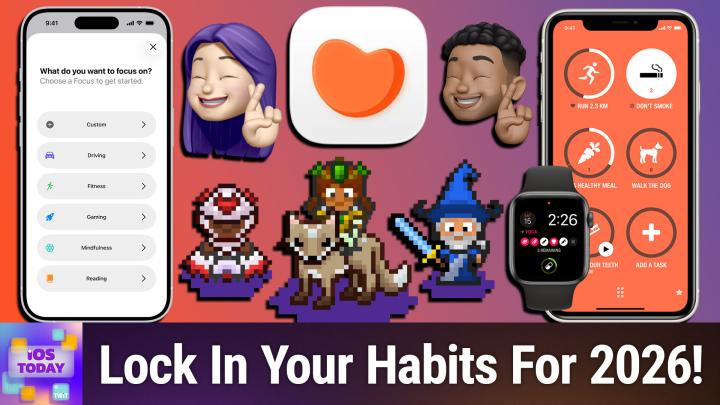
All TWiT.tv Shows (Audio)
iOS Today 785: Hacking Into Your Habits
00:52:31
Build a Better 2026 For Yourself!
Loading summary
Transcript52 lines
- [00:00]
Micah Sargent
Coming up on iOS today, it's the new year, and that means it's time to lock in those wonderful habits. Stay tuned for this episode of iOS today.
- [00:13]
Rosemary Orchard
Podcasts you love from people you trust.
- [00:18]
Micah Sargent
This is twit. This is iOS today, episode 785 with Rosemary Orchard. Episode and me, Micah Sargent. Recorded Tuesday, January 6, 2026 for Thursday, January 15, 2026. Hacking into your habits. Hello and welcome to iOS Today, the show where we talk all things iOS, iPad, OS, WatchOS, HomePod, OS, TV, OS, and, well, all the OSs that Apple has to offer, plus, you know, the hardware running those operating systems. I am one of your hosts. My name is Micah Sargent.
- [00:58]
Rosemary Orchard
My name is Rosemary Orchard. And it's great to be back in the saddle and trying to get back into the habit of recording iOS today. I'm very excited.
- [01:05]
Micah Sargent
Micah, I see what you did there. That was very, very good. Yes, it is for us, the first episode that we're recording in the new year. You will be tuning into this episode one week, I guess, into January, but that's fine because here's the truth of the situation. Here are the facts of the if you set a goal on January 1 or on December 31, chances are by January 2 you have stopped following through with that goal. Like, that's just literally. Those are the facts of the situation. January 2, especially as it was a Friday.
- [01:48]
Rosemary Orchard
It's always weird starting things like in the middle of a week or something. It's one of the reasons why I like to use my birthday as my reset for the next year. So that's January 11, because then you don't start things like you've got two weeks to try and get into the saddle and then go, right, here's where things are falling off the wagon, here's maybe what I can do.
- [02:09]
Micah Sargent
And so this is our opportunity to kind of talk about settling into some habits, I think usefully, safely for the the new year. There are, you know, I think whenever we look at sort of setting up habits, setting up goals, it's important to think about how we define them, right? Because a goal can, as simple as I want to make sure that I am not spending as much time on my phone, or maybe it's a goal of keeping better track of your overall health, or maybe it's a goal of trying to drink more water. And so it kind of depends on what habits and what goals you're wanting to set, where you would look in the system when it comes to this. And kind of the first thing that comes to mind, I think for both of us is screen time. And here's the cool thing about screen time that I love. I, for the most part, do not use screen time actively. I use it as kind of a passive way of keeping track of my activity across different devices. So for people who aren't aware, screen time is Apple's system for keeping track of how you're using your devices. It is a way to know how many times you pick up your phone in a given day, but it also lets you set limits, limits on communication, limits on apps, limits on different portions of the system, and you can even set content and privacy restrictions as well. So with it, it is kind of a mixture of a tool that people can use to kind of give themselves a boost in the sort of taking responsibility of oneself. But also it's a way that you can kind of better manage a phone on behalf of another person. So I think screen time, particularly the fact that it will sync across all of your devices, is one of the coolest things about it. And it's one of my favorite things and why I kind of turn it on, because then I know, okay, this is how much time you spent on your Mac and what you were doing while you were on your Mac, what apps were running. It's just kind of fun information to have. But oftentimes it leaves you with a better picture of what you are doing and, and when you have that better picture of what you're doing, then you can take action on that and do more with it. So I'm curious, Rosemarie, what is your experience, your use of screen time in iOS, iOS, et cetera?
- [05:11]
Rosemary Orchard
Yeah, for me it's very similar. I just want to have a sort of general level of awareness. So one of the things that I'm attempting to do this year, and this is a sort of ongoing goal for me, it's not a. It's not, unfortunately, a smart goal. It's not something you can calculate and say, yes, I have absolutely 100% achieved this, but something I'm trying to do is be slightly more mindful about how I use my devices. And screen time is really useful with that for me because I can see, ah, okay, you're spending a lot of time scrolling TikTok. That's not great. But I've noticed over the last couple of weeks my usage of Reddit has gone up, which, you know, I'm not necessarily a massive Reddit fan, but I have massively culled my subreddit subscriptions. So subreddits are specific communities within Reddit and I focus those down onto the very specific things that I'm interested in and I'm looking forward to participating in this year. So, for example, I've recently started playing Age of Sigmar, which is one of the Games Workshop worlds of gaming, which is a tabletop game. And so I've joined that separated and so on. So I'm getting those things showing up, which is great because then it means when I'm talking to the other people who I'm playing with, I've got all this random information to share with them of oh, have you seen this? Or hey, this is a really cool way you could paint your miniatures and things like that. So, you know, I'm trying to be thoughtful about how I do things and seeing the fact that my Reddit usage has gone up and my TikTok usage has gone down, it's probably a good thing. It also means that I really need to change the automatic lock time on my phone because I am 100% certain that the two hours that it locked earlier today, that was while I was working and I know for a fact that I was on a call with somebody else for an hour and 45 minutes of that and I was not scrolling Reddit. So I need to change the auto lock settings on my phone. But yeah, it is really useful to me to just be able to see that and also under screen screen time in that area of the app of settings. Sorry, there are things where you can turn on screen distance. Now I have this turned off because if I take my glasses off and I want to use my phone, which I sometimes do need to do in bed because my mum sends me a message and says, oh Rose, would you mind just quickly helping me out with this tech support issue? I won't necessarily put my glasses on to answer her, but I do need to hold my phone just that little bit closer to my face than Apple thinks is necessarily wise. Right now I'm wearing my contact lenses so I can hold my phone at a reasonable distance and I don't want to mess around with bumping up and down my font settings and stuff every time because it messes with a whole bunch of other things, including my muscle memory for certain things somehow. But screen distances here, you can also set app limits as well, which can be really useful. And yeah, there's also communication limits like preventing certain people from contacting you at certain certain times or things like that. But the thing that this sort of ties into quite well or can tie into quite well is focus modes and having focus modes So I have this home screen right now. This is my podcasting home screen. This is a home screen I only see when I'm podcasting. And the fact that I have custom home screens per focus mode means I see different apps. So when I'm working, I get things like an Outlook widget and stuff like that, which helps me focus on what I'm doing more precisely so I don't get distracted and side quested by things like Reddit and so on and so forth when I'm doing other tasks. And so if people are looking to explore screen time, I wouldn't necessarily start by applying hard limits to things, but you can filter things down through focus modes. Custom home screens, not allowing notifications from certain apps, so they're still there. You just don't see the notifications from, I don't know, whatever app it is that sends a lot of notifications during the day. BBC News, for example, they seem to have breaking news about something every 15 minutes. I don't really care about that while I'm working. I actually have all their notifications permanently turned off. But if I wouldn't want the interruptions while I'm working, then I could turn those off for that particular focus mode, which I personally find is a really useful tool, which does actually remind me I need to turn on Pokemon Go notifications for my act for my fitness focus mode because I've started playing Pokemon Go as a way to encourage my personal fitness.
- [09:21]
Micah Sargent
Yeah, I think that everyone should again go in, turn on screen time and just try it out and just even again. Having the awareness is the thing that I think makes all the difference and will kind of result in you being able to do more. By the way, I do use the screen distance thing as well. Well, not as well, but in this case the. I've had times where it has frustrated me. I've turned it off. But for the most part I have found it useful because before I was using it, I was definitely sort of holding my phone very close to my face. So it's been handy for me as someone who only needs to wear glasses at night while driving, to be able to kind of try to keep my phone at a distance for the sake of keeping those muscles in your eyes strong. But anyway, that's just one of the many features. Oh, and what I was going to say about screen distance is you can turn it on on your Mac as well if you have a Mac that has one of the more modern webcams in it, which is kind of cool. So that's. That let's move on to the kind of. It's interesting when it comes to like screen time as the awareness apparatus. Right. But then the sort of active apparatus for taking control of your screen time and taking control of the different things that you do by way of focus. I think, Rosemary, one of the coolest things that Apple has introduced with focus modes is something that comes from the third party developers, right? Their ability to let you kind of tap into how those apps work and say, this is the calendar that I want you to show me during my focus mode in fantastical. And this is the part of the third party.
- [11:29]
Rosemary Orchard
Yeah, the mailbox that I want to see in mail and things like that. And yes, that really does, you know, add up a lot for me. So for example, in my work focus mode, I filtered my calendars, I filtered my messages down. So messages, you've got those pinned conversations and I filter it down. So I just see my pinned conversations while I'm at work and I filter down timer, which I use for time tracking. And also you can turn on and off things like silent toggles automatically. That's assuming that you have a near button with the, with the action button rather than an actual physical silence switch. But yeah, you can adjust your always on display, low power mode, dark mode. And then so many apps have got really lovely integrations from 1Password to Drafts, Devonthink, Mail, Outlook, you know, you name it. A bunch of apps have got integrations to the focus filters to allow you to say, hey, this exactly is what I want to see when I open this app while I'm doing this thing. And you can also choose to have focus mode to just learn your habits and automatically turn themselves on and off. I tend to mostly stay at home and rarely leave the house because I work from home, I podcast from home, I do a lot of exercise from home, and so on. So that doesn't necessarily work super well for me because it relies on geographical things as well as time based things, but it can do that. Personally, I've just got it set up with geolocations and the schedules to automatically switch me over. So, you know, when I'm supposed to be working, it automatically bumps me into my work focus mode. I get a change of background, change of lock screen, all of those things. And that, you know, that really helps me be slightly more mindful about the things that I'm doing during the day. And it also takes away some of the time sinks that I might otherwise automatically reach for my phone and dive into as well.
- [13:21]
Mint Mobile Advertiser
Well, the holidays have come and gone once again. But if you've forgotten to get that special someone in your life a gift. Well, Mint Mobile is extending their holiday offer of half off unlimited wireless. So here's the idea. You get it now, you call it an early present for next year.
- [13:36]
Rosemary Orchard
What do you have to lose?
- [13:37]
Mint Mobile Advertiser
Give it a try@mintmobile.com Switch limited time.
- [13:41]
American Express Advertiser
50% off regular price for new customers. Upfront payment required $45 for three months, $90 for six month or $180 for 12 month plan taxes and fees. Extra speeds may slow after 50 gigabytes per month when network is busy.
- [13:50]
Rosemary Orchard
See Terms.
- [13:53]
Micah Sargent
Now we've talked about, right, getting this awareness when it comes to our, our devices and our usage. And that part is something that for the most part you could make happen on the system with the built in features and functionality. But there are also means of kind of stepping outside of the system and looking at some of the third party apps that are out there for actual habitat tracking. And every year it's always fun to look at what apps are available, what apps people are using, what apps are sticking around and kind of what apps have actually helped you, you know, maintain habits or track your goals. And there are again so many, but the first one that you added to the list is so much the, the app that I think clicks for so many nerds. Do you want to tell us a little bit about Habitica?
- [15:07]
Rosemary Orchard
Yes. So if you are the sort of person who likes points and you think points mean prizes and you like playing games, like maybe role playing games, Habitica is a gamified task manager which is all about, you know, giving you points for tracking your daily, your weekly, your monthly goals. And it's got a bunch of customizations, it's got rewards built in for completing tasks. And the thing that a lot of people might like, somewhat Pokemon esque, you collect pets as you go. So yeah, they, they say Habita works really well for people with ADHD and so on. It's one of those apps I absolutely love it and then I don't open it for two weeks and yeah, I just, yeah, my problem with all of these things is I absolutely love them until I forget that they exist and then I sort of don't open them forever. Which is the other place where screen time comes in handy because I can see like ah, yes, my usage of this app. Oh, my usage of this app has dropped. Whoops. That wasn't supposed to happen. But it is, it can be useful. But yes, I, I've used it several times. I always love the idea of it and then I somehow bounce off of it. But it is a great app and I really feel like a lot of people who want some kind of goal system should give it a try because it can be super simple or you can make it more complex as. As you want because the habits can be really flexible. So you can have something like brushing your teeth, which you do a couple of times a day, versus, I don't know, changing your smoke detector batteries, which you do twice a year, once a year, however often you're supposed to do those. I think I do mine twice a year, but my smoke alarms rechargeable. So it's a little different. But yeah, it's. It's great. What about you, Micah?
- [16:51]
Micah Sargent
So I, I'm like you as far as Habitica goes. I think that it's a really cool app and it's a lot of fun and engaging and then I forget about it and then I hop in and then I'm sad because my little, you know, the. My little goals have all died. Makes me sad. So it's something that, it's like you've got to build the habit of the habit. You've got to make a habit out of using the Habit app. And look, it's got notifications. If you really want to, you can, you can make it happen. But I think part of it too is the, the, the prices that are involved. And for me, it's a little bit too far on the pay to play vibe. And I think, you know, you probably might be going, okay, so why is that one that you're suggesting? Because I have heard, and I know Rosemary is part of the reason, I'm sure, why you added it. I have heard from quite a few people who swear by Habitica and it is the way that they have been able to build habits over the years. So despite my own complaints or gripes with it and Rosemary's, you know, gripes with it, it is an app that people get a lot of use out of, and therefore it's worth taking a look at it. The next app on the list is one that I think, again, one that you'll hear a lot of people talk about, but it's because it's just so doggone simple in its usage and it just kind of gets out of the way. And sometimes that's what I need. It's an app called Streaks, and it is actually one of the apps that has stuck around for me more than other apps in this category. Because with Streaks, you just set up your habits that you want to do. You check in and say, I've done them. And it keeps track of it. You can track up to 24 tasks that you want to complete each day. And you're just trying to build a streak of, you know, consecutive days of doing a thing. So don't smoke, walk the dog, eat a healthy meal, walk 5000 steps, brush your teeth, all sorts of things. And then you get these nice statistics over time, you get your reminders. You can also share tasks with others and show, like, when you have completed tasks and they're fun to kind of set up exactly as you want. Rosemary, you actually are showing us on screen, so we'll take a look at that.
- [19:41]
Rosemary Orchard
Yeah, so one of the things that I do love about streaks is it has pages. So you can see that I have, you know, different pages here with different color schemes because, of course, that's important. And I also really love the fact that you can add automatically completed habits. Now, that sounds like a misnomer, but for example, something that you do in, I don't know, Apple Health, maybe. So, for example, if you want to have a certain number of stand minutes during a day or a certain amount of time in daylight or you want to go swimming every day or every couple of days or whatever, you can have those automatically pulled in through Apple Health. So then your phones, they're great. Hey, cool, you did the thing. Well done. Like you've logged this through some other method. You don't actually have to go into the app and say, oh, and also I did this, which is quite nice, not having to duplicate the work that you're doing. So, you know, I could add a walk goal and I could say specify this based on a certain number of steps, certain distance in kilometers or miles. And I'm actually not going to add that right now because I need to check what my current average is before I do that. And you can also specify what kind of categories something goes into, because you can do things like that. You can also have these tasks, specifically the health ones, based over different periods of time. So instead of just having a day, like a daily, I want to walk X number of steps. Okay? I want to walk 5,000 steps a day. You could have a. I want to walk 30,000 steps a week. I'm aware that's not 5,000 steps a day. Just be clear. But the point is then, you know, you might have a very demanding job that requires basically that you are sat in front of a computer for eight hours a day and therefore you can't really get up and walk around as much. So you make up for it the weekends and you, you get out and you do the exercise. It, you know, from a health perspective, it would be really great if you could get up every hour and have a quick wander around and things like that. But I know that some job don't necessarily let you do that. Similarly, if you've got a job like you're a nurse, for example, and you're on your feet all day running around, then maybe you don't actually want those calls all the weekend because you want to finally put your feet up. So, you know, it's quite nice to be able to do that sort of thing. Similarly, there's multiple on tasks for that as well. And also you can tie things into the action button. Streaks has got great shortcut support, which I really like. You can also, for each individual habit, specify a thing that happens when you complete that habit. So you can say, hey, I want you to open a particular URL. So maybe your reward for doing some writing or reading is watching YouTube videos. So you could open YouTube.com or you can run a shortcut to open a particular app or something like that. And I, I just think that that is a really nice extension that they've put into the app to, you know, just make it a little bit more fun and extensible. But also it's still simple. You don't have to go into any of these things and actually set them up. You can also specifically say that you want to record a note or look at pin notes and things like that when you complete an action. And so, yeah, I really, really love this app. I've been using it for years. I go through phases of not really using it all that much and then I go back to it and I'm just back in the swing of things. You can also set for certain habits that you want catch up to, to be available. And so like when you complete something, it'll say, hey, do you want to mark this for today or yesterday? And for others you can just be like, no, there is no like marking. Yesterday is done. If I missed it, if I missed it, I missed it. You know, just move on and let me live my life. Because that removes friction and that can be really useful for people as well.
- [23:23]
Micah Sargent
And then we have. If you are trying to pay attention to fitness and you're looking for a way to sort of, I think, kindly and, and, and softly introduce fitness into your routine, there's a great app for that. Before I talk about the app though, I think that's One thing that I advocate so much is a lot of times when you're trying to do a new thing, a new habit, whatever it happens to be, there's a desire to just go all in and work so hard and do all of the exercises and cut out all the food that you should not be eating and all this other stuff. And can I just suggest that we all just be really kind to ourselves and just take it easy as you're doing it, because that is how you're going to build a healthier, more sustained habit. There's a great app. It's called Gentler Streak. And Streaks is sort of the inspiration in that way, where with Streaks, it is a full habit tracking app. Gentler Streak is a specific habit tracking app for fitness. And what it does is it helps you track your overall fitness and activity in a way that is mindful of the fact that we aren't trying to like, gamify to the extent of, of feeling bad or feeling poorly because we did not do the exercise that we said we would do. So it's not closing rings. It is instead just kind of an.
- [25:18]
Rosemary Orchard
Overall.
- [25:20]
Micah Sargent
Track of how you are getting your body to move. But it does more than just track workouts. It's also a kind of energy and sleep tracker because it uses that to help give you some information on how you are feeling and what you should know before you decide to kind of go work out. So, as the app itself puts it, for those of us who want to move consistently, not constantly, it has received many awards. 2024 Apple Design Award. 2022 Apple Watch app of the Year Award. It's been an App of the Day award. It's an Editor's Choice app. It is a very good app for helping you just feel better and also feel better about working out, which is nice. So that is Gentler Streak available for free in the App Store in app purchase for premium versions of the show. Any other habit tracking apps or tips that you want to share? Rosemary, before we move along with the.
- [26:29]
Rosemary Orchard
Rest of the show, there is one more I wanted to mention, and that is a habit kit, which is a really nice little app. I've just reinstalled it again because I've been playing with it all, all week. So I've got, I've got the intro screen up. And so it's designed to help you see the big picture of your habits because as you said, Micah, it's really easy to miss a day on something and then feel like a failure. And first of all, you're not a Failure. If you've missed a day on something, life happens, you know, we continue. But you can, I'm just going to do that. You can set up habits and then over time you get these really beautiful charts. So for anybody who's a developer and has seen the GitHub commit charts where you can see like, you know, the, the green dots showing over time how much work you've been doing, it's sort of like that. So I'm going to create a nice purple habit and I'm just going to call it talk to Micah, whose name apparently I cannot type while I'm also talking. But that's okay. And now I can look at this and I can go, cool. So I spoke to Micah yesterday and I'm speaking to Mic today and now I've got those two little dots there to show me how much I'm talking to Micah. Now I can add my streak goals if I want and I can do all sorts of things including share my habit. So street goals. You can say, hey, this is something I want to do daily, weekly, monthly. I think I'm guess like once a week because talking to micro at least once a week is definitely a bit good for me. And then you can have your reminders added. So do I want this reminder to be at like 10am? That's probably not a great time because 10am My time should be where Micah is asleep. We are now in the only bit of the app that I don't really like, which is the time selector for the reminders. This, this was a choice. I understand this choice, but it is not the choice that I would make for a time clicker. I just use the standard building Apple one folks, please, if you're a developer. But yeah, you can add things to certain categories and things like that. So you've got all of those options and then you can say, hey, how often do I'll be able to complete this per day? So minimum is once a day and can say, hey, I want to be able to complete these 10 times a day. For example, I'm just going to say once a day, you know, because if I talk to Micah it could be like five messages each, it could be a hundred messages, that's fine. But I'm just going to count that as like a talk with Micah and I'm going to specify that that is on all past completions as well because you can go back and retroactively modify all the things that you've said before. And yeah, you just get these, these charts that build over time And I think it's a really lovely way to do things. You can also have different views. So when you've got multiple habits, this can be a really satisfying way of seeing like, hey, overall I'm doing really, really well. Things are really bright and colorful. Or it looks like I'm struggling. Maybe I'm putting a bit too much on myself and I'm asking too much of myself right now. Maybe I should dial this back and not have a screen full of habits, but instead just have three things that I'm focusing on and add. Add something that's an easy win, like, you know, something you do regularly already and in there to say that there's a reason for you to go in the app and check something off because there's something you can check off every time. So yeah, I like to look at this as a really nice way of doing things. And it is a free app to download with either in app subscriptions or there is a lifetime option as well, is available on I think all of the platforms, certainly available on iPhone and Mac. And yeah, it works really well for me.
- [30:09]
Micah Sargent
Now, as I always say, if there are ways that you're keeping track of your habits that you think we should mention on the show, let us know. We love to hear about the ways that you are using your devices and your apps. You can email us iostodayt tv. That's how you get in touch and tell us about the ways that you, you are making sure you are, you know, taking a walk, chatting with your friends, et cetera, et cetera, et cetera. All right, with that, it is time to move along to the news. The news is next. Speaking of staying active, I wanted to mention a little bit of an update from Apple with the Fitness plus service that also involves some new stuff from the Apple Watch. Apple put out a Press release on January 2nd talking about some updates to Apple Fitness plus, including a new bit of kind of motivation that has to do with the kind of New Year's fitness resolutions. And I want to read this a little bit because it explains it. So many people give up their New Year's fitness resolutions by the second Friday in Gym January, also known as Quitters Day. A new analysis of data Contributed by Approximately 100,000 participants in the Apple Heart and Movement Study over four years identified participants with Apple Watch consistently keep up their exercise levels through Quitters Day and beyond. So they were able to kind of look at this data and see that when the day came around, Apple users kept up their exercise levels. And into the following months nearly 80% were able to not only just kind of sustain exercise levels, but if they chose to increase their exercise levels, they continued that through and then maintained it from January all the way through February and March. There are some new fitness programs that I thought seemed really cool. For people who aren't familiar, Fitness is Apple's sort of video streaming exercise and workout service. And so it's a subscription service or you can get it as part of the larger Apple one subscription service. In any case, there are some really cool programs for getting back into exercise and I think that's a really neat thing like a, an exercise that has, or rather a, a fitness program that has strength training, hiit training, yoga to kind of get back into things. It's a four week plan, three workouts per week, 10 minutes, and then you're kind of continuing to get back into it. Very cool. There's also for the Habits episode, the Build a yoga habit in four weeks program. So if you've been thinking about doing some yoga, now is the time. So that is a quick kind of look at some of the stuff from this press release and some of the.
- [33:41]
Rosemary Orchard
New.
- [33:43]
Micah Sargent
Apple Fitness plus options. Moving right along, let's head into the feedback segment. Remember, you can email us iostodaywit TV is how you get in touch. This, this bit of feedback comes in from one of our listeners who writes, I have a high level spinal cord injury. This leaves me completely paralyzed from the neck down. I operate my Apple devices, iPhone, iPad, Mac completely by voice. The Apple accessibility feature that is so enabling is called voice Control. It has a tutorial. I highly recommend going through it. It gives a brief introduction to what can be done with this feature. Thank you iOS today for helping others learn about Apple accessibility features. In some situations they can be life changing or enabling if you prefer. Smiley face. I love, love, love hearing about how people are empowered by their technology. I think that's one of the best parts of tech. And you know, I was just. CES is going on right now and so there are lots of ridiculous products that are making their way through the news cycle. And in years past you would hear about some of the especially smart home stuff and you'd kind of be going, or certainly I was guilty of kind of rolling my eyes at some of the stuff like a toilet lid that closes itself right after you walk away and things like that. There's this year a fridge door that can open and close with your voice and you will see a common refrain of oh, so we can't just open and close the fridge door ourselves. What's that about? And while the technology is typically shown as I'm sure if there's going to be a commercial, it's going to be a person who's got their hands full with groceries saying open the fridge doors. But we also have to bear in mind how this technology can be helpful to people who need it for accessibility reasons.
- [35:43]
Rosemary Orchard
They might not have the muscle mass to open a fridge door. Those things are pretty strong at times.
- [35:47]
Micah Sargent
Yes, exactly. So there's so many ways that technology can be incredibly enabling or life changing and hearing about this is really cool. And yeah, I just did an episode of my show Hands On Apple talking about eye tracking control, which is a newer feature as part of the iPhone and kind of showing how that works, how you set it up, what you do with it. But voice control has been around a lot longer and is consistently kept up to date and worked on to make it a very easy but complex way in a good way. I mean it's, it's, you know, fully featured way of controlling your phone.
- [36:38]
American Express Advertiser
Experience A membership that backs your business journey with American Express business Platinum earns 5 times Membership Rewards points on flights and passengers prepaid hotels booked on amextravel.com plus enjoy a welcome offer of 200,000 points after you spend $20,000 on purchases on the card within your first three months of membership. American Express Business Platinum there's nothing like it. Terms apply. Learn more@americanexpress.com Business Platinum.
- [37:08]
Disney Advertiser
On December 12, Disney invites you to go behind the scenes with Taylor Swift in an exclusive six episode docu series.
- [37:16]
Rosemary Orchard
I wanted to give something to the fans that they didn't expect. The only thing left is to close.
- [37:21]
Disney Advertiser
The book the end of an era and don't miss Taylor Swift. The Eras Tour the final show featuring for the first time the tortured poets department. Streaming December 12th only on Disney.
- [37:38]
American Express Advertiser
I get so many headaches every month. It could be chronic migraine, 15 or more headache days a month month each lasting four hours or more.
- [37:45]
Botox Advertiser
Botox Onobotulinum toxin a prevents headaches in adults with chronic migraine. It's not for Those who have 14 or fewer headache days a month. Prescription Botox is injected by your doctor. Effects of Botox may spread hours to weeks after injection causing serious symptoms. Alert your doctor right away as difficulty swallowing, speaking, breathing, eye problems or muscle weakness can be signs of a life threatening condition. Patients with these conditions before injection are at highest risk. Side effects may include allergic reactions, neck and injection site pain, fatigue and headache. Allergic reactions can include rash, welts, asthma symptoms and dizziness. Don't receive Botox if there's a skin infection. Tell your doctor your medical history, muscle or nerve conditions, including als, Lou Gehrig's disease, myasthenia gravis or Lambert Eaton syndrome, and medications, including botulinum toxins, as these may increase the risk of serious side effects.
- [38:30]
American Express Advertiser
Why wait? Ask your doctor. Visit botoxchronicmigraine.com or call 1-800-4 for Botox to learn more.
- [38:38]
Rosemary Orchard
All right.
- [38:39]
Micah Sargent
With that, I do believe I can hear the music. It's time for Shortcuts Corner. This is Shortcuts Corner, the part of the show where you write in with your shortcuts requests, and Rosemary Orchard, our shortcuts expert, provides a response. This week's Shortcuts Corner request comes in from Steve, who writes, hello from Chile, Wisconsin. Yeah, I live in southwest Florida, but I'm in Wisconsin moving my parents to senior living. My mother wants to watch a church service on the iPad, but is technically challenged. I was able to create a shortcut on the home screen that takes her to the church's YouTube channel on a Safari tab where she can select the live stream. However, it opens a new tab every time that she launches it. Is there a way to have a shortcut launch the YouTube app and go to the church's channel without doing it through Safari? I'm trying to avoid having a large amount of tabs in Safari, but maybe that doesn't make a difference. Steve Interesting. So avoiding new newly opening tabs in Safari and perhaps even circumventing Safari and going straight into the YouTube app. Boy, if there's one thing we love here on this podcast, it's an app. Deep link.
- [40:07]
Rosemary Orchard
Oh yeah. However, YouTube. What are you doing, folks, over at Google or Alphabet or whatever you're calling yourself this week? Soup company, because you may as well be with all the different letters you've got floating in there.
- [40:21]
Micah Sargent
It's.
- [40:22]
Rosemary Orchard
Yeah, there's a whole bunch of things going on. So. So to start with, clearing up open tabs. Now, this is a setting that I have mixed feelings about. So first of all, I don't think you really need to worry about having a huge number of open tabs. It may be a little confusing to your mother. That's the thing that should be the most important thing here. But open tabs in Safari, that's not going to be an issue. Safari will manage that for you as regards to memory usage and so on. And it will just kill off the memory, the actual, the activity from those tabs over time. Now what you can do in Settings. Now, I'm doing this on an iPhone. The same settings are there on the iPad. If you go to Settings, Apps, Safari, there is the option to automatically close tabs after one week. That's it. At the moment on iOS 26, I'm having a little trouble with this not working for some reason, it's not doing what it's supposed to be doing and I'm not entirely certain why. So you know that that could be a little bit of an issue, but you can set that up and that might be a good idea just in case she's opening things from email and stuff and then there's like hundreds of tabs and it's getting confusing for her. So over to the shortcut side of things now, what I've got here, I've got a comment at the start, which is our current YouTube live feed for iOS today. So this is the one that we're using that is provided by YouTube as we're actually recording the show. And underneath this I have a link to the Twitch channel. So I'm using the Twitch chann because first of all, I don't know which church and what channel that is for your mother. And secondly, it's just a really good placeholder, you know, YouTube.com TWIT it's a really great place to, you know, check out Twitter videos. Maybe if you're not already subscribed, you know, might be useful going and subscribing and hitting that bell. Is that what the YouTubers say?
- [42:11]
Micah Sargent
Yeah, I think it's a bell these days.
- [42:12]
Rosemary Orchard
Yeah, it's probably a bell. Yes. So there is just the good old option of opening the URL and the. There we go. And so then you can just say I've just got the URL and then open the URL. But up here in the comment, I've got the. The live feed for. For iOS today. And you can see if you're watching this, it's m.YouTube.com watch so what you could do is you could actually use the Safari actions to find tabs which have got anything from this in it. So I would. I wouldn't have the whole URL, but I just use the m.YouTube.com watch section and I'm going to pop that in and I'm going to say contains this and then you could just put close. Oop, close with 1C, not two would be good. Close tab. Now you'll notice this has one tab and if we show info, it says close this, select a tab. So what we actually need to do is we need to pop a little repeat with each in here and then we need to close our repeat item. And so then when your mom taps this, it's going to go through all of the already open tabs that have got m.YouTube.com watchin and then it's going to close all those and then it's going to open the new YouTube channel tab. So in my experience, if you have YouTube enabled, it should just automatically open this in the YouTube app. However, shortcuts works in mysterious ways, Apple works in mysterious ways. And more importantly, YouTube can be an impenetrable concept. So what you can do is there's this really great app called Opener and you could open the URL in that instead. So if I run this, then it should open it it and it's gonna ask me and then it just wants me to tap to open it in YouTube. This works really well for me. But I'm slightly more technically advanced than your mother perhaps. So I don't know if that extra step of tap to open it in YouTube versus Safari and having these other things here is going to be a problem for her or not. So you may want to have a think about that. You are the person obviously who knows your mother the best. I can't possibly, you know, assume what is best for her. You will have to decide that. But there are a couple of options here. And having an action that automatically closes the previous tabs of a thing before it does the next thing is something I actually have right here in my Doc Safari when I open it closes all of my previous Kobo tabs because I have a horrible tendency to open like 20 pages on Kobo's ebook shop of books that I might want to buy. And I'm trying to be really, really strict with myself that I have to actively add it to my watch list or put it in my basket, otherwise it goes away. So this is, this is my way of handling that. And yeah, it's working pretty well for me. So I would suggest find tab where URL contains m.YouTube.com watch repeat with each and close that repeat item before opening the YouTube channel for her. And I'll share this link in the show notes for everyone.
- [45:33]
Micah Sargent
I love it. I love it. As we round out this episode, we've got our app caps. This is the part of the show where we share apps or gadgets that we think are great that you should know about. And this week, the gadget that I am talking about, it was a birthday gift for me. And it's from a company called divoom D I V O O M and I have had Divoom gadgets in the past that I have shown on the show. A pixel display. That's what they're kind of known for, is making little pixel displays. Well, they have this adorable little Bluetooth speaker. But the Bluetooth speaker looks like, like an old school television. And mine is green. That's why it' for me for my birthday. But it's also a radio and it has all these little programs on it. So there's an A. Oh, it's got a low battery right now. Wait, is it going to load? Maybe it'll load for me. Yeah. I love the launch screen. It has that sort of like green boot loader and then it has like a clock. But as you go through you can add music to it. Like as I mentioned, the radio, it's got this cool atmosphere feature. It's got a Pomodoro timer alarm and some tools like a stopwatch and a few games. And it's just a cute little thing. It's just a little display with a pretty good speaker, believe it or not. It has this recess for the subwoofer and so it's got a little tiny subwoofer in there and then the speakers are at the top and you are able to, because of the Bluetooth profile that it has, you can actually have your phone's notifications mirrored onto the display. So on top of just being a little device that you know, has these built in features, you can also use it in a more practical way. And I like that it has an option to automatically boot at a given time of day and then shut down at a given time of day. So that lets me kind of set it in the back in my shot and have it back there kind of running and doing its own little thing. And that is the Divoom TiVo 2 available for 49.99 or thereabouts, depending on which model you get. I think it's super cute and fun and I really like it. I like it a lot. Rosemary, what is your app cap?
- [48:32]
Rosemary Orchard
So my app cap, it's also a piece of hardware and it, it kind of just looks like a lanyard. And I'm sorry folks, I bought the boring black one because I'm one of those people who will drop my phone despite the fact that I have the MagSafe Pop socket on the back. It does massively help, but also I don't necessarily have space in my pocket pockets. My pockets might Be a bit too small. This is the problem with wearing clothing usually made for women. The pockets are minimal to non existent in many cases. And sometimes I'm wearing a backpack and shoving my phone back into my backpack all the time. That gets a bit messy. Or I just want to be able to shove my hands in my pockets as well as my phone and it's a bit difficult. So I'm a big fan of having a phone lanyard and I, I, I've had a couple of different ones in the past, but this one is special. So it's got a regular sort of nice black metal clip, it's got a really nice thick black braided cable and some really chunky toggles at the end. But this isn't just a lanyard, folks. This is made by Satechi. It's their on the go USB C lanyard.
- [49:38]
Micah Sargent
No way.
- [49:40]
Rosemary Orchard
So the whole thing is a 1.5 meter 100 watt USBC cable. So it also means as long as I've got a little plug in my pocket, I can also charge my ph anywhere.
- [49:51]
Micah Sargent
Wow.
- [49:51]
Rosemary Orchard
Yeah, yeah, this is pretty awesome. Now I will say I have had a couple of difficulties on one particular charger that I own, but it's a much older charger, so I wouldn't say where folding back the cap made it a little difficult to plug it into the charger. Like I couldn't fold quite far enough back. But that's an old charger and I don't think that USBC port on it is necessarily to spec. But yeah, this is a really nice just it's a lanyard and I know that I'm getting really excited about a phone, but it's $30, it's USBC cable and it's a lanyard. It comes with two different slips that you put in the back of your phone and pop out the charging port. Sorry, it's only 60 watts of power delivery, not 100. But it comes in black, it comes in sand, and it comes in desert rose, which is a kind of peachy color. The sound is kind of a beigey color. But yeah, I really like it. It feels like it's a nice quality cable. It's really nice and sturdy. You know, I can bend it and stretch it. Well, I can't stretch it. That's kind of the point. But it just means that you have your phone wherever and especially if you're going through like an airport or something like that. That is, you know, just really nice to have your phone there and not worry about it like sliding. I don't know, between the seats on an airplane, things like that and so on. And just knowing that, you know, your phone is always going to be to hand. And it's also, I'm just going to note, really super easy to adjust. You just pull and it works. And it goes up to 1.5 meters in length. So you know, what's not to love about it also means that my phone is much easier to find in my bag when I inevitably shove it in there because there's this giant lanyard attached to it. So that's definitely a win as well.
- [51:31]
Micah Sargent
That is so cool. I won it. Well folks, that Believe it or not, brings us to the end of this episode, the first one we're recording in the new year of iOS today. Thank you all so much for being here. Thank you so much for your support of the show. Thank you for sharing this show with your friends, your family members, et cetera. And we will catch you again for more episodes very, very soon. But before I say my full goodbye, I want to remind you about a couple of things. First and foremost, please join our club. That's my club song Twit TV Club Twit is where you go to sign up for the club. $10 a month, $120 a year. We're running promos all the time, so be sure to check for that as well. When you join the club, you gain access to some awesome benefits. Every single one of our shows ad free. Just the content. You also gain access to our special news feeds that includes or rather not news feeds, but our special feeds that includes a news where we are doing coverage and commentary of live tech events. Our behind the scenes, before the show, after the show, special little clips and a feed for our special club Twitch shows like my crafting corner, the Dungeons and Dragons campaign I ran recently, and so much more. Plus access to the members only Discord Server. A fun place to go to chat with your fellow Club Twit members and those of us here at TWiT. If all of that sounds good to you, head to Twit tv. Whoa, look at the time. Time is flying. And there's only a little bit of time left to take our annual survey. Sorry, it's freezing here. Your feedback helps to guide the future of TWiT. Your feedback matters. It makes us make our shows better. So if you head to Twitt TV survey 26 before January 31, that is the time to tell us what you think. And by the way, every time one of you fills out the survey, it gets a couple of degrees warmer here, so I could really use it. It'll only take you a couple of minutes, I promise. Thanks so much. We appreciate it. And oh wow. I appreciate the few of you who've filled out the survey because it's already getting warmer here anyway. Twit TV survey 26 Rosemary Orchard if people would like to follow you online and keep up with all the great work you're doing, where is it they should go to do that?
- [54:03]
Rosemary Orchard
Well, the best place is rosemary.com, which has got links to apps, books, podcasts, and all the social media where you can find me too. And yeah, there's another social media place, that club Twitter Discord, where, you know, it's, it's fun to chat during the live show. We've been talking about printers before the show as well, so, you know, I'm sure all of you have got some hate to pile on the fire. Or maybe you actually have a good printer recommendation, in which case maybe you should join the club and share that because I think a lot of people might actually want it. Micah, where can I folks find you?
- [54:34]
Micah Sargent
If you're looking to find me online, I'm ikasargent on many a social media network where you can go to Chihuahua Hot coffee, that's C h I H u A h u a coffee where I've got links to the places I'm most active online. Thank you again for being here and we'll see you again soon.
- [54:49]
Rosemary Orchard
Bye. Bye.