← All TWiT.tv Shows (Audio)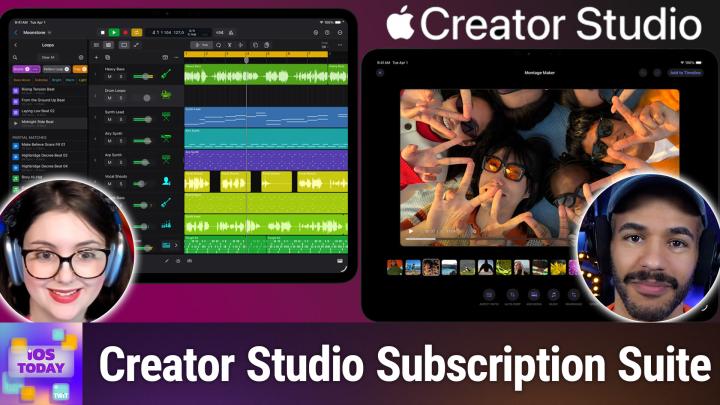
All TWiT.tv Shows (Audio)
iOS Today 786: Apple's Creator Studio
01:01:09
What It Means for Final Cut, Logic, & Pixelmator Fans
Loading summary
Transcript42 lines
- [00:00]
A
Coming up on iOS today, Rosemary Orchard and I, Micah Sargent, cover Apple's new Creator Studio. Stay tuned.
- [00:10]
B
Podcasts you love from people you trust.
- [00:14]
A
This is twit. This is iOS Today, episode 786 with Rosemary Orchard and me, Micah Sargent. Recorded Tuesday, January 20, 2026 for Thursday, January 22, 202026 Apple's Creator Studio hello and welcome to iOS Today, the show where we talk all things iOS, also iPad OS, also Watch OS, also HomePod OS, sort of. This is the show where we talk about Apple's various platforms and the very great hardware that runs the software that we talk about on the show. Our goal here is to bring forth some suggestions, some ideas, some, some to help you make the most of those devices. I am one of your hosts. My name is Micah Sargent.
- [01:11]
B
And my name is Rosemary Orchard. And I'm very excited for us to get creative, maybe in some kind of studio today.
- [01:18]
A
Micah well, I mean I am on my Mac Studio and I'm in what I would call my studio. I don't know if that's what the IRS calls it, but that's what I call it. Yes, today we are talking about Apple. Since we last recorded this show announced on January 13th, it's Apple creator Studio. Now, Apple Creator Studio is essentially a collection of apps that Apple is providing in one subscription so that you similar like if you ever, if you have ever used the Adobe Creative Suite, you'll be familiar with this idea that you can pay a specific amount per month or per year to be able to gain access to several apps. The pricing for Apple's Creator Studio 1299amonth, $129 per year. If you are a college student or an educator, you can get it $2.99 per month or $30 per year. And these apps include apps that you'll be familiar with. It's got a Final Cut Pro, Logic Pro, pixelmator Pro, Keynote Pages, numbers, Freeform. And now it's important to understand because when I first saw the little kind of icons, right, I said, now wait a second, are we going to suddenly make numbers, pages, keynotes unavailable to. Are we going to make it unavailable to people and you're going to have to pay for. No, those apps are still free, but instead new features will be coming to those apps that will make them part of the subscription. Now, many of you also might already own these apps, and if that is the case, understand that you will not suddenly have to start paying the subscription in order to use these apps. So me, I purchased Final Cut Pro a million years ago, I purchased Motion and Compressor. Is that what it's called? Yeah. Shortly after that. And I will still have access to those apps as their individual parts, I guess. I also purchased Logic Pro. Those will still be available to me as their own individual things, but any of the new features that they're adding will require this subscription in order to make use of them. I was kind of curious. Rosemary, just to kick things off, what were your initial thoughts when you saw this fly by? Were you hoping for, like, anything new? Were you thinking, oh, this makes sense? How did this kind of hit you when you first saw it?
- [04:10]
B
The thing that hit me is my dad bought a new MacBook Air literally 12 hours or so before this dropped.
- [04:16]
A
Oh, wow.
- [04:17]
B
And so he'd had the option when he went through checkout. And I'm sure this is something people who have bought a Mac from Apple before will be aware of, of adding Final Cut Pro, Log Pro and some of the other apps to the bundle. Now, if you're a student, then there was also the option of getting the bundle of all of Apple's Pro apps for a very cheap price, which I know when I was a student I did and what I was just doing because I could have sworn I did this, like right after my dad purchased it. But I wanted to check. You can still add Final Cut Pro and Logic Pro to a purchase of a Mac independently for 300 pounds. So it's probably $300 for Final Cut Pro and 200 for Logic Pro. So you can still buy these as, you know, standalone, separate applications, which I think is a good thing because, yeah, it's one of these things where it's awkward up front. If you are somebody who's just trying to get your creative business off the ground to have to go and find $300 to buy final Cut Pro plus, you know, all the money for a Mac and everything else. And it's cheaper to pay Adobe or whoever 20 bucks a year or 20 bucks a month, because you only have 20 bucks now. But people who are familiar with Terry Pratchett probably also familiar with the Vimes theory of boots, which is economic poverty of the people that have to continually buy the cheap thing end up not being able to afford the more expensive one because they're constantly actually spending more money overall. If you buy $10 boots every year instead of $50 boots up front, the $10 boots, A, they only last a year. If you buy the $50 boots, they last 10 years. You know, this subscriptions have their ups and downs. You know, if you just Want a month of Netflix. That's great if you want lifetime access to this film. You know, I happen to have a DVD right up there on my bookcase that I bought the other day because I want to make sure I can access that thing whenever it changes platform. So, you know, these apps aren't going to switch to a different subscription system. You know, there's no chance else that these are going to move from Netflix to Disney plus. They are Apple created apps or Apple owned apps in the case of pixelmator Pro. But I think it's nice that they will be adding some more features to them, specifically AI inclusion, which does actually need a subscription because it's, you know, running on a lot of other computers. There's a lot of training that needs to be done and things like that. And all of that has not just an upfront cost, but an ongoing cost that needs to be maintained. So people who want those options then, yeah, you can boost your workflows with AI features that build on Apple intelligence. And the thing that I do love with family sharing, up to five people can enjoy your subscription as well.
- [07:00]
A
That part I think really is good. I think about, especially now where we're getting into an area where you do have sort of creator and power user adults with children who are either in or getting ready to be in college, having the ability, I think of a lot of our friends, right, who are, who use these apps themselves, but then also will be able to let their kids use the apps and get used to them. Obviously from the business perspective. Right, this makes sense on Apple's side to make it more possible that you have students using these apps and then they go out into the world and they continue to use these apps as part of their workflow. So that makes sense. Now when it comes to again these various apps we've had up to this point, Access to Numbers, Keynote Pages, Freeform on the iPad and Final Cut Pro. Logic Pro has come to the iPad over time. But that's one of the kind of unique aspects of this is the ability to make use of many of these apps between both devices. It is a nice kind of feature set that you will be able to use Logic Pro, Final Cut Pro, pixelmator Pro on both Mac and iPad. The only things that are relegated to macOS are motion compressor and Mainstage which is the sort of DJ style app for music creation. But everything else, yeah, being able to not have to have separate subscriptions for each of those is really nice. And I think that that, yeah, that that makes, it makes A difference for sure, it does.
- [09:01]
B
And the fact that it's $2.99 a month or $29.99 a year for students and educators means that they're going to get a lot of people who want something that's a little bit more powerful, you know, for art courses and things like that. You know, somebody who wants to create and edit a mini film or a full feature film, if that's what you want to do as a student, you know, they're going to be familiar with Final Cut Pro by the time they finish. Somebody who's into music or audio editing and so on, you know, they'll get into Logic Pro because it's the cheapest option out there. And then afterwards, of course, that, you know, going to be locked in because that's the application they're familiar with. They know how it works. And so, yeah, from that perspective, that is pretty cool. I'm really interested to see what AI features they're planning on adding to Freeform to really make this a sell. Because I did note that out of all of these, Freeform is the one that says coming later, which feels like that's been Freeform's tagline since it launched or was first announced, at any rate, because it's always on a little later than perhaps originally hoped for.
- [10:08]
A
Yeah. I'm curious to. Let's kind of get into these apps, right? Let's talk about them and how you may or may not have used them over time. And I'd love to start with Freeform. I remembered the announcement of Freeform, this app that gives you the ability to kind of have an open space whiteboard that you can add, you can add images to, you can add text to, you can add links to. And then you and your friends or whomever can work together to create these different experiences, like these different sets of notes. And we've got, in some cases we. I've had postcard, not postcards, but, but sticky notes.
- [11:05]
C
Wow.
- [11:05]
A
I could not get to that word. Sticky notes and, and again, links to, to sites. Being able to kind of work together with another person collaboratively on this canvas. And we've shown off Freeform loads of times on, on the show, but I don't use it and I don't know that I have. For me, I don't have a. I don't have a place for it in my, in my sort of, you know, wheelhouse. Do you make use of this ever? Do you ever have a situation where you go, you know what, what I really need right now is Freeform. I mean look at the screenshots for Freeform show these beautiful sort of mood board style. It's what I like imagine Pinterest would be. It's these beautiful mood board style things where you've got, you know, you're planning and you're building things out and you can see in Vision Pro just as much as on the Mac and elsewhere or on iPad and elsewhere. Really cool app. But yeah, I just have never had a use for it. I kind of feel bad about it.
- [12:14]
B
Yeah, I love the theory of Freeform. However, it's one of these things that I've learned over, over the years about myself of completely Freeform is overwhelming and it freaks me out and I can't deal with it because I'm there going like what do I put where? Oh no, I put this in the wrong place. And I spent 45 minutes rearranging deck chairs on the Titanic and guess what? It still sinks at the end of the day because I was busy rearranging the content instead of creating the content I found for me over time. The best way to if I've got a bunch of information in my head, I need to dump it out and I need to at this point in time not worry about the order. I know at some point in time I'm going to come back to it and be like I care about the order of this. So I would use a mind map every single time. And my go to application for this is Mind Node because it's pretty, it's simple, it works really well and then I can go back and actually reorganize it and export it and do all the fancy things and I can even turn it into an omni outliner document later down the line if I want to, which gives me all of that power that I need. Now as it is, you know, I will be planning some, some trips and some with friends coming up and I feel like Freeform actually might be really nice for that because you know, you can start with everything, all big map and things like that. However, some of the friends that I am planning these big trips with are not on iOS which means that Freeform unfortunately is out of the window there. Unless I convince my friends that an iPad is a necessary pre trip expense, I'm not entirely certain they're going to be convinced on the utility of Freeform and buying an entire iPad just to get free form. It's yeah, some of these things. I love the idea of it and you know, maybe I'll figure out some use cases for it. Over time that work for me, but at the moment it's lacking in structure and organization and I just need a little bit more of that to keep my brain happy for creating and processing data. Because if I don't know where to start. I always used to struggle reading comics and manga as a kid because I didn't know which bubbles to start with. Because do I start at the top? Do I start on the left? What do I do? And it weirded me out and I did figure that out over time. It's not that hard, but the first time I tried to read a comic, it made me kind of cranky because I didn't know where to read because I always start in the top left. And that was not the case. So yeah, it's one of these things. I love the idea of Freeform. I have yet to meet a devoted user, but if you are using Freeform heavily, you should write in and tell us what you're using it for, because we would love to find out.
- [14:46]
A
Yeah, I agree. I would love to hear your. And if you have beautiful, beautiful, you know, arrangements, I think those are also fun to see for. Sure. Moving along, we have of course Freeform, but then there are also the sort of Traditional Suite, the iWork Suite. Right. And again, when it comes to pages, numbers and keynote, those apps are going to be the same as you've come to expect. But I am kind of excited about the new templates that will be available to people who subscribe. I have for some time I've made my own templates for pages in particular. One of the ways that I make these custom templates is in order to. And I just realized that's a great episode of Hands On Mac is making custom templates for pages. I'm going to write that down. Kevin. And so with that I have made a custom template when I am doing recipe cards and I have one for my specific Avery labels that I have because I have a few different types of Avery labels. But when you open up a page's document, there's that main page that has, you know, what do you want to create. And I love the idea of having custom sort of regularly updated, one hopes new templates that people will be able to make use of across those different items because I do find those lacking. There are third party apps out there that are specifically templates for the iWork suite, but those end up being, I feel, pretty costly. And so in that way I'm looking forward to seeing what this will provide. There's not really a whole lot else There, I mean Apple says about specifically Keynote pages and numbers that you will be able to use what's called a content hub. And it's supposed to have high quality photos, graphics and illustrations and then those again premium templates and themes within those apps. And then Image Playground is supposed to get even more powerful for creating on device images and like editing them and adjusting them. So I'm curious to see how that turns out as well. Oh, and then the I forgot to mention this is that in Keynote you'll be able to use Apple Creator Studio features to generate a first draft of a presentation from a text outline. I think that's interesting as well.
- [17:49]
B
I feel like that is where it's going to be really, really useful because I've seen Omni Group working with Apple Intelligence on device learning to create, you know, outlines for things and so on. And you can put that through to shortcuts and have shortcuts help you create, you know, documents and things like that with it in other applications outside of the Omni Group's control. But yeah, Keynote is a little bit tricky. You know, if anybody is working on the IRIC team and would like suggestions for Apple shortcut support, I have a list. It's a long one. But you know what, you're going to be good for work to do for about six years probably. So yeah, there's a bunch of things that I would love to see there. But yeah, it's going to be really interesting seeing how they, how people utilize this because I feel like, ah, I've written an outline for a presentation. Please can you take this outline and make it into a keynote for me? That is something that is massively time saving and it's, you know, it's, it's not going to hopefully result in you not having several of the slides that you were looking for because you'll still have the outline to go back and double check and make sure everything's in the right place.
- [19:00]
A
Then. So that's a look at the iWork suite, right? The other apps that have become part of this starting with Final Cut Pro. I have used Final Cut Pro for years as my video editing tool. I remember 2011 using the previous version of Final Cut and then it going to 10 after that and using Final Cut Pro ever since then. It is still my main video editing tool when I do video editing and therefore I also make use of Compressor and Motion Now Final Cut Pro video editor that you'll be able to access and use on both your iPad and your Mac. There are some new features that are coming there, including the ability to, let's see, use transcript search. So it will kind of process your transcript and let you type in phrases to find where that pops up where you are. It also has a visual search feature that's kind of like an object search. So you can go, okay, car. And then it'll cut to the footage where it notices there's a car in the footage. Those features will be joined by beat detection, which I. Which I'm very excited about. Essentially, you can see musical beats and bars and song parts, and then use that to be able to better create video that links up, syncs up to the music. And that, I think, is really fun.
- [20:43]
B
Imagine creating a song in Logic Pro with some of the new Logic Pro features and exporting that and creating a music video in Final Cut Pro with all of this help. I think that that would be certainly a lot easier than trying to just manually listen and line it up. Some people are really good at that, but some people do struggle with it. And it's nice to have the technological help here.
- [21:05]
A
Absolutely. There's also. I'm very excited about Montage Maker coming to Final Cut Pro for iPad. So essentially, you choose the content that you want to be part of your montage, and it will use AI to analyze and edit together a video based on what's in the footage, what's in the photos. Do these kind of proper crops for both vertical and horizontal video and let you kind of have a montage because, yeah, I certainly will, you know, take footage and then kind of go, now what? And there used to be some really cool apps for this that have disappeared over time. So I was really excited to see this come back for sure. Another addition outside of Final Cut Pro with Motion and Compressor, for people who don't know, Motion is a tool originally for creating sort of motion graphics on the Mac and that integrate very well with Final Cut Pro. Over time, it has become more of the After Effects tool from Adobe. It's become like that. And so it does 2D, 3D effects, helps you to, you know, either work with a green screen, not work with a green screen, do motion tracking, all of that. And then Compressor is just the tool for exporting footage or exporting files and different file types. So Compressor can help you properly change codecs and export video in different, different versions. Those are exclusive to the Mac, which makes sense given, you know, the way that people are using those tools. As far as Logic Pro, you are able to now use what's called a Synth player. These are all part of The AI session player tools that essentially kind of work with the stuff that you're doing to help you create music. So the idea is that you are kind of guiding these AI players that can help to add to whatever music that you are working on. There's also Chord ID which will turn audio or a MIDI recording into a ready to use chord progression. So instead of having to manually transcribe music and then create chords, this will do it automatically. And so that way you are able to kind of change the sounds and figure out, okay, I'm going to play this on piano or whatever it happens to be. And then of course, as you might imagine, Logic Pro will have some new special kind of music packs that have royalty free stuff in it that you'll be able to use samples and instruments and drums and all sorts of things there as well. Outside of that, there's also going to be a new tool that it's called Music Understanding and it has kind of a better search tool for you so that you can kind of type in what you're looking for and say, you know, this is a kind of loop that I'm looking for and not have to keep digging through and finding things. It's just using AI to better understand what you might be looking for and provide it based on that. So a little bit easier to kind of go through and discover what you're looking for. Lastly, Mainstage, which we talked about, is this sort of DJ app. It's the live performance app and it, as Apple describes it, it turns a Mac into an instrument, a voice processor, a guitar rig, or again a DJ rig. Now it is a little bit easier to kind of get things set up and be able to kind of quickly experience not just what you're listening to in your headphones, but also what the audience is hearing when you're listening. So there's a little bit of sort of AI processing going on that makes that a little bit easier. Hey, so we're in the final stretch of the 2026 audience survey. And I don't know if you know this, but every time one of you fills out the survey, it gets a couple of degrees warmer here. We could use it if you haven't filled it out. This is the moment the survey closes on January 31st. So head to Twitt TV Survey 26 because your FE feedback actually helps us improve every single one of our shows. Thanks so much for taking the time. Wait, honestly, a few of you must have done it. It's getting a little warmer in here. Thank you. Survey 26 Twit TV survey. 26. Anything else that we want to say about this? I mean, I know with pixelmator Pro in particular, Apple acquired the pixelmator apps and pixelmator photomator apps and we were kind of worried, okay, what's the future look like for these? What's it going to be? How's it going to turn out? Do you feel good about what we see? Thank you. The mix Burke, do we feel good about where we see this app going? Is the disappearance of photomator as something that's being talked about a concern for you, or do you think that it makes sense to kind of lock it all into pixelmator? Roll it all into pixelmator?
- [26:59]
B
Yeah, I mean, pixelmator is pixelmator. Non Pro is going away on iPhone as well, which is kind of sad. And we'll talk about that a bit more in the news section. But what I feel really good about here is the one time purchases are still available for people. So if you don't want to subscribe, maybe you've already purchased these apps. You don't have to. It's an optional extension essentially to get more features. Sadly, there is no discount on the subscription if you already spent $300 on Final Cut because you know that, that one 29 a year, that's nearly three years of subscriptions for the, the whole suite, obviously. But you know, I think it is pretty. It's nice because it's going to lower the barrier to entry for a lot of people. I feel like there's going to be a lot more students who are really getting on board with this and giving it a try. It'll be used a lot more by educators because they also have allure entry point for it, for, for purchasing it. And yeah, the fact that you can get all of the apps together I think is also going to make people look at these as a bit more of a suite. You know, I don't necessarily see somebody working on a video in Final Cut and then embedding it in a Keynote. I know that you can put videos in Keynote, but I don't think that's necessarily what we're going to see. But I think, you know, the fact that people are going to subscribe to this, they'll probably subscribe for Final Cut Logic and pixelmator, maybe Motion Compressor mainstage, but then they get the Keynote and the pages and numbers and freeform stuff for free. So, you know, I think it's, it's nice and hopeful. It's going to push some more updates for these apps for the things that people are looking for. I know that people have had some issues with Logic and Final Cut on iPad, so maybe those things will be solved and made a little more accessible and easier to use for all of those folks who really want to use them. I, I personally sadly don't really have a use case for any of these. I use numbers to do like budgets and you know, financial planning and stuff like that. And occasionally to combine lots of weird strings of text because I'm a weirdo and I use pages for designing room layouts, for moving or rearranging rooms and things like that because again, I'm a weirdo. I rarely need to use them for their actual purpose. So yeah, just one of those things where I'm not the target audience, but I can, I can imagine that the target audience are going to enjoy the fact that they have the option of trying everything out at a very affordable price.
- [29:23]
A
Absolutely. Yeah. So we will keep our eye on this as it rolls out next week as we record this show and in fact next week as the show is published. So Wednesday, January 28, we'll see the rollout take place and of course the kind of some of the stuff won't come out until later and so we'll see how those new features shake out as you hit them again. You can always purchase Final Cut Pro. It's $300, $299.99 Logic Pro $200 Pixelmator Pro $50 Motion $50 Compressor $50 Mainstage $30 Individually if you would like. Those are available in the Mac App Store, but to have them as part of those are the one time purchase versions of that. To have them as part of this and to gain access to those new features will require the subscription. We're curious to hear your thoughts on the new sort of creative suite, if you will, from Apple and so you can email us iostodaywit TV to talk about it. All right folks, it is time to move along from our conversation on Apple's creator studio to the news. The news is up next. In case you haven't heard, things have changed in the third party app marketplace now. I'm not going to lie, Rosemary. When I first saw this headline fly by, I thought wait a second, is the thing that I use on my Mac all the time, every time that I love going away? What am I going to do? There are so many apps that I have that I use. And so I was very, I have to say I was relieved and pleased to see what it actually was. If you haven't heard of SetApp from MacPaul, I will explain that and then I'll have Rosemary you explain the new news about it. But SetApp is a subscription service that for me gives me access to many apps that I use on my Mac. And so SetApp is kind of an app marketplace that kicked off on macOS. And the MacPaul spoke to many a third party developer and said, hey, join us and be part of this marketplace and you know you're likely going to get more users and you'll be paid for your stuff. And so on my Mac I use by way of SetApp again it's a one, it's a, it's a subscription service and then you get the apps within it to use as much as you want to. So I use Permute, I use downie, I use Cleanshot 10, I use code Runner, I use Solo Solver, Expressions, Mockups, Studio Gemini, the duplicate removal app. An app called supercharge, something that I use every Thursday on Tech News Weekly is an app called Marked. All of these I'm regularly using as part of my SetApp membership. And for me it saves me money because I don't need to have individual subscriptions or individual purchases of these apps and instead I'm just able to go forth and use the apps that I need. Now do you want to tell us about the scary headline that flew past and what's actually going on?
- [32:55]
B
Yeah. So setup's mobile third party app store for iPhone is shutting down. MacPaw have decided and they've announced this officially that they are closing their mobile Setup or set up Mobile as it's called, which is a third party app store for iOS on February 16, 2026. Now this only affects the users in Europe who had access to this. So that doesn't include me, that doesn't include my guys only users in the eu. But essentially their, their support page says because of the app Marketplace is still evolving and complex business terms, it doesn't fit SetApp's current position business model, which implies that it wasn't making the money that they had hoped for it. So what it was is it was a subscription service that gave you access to 50 iOS apps. But then inside of those apps there were no additional purchases, there were no ads or anything like that. It was a upfront subscription cost essentially, but then you got everything for free. A bit like if you subscribe to Apple Arcade, you can use the Apple Arcade versions of apps without ads or anything like that in it. For free. Free. But you know, you've got that, that upfront cost. But essentially it seems like because there's so many things to juggle for SetApp and for any third party app store there's the core technology fee that they have to pay to Apple and all of those things. It's, it's tricky and it sounds like it wasn't particularly viable for them. The, the idea of the third party app store is that, that users should not be legally locked into only having one place that they can go to purchase apps. There should be competition available. However, you know, you do have the option, including if you live in the eu, to purchase a non Apple phone and then purchase apps from different app stores. And I've always been a little confused as to why you would go and purchase apps from Amazon's app store on Android versus the Google Play Store and what advantage that would offer you. But you know that, you know, part of the digital markets app was basically there should be the option of alternative app stores set up said cool, we're based in Ukraine, we're going to go try that. Sadly, I think that that has not worked out for them. So they are pulling the plug on it, which is sad, but also well done them for making what is probably a very difficult call business wise. But also they're spreading their resources thin enough as it is to cover everything else, especially considering the fact that they are basically in the Ukraine which has a lot of political stuff going on at the moment. And I'm sure that they are dealing with that on a unfortunately regular basis as well. So reducing stress seems like a good move.
- [35:38]
A
Yeah, I agree. I agree for sure. So yes, if you read this and you panicked a little bit, it may not affect you as much as you may have thought it would. And it is, you know, it's as you said, it's a choice that they are only making because they need to. And so if that wasn't necessary, we can almost be certain that they would not be going forth with that. Moving along, we did mention that we've got the differentiator between pixelmator Pro and standard pixelmator. What do we know about the future of pixelmator?
- [36:24]
B
Pixelmator is not longer for this world. It is sad to say it is an app. I still use this regularly on my iPhone just because I like the way that it works for editing images. It's really great. You know, I download an image or I take a photo and I try and explain to somebody what's this opening up pixelmator for me for a long time has been the easiest way to annotate images and add a bunch of stuff to it and crop things down and, you know, stitch multiple images together to create the thing that I want to send to the person where I'm trying to explain something to them. You know, most recently I was asking my dad for a little bit of help installing some very weirdly shaped curtain rails, and I used pixelmator to, you know, stick together the multiple photos I'd taken and annotate them and explain exactly what was where. And that worked really, really well. Unfortunately, Pixelmator Classic for iOS, released in 2014 as a companion app to the now discontinued new Pixelmator Classic for Mac, remains a functional app but is no longer being updated. Which, yeah, it's sad. However, the folks who created pixelmator also created an app for iPhone and iPad called Photo Mater. That one has just flown under the radar. I I don't know if Apple forgot the photo meter existed when they did a search for Pixelmator, but PhotoMator has not been mentioned. So we are going to assume for the time being I think the updates are continuing there. But yeah, pixelmator Pro is coming to iPad, so that's a nice thing. And I'm just going to have to figure out how to do what I want to do with other apps on my iPhone that aren't Pixelmator, because as much as I can still keep it installed and working and running, people are going to ask me at some point for an alternative recommendation. So I'm going to have to start exploring the options out there.
- [38:17]
A
Yeah, absolutely. All right, let's move right along to the feedback section. It's time for our feedback. Tech guy Dom from Mastodon has written in with some feedback asking. I wanted to see if you have thoughts on transitioning from an iPad Pro to an iPad Mini. After five plus years of using the largest iPad Pro screen available in hopes of not carrying my MacBook Pro everywhere, I find I use my iPad more and more just for watching videos and occasionally rdping into my VMs. I don't think I will miss the larger screen now that I'm using the xreal AR glasses regularly. Interesting. But I am afraid I may miss the higher screen resolution and the power for a future app. TechGuidom from Mastodon Interesting. So I have an iPad Mini and I have an iPad Pro and then there's also at this point really old 12.9-inch iPad Pro as well. And I started with the 12.9-inch iPad Pro and then when the next iPad Pro came around, I went down to the 11 inch size and then the iPad mini was announced and I got the iPad mini and I loved the iPad mini, but then I went back to the 11 inch and that's where I've stuck. So here is the thing for me, I have an iPhone pro Max. Like I've got, you know, big old max phone. And the difference between the max and the iPad mini are not enough that it feels like something new or rather that it doesn't feel like something different to be using the iPad mini from my iPhone. And so if I'm going to move to a different device, it needs to be different enough for me to feel encouraged to do so. Like I need a reason to do so.
- [40:35]
B
Yeah.
- [40:35]
A
And for me that's where the 11 inch iPad is enough different without then jumping up to my favorite device, which is my MacBook Air that I carry around everywhere. TechGaidom has a MacBook Pro and therefore that's an even heftier device. So something that's smaller than that is probably even more likely to draw your attention or keep your attention. So my thought, and then I'm curious, Rosemary, what your thoughts are is consider getting an iPad mini for the two week return period, double check what the return period is for you specifically and give it a real go. Use it as much as possible in the situations that you would normally use the iPad pro and see how you feel. But for me, my, I always average out to heading back to this 11 inch iPad Pro as the sort of in between device. Whereas the iPad mini is like it's, you know, I've got younger eyes but that iPad mini is just pretty small. And again I'm like, why not just use my iPhone? So what are your thoughts?
- [41:54]
B
Yeah, so I'm a little different to you, Micah. I like having a screen for a thing. So for example, I've got an upcoming trip where I'm going to be going to a conference for a day. It's going to involve a couple of hours on trains to get there, but I don't want to be lugging a bunch of really big heavy stuff around at the conference. So my iPad mini plus Apple Pencil and I'm also going to throw a folding Bluetooth keyboard into my bag are going to be making the trip with me. Me on the train I can use the iPad mini as entertainment and I can watch videos and whatever. And then at the conference I can use the Apple pencil or the phone and keyboard to take notes as needed. And this for me is Going to be ideal because I will also want to use my phone at the same time likely, you know, for messaging some of my colleagues to see what things they're in and so on. But I, I don't want to be switching between apps because that's when you miss writing something down because you accidentally open the wrong app and then suddenly you're in your shopping list instead of ability or whatever it is is or you accidentally cancel the recording the you're making of the audio, whatever. So I like having a dedicated, you know, device for, for that thing. And I find because I don't have a pro max iPhone, I've just got a pro iPhone that the iPad mini. You know, I'm just going to pick up my phone here for comparison. You know, there's. Oh well, I disappeared. But there is enough screen size difference there to make it worth it it for me personally. Now I agree with the two week return period. You should absolutely, you know, if you think you're gonna like it, buy it, test it, give it a go and see and hopefully you will love it and it will work for you. I, yeah, I find that especially with the things that I'm doing, you know, what am I doing most of the time? Streaming video. Guess what's not processor intensive? Streaming video. Now, to test in advance of the show, I have to say I downloaded Civilization on my iPad mini and I gave it a go. And this is like one of the most intensive applications. Now I did not manage to get very far into Civilization because I had to do this little thing called a day job. And so I was just playing Civilization on my lunch break. So I was only an hour into the game. However, I did not feel like I could benefit from having a more powerful iPad mini. Now I do have the latest iPad mini, but you know, I could in this particular case, because of Civilization, I would have actually benefited really well from a 13 inch iPad air screen. Like I, I keep looking at the iPad airs going 13 inch screen. That could be really nice at times. But the iPad mini was more than good enough for this. So yeah, I personally don't think you're likely to run into issues and I would also love you to write back in at some point please and tell us what are you doing with the Axreal AR glasses? Because I've heard of these a couple of times now in various places and I've got to say Micah, they're, they're tickling my interest. I'm very intrigued. I would like to know more. So yeah, Tech Eyedown by that I've had many give it a go. Hopefully you love it. But tell us what you're doing with your xreal AR gland glasses, please. And anybody else who is watching or listening to the show and who has them, please, you know, chime in. Tell us what you're doing with your AR glasses because we need to know.
- [45:11]
A
Yeah, I. I want to know more and if I need to get them. Alrighty, folks.
- [45:19]
B
Dear Leo, we would like some extra AR glasses, please. Thank you.
- [45:24]
A
I think I can hear the music pick. It's time for Shortcuts Corner. This is Shortcuts Corner, the part of the show where you ride in with your shortcuts requests. And Rosemary Orchard, our shortcuts expert, provides a response. This week's Shortcuts Corner request comes in from Andrew, who writes. Hello, Micah and Rosemary. I have a request for a shortcut that I hope will be relatively simple. I'm a ham radio operator. Very cool. And I'll be taking a road trip in a couple of months as I move from Colorado to Maryland. While I'm driving cross country, I plan on making as many contacts as I can. We hams have a couple different websites and apps we use for logging these contacts, but one critical piece of information is the location of both stations. Since I don't want to stop driving on the highway to figure this out, is there any way I can create a shortcut to add my location to a note with a timestamp and utv? I would also like it to take some voice input so I can speak the other station's call sign and create one neat little line of data that I can input into my logs at the end of the day. Something like, hey, boop boop. Log. A contact with W0ABC latitude and longitude would probably be the best location format. That's not a hard and fast requirement. Thanks for all that you do. IOS today is the reason I became a Club Twit member, and I think you guys are the best. Warm regards, Andrew. Also, please accept this pet tax of my dog, Hoover. Andrew, first of all, thank you so much for being a member of Club Twit. Thank you for being a member of Club Twit because you love iOS today, that means the world. Do we have a. Oh my goodness.
- [47:11]
B
Hoover is so photogenic and posing.
- [47:15]
A
Oh, yes. Standing on top of what looks like a. A mossy stump. We've got this beautiful. Yeah, very like paying the best attention in the moment. Beautiful. Big pink ears. Sort of looks like a. Maybe a husky mix of some sort.
- [47:37]
B
But very short Fur.
- [47:38]
A
Yeah, very short fur, Black and white and just so cute. Thank you for paying the pet tax there, Andrew Hoover. Looks like just the greatest pup for sure. All right, so Rosemary, can you help with a ham radio operator wanting to send locations out to other ham operators?
- [48:04]
B
Yes. Yes, I can. Now, one thing I am going to talk about here, which is nerdy, but it's worth it, I promise you folks, is the order of operations. Okay? So for example, if you want to say, hey, Apple lady, please look a contact. And then apple lady comes back and says, sure. What's the name of the contact? We're going to need to add a little step in there where you, you have to dictate it into the shortcut instead of adding it as part of the name of the shortcut. By the time you've done that, say you're traveling at 60 miles an hour. It takes you 10 seconds, you've traveled six miles. Right, right. That. That's how that works. So in order to get the information as quickly as possible, what we need to start our shortcut with, the very first thing we need to get the most accurate location information is the current location. And then after we've got the location, we can do everything else and we can log it. And I'll tell you what, Andrew, we can even log it straight into a number sheet so you don't even then have to copy and paste it into a spreadsheet at the end of a day. Yeah, we can get super nerdy. And I'm so excited for you because this sounds like a great opportunity to use shortcuts. So if we search for location in shortcuts, ideally spelled correctly, then we'll see that there are a number of actions here. Some of these actions are from third party applications. Like there's a carrot weather one here for search for location. But the action that we're looking for is get current location. So that's the very first thing that we put into our shortcut up. And then what we're going to do after this is we're going to have a dictate text. And so we're going to allow you to dictate text. Now, in my case, because my iPhone is set to British English, UK English, if I expand this dictate text, then you can see it'll say language English, United Kingdom. Now, this should just default to whatever is native on your device and it's going to stop listening after a pause. So you can have after a pause, after a short pause or on tap app. Now you're planning on using this in the car. So I would definitely go with after a pause because then you can speak the call sign and have that sorted out. Now next, what we want to do is have a look at numbers and we're going to say, hey, we're going to add a row to the bottom of a table. So now we need some values. So if I tap on the icon in the top left of that shortcut action for the append rows numbers and I can say show info and then it will add a populated body row to the top or bottom of a table in a spreadsheet. Now I'm just going to change that so I have to select a particular number spreadsheet. I'm actually going to leave that blank. But then you can specify your table name, the sheet name and then values. So we need to add some things to a list. So what I'm going to do is add variable and then I'm just going to add your dictated text to the variable. Okay, so I'm going to go, I'm going to call this HAM info. Okay, so now what I need to do from to add to the variable. So we've got our, we've got our call sign in the ham info variable. We need the details of the location. So if I type details in the search then I can see get details of location. And what I'm going to do is I am just going to duplicate this and I'm going to just get change that ham info variable and I'm going to tap and hold on location and select the current location option from the top. And then what we want to do is we want to get the latitude and then we want to get the longitude and then we are going to copy our add to variable and we're going to just say, hey, we're going to change this to latitude and then we're going to go and paste below and we're going to change that to the longitude and then we're going to add all of these variables from HAM info to the bottom of that number sheet. And that's it. It's very, very simple, very, very easy. But now we've got all that information and we've started by getting our location at the beginning, which means that even if it takes you a minute or even just 10 seconds to actually take the call sign to Siri or to, you know, into the shortcut, then you're going to have the location information from when you started. You can actually specify inside the get current location how precise you want it to Be it definitely folds to the nearest 100 meters. Um, obviously this is going to be different if your units of measurement on your device are probably using miles. But that's okay. You can deal with that. But I will make sure to share the shortcut in the show notes for everybody so that you can use it. Uh, now, if you did want to put this into something else, then what you could do instead of this final action here is you could have a combined text option and just make sure that that is the variable ham info. And you can combine it with, for example, spaces, or you could combine it with custom, and you could use comma space to stitch these together and then use notes, for example. And you could actually just append to a note and you could append that combined text straight into a note so that you have it maybe as part of a journal log for every day, whatever it is you like. That's, you know, there's all the options that you have there. So hopefully this gives you a hand, Andrew, and enjoy that road trip and say hi to Hoover and please give Hoover some pets for me.
- [53:29]
A
All right, moving along here to our App Caps segment. I don't have a pick this episode, but, Rosemary, it looks like you do have something you would like to share with the group. And actually, I've just remembered there's something that I'm very excited about that I'm actually going to put on the list. So you go ahead and share yours, and then I will share the one that I completely forgot about because it doesn't come to me until March.
- [54:02]
B
Oh, well. So my story is, over Christmas, I had a little bit of an incident involving some flavored sparkling water and my iPhone. My iPhone was totally fine, and it, like, it barely got any liquid on it. The problem is the liquid got inside the case of my iPhone. And so despite my best scrubbing with a fairy liquid, which is the UK equivalent of dawn, somehow every time I put the case back on my phone, it was getting sticky again. Not a massive fan of that. It's a shame because it was a very nice jet tech case in a lovely shade of blue. I actually still have it here on my desk. I have recommended this previously. The one thing I didn't like about it is it had a cutout for the action but button, which meant that, you know, you had to sort of slide your finger through to it. So I went shopping and I decided that I needed a case, like, as soon as possible, really, because things were getting sticky in weird ways and I was getting a lot of Dog hair stuck to my phone, which I don't recommend by the way. It does make it surprisingly difficult to use. And I went on Amazon and I found a can magnetic for iPhone 17 Pro with 360 degrees spin stand iPhone case. So when I say 360 degree spin stand, I mean that there is a ring built into the back of the phone case which rotates at basically any angle for you. So you can prop your phone up, which is great for. I want to prop my phone up in landscape because I ended up accidentally cooking in the kitchen. But I kind of fancy watching the rest of that episode of Castle while I do it. Or I want to stand my phone up like this because I'm getting messages from my mom coming through. But I'm also, you know, in the middle of doing something else else, like playing a board game and I just want to be able to quickly glance at them out of the corner of my eye as I go. And I. I really love this. It works really well. It still works with my MagSafe Pop socket and the stand works with the MagSafe Pop socket on it as well. Yeah, it's purple, which was a big requirement for me and it has an action button cover, but it works like the action button works through the COVID So yeah, I really like this. It was less than 20 pounds and it depends on exactly where you are in the world as to exactly what it'll look like price wise. But yeah, I believe it should also be available in the US potentially. You might have to find a alternative link for it to get the exact same one because I've noticed sometimes Amazon products, the URL works from the UK to the US and then sometimes it doesn't and it gets a little cranky with you. So I'll see if, if I can find a us link for everybody as well. But yeah, I'm really excited about this iPhone case. It seems to be working really well and I of course accidentally dropped my iPhone on the floor within an hour of getting the case and it was totally fine. So drop test succeeded.
- [56:44]
A
Boom. So for me this is also a case. I'm loving my current case that I have. I have Apple's case and it still looks good. It doesn't have stains like the old fine woven. This tech woven case is beautiful. However, Spigen or Spigen came out with a case that I am very excited about because it looks like an old school Mac and it is something that isn't available until like February, like early between early February to early March. It'll be shipping. But it's, it is so clever. It's that sort of off white color. It's got that heavy, heavy texture which I think is fantastic. And it also has a little lanyard spot to be able to pop it in and carry it with a lanyard, which is important to me because on my case I use one of the little lanyard loop areas to lanyard. It also has built in magnets so that it can also be magnet magnetic as well. It has a, it has a, a cover over the. The. The. Why am I can't I think of the word the camera button as a camera control button? And it just, it's just really cute and so I'm very excited about it. Even the machined buttons are very clever as well. On the side button has hello engraved on it which is just delightful. And it has buttons on the other side that are also part of the case. So I'm very pumped for this case to arrive. It's $40 available on Amazon and yeah, I'm eagerly awaiting the arrival of the. What do they call it? The classic LS case. It's just available for the 17 and Pro Max, so you'll have to. You'll need one of those in order to get it, but I'm looking forward to it. Folks. That's going to bring us to the end of this episode of iOS today. We thank you so much for tuning in. As always, we love to have you here. I should remind you that if you would like to help support the show like Andrew does, please become a member of Club TWiT. TWiT TV. Club TWiT is where you go to sign up. When you join the club. $10 a month under, $20 a year. You gain access to some awesome benefits. All of our shows ad free, just the content. You also gain access to our special feeds. Like our behind the scenes before the show, after the show special Club Twitch events get published. There you gain access to the feed that includes our live coverage of tech news events and access to the feed that has all of our fun club Twitch shows like Minecrafting Corner which is happening tomorrow, as well as the D and D Adv I recently ran, Stacey's Book Club and so much more. If all of that sounds good to you, well join the Club Twit tv Club Twit to sign up. We would love to have you there in the club. If you'd like to get in touch with us, you can email us. Iostodatetwit TV is the best way to get in touch via email. You can also message us as happened on Mastodon and Rosemary Orchard if people would like to follow you. Keep up to date with all of your great work. Where should they go to do so?
- [60:26]
B
The best place to go is rosemaryorsha.com, which has got links to apps, books and podcasts where you can find me. Plus social media sites. And of course I like to hang out during in the club Twit Discord during the show with recording and also in the Is Today channels after the show. Maika where can folks find you?
- [60:41]
A
If you're looking to find me online, I'm ichasargent on many a social media network where you can head to Chihuahua Coffee, that's C H I H U A H Hoa Coffee where I've got links to the places I'm most active online. Thanks so much for being here this week. We'll catch you again next week for another episode of iOS today. Bye bye.
- [61:10]
C
This time of year everyone talks about going dry, but at Athletic Brewing Co. We're skipping that because we prefer going Athletic, which isn't dry at all. From crisp goldens to hoppy IPAs and limited releases in between, you'll find something that fits your style. Every single non alcoholic brew is packed with flavor and the same craft experience you love. So yeah, you could call it dry, but there's really nothing dry about it. Find your new favorite near beer@athletic brewing.com Athletic Brewing Co. Fit for All Times.