← All TWiT.tv Shows (Audio)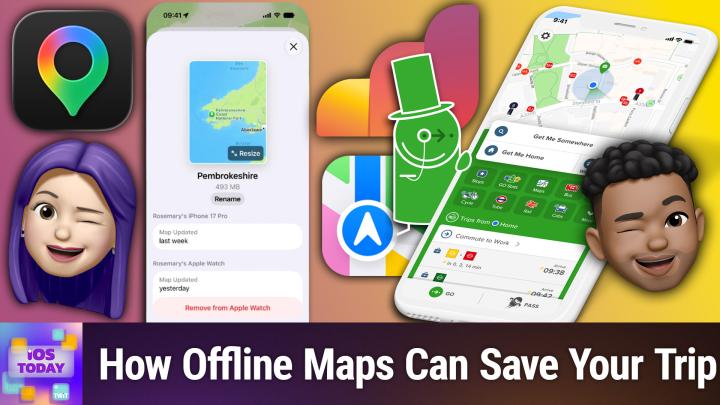
All TWiT.tv Shows (Audio)
iOS Today 811: Vacation Planning
00:42:30
Seamless Travel With Flight, Transit, & Map Apps
Loading summary
Transcript55 lines
- [00:00]
Micah Sargent
Coming up on iOS today. Look, it's time. Take a break, relax, take a vacation. Well, before you do that though, you've got to plan it. And that's what we're here to talk about today on the show. Stay tuned for this episode of iOS today.
- [00:15]
Sponsor Announcer
This episode is brought to you by Black Hat usa. If you listen to the show, you go deep on the technical detail. So does Black Hat. For nearly three decades it's been where the security industry's most rigorous research gets presented and pressure tested. More than a hundred hands on trainings taught by practitioners who've actually deployed in live environments, not lecturers reading from slides. And hundreds of peer reviewed briefings that go well past the overview into the real work across the four areas defining security, right AI and autonomous threats, cyber conflict, systemic resilience and identity. This year, Black Hats briefings pass includes all keynotes and main stage access plus business hall entry. You also get breakfast, lunch, arsenal, live tool demos, on demand session access and admission to the midnight in the war room screening. Black Hat takes place from August 1st to the 6th in Las Vegas. If you want the depth this show gets into in person with the people doing the work, this is the room. Oh, and we'll be there too. Prices rise on July 17th, so book before then. Use code TWIT for $200 off your briefings pass@blackhat.com US26 that's B L A C K H A T.com US-26
- [01:32]
podcasts
- [01:33]
you love from people you trust.
- [01:37]
This is TWIT.
- [01:41]
Micah Sargent
This is iOS Today, episode 811 with Rosemary Orchard and me, Micah Sargent. Recorded Tuesday, July 7th, 2026 for Thursday, July 16th, 2026 vacation planning. Hello and welcome to iOS Today. This is the show where we Talk all things iOS, iPad, OS, WatchOS, HomePod, OS and all the other OSes has to offer. I am one of your hosts of this very show. My name is Micah Sargent.
- [02:09]
Rosemary Orchard
My name is Rosemary and I'm very excited to be here. And this for me may be a very topical episode. Who knows folks, I was hoping so,
- [02:18]
Micah Sargent
because if you know, I'm not, this is not a woe is me situation, but I will say that I am not a. I historically not a vacation person. Trying to change that, trying to be better about it, trying to get time away, trying to do other things, but historically not a vacation person. And so when I, because my co host on clockwise, Stan Moran, also you know, a friend of the network, friend of the show, travels routinely and I get a lot of tips from Dan and I also get some great tips from you, Rosemary, on, you know, planning for vacation, planning for travel. And I was wondering if you have any upcoming plans to go to Antarctica or some other very cold place to get out of what's going on with you right now with all that heat?
- [03:14]
Rosemary Orchard
So I don't have any plans to go to Antarctica. As much as I would love to see the penguins. It is quite an expensive trip and requires extensive planning. And as much as I love planning a trip, I have instead planned to go camping for two weeks. There's gonna be lots of beaches. Yeah, two whole weeks there's beach. There's a lot of great advantages to camping. First of all, it's dog friendly. So I get to take the puppy with me. He's seven years old, but of course he's a dog, so he's still a puppy. That's how that works. You know, it's very affordable for us. Even with an electric hookup. We've got a fridge freezer. So, you know, I, I don't do camping in like the, the very rustic. Like I have to be able to carry everything on my back. It is very definitely car camping. But that means that I need like lists and I need to do some planning and things like that. And there, you know, it's not just me going. The dog is, I have to admit, not the best at packing. He is very good at like moving things around but not necessarily putting them where you would like them to go. Similarly, five year olds are not exactly known for their ability to be really good at packing things. So there is an amount of things that need to be done for other people or with other people that are also going on my list. So there's, there's a, there's a number of things going on and on a recent trip actually I realized at the campsite that the Internet connection was very poor and realized that past me had been really silly and I had forgotten about one of the greatest features of Apple Maps and Google Maps. It's the same feature in both the ability to download a map offline and it does not matter what trip you're going on. Are you going on a day trip? Are you going on a six month trip? The only, only exception I would say is maybe not Antarctica because I don't believe Apple Maps and Google Maps have made it to Antarctica yet. But if you're going anywhere, I would highly recommend downloading the map offline before you go because that way you're trying to get directions somewhere and you happen to be Standing in the exact wrong spot. It doesn't matter. You've got offline maps. Your phone goes, hey, that's fine, I've got the map right here, figures it out for you, off you go. And then when you get signal again, it hooks up and it pulls down and you know, traffic information or the next subway train time or whatever like that. But, you know, if you have offline maps, it can genuinely be such a useful tool. I have used it extensively on the London Tube because London Tube has areas with great signal, it has stations with WI fi and then it has complete dead zones where you've got no idea what's going on and where you are or anything like that, other than Earl's Court. Okay, how is that relevant to me and where I'm trying to go? Fortunately, I do know the Tube network quite well. I'm usually able to remember the map if I can't see it. But it's really nice to actually have the digital map because digital maps can be really, really helpful. Especially I would highly recommend downloading Apple Maps if you're going to be doing any walking and you have an Apple watch because it will do the haptic directions so you don't have to keep looking at your phone and not seeing things. Your watch can tap you on the wrist and the way that it taps you will tell you turn left or turn right. If you're not sure, you can just glance down and it will show you your next direction.
- [06:38]
Micah Sargent
So I want to, I want to quickly. On the subject of offline maps, I so smug, so proud of myself. We went camping a while back now, I think maybe it was even last summer, it doesn't matter. Went camping and me, I'm download, I'm getting this offline map. It's going to be great. There's not going to be any service there, but not to worry because I'll have this. I'll be ready to go. We're out in the middle of nowhere, so there's going to be GPS for the saddle. So proud of myself, I get there and I had downloaded ahead of time, like a week in advance these offline maps. Or I thought I did, because everywhere else in my phone I have it set because I've got an unlimited cellular plan. So I've got it set that everywhere else on my phone, everything can download over cellular, no problem. But specifically with offline maps, it does require you to not only opt into downloading over cellular, but then if the map size is big enough, I believe it's a gig or More, it will also pull up a prompt on screen and say, are you sure you want to do this? And so what had happened was, was about to leave for something. I started that offline map download thinking that cellular service would download it while I was out and about, and then just ignored it for the rest of time, thinking, okay, we're good, I'm going to get there. We'll be able to use it. Get there. No, it had not downloaded. So my recommendation to you is one, go into your maps settings and make sure you have it set that you. Well, if you want to do it this way, if you're okay with having cellular service download it, then do it that way. And Rosemary's showing this on screen, which is very helpful. And if you don't want download over cellular, my suggestion is pick a time when you don't need to use your phone for, you know, a good 10 minutes or so, depending on your Internet connection, open up the screen with the offline maps, go through the process and let that phone just sit there and download the map. That I. That is, it's because I'm paranoid at this point because it's happened to me twice that the down the offline map did not download. So I very much like, that's my way of doing it. In theory, you shouldn't need to do that. But if you want to make sure that offline map is there, that's how I've been able to make sure that offline map there. But Rosemary, why don't you tell us about that screen? Because it's really interesting.
- [09:04]
Rosemary Orchard
Yes. So you get to this screen by opening maps, you tap on your little icon next to the search button and then there's a section for offline maps and you can add offline maps here. It'll have some various places and you can also see existing offline maps. So for example, I have Glasgow here and that this is where you can delete a map and you can also remove it from your Apple Watch if you have it synced to your Apple Watch. I personally think that having it on your Apple Watch is a great idea and I recommend that you do it. I also recommend you turn on automatic updates. It does have optimized storage. I currently have that on. But it's also like, oh, we haven't used this in a while. And it's like, okay. But I. So one of the ways that I try to avoid the exact problem that Micah has had is by downloading things way in a bus. So it's like as soon as we Book this trip. I was like, cool, I'm going to download the map that I need. Great, love it. But of course, then, you know, I'm not going there for two months. So, yeah, you need to go in and refresh it. If you have optimized that. On here is the button, the toggle for sync as well. Now there is a feature to only use offline maps. Now that could be really useful if you're traveling abroad and you're using, say an ESIM and you've got a limited amount of data or you just have limited data anyway by being able to say, hey, if I have an offline map, I just only want to use that, please. Thank you very much. Burke has mentioned in the club tour discord that he wishes he had downloaded a map because he lost his connection to Google Maps for the last 30 miles of driving and had to just wing it. Now, obviously people, you know, if you don't have, you know, digital maps, there should be things like road signs and so on to guide you.
- [10:50]
Micah Sargent
Now, I don't know about all that,
- [10:53]
Rosemary Orchard
so I, I'm just going to use an anecdote from my driving yesterday of I get part the way home, discovered that there is a road closed. It said turn left for the diversion, like right before the road closure. And I was like, okay, cool, I can see that road is closed. There's like, there's traffic cones across it. There's signs. Don't worry, the Scots didn't get to those traffic cones. I'm fairly safe down here in the south of England. And so it said turn left. So I turn left, I keep driving. Now I knew where I was going, I knew that there was a way and I knew how to get home anyway, so this wasn't an issue. I kept driving and there were no more for ages. And anybody who's ever followed a diversion, I'm sure you're very familiar with the. I need that little comforting thing of saying, hey, keep going, you're fine, like you're still on the right road. Diversion, continue straight on. And then I get to the road and I knew at this crossroads, literally, you know, four roads and across, that I needed to turn right. And what did I see? Diversion, turn right, diversion, turn left, diversion. Ends. All three signs next to each other and they're going. Anybody who's not a local who doesn't know where they're going is going to be so confused by this. Especially because some of the places that you would get to down the road that I was traveling at weren't signposted, you need to know, like, the name of the next, like, the, the other thing in that area. And so you'd be sitting there going, like, what on earth do I do if it weren't for digital maps? Because, like, yeah, like, if, if you only know the name of a suburb and you don't necessarily know, like, or your brain hasn't connected, that it's related to that town, that's the sort of time that you panic. There's cars behind you. And download the offline maps, save yourself the trouble. And also, if you're trying to get somewhere on foot, it's probably not that far away and there aren't going to be signs for every single thing. Like, if you're trying to find an aquarium or, you know, something like that, there's probably signs for an aquarium. If you're trying to find, I don't know, some kind of clothing store, there may not be signs for that unless you're in some giant shopping mall. So, yes, highly recommend offline maps. Please download them. Just save yourself the trouble. And if you didn't use offline maps, that's great, congratulations. But that one time that you need it, be grateful that you've got it.
- [12:59]
Micah Sargent
Absolutely.
- [13:00]
Sponsor Announcer
Let's take a quick break so I
- [13:01]
Micah Sargent
can tell you about the sponsor for this Week's episode of iOS today, it's
- [13:05]
Sponsor Announcer
Shopify bringing you this episode. If you have been sitting on a business idea, well, Shopify makes it easy
- [13:10]
Micah Sargent
to turn it into a reality.
- [13:12]
Sponsor Announcer
It's everything you need to start selling included and ready from day one. Shopify checkout helps people finish their purchase, and when they come back, their details are already saved. One tap and they're done. I love seeing that Shopify button because that means that I know that my purchase details are already there. It also means that I have multiple options for payment. And my favorite thing is the ability
- [13:39]
Micah Sargent
for me to track my purchase all
- [13:42]
Sponsor Announcer
throughout the process of it being sent to me. So when I, as a customer see Shopify, I am grateful to the seller and I am more likely to make that purchase. Shopify handles the setup and the checkout, so that means you have more time to focus on growing your business and the tools to do it. Shopify powers millions of businesses worldwide, from household names like Mattel and Gymshark to small businesses just getting started with Shopify. Nothing stands between your idea and a real business. So go make it one. Start your free trial at shopify.com iOS start your free trial at shopify dot com iOS thank you. Shopify. For sponsoring this week's episode of iOS
- [14:26]
Micah Sargent
today, let's head back to the show. So once you've got your offline maps downloaded and it's time to start kind of putting together the idea of what your vacation is going to be,
- [14:42]
Sponsor Announcer
you
- [14:42]
Micah Sargent
don't need to necessarily make use of a bunch of third party services. Because if there's one thing that Apple loves to show with its productivity suite, it's how you can plan a trip with others using Apple's productivity productivity suite. And one of those apps, of course, is the Notes app that has sharing functionality.
- [15:04]
Rosemary Orchard
Yeah, And I love the Notes app for this and also reminders, because you can, as you may see here in my screenshot that I'm showing, you can create lists in notes. And this is great. But you can also obviously create a list of reminders. And what I love about listing reminders, you can assign a task to a person. Uh, so I like notes for like high level. These are things that we need, you know, like, oh, yeah, like for the, the plan. Like we want a beach, we want to be easy to drive to, we need to download offline maps, we need to, you know, all of these things make our packing list and so on. But for things like the packing list to do before you go, stuff like that, that is specifically, you know, if there's a thing that one person needs to do, I would highly recommend getting a shared reminders list and having both a shared note and a shared reminders list because it will just make your life easier. Now obviously, in notes you've got things like tables, which are fabulous, you can add attachments, you can record audio even you can take photos, you can use Image Playground to insert things, you've got your text formatting, you've got links, all of these things. And it's so easy. I could add some Mica to this and we could immediately start planning our next vacation together. At some point, Mica is going to come and visit me and I'm going to take him to a pantomime. It's going to happen. He doesn't really get a lot of choice about this. He's just going to be dragged to a panto of some kind. It's fine, you'll love it, you'll have a great time.
- [16:38]
Micah Sargent
Forward to it.
- [16:40]
Rosemary Orchard
Yes. But yeah, it's one of these things where this is, it's free, it works. You can make it as pretty and, you know, customized as you want, or you can just use basic features and you can just go, actually, no, I don't want A table. I'm just gonna write everything onlines. I'm not even gonna use checkboxes because that's what you want. I have no idea what I'm typing, by the way. I'm just hitting random keys here. Um, so, yeah, I. I love notes, also love reminders. They. They are two great apps for helping to plan trips. Um, and of course, you can also share a folder of notes. And this is something I've done with my parents. My parents and I have a shared folder. It contains each person's individual wish list for holidays and things like that. So, you know, if you. It's Father's Day, I need to buy my father a present. What do I get him? Like, I had some ideas, but nothing was really particularly going. Like, yes, that's the thing I should get him. I opened up his wish list and I was like, oh, here's a thing that he wants that he wouldn't actually be able to get himself. I already own this. But, like, he's very, very fine with secondhand gifts if it solves, like, the technical problem that he's having. And so, yeah, I got him a camera that I no longer needed for Father's Day. So, yeah, the. Having shared notes and folders of notes is something I would highly recommend for any kind of travel planning. And then take it a step further and have shared reminders as well, because those have got alerts for times, locations, assigning stuff to people. You can have sections in reminders. You can view it as a Kanban if you want. You know, go wild and enjoy the Apple features to your heart's content. Because you've already bought an iPhone or an iPad or a Mac. You've already paid for the features. Why not use them for free?
- [18:24]
Micah Sargent
Have you ever considered using Freeform for this stuff? I've done one collaborative Freeform. We've done one to show it and I think I've also demonstrated it with Leo, but I've only used it once in actuality, and it was fine. But I did end up liking the structure more of notes and reminders than I liked the lack of structure that Freeform had. But I could see for some people how it could be helpful.
- [18:54]
Rosemary Orchard
Yeah, I think freeform could be really useful in like a very early vacation planning stage where essentially you're just kind of like throwing ideas out there to see what's. Yeah, like, oh, this is a place that I found that would be really cool. Oh, here's some flights that I found that are super cheap. Things like that. That's What I would throw into Freeform, as soon as it goes beyond the idea of what's happening and it becomes like, oh, there are actions that need to happen, there are details that need to be saved. I would not put that in Freeform because of the lack of structure to it. You know, that's the point where it's like, at this point, I don't want like a generic mess of sticky notes everywhere. I would like it to be in a notebook or I would like it to be in a list. And you know, Freeform, like, you know, I'm, I'm not. This isn't a criticism, but it is the digital equivalent of a series of sticky notes that you can stick anywhere, which is fabulous when you need that. I think personally, for me, I am much more type A than type B when it comes to vacation planning. I will not be the person who misses my flight at the airport because I thought it was tomorrow. I will be the person that's there when I'm supposed to be there, checking in, when it's supposed to be checking in, chilling out in the lounge, because I've got a stupid amount of time to kill because it takes me no time to get through security. Like, I, I am the person that wants to do all the planning. Like I'm two weeks away from my next trip and I've already got like some bags over here. I just, just like, just to show folks, I. I grabbed one of these the other day and it's like this is where I'm going to put like all the random like bike creams and stuff like that that you don't have in a regular first aid kit. So we've got all that stuff, like it's already out ready for me to do that later because I love the planning and the getting things organized. So. Yeah, I see. I don't think I could handle using Freeform for that. I think that would, that would worry me and make me really nervous. And something I did learn from getting things done with David Allen is if it's living in your head, like, then you're just thinking about it constantly. You need a trusted system, a place where you can put things so you stop thinking about them. But you'll know that it's there and it'll come back at the appropriate time.
- [20:53]
Micah Sargent
Absolutely. I very much identify with the planning thing, same as you, and definitely showing up at the airport early. I, however, do not identify with the packing early part. So good for you that you do that because I hate packing so much.
- [21:11]
Rosemary Orchard
It's also Because I can't find things sometimes. And then I'm like, oh, I found the thing that I was looking for that needs to go in the, you know, in the box.
- [21:20]
Micah Sargent
Start it early.
- [21:21]
Rosemary Orchard
Yeah, it's not like, it's not like everything is packed. It's a, ah. I've come across this in my, my normal day to day, therefore I'm going to grab this, I can check it off of my list of reminders and then I can stick it in the bag and then I know and I have another list of. These are the bags where I've already packed things so I need to get that back out so I can sort those out.
- [21:41]
Micah Sargent
Now moving along to the ways of kind of keeping track of what's going on. A very well known service called TripIt that many of you will probably be familiar with. And TripIt is a system for keeping track of travel, including boarding passes and reservations at hotels and rental reservations and documents and everything in between. And you can email your itinerary and it can automatically set it up. And there are lots of, if I not said that part integrations with other companies. And then that's tripit, that's the well known one. There's also Tripsy, which is sort of the indie version of TripIt. I have used both. I like Tripsy's Design, I like TripIt's ability to integrate with a bunch of different services. TripIt a little less privacy friendly. Tripsy a little more privacy friendly. And, and they both do what you would expect, which is help you plan for travel and help you keep track of travel. And I like as sort of it's a dumping ground that then it makes sense of everything for you, which I very much appreciate. So I like to, you know, have all of the stuff in one place, but maybe in the moment of making the purchase of the ticket and doing this and doing that, I just want to go, okay, okay, we'll just get it all to where it needs to go and then I'm going to sort through it. When I hop in, I've got things already partially sorted. I can go then further and, you know, better understand what's going on. So both of these have been helpful to me in the past, but I do recommend a little perusal of the Privacy policy of TripIt in particular if that's the service you decide to go with. Now, Wanderlog is one I have not heard about, Rosemary, that made the list today. Is this an app that you use or one that's popular?
- [23:44]
Rosemary Orchard
This is one that I have used several Times. It's often recommended to me in various collections on the Mac App Store, you know, the editorial collections that come up. It works much the same way as Tripsy and TripIt and imports, you know, your data and it plans it and organizes it. I love the fact that it has the option of just like generic notes. The thing that I've struggled about with tripit in the past is like I have to assign a note to, to like a time and day and it's like, no, no, I just want like a generic note of like, you know, I'm just in Greece. Like, you know, I may not want to drink the tap water, I may want to buy bottled water there. These are food places that I want to go and things like that. And so the, the problem with TripIt is that wants you to plan it a little too much for me, which coming from somebody who's just said that I could not use freeform form for planning a trip, like Freeform is like perfect for the. Oh yeah, here's a bunch of restaurants that would be really nice to go visit or here's some places that I would love to go see and Tripsy Trip Wonder log. Sorry, my brain is struggling with the heat over here at the moment. And then I, I really like it for this. I've used it a couple of times. It does have collaboration and so on as well with all these things. Folks, check the privacy policy, especially if you're using, if you're forwarding work emails to this. I know Tripping, it integrates with Conqueror, which is an expenses program for a lot of companies. So a lot of companies just have TripIt automatically as part of that. But yeah, I wonderlock is really designed for the. I'm gonna go and have a really great fun trip and like maybe I'm gonna end up splitting costs and stuff with people. So I'm gonna track some expenses in here. I'm gonna have my little bucket list. I'm gonna attach like my boarding pass PDF because for some reason they don't do it as an Apple wallet thing. It's a PDF so I'm gonna stick it in here. But it's free. It's got a pro subscription which I'm just gonna double check because I have forgotten how much that is. The annual price is I believe 40 or $50 depending you can. There's, there's discounts at some time some of the times of the year. But yeah, this is really nice. So yeah, there, there is an offline option as well with this app which is another Feature I greatly appreciate. Because if you're traveling, you know, are you, are you gonna be gonna have Internet, you're gonna have unlimited Internet, or are you gonna run into a weird cell tower mismatch and non overlap? Who knows? It's always good to have offline options.
- [26:17]
Micah Sargent
Absolutely. Now, when it comes to the after, after downloading the maps for me and you know, the day gets closer, the next thing I do is I go into the app store and I buy a week subscription to an app that I use every time I have travel and that is Flighty. I would not travel without Flighty. For me that's. I love this app and it is, it's incredibly important. It is a flight tracking app that uses every, perhaps even black magic. It uses every means possible to get as much data as possible to you about your flight. That means you can learn where your plane has been, how old the plane is, what gate you're checking in. Oftentimes it's alerting me of gate changes or delays before any of the first party apps are telling me about them. It has great integrations with airline apps and it has maps that help you find where your trying to go. It has the ability to keep track of what, like more about the seat that you're sitting in than you could otherwise have from a boarding pass so that you know you're sitting in the right seat. I have a lot, for some reason there, I have a lot of anxiety about sitting in the right seat in the air, in the airplane and making sure I'm not misunderstanding which seat is A, which seat is B, which seat is C, which seat is D. And this app helps me do that without having to, you know, hold up my boarding pass and do a bunch of takes between the two. I love Flighty. I recommend it wholeheartedly. If you travel a lot, just do the subscription. If you don't travel a lot like me, then that's where that week long option is great because you just pay for it every once in a while and you have it when friends are coming to visit and they fly in. I also use Flighty to keep track of their flights so that if I'm picking them up from the airport, I know when it works with live activities really well. Yeah. Again, it's right after my maps are loaded. Flighty is the next thing that I'm making sure is ready to go, ready to rock and is keeping track of my flights. It's fantastic.
- [28:45]
Rosemary Orchard
Yeah, yeah. I highly recommend Flighty as well. And then if you are traveling to another place, then There are two things I'd recommend. If you are traveling somewhere where you do not have a regular data plan plan you can use roaming. However it gets really pricey and folks, $10 a day is not cheap. Please don't waste all of your hard earned cash on things like this. I would recommend getting an EIM of some kind. I've personally had great experiences with aalo. I think that's how you pronounce them. And I bought some really cheap EIMs and had great data coverage in loads of places. Yeah, it works really well. I've. I've literally never had an issue with it. The only thing I will say is when you are at the airport before you go, make sure you activate your EIM before you go because otherwise it may take a while to act like or at least buy it before you go because otherwise it will. Yeah, you have to try and hop on wi fi like at an airport or somewhere to get to download the app and, or download the ESIM and stuff like that. Like that. So yeah, very affordable options as well, which is great. And they do multi country bundles too. So if you're traveling to like a couple of places or you're doing a tour of Europe, you can get a generic Europe bundle. But also Europe has free roaming so win there. The other thing I'd recommend, assuming that you're going to be traveling somewhere that is covered by it is City Mapper. Now CityMapper is free, has an optional in app subscription. I don't think you need the in app subscription. It works super well. Well it has live activities and will help you plan your trip door to door. Now I have multiple homes set in citymapper. I kind of have one home per city because I have whatever like hotel I stayed in last or whatever train station I use when I go to London and things like that. Saved as my home in citymapper because that makes it really easy for me to get home. And if I've been going to a conference somewhere I have been known to sit home and work with home being my hotel and work being the conference center.
- [30:47]
Micah Sargent
Nice.
- [30:48]
Rosemary Orchard
Works super well. It has alerts for you know, get off now like you know, you're, you're the next stop, things like that. It does live activities showing you where you are and yeah and once you've started your navigation it like downloads that trip offline for you as well. So if you're in London, start your trip with City Mapper before going into the tube and going down, all the way down especially in some of the bigger tunes stations while you still have signal and then you will definitely have your entire journey offline ready to go. So yeah, it does step by step. It also has like cab fares and bike sharing and all of those things in there. So you can compare the options and you can see, oh, an Uber is going to take me 29 minutes, but it's only going to take me 10 minutes if I take the tube. Well, I'm going to take the tube then. And the tube is also £2 80 versus is £50 or whatever it is. So yeah, I'd highly recommend a city mapper because who doesn't want to be able to get from A to B in the most efficient fashion possible. Efficient being time or money or comfort, whichever of those you choose to use.
- [31:56]
Sponsor Announcer
Nice.
- [31:58]
Micah Sargent
I also want to mention that it's worth checking out your credit card to see if you have any special deals. For example, I know Visa often does deals with one of the big ESIM providers and so sometimes you can get, you know, data packages for other countries that way as well and not even have to pay for them, which is nice. So that's something to look into. All right. I believe. Oh, I want to remind you all, of course, that if there are different, different vacation apps or services that you're using that you want to talk about that you think would have been great for this episode, you can email us IowaSTodayWit TV let's move along to the feedback for this week's episode. David has written in and says, hi Mike and Rosemary. I have switched from Pocket Casts to Apple Podcasts partly for the automatic video to audio switching and syncing, but also because Pocket Casts was not downloading feeds properly. The podcasts were regularly corrupted and I needed to delete the episode and redownload. Anyway, I'm fairly happy with podcasts. It downloads all the new podcasts reliably, which is fine. When I get up in the morning, my new podcasts are listed, which is great. But once I play the first podcast, it stops at the end of the podcast. This is annoying when I am on my bike or in the car because I then have to stop, dig out my phone, open podcasts and select the next podcast to play. It is illegal to use my phone in the car, so I put it in my bag to keep it out of temptation's reach. And on the bike I keep it in a zipped pocket. If there's no option for the new episodes to automatically be added to play next. Sorry, is there no option for the for new Episodes to automatically be added to play next and to continuously play them. I thought there was an option for this. Almost everything has, like, autoplay, right?
- [33:56]
Rosemary Orchard
Yes. So I think that this is one of those things where it's, I've, I've had this before where a podcast has also played the thing I didn't want to do. So it's gone like, oh, you were listening to an episode of iOS today. Hey, let me play you the next episode of iOS today. And I'm there going, no, no, I wanted to listen to Maverick Weekly Mix, please. I mean, I'm somewhat kidding. I do, you know, check back in on all of our shows because Kevin, our editor, does such a fabulous job. It's always lovely hearing and seeing what he's done with the show. But I, you know, I, I, I do listen to other shows or watch other shows, depending, and I, I, I swear that it does play the next thing, but I know that there is a feature and I've just verified that it exists, so I will pull that up on my phone. So I have an episode of iOS today playing here, the latest episode as of our recording time. If I tap and hold on an episode, then I can say, hey, play that next. So then that does create a sort of play next list. And then I can see this is very much like the music interface where I have, have the, the up next option. And so I've just selected a random one. And then after play next, then I've got add to queue, but that appears to be building a queue on the fly rather than having a playlist, as it were. So, yeah, there is a way to queue up multiple episodes at least, but I don't know if that's exactly what you're looking for, Kenny. I hope it helps a bit. But yeah, if anybody else has a suggestion for the this, then please do let us know.
- [35:33]
Micah Sargent
All right, our next segment requires some music, which I can totally hear right now. It's time for Shortcuts Corner. This is Shortcuts Corner, the part of the show where you ride in with your shortcuts requests. In Rosemary Orchard, our shortcuts expert, provides a response. Kenny has written in in with the following. Hi, Rosemary and Micah, I appreciate everything you do for the show. I'm hoping for some help with the shortcut that I've been trying to make
- [36:06]
Sponsor Announcer
for a few weeks, but keep running
- [36:07]
Micah Sargent
into little problems and it just doesn't seem to work out. I even tried Claude and Chat GPT, but the instructions don't line up with what I see when I try to make a new shortcut. Here's what I'm trying to do. I often save funny memes to my photo library to share with my wife. Every couple of days I select about 10 and send them to her. I then manually select them all again and move them to a folder in icloud drive. Then I go back into my photo library and again manually select them and
- [36:31]
Sponsor Announcer
delete them them real value shows up in reliability. You don't have to second guess. Like a set of Firestone All Season tires, They're designed to deliver confidence inspiring wet weather, traction and a quieter ride no matter the road, season after season. Firestone All Season tires for durability you can count on, just like people count on you. Firestone always dependable since 1900.
- [37:03]
Wishing you could be there. Live for the big game, soaking up the atmosphere of the crowd. But too often life gets busy or the price holds you back. Priceline is here to help you make it happen. With millions of deals on flights, hotels and rental cars, you can go see the game live. Don't just dream about the trip, book it with Priceline, download the Priceline app or visit priceline.com Actual prices may vary. Limited time offer
- [37:33]
this episode is brought to you by State Farm Listening to this podcast instead of doom scrolling Smart move Another smart move getting help from one of State Farm's 19,000 local agents when you choose to bundle home and auto bundling. Just another way to save with the personal price plan. Prices are based on rating plans that vary by state. Coverage options are selected by the customer. Availability, amount of discounts and savings and eligibility vary by state.
- [37:59]
Micah Sargent
I'm trying to create a shortcut that I can execute from the share sheet. Once I've selected about 10 photos, I want the shortcut to text them to my wife, copy them to a specific folder in icloud Drive, and then delete them. Any chance you can help with that? Thanks Kenny. All right, so a meme selector, sharer, copier and delete.
- [38:20]
Rosemary Orchard
Er, yes, yes. So you know the good news is Photos already has a great interface for this. So you know you can create and select things or you could have the option to appear from shortcuts. So you run a shortcut and it pops up and goes hey, which photos do you want? But I get the sense, Kenny, that you're workflow is you open photos and you start doing things from there. So let's not break your existing system. Let's stick with that and have the option to share those into shortcuts. So fortunately this is A feature that we can do. So you open shortcuts and that down at the bottom. When you're creating a new shortcut, there's a little info bubble and then we want to toggle on show in share sheet and then we should be able to change the this. So you don't want everything enabled. Please, people, if you're creating a shortcut using the share sheet, be picky, be specific. Kenny wants images, so I'm going to get rid of everything else here because we don't want this showing up in the share sheet is Safari. I've got so many shortcuts that just show up everywhere because I didn't do this originally and I have so many regrets. But this is now here for images. If there's no images input for images, then we want to ask for. And this should pop up and select something. I have a feeling it's broken on list iOS beta, so we'll just leave that alone. If you're using iOS 26 like you folks should be really pleased. Unless you're a developer, then that will be working fine. And then what we need to do is we need to send a message. Okay, so I'm going to send those images and you can specify to who. I'm not going to do that because that will pop up and show whoever's info I select. But that would be Micah, obviously, for my example. Um, and then after this. So we've got sending the images you want to save them to icloud drive. Okay, so we're gonna go save file. Okay. And we're gonna save again our shortcut input because it'll be just work again. This expansion option should be working. Something is wrong with my shortcuts app right now. So it's not working. But you can specify where you want to save it to. And if you want a confirmation beforehand, it's really good that I have all these shortcuts actions memorized so that when my phone glitches out because I'm running the iOS 27 beta and I haven't restarted my phone since the last episode, I can still tell you what's happening. All right, and then we will delete some photos. So here now I'm just gonna add delete photos at the end and then we're gonna go with our shortcut input once again. And that should be it. To be honest, Kenny, it should just be a simple case of three actions. Yes, Keith. Keith and clubshirt Discourse just suggested my iPhone is overheated and won't work if I lock my phone. It currently says that it is too warm to continue charging. I don't even want it to charge right now, but my office is a little toasty so I'm going to make sure that this works after the episode so I can share a link in our fabulous show notes put together as always by the wonderful Kevin. But then you should be able to just download this Kenny and have a great time sending memes to your wife and also having them saved off and then deleted from your photos to clean up your photos library. That is a great idea. I love that. So please go ahead. And also, you know, feel free to share a meme in the clapto Discord. We do appreciate a good meme there.
- [41:49]
Micah Sargent
I agree. Yeah, feel free. Feel free to send them our way too folks. That is going to bring us to the end of this episode of iOS today. If you would like to help support this show and also the work that we do here at the Twit Network, can I invite you to join our club Twit tv. Club Twit is where you go to sign up. You can see there's a QR code in the top corner there that you can use as well to get to the page. TWiT TV Club TWiT. When you sign up $10 a month, $120 a year, you gain every single
- [42:21]
Sponsor Announcer
one of our shows ad free.
- [42:22]
Micah Sargent
Just the content. You also gain access to some special feeds. We've got a feed that has sort of behind the scenes moment before the show, after the show we've got a feed that has our live coverage of tech news events and a feed that has our special club Twitch shows like My Crafting Corner, Stacy's Book Club, Media Club, We've got the AI User Group and so much more. All of that available in the club as well as access to the members only Discord Server and Chapter markers for your episodes. If that sounds good, we'll well join us Twit TV Club Twit. We can't wait to have you Rosemary Orchard. If people would like to follow you online and keep up to date with all the great work you're doing, where should they go to do so?
- [43:03]
Rosemary Orchard
Currently your nearest puddle of goo may be an approximation of me because we have another heat wave here in the uk. However, other than that, you can find me over@rosemary orchard.com which has got links to apps, books, podcasts I am or have been involved in, and of course links to social media which has everything except Discord because you'll find me hanging out in the live chat during the show and the iOS Today forum after the show. Show Micah where can folks find you?
- [43:25]
Micah Sargent
If you are looking to follow me online, I'm maikasargent on many a social media network. Or you can head to Chihuahua Coffee, that's C H I H u A H u a Coffee where I've got links to the places I'm most active online. Thank you so much for being here with us today and we'll catch you again next week for another episode of iOS today. Bye bye. Sam.