← All TWiT.tv Shows (Audio)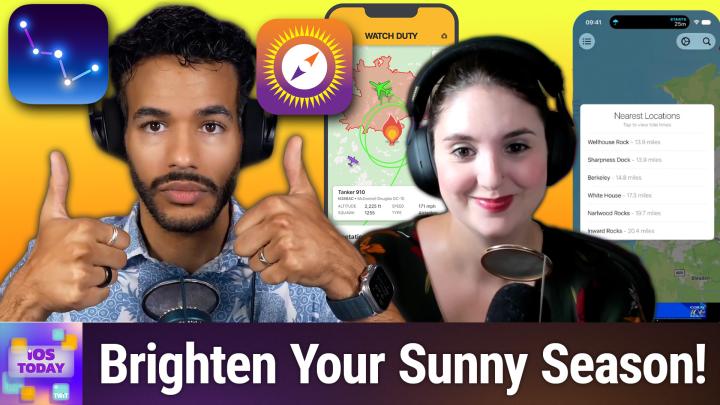
All TWiT.tv Shows (Audio)
iOS Today 814: Summer Apps Roundup
00:42:50
From Wildfire Alerts to AI-Powered Photo Editing
Loading summary
Transcript48 lines
- [00:01]
Sponsor/Ad Voice
This episode is brought to you by Accenture. When your advertising operations fall out of sync, everything else follows. Spotify and Accenture are working together to reinvent the rhythm of ad sales using automation, analytics and smarter workflows to simplify campaign delivery and access better data across the business. The result? Less time spent on operations, more time connecting brands with the moments and fandoms that matter most. Learn more@accenture.com Spotify you know those tiny back to school emergencies that somehow become your problem? That's why I love Uber Eats. You can order school supplies, snacks and lunchbox essentials for $5 or less. So when your kid casually drops I don't like peanut butter anymore or I need five green highlighters for a project due tomorrow, Uber Eats has you covered. Get everything you need for Back to School today from your favorite brands like Aldi and Staples on Uber eats. Order now ends 97 $5 or less before taxes and fees. Sleep select items only. Availability varies. See app for details. Chronic migraine is 15 or more headache days a month, each lasting four hours or more. Botox Onobotulinum Toxin A prevents headaches in adults with chronic migraine before they start. It's not for those with 14 or fewer headache days a month. It prevents on average eight to nine headache days a month versus six to seven for placebo.
- [01:18]
Prescription Botox is injected by your doctor. Effects of Botox may spread hours to weeks after injection causing serious symptoms. Alert your doctor right away as difficulty swallowing, speaking, breathing, eye problems or muscle weakness can be signs of a life threatening condition. Patients with these conditions before injection are at highest risk. Side effects may include allergic reactions, neck and injection site pain, fatigue and headache. Allergic reactions can include rash, welts, asthma symptoms and dizziness. Don't receive Botox if there's a skin infection. Tell your doctor your medical history, muscle or nerve conditions including als, Lou Gehrig's disease, Myasthenia gravis or Lambert Eaton syndrome and medications including botulinum toxins as these may increase the risk of serious side effects. Why wait?
- [01:55]
Ask your doctor, visit botoxchronicmigraine.com or call
- [01:58]
Rosemary Orchard
1-844botox to learn more.
- [02:00]
Micah Sargent
Coming up on iOS today, Rosemary Orchard and I are well within the summer, so it's time to talk about some apps to make your summer even better. Stay tuned for this episode of iOS today.
- [02:15]
Rosemary Orchard
Podcasts you love from people you Trust.
- [02:19]
Micah Sargent
This is TWiT. This is iOS Today, episode 84014 with Rosemary Orchard and me, Micah Sargent recorded Tuesday, August 4, 2026 for Thursday, August 6, 2026 Summer Apps Roundup. Hello and welcome to iOS Today, the show where we talk all things iOS, iPadOS, Watch OS, Home Pod, OS and all the other OSes that Apple has to offer. I am one of your hosts. My name is Micah Sargent.
- [02:51]
Rosemary Orchard
And my name is Rosemary Richard. And yeah, let's go get some sunshine, folks. But of course, inappropriate amounts with appropriate skincare, please.
- [03:01]
Micah Sargent
Yes, indeed. So this is exciting. We're talking today about apps for the summer. And you know, when Rosemary and I were talking about this, I had just come back from a hike and so I'm very much well within my summertime. In fact, today it's a little bit rough here because I look outside and everything's orange due to the fires that are going on nearby. So, you know, know, maybe today's a day to stay inside. In any case, let's talk about, you know, the apps that you might use during the summer. And one could be a little obvious to some of you and for others you might be going, oh, right, yeah, I guess I do use that in the summer. Rosemary, what's first on the list?
- [03:45]
Rosemary Orchard
The first app on my list? Micah. It's gotta be the photos app because, yeah, people have a tendency to take lots of photos and videos in the summer. As you can see, I've got some very cute pictures of my dog here peeking out from underneath the tent because. Because believe it or not, he is an escape artist in his spare time. And summer is a really great time to be taking and doing things like creating shared photo albums with people as well. So if I wanted to, I could add this to a brand new photo album, share that photo album with Micah. He could also add his photos into it and share them back with me, which would be lovely if we were going on like a shared trip of some kind. I think it would be quite weird if I actually shared an album with Micah because we'd end up just sharing dog pictures with each other, which is, to be honest, actually a great thing to do for your, your mental health. But yeah, there's a lot that you can do in the photos app. So I'm just gonna give folks a brief reminder that. Of course. So I took this photo as a regular photo where the relatively recent changes is I can turn this into a portrait photo where in this case it just sort of blurs out part of the ground to the left of Tank's nose. But, you know, then if you, you turn that off, then everything comes back into focus. I can add a style to. Could make it cool rose or neutral or amber. These colors, you know, show up better for some effects, like the black and white, just because of the combination of colors taken here. And I'm just going to turn that off and send that back to standard. I can change this from a live photo so where you can actually see, you know, like the wind ruffling his ear flutes, and I can just turn that off entirely. Or I can actually change that to be a loop or something like that. I can do manual adjustments, things like exposure and brilliance and highlights and lowlights and all those things. I can crop the photo. One feature that is coming with iOS27, I do want to mention, is you're going to be able to reframe your pictures, so change your point of view. So, for example, I could then use that feature to get down on his level. And that's something you should be able to retroactively do with photos you've already taken. So that'll be quite nice. And that is in this magic little tools button over here. But I won't go too much into that because we've already covered that on the show. And of course, we will make sure to cover these things when iOS27 comes out. But that's what you can do with photos now if you've got videos. So, for example, we're upgrading our tent. So I took a video of our existing tent so that I could sell it. Then there are editing tools for that as well. So you can obviously make the same sort of adjustments to things like your contrast and so on as well. There are various filters that you can apply. So I could do vivid cool to really make that sky pop. That not a good choice. Don't do that. If you're trying to sell something, just leave everything as the default for things like that. And I can crop it as well. So if I wanted to, then I could really tightly zoom in on just the. Just the tent itself. That in this particular case wouldn't work because it was like a proper, like, walking tour video of going in the tent and looking at some things in the tent and then going outside the tent and around it so that that particular angle wouldn't work. But you can also do things like straighten it if things were really skew. If, of course, now things look like they're on the deck of the Titanic. But there's a lot of good edits that you can just do inside of photos. And of course, you hopefully saw what I did there. I just said cancel and undid all my changes. Now at any Point. If you have made an edit to a photo or video, then you can tap on the three dots in the top right hand corner and you can actually revert to the original and just set everything back, which can be really helpful. If you're demoing these features to somebody else and you make something look horrific on purpose as a demonstration or by accident because you're messing around and you didn't quite understand what things do, you can always go back. So, yeah, photos, share some albums, create some albums, share all this with everybody else and make some edits as well. Maybe at some point go through and delete the really terrible photos that you took that you don't want to keep. But if you've got the storage for it on your phone, why not keep it?
- [07:57]
Micah Sargent
I agree. Why not keep it? All right, the next one on the list is an app that I think could be helpful, especially here, but also California and other places where you have wildfires. It's an app called WatchDuty Wildfire and Floods. This is a nonprofit company that's in charge of it. So it's free, it has no ads. You don't have to worry about that. And the developers very much note that it will always stay that way. Now, that said, there is a membership option, 2499 a year. This gives you things like air, tanker and firefighting, aircraft tracking. Very cool. But this is the thing. Watch duty is called watch duty because it is a system maintained by real people. This isn't just some, you know, pulling from a database. Active and retired firefighters, dispatchers, first responders, reporters, monitor, radio scanners around the clock. And then that means that you could get alerts before the official government notifications come through. When you get this app, you'll have evacuation orders and shelter information, active fire perimeters, flash flood warnings and river gauge levels. Also satellite hotspots, wind speed and direction, power outage estimates, air quality readings. I don't even want to look at what the air quality readings are like right now. And it also, again, it's not just about fire, which is something to worry about here, but it also floods. So you can make that both of those things are covered. When it comes to what you're looking
- [09:40]
Sponsor/Ad Voice
for,
- [09:43]
Micah Sargent
it's been like a number one app, especially with the Los Angeles fires in 2025. This is how I came across it. That meant that it passed ChatGPT the week of January 2025. That said, I would definitely get this app. I would definitely use this app, but use it as a supplement to those official alerts right don't use this. Instead of any official system, use this as an addition to an official system. That's Watch Duty, Wildfire and Floods, available for free in the App Store. Next on the list is Imovie. Tell us about Imovie's use, Rosemary.
- [10:31]
Rosemary Orchard
Yeah, so Imovie is great for doing all sorts of things. Here I have that same video that I mentioned earlier that I took of the tent because I didn't realize when I was doing it that I went way over at the Facebook Marketplace. One minute limit. And so I needed to adjust the playback speed of the video. Now, depending on how you've recorded a video on your phone, you may be able to just do that in photos, but instead what I actually did was I popped it into Imovie and I changed the playback speed of the entire thing. I just sped it up until the total time at the top went down to less than a minute. So it's a little bit sped up, but also it was quite a slow mo video in the first place because of just the way that, you know, you're walking around and panning you. I could have sprinted around the tent, but I didn't really want to trip and fall over myself. But something else that you can do in Imovie is when you start a new project, you can actually create a magic movie where you just select photos and it builds a movie for you. Now, these are similar to the ones that you create in photos or that are creating photos for you, but this is much more explicit with your choice of photos. Now, I'm going to try and do this and hopefully it's not going to show too many things that it should be showing. Great. So I've got some pictures of me and my dog. I've got some Highland cow footage here and a picture of my dog shoving his head into a bag of crisps or potato chips for you folks in the US and so now what this has done is it's stitched everything together and it. It's. It's just turned this into a little magic movie with transitions and things like that, which is really cute. And this is really great if you've been on a trip with some family and friends and you just kind of want to stitch some things together and have it, you know, have a fun video that you can share, but you don't want to spend hours doing it. You know, if you've got videos, you can pop those in photos, you name it. Now, obviously, there are some various things that you could do. So if I actually go onto an individual photo, then I can see, you know, it's got the word magic movie there. And I can actually double tap that and then change that. So I could say 10th time, for example, and it will just, you know, it's. This is a really nice way of doing the work to create a video without having to do loads of work. Because I don't know about you, maika, but the thing that puts me off of things like scrapbooking and so on, like, that is just the amount of work it takes to actually do that and maintain it and, like, all the supplies I need. So being able to just select some photos and videos and go, hey, Imovie, do this magic for me. This, to me, is what AI and Siri AI and so on is for. This is what you want. And so, yeah, this is one of the things that I do. My dad has been creating videos out of photos that he's taken on trips every year for years. And I introduced him to Imovie Magic Movie a while ago, and he's completely changed his workflow because previously he was like, stitching things together in various different applications, making it really complicated. Complicated. And I said, hey, why don't you just stick all the photos here and then stick it in Imovie as a magic movie? And he did it a couple of times and went, oh, okay. This is actually really, really good. I really, really like this. And it's. It's changed his workflow. And it's free to download and use. It's available on iOS and iPados and it's available Mac OS if you're more comfortable doing this sort of thing on a desktop. So, yeah, go and have fun with Imovie.
- [14:04]
Micah Sargent
Absolutely. All right, next on the list for me is skyguide. Now is a great time. It's been an Editor's Choice app for a long, across the board, many, many times free to download. I think it's a4.99 subscription for plus and then an $8.99 subscription for Pro. And then if you want to, you can pay $249.99, so 250 bucks for a lifetime subscription. So what you do, of course, with Sky Guide, you point your phone at the sky and then you use. It uses AR to kind of overlay what's really cool, stars and constellations and planets and even satellites all onto the sky. You also get some ISS flyover notifications so you could see when the International Space Station is moving over top of you. Now, of course, given that it's summer, I believe that The Perseids meteor shower is going peak pretty soon, August 12th through the 13th, 100 meteors an hour and you can see these if the sky is dark and the moon is not showing. There's also when is that next total solar eclipse?
- [15:28]
Rosemary Orchard
I believe pretty soon I want to say because I know it's only I think 80% or so here in the UK but yeah, I think it's August 12th.
- [15:39]
Micah Sargent
Yeah, August 12th. So if you live in Greenland, Iceland and northern Spain, you'll see totality there and other places of course it will not be as much and you can even add a little calendar notification letting you know what it'll look like for you and when it will. You know when it would appear at its at its best viewing. It's also very camper friendly because it works without wifi so you can go out where there's nothing and there's no service and still be able to overlay things. And I love that it's got an iPhone, iPad, Apple Watch, Vision Pro Mac versions. Yes. It runs across the board with you know, different functionality in those different places. And I love to personally that skyguide considers the accessibility. They point out that voiceover is available dynamic text changes, captions and then an option to differentiate without color alone. So that is another kind of pro in its camp. But skyguide super cool, super fun. I remember taking it out a couple of years ago with a, a little cousin and being able to hold this up to the sky and say okay, so that's, you know, that's this constellation, that's that constellation. And we were able to kind of look between the phone and the sky and trace the stars and then also kind of see how it overlays the image of the bear or whatever it happens to be and kind of understand what, what people were seeing whenever they talked about these constellations back in the day. So well worth checking out. A fun way to connect with people I think too. And really when you're out there and it's dark and it's quiet and you're looking up, it adds even more to it. I remember getting some goosebumps looking at this. So Sky Guide in the app Store free to download next on the list. And I think this is a great one Rosemary that you've chosen.
- [17:56]
Rosemary Orchard
Thanks Micah. Because speaking of the sky, the moon has an effect on our planet, specifically tide times and those can be very predictable in some places, very unpredictable in others. If you are going near the coast, you might get there and find that there is no beach or that it's a really, really long trek out to the sea depending on where it is you are. So I have been using my tide times. There's a free version and a pro version. The free version is free with ads ads displayed at the bottom of my screen here. Or the Pro version is 3.99. There are two separate apps, so there's no in app subscriptions or anything like that. When you open the app, it pops and you can configure this in settings to show you either your most visited locations, the last chest, the locations your favorites, or nearby locations. I currently have it almost visited. You can adjust a bunch of things like your map format, the distance unit, which in my case is automatic, so it's reading that from my phone. The tide unit to meters or feet, your time format, 12 or 24 hours. And of course you can increase text contrast as well, which means it just is slightly more accessible of all. So here I can see that I've got some most visited ones and if I tap on one of those, then I can actually see what the tide times are for low tide and high tide and also the sunrise and sunset times for that same location which is, you know, quite convenient if you're planning on, you know, sitting on sitting on the beach at the sunset and you're there going cool. But wait, is that high tide or low tide? You don't want to have to open a separate app for that. You can also see the moon for that area and you can turn it into a favorite location. You can use it in a widget, you can share it all sorts of things under more. It also shows you like the wind. So it's a gentle wind at 14 miles per hour. But yeah, I just really like this app. It does currently show today on this particular location there are little arrows to the left and the right of said location name. Well, left is only there if you're on a day after today to show you future times. So of course, you know, know depending on what happens at other places in the world, there might be changes to these. But it's unlikely that the actual tide times are going to change. It's more, you know, if there's a tsunami in Japan, then there's great surf in California. So, you know, you just kind of want to watch out for things like that and keep an eye on your local weather alerts and so on. If there is a flood in the area, then check whether or not the beach is going to be safe to visit before you go. Not just the Thai times, but this has been really useful for the last couple of weeks for me. Going to see the, going to the beach every couple of days. And yeah, it's meant that I've got to have some really great picnics and I didn't get unnecessarily wet.
- [20:44]
Micah Sargent
Yay. That especially is nice. All right, well, it's nice when you
- [20:49]
Rosemary Orchard
go for a paddle intentionally, Right. But not so much when you suddenly get drenched by the evening tide.
- [20:55]
Micah Sargent
Yeah, that's, that's not ideal.
- [20:56]
Rosemary Orchard
Right.
- [20:58]
Micah Sargent
So speaking of, of hiking, I think that that is also a great, a great summer activity. And so I want to mention, very popular, all trails. You know, look, it is a little. Not a little. It is a rather expensive app and I think that the free version has a lot to offer, but it does if you want to really get into it. You do need to pay in any case. It's an obvious pick, but over 500,000 trails worldwide, like, it has the database, it has the community, because those reviews and those photos that come in and tell you, hey, let me look at the most recent things. This person realized that the, you know, the creek crossing is not going to be doable this week. So you get up to the moment. I think that's what sets it apart, is that it's got the people there offering the knowledge that you need something to be mindful of when using this app. Check out the filters because it makes it very easy to find a trail that is right for you. You can set it up for dog friendly, for kid friendly, for stroller friendly, for wheelchair friendly. You can set up difficulties and lengths once you get there. I love this turn by turn navigation on the trail. Very helpful. I do argue that if you don't get lost once, you haven't really been on a hike. But this app can help you do that and ignore my little, my little sort of rule. And so, yeah, I mean, it's kind of amazing how much activity you get and then great too, that after you've finished hiking, you can export the information to Apple Health as well. It will tell you about points of interest. So the hike that I went on was the ten Waterfall hike here in Oregon. And essentially it's a bunch of trails that take you to, to 10 waterfalls. But if you are worried about missing something along the way, it'll tell you about waterfalls, it'll tell you about great spots to take photos. It will tell you about historic markers which are great. There are again two paid tiers. There's all trails plus, which is $36 a year. And there's all trails peak, which is $80 a year and that lets you create custom routes and it will also show you heat maps for popularity. So that way you can be of when and where you are when and where you're going hiking and you know how many people might be there. It's free to browse offline map downloads, wrong turn alerts, condition data like weather, air quality and UV index. Those are all behind the plus subscription and so you know those are things that you would want to have if you are taking a hike. That's why I do feel like this really is a download and check it out but if you want everything you're going to need to purchase it. Also the free tier has ads the app promoting what's called Backpacking Route Assistant. So you pick a trail, you set a start and an end point and then it's kind of cool because it'll build out a multi day itinerary for you. So that way if you are a backpacker and you've been looking for some options and you don't want to do that scouting yourself, this can help you create that. It is part of the make the most of the summer story and so I'm not surprised that so many people use it and so many people use it during the summer. It works on iPhone, it works on Apple Watch. There's actually a Vision Pro version which is funny to me. I guess you can hike at home. And you know what, I shouldn't laugh. There are people for which that makes sense. So cool that there's a Vision Pro app. No native iPad app, but that also makes sense frankly. So yeah, that is all trails once again available for free to download in the app store. Rosemary, do you want to tell us about the next app on the list?
- [25:23]
Rosemary Orchard
Yes I do Micah. And the reason that I'm going to talk about current weather is not not because of the fun snarkiness or anything like that. It's because if you tap on the carrot menu in carrot weather and then three dots and you go into the settings and then notifications. You can get notifications at various points of the day or based on various conditions which may or may not improve your summer. So for example, you can get precipitation alerts when rain or snow is expected in the next hour. Storm cells is something that is not available to me. I believe that's based on my my location. I've also got these showing as a live activity which means that they are to stay on my screen for the duration of the rain. I get government weather alerts I can also get lightning alerts which is pretty cool. And there's a hurricane tracker less applicable to me here in the UK but it's not unheard of. And then there are some data points here so I can get an umbrella and a sunscreen reminder. So the umbrella reminder tells me where the precipitation charts for the day is expected to rise above 25%. I can get a sunscreen reminder when the UV index is expected to arrive above 6 now but I tap on these, I can change the delivery time of these to be whatever is most appropriate for me because I found that I was walking a small child to school in the mornings and then on my way home from walking said small child I was getting a sunscreen reminder and I was like well good thing I kind of just over planned because this is a bit late and and you know it happened twice in a row and I was like I need to go into Cara and look and lo and behold, of course I can customize what time this happens at. You can also add custom notifications based on a whole bunch of data points. So you can add something based on air quality index if you've got premium ultra cloud cover, pressure, humidity, dew point, wet bulb temperature, feels like temperature, things like that. So you can get all of this information. You can say, you know, if you just want information during the day, do you want that information overnight? Do you want it at any time? You know, you can customize your threshold. This is based on the data point. You can say what the delivery time is and you can just, you know, set your own name for it. And I personally think that this is the sort of thing that makes a lot of sense for a lot of people especially however during the summer where hopefully you've got some time off to enjoy the lovely weather. And yeah, please folks, do remember to put your sunscreen on. It will save you from a whole world of physical hurt. So and yeah, umbrellas can be used for as a parasol too if you need to keep the sun off. Well but yeah, I've also got my morning and evening reports at 7am and 7pm you can get sunrise, sunset, moon phase alerts. You can set a do not disturb window. I haven't got that customized because I actually use the sleep mode on my phone to keep notifications to a minimum while I'm asleep. So we'll have to talk more about that at some point in the future. But yeah, that's carrot. It's been really useful for me traveling because it just defaults to whatever my local location is as all good weather apps do and should. But yeah, these notifications in particular have definitely been a huge time saver of just me not needing to check what the weather is going to be for today. It just tells me put sunscreen on. Which is great. I love that.
- [28:38]
Micah Sargent
Speaking of putting sunscreen on, the last app that I want to mention today is called Sunseeker. Now, this is a $12 app. It does sit at number six in the top paid navigation category. It's got an average 4.88 rating across 13,000 reviews. And it is for seeing kind of where the sun will be at a given time. And that way you could be more mindful about when it's time to protect yourself from the sun or not protect yourself from the sun because the sun's gone away. Well, it's not in view. Golden hour, blue hour, twilight times, shadow periods, UV index, solar irradiance, equinox, equinox, solstice paths. It's got so much information. Also, solar and lunar eclipse tables have been added so you can keep track
- [29:36]
Sponsor/Ad Voice
of
- [29:39]
Micah Sargent
when that's bound to happen. And it is not just for photography, because you can also I would have been able to use this just when I went on the hike because when you drive there and you go to park and not a lot of the parking is shaded by trees, being able to pull this out and go, okay, where will there be the most shade throughout the hike? You know, as long as we're out there and then be able to park there. But you can use it, you know, if you're which side of the campsite is going to stay shaded? Where should I plant these plants? Which is the rental dock that you know where or sorry is there is, is the boat rental going to get some afternoon sun? There's so much stuff that you can do. It's got a watch app. It also has lock screen widgets and home screen widgets. It does work offline as well. Honestly, $11.99 does seem a little bit expensive, but a lot of people have purchased it. Mostly photographers, but still very, very cool app. So that is Sun Seeker available in the app store for 1199. Alrighty, folks, we're going to take a quick break before we come back with shortcuts. Cor, just a moment. I want to take a moment to tell you about NetSuite bringing you this episode of iOS today. They say that every day your business is late to AI, you fall two days behind. But how, how do you keep up? The competition is only moving faster. Well, fortunately there's NetSuite next. You probably know NetSuite. It's the AI powered business management suite that securely connects all of your data. It's a unified suite that brings your financials, inventory, commerce, HR and CRM into a single source of of truth. Trusted by more than 43,000 customers, NetSuite Next is the next huge leap in how business gets done. Because AI is built into everything you do, it automatically surfaces custom insights throughout your day. AI agents work alongside you to solve problems and handle routine work. And anytime you have a question about anything, ask, just like you're having a conversation with a colleague. NetSuite is customized for a wide range of industries, so it supports the way your business truly works. Whether your company earns millions or even hundreds, hundreds of millions. It's time for NetSuite Next, where your business meets AI for the first time ever. You can try NetSuite Next for free. If your revenues are at least in the seven figures, go to NetSuite AI iOS. Built for every industry, ready for every boardroom. NetSuite AI iOS. All right, we are back to the show and that means it's time for our app caps. These are the apps or gadgets we are using now or have been using for some time that we think think are awesome and therefore want to tell you about them. I will kick things off. I had forgotten about this app and I just happened to come across it as I was looking through my phone the other day and I said, oh, how did I forget about this app? It's called RNI Films and that stands for really nice images. It is, is a really cool app. Honestly, I really, really like it for photo editing and photo filtering. It's a UK studio. They've been doing film emulation since 2015 and have built desktop film profiles for Lightroom and Capture One before then bringing the app to, before making this app and bringing it to the iPhone, what they've done is that they digitized an actual library of analog slides of negatives, they profiled them and then they took these profiles and turned them into film stock simulations. And it, I kid, I mean, I struggle to find a single filter on any photo that I don't like. It all looks so good. The filters are organized by film type. So you've got negative option slide, instant black and white and vintage. It's got a real grain engine that will simulate grain structure and color and then how grain will behave at different resolutions. So it's not just like slap some white noise on there or some, you know, monochromatic or Chromatic noise? No, it's making choices based on resolution and everything. There are new tools, I think halation is the newest one. But there's bloom and halation. So halation, if you're curious, that's that warm glow that will bleed around highlights in older film. And bloom is a less warm glow, more just like a general kind of glow on a photograph. And you can tune the intensity and everything. It's got crop, it's got rotate, exposure, contrast, hsl, all those standard things. Vignette. But it does the things that I mentioned as well. It edits raw. So you can do that from photos taken from your iPhone or from a third party camera. If it's raw, it'll work with that. And then it also does, don't you worry. Video color grading. It is labeled beta for now, but it works. And this is something that I think is kind of neat. But I'll be honest, I'm a little bit of a gatekeeper about this app. Specifically there's a neat feature that some of you who perhaps are more kind and giving it now lets you execute export a QR code. And so what happens is you create a photo, you save the photo and then you hit export as QR code and it overlays a QR code on top of the photo. So you can imagine like if you shared this on Instagram or something, it's a carousel. The first photo is the actual photo. The person swipes over, they see a QR code. When they scan that QR code, what happens is it will encourage them to download rni. They get rni, they scan the QR code and it will apply the edits that you made on your photo to their photo. So it's essentially exporting your preset. Pretty cool. But I like the edits that I do and I want to keep it to myself. It does have a generous starter pack of filters. Additional packs are a one time purchase at $3.99 each. So you could buy them individually. Negative vintage instant black and white at $3.99 each. I think that the subscription is a great way to do it. I think it's $9.99 a year, 10 bucks a year and you get this incredible of real film simulation and very good film grain. That is, it doesn't, it doesn't look goofy. It looks real and I love that it looks authentic. I should say 4.8 stars. They they a lot of comparisons to VSCO and one thing that has happened that I think makes it really, really quite nice is that the developers listen. So back in 2021 the developers added a date stamp feature and what that would do is pretty much watermark your photos unless you subscribed. When users pushed back on that, RNI made it free to disable and they did so within days. That means that you're working with real people who actually care about their users and I think that's great. It's a universal universal app so you can it is it's designed for I it'll show designed for iPad if you get it for your Mac, but it will work on the Mac on an Apple Silicon Mac and the most recent updates I think include those HSL controls. So it was nice to see that. And for folks who don't know HSL hue saturation I don't remember what the L is now Luminance I think it's luminance in in any case, the HSL specifically lets you make changes across color ranges so reds, oranges, yellows, greens, blues, violets so you can subtly shift the hue saturation and I believe again, luminance on each of those values. Really neat. Well worth it. Download it and try it. I have a feeling you'll be buying packs or paying for the subscription. I seriously love this app and I'm kind of sad that I had forgotten about it, to be honest with you. But now I've got it back in my rotation and I'm very, very pleased about it. The company makes a few other apps as well. RNI Colibri, RNI Flashback. Those are kind of fun if you don't like to fiddle with stuff because you basically just hit the camera button and it applies filters and adjustments adjustments pseudo randomly and will, you know, then you can kind of just decide on one that you like and then RNI Aero, which is an app that does what's it called? Infrared Photographs. Really weird but kind of fun and you know, surreal and otherworldly. So it could be worth checking out as well. That is my app cap Rosemary what's your Yours?
- [39:16]
Sponsor/Ad Voice
This episode is brought to you by Accenture. When your advertising operations fall out of sync, everything else follows. Spotify and Accenture are working together to reinvent the rhythm of ad sales using automation, analytics and smarter workflows to simplify campaign delivery and access better data across the business. The result? Less time spent on operations, more time connecting brands with the money, moments and fandoms that matter most. Learn more@accenture.com Spotify you know those tiny back to school emergencies that somehow become your problem? That's why I love Uber Eats. You can order school supplies, snacks and lunchbox essentials for $5 or less. So when your kid casually drops I don't like peanut butter anymore or I need five green highlighters for a project due tomorrow, Uber Eats has you covered. Get everything you need for back to school today from from your favorite brands like Aldi and Staples on Uber Eats. Order now ends. 97. $5 or less before taxes and fees. Select items only. Availability varies. See app for details. Chronic migraine is 15 or more headache days a month, each lasting four hours or more. Botox Onobachulinum toxin A prevents headaches in adults with chronic migraine before they start. It's not for those with 14 or fewer headache days a month. It Prevents on average 8 to 9 headache days a month month versus 6 to 7 for placebo.
- [40:34]
Prescription Botox is injected by your doctor. Effects of Botox may spread hours to weeks after injection causing serious symptoms. Alert your doctor right away as difficulty swallowing, speaking, breathing, eye problems or muscle weakness can be signs of a life threatening condition. Patients with these conditions before injection are at highest risk. Side effects may include allergic reactions, neck and injection site pain, fatigue and headache. Allergic reactions can include rash, welts, asthma symptoms and dizziness. Don't receive botanical Botox if there's a skin infection. Tell your doctor your medical history, muscle or nerve conditions including als, Lou Gehrig's disease, Myasthenia gravis or Lambert Eaton syndrome and medications including botulinum toxins as these may increase the risk of serious side effects.
- [41:10]
Why wait? Ask your doctor, visit botoxchronicmigraine.com or call
- [41:14]
Rosemary Orchard
1-844botox to learn more. Mine, Micah is an oldie but a goodie and I thought I would just mention it to remind people that it exists just in case, I don't know, maybe somebody has forgotten about this really great app. Not that there's precedent for that. That app is Parcel. So Parcel is an app for tracking your parcels. It does what it says on the tin folks. When you go to add a new parcel, it will automatically scan your clipboard if you give it permission to for anything that looks like a tracking number or even a URL for a known courier service with a tracking number in it and then it will extract that and pop that in it will try and fill up the carrier correctly. You can change it if it does get it wrong because there are some companies who merging or whatever and there's potentially, you know, tracking numbers that could work with either. You can add your own description. This is optional you can just leave things as the tracking number and then grab your. Your parcels for you and show you the status of the ball. I love this. You can actually get a calendar subscription, so you can put deliveries into your calendar, which can be quite useful so that, you know, like, oh, on this day, I'm expecting like five parcels. Oh, gosh, that's a problem. I have a serious shopping habit. Or. This is great. I need to just make sure that I'm in so I can take them in. Whatever it is that works for you. There is a search feature you can filter for. I've currently got active deliveries. You can see recent deliveries as well. So you can see that I sold a bag and it was delivered actually earlier today, which is quite cool. I think could go just to completed deliveries or say, I want everything. I've cleared out my recent ones. But Parcel, honestly, it's a great app. It slightly increased the price in the last couple of years because, you know, the. The world is struggling with things and so the developer has obviously had to try to make things work, but they've been really good. And just as a testament to how great the developer of Parcel is, Royal Mail broke the ability for Parcel to read any of the information for ages. And Parcel would still allow you to put it in there. It would just say, hey, we're currently unable to do this. And then you could tap on it and open the page to view the web page instead. But they kept working on it and working on it and working on it and it's now back. So I'm really glad that the developer of Parcel is such a nice person. There are a bunch of settings that you can have, like, you can get push notifications and things like that. There's a web. There's web access, so you can view it on PC as well, or just in the browser if you want to. There's an API. This is available on iOS, iPadOS, Mac OS and so on. There's widgets, you name it. Basically, Parcel is pretty great. It also has direct Amazon integration where you can sign into one or more Amazon accounts, including multiple Amazon accounts for the same country or also Amazon accounts for different countries, if that is relevant to you. I know for some people that is. You can also change, like the default source and things like that and yeah, so on and so forth. So I really love this, highly recommend it.
- [44:23]
Micah Sargent
Awesome. All righty, folks, that brings us to the. I also use Parcel. Alrighty, folks, that brings us to the end of this episode of iOS today. I want to thank you so Much for tuning in. Now is the time that I mentioned to you that we have a wonderful offering for you. If you head to Twit TV Club Twit or use that QR code in the top corner there you can join our club. What happens when you join our club? Well I'll tell you. Very cool things happen. First you get every single one of our shows ad free. Just the content. You also get chapter markers for those episodes. You'll also get access to our special feeds that have behind the scenes, before the show, after the show moments. We have a feed that has our live coverage of tech news events and we have a feed that has has our special club Twitch shows like Minecrafting Corner, Media Club, Stacy's Book Club is there, the AI User Group is there. All sorts of great stuff. It's I think a great offering to join the club and also join our Discord where you can chat with your fellow Club Twit members and those of us here at TWiT. If all of that sounds good to you TWiT TV Club TWiT to check it out and become a member and help support the world work we do. If you would like to email us, you can email us iostodaywit TV to get in touch. That's where you can also send your shortcuts Corner requests. We'd love to hear from you. Rosemary Orchard if people would like to follow you online and check out all the great work you're doing, where should they go to do so?
- [45:54]
Rosemary Orchard
The best place to go is rosemaryorcher.com it's just got links to apps, books, podcasts that I am or have been involved with and of course all of my social media so you can find me most places there. But the club to Discord is another great place to find me. There's live chat going on while we record the show at. I don't know what's the next step for before after the show.
- [46:14]
Micah Sargent
Awesome. If you're looking to follow me online not on lime, you can find me ikasargent on many a social media network or head to Chihuahua Coffee. That's C H I H U A H U a Coffee where I've got links to the places I'm most active online. Be sure to check out the other shows that I do here on the network and we'll catch you again next week for another episode of iom. Yes today. Goodbye.
- [46:51]
Sponsor/Ad Voice
You know those tiny back to school emergencies that somehow become your problem? That's why I love Uber Eats. You can order school supplies snacks and lunchbox essentials for $5 or less. So when your kid catches, casually drops I don't like peanut butter anymore or I need five green highlighters for a project due tomorrow. Uber Eats has you covered. Get everything you need for Back to school today from your favorite brands like Aldi and staples on UberEats. Order now ends. 97. $5 or less before taxes and fees. Select items only. Availability varies. See app for details.
- [47:21]
Micah Sargent
Hi, Ryan Reynolds here for Mint Mobile. Are you looking for a beach read this summer? May I suggest your big wireless bill? It's got suspense, misfit, a slightly flat emotional arc and a shocking twist where you realize you've been overpaying the entire time. Fortunately though, Mint's story is better. Every plan $15 a month. Even unlimited.
- [47:38]
Rosemary Orchard
That's it.
- [47:39]
Micah Sargent
Happy ending, zero tears. Give it a try@mintmobile.com Switch upfront payment
- [47:44]
Sponsor/Ad Voice
of $45 for three months, $90 for
- [47:45]
Rosemary Orchard
six months or $180 for a 12 month plan.
- [47:46]
Sponsor/Ad Voice
Required $15 per month equivalent taxes and fees. Extra initial plan term only greater than 50 gigabytes. May slow when network is busy. See terms. I see you.
- [47:54]
Micah Sargent
Fire and Ash is now streaming on Disney. It's the film critics are calling the best avatar yet. A true epic and completely jaw dropping.
- [48:04]
Sponsor/Ad Voice
This is the only pure thing in this world.
- [48:07]
Micah Sargent
Return to Pandora on Disney.
- [48:09]
Sponsor/Ad Voice
It will be an adventure for the
- [48:10]
Micah Sargent
whole family and watch the Oscar winning phenomenon at home.
- [48:13]
Rosemary Orchard
This is sick.
- [48:17]
Micah Sargent
Avatar, Fire and Ash now streaming on Disney. Rated PG 13.