← All TWiT.tv Shows (Audio)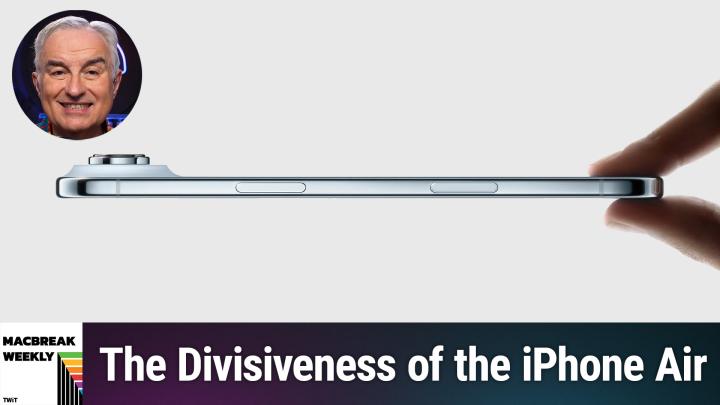
All TWiT.tv Shows (Audio)
MacBreak Weekly 990: Eating the Cake at Both Ends
02:33:45
The Divisiveness of the iPhone Air
Loading summary
Transcript628 lines
- [00:00]
A
It's time for Mac Break Weekly. Jason Snell's on assignment in Memphis, Tennessee, so we thought we'd bring in one of our favorite replacements. Shelly Brisbane from the Texas Standard is here. She'll join Andy Inocco and Alex Lindsey. Our kind of seasoned thoughts about the things Apple announced last week, now that we've thought about it for a little while, the AirPods, who's going to buy that iPhone? Air. And what are some of the new features of iOS, macOS, WatchOS, TVOS, and did I leave anything else? Oh, yeah. IPados, 20. All of that coming up next on Mac Break Weekly. Podcasts you love from people you Trust.
- [00:43]
B
This is TWiT.
- [00:48]
A
This is Mac Break Weekly, episode 990, recorded Tuesday, September 16, 2025. Eating the cake at both ends. It's time for Mac Break Weekly, the show we cover the latest Apple news. Jason Snell is on assignment. I think he's working with the National Guard in Memphis. I may be wrong on that. Fortunately, Shelley Brisbane is here. So nice to see you, Shelley, from the Texas.
- [01:13]
B
It's great to be here.
- [01:14]
A
Standard, which has been saved.
- [01:18]
B
Yeah, we're still alive and kicking and very happy about that.
- [01:21]
A
Yeah, for a while we were a little worried.
- [01:25]
B
Well, I appreciate your thoughts.
- [01:27]
A
Was I not? Was I wrong to be worried or am I thinking of something?
- [01:29]
B
No, we actually are in pretty good shape. We are fortunate because the markets that sort of pay our freight are in pretty good shape compared to some of the smaller public radio markets. So for the foreseeable future, we're doing good. We lost a couple people we can't replace right away, but the show proceeds.
- [01:47]
A
And I love the placard behind you that says 10 years on Texas Standard Time. I love it.
- [01:52]
B
Yes. That was designed by our fabulous web producer showing the branding.
- [01:56]
A
Nice. Great to see you, Shelly. Thank you for filling in. I appreciate it. We should see you more often, honestly. I really think so. Alex Lindsay is also here from Office Hours Global. He's already, you know, he does more shows before breakfast than most of us do all year.
- [02:12]
C
One.
- [02:13]
A
Okay, one.
- [02:14]
C
One before breakfast.
- [02:14]
A
One long one anyway.
- [02:15]
C
Yeah, exactly, exactly.
- [02:16]
A
Hello, Alex.
- [02:17]
C
Good to see you.
- [02:18]
A
Good beer. And from the library, his usual haunt, Mr. Andy and not co. Lester and Iko. How are you, sir?
- [02:25]
D
Hanging in, hanging on, hanging in. That's all I can say right now.
- [02:29]
A
Orange is the new black iPhone, Air, iPhone 17, iPhone 17 Pro, and iPhone 17 Pro Max all announced on Tuesday, along with AirPods 3, AirPods Pro 3, and the Apple Watch Ultra 3, Apple Watch 11, and Apple Watch SE whole. And even then, Mark Gurman says Apple's got five more products to announce before the end of the year. May even have another event in October.
- [03:02]
D
Yeah, I mean, the most interesting one might be the rumored, like, $599, really, really inexpensive MacBook that's based on a series CPUs, Apple Silicon. I promise you, I try really, really hard to get excited about an updated Apple tv, but I just can't. It's like, okay, so I'll still stick my HDMI cable right there. Yeah. And I'll still be, like, installing the YouTube app and the Netflix app. Yeah. Okay. Sounds like a good idea.
- [03:33]
A
I'm not sure why we need a new Apple tv, but it has been a while. There's also, of course, rumors of new HomePods and new AirTags. In fact, that was one of the things, I think a lot of people thought they would announce the new AirTags. In a way they did. In a subtle, sneaky way they did because they announced that the U2 chip is in the AirPods Pro 3 case. And you can do Find my. With the case. Yeah. So they're like, it's like an AirTag in an AirPod case.
- [04:03]
D
I don't know why I thought the selling point for. As far as the marketing point, the selling point of the AirPods should be that there's no chance whatsoever that nobody is not going to lose at least one of these earbuds, you know, And.
- [04:13]
A
I don't lose the case, I lose the AirPods.
- [04:16]
D
Let's hope that's the case as well. But no. Okay. I guess they want to pretend that they don't have our number.
- [04:21]
A
That way, the case is fine. It's the AirPod I want. Especially if I swallow it.
- [04:27]
C
I have become obsessed with in my ear. In my case, I will not. Like, I just don't put it anywhere else because I'm all, I've lost a couple.
- [04:35]
A
Yeah, it's very easy.
- [04:36]
C
So now I'm just like, it has to. My case is always bouncing around somewhere nearby. I'm like, oh, I can't. Where's the case? You know, I can't. I can't. I can't move my ears if I don't have the case.
- [04:44]
B
It's like, I appreciate you're admitting that, because I do sometimes lose the case around my house because I carry them around. And then I put the AirPods in my ear and I put my case down.
- [04:52]
D
And where do they put it down?
- [04:53]
C
You know, the hard part is, okay.
- [04:54]
A
So it's for you, Shelly.
- [04:56]
C
I think the fine my is actually doing brain damage because I've learned that the better fine my gets, the less I remember where everything was. You know. So now I like my phone by.
- [05:06]
A
The way from a man who once lost his car.
- [05:08]
C
So I lost my at the liquor store. Well anyway, so that was in Reno.
- [05:12]
D
So that was, that was. He didn't understand there are 2020 spots on the roulette wheel that sold.
- [05:18]
C
Yeah that way I wasn't, I wasn't drinking. I was absent minded. Anyway, so the, the. The true. Which is a true story. Anyway the. But the problem now is with my phone is that now with my watch I just hit the button and it starts ringing somewhere. And now my brain has just said you know, you don't need to keep that memory. And so I'm just constantly hitting my. Trying to figure out what I do with my phone.
- [05:41]
A
In our house, in our house we there is a fairly constant.
- [05:48]
B
So for a long time I didn't have any, I didn't have any home pods for a long time. And then I the kitchen and now I find that I can just yell to the Universe where's my AirPod? And I'll find it.
- [06:00]
D
For me it's a, it's a, it's become a cultural touchstone. It's like so you know, like, you know how like there's the In Memoriam segment like at the Emmys and the Oscars and like for me every time I pull down like my Bluetooth menu it's like in the arms of an angel. AirPod Andy's AirPods 1 AirPods 2 oh.
- [06:19]
A
You give them different sounds.
- [06:21]
D
No, no, no, no. Just like I could see all of the things that been paired to it that I've lost and I've now decided I find again. But again I have to keep that immemorial rule. I can't delete them because that way I will have admitted that I'm just stupid. And I've lost about 300 $400 worth of earbuds from two or three different makers over the past four years.
- [06:38]
B
No, I deleted all. I delete all the old because then, then all the old Macs and all the old iPads and all that stuff will stay there. So I am very fastidious about making sure the old things go away. I'm not sentimental about the things I've lost.
- [06:49]
A
I still see my kids hardware. I mean it is a long list in the find my sigh.
- [06:57]
D
It's like deleting someone from the address Book after, like they've passed on.
- [07:00]
A
It's like you don't want to do it.
- [07:01]
D
I don't have to delete.
- [07:02]
B
It's not like that at all.
- [07:06]
D
Oh, I'm sorry. Maybe I just feel a lot more than.
- [07:08]
B
You're a more sensitive guy. I apologize.
- [07:12]
D
I like me.
- [07:14]
B
I like you too.
- [07:15]
D
Our customers like me.
- [07:17]
C
I mean, the thing that I have to keep track of is that because there's a limit to the number of trackers that I can use, the air tags I have to keep figure out where they all are because there's 32. You're allowed to have 32. And I have more than 32.
- [07:28]
A
So they get.
- [07:30]
C
And, and the, and the. So there's some that are just kind of in the, in the waiting. When I lose the ones that I have. Because what I do is when I send someone something that's expensive, I send a lot of expensive stuff in the mail. I put a self, self addressed stamped envelope with an air tracker in it and then I just throw it into the case and I just. It just, it's the first thing you see when you open it. Like, please send this home. And so I get to see where my, you know, $10,000 or $5,000 box is, is at any moment. Because I got tired of, you know, that's smart. Having things smart.
- [08:01]
A
So let me fill you in on the embargo schedule since I am not under any application to Apple. The Reviews for the AirPods came out yesterday. I believe the watch reviews came out today. Tomorrow the phone reviews come out. But because OS26 and all its variegated forms came out yesterday, I think all of those reviews have now come out, including Jason Snell's. Through a Glass. Liquidly is actually Dan Moran wrote this@sixcolors.com Jason.
- [08:36]
B
Jason did Mac and Dan did iOS, right.
- [08:39]
A
They kind of split it.
- [08:41]
D
So.
- [08:44]
A
I guess we should start with. I don't know where to start. Let's start with OS 26. Since we all have it or could have it. I went around the house and updated everything. It's kind of like the time change. You know, I just went around and everything, everything got updated. You know, I must have downloaded a thousand gigabytes and you know, my ISP is going, what the hell's going on at the Laportes?
- [09:06]
D
Your iPhone's flashing. Hello, hello, hello, hello, hello. I haven't updated that one yet.
- [09:11]
A
I don't really want to go through that whole process. I. In fact, one of the reasons I was late to the show today is I have three Macs in front of me, all of which I had to click through a slideshow about how great liquid glass was and all the wonderful things I could do with it. It's like, I know I don't want to. There was no skip button. I don't know, I shouldn't complain. It's first world problem. Right? Yeah. Everything is updated now though. Do you all agree that you should update right away or should everybody hold on, Alex, you're probably one of the. Wait and see.
- [09:46]
C
I'm finding that Sonoma is super stable Sonoma. And yeah, so I have my favorite county. Exactly, exactly. So I have sequoias on my M3 Ultra that I use. So that's on my M3 Ultra because I have to. Because I'm using, doing it for immersive work. And so I needed to update for that one. Daho will probably, you know, I'll give it at least. Again, I'm a production person, so we're used to being way behind. I mean, I came out of, I came out of Star wars and for three years we hadn't upgraded anything. So I'm used to like not jumping on things.
- [10:23]
A
That's hysterical. Don't touch those machines.
- [10:26]
C
After Effects was a brand new product. Like after, After Effects came out and I was like, where did all these buttons come from? You know, and so, so anyway, but the, but what I would say is that if you're a production person and you've got lots of extraneous. It's not just Apple, it is all, all of the tools. It's your, your loopback, it's your, your pro tools, your, you know, all the different video apps and everything else are all kind of need to, need to make sure that they can work with the ecosystem, that they've updated everything. So typically what I would say is the bare minimum that I would wait if I was a production, if I'm a. As a civilian, I'm already updating some of my other computers. I'll put Tahoe on some of my Mac Minis. As a civilian, I would say update whenever you want. If you have production tools that matter, I would say probably wait three to six months. You know, the time that Apple stops thinking about new things appears to be about March. Like they stop thinking about the old version and start thinking about the new version somewhere in February and March. And so, you know that, you know, at that point they're not going to. Nothing new is going to come out, you know. And so, so the, so at that point things are kind of settled. It gives the developers enough time to do it. So that's kind of my flow for me. My main machine that's doing a lot of work, it's on Sonoma. It'll probably stay on Sonoma for another three to six months because there's no reason for it to go up because I've got other computers that have a more modern operating system. My phone is on the newest, my iPad is on the newest. So those. I don't worry about it nearly as much. It's just the one that makes money.
- [11:52]
D
Yeah, I just don't. I find now that I've got everything updated, there's kind of a spectrum here. IPad. If you've got an iPad, I think it's worth the risk because it really is transformative. I mean it really does start to blur the lines of this is why are we getting excited about a mid priced MacBook? Because all of a sudden my 4 year old M1 iPad that probably cost about could have cost had I not spent much more than I needed to cost about as much as that's going to cost is now arguably as performant as a productivity device. A lot of the pain points of multitasking are now not wiped away, but they're very, very lessened. There's a lot of features that are right in your face that you immediately notice and that you immediately start taking advantage of and that kind of makes you forget about trying to get used to a new design language which sometimes is a little bit kind of squirrely on the MacBook. I did update to Tahoe just yesterday and I'm just not noticing any. It's not like the iPad upgrade where it's like oh wow, this is now going to be a lot easier. Oh wow, that's going to take it. Oh wow, now that's a pain point. That's been erase. The only thing so far I've noticed and that's even after going through like Apple's own like TDF file of here's everything that we've changed and here's everything you should try to notice if you're reviewing this. Really the only thing I've really noticed and appreciated is Spotlight because it really has transformed from wow. You know there's a. There's an interesting trick where you can use it as an app launcher instead of the official app launcher. No, now it really is like almost like not a substitute for the finder but something that should be sitting alongside the finder in your tool belt where it can do so much more. More than just find something, no matter where it is or how it's been indexed. So unless that's a big thing for you, the iPhone, I don't really notice. It's glossy, it's interesting, it's new. I didn't feel as though I'm getting anything brand new, but other than that, I do absolutely agree with Alex that if you've got a project in progress, it's possible for you to just look around, do some searches and find out what people are going through who've been running the latest version of the betas. At this point, I think they're very, very stable, but you never know. I got really, really upset this morning because the last thing I do before I post all the news stories to our show doc is I just run an Apple script that takes a CSV file from OmniAutliner, does everything for me automatically and it screwed up for some reason and it took me a while to figure out what the problem was. But until I figured out what the problem was, that had nothing to do with upgrading this MacBook to Tahoe. I was like, you know, damn it, why the hell did I expect that AppleScript was going to remain absolutely stable through I'm such an idiot. And fortunately I was able to identify another idiotic thing that I did had nothing to do with the upgrade that caused the problem.
- [14:50]
A
So we can stipulate that they're fairly reliable, so that's not a reason not to update. On the other hand, Shelley well, I.
- [14:58]
B
Was going to say I think the good news is that reliability for folks who are not in a really high impact production environment, I do think about because I'm around a lot of civilians who are Mac users and so the Liquid Glass update for them will be jarring in the sense that, oh, it's a new look. Does it affect the way I use my computer? Probably not. Are the production apps that we use to make a radio show affected significantly? They don't really seem to be. But the aesthetics on the negative side, if people are not happy with Liquid Glass and the Spotlight stuff, on the positive side, my advice to people who are not early adopters and who aren't just really eager is to wait till you have time to sort of look around and see how you feel about it. And there are things you can do to make Liquid would Glass more or less a thing in your life, the transparent menu bar and so on. And if you're somebody who may care about how your what your Mac experience is, but who is kind of busy right now and doesn't really have time to, oh, this looks differently now, or this works differently now. You know, give it a little bit of time. I've been running the betas. They've been really stable for me. I have some Liquid Glass issues that we can get to that have to do with readability and things. I've.
- [16:07]
A
Well, that's what I was going to ask you about because it really affects, it really affects accessibility. But I did want to quote a developer in his blog, Ricardo Mori, who is an Italian translator and writer who said. He said the event kicked off with the famous Steve Jobs quote, design is not just what it looks like and feels like. Design is how it works. And I immediately felt the whiplash. He believes Liquid Glass is an abhorrent design choice and Steve would never have allowed this. He goes on to say, don't buy the new iPhone, so forth. And how Tim Cook, he quotes Anil Dash's famous now by now article, how Tim Cook Sold out Steve Jobs. But really, I think the bigger issue is, you know, to, you know, look at Steve's quote, if design is how it works, is Liquid Glass a good design? And from an accessibility point of view, Shelley, I have to feel like it's not.
- [17:11]
B
Well, I'll tell you, the issue throughout the summer has been there have been tweaks that have made it better. However, the first thing that you tell somebody, the first thing I would tell somebody who needs accessibility features, or even who doesn't need accessibility features specifically, but who is concerned about readability, especially on the iPad and on the iPhone, is look at the accessibility options that are available to you. I've turned a couple of them on that I wasn't using before just so that I can see my phone. I had the experience during the beta period of my phone rang and I had my AirPods and then I had the phone connected to the computer. So I had all these inputs available to me. My phone rang, I picked it up, I couldn't hear the caller, and then I couldn't read the input menu. I couldn't choose my AirPods versus my.
- [17:58]
A
Computer versus because of liquid Glass because.
- [18:00]
B
I couldn't read it. And that was because I didn't have the settings tweaked in exactly the right way. And everybody's accessibility needs, if vision is your issue, are going to be different. And so I can tell you here are my settings, but they're going to be different from somebody else's settings. And what I really object to about that is you've created a design that by design Requires me to tweak it just so that I can read the stupid phone input. And that's an issue for me. Oh, and so, you know, people have said all summer, oh, well, you can. You can basically turn liquid glass off with the right accessibility features. That's sort of right. But why are you creating a design where the accessibility solution is, oh, turn that off.
- [18:41]
A
Yeah, yeah, well. And it doesn't have to be people with low vision because it's hard. It's. The translucency makes it difficult in a number of situations for everybody.
- [18:52]
C
I just find that the whole thing is a little bit more. It's just more complicated. I realized this weekend while I was using it that, you know, for the last 10 years, we've been trying to persuade my mom to move from Android to. She's the only one in the family, the only holdout that just has her Android phone. She doesn't want to change. And she's like, it's a bit too complicated. And I kept on telling her, stay.
- [19:10]
D
Strong, Mrs. Lindsay, we're here for you.
- [19:14]
B
I've got a podcast she can listen to.
- [19:17]
C
It's been. It's been kind of constant, constant from everyone. And. And I was like, you know, it's just. It's just way simpler than Android. It'll be way. You'll. You'll do more with it because it'll be easier. And I realized this is the first update that I was like, I don't think I should do that. Like, I just don't. Like, I think it's. It's just the operating system has gotten to a certain complexity that I realized that. I don't think I would. I wouldn't. It's different than Android. But I wouldn't tell someone. For the first time, I wouldn't tell someone that it was simpler. Like, it's not simpler than Android. Like, I think that that was a real thing that was powerful about the OS was people just. It just worked and it didn't. I didn't have to use a lot of cognitive load to figure out what to do next. And I find myself thinking a lot trying to figure out, like, what am I going to do here? And realized I don't think I would. Again, I would still Recommend, obviously, the iOS for most people, but I wouldn't recommend it because it was simple.
- [20:13]
B
Well, you have apps like phone and Mail and Photos that already have alternative ways. You can view the interface because the default way is confusing. Or now some people.
- [20:24]
C
I think it's really obscure now. Like the new Phone is like this progressive like I'm going to show you almost nothing and then oh, you want to do this? Okay, this. And it's like, it's like you're looking through like a little hole like trying.
- [20:36]
B
To figure out phone particularly. And so there's so many, many opportunities for people to write articles about. Here's how you can make it not hard. And that's not what Apple should. Apple's about intuitive design. Right. The whole if we're going to go back to the Steve Jobs quote which I'm sorry I laughed when I read saw that because it was basically the justification for all the issues we've had with Liquid Glass over the summer. And it just seems like Apple shouldn't have done that.
- [21:00]
A
It wasn't really the thing they should focus on. The whole event was about design and maybe that, maybe that was a poor choice.
- [21:07]
C
You know, it may grow. I mean there's a lot of things that Apple, Apple's done that grow on me slowly. Photos is not one of them. But, but the, but the, but almost everything else I'm like I eventually come around but I just noticed that I was dealing with so many weird, complex things that I wasn't used to and I kind of put off putting it on my phone until recently. And so I think that it's also the phone is still new for me and I'm still like this is pretty complicated.
- [21:35]
A
Well often as often the case that you probably should update regardless of how you feel about the design because of security issues.
- [21:46]
C
I think they still do security updates.
- [21:47]
D
For quite some time.
- [21:48]
A
They are. They're still pushing them out and a.
- [21:50]
D
Little bit of reassurance I think there. I don't know whether it was someone found it or someone predicted the cadence of Updates suggests that iOS 26.1 is going to be in beta very, very soon. At least in developers hands. Very soon.
- [22:05]
A
Oh, interest.
- [22:06]
D
So the cadence. The thing is, especially with a major update like this, there's a whole bunch of stuff. There's so many huge things that Apple has to do to get this out the door that a lot of the smaller things are just okay, well it's still on the whiteboard. We're not on the whiteboard. The whiteboard is still important but we're going to ignore that stuff on the whiteboard to make sure that when these new iPhones and devices ship it will have the right operating system. We don't have to give like a post hoc update. But yeah, you will lose nothing if you're already running a modern if you're running a modern, ish copy of the operating system on a modern ish device, you're not going to lose out on anything. But Shelley's right. There's a bunch of stuff. I think there are three categories of changes here in the interface. There's stuff that kind of makes sense. Like, for instance, I didn't notice until I've been using it on the desktop for quite a while that now alerts now basically spring out from where they happen from. So if you click a button and the alert has to say something, it will spring out from that button. When you adjust the volume, you don't see this little overlay on the entire screen that gives you the volume control. And now you get something that pops out of where the volume is in the menu of the screen. That kind of makes sense. There's stuff that doesn't really make sense, but are fixable. Like there are so many areas in which they've grouped together buttons in such a way that it looks like it's a second window that's behind the window that's actually inside. That's something that, okay, you just change some style sheets and that will work. But then they're the kind of stuff that, that doesn't seem to work, that doesn't make sense. It seems like a step backwards and that. I hope there's not going to be an ideological argument inside of Apple saying, no, no, no, we need to commit to this. This is part of the design language. Someone handing out this big binder, slamming the binder like it's a Bible, saying, we designed this design language. The design language is perfect. We have to give people understand to understand the genius of this entire design language. Have faith, have faith, have faith. Have faith, brothers and sisters, in the design language, as opposed to people saying, yeah, but it doesn't work. Change the button. So it does work.
- [24:06]
B
I think they've gotten enough dings where that's an untenable position to be wholly committed to the design Bible. It's like, wait, what have we been doing all summer?
- [24:14]
A
Yeah. So Alex's advice still holds, which is don't update to the point 0 release. Don't update to the 0.1 release. Update to the 0.11 release, where they fixed the bugs they introduced with the bug fixes to the point zero release. Is that right? Alex did.
- [24:32]
C
I mean, if you're doing zero, you're. You're a gamma tester. You know, like, you know, you're not, you know, there's, there's alpha, there's beta, there's gamma and you're a gamma tester. You'll a couple rounds of revisions will get and again if you are adventurous and and you're not doing things that are mission critical have at it and nothing's going to be horrible. It's being released at it's Apple but I think that if it's not and I think it's less about the OS itself and more about all the subsystems that have to be updated across all the partners even though they've had it. And so all of that's going to that takes a little bit of time to shuffle out. I'd probably wait again on some of my computers I'm going ahead and upgrading them on the computer that matters. It's still working.
- [25:11]
A
I have to say Apple does has been doing in the last few releases a pretty good job of pre releasing both developer and public betas well ahead of time.
- [25:20]
C
I think it's made a huge difference.
- [25:21]
A
And I've watched as as software that was initially broken by the first public beta even has gotten better and better and at this point on the official 26 everywhere I don't have any problems particularly the thing I would suggest however if you were on the public or developer beta and you want to get off the merry ground you can now do that turn off the betas and if you don't have the final release version and we'll offer that to you. It did on all my machines that were on the public beta.
- [25:52]
B
I love that so much because I do like to dip in and out. And another thing, what you're saying about the benefit for developers of the way Apple is doing this is I've used software. Audio hijack this summer would load would work perfectly fine on the Tahoe beta but it would give you a warning and say basically it's not tested, it's a beta software, you're doing it at your own risk. But it worked because before an audio hijack specifically they are using subsystems that can easily be broken and have by Apple in the past but they were able this time to create something that I could use not necessarily for something mission critical because it's a piece of software I like and I wanted to know how it was going to work on the beta. I was comfortable doing it but I was also smart enough to have an alternative if it didn't work. And I just think that's such a great opportunity for developers to be in that conversation. For all of us nerds that like to use the beta and see how well it's going to work with it.
- [26:45]
D
Yeah, I mean Rogue Amoeba is one of those.
- [26:48]
A
They're doing pretty low level system stuff too.
- [26:51]
D
What I was going to say is there are a bunch of software warehouses on the Mac that are. They're just the marines of this platform, like Omni Group, Icon Factory. It's like, you know, that they are committed, committed, committed to getting, making sure that everything will actually work. Even when they don't feel as though Apple is treating them like a friend. You know that if it doesn't work, they're not going to just go, oh well, sorry, good luck with that. They're going to.
- [27:17]
A
I was having a similar problem with Homebrew saying, you know, you're on 26, we're going to update you, but don't complain to us if something doesn't work.
- [27:26]
D
Yeah, I got the message a couple of apps this morning, as a matter.
- [27:29]
A
Of fact, but I'm just checking to see if it's still saying that so.
- [27:33]
D
Well, again, we need to have so much sympathy for all these developers because I know so many developers that make some of the most popular apps out there and this is Black Monday for everybody because suddenly their apps are going to stop working or be a little bit weird. And it's not that their fault. It has nothing to do with them. Apple just did something a little bit weird and now suddenly they've got to, they can't be doing any coding for the next week because it's.
- [27:58]
A
Well, but that's why I give Apple credit because they do give you at least six months, you know, from WWDC on to really work on this. And at this point, here we are, what that was June, here we are in September. If, if you haven't fixed it by now.
- [28:14]
D
Well, it's hard. It's also, it's also, wow. The button that I thought was, that always behaved the way that I thought it would is now behaving differently and you have to do you do some of the tech support time to say, yeah, that's the way it works in Mac OS 26 now. And that's unfortunately the way it's going to work for all time because we can't do it any other way now.
- [28:35]
C
And I think that one of the challenges is if you're a developer that uses all of Apple's libraries, updates are relatively seamless. There's a little bit of, there's a little bit of a change, a little bit of a change. But it was broadcasted a year or two ago. There's new libraries that you were given announced the deprecation and as you. And as it moves up, a lot of your stuff moves up with it. If you're a company that builds a lot of your own libraries or does it your own, you want to do graphics, drawing or audio process in your own way, it's hard because Apple's moving forward and they don't really, you know, your individualness is not something they're worried about. As they kind of keep moving forward. They want to make the system better. They're not going to try to make it backwards compatible for people who aren't playing along, you know. And so as a result you get things like Pro Tools that, you know, for a while we were stuck three or four.
- [29:22]
A
They were really bad.
- [29:24]
C
Well, again, for a long time.
- [29:25]
A
Right. Yeah.
- [29:26]
C
And part of it is, is that they had so many, so, so much cruft. Some, you know, of old stuff. It's not, I mean it, it's a very complicated app. It's got a lot of old code that wasn't, that wasn't modernized when it could have been. And it just takes time for them to try to get it all to work. And you're trying to, to fix something that people will dump you very quickly for something else if you have a couple rough spots because they're in production and they have very short attention span for things not working. And so.
- [29:55]
A
Right.
- [29:55]
C
You know, and so, so, so as a result, it took Pro tools a long time to, you know, to get, to get caught up. And there's other ones that are like pushing really hard on the system Again. A lot of the rogue amoeba stuff has in the past, it sounds like it's working now, but in the past it has had trouble. Hardware, we had some folks that upgraded over the summer and hardware stopped working. The interfaces with things like focus rights and stuff like that all kind of broke down. So these are all things that take time to kind of figure out what that hopscotch is to pull it together. Especially when people are using libraries that are kind of out of what Apple recommends or what Apple provides. It's a much harder lift.
- [30:37]
A
Simon Allen in our YouTube chat is asking, and I don't know the answer to this, if you upgrade to 26, can you change your mind and go back to 818 or not. Whatever. Back to 18?
- [30:47]
D
I think you can, you can go to the App Store. Usually you can go for a certain amount of time, for a limited amount of time.
- [30:53]
A
They'll stop signing it at some point.
- [30:54]
D
And and download it as though it were an actual app.
- [30:57]
A
Okay.
- [30:57]
D
Matter of fact, I'll check that right now.
- [30:59]
B
And is that different on the iOS vs. Mac OS? Because it seems like there's a. I mean, obviously with Mac OS you can, you know, trap your crash your drive and trash your drive and start again. But with. I think the procedures are probably.
- [31:11]
A
That's a good point. On the iPhone, you're not going to do a just double checking.
- [31:15]
D
MacOS. Sonoma is in the app store. You can just click the get button and you'll get it.
- [31:19]
A
Okay. And good news, Homebrew no longer warns me that I'm on an arm.
- [31:26]
B
Congratulations. An old version passed the gauntlet.
- [31:29]
A
I do have to, as I always forget to do, I have to upgrade Xcode and the command line tools. But other than that. Yeah, and it did it and it did a lot of updates. So I think a lot of updates were being held until 26 was official and then pushed out. So that's always, you know, there are plenty of apps, especially when you go to packages like Homebrew where you have small, weird, quirky command line packages that have one developer.
- [31:56]
C
Yeah.
- [31:56]
A
And you know, probably not a high priority anyway.
- [32:00]
B
So I think what it always reminds me is that when I install just random things on my Mac, I need to sort of track that the history of what's dependent on what because I'm always afraid of the update that will have my main apps working, but it's broken some underlying quick action or automation that I've created. How did I do that? I have no idea and I'm not very good at documenting that stuff sometimes.
- [32:24]
A
Other thing to be aware of is some settings that you may have thought were inviolate may have been changed. Scooter X is saying it turned on File Vault, which is on by default, but he apparently turned it off on his M4 Pro Max Mini. I noticed that I was getting queried. You want to save everything in your desktop and documents in icloud. Right. Which I never ever wanted to. So pay attention, I guess during the upgrade. And you might want to check some things that you care about, make sure that they're.
- [32:54]
B
I think I actually had that happen on a few iOS settings which surprised me. And this was during the beta cycle. So I can't say what the experience is for people that are upgrading straight from 18 to 26, but there was at least one beta cycle upgrade where it did reset a bunch of settings and they seem to be sort of random.
- [33:11]
A
Yeah, good to pay attention. All right, we got a great show still to come. We're going to talk about the hardware announced at the Apple event on Tuesday. So glad to have Shelley Brisbin in from the Texas Standard Radio. She is always a welcome member of our panel. Unfortunately there's a bunch of guys and it makes it hard to get together in But Jason Snell on assignment in Memphis, he's actually there. To be honest, he's there for the very famous relay FM marathon that they do every year for now, St. Jude's research, I always say Shriners is for St. Jude's I want to get it right for St. Jude's because Mike Hurley is very devoted to that and everybody raised millions over the years. So make sure you watch that telethon at Relay fm. We'll have more with Shelley and Alex and Andy in just a minute. But first a word from our sponsor, Melissa, the trusted Data quality expert since, wow, 1985 longer than us. What I love about Melissa is unlike us, they don't rest in their laurels. They're always innovating, always improving, always getting better. Melissa's latest milestone features a full SSIS product stack that's now officially supported on Azure Data Factory, both web service and on Prem SSIS components can be executed in the cloud, empowering you to modernize your ETL workflows without disrupting your existing development processes. With this release, you can continue designing SSIS packages in Visual Studio exactly as before, then deploy and run them within ADF's SSIS integration runtime. The IR this hybrid approach delivers minimal to zero changes to your existing SSIS packages or development workflow. Azure Hosted execution, which is really cool for enhanced scalability, centralized management and reduced infrastructure overhead Seamless support, of course, and simplified infrastructure. No need to maintain on Prem SSIS servers. Melissa's Data Enrichment Services support all industries. By using Melissa as part of their data management strategy, organizations build a more comprehensive, accurate view of their business processes. I can give you examples of so many industries. Let me give you one the University of Washington Fundraising, right? Facing a major loss of critical data, expensive postage waste and and missing fundraising opportunities because as always, those address lists change and when they change, you know, suddenly the person that you thought you had on the line is somewhere else. Associate Director IM of Strategic Technology Initiatives for the University of Washington said, quote, we had so much data to contend with and knew it was important to bring in an expert. We were an early adopter and used nearly all the components in Melissa's data quality suite. We appreciate their developer support and integration with our own tools and workflow. We see Melissa as a trusted vendor that provides good value and superior quality. And of course, you never have to worry about your data with Melissa. It's safe, it's compliant, it's Secure with Melissa. Melissa's solutions and services are GDPR and CCPA compliant client. They're ISO 27001 certified. They meet SOC2 and HIPAA high trust standards for information security management. So get started today. 1000 records cleaned for free to melissa.com TWIT that's melissa.com TWIT the best address verification period melissa.com TWIT we thank him so much for their support of Mac Break Weekly okay, I'm going to confess. I wasn't. Remember I said tie me to the mask. Guys, don't let me buy this stuff. I'm going to hear the siren song of Apple's event and I'm going to end up wanting stuff. Where were you? I ordered the AirPods Pro 3. I ordered the Ultra Watch 3. I ordered the Orange iPhone Pro Maxx X. I spent thousands of dollars. I even got and Alex, I know you use the Peak Design cases. Last year when I bought my new iPhone, I had to wait a week without a case, which was terrifying. But Peak Design has been right on it. All the case makers got their cases out quicker, I think this year, probably because this is the Peak Design gnar case in Cosmic orange, I might add. This is the old iPhone. It fits perfectly in the new case, so they didn't have to do much except cut out some extra space for the camera bump. Otherwise the buttons are the same, everything's the same. So, Shelly, did you order anything? Hello? Am I all alone? Is anybody here?
- [38:15]
B
I'm not.
- [38:16]
A
Oh, sorry.
- [38:17]
B
There we go. How did I get muted?
- [38:20]
A
We might have muted you. I apologize.
- [38:21]
B
I don't know. No, probably not. I did not order anything. I got a 16 Pro last year and I'm not a phone every year kind of person. I'm thinking about the AirPods.
- [38:29]
A
Honestly, that seems like a pretty big upgrade.
- [38:32]
B
Yeah, I feel like it is. I mean, the phone, not so much. I mean, I think it's a great camera upgrade if that's where your focus is and the air is the five phone. Air is very intriguing to me. I just want to sort of put my hands on it and see what it's like. But really the one that excited me was the AirPods Pro, especially once I found out that the Watch updates are really going to go back a few versions. And I have a Series 9, so I don't feel like Apple is forcing me to upgrade in order to get most of the new things that I want other than those cool AirPods Pro.
- [39:03]
A
That's actually a very good point. But both the watch and the AirPods are going back one or two generations are going to get the features like hypertension, which I think is US only translation, which I think is US only esim, which I think is you. Anyway, you're going to get a lot of you'll get the translation and when it ever comes out with AirPods Pro 2 as well. So a lot of those features don't push you. Actually, Victoria Song from the Verge was on Sunday on Twitter. She said she was most excited about the Apple Watch se. She said what they did with the se, which is basically give it all the features of the big boy Watch from last generation made it the most desirable choice at that price.
- [39:47]
B
I've always thought the search was underrated by pundit types. The kind of folks who think an Apple Watch Ultra is, and forgive me Leo, but the kind of folks who.
- [39:58]
A
How did you know?
- [39:59]
B
Because you told us a minute ago.
- [40:00]
A
Oh yeah, and I'm wearing one and.
- [40:01]
B
It'S, you know, I get it, you want the best thing and it's the biggest and it's got all the lights, you know, and that's great. But the SE, I feel like is is really a good value. Unless you're really excited by the sleep score and hypertension features, which I'm interested in and I can talk about those. But I really think the SE is a good value for most people who are just like, okay, I want an Apple Watch. I get why an Apple Watch is a cool thing to have. Whether it's for fitness or whether it's for notifications or for most of the reasons folks use an Apple Watch. The SE is a really good value.
- [40:35]
C
Yeah, I have to say I have an Ultra one and it's still doing great. I think that's the problem is that it was way more than I needed and I'm still slowly growing into the feature set that it has has and I didn't look at anything. Again, as I've said many times before, like glucose monitoring is what would get me to buy something instantly. But I without that I'm kind of like, man, I can wait another year.
- [40:59]
D
Yeah, I wonder, I wonder how that affects like routine buying. Because really, the Apple Watch has not changed in design since day one. The Apple Watch Ultra was the first new iteration of the design and now that hasn't changed since day one either. There's nothing that basically makes it sort of pop as something that's on your, on your dresser. And I'm going to pick out what I'm going to wear to match my outfit or to feel good about my, about my day. It's. I'm kind of surprised they didn't go for. Let's create some new case designs. Let's create new case colors, new colorways. It's just the.
- [41:34]
C
Yeah, I hope so. Yeah, it's interesting. I don't. I've never been that kind of person. Like, I have one watch and they've never been particularly fashionable. They've always been. They went from being very, very useful like a G shock to, to nicer and useful like a citizen. And then the, the, the Apple watches. And so, and I've upgraded them. I think that there was, I felt like there was a lot of growth in the first, I don't know, seven or eight versions where there was definitely enough stuff that I was interested in going, getting to the next thing. At this point, I feel like. And I think the iPad has the same problem where it's a little bit overbuilt in the sense that there's not. I have iPads that are a couple years old that I don't notice the difference. I mean, I know that the, the screen is not as bright as the newest one, but outside of that, like, all the features and all the apps haven't really driven me to feel like, you know, the number one thing I use on my watch is still a timer, you know, and, and so the timer. And then on my, on my, my watch I have, you know, the tracking. I do a lot of walking, so there's a lot of knowing where I was or tracking things that I, of where I was going. Those are things I'm interested in. But it's not like I'm, you know, hiking in the mountains. So it's. So I think that's the other issue.
- [42:45]
B
I like the sleep score because I'm interested in sleep tracking. I've used the sleep apnea testing and just tracking my sleep behavior and that's been useful. But again, I'll be able to continue to do that with my series 9. The hypertension thing disappointed me. I'm interested in that I tend toward high blood pressure. I don't have hypertension. But all you're getting, and for some people, this will absolutely be great and valuable, but all you're getting are notifications that there is a suspicion of hypertension. It's not tracking your blood pressure so.
- [43:12]
A
If I want to, it really.
- [43:14]
B
Right, right. I understand that. But what I'm saying is I got excited when I heard hypertension notifications because I thought it would give me more than it's given me.
- [43:23]
D
Yeah.
- [43:23]
B
And the thing is, as a backup, as something that would potentially alert me to a risk, that's great. But as I'm trying to get the machine to do what I can't seem to do, which is go and check my blood pressure more often than I do.
- [43:38]
D
Yeah. Also. Also, as a side note, so the documentation that Apple filed with the FDDA about this feature became public. So now we know that basically, what was the data? How did they put it together and how effective it is? And it's very, very impressive. On the lower side, it says that, well, in a study, if 100 people who are using this feature are actually hypertensive, it will spot it in 40% by 41% of the people.
- [44:08]
C
How?
- [44:08]
A
What, 60%?
- [44:10]
D
Well, no, it's conservative. But the good news, the important news is that if it gives you a positive, chances are, I think 92% or higher, that, yes, you actually are hypertensive. I mean, that's kind of almost exactly what you'd want it to do, saying, I'm not going to give you an alert unnecessarily, but when I do give you an alert, I'm very, very certain that this is something you should have checked out. It's in line with what a good feature for. It shouldn't really diagnose anything. It should basically be a cues for how you can track stuff that will affect your life and also cues that maybe you want to bring this to a doctor for actual checking.
- [44:48]
A
Apple should make this more clear, though, that if you're concerned about hypertension, I mean, we know it's not diagnostic, but it's only gonna see that problem in 40% of the people. And I think that that's. I'm glad you brought that up, Andy. I think that's really important. Important for people to understand. This is not in lieu of taking your blood pressure or going to the doctor if you're concerned about that. This is not enough.
- [45:16]
D
If it doesn't give you an alert that, oh, you've got sleep apnea, that's not a diagnosis of, oh, you don't have sleep apnea. It just means that whatever with the machine learning model that they trained to use these three optical sensors to look at what's going on underneath your skin to make a prediction, did not get enough hits to actually give you that Sort of a reading.
- [45:33]
C
And another thing that, that, that does happen as they add these sensors is they're getting millions of points of data over time, if people approve the anonymized data. So I do think that there is a situation where it's not going to.
- [45:44]
A
Help you get better. You think?
- [45:46]
C
But I think that over time there's going to see, you know, like, one of. I was watching, I don't know, something on TikTok or Instagram or somewhere that I was watching social videos where a doctor was talking about the fact that, that a month before you have a stroke, your body does a whole bunch of things. And they said you just got to know if you're getting dizzy or not or feeling nauseous, you know, like, unusually, you should go to the doctor. Like, you know, they're like. And you should go to the doctor right now. Not, you know, because you're a month away from having, you know, they're, you know, not guaranteed. But I think this is what the watch is designed to kind of go. Well, you know, you're starting to see a bunch of movement in your, in your blood pressure, and that's. That oftentimes happens as a precursor to something much, much worse happening. So even though it's only 40%. Yeah, well, it's crazy that 40%, but.
- [46:31]
A
There'S the other 60% that it isn't.
- [46:33]
C
Going to notice that this is in. Replace it. And nowadays with a why things. You know, I have one of those why things.
- [46:39]
A
Yeah.
- [46:40]
C
Blood pressure things.
- [46:41]
A
Yeah.
- [46:41]
C
And you put it on and then you connect it. And you know, once a day I just go, okay, where are we here?
- [46:45]
A
Because apparently Omron made a cuff, a wrist watch that had a cuff that would inflate. Oh, that's fine. That is not even as accurate as. Just get a sphygmoma mimometer if you're worried about it. Actually, Everybody past probably 50 should be doing this because there are no symptoms. Right.
- [47:04]
B
And I, I think the, I think a key key there is, if you're concerned about it, and a lot of people who have high pretension specifically and high blood pressure generally are not necessarily concerned about it. They don't should be. Hopefully they're going to their doctors, and especially if they're of an age or if they've had any symptoms, they're being warned of it. But I would like to see some encouragement of folks to turn on the hypertension alerts so that those, those surprise notifications, those that could save your life, will actually go out to more people just as some of the heart features that the watch already has have saved people's lives.
- [47:37]
A
Why not turn it on? Right?
- [47:39]
B
Yeah, exactly.
- [47:40]
A
I have to say I tried to turn it on. I did turn it on because I have the two and with the OS 26 update you're going to have that feature and it said you can't turn this on if you've been diagnosed with hypertension.
- [47:54]
C
So was it in the data data or how did it know that you.
- [47:58]
A
No, it gives you. As you're turning it on, it says have you diagnosed screens? And one of the screens says it actually questions and one of them says have you been diagnosed with hypertension ever? And I said yes, I'm actually on medication for. It says, well, you can't use this. Yeah, so that's another point which I.
- [48:16]
B
Guess is protecting them because it's not going to diagnose your hypertension having gotten worse.
- [48:21]
A
I turn it on anyway, just, you.
- [48:22]
D
Know, but I mean people, it is a problem with these fitness watches. The relationship between people and medical technology has always been not very healthy. Not to make a joke, but because people are expecting, oh wow, you mean that I can go to this privately owned facility and get my body scanned and that's exactly what medical technology is supposed to do. It'll scan my body and if there's a cancer or something that's going to develop into cancer in three or four years, I'll get it right now. And they could just get rid of it with a pair of eye tweezers or something like that. That, wow, this is great technology. And I think a lot of people are also buying health watches or fitness watches for this thing where it's going to be diagnosing me on a daily and bi minute basis. If anything bad is happening, it'll let me know about it. And if I don't hear any alerts then that means that everything's okie dokie. When it does nothing of the kind, it can just essentially track some very, very simple things. It can shine some lights through your skin and based on machine learning models, maybe get some useful information out of that. But it's not necessarily going to be useful information. One of the reasons why I've been using fitness watch is trying to. Because one of the things I've wanted to track is my sleep. And either A doesn't work at all, it'll say, oh, no sleep tracking, no sleep data collected. Which means, okay, so I was clinically dead for seven and a half hours, okay, that's the news to me, or B, Great. You give me a graph of some blue areas and there's, ooh, some green areas and some numbers that I don't know what to make of these numbers. If you're saying that I was technically a slave sleep for the graph starts at 1:10 in the morning. It ends at 8. Something in the morning. Are you telling me I got eight hours of sleep or are you telling me that I was just kind of not moving very much for eight hours? If you're telling me that I had deep sleep for an hour and 10 minutes, is that good? Is that bad? Again, it's numbers, but it's not information. And I think that we need a new revolution in this technology so that it's not just for people who have, A, a few hundred bucks to spend on a fitness watch and B, such a really good health plan that if the watch says, hey, you should probably check something about this afib, you should probably check something about this hypertension, I can A, see a doctor and not have to wait three months to see him, and B, not worry that I'm about to get $20,000 worth of tests that my insurance sure is going to deny coverage for. And now I'm on the hook for a really, really good used Honda simply because, like, little animated character in my watch said, hey, fib, Afib, maybe you should look into this. And I didn't want to have a heart attack, so I foolishly, I quote foolishly, unquote, engaged the medical industry to help me out on that.
- [51:00]
A
Ladies and gentlemen, you've just experienced an Andy Anako fever dream. I hope you enjoyed it.
- [51:05]
D
I'm gonna take a break for which I'm out of pocket for the entire $5,000 it took from to say that, yeah, you just have a little bit of temperature, get some aspirin for two, two days.
- [51:15]
A
And I, I think that AFIB song is on Android watches only, I believe.
- [51:19]
D
No opposition on the genie switch, sir. I found it. People have tried to find it for me.
- [51:24]
C
It ain't there.
- [51:27]
A
Let's take a break. I do. I'm really curious what y' all think of the air of the iPhone air. There is very mixed reaction to that and, well, I'm just curious. We're going to get to that in just a bit. You're watching Mac Break Weekly, filling in for Jason Snell, the wonderful Shelley Brisman. Great to have you, Shelley. Andy Inotko is also here. He's wonderful in his own unique way. And Alex, Lindsay.
- [51:52]
D
I kind of bothered you felt you had to qualify. It was Such a good comment. He's wonderful.
- [51:57]
A
He's wonderful too. He is wonderful by certain limited and.
- [52:02]
D
Specific definitions of the word.
- [52:04]
A
I don't want to show you too much love, Andy. People might thank you. I wonder.
- [52:07]
D
Yeah, I might be. I might become well adjusted. Then where would we be?
- [52:10]
A
Oh, no. Heaven forfend. Alex Lindsay. Also here they're suggesting Wonderful in His own way might be the show title. No, I wouldn't do that. Our show today brought to you. I tell you what, I'm feeling pretty fine. I'm in a fine fetal. As the. As the. As the kids say. No kid says that.
- [52:31]
C
Because.
- [52:33]
A
Because I had a wonderful, wonderful night's sleep on my beautiful Helix Sleep mattress, our sponsor for this segment of MacBreak Weekly. You know, your mattress is so much. I just read another article confirming what I believed. Our mattress was eight years old. And I thought, you know, I think you're supposed to replace your mattress. So I did some search and I found out, yeah, every six to 10 years you should replace your mattress because mattresses wear out. Who knew, right? I, I bet a lot of you are sleeping on way superannuated mattresses. But the mattress is everything. It's everything. Movie nights with your partner. You know, in fact we just did that the other night. We watched a terrible movie though. But thank goodness the Helix helped me go to sleep in the middle of the gorge. Morning cuddles with your pet. Rosie just loves jumping in our mattress and cuddling up and then biting us and saying it's time for breakfast. Your wind down ritual mind is to curl up with a good book on, on my Kobo E reader. I just, I love it. Your mattress. The point being is more than for sleep, it's at the center of it all. Now maybe you're waking up in puddles of sweat because your mattress is holding the heat and cooking you overnight. That's not good. Or you're back, you wake up and it's. Oh, it's killing me because your mattress is like this. That's a sign of a too old mattress. Or you feel every toss and turn your partner makes. The other night I told you this before, I literally, I leapt up out of bed and said earthquake. And it turned out it was just the cat jumping into the bed. That's a sign. That's a sign it's time for a new mattress. Helix Sleep changes everything. No more night sweats, no back pain, no motion transfer, no mattress nightmares. You're going to get the deep sleep you deserve. We found Helix Sleep by looking at reviews And I have to say, I saw one. One buyer said 5 stars. I love my Helix mattress. I will never sleep on anything else. I thought that really, you know what? I could have written that review. Now I agree 100%. I love my Helix mattress. Time and time again. Helix Sleep is the most awarded mattress brand. Look at all these awards. Wired's Best Mattress 2025 Good Housekeeping's betting awards for 2025 for premium plus size. I'm a little on the plus size.
- [55:01]
C
Yeah.
- [55:01]
A
GQ Sleep Awards 2025 Best Hybrid Mattress. Forbes Best Mattress Best Mattress 2025 New York Times Wire cutter featured for plus size. Oprah's O Sleep Awards best hotel like feel. I will validate that. You know, sometimes if you're staying in like a super luxury hotel, you get in bed and you go, ah, I felt, ooh, I wish I had this at home. That's what I get every night. Every night. I love it. Go to helixsleep.com twit for 25% off site wide during the Labor Day sale. Extended that's helixsleep.com twit for 25% off site wide. This offer ends September 30th. Make sure you enter our show name after checking out so they know we sent you. And if you're listening after the sale and still be sure to check them out@helixsleep.com Twitter thank you, Helix Sleep. Thank you. Back to the show we go. IPhone Air everybody has observed, and I think this is fair, I think I even said it before the air came out that Apple's clearly Mark Gurman said that first. Probably angling to create a folding phone that's thin. Just like this is the Galaxy S7 folder that is, you know, the leaves are thin. They're thin like the air. They're actually thinner than the air because they don't have the massive camera bump at the top of it. There's a somewhat of a camera bump, but the air is a little top heavy, to be honest. Yeah, I think I'm not impressed. On the other hand, Amanda Silberling, our good friend on TechCrunch, she said, I can't resist it. Help. I've been charmed by the iPhone air. Don't be charmed by that picture of the finger holding it up. That that's not a good get a case if you're gonna do that. In fact, Apple in a way implied, you know, the battery life's gonna suck because they said, quote all day battery life and who knows what a day is for Apple. But also they said, and look, it pairs with this giant battery. You concluded the back, and then you're going to get battery life somewhat like an iPhone 17.
- [57:26]
D
Yeah. I'm also kind of like surprised and disappointed in myself that I realized that when the iPhone 6 came out, it's like, my God, that's the thinnest thing ever. And it turns out that the iPhone 6 is only a slight, little tiny bit thicker than the iPhone Air. But on the other hand, whereas as soon as it came out, people were complaining. Yeah, I had it in my back pocket and I sat down and now it's slightly banana shaped. But one of the most interesting stories to come out of the event. So TechRadar had some time with Greg Joswiak, and I forget who else. And John Ternus, the VP of hardware engineering, and they're talking about Ben Gate and Jaws. Just like literally tossed the phone to Lance and said, bend it. Like what? Bend it. Try as hard as you can to bend it. And he reports that this is on video, so you can actually watch it.
- [58:23]
A
That's gutsy.
- [58:24]
D
Turned into a. It flexed, but as soon as he. As hard as he. He says he tried really, really hard, but it flexed. But it did, like, just simply go back to its original shape. So we're gonna see if that really holds up if that wasn't a special magic phone that Jaws had or golden phone, because as soon as these things ship. But yeah, I'm sure that would be very, very impressive if it is that thin. And nobody is complaining that all I did was put it in a vise and then shove at it with both hands for about 20 minutes. And look, it bent slightly. That's not gonna be. That's not an okay test, but people are gonna see in daily use, is this really as strong as they're talking about? And if it is very, very important, impressive.
- [59:05]
B
There's always the one phone in the lineup, and sometimes it's the mini and sometimes it's the plus, and now it's the air. And as. As much energy as they gave to how thin and wonderful the air is, and of course, all the things that you mentioned already, like the battery, it's still the fourth phone, it's still the stepchild. And it remains to be seen whether this is the one that will stick or whether it's the precursor to the fold, which will have a totally different space in the, in the, the market, in the lineup. But I can't help but think of it, it's the fourth phone, whatever that means.
- [59:40]
D
I Think you're obviously right. It kind of made sense that they didn't decide to call it the iPhone 17 Air, but the fact that it's called the iPhone air means that it could be like the se, which means it's not going to get an annual update.
- [59:52]
B
It hangs out a while.
- [59:52]
D
Yeah. And I think one of the things that's really confusing is that. And all the rounds of interviews that were given, like, on the actual event day, there were like one on one or. Or one to two interviews. They kept trying to. One of the points that they had on their cards, every single moment was, hey, this isn't the iPhone Air. It's not a lesser phone. It is as good as the iPhone 17. And for them, you say, okay, so why would I want to buy this instead of the 17? Why would I buy the 17 instead of this?
- [60:23]
A
Well, because it goes to 11. See, so if I needed one not.
- [60:28]
B
To 17, it goes to 11. Wait, that's bad.
- [60:31]
C
I mean, there's a little bit THINNER 1.
- [60:34]
A
See?
- [60:34]
C
1. There's some people who want a camera that can answer calls. There's some people want jewelry that can answer calls. And this is the jewelry version. Like, this is the camera.
- [60:42]
A
Right. Because they. There's only one lens, which they say.
- [60:45]
C
They can tune almost the entire phone into that little hump. It looks like that little hump has basically the whole phone.
- [60:50]
A
It does not just camera. It has the processor, it has the speakers.
- [60:53]
D
Exactly, exactly.
- [60:55]
B
It is an underpowered battery.
- [60:57]
C
If you're wondering how are they going to possibly get processing into a. Into a headset or into a. In some. Some kind of AR glasses. Well, they're working on it because they've got.
- [61:06]
A
Note I said speaker, not speakers. It's a single speaker. There are. There are some notable issues. Marcus Brownlee called it red flags with the iPhone.
- [61:17]
C
Well, I mean, I think that it just depends on what you care about, you know, and so I think that there's a lot of folks that just want a phone, and it's nice and thin, will fit into a purse or a. Whatever you put it. Want to put it in. I don't. You know, I don't. I. I would never buy it if it.
- [61:34]
B
If it saved me money.
- [61:36]
C
And.
- [61:36]
B
But that's not what Apple does.
- [61:37]
C
That's not what Apple.
- [61:38]
A
No 999 at all.
- [61:39]
B
And it's. And it's a special. It's. It's not. It's new, so it'll never be cheaper. And even though it has some compromises, it's still positioned as a status item, as something pretty.
- [61:50]
C
And there's, there's definitely people who are going to want to have it be pretty. They're going to want it.
- [61:54]
B
No, I agree, I agree. I'm just saying if for me personally the thing I am not, not particularly great with the camera. I've enjoyed having an iPhone Pro with a, with a good camera, but I wouldn't buy another Pro for the camera. If you could tell me that I could get a slightly better value for almost the same phone, I'd be happy about that. But that's not really what the Air feels like because it. Of what it costs.
- [62:17]
A
Why no plus this year? I guess they replaced the plus with.
- [62:20]
B
The Air for the same reason that I mean big, big phones that are not, that are underpowered and mini phones that are underpowered apparently don't sell well despite the number of people like I, I knew so many people even in the sort of a tech influencer class who are fans of the Mini, but I didn't know anybody who would knowingly admit that the plus was something that they liked.
- [62:40]
A
Right.
- [62:41]
B
So that feel, felt, feels like the plus was even more doomed than the Mini. Even though they did try and do it for. They've done it for a number of years, they've done it for a number of iterations. So I'm sort of curious as to why the plus lasted as long as it did, but the Mini did not.
- [62:53]
A
Do you agree that the 17 nothing is probably the sweet spot? Phone David shab in our YouTube chat says 95% people buy the 17 nothing. Yeah, when I say nothing I mean no designation, just the iPhone.
- [63:05]
B
What's the base price difference between the 17 and 17 Pro? That's what I would. If I'm standing in. I always think of the person who's standing in a carrier store or who I, I know the civilians.
- [63:15]
A
That's the real buyer. Right, right.
- [63:17]
B
The person who has them all laid out in front of them.
- [63:20]
A
So the 17 starts at 799 I.
- [63:23]
C
Think, I think, I think 200 bucks subgroup will be the 17 but I don't think it'll be the majority. I think It'll be be 20% of the is the is the Air, 30% is the 17, 25 is the Pro and 25 is the Pro. There's a lot of pro users.
- [63:38]
B
Yeah, that may be right. There are a ton of pros.
- [63:40]
C
If you look at the quarter on Apple's I kind of like if I want to know what is selling, I kind of look at the back orders how far out is it? And the pros are out into the, you know the mid October to.
- [63:52]
A
Although it's fair, this is the early.
- [63:54]
B
Adopter class that's, that's getting the pros still. But your percentages are probably pretty good.
- [63:59]
A
Close.
- [63:59]
B
I don't think that makes sense.
- [64:01]
C
Yeah, there's still millions of users. I mean it's to Apple's credit.
- [64:03]
A
They start all start at 256gigs of storage so that's adequate for almost everybody.
- [64:10]
C
I'm a heavy user.
- [64:11]
A
I bought a terabyte last year and I've used 200.
- [64:14]
C
I'm a heavy user and I bought one terabyte for years. I'm going back to 512. Yeah, I looked at my usage and I realized that except for like a couple events that I shot with a Blackmagic camera that made it 300 gigs and in my messages or whatever I'm at like 220 gigs. And so I was like I can easily go to 512 without any trouble.
- [64:38]
B
I've been happy with the 256 for a long time.
- [64:40]
A
Personally.
- [64:41]
D
Mingxi Kuo posted on X Was it today or yesterday? Well, recently. Yes. Yes, it was yesterday. Basically saying that iPhone 17 shipments are much higher than the iPhone 16 was. Depending on demand is very high in China though. He's talking about China in China. But that's, that's, that's at least some when it comes from Ming Chi Kuo you know that it's, it's. He has his access, it's probably accurate.
- [65:05]
A
But again it's China.
- [65:06]
D
Yeah but, but he's also saying that people are that the biggest.
- [65:09]
A
You can't buy the car in China because it has an EIM and they haven't approved it. So I don't know if those numbers are meaningful.
- [65:17]
D
Well between the 17 and the 17 Pro Max you're saying that the pro Max is a lot harder to get hands on. Sonic's demand is still for the Pro Max. Production volume is 60% higher than the 16 Pro Max and yet the shipping. Shipping times remain similar.
- [65:30]
A
Yeah, so the 17s and again all with 256 gigs.
- [65:34]
D
Actually I'm sorry, he does mention the iPhone Air. The iPhone Air is available for immediate purchase, suggesting lower pre order demand compared to last year's iPhone.
- [65:41]
A
I thought it wasn't available in China.
- [65:42]
D
With a shipping time of two weeks. However, it should be noted the iPhone Air's production volume in the third quarter of 2014 is about three times higher than that of the iPhone 16. Plus in 3/24.
- [65:53]
A
So according to CNBC, the launch of the air in mainland China is postponed due to its esim. They have not received approval. So I don't know what Ming Chi Quo is talking about.
- [66:04]
D
I don't know if, I don't know if he's. Unfortunately, it's just a blog. It's just an expos. It's not on his blog.
- [66:10]
A
We can throw it out. So 7.99 for no, I think we could throw it out. It's meaningless. The iPhone 17 799. IPhone Air 999. 200 bucks more for less. And you know, one less camera, a lot less battery and the Pro starts at 1099. So I think, you know, as usual with Apple, there's a nice spread if you really care about cameras. Well, this is interesting because one of.
- [66:40]
C
The things Apple did, I mean the camera on the 17 is worth upgrading if you're a camera person. Like I, and I didn't, I looked at it like it's gonna have to be a lot better for me to upgrade. I, I. The 15 was a huge jump forward and I skipped the 16 because there wasn't enough camera. But the, so what is it about.
- [66:56]
A
The, what is it about the camera that appeals?
- [66:58]
C
Well, for me, timecode. Like I'm the time code guy.
- [67:00]
A
Yes. Like nobody cares about timecode. Well, we'll see.
- [67:02]
C
I mean, you know, here's the thing.
- [67:03]
A
Is one tenth of a thousandth of 1% of the audience cares about doesn't. Most people don't even know what, what is it? Gen code? Gen. Gencode.
- [67:15]
C
It's genlock.
- [67:17]
A
Even knows what that is.
- [67:18]
D
If you're, if you're. All I can say is special effects on that video of your friend from college puking into an aquarium you will be editing.
- [67:25]
A
You need a 300 black magic dock to use it. Right?
- [67:31]
C
Wait until you see what I'm gonna do with this. Anyway, so like all I'm saying is it won't be too long when I get, if I once, once I have a couple of these cameras and a couple of those docs I'm gonna do.
- [67:41]
A
Is there genlock on the 17 as well as the Pro or do you have to get the Pro? I think you have to get the Pro.
- [67:46]
C
I think it's the Pro. And so I believe so the genlock and the timecode, but also the 48 megapixel, a lot of the new zoom, fractional frame rates. So us being able to shoot 29.97 5994, here's the thing is that it does fit into a broadcast ecosystem. And I think I talked about this last week I had a situation where I had to replace a camera because my truck, truck went down. I had, I had a eight million dollar truck that wasn't working for a minute. And, and I had to run out and grab footage that I could use for the show. An iPhone with an iPhone, like, because, well, I mean it's a red carpet they're walking in. And the rest of the show it was like, I need that footage. So I ran out, you know, we ran out there with the phone. We captured, you know, captured some, pulled it off and played it because it was, we had that. We had to.
- [68:37]
A
And you could put it in playback and it looked good. Good.
- [68:39]
C
It looked fine. No one noticed.
- [68:40]
A
Amazing.
- [68:41]
C
It's only there for a couple minutes or a couple, you know, like actually it's like 20 seconds of footage. But the point is, is that there are places where you start to use this and then you start. I think where the Genlock came from was 28 days later where they had to sync all those Cameras.
- [68:53]
A
They had 20 phones, they had like.
- [68:54]
C
Hey, we could do a lot of cool things if you just gave us Genlock. And, and the engineers are probably like, well, it's not that hard. It's just software. And so they, you know, so they kind of had to figure that out. So the, the. So I think that, that the hard part was what blackmagic did. Although I'm hoping that the version two of the blackmagic breakout is I felt like we got SDI and we got Genlock and Timecode, but then we got HDMI out. I was like, where's this STI out? I was like, I want SDI out of my phone anyway. So there's a bunch of people I think rolling their eyes right now that work with me. Sdi. So anyway. But that would be the.
- [69:33]
A
And how much is the Blackmagic SDI Converter?
- [69:37]
C
$300 worth every.
- [69:38]
A
It actually does all of that except. But it does.
- [69:40]
C
Here's the thing, it's the best breakout for your phone. So it's not just that it does Timecode and GenLock. It does. It's got multiple USBs, it's got HDMI out, it's really rugged, it'll plug right in. I mean it's a great interface for your phone. And it also happens to deliver timecode and where this comes. Yeah, in these kind of higher end solutions, it's a big deal. But the point is, is that I think what Apple keeps going on, kind of stepping down on is that Androids are way behind in video production. And when you look at social media, there are a lot of people making content and they're all making it with iPhones. And whether they use Genlock or Timecode, they are paying attention to the fact that Apple is embracing all of these tools that make their phone aspirationally. They may not be able to, they may not be using all those tools, but they could. So as they look at that phone and the thing that Apple, Apple's taking advantage of it, Apple's kind of eating the cake on both ends, which in the sense that I think that's the proverb. But I just made it up. It's not a proverb. I just made it up. Basically, Apple's got two things going on. One is that the whole industry is getting squeezed between social media and Apple. And what I mean by that is that social media, you know, primarily YouTube. And so YouTube's barely social media. It's kind of like now just Internet broadcast. But, but the, but what happens with YouTube is that you have this weather system that's occurring which is that all these products are being built for YouTubers and all of these tools are being used, whether it's the phone, the iPhone. Final Cut is definitely focused on it. There's more features from blackmagic, Sony spend a lot of time on it. DJI is spending a lot of time on it. You're having all these tools that make that, that content better and better and better. On the other side of it, you have Apple winning Emmys this week because they're just throwing money at productions. And you know, you talk to anyone who's on an Apple production, they're like, it's the best production I ever worked on, the best people, the best gear. Whenever there's a problem, you're not sitting there arguing with some producer over 10 cents, you know, like it just gets done and they don't, they want to, they want to work on those shows. You know, everyone wants to work on an Apple show. And so everybody in between, between YouTube and Apple TV, you know, it doesn't. Apple TV doesn't need to get the viewership. It's already ripping the whole place apart. You know, and so the, and so Apple is, is handing all of these high end tools from their phone to the, to the YouTubers and then making everyone fight, play a game that they can't, that only Apple can afford to play.
- [72:12]
A
You know what's coming for them. From the high end though is Canon and Sony and Nikon. Nikon just announced their red partnership can camera.
- [72:20]
C
It's very competitive camera.
- [72:22]
A
It's. No, but it's aimed at making high quality video. It probably doesn't do Genlock ironically.
- [72:29]
C
No, it doesn't. It doesn't.
- [72:30]
A
Yeah, ironically. But it's got a red camera chip in it and, and it outputs red probably.
- [72:36]
C
It's one of the most competitive full frame sensors out there. So you know, Nikon put out this new camera. It is a full frame sensor. It has a lot of the red. You know, I don't know how much of the red technology it has, but it has.
- [72:47]
A
So the Marquez Brownlee's are going to go in that direction. They're already using red.
- [72:50]
C
Well, Marcus Brownlee uses a red. Like he's using a red. Like he's, you know, like he's, he's not going to use this camera. Like he, you know, like he might use it as a.
- [72:58]
A
No, but I'm saying there's that high end and then there's the low end who are just saying, well, whatever's in my pocket, I'm going to shoot my.
- [73:04]
C
Well, but there's a lot of coverage. Yeah, but there's a lot of coverage. Like for instance, when I do. I have a lot of cameras. I'm borrowing the immersive camera again. I have the. I have, you know, a bunch of 12ks, I've got a bunch of 6ks, I've got lots of cameras. What do I shoot my, my training with? My iPhone. So when I do training videos, I do them all with my iPhone because it's faster, it's more compact, it's easier for me to move around. So there's no.
- [73:29]
A
I often wonder why did I buy these three FX 30s when I could have easily.
- [73:33]
C
Well, there's the depth of field again, the depth of field and there's, there's. I wouldn't.
- [73:37]
A
I get all the lenses I might as well use.
- [73:39]
C
Yeah, but I still, I don't think I would use. The irony is I wouldn't use my iPhone necessarily as a webcam because I like the depth of field and everything.
- [73:47]
A
Else and I want to carry my iPhone around. I don't want to die docket each time I do a show.
- [73:51]
C
Right. But being able to pick it up and just shoot a bunch of training, like a bunch of clips that I need for training or a bunch of images, it's perfect for that. And again you can. I'm surprised. I've been playing a lot with cinematic mode, which I just find to be kind of magical, which is that you take the. You take your phone out, you set it to cinematic. And at first, I thought at first cinematic mode was very stressful for me because I thought I had to be focusing while I was shooting. And then very quickly I learned, oh, I don't have to focus at all. I just move around. I just shoot what I want to shoot with cinematic mode. Then I open it in final cut and I reset all of the focus points while I'm watching. I just tap on them while it's watching and it just goes, oh, you want to be on this person, that person, this person, that person. And simulating the depth of field pretty, pretty well. And. And so it's become my new favorite thing when I'm shooting some, you know, my, my daughter's band or I'm shooting something at a location, I just turn cinematic mode on and wander around. But that's the kind of stuff that Apple's doing, doing, you know, really well. And for creators, I think that there's a. There's a lot of, A lot of opportunity. And a lot of things changed, I think, when Apple moved to USB C because the interface that we get to, to go into with USB C has been. Has dramatically opened up, you know, what's possible?
- [75:06]
A
Okay, I just got the orange one because it's pretty.
- [75:13]
C
Said. Said, said, said. No production person, like, we're still complaining that we have a dark blue. Like, where's the black man? Like, you know, like, like, I thought it was really said that too. He's like, where's the, where's the black one?
- [75:24]
A
Where's the black blue, orange and white? And it's that. I thought that was kind of interesting. Like, I was like, okay, what's going on with Apple here? What is. What is next year?
- [75:33]
C
Next year there'll be a gray one. While I'll buy that one. Because we're like, blue.
- [75:36]
A
Like, it's just get orange. Just get over it. It's international orange. It's the Golden Gate Bridge color.
- [75:43]
D
Easy to find on the sofa or the bed or the.
- [75:45]
C
I have a feeling if you, if you had an orange when you brought it on set, someone would say, you need to put a case on that.
- [75:50]
A
No, I felt I did. And it's an orange case. Yeah. Okay.
- [75:53]
C
No, no, everyone's on set. Everyone's. Everyone wears what we call show blacks. And everyone wears. And everyone has black stuff. And the reason for that is that it shows up in the windows and then the silverware so you don't want.
- [76:04]
A
To ever have orange in the silverware.
- [76:06]
C
You don't want anything bright in a. You don't want anyone working on the show to be in bright. Anything bright bright because that means that they'll show up in reflections and that's what you're always worried about.
- [76:15]
A
Well, good news. No one's inviting me to their sets.
- [76:18]
C
Yeah, exactly.
- [76:19]
A
Look at this shirt. This is definitely not going to go. Yeah, they'd be like, yeah, no, Leo, I got a T shirt you can put on. All right. N1 wireless chip that's exciting. Apple's CIX or C1X mode modem. Those are so some. There's. I think internally there are some changes that maybe are more significant than just the externals of the whole thing.
- [76:48]
C
Well, I think that it sounds like that the new find my only works. The new extended range only works with the iPhone 17 and the AirPod Pro 3s. So they've added new sauce that makes that work. But it's new chips, it's new hardware. It's not just an update.
- [77:06]
A
Everything. Yeah. I think the other thing that I really was interested in is Apple kind of recognizing that maybe the most used camera on a lot of people's phones is the one in front, the so called selfie cam. And they made a big change to the selfie cam again.
- [77:26]
B
I go back to the person at the carrier store trying to pick and that square selfie camera is on all of the phones. And so if I am not a camera person and worried about whether there are what color the phone is on my set and I just am taking selfies and Instagram pictures of myself with my friends, then that is an option. You know that. And I think it's one of those things where for a lot of people it won't matter, but for the people it does matter. It might sell a number of iPhones. Apple nice that it's on the whole line.
- [77:59]
A
Apple said that last year there were half a trillion selfies taken with their phones.
- [78:04]
C
I mean, well, and there's a whole business. There's all these little. I mean as we talked about in the past, there's all these little monitors that you put on the. You snap onto your phone.
- [78:11]
A
Yes.
- [78:12]
C
That you small rig. I have that one. This is the. This is a different one, but the same thing. And so that people can use the. The right lenses with their selfie.
- [78:21]
A
Does this mean you don't. You can use the selfie cam now? You don't need to.
- [78:24]
C
To turn your. No, I wouldn't I'd still use still not as good. You know, it's not still not as good. I mean, it's better if you're desperate. But it's.
- [78:32]
A
Here's the thing normies are going to notice, which is that it automatically will resize the aspect ratio as more people or fewer people are added to the picture. That's the whole point of that square sensor. I think that's kind of interesting if it really works, especially.
- [78:46]
D
Especially when it does stuff like, oh, I'll make sure that you're in the center. I'll make sure you're framed properly, because show me a phone at the bottom of a river or a lake, and I'll find. I'll show you someone who tried to, like, jumble, try to operate that thing while having a hug with three or four people and trying to make sure that everybody's in the right frame and everybody has their chin, like, jutting out enough to get in good shadowland underneath.
- [79:07]
A
I'll tell you where it's going to show up on set. Alex, Lindsay, tooth check. Let's just see if I say. Yeah, people don't know about that in tv.
- [79:15]
C
Check.
- [79:16]
D
It works.
- [79:16]
C
It works great. Yeah, it works great.
- [79:18]
A
In tv, you often go up to your. Yeah, you go up to your coffee to say tooth check just to make sure you don't have a little piece of syrup.
- [79:24]
D
Mad Dog.
- [79:25]
C
Yeah, it's always your stuff. That's what you're always worried about. Yeah, Yeah. I mean, I think that it only.
- [79:31]
A
Has to happen once, Alex, and you'll never, ever get over it. I'm just saying.
- [79:35]
C
I think it's funny. If I see someone taking. If I. If I have time and I see someone taking some selfies, I always walk up and go, hey, would you like me to take that photo for you? And I hand them back like 40 photos, like 0.5 and 1 and over this way. This way. I'm like. I start off what I'm trying to get and then shoot a bunch of photos, and I hand it back to him.
- [79:52]
A
It's the aesthetic of the selfie where your arm. You're angled in, your arm is. There's. There's a whole aesthetic that, you know, it's a selfie.
- [79:59]
C
There is. I'm just saying that those photos are fun, too. The most fun that I have is shooting with the 0.5. Once I realized that you need to put that person's head in the very center and you get this, like, where they are. It's point. I've become kind of obsessed with point 5. If you don't put their head right in the center, it's no fun. And lots of people are all trenched.
- [80:20]
A
Well, they all have those bow legged looks that we noticed last week.
- [80:24]
C
Yeah, but you can get such. Yeah, 0.5 is kind of the magic once you figure it out.
- [80:31]
A
All right, what else? Is there anything we have left out there? Apparently are some Siri. There are some Siri improvements that Apple didn't mention, which is funny because Siri has been. Been the poor stepchild so as not.
- [80:46]
B
To call attention to what they didn't do.
- [80:49]
A
Got delayed.
- [80:49]
B
Right.
- [80:49]
A
We don't want to say the S word on this at this event. Right. Mainly we talked about this on Sunday too, and I think I'm starting to think Apple might have dodged a bullet by not being first out of the gate with a smart chat assistant, that maybe people don't really want that. Whereas Alex, as you've said, they're happy with putting an app on their phone.
- [81:13]
C
Create it. You create a shortcut. You install ChatGPT, right. And then you create a shortcut for Chat GPT and then you rename that shortcut. And then. And from, from, from a good. From the Good Life. And then, and then you, so you, you name it Janet after the Good Life and. Or the good. The Good Place and, and then you just push the little button and say Janet and. And now you don't have to deal with Siri jumping in. You don't have to do anything else. And it's perfect. And I use, use it at least once an hour on average like on a given day. And my wife asked me how do you do that thing with the phone? So I like. All you have to do is set up the, set it up and rename it and you're good to go.
- [81:52]
A
Well, I like the action button. I have the action button attached to my, my voice assistant, which is then I don't have to say that.
- [81:58]
C
I just, I just say it. I, I want, I don't want to bump it and have it open up. So I, I want to open up Siri and then, and then say the, say the magic words.
- [82:07]
D
Yeah, I mean they did. Instead of making a big deal, I think we talked last week about how Apple really didn't make more than a glancing mention of AI last week. Mostly talking about it in terms of. Here's what the A19 chip series can do with onboard AI capabilities and the GPU capabilities. But in the collection of press releases they put in the newsroom, they decided that it did merit new Apple intelligence features are available today and it's a collection of okay, the live translation which you demonstrated and it's showing the. Oh look, yeah and you can new memoji ideas and really the f. It wouldn't be a big deal if not for the fact that they did make a really big deal out of what they planned to do last year wwdc. They're still tripping each other and we don't need to have the whole discussion all over again. I think that the, the only way in which Apple not having good AI based voice assistants like Gemini and like ChatGPT is simply that in 2 or 3 years time as students are growing up using ChatGPT in Gemini, as they're growing up using a notebook, lm not to cheat but basically to have conversations about stuff they're trying to study, it might become an issue. It might be something where you want the thing with the best models and the best onboard intelligence. And at that point Google and ChatGPT will have had about three or four years of in the trenches, day to day real world experience and Apple is just going to release their first version that can actually sing Daisy in tune. And so that's the only place where it could be part of a problem.
- [83:47]
C
I think the defense is really that Apple was way behind on Maps and Google had way more data than Maps. But I open up Google Maps now every once in a while someone sent me a link in Google Maps and I opened it up and I felt like I had gone back to the. I mean I had dropped back 10 years. I'm so used to Apple Maps now. I opened up Google Maps and it might be more accurate but wow, it hurt my eyes, you know, and I was just like what are they doing? You know, like what? And it felt like they just didn't progress. And Apple, I mean it's. Apple Maps is way better than Google Maps at this point. It's just as accurate and just way prettier and way more responsive and way easier to find things.
- [84:18]
A
They caught up.
- [84:18]
D
I think it's the data where I would, I would argue against that. I think it does look prettier, which is a big important thing with something where you're just trying to figure out how do we get to the library from here. However, the data I find is still consistently much, much better with Google Maps. And there's a reason why every time you see there's a reason why every time you see an embedded map anywhere, they're not embedding an Apple map even on like an Apple product they're often just saying you know what, we know that this data is going to be good. We know that when we point to somebody here is the, here's the entrance point for this big building structure. We are not going to be off by about 20 yards and force people to now go all the way down one way street with left turns only to try to get there.
- [84:59]
B
Well also a very un Apple thing that has happened with Apple Maps is that you have so much guide information and top 10 Thai restaurants. I just want to know where the nearest one is and could you give me an option to, to turn that stuff off and, and Google which I, I agree it's not very attractive and it's way behind in terms of accessibility, accessible text sizes by the way although it has improved I, I sort of go between the two of them because I can't choose between an attractive interface that doesn't make to find what I want and an ugly interface that's quicker.
- [85:32]
D
Just one more point. Now we're all focusing on. I'm going to launch an app and do a search in the search bar. We now have this new dimension where it's like find me a conference room that has good wifi near the hotel where I'm going to be staying. And that's the sort of stuff where Google Maps is absolutely going to shine over Apple Maps because it has so much more data connected to it for finding that location and for information.
- [85:54]
C
Well and, and I, and I use a lot, I use chat GPT for a lot of that. Now I had my, I ordered a new computer and I, I, you know UPS took it to the wrong place and then took it back and, and they said they're going to return it, you know because, and, and I, and I couldn't find where the UPS was. Of course it's in Petaluma somewhere but I didn't, it wouldn't tell me where. So I asked ChatGPT, I said where would the hub be for, for UPS? And they said well it's not public but this is the address for the UPS distribution hub in, in Petaluma. So I drove to Petaluma. Petaluma and I walked into the Petaluma. I just, there's no office, there's like, but there's an open space for the UPS trucks. And I just walked through the opening.
- [86:32]
A
Where's my computer?
- [86:33]
C
Someone looked at me and said you're not supposed to be here, you know. And I was like I'm really desperate for this.
- [86:37]
D
Fortunately it wasn't an open carry state or else you might have.
- [86:40]
C
Exactly. So I was like, I was, I walked in and I was like, I'm really desperate for this box. I need it. For what? The project that I'm working on. And, and they said, they said there's a weird code on it that it's called no load. We don't know what that means. And so they were looking at. And they'd been working there for 30 years and they talked to supervised. They couldn't figure it out. So of course I just put that in. I put that into ChatGPT. I said, what does this mean at the UPS hub? And ChatGPT came back and said it means one of these three things. And if you're at this hub. And it gave me the address, it said it's in this room or this room.
- [87:11]
A
Oh my gosh.
- [87:15]
D
I was like, whoa. I don't even know. There's a.
- [87:18]
C
No, look at the, look at the manual somewhere online. I bet you you the manual. I bet you the. I bet you the location manual is some. Someone uploaded it somewhere and it just. The crawler got a hold of it and just. But it told me what, what room to. What two rooms to look for it now.
- [87:35]
A
Was that right?
- [87:36]
C
It was. No, it's gone. It was gone.
- [87:39]
D
But.
- [87:40]
C
But it was.
- [87:40]
A
They knew where to look for it, but it was the right to be.
- [87:43]
C
Didn't feel like it was the right place to go. It wasn't the wrong places to look. It just wasn't.
- [87:47]
A
When you showed them, you said, well, the AI says this. What did they say?
- [87:50]
C
They were not amused. Yeah, they're like, yeah it is. But they were not, not happy that I. Not happy that I did that.
- [87:56]
D
Gemini was another story. Wasn't in the show Doc, but Gemini was the number one free app mostly and almost entirely because of Nano Banana, the new like Image.
- [88:04]
A
Oh yeah, that's cool.
- [88:05]
D
And that, that shows you that once you put out a feature that is relevant to people, they, especially if it's free, they will download. They will download an app just to get it, which Apple might want to make sure that those kind of features that get people excited about using Awareness Device are provided for. And Appare are serving Apple's interests as opposed to another 3 trillion dollar company.
- [88:25]
B
Right. Because if something like Image.
- [88:27]
A
Go ahead.
- [88:28]
B
If Image Playgrounds was good, that could be a game. I mean, I don't use it, I don't care about it. But if Image Playgrounds was good and it attracted people to use their iPhones for that sort of thing, then it would be something that Apple would have a reputation for.
- [88:43]
C
And I think the problem is that the, the aesthetic of image playgrounds is something that's fundamentally Apple. And I think it's problematic in the sense that it's this kind of almost I don't know, gooey, nice Y kind of look that is kind of almost cartoony and that's kind of the way that Apple wants to look at it. It's the same thing. If you look at something like USDZ as another. USDZ is I think one of the most revolutionary things that Apple's done. And nobody uses it because there's no good examples. Like, you know, there's almost no good examples of truly photo real 3D models keynote. There's these, there's a handful of goofy models that, that, that Apple put into motion that are, you know, kind of almost there years and years and years ago. And there's no examples of, of that. And so it gets into. But that look that, that they have, there is some. Has somehow propagated itself into Apple intelligence. And we're so used, the problem is we're so used to using Mid Journey and Gemini and all these other things. Like we know what good images look like really quickly and we also don't need the stupid little borders that go around the Apple intelligence that goes. You're just like, I just feel like a, you know. You know, I feel like a little kid in a sandbox with it. And I just, you know, I'm not gonna, I. Every once in a while I go, I wonder if this has gotten any better. And I type something in that I want to put in there. And I'm like, yeah, I'm gonna go back to what I was doing.
- [90:02]
A
So I did tease this and I should do it before we take our break. Siri. This is From Ryan Christoffel in 9 to 5 Max Siri just got 5 surprise iOS 26 features. Now they're minor, but I, I'm going to. If I said there was there, I should probably tell you. Siri's product knowledge, device and context awareness when offer you product knowledge, Siri now takes your on screen and on device context into account. Like it might know you're at ups. I don't know. Including information about your settings, model and software. Copy. You can now copy and paste responses from ChatGPT with rich form formatting. So that's good. That's good. Create files from Chat GPT. You can now ask Chat GBT to generate a document. I don't know how this has. Oh, I guess because you asked Siri first and then said, I I don't know. You Want to ask ChatGPT follow up on ChatGPT responses with actions. Siri can help you take action on a response from Chat GPT. So if you say, what are some great songs for karaoke? You can follow up by saying, play the third one and then Siri will take over and play it from your library. Airplay enhancements with Siri when you're using airplay to play music on a HomePod, you can now ask Siri to play to the other HomePod speakers in your home. So that's nice. I mean, these are all.
- [91:22]
C
Is this new?
- [91:23]
B
I've been doing that for a while.
- [91:24]
A
Oh, you have?
- [91:25]
B
I mean, during the beta process cycle.
- [91:27]
A
Yeah. So this is new in 26. That's the point.
- [91:29]
B
Well, that's, that's what I was. I was surprised that it was new because I just tried it to see if it would work. I, I had one in the kitchen and I said, you know, but it doesn't always get it right in my experience.
- [91:40]
A
Here's what I found on the web about your home.
- [91:42]
B
Exactly.
- [91:44]
A
All right, we're taking a little break. Come back with more. Shelley Brisbane, great to have you from Texas Standard Radio. How can people listen to Texas Standard Radio?
- [91:51]
B
I'm glad you asked, Leo. Just go to texas standard.org and we do have a podcast. There are also players on our individual articles. So, so, so you can go to. You can find out about the podcast anywhere you get your podcast.
- [92:05]
A
Is it a print? Is it a print?
- [92:06]
B
No, no, no. Texas Standard is a radio show and also available on podcast. So if you, Anywhere you get your podcast. If you search for Texas Standard, you can get a podcast of each day's.
- [92:15]
A
Show and you can read about apparently Matthew McConaughey's new poem on.
- [92:19]
B
Apparently I didn't produce that segment and prayers.
- [92:23]
A
No, this is good. This is, this is public radio for Texas. And I think that's a good thing.
- [92:29]
B
We're on about 30 stations in Texas. Check us out.
- [92:32]
A
Did defunding the corporation public broadcast hurt you?
- [92:37]
B
Not directly, because most of the stations, the big four stations in Texas that are our funders, are in better shape than some of the smaller stations. And our station KUT had some savings. And so in a couple of years, we might have some issues, but we are in better shape than most with regard to public broadcasting defunding.
- [92:57]
A
And if you are, if you like your local public radio or television station, this might be a good time to up your donation.
- [93:05]
B
We were. In fact, KUT in Austin, Texas, is having its pledge driver right now, so we'll be happy to take your money.
- [93:11]
A
Great. I can get a tote bag as.
- [93:13]
B
Well and a nice shirt, a nice bandana with Texas Standard on.
- [93:17]
A
I would love a Texas Standard bandana. Is that what that is? That's a bandana.
- [93:21]
B
That is. Leo, I will hook you up.
- [93:23]
A
Oh, I will make sure you. Well, no, I'm going to send him some money. I'm going to earn it.
- [93:26]
B
All right.
- [93:27]
A
That's awesome. You do great work there, Shelly, and so I'm glad to support it. Andy and Iko. Also with us, Alex, Lindsay. More in a moment. Our show today, brought to you by Pantheon. Actually, our website, literally brought to you by Pantheon. That's our hosting. We love Pantheon. Your website is your number one revenue channel. Channel. But when it's slow or it's down or it's stuck in a bottleneck, it could also be your number one liability. You know that people don't wait if a site doesn't pop up. They go, well, I guess it's down, and move on, like, in seconds. Not with Pantheon. They keep your site fast, secure, and always on. That means better SEO, more conversions, and no lost sales from downtime. But this isn't just a business win, it's a developer win, too. And just ask our engineer, Patrick Delahanty. He loves Pantheon. You know why we rely on Pantheon for more than just the website. Pantheon is our entire workflow. It's our back end. The editors use it to post shows, to change information, to add hosts to our list in every way. It all shows up on the website eventually, but Pantheon runs it in the backend. And we love that. You get automated workflows and isolated test environments, zero downtime deployments. We have, you know, test. What do we have? Test production. And then. No, I think there's a third one. We have three levels, so we can make changes without having it affect the website, but then slowly migrate it up. You don't get those late night fire drills. I think that's probably why Patrick loves it. No more. It works on my machine. Headaches. Just pure, pure innovation. Marketing can launch a landing page without waiting for a release cycle. Developers can push features with total confidence. And your customers, man, they just see a site that works 24 7. But I bet you go to our website, you don't even think about it. But I can tell you, I think about it. We love it. Pantheon powers Drupal and WordPress. Sites that reach Over a billion unique monthly visitors visit Pantheon IO and make your website your unfair advantage. Pantheon, where the web just works. What a great company. We're very happy with Pantheon. Oh, some big Emmy awards for the Apple tv. Tim Cook was actually in the Emmys audience looking extremely uncomfortable.
- [95:59]
D
He had red carpet coverage. There were a couple on the spot red carpet interviews in which he was saying of the I we he of course doing his job say oh, the iPhone is helping democratize cinematography and filmmaking. And apparently. I don't know if this is unofficial, I don't know if I'm rumor mongering here but he indicated the possibility that the success of the F1 movie might lend them to being to be encouraged to actually create a sequel to that said movie. Well said it. Well, I hate being the first one to put that out there that maybe a $600 million movie is going to be have a sequel. But he did mention that that's one unannounced. I mean it's where the unannounced products they will speak about unannounced, like movie products. They will not necessarily speak up. They were confirmed confirm an iPhone 18, but they will confirm that they're actually possibly doing an F1 too.
- [96:53]
C
I mean it's a pretty, I will say F1 is a pretty spectacular success when you have something that you're going to give away later and people still buy it. People still bought it. You know, like I still haven't.
- [97:03]
A
I'm waiting for the free Apple tv.
- [97:05]
C
It's pretty good in the theater.
- [97:06]
A
I know it's too late for me on that. Thank God I'm not tempted for some reason. I just, I don't know. Anyway, of course F1 was not nominated for an Emmy because it's a movie. However, the studio was and in fact won lots of awards.
- [97:26]
C
Well, this gets back to what I was talking about a little earlier, which is that Apple, you know, they're playing for the awards. They're playing for, you know, because that's.
- [97:33]
A
All they can play for. Right?
- [97:35]
C
Well, they don't. Yeah. But the thing is, is that you're again, you're forcing the industry to play a game that only you can play, which is that we're not going to do as many things as everybody else. We may not have as many views. But if you're an, if you're on a crew, if you're a producer, if you're, if you're talent, these are great things for your career. That's what they have to. You know, this is a long play. Is this is a great place. We're going to give you the room that you need to produce great products that are going to get awards, because that makes a huge difference whether or not every movie that an actor does, they do for money. A lot of times they do it for the prestige. And so what Apple's proving is we're the place when you want to do a prestige product, then we're the ones that you go to. That's what they need to play. That's what they're playing on.
- [98:18]
A
Is that HBO's pitch for so long?
- [98:20]
C
Yeah, 100%.
- [98:22]
A
That and creative freedom. Does Apple have the same.
- [98:25]
C
Yeah, I don't.
- [98:26]
D
I get.
- [98:27]
C
I get a lot. You know, the folks that I know that I know quite a few people that work on Apple events, and there's a lot of freedom, and there's not unlimited freedom, but way more than they're used to. Like, they're used to. And, and the, the freedom. The, the. The real thing is, is that there's a real openness to making sure that it's the, the right solution. So when they. The biggest thing you hear from at least the Below the Line crew is that when you're on a Hulu show, like every. You're like, oh, we need another. We need another three hours. And it's like, there's like a hundred phone calls and, and. And there's someone yelling at somebody, and there's someone like, I can't take this anymore. And someone has to slam the phone down three or four times to maybe get. Instead of three hours, I'll get. I get another 45 minutes, you know, because we can't do it without Apple. You ask for three hours and they're like, do you need three or do you need four? Like, we want to make sure that you have what you need to do a show. And for, for the people working on those shows, that is like, that's, That's a heroin. Like, they're just like, oh, my gosh, you know, like, like, oh, if we had one more crane, this would work better. If we had another Steadicam, you know, or whatever it is, the, you know, this all would. Would be a little bit better. And they go, okay, well, let's figure out how we do that. But it's not. It's about making a great product. It's the actual Apple approach to products applied to moviemaking. And I think they had some false starts at the beginning, but look at the behind the scenes of the. Of Chief of War. Like, you want to see Production, you know.
- [99:58]
A
But here's the question. Is it a good show?
- [100:00]
C
It is a good show. Like, if you've watched Chief of War, I don't know if you've watched it or not. I haven't. You know, it's, it's a, it's, it's not as fast moving as some other shows, but it's a very, it's a, it's a fairly accurate historical drama that really gives you a sense of what those things are. I think, I think it's a compelling show. I was waiting, you know, waiting for that. I'm waiting for the next season.
- [100:19]
A
I'll have to watch it because I love Hawaiian history and I think, you know, it hasn't Hawaii was not done well.
- [100:26]
C
Done well, no, I think, I think you, I think you'd find this to be. I don't, I don't know enough about Hawaiian history to know what I'm, what, what is right and what is wrong about it, but I, I'm going to.
- [100:35]
A
Guess it's going to be accurate.
- [100:36]
C
This is, there's a lot of people that have said it's pretty, it's pretty accurate. It' perfectly accurate. And even Jason Momoa will talk about, but he was like one of the co writers and of course, this is his opportunity, you know, to, you know, talk about the history of his lineage. And so, so I think that the, anyway, I think that it's a really, I think that Apple's playing this really hard game and again, everyone else is going to have a hard time keeping up with that because you're going to get more and more creatives and more and more people, you know, especially as Theatrical continues to, to have challenges, you know, related to, like you're not guaranteed the kind of money. It's not that no one's making money at Theatrical, but it's becoming far and far less guaranteed that it's going to work. You have all the right actors and all the right producers, and you put it out there and it's a dud, you know, and that's on. That's two or three or four years of your life that didn't go anywhere. You know, can I say I love.
- [101:27]
D
The disdain with which you said Hulu. The words were turning into.
- [101:35]
C
What you're sure of is that I'm never going to get work from Hulu because bad attitude.
- [101:41]
D
Mr.
- [101:41]
C
There's a, it's, it's a among, again, people that I, that I've worked with, they're the events that have been the most frustrating for them for whatever reason. I'm. I'm not saying that all events that Hulu works on has been a problem, but the shows that they worked on that were related to Hulu were the ones that were. Were the most frustrating.
- [102:01]
D
I guess I'll just say the new season of King of the Hill is wonderful. I'm looking forward to the new season of Futurama. I'm looking forward to catching up to.
- [102:07]
C
He's trying to recover the show.
- [102:09]
D
Exactly. There's some things in Hulu that are okay, it's fine. No, again, it's very select.
- [102:13]
A
But the King of the Hill never asks for another crane shot. So that's the difference.
- [102:18]
D
No, Johnny. Johnny LaRue would have a good time at Apple TV plus is what you're saying. Just so 22. So 22 Emmy wins. The big thing was of course, the studio with 13 wins overall, setting a new record, blah, blah, blah. But I really do want to recommend that you visit like the press release in the newsroom because a multiple pictures of Tim looking really great in a tuxedo. And so he got his own Emmy and he's there like in the group shot of everybody with the studio.
- [102:48]
A
One of these things is not like the other. What would you. You say?
- [102:52]
D
Exactly. There's front of camera and back of camera. But also, again, I appreciate the fact that like, they're still, like, they know that they're making most of their movie, most of the money. Not off of services and not off of Apple TV plus but by selling iPhones. So the caption for this is Tim Cook and the cast of crew of the studio shot on iPhone 17 Pro camera.
- [103:13]
A
Oh, Lord.
- [103:15]
C
Good for you.
- [103:17]
D
Yeah.
- [103:17]
A
Shot on iPhones front camera. Look how they got everybody in.
- [103:21]
B
There you go. There's your selfie camera.
- [103:23]
A
Saul Saperstein and everybody else, they got them all in. And look, Katherine Hahn's actually making the kissy face. So you get everything. It's all happening there. And anyway, 20. You're right. 22 Emmys total. 13 for the studio, which won mostly because Hollywood loves a show about Hollywood.
- [103:44]
C
Hollywood, they understand it. The jokes all land.
- [103:46]
A
You know, it wasn't the greatest ever, but it was okay. I'm glad to see Brit lower in Severance got outstanding lead actress. And I love it that Travis Tillman got outstanding supporting actor. He's so wonderful in that. I'm very disappointed Slow Horses did not win a few of those 13 Emmys that were awarded to the studio because that is an amazing show. They won one outstanding direction for a draft Drama. They deserve more, honestly.
- [104:12]
D
And they're also pretty cool. They put up a billboard, like, after they won an Apple TV branded billboard saying, thank you, Sal Saperstein.
- [104:20]
A
Which is an inside joke from the studio. Yeah, yeah, yeah. And okay, good. So Apple got. Is it safe to say Apple got what it wanted out of producing these shows? Or it's just one. Yeah, this is important.
- [104:35]
C
They're winning. Like, they're, you know, like, this is definitely part of the model. Like, again, they don't need.
- [104:40]
A
Do you think Tim looks forward more. More to dinner with Donald Trump or to standing in the back of a giant selfie?
- [104:47]
D
I would say that's a good question. I would say that he looks forward to the Emmys thing because there's a lot less stress and it's a lot. And you're standing next to incredibly handsome actors and power brokers and Seth Rogen. Whereas there's less of a payoff for slumming with these people when there's a big payoff for what you're forced to do when you enter the Oval Office.
- [105:09]
A
Yeah. Poor Catherine o' Hara somehow just barely made it into the shot. I don't know. I think she fell off the edge of the riser, actually. It's just kind of clambering back up. Or maybe Tim shoved her aside so that she wouldn't block him. I think that maybe that's what happened.
- [105:25]
C
But, hey, look at that kind of guy.
- [105:26]
A
I think he.
- [105:27]
C
I think if he realized, you know, those. Those kinds of Tim or Tim's. So complicated. Yeah.
- [105:31]
A
Tim, of all of the people, is the one who's holding the Emmy properly, I might add. The rest are showing off the bottom. I don't know why there's nothing on the bottom with. Want to see? Look at Tim. Perfect. This is perfect.
- [105:42]
C
Probably one of like 30 or 40 photos, and it was probably the one that everyone is looking the right direction. Eyes are open.
- [105:49]
A
My wife does this. She'll take 100 photos and she'll pick the one she looks best in. Doesn't matter what I look like. Right.
- [105:56]
B
I mean, that's why you get to take the photo, so you can make those choices.
- [105:59]
A
So Tim Cook clearly had the final say on this. I like that one.
- [106:04]
D
Just made me think that if. If I were insured of, like, Google Pixel social media, I would use, like, the onboard, like Gemini tools on the Pixel 10 and say, oh, actually, this face wasn't turned the right way. Yeah, we were able to. And also there's. There are two people who should have been in the group shot who weren't. So we just simply added them in, just using the onboard Gemini Pro model.
- [106:23]
A
You can also tell Gemini that Tim is a power lifter because look at the grip on that Emmy. I mean, the guy, clearly, he's been doing his bicep curls at spider. Beautiful. Tim is not going to let that Emmy slip.
- [106:35]
D
He shouldn't.
- [106:36]
A
Where do you think the Emmy will go? In the office.
- [106:38]
D
In the.
- [106:39]
C
In his office?
- [106:40]
A
I bet not. He's got such a spartan office, don't they?
- [106:43]
B
Maybe he's got like a little lobby out in front of his private.
- [106:45]
A
That's where it'll go. Yeah, yeah.
- [106:49]
D
In the old office, in the old campus. I think it's. Before the spaceship, as you entered, there was like the display cases of all of, like the Oscars that they had won for technical stuff. So I would spend. Be surprised if they didn't put it someplace where when you're having meetings, if you're entering to do a deal with Apple and for your TV show or for your technology, say, oh, I hear you've been hanging out with our Emmys and our Peabody Award and our Oscars and our.
- [107:12]
A
I have a friend who was a producer in Hollywood, quite well known, who had, of course, a screening room, beautiful screening room in his house, and had a series of cases as you enter the screen, screening room, all of his Oscars lined up and there were quite a few of them. That's where they belong. In the glass case. Before you go in the screening room. Of course, obviously he also had a popcorn machine, but that's another step.
- [107:39]
D
Real butter or butter topping?
- [107:40]
A
Oh, your choice, because some people prefer the butter topping.
- [107:46]
D
That's class. That's when you know you are with the Hollywood elite.
- [107:51]
A
Was there anything else from the Emmys?
- [107:53]
C
No.
- [107:53]
A
Is there a vision. We got to get a Vision Pro segment here. Play the Vision Pro theme.
- [107:58]
C
What do you see?
- [108:00]
B
What do you know.
- [108:03]
A
About this part?
- [108:03]
B
John warned me.
- [108:04]
A
Oh, he did good. We are, in fact completely the premier Vision Pro podcast in the entire world with but one Vision Pro state story today. Vision OS26 is now available.
- [108:21]
C
And it has something.
- [108:23]
A
There's a hidden thing in it.
- [108:25]
C
Yeah. So there is a. Be able to. There's a. There's an option to be able to show your desktop while you're in the immersive mode. And for those of us trying to color.
- [108:32]
D
Correct.
- [108:33]
C
For the immersive camera, super useful.
- [108:36]
D
So it's.
- [108:37]
C
It's a little. So that. I think that that's one of the big things that. That's available there for, for those you of us who are trying to figure that out. And it has been one of those things that I know it seems like a minor thing, but like for instance, if you want interaction. So let's say I was going to do something live and immersive. The problem that we looked at is if I want to do any kind of interaction with my social media or if I want to do Q and A with the Q and A tool that I have, I can't do that. So, you know, and so you get kind of trapped into that environment. And so by being able to have an immersive mode and be able to then bring up a desktop or bring up window means that you're now able to interact with things that you, you know, while you're still in the immersive environment.
- [109:17]
A
So I'm sure some Vision Pro users will be glad to pick up the PlayStation VR 2 Sense controllers as soon as they are available. For the Vision Pro, this OS 26 allows their use 90Hz hand tracking. There's the new Jupiter environment.
- [109:34]
C
Finally made it.
- [109:35]
A
Finally made it.
- [109:36]
D
I thought the spatial widgets was kind of cool. Like if I after. Now that it's been a year, if, if I bought one last year, now it's been a year and I've sort of forgotten the amount of money I spent on this thing. The ability to like take a weather widget or photo rigid and put it on like a shelf in my actual office.
- [109:51]
A
Yeah.
- [109:51]
D
And so I can actually. Or I look up to check the weather. Look up to check the time that would be again once I forgotten I spent $3,500 on this thing. Like, oh wow. This makes this more interesting and fun as well as the shared experiences. I don't, I don't know how valuable that's going to be as someone who spent a grand total of like eight hours on that thing.
- [110:08]
C
Yeah.
- [110:10]
A
There is a picture, the widget, photo frame widget just sitting. Well, not sitting on, but floating above. It's hard to get it right on the mantelpiece. So it's just slightly floating above the mantelpiece. So you wouldn't see that obviously without the helmet, but once you put on the nerd helmet, suddenly you can see that. That. Right.
- [110:33]
C
Yes. Yeah. Yeah. You can't see without it. It hasn't, it hasn't moved to generating matter.
- [110:39]
A
No. Okay, I get it. I get it. It's close though.
- [110:42]
C
I bet you that's a product that's going to come out next year. Is the matter generator or the hologram that you put a little.
- [110:48]
D
I think, I think, I think you get that when you get the Vision Pro plus subscription plan with as part of Apple One for an extra $80 a month they will let you do the.
- [110:58]
C
Because it's all about services now matter, not that matter. This matter.
- [111:03]
A
And we mentioned this last week, but I will mention it again. There are still some products to be announced in 2025, including possibly an M4 or M5 based Vision Pro. Do you think another Apple event next month to announce a new MacBook that cheap MacBook.
- [111:22]
D
And I don't know what's coming up but I don't see them doing another event. I see them releasing a 20 minute video and when they release the video then that's when an embargo lifts for people who got pre briefed two weeks earlier.
- [111:34]
C
I could imagine if they update the Vision Pro I could imagine another event. I don't think for MacBook I don't think they're going to do another event. I think they're going to do a video. But I think that the reason that they would do it for the Vision Pro is because not everybody has one and it's really hard to send them out to everybody. So I think that you do them so that people can come and sit and talk to people and put them on. Maybe it's a more private event, but it could be one of those New York events as opposed to to going to Cupertino or it might be in all of those locations. But I think they're going to want press to be able to put it on. I think that what more processing power does is provides higher resolution, higher frame rate, you know. And so which I. There's a huge jump in my opinion above 96 frames a second in how it occurs to the lower brain. So I think that getting that higher frame rate is going to be important and I think also slightly more resolution in a given again resolution that is manageable. Like you're not seeing a lot of videos right now that are going out at the full 8k per eye because it's challenging.
- [112:34]
A
Yeah. Well, there you go. You see, we are the premier Vision Pro podcast in the entire world. And that's your Vision Pro segment.
- [112:42]
C
Now you see.
- [112:43]
B
Now you know, we're done talking.
- [112:45]
A
The Vision Pro basically showing a chance for us to dance.
- [112:51]
B
Love it.
- [112:52]
A
About halfway through the show. We liked it.
- [112:53]
B
Gotta love a segment Jingle.
- [112:56]
D
Just closed my dignity ring on my smartwatch. Excellent.
- [113:01]
A
That's the lowered dignity ring. One more story before we take a Break and get your picks of the day. September 16th is a day that lives in Apple history for two reasons. It was the day Steve Jobs left Apple Apple and the day Steve Jobs rejoined apple. One in 1985, the other in 1997. After failed boardroom coup in 1985, Steve walked out the door thinking never to return. That's when he started Next and bought a little company called Pixar. Turned out to be pretty good investment among other things though that they had at next. The computer itself didn't sell sell that well but they had a little operating system they wrote for Next which it turns out Apple thought hey maybe we could use that. $400 million later. Apple bought Next in 1996, brought Jobs back in 1997 on this day in history, replacing Gil Amelio. He became remember the I CEO because he was pretending he the was interim CEO. So and of course the imac and other great things followed including the iPhone.
- [114:23]
D
Yeah. And people who weren't around back then or weren't like of interest back then have no idea exactly what a big big like it was. It was, it was like the conquering. It was like the, the, the, the king that had left the kingdom. Leaving the king, the operations of the kingdom to his dissolute cousin.
- [114:42]
A
Yeah.
- [114:42]
D
And we thought we destroyed thing we thought we, he'd never see. Then finally the king comes back and you're like oh this is, this is why I didn't buy a Windows machine. Because I had faith. No matter how terrible, terrible, terrible the operating system and the software and the hardware was, I knew that if I had faith, if I were pious and I were grateful for what had been laid before me that you would come back. Thank you. Thank you. It was, it was fine. And less cynically, more cynically like okay, now I will, I was going to give you two more months now we'll give you two more years but you got to turn this thing the way the hell around.
- [115:15]
A
Well that was what we didn't know at the time was that Apple was running out of money, was very close to failing when he came right and.
- [115:22]
B
Right about that time, the late lamented Mac User magazine where I worked for five years went away. And so almost coincidentally with not coincidentally at all, but almost the same time that Steve came back, that magazine went, went away. And it was people who worked at Mac User were either absorbed into Mac World and went on to great things.
- [115:41]
A
Or went bye bye, ended up at the Texas Standard.
- [115:45]
B
Well, yeah, that's not exactly what happened to me. I left A few months earlier, but I saw the writing on the wall or something.
- [115:51]
A
Yeah. There's a great book which I recommend by Brett Schlendler and Rick Tettelli, who worked at the Seattle Newspapers. What is it? The Post Intelligencer, the Times, Post Intelligence, I think, called Becoming Steve Jobs, which really talks about how that time in the wilderness took Steve Jobs from being kind of an impetuous jerk when he left Apple to coming back as a seasoned executive with a lot more perspective and the ability to create something of real value and incidentally, save the company. Yeah, I think that's probably accurate. And make a billion dollars on Pixar just, you know, as a little side project.
- [116:29]
D
Yeah, 100%. And trivia number one. The reason why that happened was because Howard the Duck absolutely tanked and George Lucas had put, like, a lot of his money into it. A lot of the future, as the story goes. A lot of the future of the studio went into, like, betting that this was going to be a big, big hit and that would give him an infusion. And that did not happen. So George's like, okay, what's here that's not nailed down that I can sell? Oh, this little workstation graphics company. Oh, my friend Steve wants it. Let's get that off the wall and send it to him. But I always wish that we've had two major movies and an opera about Steve Jobs trying to tell his story. I've always thought that they've always missed the point. They've always either gone too big or they focused on the wrong project. I think that if you want to learn the story of Steve. Steve Jobs, for good and for ill, you focus on his time at next. Who was he when he went in? Who was he when he went out of that? Because that was a combination of everything. That was when he really did become someone who was capable of being a CEO of a large, large company. His Steve Jobness was still just as pungent as ever. However, he was not going to make some stupid mistakes that he probably was going to be capable of doing when he was just a vice president putting pirate flags over Apple campus buildings.
- [117:52]
A
When Steve came along, how much did he pay for Pixar? Because it ended up being a very good investment. 10 million. But at the time, it was just a little soft.
- [118:05]
C
George's divorce, I think, was the.
- [118:07]
D
Yeah, at that time.
- [118:08]
A
George's divorce, yes, that too.
- [118:11]
D
He was in a crunch mode. And also, also at that time, Pixar was thinking that, oh, we'll make these actually next station looking cube workstations and we'll sell these workstations. It wasn't about. They hadn't hit upon the plan that was going to turn them into Pixar quite yet.
- [118:26]
C
It was so far.
- [118:28]
A
This is according to wikipedia, Lucas paid $5 million of his own. I mean, Jobs paid $5 million of his own money to Lucas for the rights and then invested another 5 million as capital. So that's why it was 10. But it. He really only paid $5 million for.
- [118:44]
C
Pixar at the time though, when you look back on it, there were a handful of people working there.
- [118:47]
A
There was, yeah, it was tighty.
- [118:49]
C
I remember that. You know, it's just so far away from where, where it is now.
- [118:57]
D
I visited the campus at that time and it was way, way out in the boonies and next to like petroleum refineries.
- [119:03]
A
You were smelling Emeryville, right? Was it smelling serious?
- [119:07]
D
You were smelling gas oil like rich bees.
- [119:10]
A
I think it was Richmond.
- [119:11]
C
Yeah.
- [119:12]
A
Oh yeah. Emeryville was after Toy Story. Yeah, yeah, yeah.
- [119:16]
C
When they had the money to move, move there.
- [119:17]
B
But yeah, they moved to Emeryville when they had money.
- [119:22]
C
So it's a big campus now. So, you know, it's hard to miss. But.
- [119:25]
B
But shout out to my friends in Emeryville.
- [119:27]
C
Unbelievably, you can still smell the fumes.
- [119:30]
A
However, I have to point out in Emeryville, so you're not that far away.
- [119:33]
C
Yeah.
- [119:34]
A
All right, let's take a little break and get ready. Your picks of the week coming up next as we wrap up this edition of Mac Break Weekly with Shelley Brisbane filling in for Jason Snell. It's been great having you, Shelley. Thank you. And of course Alex Lindsey and Andy Inatko. Our show today, brought to you, quite literally brought to you by CashFly, our CDN, our content delivery network. For over 20 years, CashFly has held a track record record for high performing, ultra reliable content Delivery serving over 5,000 companies in over 80 countries. And we know about this because we've been using Cash Fly since almost the very beginning of Twit, when we realized you couldn't deliver tens of thousands of copies of a podcast from a website. Thank God Matt Levine came along and saved us. We love their lag, free video loading, the hyper fast downloads, the friction free site, interact actions. You'll be in good company. Joining companies like Adobe, Microsoft, lg, the NFL and Twit and many more that rely on Cash Fly, most CDN providers hold you back. With Cash Fly you get a tailored solution and performance obsessed partners. So your CDN becomes your competitive advantage and Cashfly's proof is in the Petabytes events stream smoothly to millions of concurrent users worldwide with less than a second latency. Online games start 70% faster, faster, scale instantly and play without lag. Software downloads flawlessly during releases and patches and updates. And HD video plays on demand with ultra fast sub second start on every device. And I can tell you I know people are impatient when they come to our site and they press the play button. That video better start right away. And it does. Thank you. Cashline. Podcasts like ours reach global audiences at record speed at any scale. We use Cash Fly to deliver petabytes of data every single month because Cash Fly delivers rich media content up to 158% faster than other major CDNs. And now they let you do something we've been doing for some time and it really works. You can shield your site content in their cloud so you get a 100% cash hit ratio. No cash misses makes a big difference. Never pay for service over a overlap again. They'll give you flexible month to month billing as long as you need it. Discounts for fixed terms. Once you're happy, you design your own contract when you switch to Cash Fly. Cash Fly. It's like gaining the extension of your team. When your entire business model depends on delivering massive content, you just can't afford to go alone. You can count on personalized help anytime from a tenured expert who gets it Engineer to Engineer 24. Learn how you can get your first month free at cashfly.com TWIT that's C-A C-H E F L Y.com TWIT thank you, Cash Fly. You probably heard me say that a few times too. Shelly, you're our special guest this week. Can we ask you for a pick of the week?
- [122:40]
B
Absolutely. This is a very, very niche pick, but I don't care.
- [122:45]
A
Good.
- [122:45]
B
This is a product niche are us.
- [122:48]
C
I might tell you that. I. I really focus on what everyone would want.
- [122:51]
A
Yeah, really broad stuff.
- [122:53]
B
All right, well, I can't wait for that then.
- [122:55]
D
Now you're going to think that this $3,000 cable is just a USB C cable, but if you're doing low Earth orbit streaming 16K video, you will.
- [123:05]
B
Oh, you stole mine.
- [123:05]
D
Andy.
- [123:06]
B
Dang it.
- [123:06]
D
Damn it. I'm sorry.
- [123:08]
B
So this is a product that is primarily for folks with low vision who want to use their iPhone or other device. Now there's an iPad version available as a magnifying glass and a distance magnifier. And it's called Case for Vision. And what it is, is basically a combination. Well, it's a case and a stand and you set your iPhone in it and using the iPhone camera and the app that they provide, you can magnify for close up viewing, say if you're reading documents or if you want to get close up on a crafts project or like me, if you want to scan a whole bunch of, bunch of items by just putting the passing them under the stand. And then also there's a mirror in there that allows you to point it away from you for distance magnification. So if you're looking at a whiteboard or something across the room, if you're a student, and it just folds up into a little case with a stand below it, a little, you know, wire stand below it. So it's very compact and they are coming out with versions for different platforms. As I say, I have one for my iPhone 16 Pro and now there apparently is one for the iPad which I have to check out.
- [124:12]
A
This is brilliant.
- [124:14]
B
It's a very cool little thing. And what's great about it is that a lot of people pre iPhone and even during the iPhone era have used handheld magnifiers. If you have low vision and you want to pay your bills or have any.
- [124:27]
A
I use the iPhone to read menus in darkened restaurants. Michael.
- [124:30]
B
Totally. There you go. But a lot of people have used purpose built, accessibility focused handheld magnifiers which are both expensive and not as good as your iPhone. But now that you have an iPhone iPhone, this gives you the ability to, you, you could, you don't have to use it with the app, you could use it with as just a stand, but you get more value if you use it with the app for those purposes. So case revision. It's a great little product. It's from a startup. I just got mine earlier this year and I know they're ramping up. I don't know what the status of iPhone 17 products is, but I would suspect they're going to come out with them soon.
- [125:04]
A
Nice. Oh, this is awesome. See, that's great. Thank you for that. Let me see what they have. They go all the way up to the 16 right now. So yeah, I think it's going to be the 17 in time.
- [125:14]
B
It'll be a little while. There was some delay after the 16 Pro came out because they made an announcement and then I think I got mine in January of this year, but it's coming.
- [125:23]
A
Yeah. Thank you Shelley. So nice to have you. We really appreciate it. Texas Standard radio texas standard.org Andy Inako Pick of the week.
- [125:33]
C
Week.
- [125:34]
D
We've been talking about this for weeks and weeks and weeks about AI tools as they come and go, that you find out that this AI tool exists, then you find out what it's supposed to do, how you can use it, what you can use it for. And then you get into the hardier part of it where you try to figure out is this relevant to what I'm working on and what I'm trying to accomplish and can actually help me with that stuff without doing that stupid thing where I want someone to learn. I want an AI tool that, that learns stuff and creates things for me which you don't want. And I've been having that relationship with NotebookLM for the past year or more, and I've been getting a little bit more into it over the past couple of months. Normally what I use it for is for something like the new OS updates that came out this week, where I know the information, I've got all my sources for the information, I've read the information, I've made notes on this information. How, however, now that I'm writing and speaking about it, I want to be able to say, oh dang it, the new secure memory feature. Is that in iOS only or is that also in macros? And be able to ask that question and get a response, including a link to Here is the document that you gave me that gave me that information. Here's where you can reread that and take your notes from it. I'm trying to, but it's been very, very useful. Useful for that. Recently I added a web plugin for chrome. It's called NotebookLM Web Importer. That can kick things up to a different level. Normally when I'm doing research or just acting on the web, I will bookmark things into a bookmark manager, into different categories and tags so that I can then find what I'm looking at, organize it later on. This is a tool that will. I'll continue to do that, but now I can simply say if I'm spending a week using iOS 26 and trying to learn more about it and find different perspectives about it. If I find a resource that's actually very, very interesting, or an article review that's very interesting, I can just click on this plugin on the web and then it will simply add it to my iOS 26 iPados 26 notebook in notebook LM without having to really think about it. And then when I come back to that notebook a few days later, it is like 18 articles smarter than it was four days ago. All because again, thinking, oh, I no longer have to have that conscious thought, oh, this would be interesting. For that research I'm doing, I will now open up a web view of my notebook LM and then use the interface to add this to the corpus of knowledge of it. It's like, no, that's worth saving. Boom, done. Again, I'm navigating how best to use this sort of stuff. The temptation would be that now I don't really have to read anything. I can just use the this notebook. When I'm collecting 100 different web links of something I'm studying. I can just let this thing create a briefing paper for me, which would be bad. But it's really, really interesting. For this sort of stuff where there's so much information, this is like the history of the web and using the web for me, there's so much useful information that you come across. But if you don't capture it in some fashion either via bookmark and a book bookmark that you can find and retrieve later on of taking notes on the actual information, putting it in a notebook that you've actually created, you maintained, or actually capturing the web pages themselves so that if they go away in five or six years, you can still get back to them. All the time you spend getting the information is no good unless you can actually take advantage of it, use it in some fashion. And this plugin really does sound like it will take that to the next level. Again, I fear for how tools like NotebookLM could be abused by people who, who don't want to think, don't want to read, don't want to study, don't want to search. They just want someone to do their homework for them. But for people who have to assimilate a lot of information from a lot of different sources, but it's hard to keep track of 200 different research papers on how blood pressure readings are taken through the skin. I know I've read this somewhere, I just don't know where it was. And I remember that this data was this. I remember that it was always like 41.2% of the time time it will be able to diagnose hypertension. But I know this 92% of the time it seems like a good way to capture that stuff. And what I like about this plugin is that it has three different tiers for free. You can just use it as a basic tool. Again, just capture what you look in front of you. You can manage notebooks, send it to different places for 20 bucks a year. It gives you a whole bunch of other stuff where you can just basically oh, here's an RSS feature feed to the scholarly journal. And just click on the stuff that you actually want to add to this journal. You can do things like import things from YouTube playlists. A lot of extra things that kind of automate the process of. Here is a source that keeps being updated. That's specifically for the things I'm trying to keep on top of every time an article appears there. I want this to be added to this specifically topic based notebook. It seems like a really, really super powerful tool. I'm getting a lot of advice advantage out of the free version of this as I'm trying to get used to where this fits into my workflow. But I could definitely see myself paying 20 bucks for it and who knows, maybe spend 30 bucks for the lifetime plan that gives you extra features and you never have to pay for it ever again.
- [130:47]
A
Thank you, Andy Notebook lm, which is actually quite. Yeah.
- [130:52]
D
And the web importer now it's transformative. It is one of the best products I've. Best tools I've seen come out ever.
- [130:58]
A
Alex Lindsay, your pick of the week.
- [131:00]
C
I have two. I. I was pretty rough on everyone for the last couple weeks recommending very expensive things.
- [131:06]
A
You can do something cheap.
- [131:08]
C
Yeah.
- [131:08]
D
So.
- [131:08]
C
So it's 10. 10 years that carrot came out. Carrot weather.
- [131:12]
A
I mean they're celebrating.
- [131:13]
C
I still go and I go every day. So I'm getting the new songs. There's new songs every day right now.
- [131:17]
A
There's a. There's a musical. Carrot weather musical.
- [131:20]
C
You don't want to miss a day. You don't want to miss a day because you might. Because if you miss a day, you won't have one of the songs. Oh, it's.
- [131:26]
A
It doesn't go back. Oh, I didn't know that. I better get.
- [131:29]
C
Right.
- [131:29]
B
I have to do that there.
- [131:30]
C
So you hurry up and get in there and. And. But they're so carrot weather and carrot is just. I don't know. It just gives me this. Now I have to admit that I have the snarkiness or whatever they call.
- [131:41]
A
It turned all the way up.
- [131:43]
C
Make sure that you don't have it the. The. Your audio on if you're around other people that may not think it's funny because it's pretty snarky like it. It's pretty rough and so. So anyway. But I don't know why but I open it up and it just makes weather so much more fun. In addition to having great data and Lots of data and things that you could cut across and look at it. There's a lot of things that have weather data, but I think that the secret to carrot was that they made it funny, too. And so every time I go up there, I get a little chuckle. So, anyway, so I would recommend. If you're not using carrot weather, I would highly recommend downloading and checking it out. Then my second. I have two because they're both little. The country that I've spent the most time in outside of the United States has been Zimbabwe. So I've spent. I did a lot of work in the aughts in Zimbabwe and have come back a couple times since then and probably spent a total of, I don't know, six or eight months there across all the different things that I've done. And I got addicted to this tea that you could never get in the United States. So every time I went to Zimbabwe, I would take this tea and I would hide it somewhere. I put it in, like, four Ziploc bags. I put it in a Ziploc bag, and I sit out for a day, and then I put another Ziploc bag and let it sit out for a day and then put another Ziploc bag, and then I'd smuggle it into the United States.
- [132:56]
A
So they could. So the dogs couldn't.
- [132:57]
C
So the dogs couldn't smell my tea, you know, so I would just Slowly with that. And, you know, so anyway, so biltong, and the two things that I would sneak into the United States was biltong from South Africa and tanganda tea. And this is my favorite tea. And I found it on. I was just like one of those things, like, wonder if they have this on Amazon 10 years later since the last time I looked. Sure enough, they're gonna wonder why suddenly they sold out. Because we're gonna talk about it and people are gonna buy it.
- [133:23]
A
Buying it right now. But what makes it so good? It's black tea, right?
- [133:26]
C
So it's just. There's something about. I don't know what makes it so much better, but. So it's like PG Tips, in fact. PG Tips.
- [133:33]
A
I love PG Tips.
- [133:34]
C
PG Chips uses a lot of the tea that Tanganda makes.
- [133:39]
A
It's Zimbabwe LA Relief.
- [133:40]
C
It's just like. I think that PG Tips, I think I read somewhere that's like 60 to 80% of it is supplied by Tanganda. And then they have other things they mix into it. This is kind of the pure version of it. It is. It's got less bite than PG tips. So, so for the. For some reason I can drink it almost constantly all day if I have it. And so I try to, you know, it just doesn't have as much bite to it as, you know, from a. If you leave it in a little too long or whatever. And I don't know what it is, is. It's not. There's nothing zany about, about it. It's just really good.
- [134:10]
A
Can I get it in bulk? It comes in teabags.
- [134:13]
C
No, I think it only comes in those tea bags. But they come, they come sealed and they're paper. So they're not like. They're not. They're true paper. And so that's, that's, that's my, that's my picking.
- [134:24]
A
Excellent. Five star reviews across the board. There are nothing but five star reviews.
- [134:29]
C
Yeah.
- [134:30]
A
For Taganda tea. And as you can see, I just bought some.
- [134:34]
B
Yeah.
- [134:34]
C
Yeah. So. So it's, it's all going to go away soon. So if you listen to this, buy it now, do it later. I think you might be out of luck.
- [134:40]
A
20 cents a cup. That's a good price.
- [134:42]
C
Now with that Leo, I have to. I have to jump to him.
- [134:45]
A
Get out of here. Alex. Lindsay. But before you do, you might want to. I just want to show you one thing. Nick Gillard, we talked about this. This is the Pico Mac Nano, the world's tiniest Macintosh computer. Nick Gillard had canceled my order because I didn't tell him what color I wanted. And then he said, oh my God, I realized who you were. So he sent me one. One bit rainbow.com. look at that.
- [135:08]
C
Oh my God.
- [135:09]
A
Shelly, you're going to need your magnifying glasses.
- [135:11]
B
I know, right?
- [135:12]
A
Look at that.
- [135:13]
B
That's great.
- [135:14]
D
Yep.
- [135:14]
A
And if you connect a mouse and keyboard, it works.
- [135:17]
C
Oh my gosh.
- [135:18]
A
I don't know what version of the system it is.
- [135:21]
B
Yeah, I was just saying. What does it run?
- [135:22]
A
This is. I think it's OSYSTEM 7. And this is the new one that bongs when you turn it on. I didn't do it properly, so you didn't hear the bomb. So. Thank you, Nick. And everybody should go to One Bit Rainbow. The apple forbids him from selling these assembled now, I believe. But you can buy the pieces. You can buy the pieces and glue it.
- [135:40]
C
That's awesome.
- [135:41]
A
Isn't that great? Thank you, Alex. Lindsay officehours Global.
- [135:44]
C
Hey, we're going to have a special next Monday right before this on Immersive. So our normal extra hour, 6pm on Monday is going to be a couple of Us that have, that have been using the camera answering questions.
- [135:55]
A
So it'd be huge.
- [135:57]
C
We'll stream it to the new, oh, global dash immersive on YouTube. So check that out. So hglobal dash immersa. There's only one movie. There's going to be three more before that show comes on. But we'll stream live to that, to that channel. So stay tuned for that.
- [136:11]
A
Very exciting. That's going to be one to watch. You're the only one who really has. Well, there's a.
- [136:15]
C
There's a couple other people that have them. So we're going to get together and talk about.
- [136:18]
A
You're the only ones, I should say.
- [136:19]
C
Answer questions and go through that. So it should be. Should be fun. Yeah, there's. We're about to. I think we're going to have a pretty large percentage of the current users.
- [136:27]
A
Thank you. Alex, get out of here. You got a meeting to go to. Andy Inaco. Thank you so much. Blue Sky. He's I H N a T K O and you can catch him at a public library near you. He's. He's a big, big benefactor to the.
- [136:42]
D
Public library for all the LED panels.
- [136:44]
A
He's the Andrew Carnegie of public library libraries. No, he's not. Only Andrew Carnegie was the Andrew Carnegie. Thank you, Andrew. Appreciate it. Shelly, you're the best. Already the votes are coming in saying fire Jason Snell.
- [136:59]
B
Oh, man. Don't make me responsible for that.
- [137:01]
A
No, I wouldn't do it. I wouldn't do it. But we will have you back soon. You're fantastic.
- [137:05]
B
Thank you. I was great fun to be here with all my fellow meatbags.
- [137:09]
A
That's a carrot weather joke, Shelley. Yes, that's a carrot weather, Joe. I have it set on extreme like all the way to the right. I like it. I want it to be mean to me. Shelly.brisbane.net B R I S B I N thank you, Shelley.
- [137:22]
B
Thank you.
- [137:23]
A
Great to see you. And of course, Texas Standard.org thank you to all of you for joining us. A special thanks to our club members that make this show possible. Yes, by being a member you're actually funding this show. You're like the Corporation for Public broadcasting for podcasting. 25% of our operating costs come from our club members. Now, we don't expect you to send us money for nothing. That's why we give you ad free versions of all the shows specials. You don't get anywhere else access to the club Twit discord. That's in fact where a lot of the specials happen, including all of our coverage of keynotes like Apple's Awe dropping event last week. The next one's coming up actually this week. It's coming up tomorrow. We're going to have live coverage of of the Meta Connect event right after Intelligent Machines. I'm hoping Paris. If we can persuade Paris and Jeff to stick around for that, they may be a little bit hungry. I'll let them get dinner while they watch. That's tomorrow. 5pm Pacific. In the club only. In the club only. Micah's crafting corner home theater geeks iOS today live. The AI user group hands on tech record recordings. Micah's D&D one shot adventure. Don't pay no attention to the date. He's working on it. I've already said I want to be there, even though I've never played Dungeons and Dragons in my life. Micah will be our Dungeon Master and I hope he'll be kind to me. That's the kind of fun you get with your 10 bucks a month, $120 a year. There's a two week free trial. There are corporate memberships, family memberships. Find out more. Twit TV Club Twit. It's not pledged. We. I just. I beg every day, that's all. We do a Mac break weekly every Tuesday from 11am Pacific, 2pm Eastern. That's 1800 UTC. You can watch us live in eight different places. Club Twitt members of course get to watch in the Discord. But there's also YouTube for everybody. Twitch TV, TikTok, Facebook, X.com, linkedIn and K. So plenty of places to watch, but you don't have to watch live. We make audio and video available after the fact on our website, Twit TV MBW. There's a YouTube channel dedicated to the video. Great place to share clips with friends, but of course the best thing to do. Subscribe. Pick the audio or the video, or both. It's free, why not? And that way you'll have the show as soon as we get it polished up and presentable. We gotta comb its hair, that kind of thing. Put a little makeup on and we'll have it for you a little bit later today. So make sure you go to your favorite podcast client and subscribe. And do leave us a five star review if you would. That would be nice to help spread the word. But now it is my sad and solemn duty to say, as I have every time for the last almost 20 years, get back to work because break time is over. Thanks everybody. See you next time. No matter how much spare time you have. TWiT TV has the perfect tech news format for your schedule. Stay up to date with everything happening in tech and get tech news your way with TWiT TV. Start your week with this Week in Tech for an in depth, comprehensive dive into the top stories every week. And for a midweek boost, Tech News Weekly brings you concise, quick updates with the journalists breaking the news. Whether you need just the nuts and bolts or want the full analysis, stay informed with TWiT TV's perfect pairing of tech news programs.