← All TWiT.tv Shows (Audio)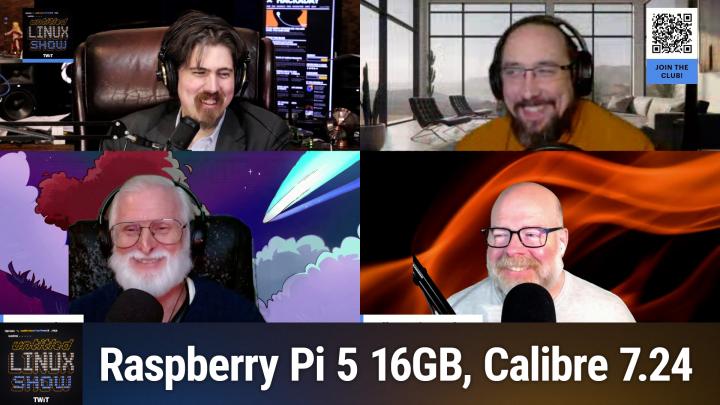
All TWiT.tv Shows (Audio)
Untitled Linux Show 185: The Butter Knife Edge
01:37:36
Browsers, Desktops, and Pis
Loading summary
Transcript338 lines
- [00:00]
Jonathan
This week we're talking browsers, from the latest servo update to the news with Chromium, and maybe some repercussions for Chrome. We talk about desktop environments in Wayland, of course. We talk about the new Raspberry PI's 16 gigabyte version, a new release of Linux Mint, and some interesting news with Sid Meier's Civilization and Linux, of all things. It's a lot of fun. You don't want to miss it, so stay tuned.
- [00:24]
Ad
Attention taxpayers. The IRS is intensifying collections in 2025. If you owe $10,000 or more or have unfiled tax, it's time to take action. Tax Network USA's experienced lawyers have saved clients over a billion dollars. They're ready to negotiate with the IRS on your behalf. Don't risk wage garnishment, property seizure or losing your home. Call 1-800-958-1000 today. Get the help you need at 1-800-958-10000 or visit tnusa.com listeners as we go.
- [00:57]
Sponsor
Into a new year, we all have a lot on our plates. There are backpacking trips across Europe to plan, personal bests to crush in the gym and capsule wardrobes to create Good thing. Our sponsor, NerdWallet is here to take one thing off your plate. Finding the best financial products introducing NerdWallet's 2025 Best of Awards. List your shortcut to the best credit cards, savings accounts and more. The nerds have done the work for you, researching and reviewing over 1100 financial products to bring you only the best of the best. Looking for a balance transfer credit card with 0% APR? They've got a winner for that. Or a bank account with a top rate to hit your savings goals. They've got a winner for that too. Know you're getting the best products for you without doing all the research yourself. So let NerdWallet do the heavy lifting for your finances this year and head over to their 2025 Best of Awards at NerdWallet.com awards to find the best financial products today.
- [01:53]
Ad
If you have a locked AT&T phone, we're here with bolt cutters. T Mobile will help pay off your locked phone and give you a new 5G phone for free, all on America's largest 5G network. Visit t mobile.com carrierfreedom be a virtual.
- [02:08]
Prepaid MasterCard in 15 days. Free phone up to 830 via 24 monthly bill credits plus tax and a 10 device connection charge qualifying port in trade in service on Go 5G next and credit required. Contact us before canceling entire account to continue bill credits or credit stop and balance on required finance agreement as the bill credits end. If you pay off devices early.
- [02:26]
Jonathan
Podcasts you love from people you trust. This is Twit. This is the Untitled Linux show, episode 185, recorded Saturday, January 11th. The Butter Knife Edge. Hey folks, it is Saturday and you know what that means. It's time to get geeky with Linux, open source, all kinds of good stuff. And we've got the sort of the regular crew here on the Untitled Linux Show. And we are back and we have got a lot to cover this week. My wife was asking me earlier, like, how long do you think you guys are going to go today? I said, well, let me put it this way, there's four of us and I've brought two stories as well. And she's like, oh, okay, I won't see you for the rest of the evening. Okay, that's fine.
- [03:12]
Ken
So we'll try to get done before midnight.
- [03:14]
Jonathan
Yes, in the interest of not going too late after midnight, we're going to dive into it and Rob is going to start us out. You've got a story about the Servo browser and the important things. And I'm not sure how much sarcasm there is in there, but I have a feeling that there is at least some.
- [03:31]
Rob
Of course it's my story. Doesn't matter what it's about. You know, there's going to be a little sarcasm. And you know, everyone's in technology on tech podcasts. You know, we've talked about making a web browser, Web browsing engine is, it's, it's hard, it's not, it's not easy. And today, you know, we're limited to a few browsing engines as, as ones used in Chrome, Firefox and Safari. But, and I don't know why anyone use that one, but they are, you know, and these, these have all been around for a long time and you know, they've been able to grow gradually with the web standards. Starting from scratch today would kind of be a nightmare. Well, the Servo browser engine is attempting to do just that. We've talked about them before and even I even tried it out and I, I probably demoed it on the show briefly or maybe I talked about my experience. I know I've tried it out. And we should also probably keep in mind that when I, when, when I call Servo a new browser, it actually started over 10 years ago already is like 20. Oh, I forgot. 2012 by the Mozilla foundation and it's developed in Rust so you know it it ideally if they actually get the thing off the ground, it maybe could be a more memory safe browsing alternative. But you know, with all this they keep chipping away at it and making a usable browser engine and you know, probably in the drive to be the first usable Rust based browser engine. And in fact with their latest release you are now able to log into Discord and read messages, but you still can't send messages. They're making improvements there. The latest release provides many other improvements such as improved. You're going to need to know maybe some web technology lingo to understand why I'm going to say it here for most of these Improved Shadow dom support enough XPath support is implemented now to get HTMX working. Servo shell nightly builds are now up to 20% smaller than they were before. So more efficiency there in the coding it sounds like or the compilation. I don't know how but they're smaller. Improved performance which is always good for our future web browsing engine and CSS transitions can now be triggered properly by script. But even with all these big improvements being worked on, they still have the time to target the really important stuff. Likely the feature so many people have been screaming about because people love this feature in pretty much everything they use. I'm not a fan, you know, some love it, some aren't so much. But you know, this is a feature the Servo browser has been missing. And now Servo now supports dark mode and we'll respect the OS platform Dark mode within the Servo shell. So all I got to say about this update is it's good to see they're getting the important features out of the way. The things that you just can't live without with a web browser. Even though I've lived 20 years, well I've lived longer than that, but I've gone 20 plus years with a web browser and no dark mode. So I don't know why this was a top priority.
- [07:25]
Jonathan
Dark mode is a big deal for some people. For a certain group it really is a big deal. And part of it, like part of it's ice drain, right? That is part of legitimate deal, especially those of us that have a tendency to just let the room get dark around us as the sun goes down and we continue doing whatever we're doing. The less high strain of dark mode is kind of a nice thing. So I get it. I understand why people really like it and consider it important.
- [07:52]
Jeff
Yeah, well, monitors keep getting brighter and brighter with the HDR specs and whatnot. So that bright white background just keeps getting brighter and brighter.
- [08:03]
Jonathan
I will tell you one of the first things that I did when I got my HDR monitor set up on KDE and it actually started working and giving me all the controls is I went into the SDR slider. I'm like, let's go all the way down with that. And so I kind of have my own dark mode setup just because SDR is dropped in brightness as well.
- [08:20]
Rob
I like brightness, but even for those who like it, I don't know, let's just get the browser working first, get it usable. Yeah, well, for those of you who do like you said, like to start in the day with a nice bright screen or whatever to match the world and then go down to darkness when it gets dark out. I have a tip for that later. At least for the KDE users. The KDE users.
- [08:51]
Jeff
Are you gonna say something like sunglasses?
- [08:54]
Rob
Yeah, they have transitions now.
- [08:56]
Ken
Yeah, yeah, I've got a pair of those. They don't adjust for the blue light.
- [09:06]
Sponsor
Listeners. As we go into a new year, we all have a lot on our plates. There are backpacking trips across Europe to plan, personal bests to crush in the gym and capsule wardrobes to create. Good thing. Our sponsor, NerdWallet is here to take one thing off your plate. Finding the best financial products. Introducing NerdWallet's 2025 Best of Awards. List your shortcut to the best credit cards, savings accounts and more. The nerds have done the work for you, researching and reviewing over 1100 financial products to bring you only the best of the best. Looking for a balanced transfer credit card with 0% APR? They've got a winner for that. Or a bank account with a top rate to hit your savings goals. They've got a winner for that too. Know you're getting the best products for you without doing all the research yourself. So let NerdWallet do the heavy lifting for your finances this year and head over to their 2025 Best of Awards at NerdWallet.com awards to find the best financial products today.
- [10:04]
Ad
If you have a locked AT&T phone, we're here with bolt cutters. T Mobile will help pay off your locked phone and give you a new 5G phone for free. All on America's largest 5G network. Visit t mobile.com carrierfreedom via virtual prepaid.
- [10:19]
MasterCard in 15 days. Free phone up to 830 via 24 monthly bill credits plus tax and a 10 device connection charge. Qualifying port and trade in service on Go5G next and credit required. Contact us before canceling entire account to continue bill credits or credit stop and balance on required finance agreements. Do you have bill credits and if you pay off devices early I'm no.
- [10:35]
Sponsor
Tech genius, but I know if I want my business to crush it, I need a website now. Thankfully, Bluehost makes it easy. I customized, optimized and monetized everything exactly how I wanted with AI. Within minutes my site was up. I couldn't believe it. Plus Bluehost keeps me protected 24. 7. No more worrying about hackers. I just relax and focus on my customers. So whatever your hustle may be, secure your online presence in 2025 with Bluehost. Head to bluehost.com to start now.
- [11:10]
Jonathan
All right Jeff, let's talk about Lenovo. And interestingly that Jeff is bringing the NVME story. He is our resident NVME expert.
- [11:21]
Jeff
Maybe not expert or I can't talk to expert level all the time, but.
- [11:28]
Jonathan
In the context of this panel of the four of us, you are definitely the NVME expert.
- [11:32]
Ken
You're definitely the hardware expert.
- [11:35]
Jeff
Yes. So a recent finding of an issue within Linux is what this story is about. And we have some gen 5 NVMe drives have encountered specific issues and this has happened since June of 2023. And I and I should note this only occurs in very specific situations. But what Happens is a Gen 5 drive which normally runs at 32 giga transfers a second would negotiate down to 2.5 giga transfers a second. Now for those who may not be familiar with an NVME drive, these are sometimes referred to as gum stick drives due to their small rectangular shape, and they function like an SSD but use an M2 interface, which is essentially a special small PCIe interface. These drives come in various sizes, with the smallest being a 2230 drive. And it tells you the physical size because the first number representing the width in millimeters and the second represents the length in millimeters. So 22 millimeters by 30 millimeters. In the case of the the small drive there. The longer the drive, the more flash memory it has on board and therefore the more storage capacity it it'll offer. In general, there's, you know, different densities in NAND storage and whatnot. But but we're talking generalities here. Typically these drives are mounted on the motherboard beneath a heat sink, so changing them on a consumer motherboard involves opening the case, usually using a tool like a screwdriver to remove the heat sink, placing the new drive in position and then restoring the heat sink. So this means in general they're not hot swappable. Now I bring this up for a reason. So the issue I'm addressing today was discovered by Lenovo and it became apparent when drives were hot swapped, a scenario much more common in enterprise and industrial settings than in consumer hardware. So Lenovo issued a series of patches to rectify this issue issue and to quote JWI son of Lenovo and I'm sorry if I mispronounce that from the kernel mailing list, he said, and I quote, when we do a quick hot add hot remove Test with a PCIe Gen 5 MVMe disk, there's a possibility that PCIe Bridge will decrease to 2.5Giga transfers from 32GigaTransfers a second. The issue is caused by commitment. Now I'm going to skip over all the hex number and just give you the text version of what it is. It's a workaround PCI link training failure. And he goes on to say although commits correct error reporting with the PCI failed link retraining patch and the patch revert to the Original speed after PCIe failed link retraining have so that that's another patch have tried to fix similar issues, there's still a window for triggering the issue within a 1/2 hot add hot remove test. So besides commit and then of course it add PCIe set target speed that's the name of the commit introduces two potential issues that might cause the removing of the 2.5 giga transfers downstream link speed restriction to fail. So just to summarize that in essence an initial patch was attended to an address was intended to address link speed training issues inadvertently introduced advertently introduced further problems. So the Lenovo fixes targeting the hot plug testing code and the fixes and it fixes reading a wrong register fields during the retraining function. So there's a. There's a couple little things going on here. It sometimes wouldn't negotiate the speed properly and in the hot swap sometimes it would read the wrong register fields which would cause the drive to fail negotiation totally again in these 1/2 hot add hot remove situations which in enterprise can happen because people are shucking drives in and out for whatever reason at a high rate of speed, trying to, you know, be as efficient as they can and get as much work done as they can. So for more details and a link to the original Linux mailing list email, please refer to the article linked in the show notes. But soon we should see a patch so that even if you are hot swapping NVMe Gen 5 now, that's another important point. Here's Gen 5 drives, then you should be cleared up in the next kernel release.
- [16:23]
Jonathan
Interesting. And as I liked what Quippy said or what Keith 512 said, what this means in English was the drive was reducing the PCIe generation from like PCIe 5 down to a lower level like PCIe 3. And yes, that's. That is the much simpler way to put it. Now the important point here is this was only when hot swapping. Right. So like this is something that we were going to see on Lenovo laptops we're running Linux on. This is what I first thought of. Yes.
- [16:51]
Jeff
And that's why I wanted to specifically call out what NVME drives are and how they're used in consumer motherboards because a lot of times they're underneath graphics cards or you know, they're not easily to get to places. So this is not something that you would encounter in, for, for people outside of enterprise or industrial applications.
- [17:15]
Ken
So you don't think I'd have to worry about it with my 2009 Lenova Think Center?
- [17:22]
Jeff
No. And you're not running PCIe 5 gen 5 on that either?
- [17:26]
Rob
Yeah, or NVME or anything like that at all?
- [17:29]
Ken
Not unless I change out the motherboard.
- [17:31]
Rob
That's probably like still ide.
- [17:33]
Jonathan
Oh no, no. It.
- [17:36]
Jeff
You actually could run in there because the, the NV. The M2 slot is basically PCIe. It's smaller, but it's basically what it is. And you have simple adapters to go from NVMe to like U2 and U3 drive interfaces and you can, you can plug in boards into piece into regular PCIe slots that you could hold several M2 drives in it. So, so they're very compact compatible. I mean they're pretty much the same standard.
- [18:09]
Rob
I don't think anyone's doing a show story on it today, but did anybody else see what, what else Lenovo has announced this week?
- [18:17]
Jonathan
No. So this week is ces and I know we didn't get a whole lot of CES stuff into the show notes. Rob, go ahead and let us know what, what did you see?
- [18:27]
Rob
Well, the, the Legion go, which is the, the, the Steam deck competitor except for unlike the other Steam decks, this is actually going to have Steam OS on it. So it's the first, first third party device that's going to have a cmos.
- [18:43]
Jonathan
Yeah, so we talked about this. We covered the made for. Made for steamos. I think that was what the Badge is. And we sort of speculated that someone would come along and have one of these. We thought it might even be more like a smart, you know, HTPC sort of hardware. But it's another handheld, which is interesting. Yeah.
- [19:02]
Rob
So another. Another Steam deck. I don't have the specs in front of me, but 699 looking for a release date of October, so.
- [19:11]
Jonathan
Cool.
- [19:11]
Rob
We'll talk more about that later on in the. In the year.
- [19:14]
Jonathan
Yeah, I'm sure we will. All right, Ken, we want to talk about. Yeah, Jeff.
- [19:18]
Jeff
Oh, I was just gonna comment on that and say I think almost all the handhelds coming out, I bet 90% this coming year are going to have SteamOS versus Windows just because the Windows.
- [19:29]
Jonathan
Versus what seemed to flop. Yeah. Did not do well.
- [19:32]
Rob
Yeah, that'd be a big win. Big win for Linux gaming.
- [19:36]
Jonathan
It would be a very interesting niche. That would be a very interesting niche for Linux to have. We've talked for years about the year of the Linux desktop and the joke has been that it's come in the form of Android. It's a very interesting niche that Linux is doing so well on mobile platforms.
- [19:54]
Ken
I know two things that I will put on. One I'll cover later, but if you want to. Jonathan, I can give her the other one now.
- [20:03]
Jonathan
Okay. I guess.
- [20:07]
Ken
Of course. Is Calibri.
- [20:09]
Jonathan
Ah, yes, I think it's Caliber, isn't it? Didn't we get in trouble for calling it Calibre?
- [20:16]
Ken
And I still slip into that occasionally when I'm thinking or not thinking.
- [20:21]
Rob
Stop thinking that.
- [20:24]
Ken
But let's go ahead and hear what Mari Esta wrote about developer Covid Goyle announcing the latest stable version of the powerful cross platform free and open source ebook management software that should be called Caliber. In this case, it's version 7.24. Now calibre is also one of my favorite applications, as I'd already mentioned. And version 7.24 introduces several new features to include the ability to create rules to transform ebook series names, which you can experiment with in the Bulk Metadata editor and also through Preferences Metadata Download. Now the new Caliber version introduces a new option to show a button that gives you quick access to all available actions from the status bar with a single click, which you can enable in Preferences look and Feel Main interface Show Actions button. In answer to feature request, we now have a button to export the currently displayed list of words as a CSV file in the spell check feature of the Edit Book component and the ability to choose the ebook cover as the format to save when saving single format to disk and a checkbox to automatically convert obsolete ISBN 10 to ISBN 13 in the Add from ISBN feature. Calibre 7.24 also improves the ebook conversion feature by automatically setting the page progression direction for ebooks that don't have it set and have their primary language as either Arabic or Hebrew and improves the content server's Book details view to make caliber colon slash slash show dash book and caliber colon slash slash view dash book URLs work in the comments as always, I recommend reading Marius article that I have linked in our show notes to see what I didn't cover and follow the link. So if you want to get a copy of Caliber.
- [22:58]
Jonathan
Yeah, Caliber. Caliber is cool. I've. I have pulled it down and I've used it a little tiny bit. Not a whole lot because, you know, I don't do a whole lot of ebook reading. Oh, I don't do a whole lot of ebook reading, but if I do, it's not generally going to be at the desktop either. But it is cool that it's out there.
- [23:16]
Ken
I don't use it for reading per se. I use it more for managing all the ebooks I've gotten. I started back at least 2012 using it. So managing ebooks for. For the Palm ebook format.
- [23:35]
Rob
What do you do with all those ebooks? Once they're managed.
- [23:40]
Ken
It makes it easier for me to put them onto my phone or in the past, onto my Palm pda.
- [23:49]
Rob
You read an ebook on a tiny little phone screen.
- [23:55]
Ken
I even also use it to put it on my Chromebook.
- [24:00]
Jonathan
Could see that. Believe it or not, Rob, you can actually read a phone on a tiny little phone or an ebook on a tiny little phone screen. It's kind of a one word at a time. I know one word at a time.
- [24:13]
Rob
Just. But why would you want to?
- [24:17]
Ken
Because you don't have the book physical book with you.
- [24:20]
Jonathan
Sometimes that's all you've got if you.
- [24:22]
Rob
Needed something to quickly reference. But I'm not going to kick back and enjoy a good book on a tiny little phone screen.
- [24:29]
Ken
Well, the ebook reader I've got allows me to sync between my Chromebook, my Kindle and my phone.
- [24:38]
Rob
Cool.
- [24:39]
Ken
And it also gave me the capability of putting books I'd borrow temporarily from the library, owned all of them, and then delete them once I was done.
- [24:52]
Jonathan
That's actually handy.
- [24:54]
Jeff
Well, and a lot of times, you know, you're doing what you can with what you got right now.
- [25:00]
Jonathan
Yep.
- [25:01]
Rob
I'm just not reading right now then, I guess.
- [25:05]
Jonathan
All right, Rob, let's talk about something that is happening right now and that is the, the shake up at Chrome and therefore the shakeup with Chromium.
- [25:14]
Rob
Yeah. So with the servo browser engine that I talked about in my last story, you know that that became a Linux foundation project back in 2018, but today in 2025, it seems that the Linux foundation is going to be backing, financially backing another browser. It's, you know, and it's always good to hear when an open source project finds new ways to secure funding and to move development forward. But you know, I, in, in this case I do feel a little like we're giving money to billionaires who already have a lot of money. I don't know, maybe not. Here's a story. So as the Linux Foundation. Linux foundation, well they're partner partnering with the behemoth Google to create the quote supporters of Chromium based browsers, unquote fund. So it's a fund, you know, this fund will provide money to open source developers working on Chromium based open source projects. And because apparently Google didn't have enough money to support what is essentially their project, they're getting other people to help. Now today Google is responsible for around 94% of the contributions to open source to the open source Chromium project itself. And then to a much smaller extent, Microsoft, Samsung, Opera Galley and others are also in there. But the hope is the new fund will bring in other developers from outside of these big corporate walls to help out in the development, get some funding for them so they can do some good work on this. Even though I think these big corporate people could pay for that too. But it's good to get some non corporate money. I don't know who's going to donate to it either. Maybe it's just got to be these big corporate people anyway. But anyway, it says Google loves to kill things that it creates. Maybe this is their way to shield a project that they have been thinking about killing off. You know, maybe they're thinking it's about time they get rid of Google Chrome. And so somebody's like hold on, let's find a way to save it so it's not gone. I don't know. Or maybe with the US Justice Department calling for the breakup of Google, this is their way of showing they aren't in control of Chromium and therefore it isn't theirs to sell off. I don't know what the reason is. Maybe they just want to be benevolent, get some funds and, and help some developers. Yeah, all potentially good things. There's some cynical views there, but money for developers is good. So with, with things as they are, you know, maybe this will protect the Chromium project from the turmoils that Google brings. And the fact is Chromium's just. It's the biggest player out there. You got the Firefox browser engine and, you know, who knows what their future is either with potential of Google money going away and other struggles in that area, we don't want Safari to be the only one left. That would be horrible. I have to quit browsing the web.
- [28:54]
Jonathan
So, Rob, I'm going to be more cynical than you are. I'm going to say that this is 100% a response to the US Treasury Department threat or Justice Department, excuse me, the Department of Justice threatening to break up Google and threatening to make them sell the Chrome browser and spin it out from Google. I am convinced that this is 100% a response to that start. The, it is the beginning of the process of moving the Chromium project to the Linux foundation and that, that gives, well, one that gives Google some cover against the. No, we don't completely own and control the browser ecosystem. Look, look, are we, we're just a part of this Linux foundation project. And I think it also sets them into a better place if they do indeed need to try to sell the Chrome browser itself. It's just one less way that it's tied to them. So I think this is directly related to all of that.
- [29:51]
Rob
Yeah, probably.
- [29:53]
Jeff
I don't know what, I don't know what it'll change though, really. I mean, it's kind of a paper move because I don't. I mean, what, what does Chrome support that Firefox can't? Now, there's some things they don't. But what, you know, is there any proprietary stuff that Electron apps.
- [30:15]
Jonathan
I mean, there are other ways to build Electron apps without using Chromium. There are some features in Chromium that have not landed in Firefox yet.
- [30:25]
Jeff
But they could, right?
- [30:27]
Rob
PWAs.
- [30:29]
Ken
If this isn't the end of Firefox.
- [30:32]
Jonathan
No, it's not the end of Firefox. Not yet.
- [30:34]
Jeff
No. They're going to keep Firefox. Google will pay a lot of money to keep Firefox going.
- [30:39]
Rob
Not if they don't own Google anymore.
- [30:40]
Jonathan
If they don't own Chrome anymore or Chrome.
- [30:42]
Rob
Chrome, I mean.
- [30:43]
Jeff
Well, true.
- [30:45]
Rob
What do they care?
- [30:48]
Jonathan
Yeah, that's, that's been part of, the, part of the prediction is that, you know, if, if Google is forced to get rid of Chrome, then Google is going to stop paying Firefox money to exist. And yeah, that's an interesting.
- [31:01]
Rob
One of my biggest conundrum beefs with the Firefox browser engineer, whatever. Maybe it's the Firefox web browser itself is, is the fact that they. And it's a port for PWAs. You know, the future's coming. Like we don't like the future.
- [31:20]
Jonathan
That might be coming back. By the way, they, they in our conversation, this has been several weeks ago, a couple of months ago maybe we had a couple of guys from Firefox, from Mozilla on Floss Weekly and we, we had, it was, it was, it was me and David, we're on there and David says, what about PWAs? Why did you guys kill them? And the guy's like, there is a reason, but we've opened the door to maybe bringing those back. And I think there was even a bug report that he told us to go to. And like if you feel really strongly about PWAs, go and let us know at this bug report and we're going to see what we can do. So that might be coming back to Firefox.
- [31:59]
Rob
I'll need to find that bug report because I'd like to throw my name in.
- [32:02]
Jeff
Yeah, what are PWAs?
- [32:05]
Rob
Progressive web apps. Do you need me to explain further? I guess we could explain for the audience.
- [32:12]
Jeff
Give it a two sentence explanation.
- [32:15]
Rob
Two sentence explanation. It's basically turning a website into more of a desktop app.
- [32:25]
Jonathan
It's installing a website so that it behaves more like an application. Yes. I will tell you something else that Firefox is working on that is really, really fascinating to me and that is there is a patch set bouncing around inside the Firefox bug tracker right now that adds HDR support for Linux. Now it's buggy and they've got some other things they're like, well, this really needs to land first and that really needs to land first. But yeah, it's very possible that Firefox is going to have working HDR support before Chrome does. I find that hilarious. All right, cool. Yes. So I tell you something else that's cool. I think it's cool and some people out there think it's very not cool. That is the Raspberry PI. The Raspberry PI 516 gigabyte edition. This just recently got announced in the past few days by the Raspberry PI foundation and it is on sale. The PI 516 gig is on sale for $120. And various people have different opinions on that. I've heard Some people say that that is ridiculously too much money. I have seen people say as a result of this, well, I guess the last pie I bought was the last pie I'm ever gonna buy. I've heard people say, well, you can get one of those little tiny Amazon, it's not the Nuke, it's not the Nuc branded, but little tiny Amazon intel based computers for this price. And I get all of that. But at the same time, it's all kind of silly. So if you either cannot comprehend why someone would need a 16 gigabyte Raspberry PI, or cannot comprehend why someone would willing to be Pay to pay $120 for it, then the fact of the matter is that this is not the machine for you, it was not made for you, you were not the target market for it. And that's fine. You really don't need to get angry over the fact that there is a market. There is a market for this. I promise you there is a market for this. And the Raspberry PI Foundation is 100% within their rights to try to make a machine for that market. And so let's talk about the market. And there are two big ones that come to mind. The one that Raspberry PI themselves talked about is those that are using a PI 5 as their desktop computer. And having 16 gigs is handy. It is nice to have the full 16 gigs of memory if you're using it as a desktop. That is one market. But the other one, and the one that I think really is probably going to be even more common, is where people want a cheapish ARM64 compiler, they want to be able to do something like Run GitHub Runners on it or some other place where they want to be able to compile a bunch of things. And the fact that it's four core, it makes sense to try to do four compiles side by side. And there are times that eight gigs is not quite enough for that. So pushing it up to a 16 gig memory, it makes sense there. Jeff Geerling covered this and he was also talking about things like if you're using the Raspberry PI to serve websites, which is a totally legitimate thing to do, sometimes those websites take a lot of RAM for each of the individual sessions that they pull up. And so if you have more than three or four people trying to pull up the same site at the same time, you need to be able to give it more RAM than just eight gigs. So there are reasons and there are legitimate reasons why this thing is going to Sell. People are going to want it. It may not be for you. And that's okay. I was just blown away. Like I saw so much hate from people like ah, they've given in to corporate greed and you know, the corporate. That's why they become a corporation. That's why they're charging so much for this. It's. It's actually fairly simple. Like there's a. There's a really, really simple algorithm. So it's like the, the base thing is. Is it $40 and then it's $5 per gigabyte? It's something like that. Yeah. It's $40 plus $5 per gigabyte of RAM. And that is the price for the entire Raspberry PI 5 line.
- [36:48]
Ken
And the base one's two gig. It starts at two gig.
- [36:54]
Jonathan
Yeah. I don't think they make a one gig Raspberry PI 5.
- [36:59]
Rob
Yeah. When I saw your title that said about the new PI 16 and why you shouldn't be upset. I'm like, what? Who's upset? That's.
- [37:08]
Jonathan
People are. People are upset.
- [37:10]
Rob
It's more, cost more.
- [37:13]
Jeff
I thought maybe people were upset. Have enough memory on it?
- [37:18]
Jonathan
Yeah, it broke. It broke $100. That's people just. The raspberry PI is now $100.
- [37:24]
Rob
Ah. I mean I get it was awesome when the first Original one was $35. That was awesome.
- [37:30]
Ken
And how much was the memory then?
- [37:33]
Rob
Weak.
- [37:34]
Jonathan
Like baby. 512.
- [37:36]
Rob
Yeah, 512 megs.
- [37:40]
Ken
And the cost of the memory.
- [37:43]
Jonathan
I think it was DDR3 too.
- [37:47]
Ken
And this is going to be DDR4, correct?
- [37:50]
Jonathan
I think so.
- [37:52]
Ken
Darn it. Not DDR5. That's what I'm mad about.
- [37:54]
Jonathan
Nope, not yet. Not yet.
- [37:58]
Ken
You got to get mad about it. Get mad about it being DDR4 and not DDR5, right?
- [38:03]
Rob
Yeah. Living in the P. Pass. Come on.
- [38:05]
Jeff
No, I'm mad because it doesn't have two 10 gig network ports on it.
- [38:12]
Rob
Even one. Does it have one? It's not 10 gig.
- [38:14]
Jonathan
No, no. I think it's just one gig. The network ports, it's got the exposed PCI Express though, so that you can. You can put a two and a.
- [38:23]
Ken
Half gig connection to the PCI Express.
- [38:25]
Jonathan
Yeah.
- [38:26]
Rob
And I think the PI 5 or even 4 and 3 probably can actually support the full one gig, whereas I know the one and maybe two couldn't actually. You could never actually achieve a gig or even half that.
- [38:41]
Ken
I think back when those came out. Did you need more than a gig?
- [38:47]
Rob
No, I couldn't even. You couldn't even achieve a gig there. It was more like 4-600 Mbps.
- [38:55]
Jonathan
So loquacious. Let's, let's, let's, let's deal with this. Loquatia says, for some reason, I thought the Raspi was designed so that impoverished people would have access to computing. It was designed to give educators a platform to be able to put computers in the hands of school kids. That is what it was made for. The original Raspberry PI was sold for $35. You can, right now, if you can find it in stock, you can get a Raspberry PI 4 Model B with 1 gigabyte of RAM for $35. It is still out there. That is still a reason. That is still a thing that you can do. And the PI 4 with one gig, you know, as long as you're not trying to watch, you know, 4K video on it, you know, you're not trying to compile on it, it is still a, a serviceable machine for fooling around and understanding what, how computers work to learn. Like, you can still, you can still emulate the Oregon trail on the PI 4 with one gig.
- [39:58]
Rob
Yeah. And those are all still available.
- [40:01]
Jonathan
Yeah, but so what, what has happened here, though, is all of the rest of us that are not a part of education, we have looked at the Raspberry PI and we've said this thing is amazing. And for some of us it's because it's got, you know, gpio. For some of us it's because it's, it's this big in comparison to, you know, a normal computer. There's a bunch of different reasons why people just have gone nuts over it. It's good hardware, it's got good support. So I don't think there's any shade to be thrown at Raspberry PI for also building units that make sense for these other use cases.
- [40:38]
Rob
Yeah, you don't have to buy that model. You can stick with the lower end models.
- [40:41]
Ken
Yeah, yeah. I've got the Raspberry PI 5.8Gigabyte model because that, they didn't have the 16Gigabyte at the time.
- [40:51]
Jonathan
You would have bought the 16 if you could have. Yeah, yeah. All right.
- [40:57]
Rob
My gaming System only has 16 gigs of RAM in it. And I realized today that I think I need to update that or upgrade that, but it still works fine.
- [41:05]
Ken
I think what people are forgetting that 16 gigabyte is for people who won't.
- [41:11]
Rob
Lots of, lots of Chrome tabs. Lots of Chrome tabs.
- [41:15]
Jonathan
Well, they want a cheap computer or they're using the Raspberry PI for something very specific that's, you know, it's not general purpose computer, but someone that's compiling, someone that's working on AI stuff. It might be there. But the biggest thing that I would say is the existence of the 16 gig model for the higher price does not in any way change the availability the pricing of the cheaper models. Like it is entirely unreasonable for that to offend you if you're concerned about the educational element that the Raspberry PI has always been for.
- [41:48]
Rob
And I wouldn't, I would disagree, Ken. It's not for people who want that cheap it's not for people who want that cheap computer because you can already get other options. Like many people pointed out at that price range for a cheap computer like my pine book was $125, but it's lower specs.
- [42:11]
Ken
And I bet you anything that this is a step to that PI 500 Pro that Jonathan wants that is possible.
- [42:24]
Jonathan
There is a little snippet in here that apparently this was partially possible because Micron gave them a maybe a custom piece of hardware, but I'm sure we won't be able to get the details on that, at least not at the moment. That would have to come from like Raspberry PI or an official Micron statement and they don't tend to make those about these kind of things early next year.
- [42:48]
Ken
Sounds like it's time to get the who was it from Raspberry PI you.
- [42:54]
Jonathan
Had on Floss Wiki Evan, Evan Upton.
- [42:57]
Ken
Get him back on.
- [42:59]
Jonathan
We might do that. We could see about doing that before then, though. Way before then. It will be time for Jeff to tell us about KDE Plasma 6.3.
- [43:11]
Ad
Attention taxpayers. The IRS is intensifying collections in 2025. If you owe $10,000 or more or have unfiled tax returns, it's time to take action. Tax Network USA's Express experienced lawyers have saved clients over a billion dollars. They're ready to negotiate with the IRS on your behalf. Don't risk wage garnishment, property seizure or losing your home. Call 1-800-958-1000 today. Get the help you need at 1-800-958-10000 or visit tnusa.com listeners as we go.
- [43:44]
Sponsor
Into a new year, we all have a lot on our plates. There are backpacking trips across Europe to plan, personal best to crush in the gym and capsule wardrobes to create. Good thing. Our sponsor, NerdWallet is here to take one thing off your plate. Finding the Best financial products introducing NerdWallet's 2025 Best of Awards List your shortcut to the best credit cards, savings accounts and more. The nerds have done the work for you, researching and reviewing over 1100 financial products to bring you only the best of the best. Looking for a balanced transfer credit card with 0% APR? They've got a winner for that. Or a bank account with a top rate to hit your savings goals? They've got a winner for that too. Know you're getting the best products for you without doing all the research yourself. So let NerdWallet do the heavy lifting for your finances this year and head over to their 2025 Best of Awards at NerdWallet.com awards to find the best financial products today AT T Mobile, we'll.
- [44:42]
Ad
Give you four free 5G phones and four lines for only $25 per line per month with eligible trade ins. And no, it's not a contest. It's every day for a limited time, everyone's a winner on America's largest 5G network.
- [44:53]
Minimum of 4 lines for $25 per line per month with autopay discount using debit or bank account. $5 more per line without autopay. Up to $830 off each phone via 24 monthly bill credits plus taxes, fees and $10 device connection charge for well qualified customers. Contact us before canceling entire account to continue bill credits or credit stop and balance on required finance agreement too. Bill credits end if you pay UP.
- [45:09]
Jeff
Devices early ct mobile.com yes, so last week we touched on this topic, but now it's official. KDE Plasma 6.3 is out for beta testing. Now this coincides with KDE gear 24.12.1 and KDE framework 6.10. So we've just discussed in the past how these three kind of components, Plasma Gear and frameworks work together to create the entire KDE environment. However, today we're only going to focus solely on plasma. Each of those have updates and improvements as well. So it's, it's, you know, every. Everything's up leveling. So what's new and changing in 6.3 plasma? Well, let's dive into the details and we have now the ability to clone a panel and the ability to set a keyboard shortcut to move windows between custom tiling zones based on directionality. There's also there's support for remembering the active virtual desktop per activity and the option to prefer screen color accuracy within kwin. Additionally, we can now have low battery notifications for wireless headphones that will properly expose the battery information. And you can also configure your touchpad to be automatically disabled when plugging in a mouse, which I personally love. I hate it when I plug in a mouse and I have to manually go in and set the touchpad to be off. We have now even better fractional scaling, so that's continuing to get improved. Widgets placed on the desktop are now slightly translucent, and when you have a network hotspot that you set up with your system, it will assign a random password for extra security. So you don't have a default basic password that people could guess. It's always going to give you something randomized. I mean, you can change it if you want, but the initial out the gate security is going to be improved because people can't automatically know that you're using password1 or whatever. The default used to be KDE Plasma 6.3 also takes advantage of a kernel message, which we've talked about this before on previously on the show how the kernel is supporting this better, but now KDE hooks in and it will better prompt a user when the system terminates an app because it's running out of memory. So rather than just kill it and you're like what happened to my Chrome or my whatever, now you're going to see that hey, the system was severely running out of memory and it killed the app so that it could keep the system from totally crashing. Another security enhancement is that Discover Package Manager will show when apps are directly packaged by their developer or by a verified and trusted third party. And if you're downloading an app that's packaged like flatpak, the installation progress will be more accurately shown and will take into account when any new run times must also be downloaded. So this will all be calculated in the progress. So you're downloading a flat pack and rather than getting stuck someplace you're thinking what's going on? It's going to better show you that oh, it had to download all these runtimes and dependencies with the flat pack that were that the flat pack would be dependent on because it would all be packaged inside inside. But the other things to make it run that'll that'll be calculated correctly now. Now take a look at the article linked in the show notes for more details. Because I skipped over several updated items and by following the link in the article you can go to the official announcements page and see the change log and there are hundreds of updates that have been made. So the article only covered a small bit and I only covered A small bit from the article. So there's a lot of changes in KDE Plasma 6.3, and in case you forgot, we should see the final release of 6.3. So it's in beta now. It's going to go officially released on February 11, barring any major issues. And if you're a system integrator, Tarballs will be available a week earlier on February 6th to give maintainers, you know, a little bit of time to integrate them into their distributions. So I'm excited for KDE Plasma 6.3 and I can hardly wait.
- [49:49]
Jonathan
Yeah, I, I do. I too am looking forward to it. There's some neat things that landed there. I, I bet in Fedora it's not going to land until Fedora 42. So I may do the thing again where I grab the, the KDE package from the next version of Fedora. I've always had that work reasonably well. Live a little, little dangerously there.
- [50:12]
Jeff
I've been playing with the nightly builds of Kubuntu and they have, they haven't updated yet, but I was thinking it should be soon now. It wouldn't surprise me. The beta hits in and we can try it out.
- [50:25]
Rob
If you want to keep up to date with the latest kde, there are distros specifically for that.
- [50:31]
Jeff
Well, why not? But what kind of fun is that if you're not running a nightly build, you got to have a little excitement of it may or may not break every update.
- [50:39]
Jonathan
It's true. The problem with the one that Rob is talking about is that it's going to be running at the moment, not too terribly old version of the Linux kernel. But you know, give it a few months, about a year, and it'll be a terribly old version of the Linux kernel and all kinds of things are not going to work because of that.
- [50:56]
Rob
Okay, quit dissing Ubuntu.
- [51:00]
Ken
It's so hard. Ubuntu Studio 2410 is running a KDE Plasma version 6.1.5.
- [51:12]
Jeff
Yeah, but 6.2 is out.
- [51:15]
Rob
Yeah. So you're behind, you're behind.
- [51:18]
Ken
I'm on Ubuntu, but it's closer than it used to be.
- [51:24]
Jonathan
That's true. To embed.
- [51:25]
Jeff
Oh yeah. Because we talked about last week. Ubuntu in general, their canonical is trying to push a little more cutting edge. Maybe. Maybe it's not cutting edge. Maybe, you know, because you're not going to bleed as much as certain rolling distributions. You're just kind of on a bruised edge. You know, you just, you take a few bumps and stuff.
- [51:44]
Rob
But you.
- [51:44]
Jeff
But you're not going to really.
- [51:47]
Jonathan
It's like the butter knife edge.
- [51:49]
Jeff
Yeah.
- [51:51]
Jonathan
All right, well, what about Linux Mint? What version of KDE do you run if you get Linux Mint?
- [51:58]
Ken
I don't think you do. You run Cinnamon, don't you, Rob?
- [52:02]
Rob
Yes, Cinnamon is. Or Mate, if you.
- [52:06]
Ken
And Rob, this one is for you.
- [52:09]
Rob
Thank you.
- [52:09]
Ken
In fact, it's coming from Neo in journalist Paul Hill just for you. Paul wrote About Linux Mint 22.1 Zia undergoing final testing of its ISO before the stable version is made available for everyone. According to the Linux Mint website, the Cinnamon, Mate and XFCE editions are all undergoing testing right now and if they pass, they will start to filter out to the Linux Mint mirrors before an official announcement is made a couple of days later. Paul states, despite the fact that Zia is only a point Release in the Mint 22 series, it is still a substantial update. Zia comes with new power modules, Night Light integrated into the settings. Rob, are you looking Forward to cinnamon 6.4?
- [53:05]
Rob
I'm looking forward to its sweetness and.
- [53:09]
Ken
As well as new artworks and other improvements. One interesting improvement is Linux Mint modern modernization of the APT dependencies by transitioning to Appkit and Captain. Didn't you talk about that a couple of months ago, Rob?
- [53:30]
Rob
Oh yeah, that was quite a while ago. But yeah, we that did come up with their change they were making there.
- [53:36]
Ken
Thank you app. But AppKit is replacing App Daemon, providing a streamlined library for package management operations with updated functionality. And Captain unifies the features of JDEBI and Aptero into a single easy to use utility. For those not familiar with Linux Mint versions 22, 22.1, 22.2 and 22.3 will all be based on Ubuntu 24.04 LTS and receive updates until 2029. Unlike other operating systems, it's not necessary to stay on the latest point release. If you're happy with version 22, you can stay on that until 2029 with no issues or nagging. Though I bet Rob will hop to another distro before the end of the year. You have to give us a review of App Kipped and Captain after you try them out.
- [54:44]
Rob
Yeah, your distro hopping idea is a safe bet. I have installed Linux Mint. I'm starting to work on it. I'm looking forward to seeing how the upgrade process goes.
- [55:00]
Jonathan
Yeah, that should be interesting. I back back One of the last times I worked with Linux meant there was no upgrade process to go from one release to another. It was just like I guess you get to reinstall it. Have they actually. Do they actually have an upgrade process now?
- [55:17]
Rob
I think so.
- [55:18]
Ken
Paul Hill didn't go over anything about that, but I'm sure probably able to tell us how that goes.
- [55:25]
Rob
Yeah, I know Zorin did not have an upgrade process until like last year I think but I thought Linux Mint did. That hasn't came up in any of my anything I've ever looked into.
- [55:41]
Jonathan
See, Rob doesn't ever stick with the Linux distro long enough to have to upgrade it.
- [55:45]
Rob
Yeah, time to upgrade. That just means reinstall something new.
- [55:48]
Jonathan
Yeah, he's on the hop upgrade path.
- [55:51]
Rob
That's why I was on a rolling distro for so long. There was never a point where I had to upgrade. That's why I stayed at Archburg for two or three years or whatever.
- [56:02]
Ken
Got a suggestion on one that you might want to try after Linux Mint. It's Orion, Orient Mint or Orient Linux.
- [56:18]
Rob
I'm thinking of trying to. I think it's Tin. Tin Box or Tin. Tin can Linux. Tin can Linux is what I'm thinking of trying out.
- [56:26]
Jonathan
Yeah. Yeah.
- [56:27]
Ken
Is that based on Linux from scratch?
- [56:30]
Rob
No, I. I just saw. Saw it go across my feed. I have not dug into it this week. It looked like a very. It looked like a very minimalistic. I don't think it was any of the mainstream desktop environments but other than that I didn't get a whole lot further into looking at. But there was something. Something on Reddit about it about getting updated or. No, somebody. Somebody was just making it. I think he just released it.
- [56:57]
Jonathan
Yeah. So Rob, are you going to look for a Budgie desktop when you go to a new distro?
- [57:06]
Rob
You know, Budgie is always the. Has been an interesting looking one, even if often forgot about and missed from my mind. So as predicted, Wayland continues its domination and replacement of x, x 11x or whatever version of that you want to call it. So you know, and as seen in another other desktop environments this week, a desktop environment that, you know, this is a desktop environment that I often forget even exists. I don't know why I've tried it. It's good. But this week Budgie announced version 10.10 should be released this quarter. And so for the rest of you who also aren't familiar with this desktop, this niche desktop environment, it came out of the Solus Linux distribution project which is. It's not based on anything that's one of its own built. I've tried that too. Maybe that's where I tried Budgie it was pretty nice, but I don't know if it's got legs to last long term. It's kind of dipped sometimes and came back. It seems to keep going at it, but anyway, this to continue. It was been developed by Joshua Strobel, but is now available in other distributions such as there are spins and flavors of Ubuntu and Fedora and it's probably in other places too. I. I haven't really looked that hard. So the. The guys there at Budgie, they have been working hard. The guys. The guy. I don't know if it's just Joshua or what. He's at least the main guy. He probably has some contributors. But anyway, they've been working hard to integrate and it's been an option in some versions of 10.9, but with 10.10 they are planning for Budgie to be Whelen only and will no longer support x x 11x and. Or it's. It's no more. X X is gone. Been saying this for a while. Get out of here. X so the current Weightland support is done through the popular Lab WC LabWC compositor, which I know we've mentioned in various contexts before, but it's one of those guys that works behind the scenes. So that LabWC compositor is what they're using today, but they are working on their own compositor that should show up. Yeah, I don't know. In one of the feature releases, maybe an 11. You know, it's kind of amazing for such a small team to be doing so much work, but Joshua must be a pretty smart guy. Anyway, in addition, Budgie 10.10 will come with updated keyboard layout nightlight for those who like tweaking your desktop for nighttime instead of getting blasted by light task list and workspaces applets, as well as the implementation of the display configuration batch system. Budgie 10.10 will be the last release in the 10x or 10 series, with the next release after this being Budgie 11 on budget 11 Joshua says quote here, while we have already been working on some aspects of the experience, they will already apply to budgie 11. We have not yet started on Budgie Desktop itself and make no mistake, we will show it off as we work on it and when we have something that you can start messing with, we we will have a way for you to do it too. So budgie 11 just another tree domino. There we go. Another domino falling to my prediction of Whelen domination.
- [61:31]
Jonathan
Well, I mean it's inevitable right there's no other outcome. There is all of one developer that is seriously working on X11 and that is not, not even for the Linux desktop, that is for the BSD desktop. It's. Yeah, of course everything's going to go to Wayland.
- [61:47]
Rob
Yeah, even these little niche guys, you know, access cement.
- [61:53]
Jonathan
That's the case.
- [61:54]
Ken
Who's going to continue doing maintenance on X Wayland?
- [62:00]
Jeff
Well that's different. That's a translation layer.
- [62:06]
Rob
And Wayland is still the same team as X Wayland and X. I mean it's all under the same umbrella.
- [62:13]
Jonathan
So what's interesting is X Wayland is actually, I believe, the actual repository. It is part of the old X11 repository. So something that you might actually see here before too long is X Wayland getting spun out into its own project and it does not live inside of the Xwayland repository or that does not live inside of the X11 repository.
- [62:35]
Jeff
And really the one serious person working on it, it's more bug fixes and things, you know, things like that. It's not major feature upgrades or anything like that. And actually as time goes on X Wayland is going to become less and less important as more every. More and more things become natively Wayland.
- [62:54]
Jonathan
It's going to have a very long tail though. Oh yeah, yeah, very long.
- [62:58]
Ken
I mean it's probably as long as the Xorg's life.
- [63:04]
Jonathan
Well so I mean there are like, so, so you, you think about this like there are going to be. There are proprietary programs, like there are video games. Let's just talk about video games. There are video games that have ports to Linux. Those are always going to be X those. You know, there are some of those that are just, they're set in stone. They're never going to get another update patch. They're never going to go to Wayland. And so X Wayland is the answer for that. You might eventually see a project come along that replaces X Wayland to do the same thing. You know, something almost like Wine or the, the SDL Compat. I could see X Wayland eventually making its way into the SDL Compat library because that's the only place where it really comes up anymore is like old games. So I don't know it's. But it's going to have a very long tail. X Wayland will be around with us for a very long time.
- [63:56]
Ken
And I think we're going to revisit this question again after my last article.
- [64:01]
Jonathan
We can do that.
- [64:02]
Jeff
And I was going to, I was going to say unless the Game is also in Windows, then it might be better just to run it in Proton and say, don't worry about X, we'll just run the Windows version and it's all taken care of.
- [64:12]
Jonathan
Sad but true. The only compatible API for Linux is Windows.
- [64:18]
Rob
Yeah. So, you know, if a tiny little niche desktop environment run by pretty much one guy can progress and move it to all Wayland, any of them should be able to.
- [64:31]
Jonathan
Should be able to. Sometimes there's an inverse relationship between the number of people working on something and the amount of work that can get done quickly. Doesn't always work that way, but sometimes it does.
- [64:41]
Rob
Yeah, there, there are some hurdles.
- [64:44]
Ken
There's fewer arguments that way.
- [64:45]
Jonathan
Exactly.
- [64:46]
Rob
Part of it, yeah. They're not hurdles that they should be. There's ways to overcome them. It's possible. There are struggles, but it's definitely possible.
- [64:57]
Jonathan
Yeah. Right. So I've got a story, an interesting story here, and that is that the LGPL got tested in court in Germany. And this is something that we, that I at least pay a lot of attention to when these sorts of stories come along. And so a couple of things here. One, there is this sort of nightmare scenario that open source people sort of worry about, and that is that a license like the GPL will go to court and a judge will look at it and say, because this license has this problem, the entire thing gets tossed out. Right. And that has repercussions everywhere. That hasn't happened. It doesn't look like it's going to happen. The GPL and the LGPL were written by very smart lawyers who actually knew what they were doing, thankfully. But still, every time one of these goes to court, we watch it very carefully because what a judge decides has a lot of potential impact because of precedents and common law, things like that. So the LGPL went to court. It was, again, it was in Germany, it was in Berlin, I believe it was against avm, a router manufacturer. And the case was brought by Sebastian Steck, who's a German software developer, and he was also backed by the. Was it, was it sfc, Software Freedom Conservancy, sfc. And they, they brought lawsuit. And the specifics was that there were things in this router firmware that were under the lgbl, the lesser GPL license, that while the source code was there, the things like the make files and the kernel layout information was not there. And so while you could look at the source code, you could not actually compile your own version of it to run on this particular hardware. And they came and they said, the LGPL says that you need to do this as well. And according to the article, here's an arse technical article that I've linked to. According to the article, after the, like the lawsuit was filed, avm, the manufacturer in question, did provide all of those, the additional source code and scripts and things that were asked for, but for one reason or another, and this probably has to do with the details of the German legal system, the suit went ahead and went to trial. And that's been quite like a year ago, a couple years ago that that happened. We're just now hearing about it because things are finally making, finishing. Making its way through the, through the legal system. And the, the LGPL held the day. There were no, you know, major hits to it. In fact, as far as I can tell, there weren't any hits to it. It confirmed the power of copy left and it, you know, it survived the challenge. So that's, that's actually, that's really interesting and it's good to see. One of our, one of our Twitch users, Magic Thighs, is reminding me that common law is not a German thing or a European thing, it's just a UK and a US thing. Yes, yes, that is correct. Common law is UK and us. I am, I am not a lawyer. I do not really even play one on tv. I just, I understand a few of these things, but obviously not all of them. Regardless, it is good to see that the LGPO held up in court.
- [68:33]
Jeff
Always good.
- [68:34]
Jonathan
Yeah.
- [68:34]
Ken
Deserves an applause.
- [68:36]
Jonathan
Now we will see what happens in the, I think Vizio case in the United States that is also making its way through court.
- [68:45]
Rob
Is that still going on? That's the one where people want to see the source code that they use.
- [68:49]
Jeff
Yeah.
- [68:50]
Jonathan
So this one, that one is interesting because one of the big questions about that case is whether an individual that just bought a TV actually has standing to even bring a court case, to bring a lawsuit. And so far the judges have ruled that, yes, you do have standing. You are enough of a party to the contract or the license, whichever the GPL is that. That's one of the things that, that lawyers fight over with the gpl. Is this a license or is it a contract? And that has gotten ruled in different ways, I believe, across the, across the years. But so far that has been allowed to continue. And Vizio tried to get it thrown out. I believe on those grounds that, well, this person is not a party to this contract and therefore can't sue. And the court so far has said well, yeah, we're gonna let it happen and see where it goes.
- [69:43]
Rob
Yeah, and what, what that's about, to put a little more clarity on that is, you know, when someone receives open source software, they are supposed to be able to see the source code. And so somebody receiving a Vizio tv, you know there is open source source code or open source software in use on that tv. So they're suing, saying that they should be able to see their source code for those open source projects in use.
- [70:15]
Jonathan
Yeah, absolutely.
- [70:18]
Ken
From glancing through the article you've got linked, it looks like Cisco is also very familiar with this.
- [70:26]
Jonathan
Yes. So that's some interesting history. That's where the Open WRT distro of Linux came from. From. Because there were these little Linux routers that was also. There was a suit brought and that's how that source code got opened up and then, you know, the, the Open WRT project was built off of that. So very, very interesting history there it is it. We have been here for a while. Let's move on and talk about Flatpak and what's new with Flatpak.
- [70:57]
Jeff
Jeff, I know me, right? You know, I know on this show I might be considered a Snap fanboy. I mean, Rob tells me constantly I am, but I've actually used all types of packages and I don't really have a preference. You know, I just like teasing Rob. Just don't tell him that. He, he never listens to my segments anyway. In all actuality though, I use whatever package the software comes in and I don't really have a preference. You know, really it. I just use whatever's. Whatever works. And to prove that, I'm going to talk about what's new in Flatpak with releasing version 1.16. It's been two and a half years since the last major version change, which was from 1.14. So what does 1.16 bring? I'm glad you asked. First, there's a new USB device listing and it now supports KDE search completion. It also supports creating a private Wayland socket with the security context extension, allowing a compositor to identify connections from sandbox apps as belonging to a sandbox, although I won't list out the function names because they're a little long and nobody likes hearing all that. There's better compatibility when running 16 bit executables in some new in some versions of Wine, there's also an HTTP backend variable that allows projects like GNOME software to detect when they're compatible with the Flatpak library. Additionally, there's support for terminal emulators to detect and display the progress of Flatpak operations on their graphical user interfaces and for sub sandboxes. So sandboxes started by sandboxes. You know, if it's started by Flatpak portals. Flatpak apps now inherit environmental variables from the Flatpak run command that started the original instance rather than from the Flatpak portal. So now this will fix the behavior of the Flatpak GL drivers, environmental variable and similar features. So this way it doesn't. You're basically saying your permissions, you know, the, the, the variables match with what it was originally started with and don't get changed or reduced because you have, you know, a sandbox of a sandbox. Basically the. The simple way to say it, old drivers and other ancillary items will now be cleaned up better when upgrading. The Debus session is reloaded to pick up any exported D bus services when you're upgrading. And as always, I've just hit a few of the high points of the article, so take a look at the link in the show notes to find out what else is in there, including items that you might find very important that I passed over. So in the not too distant future, everyone should be picking up 1.16 through their normal distribution channels and looks like a very good release. So happy packaging.
- [74:02]
Jonathan
Can you install Flatpak as a Flatpak?
- [74:08]
Jeff
No, as long as it's 1.14 because it would be compatible with your system.
- [74:13]
Jonathan
Is there, is there flat pack ception? Is that a thing? Is it flat packs all the way down flat.
- [74:19]
Rob
Flat pack is not packaged as a flat pack.
- [74:22]
Jonathan
But could it be?
- [74:24]
Jeff
It's like, it's like when the old.
- [74:26]
Ken
There's a flat pack.
- [74:28]
Jeff
That'd be like in the old BBS days when people would say, oh, the new version of, you know, LZH is out, but they compress it with the new version of lzh. So then it's like, I can't open that, I need an older version, or it needs to be an ARJ or zip file to be able to open it.
- [74:47]
Jonathan
And I know that's a silly thought of Flatpak as a Flatpak, but there are times that you do end up doing things like that. You know, Docker in Docker is totally a thing that there are some times where that's really actually what you want to do. I, I bet you there is at least some, there's at least some use for packaging flat pack as a flat pack. I bet you it's out there. I bet you somebody's doing it or trying to do it or wish they could do it.
- [75:15]
Ken
Could you see a flat pack that contained a complete distro to include a Snaps?
- [75:23]
Jonathan
Probably not.
- [75:25]
Ken
Probably a lot of work.
- [75:27]
Jeff
It would be an app image containing a flatpak containing a snap. Oh my.
- [75:33]
Jonathan
Yeah, some of that you might be able to do Snaps. Snaps want to be able to talk to the underlying kernel and everything on a pretty low level, so I'd be surprised if you can put snaps inside of any of those others.
- [75:46]
Ken
So it'd probably be an app image inside a flatpak, inside a snap.
- [75:51]
Jonathan
That might be possible.
- [75:52]
Rob
All right, we're taking this too far. Let's keep this show moving.
- [75:56]
Jonathan
All right, Ken, let's talk about Civilization.
- [75:59]
Ken
And you're talking about Sid Meier Civilization, I hope. Yes, and it's the title for this article that first grabbed my eye because I agreed with Liam Dahl's opening statement of quite a nice surprise. I have enjoyed playing Sid Meier's Civilization games since I played Civ 3. Anybody remember that one? Back on the PlayStation 3? Now we have Sid Meier's Civilization 7 from Fire Axis Games or 2K getting the green tick of approval from Valve as it's now Steam Deck verified ahead of the release that's coming. Liam states this verification was done on the native Linux version too, so we're looking good to go for the February 11th release or February 6th if you have advanced access from one of the more expensive editions. We have been getting a lot more detail on Civ 7 recently from the developers through various first look videos and deeper dive blog style posts. Liam even links to the Diplomacy Influence and trade post on January 8th that gives details on the changes to the Diplomacy mechanic mechanism compared with the previous ITER iteration. Liam's article also includes links to Fanatical Fanatical Humble Store and of course Steam if you're interested in finding out how to get it. Liam ends his article suggesting he may be absent after February 11th. I personally am glad to see a game developer working on a native Linux version and hope this is a hint on the future of gaming in the Linux on Linux. Jonathan I may not be available for the February 15th show for while I do a get prepare a review on Sid Meier's Civilization 7.
- [78:09]
Jonathan
I see I have played some Civilization in my years. I don't remember which version of it that I've played a lot of and really enjoyed.
- [78:21]
Rob
I played a lot of Free Civ.
- [78:23]
Jonathan
Oh that too.
- [78:24]
Rob
The Open Source version that's native to Linux. Of course, with this coming as a native port itself. Well, I may actually go for this.
- [78:36]
Jonathan
Still not open source, but indeed, indeed you can't. You can't have everything.
- [78:41]
Rob
I suppose it's close enough.
- [78:42]
Ken
I don't think you're gonna get the majority of the games being open source.
- [78:46]
Jonathan
Indeed.
- [78:48]
Jeff
Never played any of the Civilization games ever.
- [78:51]
Rob
Well Jeff, we got something for you to do this week.
- [78:56]
Ken
This comes back to the question and I didn't see anywhere in the articles or any of the research I did when preparing for this saying whether or not it's going to be using X11 or Whelen.
- [79:11]
Jonathan
Interesting. Probably I would. I would guess X11 at this point would be my guess.
- [79:16]
Ken
Or with it running through Steam, possibly using the Proton.
- [79:25]
Rob
Not if it's native.
- [79:26]
Jonathan
Out of its native. Yeah.
- [79:32]
Jeff
Go ahead.
- [79:34]
Jonathan
It's going to have either. So when a lot of times when we've gotten games in the past that say that they run native, what that actually means is that they've got a middleware library by. I think Feral was one of the ones that did this for the longest time that was essentially just its own Windows API to x11 API conversion thing that ran in the middle. And so yeah, it was native and then it wasn't directly running on the Wine or Proton code, but it had sort of its own Wine ish thing built into the binary. So I don't know for sure if that's what this is going to be or if maybe their engine actually does support the Linux backend.
- [80:19]
Jeff
Yeah, you can think that as a mini Proton or mini Wine when they. They just cut everything out except to run your develop just what to run that game. And they don't support anything else. But I'm kind of surprised they have a native version just from. I've heard from some developers that it's easier to make it work with Proton because the one thing about the Windows API is it's very stable versus Linux. Things change and so it's harder to develop for versus okay, you have DirectX. It's just pretty much always the same. It doesn't have the variation that there it is can have.
- [81:06]
Jonathan
There is one particular problem that has been very difficult to solve inside of Proton so far and that is Anti Cheat. That is a real problem to do inside a Proton because Anti Cheat is looking for some really low level windows APIs to talk to the kernel and you can't necessarily. You don't necessarily get those APIs in the same way like you can emulate those APIs but you're not talking to the kernel in the same way over under Proton. And so one reason why they may want to go with a true native release is if Civilization seven is going to have a very active multi online multiplayer and they want to do some sort of anti cheat solution inside of it.
- [81:52]
Jeff
If you think anti cheat is.
- [81:56]
Jonathan
Go ahead Jeff first and then Rob.
- [82:00]
Jeff
Do you think they're going to continue having anti cheat in the kernel? Because Windows has talked about locking everybody else out of the kernel. I think come up with something else to.
- [82:10]
Rob
I think what I've heard is that was overblown as to what was really going on there and that's not really going to affect anything in there. But what I was going to say, I mean Civ is is like a strategy turn based. I don't know of a lot of ways you could really have a cheat on that because a lot of that can be really all done on the server. It's not like a first person shooter where a lot of it has to be processed locally and you just have to trust that what you're telling the server you shot and hit, you really did hit or whatever.
- [82:50]
Jonathan
You really think that the Civilization multiplayer server is going to track how many units and what kind of units each player has when they can just offload that to the end user machines and then try to protect it with anti cheat? I do not have nearly as much faith in the developers of Civilization 7.
- [83:11]
Ken
And with the Civilization games there not really a reason to cheat because it's more of exploring.
- [83:24]
Jonathan
Oh no, no, no. Endgame for those was always either build the really big things things or wipe out the enemy.
- [83:32]
Jeff
There's two people playing. There's going to be somebody trying to cheat.
- [83:38]
Ken
Y no. If you have two, two or more people playing, there's always somebody that's trying to figure out a way to become top dog.
- [83:46]
Jonathan
Yep.
- [83:47]
Rob
Which is sometimes cheating.
- [83:49]
Jeff
Yeah.
- [83:52]
Sponsor
Listeners, as we go into a new year, we all have a lot on our plates. There are backpacking trips across Europe to plan, personal bests to crush in the gym and capsule wardrobes to create Good thing. Our sponsor, NerdWallet is here to take one thing off your plate. Finding the best financial products. Introducing NerdWallet's 2025 Best of Awards List your shortcut to the best credit cards, savings accounts and more. The nerds have done the work for you, researching and reviewing over 1100 financial products to bring you only the best. Best of the best. Looking for a balance transfer credit card with 0% APR, they've got a winner for that. Or a bank account with a top rate to hit your savings goals. They've got a winner for that too. Know you're getting the best products for you without doing all the research yourself. So let NerdWallet do the heavy lifting for your finances this year and head over to their 2025 Best of Awards at NerdWallet.com awards to find the best financial products today.
- [84:50]
Ad
If you have a locked AT&T phone, we're here with bolt cutters. T Mobile will help pay off your locked phone and give you a new 5G phone for free, all on America's largest 5G network. Visit t mobile.com CarrierFreedom be a virtual.
- [85:04]
Prepaid MasterCard in 15 days. Free phone up to 830 via 24 monthly bill credits plus tax and a 10 device connection charge qualifying port and trade in service on Go5G next and credit required. Contact us before canceling entire account to continue bill credits or credit stop and balance on required finance agreement as do you bill credits and if you pay.
- [85:18]
Sponsor
Off devices early I'm no tech genius, but I know if I want my business to crush it, I need a website. Now. Thankfully, Bluehost makes it easy. I customized, optimized and monetized everything exactly how I wanted with AI. Within minutes my site was up. I couldn't believe it. Plus Bluehost keeps me protected 24 7. No more worrying about hackers. I just relax and focus on my customers. So whatever your hustle may be, secure your online presence in 2025 with Bluehost. Head to bluehost.com to start now.
- [85:55]
Jonathan
All right, well let's move on to some command line tips and I believe we have Rob up first and you're going to talk about K Shift. What is ksh? Is that a new kind of transmission for cars?
- [86:10]
Rob
It's a transmission for those using kde. So K Shift it's a small utility to automatically change your KDE desktop theme based on time of day. Or you could set it for more dynamics such as things such as sunrise and sunset. K Shift can change the color scheme, icon theme, wallpaper, desktop theme and or you can also have it trigger to run a command if you have some kind of command you want to run along with that so you can almost have it do anything. This is a python program so you install with pip and while running, while kshift is running, you can also apply a theme via the command line. So for example, if example you know you're on K Shift theme Night to apply the night theme. Even if it's, you know, maybe it's during the day, but you wanna, you wanna check your themes out, you want to cycle through them all and test them without waiting for that trigger to hit. You can just do the night, do the day, do whatever other ones you have configured in there so you can cycle through these. Have a nice dark wallpaper at night, a bright, cheery, happy one in the morning when you wake up. So if you are a KDE user, like a lot of these other people on this panel are not me these days, I used to be. I was a KDE user from like 2000 to sometime in early 2020. And I hated the other ones but, you know, I moved away. Not that there is anything wrong with it. I just wanted to. I want to see other desktop environments. So anyway, if you're a kitty user and you like a little variety in your themes or you enjoy light mode during the day, dark mode at night, check out K Shift on GitHub by it's. It's by the person's or their, their handle on GitHub is jest. Or their user, I guess is just joking. So if you search for just joking K shift on GitHub you should find. Otherwise check out our show notes and there's a link there.
- [88:29]
Jonathan
All right, very cool. Who is next? It is me. I am next. I've got a really simple one for you. If you find yourself writing PHP code and you need to run that PHP code and you don't want to set an entire web server up on your desktop to do it, you can use PHP s to do so you just go to the directory where your index PHP is at. You run that. You can also tell it, you know, localhost colon8000 if you would like to. And that'll give you. That'll give it to you on just. It'll bind to localhost and only on port 8000 and you can live troubleshoot your php code right there. And boy, I've used that pretty extensively. Or at least one customer that has a PHP best website. It's super useful if you're doing PHP development. All right, Jeff, how do we stop the bomb and save the world?
- [89:26]
Jeff
Yes, this week's command line tip is the TAR command. And while Ken did touch on it in the previous episode, he focused on different compression methods and he didn't really cover the basics of tariff. And even if somebody else covered it and we didn't have an Excel sheet, you know, it's been a while So a refresher to our new listeners seems appropriate. Now, I have two links in the show notes. The first one lists several examples of basic TAR uses, and the second is a link to the XKCD cartoon about writing a valid TAR command line to save everybody, because it's how you disarm the bomb. So after this segment, you should be able to save your friends and family, because you'll be able to write a valid TAR command without needing to look it up on the Internet. TAR was originally released in 1979, which is 46 years ago, and it's used to collect a lot of files into a single archive file, commonly referred to as a tarball. And the names derive from tape archive, as it was originally developed to write data to sequential devices with no file system of of their own, such as magnetic tape systems. So now the article in the show notes covers several things you can do with the TAR command. But today we're going to focus on creating a TAR file, extracting a TAR file, and listing the contents of a TAR file. You know, these are going to cover the vast majority of tasks that you will perform with TAR as just an average user. You know, sysadmins and pro users are going to get into the weeds more. But if you're just the average person, those three things will cover a lot of what you want to do. So first, we're going to take a look at creating a TAR archive, both with and without compression. And the command line to create a TAR archive or tar file is tar space-cvf space, what you're going to call your TAR file space, and then path to the file or files. Now, if you'd like to add compression, you can add a Z right where to your CF CVF option to get GZ compression. Or instead of a Z, you add a J, which will give you BZ2 compression. The rest of the command line stays the same. Now, maybe you get a TAR file and you want to extract it. And this one's even easier because the COM because compression or easier than the compression because for both uncompressed GZ compressed or BZ2 compressed files, it's all the same command line. So TAR will handle it totally on its own. It's tar space dash xvf space and then the file name. And finally, if you want to see what's in a TAR file without extracting it, you use the following command. And it's the same thing. Compressed, uncompressed, doesn't matter. It all's handled by one command line. TAR space-TVF space file name. So I'm not going to go into more detail here, but the article in the show notes shows you how to extract single or multiple files, extract files based on a wild card, or remove single files from an archive. And honestly, the article is simplified because if you look at the man page, tar's an extremely powerful command with many, many more options and switches that the article doesn't cover. But, you know, happy archiving.
- [93:02]
Jonathan
Yes, TAR is. Well, TAR is just used everywhere I had. I will tell you a story about tar. Just the other day we're working on uploading builds and this one project, we use a weird build system and there's reasons for it, but one of the things that we do is we grab these libraries and we put them in the source code and then to be able to get it to build offline. Because a lot of the various build systems online, like the Ubuntu PPAs, when you go to build something for a PPA, it strictly prohibits connecting out to the Internet during the build. So we had to figure out how to make our build system happy with the files and the folders that we put in there so that it would not try to connect to the Internet. And come to find out, one of the prep steps for uploading a DEB source package is it goes through and it strips out all the git folders. And I needed some way to maintain those, you know, they had to stay there. And the solution was to put them all inside of the batar ball, upload the thing with the tarball and then the script on the build side was to untar it before building it. And it was really ugly, but it worked. So TAR shows up all over the place.
- [94:21]
Jeff
Well, the funny thing too is, you know, I was looking at the history a little bit because it's like it's been around for forever. And there's actually a PAX command that was supposed to replace it, but I noticed it's not even on my system and it was basically like it's not used. Like tar. Is TAR still the majority usage versus packs?
- [94:42]
Jonathan
Yeah.
- [94:43]
Jeff
Because it just works.
- [94:45]
Jonathan
Yeah. All right, Ken, tell us how you broke your machine yesterday.
- [94:54]
Ken
I want to tell you how I fixed my sheet machine today.
- [94:57]
Jonathan
There you go.
- [94:58]
Ken
But this week I'm going to be covering the pipewire command that starts a Pulse audio compatible daemon that integrates with the pipewire media server or allows you to confirm that it is already running. For those listening in the show notes, I have a link have linked a document containing screenshots demonstrating the various options. So if maybe we should do a aren't cover how to pull up the show notes for listeners sometime, but you can pull it up and follow along while you're listening that way. The first screenshot that I'm going to show is showing using Pipe Wire Dash Pulse along with the Dash H or the Dash dash help and of course the dash Dash version to get the version that you're running now. The second and third screenshots are going to show the output after using and let's go ahead and pull up that second screenshot. There we go. Using the command pipewire dash pulse followed by dash V for verbose and as you can see, it starts running, giving you a lot of information on the screen about what pipewire Pulse is loading as far as modules and what configuration files it's reading. And on the third screen it shows the rest of it. Now, for those of y'all listening, the screen's got green comments, yellow comments, and red comments. The green are just notifications. The yellow is has a W indicating it's a warning about something. When I did this yesterday, I already had Pipe Wire running on my system, so it was finding that it couldn't do certain things because of that. And the red was showing warnings indicating that the address that wanted to use was already in use in most cases. But to show you why I had problems, I actually end up trying to start up the audio for my system today, and it wasn't finding any device is available through Pulse Audio. I actually had to open up the terminal and launch this command to get it to show them. So this command saved some of the changes I was playing around with yesterday in addition to trying out this command.
- [98:06]
Jonathan
That is a bunch are those individual devices. I'm trying to read your screen.
- [98:12]
Ken
Let me expand the what it's showing is updates as it's. As the Pulse server gets information from Chrome.
- [98:26]
Jonathan
Ah, that's. That's all of your Chrome tabs making noise.
- [98:32]
Ken
That's just the one Chrome tab for Restream.
- [98:35]
Jonathan
Okay. Is that logging for every audio packet that it sends?
- [98:42]
Ken
Yes.
- [98:42]
Jonathan
Aha.
- [98:43]
Jeff
Cool.
- [98:45]
Ken
That's because I did the Verbose when I launched it.
- [98:48]
Jonathan
There you go.
- [98:49]
Ken
I don't think I can go back to the screen I'm showing.
- [98:53]
Jonathan
That's all right. Okay. Very cool. Good to know how to get more information out of I like it, especially.
- [99:04]
Ken
If you're playing around and for some reason your devices disappear and you've got a muted volume indicator on your taskbar.
- [99:15]
Jonathan
Yes, yes. I'm always playing around we know, Rob, we know. All right, well, thanks for that. We have covered the news, we've covered the tips, we've got some good stuff. I'm going to let each of the guys get in the last word. I am tempted to try to count that as Rob's last word and just skip him, but I guess I'll be nice and we'll let Rob plug whatever it is that he wants to plug. Whatever weird social networks he's a part of.
- [99:49]
Rob
All right then. So thanks for the donations to get me started on Linux Mint. Or maybe I should say now. I'll wait till I get to my review to in a couple months to give you.
- [100:07]
Ken
That's with the Cinnamon desktop.
- [100:09]
Rob
That is with the Cinnamon desktop, yes, because that's actually what I was really reviewing as Cinnamon. But Linux Mint is the best way to get a good view of this Cinnamon desktop. So I've installed it, I'm getting off the ground on it and I'm not going to say any more about it yet. Well, we'll let you know as time progresses.
- [100:34]
Ken
It's.
- [100:34]
Rob
It's too early. It's too early, but. And I'll have some clips maybe along the way to share with people who want to see how great or not so great. We'll see Linux Mint Cinnamon Edition is. But until then, or maybe this is where you'll find the clips. Who knows? If you're not following me. Yeah, you're not gonna know, but you come to robertpcampbell.com links to my LinkedIn, my Twitter and my Mastodon. And if you just love what I do and you want me to keep coming back and doing more of it, you click on this coffee cup and you can donate me coffees in $5 increments at a time. So one coffee, that's $5, 10 copies, that's $50. You do the math if you want to do more.
- [101:30]
Jonathan
Yeah, very cool. All right, Ken.
- [101:35]
Ken
Well, I want to recommend reading Christine Hars Hall's article article on a new conference about everything open that may be replacing Australia's long running Linux conf. Got a link to it in the show notes for anybody that's got the time to read. So I know Rob's not going to read it.
- [102:02]
Rob
What, Ken, were you talking.
- [102:07]
Ken
Let me unmute myself.
- [102:10]
Jonathan
All right. Anything else?
- [102:12]
Ken
That's okay. I don't think anybody wants to hear about what my laptop has.
- [102:22]
Jonathan
All right, Jeff.
- [102:24]
Jeff
Not much to say. It's. Since we're running long, I picked a short little poem for today. Roses are red, Violence or Blue. For the 85th time, stop calling hard drives CPUs. Have a great week, everybody.
- [102:42]
Jonathan
Oh, I could tell you stories about that, y'all.
- [102:46]
Jeff
Oh, yeah, any.
- [102:47]
Ken
Anybody that stop using the optical drives as cup holders.
- [102:55]
Jeff
Yeah, yeah, all of you. That.
- [102:56]
Rob
Why? What else do you need them for?
- [102:58]
Jonathan
Yeah.
- [102:59]
Jeff
Today, those of you who've done tech support professionally or the family tech support, you know what I'm talking about?
- [103:06]
Jonathan
Yes.
- [103:07]
Rob
Well, I've heard people call their computers their hard drive.
- [103:10]
Jonathan
Yep. That's one I've. That's what I've heard, too.
- [103:12]
Ken
I've heard storage called memory and memory called storage.
- [103:16]
Jonathan
I mean, those are a little bit. A little bit more understandable.
- [103:22]
Rob
Yeah, I mean, the. The memory one is. Is often called wrongly. I mean, they're out of storage and they say, I need more memory. And like, I had a family member recently said they wanted more memory for Christmas, and so I got a more memory. And then they're looking at their hard drive storage. And like, so how much is this? We haven't put in yet, but they're like, at that time, like, well, how much is this going to be then? You know, right now? Because it's. And read barely anything left, and I'm like, oh, you wanted storage. So I have a light Christmas present coming for you in a few days.
- [104:03]
Jonathan
Yeah, there you go. The one that probably always irritated me the most is the monitor. Thinking that the monitor was the computer. That was a classic Y. All right.
- [104:15]
Ken
Does have. Or HP does make monitors that are the computers.
- [104:20]
Jonathan
Well, all in ones are a thing, but that's not what this was.
- [104:25]
Rob
Many of the vendors make all in ones. They're so fun to work on.
- [104:29]
Jonathan
Yeah.
- [104:30]
Rob
Maybe they're not any worse than a laptop.
- [104:32]
Jonathan
All right, well, this has been our new feature segment, tales from Tech Support, but it's done. Now. I do want to let everybody know that you can find me primarily over at Hackathon Day these days. I've got the security column that goes live on Fridays. I've got Floss Weekly there. We record on Tuesdays and that gets posted on Wednesdays. You can check both of those things out. We would love to have you. We are so glad that you're here. Those listening to us live, I believe at least most of you are. Well, no, not most of you. This goes out live to everyone. Everyone should be part of Club Twit. And that is the way that you can give back directly support the show. Shows that you love. You can get the show video on the download, get access to the discord all that good stuff. Take a look at Club Twit. It's about the price of a cup of coffee per month. I've been known to say per day it's not that expensive. It's only a coffee per month. But we do appreciate those that watch and listen live both on the on the live and on the download and we will see you. We'll be back next week. We'll see you then on the Untitled Linux Show.
- [105:44]
Ad
If you love your phone but not your carrier, just switch to T Mobile. You can keep your phone, keep your number and we'll help pay it off up to 800 per line. You can also use our savings calculator to compare our plans and streaming benefits against Verizon and AT T. So switch and keep your phone, keep your number and keep more of your moolah. @t mobile.com up to 4 lines via virtual prepaid card.
- [106:06]
Allow 15 days qualifying unlock device, credit service port in 90 plus days with device and eligible carrier and timely redemption required. Card has no cash access and expires in six months.
- [106:14]
J
This podcast is sponsored by Talkspace. You know when you're really stressed or not feeling so great about your life or about yourself, talking to someone who understands can really help. But who is that person? How do you find them? Where do you even start? Talkspace Talkspace makes it easy to get the support you need. With Talkspace, you can go online, answer a few questions about your preferences, and be matched with a therapist. And because you'll meet your therapist online, you don't have to take time off work or arrange childcare. You'll meet on your schedule wherever you feel most at ease. If you're depressed, stressed, struggling with a relationship, or if you want some counseling for you and your partner or just need a little extra one on one support, Talkspace is here for you. Plus, Talkspace works with most major insurers and most insured members have a $0 copay. No insurance? No problem. Now get $80 off of your first month with promo code SPACE80 when you go to talkspace.com, match with a licensed therapist today at talkspace.com save $80 with code SPACE80@talkspace.com.