← All TWiT.tv Shows (Audio)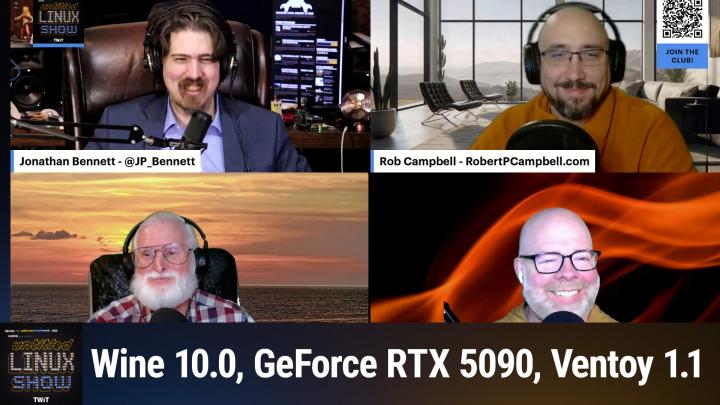
All TWiT.tv Shows (Audio)
Untitled Linux Show 187: Don't Fear the Copilot
01:21:32
Wine 10, the 5090, and Gnome 48
Loading summary
Transcript260 lines
- [00:00]
Jonathan Bennett
Hey, this week we're back and we're talking about Wine 10 an x86 emulation on ARM. There's a bunch of Linux 6.14 news and there's the Nvidia RTX 5090 reviews on Linux. It's a lot of fun and you don't want to miss it, so stay tuned.
- [00:15]
T-Mobile Representative
If you have a locked AT and T phone, we're here with bolt cutters. T Mobile will help pay off your locked phone and give you a new 5G phone for free. All on America's largest 5G network. Visit t mobile.com carrierfreedom via virtual prepaid.
- [00:30]
MasterCard Representative
MasterCard in 15 days. Free phone up to 830 doll via 24 monthly bill credits plus tax and a $10 device connection charge. Qualifying port and trade in service on Go5G next and credit required. Contact us before canceling entire account to continue bill credits or credit stock and balance on required finance agreement as do you. Bill credits end if you pay off.
- [00:44]
Cheap Caribbean Representative
Devices early Cheap Caribbean is celebrating more than just the new year in 2025. Cheap Caribbean Vacations is celebrating its 25th birthday too. You're invited to join in on the birthday fund and book a beach vacation with more savings. Now through February 3rd you can unlock up to $250 off site wide vacation packages. Celebrate these awesome savings at your favorite beach and book your next all inclusive vacay@cheapcaribbean.com your $250 off is waiting.
- [01:15]
AT&T Business Representative
And now a next level moment from ATT Business. Say you've sent out a gigantic shipment of pillows and they need to be there in time for International Sleep Day. You've got at and T5G so you're fully confident, but the vendor isn't responding and International Sleep Day is tomorrow. Luckily, AT&T5G 5G lets you deal with any issues with ease, so the pillows will get delivered and everyone can sleep soundly. Especially you. AT&T5G requires a compatible plan and device coverage not available everywhere. Learn more@att.com 5G Network.
- [01:48]
Jonathan Bennett
Podcasts you love from people you Trust. This is TWiT. This is the Untitled Linux show, episode 187, recorded Saturday, January 25th. Don't fear the copilot. Hey folks, it's Saturday. It's time to get geeky over Linux and Open Source. All kinds of fun stuff. I'm your host, Jonathan Bennett and it is time for the Untitled Linux Show. And it is not just me, of course. We've got a trio of co hosts. We've Got Rob and Ken and Jeff and they are here ready to go, prepared for action, locked and loaded with some stories. And we are going to let Rob go first.
- [02:33]
Rob
Is Rob going to be whining?
- [02:35]
Jonathan Bennett
Well, see, I was going to say something about he's going to get his wine uncle on, but you've got a story, Rob, about wine and no, not fermented grape juice. But the Wine is not an emulator project. And we had a milestone. We had a big milestone we just hit.
- [02:52]
Ken
Yeah, well, even though it does do some emulation these days also. So this week a new release of Wine has come out and yes, they have hit a major milestone. And does anyone know what that major milestone is?
- [03:07]
Jonathan Bennett
10.0?
- [03:08]
Ken
Well, it is released version 10.0, but that isn't a milestone. That is just an arbitrary number. Really doesn't mean anything other than let's say it's 10. I don't know. The big milestone is Wine has been released with native Wayland support using Wayland by default. But it is able to fall back to X11 if required. But who needs X11 these days? That's the big milestone. Wayland default in Wine. Wine 10.0 features an improved Wayland driver with OpenGL support, proper positioning of pop up windows and auto repeat key support. Also on the video side of things, it has improved HDMI support for scaling on modern displays. All things that are going to make Wine even better for your modern modern desktop displays. Other features include an initial Bluetooth driver, improved arm support implementing x86 emulation interface in its ARM builds. So even though Wine is not an emulator, there actually is some emulation going on these days. The devs say it quote takes advantage of the ARM 64 EC support to run all the Wine codes as native with only the applications x86 64 code requiring emulation. It also has full Dvorak keyboard support, direct 3D support enhancements, FFmpeg based back in alternative to GStreamer. It's an opt in experimental feature and for us gamers this just means more gaming goodness as these features work their way into Proton in the future. So big milestone there and 10 is just a number.
- [05:08]
Jonathan Bennett
10 is just a number. So a couple questions. First off, you said HDMI support. I don't think Wine has HDMI support.
- [05:16]
Ken
I said high DPI support.
- [05:18]
Jonathan Bennett
Huh. I'm sure.
- [05:20]
Rob
Sounded like like HDMI to me too.
- [05:23]
Jonathan Bennett
All right, so high dpi, improved high.
- [05:26]
Ken
DPI support for scaling on modern displays.
- [05:29]
Jonathan Bennett
All right, now that we have that one settled, the other thing is the ARM 64 support. What exactly is the scenario where someone would take advantage of this?
- [05:41]
Ken
I believe this is running wine on ARM.
- [05:47]
Jonathan Bennett
So you've got a Windows binary that's on x86 and you want to be able to run it on an actual ARM 64 piece of hardware.
- [05:55]
Ken
Yeah, I believe that's what that is.
- [05:57]
Rob
Well, looking at the WINE Release notes, the ARM64EC architecture is fully supported with feature pack parity with the ARM64 support and the 64bit x86 emulation interface is implemented. This basically takes advantage of the ARM 64 EC support to run all the WINE code as native with only the applications x8664 code requiring emulation.
- [06:33]
Ken
Mm.
- [06:34]
Jonathan Bennett
So I am wondering who is pushing for this? Who would be interested in running Windows binaries? Probably games, but just in general Windows binaries on ARM 64 targets. Are there some. Are there some tea leaves to read here?
- [06:55]
Ken
And you're already. I know you're thinking like Valve type of things.
- [06:58]
Rob
I'm gonna say crossword based.
- [07:01]
Jonathan Bennett
So anybody. So what this is for is this is where you have a piece of ARM64 hardware. Whether that's one of these new ARM laptops or whether this is a handheld gaming rig that runs on arm instead of x86, and this would let you much more capably run Windows games on it. So somebody cares about this some. It's one of two things. Either one of the WINE developers has one of these ARM 64 laptops and they're really interested in, or maybe it's for the Raspberry PI, for that matter. I mean, maybe one of the WINE developers is a really big retro game enthusiast and wants to be able to play some older games on the Raspberry PI and emulating x86 windows on the arm. Raspberry PI or on ARM laptops or on ARM handhelds doesn't necessarily work very well. So someone has spent, I'm assuming, quite a bit of effort to make this work now, and it sounds like it's actually starting to work fairly well. That's just fascinating to me. It makes me wonder what the exact scenario is that led to this.
- [08:15]
Rob
Now, would you need 16 gigabytes of memory for doing this?
- [08:19]
Jonathan Bennett
Probably. It depends. On what. It depends on what game you're trying to run. What Windows game?
- [08:25]
Ken
Yeah, if you're running a Windows game from 2002. Probably not.
- [08:30]
Jonathan Bennett
Yeah, probably not. Probably not. Although. Ken, are you talking about video card memory?
- [08:38]
Rob
Actually, no, just memory in general.
- [08:41]
Jonathan Bennett
I thought he was setting Jeff up because Jeff has a story about the.
- [08:44]
Rob
Though there could be option for video card memory on the with arms.
- [08:50]
Jeff
Yeah, all right, there's a segue there.
- [08:52]
Jonathan Bennett
But yeah, let's kick it over to Jeff and learn about the newest new thing in the in insane GPU race that's going on right now.
- [09:01]
Jeff
Yeah, so we're going from handhelds to liftable gaming machines with proper form and you know, don't use your back, use your legs, be careful, get a good grill. But for those that don't keep up with graphics hardware, Nvidia announced the launch of their RTX 5090 graphics card. It was announced at CES and the embargo officially lifted a couple days ago. Right now, social media sites are flooded with gaming performance Reviews comparing the 5090 mostly to the previous generation 4090 because it's kind of the direct comparison. Nvidia themselves even said that the 5090 card is geared more towards the prosumer or people doing computational workloads. And that's the reason they gave it 32 gigabytes of RAM and AI workloads. I throw in under computational. For gamers, they're saying it will be the 5080, which is the dedicated gaming card. But for gaming, the 5090 is still going to be faster, it's just more expensive. It's the top of the line flagship product and flagships are not value purchases. Now, you know we're bringing this up because there's a Linux spin on this and Michael Arable over at Phronix has a 5090 that was sent to him and he did some testing. Now this is going to be a little different because there actually isn't a released video driver. So there's an actually an early release video driver, meaning beta. It's 50.70.8, 6.10 driver to be exact. The driver does work with the 5090 where earlier drivers don't. The beta driver has the latest CUDA 12.8 package and Nvidia says you shouldn't use that driver for graphics and gaming workloads. They recommend waiting until the official drivers released at the end of the month. So today's benchmarking is all going to be CUDA and computational performance without any graphics or gaming performance. The benchmarks of the older cards were rerun with the latest 565.77 driver and the 5090 used the beta driver. Michael includes cards from the 2000, 3000 and 4000 series and from the low end of each of that series. Each of those series is to the high end. The operating system he used was Ubuntu 24.10 with the 6.11 kernel. And keep in mind these results are with a beta driver. But because it's Cuda which is got a small revision, it should be pretty comparable to the release driver since it's a stable part of the driver stack. You know, Cuda's been around for many, many years. I'm sure Michael will check it out just to verify if there are any changes from the beta driver to the release driver, but we're not really expecting any anything to shift. Now if we take a look at the results of the over 60 benchmarks which were ran, not only did they consist of CUDA, but also Opti X, OpenCL and Vulcan Compute benchmarks with the geometric mean of all those showing that the 5090 is around 30% faster than the 4090, which when looking at the Windows gaming benchmarks, it's about the same percentage. I can't say anything about Windows compute benchmarks because I've not found any compute benchmarks run by the normal tech sites. You know, gamers, Nexus hardware, unboxed, you know, level one techs, you know all the, all the big ones. Now level one techs talked about compute performance, but they're going to do it on Linux and they're waiting for the official driver. So nothing was done there. So I only personally know of Michael's compute benchmarks. There could be others, but I haven't seen them. Now 30% sounds like a decent, decent improvement. But the downside is the 5090 costs about 20% more or more for this generation of card. It's $2,000 for the founders edition and will be more for the partners cards. And the partner cards, those will be the Asus MSI Gigabyte, those cards. So based on their custom coolers and all that, they are going to cost more. But I don't have not seen any pricing yet. They should be out. The pricing list should be out soon and then we'll be able to see how bad it's going to be. The other downside is power. And Michael recorded a peak of 584 watts. Now when you look at the performance per watt, it's the high end of the charts for being inefficient. It's not the worst, but it's, it's in the running for the worst. One bright side is while it takes all that power, the actual core temperature was in the middle of the pack. So the new cooling system that you can see described in a gamer Nexus video. They go into great detail on it. It actually does a pretty good job of eliminating that much heat. Now I'm going to give my personal opinion based on all the reviews I've seen on Michaels and all the other stuff is because overall Michael doesn't say that much whether he recommends the card or not. He just presents the facts and lets the readers decide for, you know, he, he's pretty neutral when he released all the data. You know, personally I'm going to follow along with Hardware Unboxed where they said if the 5090 was released as the 4090 ti, nobody would bat an eye because of the performance uplift, because of the price. It kind of is what you would expect from a 4090 ti, but because it's a new generation, people expected more and the reviewers in general gave a pretty lackluster view of the card. Sure, it's faster but it's taking a lot more power and money and so the overall cumulative end result is meh. You know, take a look at the article in Show Notes so you can see all the different benchmarks and you can decide for yourself whether this is an upgrade you want to pursue or you might let this generation pass you by. Though I say that with keeping in mind that most people will not get a 5090 and it will be more interested in the mid range and lower range cards over the next few months. We should see the benchmarks on those as well and when they come out, I'll be sure to let everyone know what the results are and keep everybody up to date.
- [15:31]
Jonathan Bennett
Yeah. So I. It is good enough that Nvidia has yet another money printer. Right. For where the market is for the, for the group of people that need like actually legit need this sort of hardware. It's going to be an instant buy. This is yet another money printer for Nvidia.
- [15:53]
Rob
Probably even a good space heater.
- [15:56]
Jonathan Bennett
Well, space seater, sure. And I'm not thinking. And Jeff, when I say that I'm not thinking about gamers, I'm thinking about people that want compute and particularly those that are working on like AI and LLM stuff. They're going to go, oh, it's 30% faster. Take my money. I need as many of those as you can give me.
- [16:15]
Jeff
Well, and like I said, that's why it comes with 32 gigs of RAM in a GDDR. I forget. I don't remember if it's 6 or 7.
- [16:23]
Jonathan Bennett
Yeah. What are we up to these days?
- [16:25]
Jeff
Yeah, it's it, it's a lot faster than the 4090 memory pathways wise. But yeah, it's, it's going to be for those people because the, when you start looking at the professional cards. Oh my gosh, the price on those wicked two, two grand and you can do your work versus getting some of the high end cards. Oh that's okay. I'll buy 12 and still save money, you know. Yes, it's.
- [16:52]
Jonathan Bennett
Yep.
- [16:53]
Jeff
And the power they take. You're not running off of regular like the US 120 volt. You're, you're into the 240s or you're switching over to like three phase power distribution units or PDUs to be able to power these racks that they put them in.
- [17:12]
Rob
Yeah, you're hooking it up to a dedicated three phase power supply coming off of a two with 240 volts in or higher.
- [17:23]
Jonathan Bennett
Somebody else, somebody will inevitably there will be like server cases full, full 48, 48U server cases that are just servers with these things racked in them and you know somebody's going to build a server farm out of those and it'll, it'll, you know, it'll power the next, the next big thing in AI probably. And yeah, this is yet another money printer for Nvidia, no question.
- [17:45]
Jeff
Yeah. And depending on how many you stick in that server rack that you could be running say 480v 3 Phase 50amp maybe you have multiple of those circuits and then cooling is a whole nother. How do you keep all that cool and whatnot. Just kind of note here is some of the. I think the performance uplift too being a little lackluster was also people have kind of been blaming it on that the 4090 was built on TSA, TSMC's 8 nanometer node and so is the 5090. So it's the same process node as the previous generation.
- [18:24]
Jonathan Bennett
Now that actually makes the uplift fairly impressive then if there's no bump from the node.
- [18:32]
Jeff
Well yeah, but they added a whole bunch more cores and the memory bandwidth went way up. And so I mean it, you know, process node helps but it's not the only thing. I mean you're right. You got a lot of design that you can do to make things a lot faster while staying on the node. But it kind of helps to jump both of them up to.
- [18:54]
Jonathan Bennett
Yep.
- [18:55]
Jeff
And, and we'll see how it's going to work within amd because the, the rumors on the street are that these cards are going to be very limited for several months and right now AMD is talking about they're going to release their cards about March because they're waiting until it's ready. They decided they're not going to launch at the same time as Nvidia because then it they have egg on their face because maybe the drivers aren't quite ready or they've got some hiccups and there's talk of they're also building up inventory. So if they if the Nvidia cards are all in the hands of scalpers and things are ridiculously expensive, AMD comes out with some good cards and plenty of supply. They could really make an impact on the market and get their market share back up at least partially.
- [19:45]
Jonathan Bennett
Yeah, for sure.
- [19:48]
NerdWallet Representative
Listeners, as we go into a new year, we all have a lot on our plates. There are backpacking trips across Europe to plan, personal best to crush in the gym, and capsule wardrobes to create Good thing. Our sponsor, NerdWallet is here to take one thing off your plate. Finding the best financial products introducing NerdWallet's 2025 Best of Awards List your shortcut to the best credit cards, savings accounts and more. The nerds have done the work for you, researching and reviewing over 1100 financial products to bring you only the best of the best. Looking for a balanced transfer credit card with 0% APR? They've got a winner for that. Or a bank account with a top rate to hit your savings goals? They've got a winner for that too. Know you're getting the best products for you without doing all the research yourself. So let NerdWallet do the heavy lifting for your finances this year and head over to their 2025 Best of Awards at NerdWallet.com awards to find the best financial products today.
- [20:46]
T-Mobile Representative
If you love your phone but not your carrier, just switch to T Mobile. You can keep your phone, keep your number and we'll help pay it off up to $800 per line. You can also use our savings calculator to compare our plans and streaming benefits against Verizon and AT&T. So switch and keep your phone, keep your number and keep more of your moolah. @t mobile.com up to 4 lines via virtual prepaid card.
- [21:08]
MasterCard Representative
Allow 15 days qualifying unlock device, credit service port in 90 plus days with device and eligible carrier and timely redemption required. Card has no cash access and expires in six months.
- [21:16]
Cheap Caribbean Representative
Cheap Caribbean is celebrating more than just the new year in 2025. Cheap Caribbean Vacations is celebrating its 25th birthday too. You're invited to join in on the birthday fun and book a beach vacation with more savings. Now through February 3rd you can unlock up to $250 off site wide vacation packages. Celebrate these awesome savings at your favorite beach and book your next all inclusive vacay@cheapcaribbean.com your $250 off is waiting for sure.
- [21:47]
Jonathan Bennett
All right, so next we are going to move into Sorry about fwupd. I have too much fun saying that, but Ken has that one and we'll.
- [21:59]
Rob
Probably end up using it for up updating the firmware on those video cards at some point, but Marius Lester wrote about the fourth maintenance update to the latest release of the Open Source Linux firmware update utility for Linux based operating systems. I've got to say it this way too. Jonathan FUPD2Z4 this release introduces new features like the ability to record the entire USB descriptor in the emulation data and return defined return code when network metadata refresh. It also adds the unifying bootloader VidPid as a full instance ID, a more specific instance ID for QC S5 Gen 2 USB devices, F advice 64 to the systemd Syscall allow list and allows disabling of the zero length pocket for modem manager devices and recovering of the Logitech bolt receiver in bootloader mode now. Also fixed in this release is a possible critical warning for MediaTek scalar devices, an issue with fire hose padding for some modem manager devices, and an issue with UEFI capsule Updates when using 4096 byte NVMe block size. Bug fixes include improving FUPD to correctly parse CSV streams that do not contain trailing nulls, disable reading the option ROM device after dump dumping and no longer claim the kernel interface to avoid parade downstream port resets. I recommend reading Marius article since I've only touched on some of the improvements in FWOPD2Z4 and I feel like Elmer foot every time I say fwopd.
- [24:25]
Jonathan Bennett
It's interesting that they're playing with the USB descriptor stuff. I've been working with that sort of thing a little bit here recently on another project and it's interesting. You've got the vid and the pid. The vid that's the vendor identifier and you have to pay $6,000 to the USB consortium to get one of those and then you can issue your own PIDs. And so you'll have that pair of 2 byte. I think it's 2 byte identifiers. 2 byte for the vid 2 byte for the pid and the fact that they're looking at making those, it seems like a little bit more fine grained in doing things. It makes me think that maybe they accidentally pushed firmware. You know, one. One company has multiple devices under the same vid, but different PID or maybe even a different USB descriptor. That's yet another string that's in your USB stuff. It makes me think that they are accidentally pushing firmware to the wrong device and somebody complained about it. But yeah, interesting, interesting updates here.
- [25:29]
Rob
Yeah, especially if you've got a vendor that's putting out pretty much the same model. The only difference may be the difference in capacity or something.
- [25:42]
Jonathan Bennett
Yeah, you could see somebody reusing a PID and just having a different device descriptor string and that could cause problems.
- [25:50]
Rob
It definitely would if you're using flopd to update it.
- [25:53]
Jonathan Bennett
Yeah, yeah, potentially. All right, Rob, what is this? What are you doing? What are you doing? On my podcast talking about this stuff. Rob has a story about Copilot and depending upon how this goes, he may or may not be back in the future. Anyway, Rob, take it away and tell us what this is.
- [26:19]
Ken
Copilot is here and it is here to stay. And with that, many new keyboards are coming out with the new Copilot key. Now I'm sure all the Linux users are concerned that now they're going to have another useless key in the future on the keyboard that doesn't do anything. But just like when that nasty Windows key came out and we had no use for that, we took that key, we made it a super key or a meta key and offered our own functionality to it. So too will we do with the Copilot key. As Of Linux kernel 6.14 updates to the keyboard driver now map the F23 key to support the default Copilot shortcut action. So what will this key do for us? Well, nothing yet I guess. The support is there in the kernel and now the desktop developers will need to decide what to do with it. What are some of the commenters saying? You know, some have said I would like to use the key for toggling between applications like Alt tab or switching to another TTY where htop runs. One said it would be bound to his OS update script and another says, or you know, actually this is mine. I say I would like to see it just be a programmable by default. Just do whatever you want with it. And I know you could essentially program any key, but just make this a programmable by default key. Somebody else in the comments says they're adding a key or they're. They aren't adding a key. They just took away my right control key. Yep. Ms. Took away your right to control and injected their spyware button, so.
- [28:29]
Jonathan Bennett
Oh, that's great.
- [28:31]
Ken
It is. Let's.
- [28:32]
Jeff
Let's.
- [28:32]
Ken
Let's make the best of a situation.
- [28:36]
Jonathan Bennett
Yeah. So apparently this vendors are calling it F23. I didn't know that any keyboards had that many function keys. So as soon as you have the new kernel, then your copilot key will be just another key code and you can do whatever you want to with it. It'll show up in kde, it'll show up in gnome, it'll show up in all your applications. You know you're pressing it. Press the key now to bind and it'll just work now with 6.14.
- [29:04]
Ken
Don't fear that copilot button.
- [29:06]
Jonathan Bennett
Don't fear the copilot.
- [29:08]
Jeff
Assuming you have a metakey IBM type M's just. There's a gap there.
- [29:14]
Jonathan Bennett
Yep, yep. Bring back the gap.
- [29:17]
Jeff
Yep.
- [29:20]
Jonathan Bennett
All right.
- [29:23]
Rob
Then my muscle memory would be out of place.
- [29:25]
Jonathan Bennett
Yeah. All right.
- [29:27]
Jeff
Still in the same location. All the keys are still in the same location, guys.
- [29:32]
Rob
Using the meta with the page up for going to full screen.
- [29:40]
Jonathan Bennett
Oh, I see. Page up. There are some weird keyboard shortcut combinations out there.
- [29:48]
Rob
That one's available in KDE.
- [29:51]
Jonathan Bennett
Are there any new keyboard shortcut combinations in GNOME? Maybe GNOME 48? Jeff?
- [29:58]
Jeff
There could be. So we've been doing a lot of talk lately about KDE and the upcoming 6.3 release, which will be out in a couple weeks. So I thought we should give a little love to Gnome. So this week we're talking about how Gnome 48 Alpha is now out for public testing. If you look at the link in the show notes, there's an article going over what's new in this version. The software package manager has received an experimental plugin which should give improved performance when you're loading updates. When looking at software you might want to load on your system, there are improvements to the upvoting and downvoting reviews, so you can better decide what to get and what to pass over and when getting those packages of software. There's now support for including dependencies when estimating download size. There's also improved uninstallation of snaps and GNOME will let you know about microphone permissions. When an app has pipewire access, gnome 48 has on screen display notifications for headphone connections and and support if you desire for. If you desire and support if you desire for screen time and health breaks and support even for screen time limits. So coming as well is improved color management support, detection of preferred primary display devices, frame rate on monitors attached to secondary GPUs in copy mode, and better accessibility of the keyboard backlight toggle in Quick Settings, which Quick Settings also has an improved appearance. For accessibility. GNOME has Orca, which is a screen reader and it has improvements as well. They're replacing the handling of when a program admits too many events from handling to protection, so the program stays program stays responsive. When a program floods Orca with too many items so it goes off the rails and suddenly floods it. It. It got better handling and not just overwhelmed. There's also better logic so it can tell if an object is only layout and not actually conveying other information. And it's now better support for Orca to speak the digits for a telephone number independent of the user settings. Many apps inside GNOME also got some love such as a calculator which receives some pressure units and a keyboard shortcut for clearing up history. The Epiphany web browser now has a warning when you want to disable a website's data storage and it has better history function. The Control center now has support for battery charge limitation in the Power Panel and other apps like the front viewer Clock, Snapshot, Sudoku and many other items are receiving feature improvements and polishing. If you take a look at the article linked in the show notes, you can see all the details. And if you so desire, there's a link to the actual Discourse or GNOME announcement page where you can look at the changes per library. So see, and it's just goes for you, Rob. I can give GNOME a little love.
- [33:07]
Ken
I'm happy to see that.
- [33:09]
Jonathan Bennett
Yeah, it sounds like it's not a world rocking release. Pretty much.
- [33:15]
Ken
You missed. You missed the killer feature in there.
- [33:17]
Jeff
What's the killer feature of which one's that?
- [33:20]
Ken
Updates to Sudoku.
- [33:25]
Jeff
Yeah, I mentioned Sudoku had updates.
- [33:28]
Ken
No, you mentioned it but. But Jonathan saying it's not a big killer update. He apparently didn't hear you say that.
- [33:36]
Jonathan Bennett
Yeah, I. I just. I guess I don't. I don't hold Sudoku in quite as high of esteem as I should.
- [33:44]
Jeff
You're right. It's. It's kind of.48 is going to be a lot of polishing and kind of refinement and not any major earth shaking. But you know, that's probably good because a lot of times that's when they break the API and make everybody mad.
- [34:01]
Jonathan Bennett
I was just thinking about that it's like what Gnome decided they weren't going to make everybody mad this time. Yeah, I guess that's in every other release. Maybe GNOME has an odd. No. Is it their odd releases that tend to tick everybody off? I don't remember.
- [34:14]
Jeff
Well, maybe they're just saving it for 50.
- [34:16]
Rob
I guess that's what I was thinking. 50.
- [34:19]
Jonathan Bennett
50 will be the big one. Yup, yup, yup.
- [34:23]
Rob
And then you'll see another fork.
- [34:27]
Jonathan Bennett
Inevitably. I mean, a project as big as Gnome forks from time to time are inevitable. It's just. It's a question of how popular they get versus the. The original sort of mother project.
- [34:38]
Ken
The next will be Turmeric.
- [34:40]
Jonathan Bennett
Turmeric, huh?
- [34:41]
Jeff
Because they have cinnamon. He's making a spicy joke.
- [34:46]
Ken
It's spicy.
- [34:49]
Jeff
Well, and the thing is, you know, the hard part is when they branch off, a lot of times it can cause problems later on. Like going to Wayland. That was a major issue for some of those pre Whelan forks. And yeah, I believe they've gotten there, but it's taken a.
- [35:07]
Ken
It's experimental.
- [35:09]
Jeff
Yeah, it's. It's a major effort because they kind of wound up coating themselves into a corner, so to speak. Yeah.
- [35:19]
Jonathan Bennett
And so there's the question of do you. Do you do all the work yourself or do you try to rebase on top of the upstream gnome? And if you do the rebase, are you going to accidentally. Not accidentally, but are you going to end up pulling in all the code that you wanted to avoid to start with? And yeah, it's a challenge. It's kind of nice, at least for Forks, that we are now on the other side of the Wayland issue. Most. For most. Most places and not going to be quite as big of a deal going forwards, but.
- [35:48]
Jeff
Yeah, so we should. We shouldn't have any major groundbreaking until we replace Whalen, which hopefully it'll last, you know, at least 20 years.
- [35:57]
Ken
Even. Even open. Seuss got Alex cute on. On Wayland recently.
- [36:02]
Jonathan Bennett
Yeah. You know, it is a little different though, because with Wayland, the desktop environments are doing to some extent, they have to do more of the work themselves, whereas with X11, a lot of that work, like a lot of code lived in the X11 code base in Wayland, there really isn't any code that lives in the Wayland code base. The Wayland code base is really just the specification and you sort of get to do all that work yourself inside of your. Inside your desktop environment. So it is a little different. Well, right, right, right. It is the compositor specifically, that interfaces with, you know, your graphics driver and all of that. And there's not, as far as actual running code. There's not actually a lot of Wayland that exists up there. It's just sort of the specification.
- [36:47]
Jeff
That's why they have that reference compositor just to wlroots. Yeah. So they can just say, well, here's an example. You know, you can.
- [36:56]
Jonathan Bennett
I think there's actually some desktop environments that just use WL roots, isn't there? I can't remember off the top of my head which one it is, but.
- [37:03]
Rob
There'S not any still using it.
- [37:05]
Jonathan Bennett
There probably are. I'm sure there are.
- [37:07]
Ken
Yeah. Even I don't remember what it was. But last time I was on the show, the desktop environment I talked about still use wlroots, but they planned to create their own compositor. I remember that much of it, but I can't remember what desktop environment I was talking about.
- [37:24]
Jeff
Yeah, that was Bunch.
- [37:26]
Ken
That was budgie. I think. I think Budget still is using it, but they plan to make their own.
- [37:32]
Jonathan Bennett
Yep.
- [37:33]
Rob
And then I talked about LXQT last week, about how they're setting it up so you can just combine it with any compositor you want.
- [37:46]
Jonathan Bennett
Is Sway a desktop environment? I think it's. I think Sway's the compositor. Yes. So a building block of a desktop environment. Yeah. I was looking quickly to see if I could tell which ones were out there that still use WL roots and. Or Sway. Not immediately seeing the answer, but I'm sure there's at least one of them.
- [38:06]
Rob
LXQTs are going to be used.
- [38:10]
Jonathan Bennett
There you go. All right.
- [38:13]
Jeff
It'll at least get you off the ground. You know, it's because you still have to support probably a lot of other code and that at least the code surrounding the compositor you can get ready. And while you then write your own compositor so you can kind of attack it from two different angles.
- [38:32]
Jonathan Bennett
This is sort of a bootstrap process.
- [38:34]
Rob
With all of this, multiple compositors and everything. Are you going to need a way to boot between multiple lives CDs?
- [38:45]
Jonathan Bennett
Well, that's an interestingly great segue to Ken's next story. This is something that I actually run as well. I. I don't know if it was Ken or Rob or Jeff. One of you guys really got me started on this, and it's become an indispensable part of my toolkit. And that is Ventoy. Ken, what is new with Ventoy?
- [39:02]
Rob
Well, actually, Bobby Boris wrote about what is new with Ventori, the popular movie multiboot utility for creating bootable USB drives for ISO files released a brand new version 1.1. The new version updates the latest shim, effectively fixing the verifying shim SVAT data failed error. The update also resolves any associated secure boot issues, making the entire boot process more secure and straightforward. Now on the bugs bug fix side, the developers tackled the boot issue affecting system Rescue 11.02 plus, so you can rest assured that your rescue and recovery environment will be ready whenever needed. Some minor bug fixes have also been polished, rounding out the overall user experience. On the OS side, Ventoy 1.1 expanded its support to the I hope I'm saying this one right. U O S ISO It's a muscle based lightweight general purpose rolling release Distro. Now I looked this up just so I could understand what Muscle base meant. It's basically an easier way to say Based on the C Standard library developed by Rich Felker, the MUSL provides consistent quality and implementation behavior from tiny embedded systems to full fledged servers. Also, I wanted to give you a tip. When using Ventory, F2 will allow you to directly browse and boot files on your local disk. As always, check out Bobby's article for anything I didn't cover.
- [41:00]
Jonathan Bennett
Yeah, Muscle. I'm trying to remember exactly what that's a reference to. It's like the MU C library, something like that. But you see it on trying to remember where exactly muscle gets used. OpenWRT might use muscle. I don't remember. I think Alpine Linux uses muscle if I remember correctly. Yes, there's a couple of them out there that use it. It's. It's an interesting little alternative C standard lib that sometimes for the record pain to work with.
- [41:33]
Jeff
I'll say. And for the record, I was the one that introduced you to Ventoy. It was an episode 12 08-07-2021 Yep.
- [41:44]
Ken
I am the one who introduced you to Iventoy.
- [41:47]
Jonathan Bennett
Well that's true. That's two different projects. What's the difference between those two?
- [41:50]
Ken
Rob Iventor that's the Pixee boot, right?
- [41:55]
Jonathan Bennett
Yeah.
- [41:57]
Rob
And you pay to be able to use it for ARM devices.
- [42:00]
Jonathan Bennett
Yeah. Fwandle in the chat points out that it's Alpine Linux that makes use of muscle. I was thinking that I may or may not have said it, but if I didn't say it, it is Alpine Linux. There we go. My brain is already on the next thing trying to keep it. Yeah, I'll have to go grab the the Ventoy 1.1 update. I will say this. If you go to update your ISOs on Ventoy, test them before you need them. Because sometimes, like, particularly with a bleeding edge distro like Fedora, you will occasionally run into problems if you have not updated your Ventoy often enough. And then you end up in desperate times, like having to boot back into Windows. It's terrible, terrible, terrible. Yeah.
- [42:48]
Rob
That's why you have two Ventory drives.
- [42:52]
Jonathan Bennett
That would be the way to do it. Yep. Yep. All right. Well, Rob, I've told people for a long time, just don't use Suspend. And for the longest time, I know Suspend was terribly broken on Linux, on almost all hardware.
- [43:08]
Ken
Not as bad as Hibernate.
- [43:10]
Jonathan Bennett
That's true. Suspend is not as bad as Hibernate.
- [43:13]
Rob
Might as well just shut down if you're going to use them.
- [43:15]
Jonathan Bennett
Yeah, well, that's kind of what I figure.
- [43:17]
Ken
Yeah. I mean, I kind of thought upgrading ssd, you know, made startup and shut.
- [43:22]
Jonathan Bennett
Down so fast that who cares, right? That's not necessarily the case though, is it? You've got a story about this.
- [43:28]
Ken
No, you know, I. Right. I thought it made Starbin shut down fast enough. I thought an ssd, you know, would make suspend and resumes fast enough, you know, faster than I could ever need. But some. For some, you can never be fast enough. And I guess that is why. Updates Another Update to the 6.14 kernel included ACPI updates switching from the M sleep function to the USLEEP underscore range function within the ACPI OS underscore sleep function call in the kernel, reducing sleep time due to timer inaccuracies. The Linux ACPI PM maintainer Rafael Lysaki of Intel, who authored this change, noted that it could spectacularly reduce the duration of system suspend and resume transitions on some systems. This addresses bug reports back from 2022 on a Dell XPS laptop, taking 8 seconds to suspend and 8 seconds to resume. Another report suggests this ACPI change noted. Another Dell XPS laptop giving a kernel resume time of 1.9 seconds down to 1.1 seconds. Rafael said, quote, the extra delay added by M sleep to the sleep time value passed to it can be significantly or can be significant roughly between 1.5 nanoseconds on systems with Hz equals 1000 and as much as 15 milliseconds. Yes, 15 milliseconds on systems with Hz equals 100, which. Which is hardly acceptable, at least for small sleep time values. And another bullet point, he says, quoting him, he says M sleep on the default HC equals 250 in UBA2 on the modern PC takes about 12 milliseconds. This results in over 800 milliseconds of spurious system resume delay on systems such as the Dell XPS 1390 300, which use ASL sleep parentheses 5 milliseconds in a tight loop. So keep looking for more efficiencies. Even if you know sleep resume hibernate is a waste of time. Like some of us think if you like using it, it's going to go faster for you now.
- [46:24]
Jonathan Bennett
Yeah, that's interesting. I wonder if this change is just. I think it's just related to sleep and resume. It's not necessarily a. Yeah, they switch from M sleep to U sleep range. So essentially what's happening here is when they were using the old M sleep time, it was inaccurate, right? So they would say in the code, it might say, we'll do an m sleep for 5 milliseconds. And it would actually do an m sleep for 12 milliseconds, which is hardly anything. Like just those two. You would not ever notice those. Right. But in the midst of like not a shutdown script, but like a hibernate script or a suspend script, you might have 75 of those calls. And, well, you have enough time add up through all 75 of those calls that suddenly you have an extra second or multiple seconds of time. So yeah, it's just one of those things where someone sort of did the math, right? This is what this sounds like. He did the math and went, wait a second, this doesn't add up. Dug into it and go. That's why it doesn't add up. It's because M sleep is not accurate for small sleep times. So very cool.
- [47:38]
Jeff
So does it even really work on Windows? Because I know at one time even Windows had problems with all the sleep.
- [47:45]
Ken
And I think pretty much all OSs sleep and hibernate work a lot better than they did, say 10, 15 years ago.
- [47:54]
Jonathan Bennett
Yeah, I'm trying to remember. I've seen a couple of videos from people that actually knew what they were talking about. Discuss how much of a kludge. Just a terrible, terrible hack. All of the sleep states and hibernate, all of that is. It's just all sort of flaky and held together with duct tape and bubble gum. So it's not all that surprising that it goes wrong from time to time. I have fixed multiple people's computers for them just by finally getting the thing to come out of hibernate. Right. Like you got to unplug it multiple times. I'VE seen this where like on a laptop, you got to take the battery out, wear out the power button for a minute, then you can put the battery back in. It'll do like a fresh boot rather than trying to come back from hibernate or come back from suspend bonus Windows.
- [48:38]
Ken
Tip Power CFG space forward slash hibernate space off or even just slash H space off.
- [48:49]
Jonathan Bennett
Disable hibernate.
- [48:50]
Ken
Yeah, I do that quite a bit.
- [48:52]
Jonathan Bennett
And saves you. Saves you some gigabytes on your hard drive space too, doesn't it?
- [48:56]
Ken
That's usually why I do it when somebody's running out of like you don't need. You don't need to hybrid it anyway. 20 gigs.
- [49:03]
Jonathan Bennett
Yeah.
- [49:04]
Jeff
Or save more space and don't have.
- [49:06]
Jonathan Bennett
Windows always an option. Windows for the longest time had this terrible bug that it would just fill your hard drive up with hundreds of gigabytes of log files from. I think it was trying to compress the log and the compression would fail and it just would never clean up the old files. I've ran this has been a couple years ago now, I guess, but I've run into that problem on several computers.
- [49:31]
Ken
Oh yeah, I've seen 50 to 100 gigs of log files.
- [49:34]
Rob
And that's why you'd reinstall Windows every six months.
- [49:38]
Jonathan Bennett
That's one of the reasons. All right, now let's talk about something that is not Windows but you can have a lot of fun with, and that is the Steam client. Jeff, what is new in the Steam client?
- [49:50]
Jeff
Well, we've talked about a new series of GPUs, we've talked about a new desktop. Now it's time to talk about gaming. Steam had a January client update and I think we should take a little time to go over what they've done because after all this hard work, we need to relax a little. So the update was released on January 21st. If you don't have it yet, you don't need to worry about actively downloading it, as your Steam client will automatically update itself the next time you start it up. Valve added a global setting for improved management of game updates, along with a panel to manage per game exceptions to the global settings. If you have a game that's actively downloading, you can click on the game image on the downloads page and it will now take you to the game's library page. There's also an updated layout for the actively downloading game. So the client now has better caching of soundtrack album covers in the library and improved library library asset loading times for large libraries. If you, if you use streaming, things should be better now because they fixed a case where Steam would prefer to stream from another PC on your local network, even if the game was installed on the PC that you're sitting at and you could play it without streaming. So even if you were sitting at your local machine, you were like, oh I'm going to play this game. It would try to stream it from another machine in your house that had that same game. So now it shouldn't do that. Now for Linux specific issues, they fixed a case where Steam could permanently stop the screensaver if it crashed while holding the screensaver lock. There was a potential crash when exiting a game when game recording was enabled on the system. With recent versions of pipewire if you had a high single core CPU CPU usage with a large library during Steam startup, this should no longer be a problem. And when using Steam player to player voice chat and games, there should no longer be a crash. They also fix a crash in the game recording viewer caused by unstable VAAPI drivers. And finally for Linux they fixed a rare crash when hot plugging a mouse and keyboard into your system. There were some other little bugs in Steam input that could cause could sometimes cause crashes and those should be gone now as well. Now there are many, many other fixes that have been added to the client, so I suggest you take a look at the article in the Show Notes for full details. And there's also a link to the article, to the actual in the article, to the actual Steam client update announcement from Valve where every single update is listed and organized in an easily readable format. So happy gaming.
- [52:45]
Jonathan Bennett
Fun stuff. I have to look into the fix where it blocked your screensaver. I always had trouble with my computer failing to sleep the monitors overnight and particularly worrying about burn in with that. So I'm probably oh go ahead. I'm now down a little bit of a rabbit hole trying to figure out what's the, what's the command to tell your screens to go to sleep. It's like I'm sure there is one.
- [53:17]
Jeff
I well based on the bug it's I believe you go need to go in and delete a lock file.
- [53:23]
Jonathan Bennett
Yeah, that makes sense too because it.
- [53:26]
Jeff
Would basically have that lock file crash and then that it just. That locked file just stayed there.
- [53:37]
Jonathan Bennett
I have found somebody's project to be able to put their machine to sleep and it's a bash script that's essentially one line in a bash sh and people on Reddit are of course flaming this guy for why did you make this a bash script when it's a single command. That's hilarious. So look forward to that in a future command line tip.
- [54:01]
Jeff
Yeah.
- [54:04]
NerdWallet Representative
Listeners, as we go into a new year, we all have a lot on our plates. There are backpacking trips across Europe to plan, personal best to crush in the gym, and capsule wardrobes to create. Good thing. Our sponsor NerdWallet is here to take one thing off your plate. Finding the best financial products introducing NerdWallet's 2025 Best of Awards List your shortcut to the best credit cards, savings accounts and more. The nerds have done the work for you, researching and reviewing over 1100 financial products to bring you only the best of the best. Looking for a balance transfer credit card with 0% APR? They've got a winner for that. Or a bank account with a top rate to hit your savings goals? They've got a winner for that too. Know you're getting the best products for you without doing all the research yourself. So let NerdWallet do the heavy lifting for your finances this year and head over to their 2025 Best of Awards at NerdWallet.com awards to find the best financial products today AT T Mobile we'll.
- [55:03]
T-Mobile Representative
Give you four free 5G phones and four lines for only $25 per line per month with eligible trade ins. And no, it's not a contest. It's every day. For a limited time, everyone's a winner on America's largest 5G network.
- [55:15]
MasterCard Representative
Minimum of 4 lines for $25 per line per month with autopay discount using debit or bank account. $5 more per line without autopay up to $830 off each phone via 24 monthly bill credits plus taxes, fees and $10 device connection charge for well qualified customers. Contact us before canceling entire account to continue bill credits or credit stop and balance on required finance agreement too Bill credits and if you pay UP devices.
- [55:30]
Cheap Caribbean Representative
Early CT mobile.com cheap Caribbean is celebrating more than just the new year in 2025. Cheap Caribbean Vacations is celebrating its 25th birthday too. You're invited to join in on the birthday fun and book a beach vacation with more savings. Now through February 3rd, you can unlock up to $250 off site wide vacation packages. Celebrate these awesome savings at your favorite beach and book your next all inclusive vacay@cheapcaribbean.com your $250 off is waiting.
- [56:03]
Jonathan Bennett
All right, let's see. Ken, you've got the last one from you guys. I've got one story to follow up with after this, but Ken is talking about about Rhino Linux. What's new there?
- [56:15]
Rob
Yes, and we can thank Marius Nestor for writing about the latest release of Rhino Linux 2025.1. Rhino Linux is a Ubuntu based distribution offering a rolling release model on top of a stable desktop environment. So there is a version of Ubuntu that you can use that's rolling Release. Rhino Linux 2025.1 includes support for dynamic workspaces in Rhino's XFCE based Unicorn desktop to automatically create new workspaces when opening applications, a new custom grub bootloader theme for more modern feel, and a new testing meta package called Rhino Stampede. In addition, it introduces a brand new companion application called hello Rhino written in Rust and Iced DTK that makes it easier for users to access Rhino Linux's homepage blog, Discord community and most importantly documentation. Under the hood you find Rhino Linux 2020 5.1 powered by Linux kernel 6.12 and using Paxtall 6.1.z as an AUR inspired package manager. It also updates the kernel on the Pine 64 images to Linux 6.9 and the kernel on the Raspberry PI images to Linux 6.11. Rhino Linux announced they will be at Fosdom 2025. They will be giving a talk on the Distros track about the creation, maintenance and future of Rhino Linux and Paxton on this coming Sunday, February 2nd at 2:30pm Universal Time.
- [58:22]
Jonathan Bennett
Interesting. Is Rhino Linux one that you would recommend for some of our listeners to.
- [58:28]
Rob
Give a try if you want a rolling release?
- [58:31]
Ken
Yeah, and who doesn't?
- [58:34]
Jeff
I I actually watched the release distro tube on YouTube DT he had he went over it and it looks pretty nice. The one the one thing is I wish it had KDE but otherwise I thought it looked really nice.
- [58:52]
Jonathan Bennett
And yeah, Rhino is not an official Ubuntu or canonical thing right? It just happens to use there. Yeah, yeah, all right, interesting. Very cool, very cool. All right. I do have a story and it is a follow up to something we've talked about in the past and that is the BCASHFS merge that got blocked for the Linux 613 kernel. I did not make secret that at the time and I'm still of this opinion that that is a terrible policy to keep particularly bug fixes out of the Linux kernel as a punishment for anyone. I just think it's a fundamentally flawed policy for multiple reasons which I want to do then I will not go over again. But it's a bad idea. Please stop it. But I'm happy to say that the 6.14 merge window of the kernel is now open and the bcachefs changes, which was quite a large set of changes, was pulled in with absolutely no problem. It was not held up, there was no fuss made. It landed and you're going to get all of your new fixes in bcachefx in 6.14. So they did indeed follow through the Linux Code of conduct committee in Torvalds. They followed through that it was only to be a one version ban and things are once again working the way that they are supposed to. So for that we are thankful. I am glad that this is the story we are covering and not something else about bcache FS and all of this mess. So it's, it's good, it's good to have them back. It's good to be back. It's good to have them back.
- [60:42]
Jeff
No kerfuffle. Thank goodness.
- [60:44]
Jonathan Bennett
No more kerfuffle. Yes, absolutely.
- [60:47]
Rob
Basically we the users got punished for that.
- [60:51]
Jonathan Bennett
Yes, that is, that is a part of why I think it is such a bad idea.
- [60:55]
Ken
Only the bcache users, which is really small.
- [60:59]
Jeff
Well, you know, I read that and I looked at that story and it seemed like, yeah, it kind of, it definitely punished the users a little bit, but it seemed like there was some extra coding that went on. So this code that got merged in is a little more polished now and. But it, but it is a different format so you've got to have a conversion because the base structure or whatever changed and they got revision numbers on it. But there's I guess a tool that should convert it for you.
- [61:35]
Jonathan Bennett
Yeah, so I mean that was, so that was one of the other things that had been complained about with bcachefs completely separate from like the code of conduct stuff. This is something Torvalds complained about. It is that they tended to sort of play fast and loose with pushing code in that maybe wasn't quite as polished as it should have been. And so there is a sort of a devil's advocate point that we should not let them push code. You know, we should always force them to be a month behind like this and maybe we would get better code out of the bcachefs project. That's sort of a separate issue, but I'm just glad that they're back and that we can push things forwards and hopefully we won't ever have to have a story like that one again. Maybe, maybe that's a little over optimistic for me, but I'm hopeful.
- [62:26]
Jeff
Oh And I looked it up. The. The disk format change go. The version goes from 1.13 to 1.20 and they're saying that should be the last format change. They're planning the last one for sure.
- [62:42]
Jonathan Bennett
Really? Really this time, guys?
- [62:44]
Jeff
Yeah.
- [62:45]
Jonathan Bennett
R3.
- [62:46]
Jeff
Yes. No, this is an RC. Sorry.
- [62:52]
Jonathan Bennett
Yeah, yeah. All right, let's get into some command line tips then. And we're going to let Rob kick us off first with Ignition.
- [63:02]
Ken
So, as I start to use Linux Mint, one thing I notice is it does better than say, Ubuntu is how a user manages startup applications. Ubuntu Startup Applications makes you navigate using a file manager. Pop up to the exact desktop file or runtime needed, which is it's okay for devs and app images, less obvious for apps in other formats. Linux Mint is more user friendly and informative with simple toggles, startup delays and simple, simple ways to add new startups. So I'm not going to tell you how to run Mint startup application, Ubuntu and other desktops, but instead offer an alternative called Ignition. Ignition comes to us from the developer of Warehouse, which is a flat pack manager we've spoke of in the past. Ignition does everything the Ubuntu startup app does, but easier and better. It's an opinion, but Ignition provides a simple UI ads to add or remove modify startup entries on your computer. Ignition can add apps, scripts and arbitrary commands to login. You can try it yourself in Flatpak. And for those watching, I'm gonna. I have a quick little side by side here. On the left here is Ubuntu startup applications and on the right is Ignition. It looks about the same here. Now if I go to add startup application in Ubuntu, I could put a name, I could browse and it doesn't look all that friendly. That looks not great. But you can put a comment and not a whole lot else. That's great. Let's go over here to Mission. If I hit New, I can add an app or a Commander script. Let's start with the app. Look at this. It shows all my installed apps and I could just pick one that seems quite a bit easier. Let's. Let's just run software on. On startup. You can have it enabled. You could do a name, you can do a comment command, the Commander script there, you could show it a terminal wouldn't make sense for this. And then you hit Create. Also if you wanted to do a Commander script, you have the add a command or script and with that you can basically just put in Here, any command you want. When I was playing around with it, I put in this echo hello command, which. And then show it in the terminal. So when I start up, I get a nice little hello, which, yeah, not very useful. But I was just testing it to see how it plays around.
- [66:01]
Jeff
So.
- [66:04]
Ken
It still could add some new features like delays. But if you're comparing that against the very basic Ubuntu startup one, it's. Well, I think it's a lot better.
- [66:18]
Jonathan Bennett
All right, good stuff. Now, the question that I have is, can you run Ignition on other distros or is it mint only other distros.
- [66:29]
Ken
It's not even meant at all. This is UBA2. I was running it on here. It's a flat pack, so you could run it anywhere. Flatpak could run. One caveat, for example, if you already have startup things added via like say the UBA 2 startup startup preferences, when you go over, when you first start up Ignition, they're not going to show up in there because of the sandboxing. Now anything you add into Ignition will show up in your other startups. A quick way I found to. To get around that is like for those. When you're looking here, you see like this SSH key agent that. That was a default one that was already in Ubuntu right at the beginning and it did not show up in Ignition at first. I disabled it in here and as soon as I disabled it, it showed up here and then I was able to enable it again and manage it within Ignition. So that's a little caveat to be aware of if you already have things added through the normal interface and then you start using Ignition because of the sandboxing.
- [67:37]
Jonathan Bennett
Yeah. All right, very cool. All right, Jeff, I see you have one here that is very much in your wheelhouse.
- [67:47]
Jeff
Yeah, the command line tip I ran across. I ran across this command line tip when I was trying to help a friend pull data from a hard drive. It was a Western digital NAS that died on them and they couldn't access the disk, but they'd read it was a Linux file format. Well, they didn't have Linux and they're not very computer savvy. So I was asked to help. Now, there were some issues and I needed to see where the drive was located in the system and when. I mean located, I mean is in the slash dev mount point and it wasn't readily visible. A little searching had me find that the lsSci command. So it's LSS CSI, which is a command that lists information about SCSI devices in Linux. Now that might not sound super useful to most people because most of us don't run a SCSI device, but it also picks up ATA, PCIe, SAS, USB and many other drive interface formats. So it's more than just SCSI, even though SCSI's in the name now. I installed it just from the normal Ubuntu repositories. And the simplest way to use it is simply type in your shell lsscsi. Now it'll give you a readout of the drives on your system, tell you a lot of information about what your disk is, the name of the drive, where it's mounted. In this dev directory, you know, there's a dash H so you can get the size of the drive in human readable format. There's a verbose option which gives a lot more information and you should really read the man page for what every item is. And of course there's a dash dash help. But you know, I'm not going to go into the deeper commands and interface specific options, you know, because there's specific, you know, SAS commands, SATA commands, all that stuff. So it. Without making this, you know, an hour long, even longer podcast, I'll just have, I'll just say I'll leave some experiment or investigation to the, to the listener and viewer. And if you, if you need to have more information about a drive, take a look at the program and there's a link in the show notes to a full and detailed description beyond the man page. It's a special page set up, I think from the people that program it. So it's very helpful. It's organized really well. So each device interface has got its own little subsection. So give it a whirl. I found it very helpful, so I highly suggest it.
- [70:20]
Jonathan Bennett
Yeah, interesting. I learned something just now. I think I may have noticed this in the past. So most computers will have like a dev sda. That's if you have a SATA device. The sd and SDA does not stand for SATA, it stands for scsi. SDA is SCSI disk A Linux. These almost all disks is SCSI disks. That's fun.
- [70:43]
Jeff
Yeah. And I think isn't the SATA standard. I think it's kind of a SCSI standard.
- [70:49]
Jonathan Bennett
I thought it may be somewhat derived from scsi. A quick Google shows that they are not the same and people, you know, are. They're. I think SAS is actually scsi.
- [70:59]
Jeff
Oh, maybe that's us.
- [71:00]
Jonathan Bennett
SATA is not listeners.
- [71:03]
NerdWallet Representative
As we go into a new year, we all have a lot on our plates. There are backpacking trips across Europe to plan, personal best to crush in the gym, and capsule wardrobes to create good thing. Our sponsor, NerdWallet is here to take one thing off your plate. Finding the Best financial products introducing NerdWallet's 2025 Best of Awards. List your shortcut to the best credit cards, savings accounts and more. The nerds have done the work for you researching and reviewing over 1100 financial products to bring you only the best of the best. Looking for a balance transfer credit card with 0% APR? They've got a winner for that. Or a bank account with a top rate to hit your savings goals? They've got a winner for that too. Know you're getting the best products for you without doing all the research yourself. So let NerdWallet do the heavy lifting for your finances this year and head over to their 2025 Best of Awards at NerdWallet.com awards to find the best.
- [71:58]
Cheap Caribbean Representative
Financial products Today, Cheap Caribbean is celebrating more than just the new year. In 2025, Cheap Caribbean Vacations is celebrating its 25th birthday too. You're invited to join in on the birthday fun and book a beach vacation with more savings. Now through February 3rd, you can unlock up to $250 off site wide vacation packages. Celebrate these awesome savings at your favorite beach and book your next all inclusive vacay@cheapcaribbean.com your $250 off is waiting.
- [72:31]
AT&T Business Representative
And now a next level moment from ATT Business. Say you've sent out a gigantic shipment of pillows and they need to be there in time for International Sleep day. You've got AT and T5G so you're fully confident, but the vendor isn't responding and International Sleep Day is tomorrow. Luckily, AT&T5G lets you deal with any issues with ease so the pillows will get delivered and everyone can sleep soundly. Especially you. ATT 5G requires a compatible plan and device coverage not available everywhere. Learn more@att.com 5G Network.
- [73:01]
Jonathan Bennett
Yep. All right, I've got a command line tip and I am going to I'm going to attempt to do a screen share with this. Yeah, there we go. That should work. So my command line tip is vainfo. Which VA info is the VA API info and when you run it you should hopefully see this. And this is essentially giving you information about how your video card is capable and your system as a whole is capable of using your video card to decode video codec and so on. This laptop Obviously, it is a Radeon card. It's running the Radeon SI graphics driver. And then these are all the profiles that it supports. MPEG2, simple MPEG2 main, all the H264s, several of the HEVCs, and then the VP9 profiles. And the reason that I discovered this particular command is because I was working on trying to get Firefox to do something with live video or with decoding video, and I was having trouble with it. And one of the things that came to mind is I wonder if I have VA API set up to be able to actually kick it out to the video card. Found this command, ran this command to discover that no, I did not have any of the VA API libraries installed. And so I went on a bit of a hunt to get the desktop behind me to show a list very similar to this that yes indeed, I can decode video right on the video card. And my. My hunt for actually what it is, it's for HDR is not quite done yet because the patch is not quite there in Firefox. But it's close, it's coming soon and I will definitely let you know about it when all that lands.
- [74:56]
Jeff
Nice.
- [74:56]
Jonathan Bennett
Yeah. All right, Ken. Ken has something that I think dovetails rather nicely onto that I do, but.
- [75:04]
Rob
I just wanted to say that I found out earlier when I was playing with VA Info that it will determine whether or not you have a Wayland or X11 using. It'll try both Wayland first and then if it doesn't find Wayland display, it'll switch to X11.
- [75:29]
Jonathan Bennett
Huh, interesting.
- [75:32]
Rob
But what I'm going to talk about today, it has to do with controlling your video devices or even just identifying them. It's a V4L 2 CTL. It's part of the V4L utilities. I didn't provide a link to that. I'm going to put that in the show notes after we finish here. But I'm starting off by showing the first part of the output. If you do a Dash H or Dash dash help, it gives you all the general and common options that you can run. I tried the Dash Dash all boy, there's a lot of information there. But I'm not going to display that today. What I am going to show you though is the version my case I'm running V4L2CTL1.28.1. I believe that's actually the latest one and it also shows you the remainder of those options from the help. The next part thing I'm going to show you in my third screenshot, by the way, for those listening, I do have a link to a document with all the screenshots, so you can pull it up and look at them yourself. But with the third one, I went and choose Dash Dash List Dash Devices. And for those listening, it lists all the devices it found at the time that I had running. One, of course, was my webcam. And it actually sees that as three different devices. Device Video one and Dev Video zero and Dev Media zero. And then it also finds my OBS virtual camera as Dev Video 2. And it says it's a V4L2 loopback device. Going to the next screenshots, I'm showing how you can use V4L2 to list all the controls that you have. Breaks it into user controls and camera controls. If you've ever used OBS Studio, you may be familiar with some of these because they do appear in there. But the nice thing about this is you can see the minimum maximum for your controls, what the default value is and what the current value may be. As you're looking, there's also another command, it's dash our option, Dash, Dash List, Dash Controls, Dash menus, which pretty much shows the same thing, though it does give you some other information that the other one didn't, depending on the device you identify for it. Speaking of which, you can also put in there a Dash D and specify the device before doing the Dash Dash List controls Dash menus. That way it gives you the specific information for the device. By default it does go with the Dash Dev Video zero device. If you don't do that, because you'll see it's repeating all that now you can try to. I even tried using a device that was not there and you'll see that when I did one that wasn't in use, it didn't give me anything for it. And then I started playing using it to play with some of the controls. Here you're seeing where I used it to get the brightness that I had, even though I already had it shown up there. But it'll come back and give you that the brightness is currently set to 130. And then on the next screenshot it shows where I actually set that brightness down to 65. And you'll see it does make a bit of a difference in how I look. And then I also set it up to 195 so you can see how it does impact your video cameras operation. So this is one way that you could, from the command line, adjust your video camera.
- [80:27]
Jonathan Bennett
Yeah, very cool.
- [80:28]
Rob
If you got one that supports pan and tilt. You can actually adjust those.
- [80:33]
Jonathan Bennett
Ooh.
- [80:36]
Ken
What about focus? I have a problem with focus. Can you do that?
- [80:41]
Rob
You know, and there's also a command out there that. That you can use that is QV4LT that gives you like a video test for adjusting it that basically so you can test your setups and just different things interactively. So if you've got your camera being captured, like into OBS Studio, you can then adjust it and see the change immediately in your display in OBS Studio or in Video Ninja, which is what I was using to show that screen capture there.
- [81:28]
Jonathan Bennett
Those of us watching Ken's feed probably are asking ourselves whether V4L2 lets you control your camera's frame rates.
- [81:37]
Rob
It depends on the camera.
- [81:38]
Jonathan Bennett
Yeah. All right, well, that is it. That's our show. That's our command line tips. We appreciate everybody being here. I'm going to give each of the guys the last word. If they want to plug anything, they can certainly do that. And we're going to go to Rob first. What does Rob have to plug?
- [81:57]
Ken
All right, so my usual, except for I've added a new icon. Come. Come connect with me on my website, robertp Campbell.com on there's my links to my LinkedIn links to my Twitter. Newly added is a link to my Blue Sky. And I don't know why, but my follower account has been going up like crazy. I've noticed I hadn't even logged in for months and I logged in and have over 500 now. Almost 500. And I don't know why, it just keeps going up and up. I don't know if it's you guys or if it's bots or what, but I figured there's a follower base there. I am going to try to be active on there also. Yeah, it's like way surpassed my mastodon somehow. But the next one there is my mastodon, which I will be in there also. And finally, this nice little coffee cup. You can, if you want to, donate a coffee to me in increments of $5 just because you like what I do and you want me to keep doing it.
- [83:06]
Jonathan Bennett
Yeah, you know, I have. I've threatened for a while now that I would go and set up a Blue sky account for Floss as well as for me, just because there are people that are there and it would be nice to be able to have it for them.
- [83:19]
Ken
Yeah, I had an invite to that when it was invite only from our very own mashed potato.
- [83:25]
Jonathan Bennett
Thank you.
- [83:26]
Ken
But now it's not invite only. So I'm less special than I was then.
- [83:30]
Jonathan Bennett
You're less special, but thank you. Yeah. All right. Ken.
- [83:36]
Rob
Yes, I do want to share with you link. I've got it in the show notes that talks about the end of an error for a certain type of device.
- [83:49]
Jonathan Bennett
Yes.
- [83:49]
Rob
That Sony's Blu Ray media production.
- [83:52]
Jonathan Bennett
I am not happy about that. I think that is an overall a bad thing for the world. I like being able to hold on to my media so that I actually own something instead of just perpetually renting from.
- [84:05]
Rob
Good news, there's still somebody out there making Blu Ray media Pioneer.
- [84:11]
Jonathan Bennett
Ah, there you go.
- [84:13]
Jeff
Well, and it just, just to clarify that that's for the recordable. So they're still going to sell movies on the Blu Ray discs. It's just you won't be able to use the read write or write once material and but like Ken said, Pioneer is still making it. They've kind of found a niche market that they've been living in Japan, probably some of it I'm sure because Japan's.
- [84:42]
Rob
Got the requirement that you are able to archive and they're providing archival quality Blu Rays which they say will last.
- [84:54]
Jeff
100 years and they're looking at having some that or last even longer.
- [85:00]
Jonathan Bennett
You have to ask yourself, how do they know that it will last 100 years?
- [85:05]
Ken
They've tested it. Duh.
- [85:08]
Jonathan Bennett
Think about that for a while, Rob.
- [85:11]
Jeff
Actually, actually I know how there's ways you can accelerate wear so instead of.
- [85:17]
Ken
Having to have time machines.
- [85:20]
Jonathan Bennett
Right. That's actually an interesting rabbit hole which we are not going to go down right now. But so what they do is they simulate accelerated wear by doing things like exposing them to wet conditions and then dry conditions and then hot conditions and cold conditions and abrasive conditions. So there's these tests that get designed and you put the media in these tests and you see how it behaves. I've just, I'll just throw out there though that that is not actually entirely the same thing as letting 100 years go by. And so we may get 50 years down the road and go, oh, there's an interaction here that we didn't even know about to be able to make a test for.
- [85:56]
Rob
So there is a way to just time now you move deeper into a gravity well and then back out.
- [86:05]
Jonathan Bennett
Yeah, good luck with that.
- [86:07]
Jeff
Well, I mean I will say that I understand what you're saying, Jonathan, but there's an actual kind of engineering scientific study in all this and there's, there's a lot of Data and testing that has been done to make sure that you can accelerate wear and it, it will behave like actual long term wear. I mean, there's a lot of.
- [86:36]
Rob
A.
- [86:36]
Jeff
Lot of science and engineering that goes.
- [86:38]
Ken
Into it and in 70 years we'll find out how accurate it was.
- [86:43]
Jonathan Bennett
Yeah, no, that's, that's definitely true. Like I said, we're not going to go down that rabbit hole right now because that's a deep rabbit hole. Jeff knows more about another episode.
- [86:53]
Jeff
That would be probably a few episodes. I, I, but I just wanted to basically just point out that it's, it's not kind of like, hey, let's do this, let's do that. It's, there's, oh no. Scientific.
- [87:04]
Jonathan Bennett
It is, it is real engineering. That is for sure.
- [87:06]
Jeff
Yeah.
- [87:07]
Jonathan Bennett
Yes, yes, that is for sure. It is real. It is real rigorous engineering. Yeah, for sure.
- [87:11]
Jeff
Yeah.
- [87:12]
Jonathan Bennett
Okay.
- [87:13]
Rob
One other thing I wanted to add is this week's command line tip is building up for next week's pipewire command line.
- [87:25]
Jonathan Bennett
Ooh, interesting. All right, nice. All right, Jeff, anything you wanted to plug?
- [87:31]
Jeff
I really don't have anything. So this week it's Poetry Corner again. So the user didn't like how his office was set. He felt a rearrangement would be best upon completion. To his dismay, the computer would not respond in any way. Frantically he called the help desk, submitted an emergency request. The deployed tech knew just what to expect. Into the receptacle, the power cable was set. Have a great week, everybody.
- [88:02]
Jonathan Bennett
I love it. I love it. All right, thank you guys for being here. I sure appreciate it and sure appreciate everybody that watches us and listens, gets us live or on the download. If you want more of me, you can check out Hackaday. We've got Floss Weekly is now over there at Hacker A Day, as well as my security column which goes live pretty much every Friday morning. And we don't miss mini beats with that. I have a lot of fun there. Yeah. And if you're interested, if you want more, if you want to get the show uninterrupted by ads, there is of course Club Twit, which you should definitely take a look at. It's about the price of a cup of coffee per month. And it is a way to support and show your love for us and the network as a whole. And we sure appreciate everybody there at Club Twit. We will be back next week and we will see you then on the untitled Linux show.
- [89:02]
T-Mobile Representative
At T Mobile. We'll give you four free 5G phones and four lines for only $25 per line per month with eligible trade ins. And no, it's not a contest, it's every day for a limited time. Everyone's a winner on America's largest 5G network.
- [89:14]
MasterCard Representative
Minimum of 4 lines for $25 per line per month with autopay discount using debit or bank account $5 more per line without autopay. Up to $830 off each phone via 24 monthly bill credit plus taxes, fees and $10 device connection charge for well qualified customers. Contact us before canceling entire account to continue bill credits or credit stop and balance on required finance agreement too. Bill credits end if you pay UP.
- [89:30]
AT&T Business Representative
Devices early CT mobile.com and now a next level moment from AT and T Business say you've sent out a gigantic shipment of pillows and they need to be there in time for International Sleep Day. You've got at and T5G so you're fully confident, but the vendor isn't responding and International Sleep Day is tomorrow. Luckily, AT&T5G lets you deal with any issues with ease, so the pillows will get delivered and everyone can sleep soundly, especially you. AT&T5G requires a compatible plan and device coverage not available everywhere. Learn more@att.com 5G Network.