← All TWiT.tv Shows (Audio)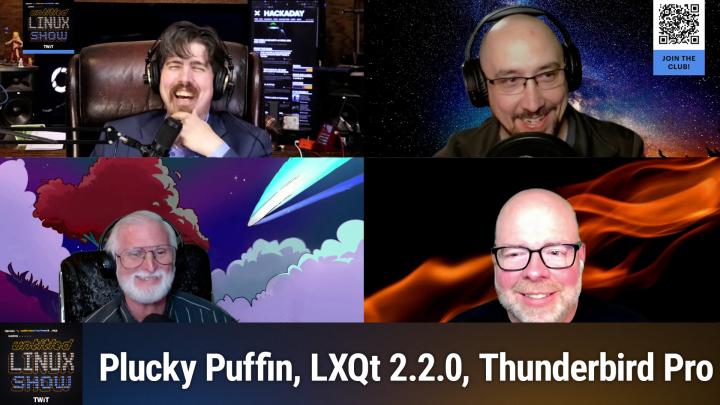
All TWiT.tv Shows (Audio)
Untitled Linux Show 199: The Older You Get, the Less Time You Have
01:26:23
Thundermail, Framework, and Git Turns 20!
Loading summary
Transcript247 lines
- [00:00]
Jonathan
This week we talk about Ubuntu and Fedora both releasing and then Git, believe it or not, turns 20 years old. Cosmic is absolutely everywhere these days. Framework really impresses us with an AMD laptop. And Thunderbird is rolling out Thunder Mail. It's a lot of fun. You don't want to miss it, so stay tuned. Podcasts you love from people you trust. This is Twit. This is the Untitled Linux show, episode 199, recorded Saturday, April 19. The older you get, the less time you have.
- [00:40]
Ryan
So when I ask, what is Odoo, what comes to mind? Well, Odoo is a bit of everything. Odoo is a suite of business management software that some people say is like fertilizer because of the way it promotes growth. But you know, some people also say Odoo is like a magic beanstalk because it grows with your company and is also magically affordable. But then again, you could look at Odoo in terms of how its individual software programs are a lot like building blocks. I mean, whatever your business needs, manufacturing, accounting, HR programs, you can build a custom software suite that's perfect for your company. So what is Odoo? Well, I guess Odoo is a bit of everything. Odoo is a fertilizer. Magic beanstalk Building blocks for business. Yeah, that's it. Which means that Odoo is exactly what every business needs. Learn more and sign up now@odoo.com that's o-o o dot com.
- [01:40]
Ryan Seacrest
Hey, it's Ryan Seacrest for Albertsons and Safeway. Spring is in full swing, so take some time for self care this spring. Now through April 22, buy two self care items and save $2. Shop in store or online for self care essentials like Tom's Toothpaste Soft Soap, Liquid Hand Soap, Colgate Optic White Toothpaste and Colgate Total toothpaste. And save $2 when you buy two participating items. Offer ends April 22. Promotions may vary, restrictions apply. Visit albertsons or safeway.com for more details.
- [02:09]
Ryan
When the Moore family ditched cable Internet and switched to Zigly Fiber, they got so much more. Mr. Moore got more upload speed for next level gaming and live streaming to the masses with reliable service. Mrs. Moore is no longer her family's IT guru, leaving her more time to stream games into overtime.
- [02:24]
Jonathan
Let's go.
- [02:25]
Ryan
And young Mason Moore got more done quickly uploading HD product demos and video conferencing without freezing the numbers look good.
- [02:32]
Ken
Brad, you're on mute.
- [02:33]
Ryan
Switch from cable Internet to Zibli fiber and get more of what you love for $65 less per month than cable@ziplyfiber.com.
- [02:40]
Jonathan
Hey folks, it is Saturday and you know what that means. It's time to get geeky with Linux and open source hardware and software, all kinds of stuff. Today it is of course not just me. We've got the regular crew. Rob and Ken and Jeff are here and we are going to start by talking about Ubuntu, which is not my favorite distribution, but it is some people's favorite distributions, and Rob is going to bring the story of, well, 2504.
- [03:09]
Rob
You either hate it or you love it. So yes, this is a moment we've all been waiting for. Except for Jeff. He couldn't wait because he's been running the beta I think for a little while. But for the rest of us, the moment we've been waiting for is here. And that's the Plucky Puffin is now available for download. And if you don't know what a Plucky Puffin is, well, I don't know what the animal is either. But as far as Canonical is concerned, it is Ubuntu 2504 release so Ubuntu 25.04 is powered with the latest Linux 6.14 kernel. There is now a generic ARM64 desktop ISO targeting virtual machines, ACPI plus EFI platforms and Snapdragon based Windows on ARM devices, as well as initial hardware enablement for the Snapdragon X Elite platform. The installer has features to improve dual booting for Windows, so that way Jeff can more easily boot dual boot Windows and Linux. It's now including a focus on BitLocker Protected Windows systems, allowing users to install ubuntu alongside existing BitLocker partitions as network enhancements. Sets such as NetPlan receives support for WPA, PSK, SHA 256 Wi Fi connections, so some better encryption there. There is support for configuring routing policies on the Network Manager backend, and there's support for new functionality in systemd Networkd Wait online to so to wait for DNS servers to be configured and reachable before considering an interface to be online. So before the interface says it's online it has to be able to get to DNS. We also see improvements with App Armor and Nvidia. Dynamic Boost is now enabled by default on support supported laptops with Nvidia GPUs, so Jeff will definitely like that one too. All the core apps under the hood are updated, such as the new GCC 15, which I believe GC C 15 15.1 just came out, but they have 15 on there and the exciting new APT 3.0 package manager that I think we just talked about last week, maybe it's the week before, but that's one you definitely want to get get your hands on. And then Ubuntu 2504 also includes the new GNOME or Gnome whatever you want to call. I like Gnome and all the great features that that includes like notification, grouping and then there's also a new digital well being panel in Settings providing screen time tracking features and controls similar to what Apple provides so you can get scolded when you're in front of the screen too much. And a feature Jonathan would love is HDR support kind of, you know, for, for, for the apps that support it at least. And, and it's not enabled by default. There's, you have to go on there and you have to get down enabled, but it's there. And there are a lot of other new features in here like preserve battery health mode to help prolong battery capacity and okay, I think I'm just going to stop right here. No one wants me to list off feature extra feature for you know, the rest of the show. We all want to get out of here and, and, and you know, well for me I want to play some games, but who knows what the rest.
- [07:10]
Ken
Try out Ubuntu 2504.
- [07:14]
Rob
You know, today, today I mostly use Ubuntu on servers and you know, I didn't really see anything interesting too interesting in there for 2504 for, for me for my servers. So I think I'm still going to wait for the next LTS like I normally do. But it does, it looks looks pretty great for the desktop. So maybe when I'm done running Mint I'll give Ubuntu another try on the desktop someday.
- [07:42]
Jeff
One thing is if you're running 24.10 Kubuntu with KDE going to 2504, you are now on the 6.3kde version. So you're a lot of updated plasma and frameworks and all that.
- [07:56]
Ken
Yep, yep, I think I'll wait till next month. Two reasons. One, to give myself time to back up my current desktop just in case and number two, to give it time for some of those updates that you'll probably end up having to do for the next couple of weeks to go ahead and get rolled into what I actually install.
- [08:19]
Rob
Should it shouldn't your nightly backups cover that first one Pretty Easily. I mean, that should just be done when you wake up in the morning.
- [08:28]
Jonathan
So I've got to know, does Ubuntu intentionally pick animals that nobody's ever heard of?
- [08:34]
Rob
I think they just kind of ran out of things to do with their lettering scheme.
- [08:40]
Ken
I know they intentionally pick animals.
- [08:42]
Jeff
A lot of them are based out of Africa, I believe.
- [08:46]
Jonathan
Yeah. Which is where the Ubuntu name comes from as well.
- [08:50]
Rob
Yeah.
- [08:50]
Jonathan
So it's kind of on brand. I did know essentially what a puffin was. I could tell. He could have told you it was a type of bird. It's a cute little almost penguin ish thing. So, I mean, I approve. It's a cute little bird.
- [09:05]
Rob
It's a better or more recognizable name for me than some of the more recent ones, which I can't remember what those were either, but I knew there were some that I just had never heard of.
- [09:14]
Jonathan
25:10 is going to be called Questing Quokka.
- [09:19]
Rob
What's Quokka?
- [09:22]
Jonathan
It's a cute little critter, fuzzy critter that looks like it's making the whelp face. That's what I see every time I see it.
- [09:30]
Jeff
Welp, it's a sound Pac man makes when he's eating dots.
- [09:34]
Jonathan
Quacka, quacka, quacka. Oh. For those of us on the other side of the fence, Fedora 42 is now out this past week, and we told you about that last week on the show. I've not updated to it yet, but as soon as life settles down and I don't have anything else that's absolutely pressing. So, you know, in a couple of years here, I'll eventually get to it.
- [09:59]
Ken
You got any hardware that you're going.
- [10:01]
Jonathan
To put it on the desktop behind me? It'll go to Fedora 42.
- [10:05]
Ken
Weren't you getting a relative a laptop or building a laptop for him?
- [10:12]
Jonathan
So I did. I purchased a framework from my parents a while back and they have enjoyed that. And I have been considering a framework for quite a while. Ken, there's something new with the framework 13, isn't there?
- [10:29]
Ken
Yes, there is. I want to thank, first of all, Michael Larabel, for doing a review of the framework 13 with AMD Ryzen AI 300. Or is it a 1300 Strix point SoCs now? Quoting Michael. Wow, what an upgrade. I've spent the past week testing out the Framework 13 with the AMD Ryzen AI 9HX370, and it's been terrific. Framework 13's modularity continues to pay off and allows easily upgrading to the new STRIX Point bearing motherboard with AMD Zen 5 CPU cores and the Radeon 890M. It's an rDNA 3.5 integrated graphics. If you are on a fresh Linux distribution, the support is great, is in great shape and paired with great performance for delivering a great 2025 Linux laptop option. Now Framework announced back in February about bringing the AMD Ryzen AI 300 series to the Framework 13 this month. The new laptops or just upgrading the motherboard for an existing framework computer 13 are available for pre order via Framework work. There are options for the Ryzen AI 5 340, Ryzen AI 7350 and Ryzen AI 9HX 370. Now don't be surprised if you find that your order won't ship until June since the first batch or two have already sold out. Michael had already been testing the Ryzen AI 9HX370 since last summer and found that the Framework 13 delivers even better performance than what he saw out of the ASUS Zenbook S16 that it was using for the STRIX Point Linux benchmarking According to Michael, you'll want to be running as new a Linux distribution as possible to get the most out of Strix Point. He found that Fedora 41 with all available package updates provides a nice experience, though you may find it even better with Fedora 42, he found. Assembling the Ryzen AI 300 series laptop was quick and easy. Michael said after putting together the new framework 13 components, it was off to the races With Linux Ubuntu 25.04 with the framework 13 paired with the AMD Ryzen AI9HX370 has been working out great for compatibility and performance. In my week so far of testing out the new mainboard, there haven't been any issues to report on around Ubuntu 25.04 usage with its Linux 6.14 kernel and Mesa 25.0 graphics drivers. Now, instead of my putting you to sleep reading a lot of graphs to you, I'll let you follow the link in our show notes and read them yourselves. Jeff, could this be your new laptop?
- [13:54]
Jeff
Very possible. You know, I'm kind of at a dead heat between framework and system 76. That's kind of my top two contenders.
- [14:07]
Ken
The advantage to Framework is every couple of years you could just replace that.
- [14:11]
Jonathan
Main board if you're very nice to the rest of the computer.
- [14:16]
Jeff
Yeah, I am pretty good about being nice to the machines.
- [14:24]
Jonathan
Yeah, I too have been looking at the frameworks. The framework 13. I'm also pretty interested in the framework 12. Looking at what all they put in that. I would actually find it really fascinating if they put an LTE modem in the framework 12. I don't know if they're going to or not, but that would be very interesting to me.
- [14:41]
Rob
Can't you put whatever you want on it? They have to make the module.
- [14:45]
Jonathan
But there is somebody that is working on. I was looking at that. There is somebody that's working on making an LTE module that will fit into the Framework slots. It was still a work in progress last time I checked, so it wasn't quite ready to go. But yeah, that is a thing that there's a community member working on and you could do it yourself, honestly. But yeah, between the framework 12 and the framework 13, I want to know what's up with this goofy name of this processor. The Ryzen AI 9HX370 70. Somebody needs to go beat someone at AMD's marketing about the head and shoulders for calling something. Well, for putting the name AI in it at all.
- [15:30]
Jeff
Well, and there's some like hx HX Extreme, AI HX Extreme or something. I mean, there's like about four of them that are about the same name. They just keep tacking things on and it's like. It's just like somebody got fired from the USB Consortium and they got convention over it, you know. AMD.
- [15:53]
Jonathan
Yes.
- [15:54]
Jeff
Hey, if it's 35 syllables, it'll be easy to remember.
- [15:58]
Jonathan
Yeah. No, no, that's.
- [16:00]
Rob
No, they just put AI in there to show that AI came up with the name. I maybe like a signature.
- [16:08]
Jonathan
I guess it makes as much sense as AI does.
- [16:11]
Ken
Or is that an A1?
- [16:13]
Jonathan
No, it's an AI.
- [16:17]
Ken
It was worth a try.
- [16:19]
Jeff
They want to show it off.
- [16:20]
Ryan Seacrest
Hey, it's Ryan Seacrest for Albertsons and Safeway. Spring is in full swing, so take some time for self care this spring now through April 22, buy two self care items and save $2. Shop in store or online for self care essentials like Tom's Toothpaste Soft Soap, Liquid Hand Soap, Colgate Optic White Toothpaste and Colgate Total toothpaste. And save $2 when you buy two participating items. Offer ends April 22. Promotions may vary, restrictions apply. Visit albertsons or safeway.com for more details.
- [16:50]
Jonathan
Yeah, all right. Well, if we don't want to use amd, but we want to use the other team, particularly when it comes to video cards, what is. What's new. Jeff.
- [17:02]
Jeff
Well, in case you haven't been keeping up with the latest hardware news, Nvidia has released its RTX 56 Ti graphics card featuring 16 gigabytes of GDDR7 memory. But it also comes in another variant with 8 gigabytes of DDR7 memory. Michael Arable over at Phronix has been testing the 16 gigabyte version. And today we'll be diving into both compute benchmarks and gaming benchmarks. But first, a quick note. Reviewers across the Internet have been urging consumers to avoid the 8 gigabyte cards, as a lot of people believe that the 8 gigabytes of VRAM will have a much shorter lifespan compared to the 16 gigabyte option. While the cards are primarily marketed for 1080p gaming, newer titles continue to demand more VRAM. So even if you use frame generation, sometimes called fake frame generation, that process also consumes vram. So you're not.
- [18:01]
Jonathan
So they're not, they're not saying that the cards are going to burn themselves out. They're saying they're just not going to compete in the market for long.
- [18:07]
Jeff
Right. Once you hit. Yeah. Once you hit 8 gigabytes of vram and you're using it, your frame rates just drop. So you, maybe you're playing it well, let's just, you say you're playing at 60, 60 frames a second, you run out of vram, you're probably at 25 frames a second.
- [18:27]
Jonathan
Yeah.
- [18:27]
Jeff
Or maybe even slower because now you're swapping out of normal system memory. And it, it's not, not only is it not as fast as the GDDR7, now you're going through, you're, you're transferring it. It's got to go either through the CPU or if you have direct memory where it can dump it into RAM, it's DDR5 is still slower than the GDDR. Plus the interface, the overhead transportation, it's just bad news. And that's why also, even I want to make note that using the frame generation, it also uses vram. So you think, well, I'm going to have a lower overhead because now my resolution is smaller and it's got upscaling. But it takes RAM to make that happen. But enough of that. Let's get rolling with the benchmarks and we'll begin with the compute performance. That was the first batch of testing. Now, these tests were conducted using the Nvidia 570 133.07 driver. Now, the gaming benchmarks, however, were held back until the arrival of a new driver the beta 575.5 1.02 so now this new driver brings several enhancements including the Extension of the NVDisable Explicit sync behavior to GLX and Vulkan applications, along with various bug fixes that addresses crashes in several different games. And it also introduces Nvidia's Smooth Motion, which is an AI based feature designed for the GeForce 50 series cards to improve gameplay fluidity by inferring additional frame data between two rendered frames. So it's kind of a the frames smoothing in between rendered frames part of the additional frames that sometimes they can put in. For those interested, the driver release page is linked in the articles included in the Show Notes, so you can see everything that was done in there. But going back, let's take a closer look at the compute performance. So Michael erbil tested both 50 series and 40 series Nvidia GPUs and although AMD cards and older Nvidia GPUs were not included. These though I said not all though AMD cards and older Nvidia GPUs were not included in these benchmarks. But we do know historically AMD is not doing so hot on compute right now. They're still working on their ROCM to get it fully loaded and running for the new generation of cards. So where does the RTX 5060 Ti stand? Essentially right between the RTX 4070 and the RTX 4060. Michael did note a couple of limitations in his tests, including the absence of a 4060 Ti, which he doesn't have, and the fact that his RTX 4060 lacks a power consumption sensor. So there's going to be some gaps in the power data because he just couldn't measure for the 4060. But overall the results align with expectations. Nothing too surprising. Now shifting to gaming benchmarks, we have a similar comparison of GPUs but with the addition of AMD 70009000 series cards. Now looking at the overall results, the RTX 5060 Ti sits between the Radeon RTX 7800 XT and the RX 7700 XT, which in turn are bracketed by the RTX 4060 and the RTX 4070. However, it is important to note that Vulcan based ray tracing performance was significantly stronger on the Nvidia cards compared to AMD's 7000 series offerings. The 9000s do have better they they do have better ray tracing. It's it's taken a quite a big step from the 7,000 to 9,000. Now comes the big question. Should you buy one? As of now, the biggest challenge is the price. These cards are fluctuating anywhere between 420 and nearly $600. And thanks to scalper supply constraints, other market factors. If you can, I'd recommend waiting a couple more months to see how the situation evolves. Even concerns about tariffs are uncertain as they change frequently. With new exceptions and additions constantly being introduced. Plus the overall numbers going up and down, the future price of these cards is hard to predict. They could go up, they could go down. Ultimately, I'll leave it to all of you to check out the articles linked in the show notes and to decide for yourself personally, given some of the ongoing Nvidia issues. You know, there's still power connector issues, there's other chip issues, driver issues. You know, if I was purchasing a graphics card today because I really needed one, I would honestly opt for an AMD 9700 XT or even a 9700. Because if you desire and want to feel like tinkering with it, people have been driving with firmware updates and other tweaks. They can get 9007 hundreds up to 9700 XT levels, but you need to be able to have confidence you can go in and play under the hood. That said, even those cards have, you know, unpredictable pricing. AMD is not immune from that either. So I do wish everyone the best on their GPU journeys. Whatever path you're going to take there, you're not.
- [24:02]
Rob
You're not looking for a new GPU today. Jeff, you got some good frame rates with your gpu?
- [24:09]
Jeff
I. I do. I do have good frame rates. So.
- [24:13]
Rob
You probably need a new camera though, because your Webcam was like one frame per 10 minutes there.
- [24:20]
Jonathan
One frame story.
- [24:22]
Jeff
I need to get OBS fixed is my problem. OBS keeps locking up on me.
- [24:28]
Jonathan
Fine.
- [24:29]
Ken
Maybe step back version.
- [24:33]
Jeff
I already did. I uninstalled 31 and now I went back to the 30 point something but it totally crashed on me.
- [24:40]
Jonathan
Something's not happy.
- [24:42]
Jeff
Yeah, but it runs fine on Restream so that if anybody sees my background quivering a little bit or quaking, that's just restream. It's nervous playing with my green screen. Yeah.
- [24:55]
Jonathan
Yes, yes.
- [24:56]
Jeff
Or making more realistic fire background.
- [24:59]
Jonathan
Yay.
- [25:00]
Jeff
Flickering flames.
- [25:01]
Jonathan
Yeah. So there was something interesting that I saw in the benchmarks that you linked to there in your second story, and that was that the RX9070XT, the new top level AMD card, does not do great in comparison in some of these. And there's actually some news about that that I've got. It's also a Pharonix article. When you're talking about Linux gaming and frame rates, that is kind of the place to go to the rdna4. That's what the 9000 series cards from AMD is based on. That is their, you know, their chip is AMD4, or, excuse me, rdna4. It is very new and therefore there are things that are not as performant as they could be. And so we've got here a story about the stuff in Mesa 25.1, which that is the version of Mesa that's just about to release where the various developers have been adding stuff to it. And so we've got a part of the driver is going to enable compression. We've got some other things here. You've got Merrick. If you've been following Linux graphics card stuff for a while, Merrick is a name that will come, it will be familiar. His work will be familiar to you and he is working on tweaks and performance and fixes to be able to get various games to work a bit better. And those should land in 25.1. So, you know, if you have or get one of these cards, you're going to want to look for a distro that's going to ship with or at least update you to Mesa 25.1. But then there's also work on ray tracing for Rdna4, which again, if you look at the benchmarks, that was a little bit down compared to some of the others. It was a little lower than you might expect. And there is work that's being done there as well. And there is actually a new format. It is BVH8. It is a new format that is supported in these cards in rdna 4, but was not wired up yet in Mesa. And so they're just now getting merged. The ability to turn that new format on, which will give you better ray tracing performance, but that is going to take a while and that stuff is probably going to work. They're going to land in 25.2. So the second release of Mesa from the year, probably in August, is when that will come out as stable. So Fedora 43 Ubuntu 2510 is really where these cards are going to come into their own and really be performant. And you know, that might be about the time that they really start showing up available all the time at Ms. At or close to msrp. I got to looking for one of these the other day and sort of gave up in just a few minutes going, yeah, they're not, they're not really available yet. Not for, not for any of the prices that I would be interested in paying. But anyway, work is coming and it looks like the 9070 in a few months here is really going to be a compelling choice for Linux gaming too.
- [28:15]
Ken
What distribution would you recommend running to make sure you've got the Mesa version that you'd need to support those Fedora in Arch.
- [28:26]
Jeff
Fedora, yeah, or you know, depending on the release cycle, one of the Ubuntu's could, could have it as well.
- [28:34]
Jonathan
Yeah, yeah. Ubuntu is better now than it used to be. It used to lag much worse than it does now. But Fedora. So I would say you could get, you're going to get decent support out of it with either Fedora 42 or Ubuntu 2504 and then the next version of both of those is going to be even better.
- [28:52]
Rob
Or Arch.
- [28:55]
Jeff
Or Tumbleweed.
- [28:56]
Rob
Or Tumbleweed.
- [28:58]
Ken
But forget LXQT probably.
- [29:03]
Rob
Yeah, that's not what I'd call cutting edge. But.
- [29:09]
Jonathan
They had a release though, didn't they?
- [29:11]
Rob
They did and you know, they're, they are moving forward in certain ways. You know, I always say I'm often on here talking about how everyone needs to be with Whalen. Whalen is the way and even Alex Cute or lxqt, whichever you want to pronounce it. LXQ is how I'm going to say it is on board. So you know, LXQ known for being the, okay, a lightweight desktop environment and, and maybe a little, maybe a little slower to update like others like Xfce. But they have released version 2.2 this week with even better Wayland support. LXQ 2.2 brings better multi screen support on Wayland among other features work to make the Wayland Other features working to make the Wayland environment better supported. Don't worry, Ken x11 is still on there for people like you. The Alex Acute Wayland session will also continue working gracefully with all the latest stable versions of of the different Wayland compositors it can be paired with. Because with LXQT you could use Wayland you can use a number of compositors. The LXQT panel can now be configured per monitor when using the Wayland session. The drop down queue terminal window has been improved under Wayland monitor settings for Kwin Wayland will Now work if one or both screens are scaled. LXQ 2.2 also brings support with within PCMAN FM Qt for custom options for terminals, fixes Q Terminal around text rendering, and support for PPD powered PPD power profiles within LXQT power management. Unfortunately, Ubuntu users, or I should say Lubuntu or L Ubuntu users, you're going to have to wait a little bit about another six months before you can do that, because you won't see this version until lubitude 20.10. Now that 20.04 is out and I'm not really sure what distros will be shipping this first. I'm not aware of a lot of LXQT distros, but if you really want to get your hands on, you can always compile it from source.
- [31:56]
Jonathan
I don't think you mean 20.04 and 20.10.
- [32:01]
Rob
Is that what I said? No, let's change those 20s, do a set. I meant 25 04, 25 2010.
- [32:11]
Jonathan
All I can picture is Robin Williams with the beard and the long hair.
- [32:15]
Jeff
What.
- [32:15]
Jonathan
What year is it?
- [32:18]
Rob
I even have it written down. 2.5.10. It's not like I. My notes have it read wrong. I just. I don't know what year it is.
- [32:25]
Jonathan
It just happens. Yep. Have you ever run LX cute on your. On your primary?
- [32:31]
Rob
Never as my primary. I don't think I have. I have tried it out, though.
- [32:37]
Jonathan
I'm trying to think. I know for a while. Distros like Backtrack used to ship with. I think that one was xfce. You get some of these niche distros every once in a while. Ship with these by default. I'm trying to remember if there is anything that ships besides Lubuntu that ships with LXQT by default. I don't know if there is.
- [32:57]
Rob
Yeah, I really couldn't find anything when I was looking into it. I wanted to see who would be the. The. The. The premier LXQ distro, and I really couldn't find anything. You know, a lot of them have that as an option, but it's not their flagship ever.
- [33:13]
Jonathan
I. I just. I. I wonder if someplace like lxq, do they even have numbers? Do they have an idea of how many people run their desktop? I'm just curious.
- [33:21]
Rob
Yeah, I don't know. I tried it. It's. It's dip shirts, perfect service, lightweight.
- [33:27]
Jonathan
So it's not quite what I'm looking for.
- [33:29]
Rob
You know, it's KDE ish in A way, you know, it's, it's got that cute QT stuff in the background and it's like a lightweight KDE without all the configurable features.
- [33:42]
Jeff
But the whole thing of was it was supposed to be lightweight and back when I know KDE was version three and version four it was a lot smaller. But once they hit version 5, I've seen tests where they. It's not really much difference. KDE now is pretty lightweight versus what it used to be and compared to other desktops it's.
- [34:02]
Rob
Yeah and they're both using cute so you can't you know, expect one to have better, better lightweightness for that.
- [34:11]
Jeff
So yeah, it it really anymore I think is more it. If you like, if you like to have the preference, go for it. But you're not gaining resources back really or nothing. Nothing noteworthy.
- [34:25]
Rob
Yeah, back in my day when I want a lightweight. Back in my day I just ran X and you had like these cross, cross hatch pattern all the way across.
- [34:33]
Ken
You just stole my line.
- [34:39]
Jeff
Back in the old open VMS days.
- [34:41]
Jonathan
You know, running these kids in their desktop environments. Get out of here with that.
- [34:46]
Rob
All you need is that and somewhere to run a command and, and you can run anything just directly on X.
- [34:53]
Jeff
Back in my day if you can lift a computer, it's not a real computer.
- [35:00]
Ryan Seacrest
Hey, it's Ryan Seacrest for Albertsons and Safeway. Spring is in full swing so take some time for self care this spring now through April 22, buy two self care items and save $2. Shop in store or online for self care essentials like Tom's Toothpaste Soft Soap, Liquid Hand soap, Colgate Optic White Toothpaste and Colgate Total toothpaste. And save $2 when you buy two participating items. Offer ends April 22. Promotions may vary, restrictions apply. Visit albertsons or safeway.com for more details.
- [35:31]
Jonathan
All right Ken, let's talk about open silicon.
- [35:36]
Ken
Well be more than happy to. But first I want to thank Marco and I do apologize if Google misled me on how to pronounce the last name. I'm going to say Fioretti for sharing his opinion via phosphorus. Marco starts his article by declaring people can say as much as they want about software eating the world, but software. Software wouldn't exist without hardware that runs it. Because what really makes the modern world possible is microelectronics nox source code. He then states in 2021 COVID 19 and the US China trade wars caused a severe chip shortage in European car plants. Europe responded with calls to break Free from extra European microelectronics trade wars and official searches for EU chip champions. Europe has even blocked chip factory acquisitions by Chinese companies over national security concerns. 14 European member states prepared a project called they're going to love this one. IPCEI me CT sounds like some obscure command line, doesn't it? But it actually stands for an important project of common European interest to support research, innovation and the first industrial deployment of microelectronics and communication technology across the value chain. This resulted in the European Commission and Parliament issuing the European Chips act to foster the resilience of the EU's semiconductor ecosystem and help achieve both the digital and green transition across Europe. Marco feels that any further action should be based on three pillars, unity, smallness and openness from top to bottom. Now, it's this third factor that caught my attention since it refers to open hardware, something we in the Linux community are always interested in. Now, open hardware can help reduce e waste and prevent intellectual property lock in. Now, since I don't want to deny you the experience of diving down this rabbit hole like I did, I do recommend starting with Marco's article that I have linked in our show notes.
- [38:23]
Jonathan
Yeah, this is interesting stuff. So it is just a truism that it is not a great thing that the vast, vast majority of the world's chips are made on a tiny little country that is as close as it is to China. Right. I think everybody pretty much agrees that what we've not been able to agree on is the proper course of action of how to fix that. And we of course will not be able to come to any meaningful solutions on the show here today. We could give our opinions on it, but obviously this is something that the whole world, as it were, is going to have to come together and figure out as they are trying to do currently. And we are sort of caught in the middle of that attempt.
- [39:10]
Ken
And here's the scary part. It's our representatives that we have elected that are making this decision for us.
- [39:25]
Rob
Halloween can save that for Halloween.
- [39:27]
Jonathan
It is sort of. It is sort of scary to listen to elected officials try to talk about technology that's just, that's not a Republican or Democrat, you know, not a conservative or liberal statement. That's just across the board. It is sort of scary to hear elected officials talk about technology. Very, very few times do they have a clue what they're talking about.
- [39:46]
Jeff
Unfortunately, if I forget in the after show, remind me and I can give some thoughts on this, I can.
- [39:56]
Ken
Yeah, you're right. That was the worst acronym Ever. That they came up with.
- [40:03]
Jonathan
Yes, yes. Yeah, this is interesting and it's definitely something that we're watching, keeping an eye on. But like I said, we're not going to be able to. In fact, we're not even going to try to pontificate about this much more because then we get into like the partisan politics side of it. And I don't find that interesting. I just don't. I don't find it very interesting on the show.
- [40:24]
Rob
So Jeff, so be quiet.
- [40:26]
Jonathan
Well, we can talk about it after the show. It's a little bit more interesting there.
- [40:29]
Jeff
Well, but this is. And mine won't get into. I don't have to get into politics. It's all the industry in itself.
- [40:36]
Jonathan
Sure.
- [40:38]
Ken
And y'all can be prepared for a three hour after show.
- [40:42]
Jonathan
I think I'll be in trouble if I stick around for that long. Goodness. Let's talk then about version control systems, AKA git.
- [40:54]
Rob
I like Out.
- [40:57]
Jonathan
Get out of here. I was at the Open WRT summit back in like 2000, what it would have been 14, 20, 15, something like that. And they're like, so is there anything else anybody else wants to talk about? Can we go from SVN to git? And everybody else is like, oh my goodness, yes. And the devs there were like, oh, I guess we could talk about doing that. It wasn't long afterwards that they switched to git.
- [41:22]
Rob
We're like, oh, thank you.
- [41:24]
Jonathan
Everybody hated SVN Anyway, Jeff, tell us about git.
- [41:29]
Jeff
You know one thing I'm surprised we haven't talked about yet. Git turned 20 years old on April 7th. Now, if you're involved in software development, chances are you've heard of it. And git if you haven't. It's a code repository system used to track revisions, manage projects, and much more. I mean it way more than that. But that's a high level what it does. At its core though, it's all about making code development efficient and reliable. Now, Linus Torvalds is best known as the mastermind behind the Linux kernel, and we talk about him all the time on this show. But what's less commonly known is that he also created git. Now, git's origins go back to a problem that cropped up during the Linux kernel development. At the time, the team was using a proprietary version control system called bitkeeper. Things were working smoothly until they weren't. Bitkeeper accused a developer of reverse engineering techniques to create an open source tool called Source Puller, which was designed to communicate with bitkeeper in response bitkeeper revoked the free license that Linux development team had been using. Faced with his sudden loss, Linus needed a new solution. He surveyed the existing open source systems but found none of them met his needs. So he pointed out that traditional source control Systems could take 30 seconds to apply a patch and update metadata, a pace which had never scale for the Linux kernel development. So when dealing with 250 patches at once, his solution needed to be lightning fast. So he set an ambitious goal of patching that should take no more than three seconds. Now, beyond speed, Linus had three other critical requirements. One don't mimic cvs. If in doubt, make the opposite design choices. Support a distributed workflow like bitkeeper and include robust safeguards against corruption, whether accidental or malicious. So Linus got to work on April 3, 2005. Three days later he announced the Git project and by April 7 Git was self hosting. And just 11 days later the first merge of multiple branches took place. And by the end of April it had already met its performance goals. The team benchmark Git adding patches to the Linux kernel tree at a blistering speed of 6.7 patches per second. By June 16th, 2005, Git was managing the Linux 2.6.12 kernel release. So, reflecting back on Git's 20th anniversary, Linus had this to say. Git was never a big thing for me. It was I need to get this done to do the kernel. So, and some are probably asking, so what does git even mean? The readme file in the source code offers some amusing possibilities. One random three letter combination that is pronounceable and not actually used by any common UNIX command. The fact that it's a mispronunciation of get may or may not be relevant. 2. Stupid, contemptible and despicable. Simple. Take your pick from the dictionary of slang. 3. Global Information Tracker. You're in a good mood and it actually works for you. Angels sing and a light suddenly fills the room. 4. Goddamn idiotic truckload of stuff when it breaks. And if you actually look at the Git source history, the first comment is the information manager from hell. So love it or hate it, Git is a cornerstone of modern software development and it celebrates two decades of existence and it remains one of the most influential tools in the tech world. Take a look at the article in the Show Notes for even more information. And they have a link to the actual blog post where they interview Linus, which is very long but pretty interesting and a lot of humor. Because anytime Linus is talking, it's always.
- [45:44]
Rob
Oh yes, for me Git is just short for get er done.
- [45:49]
Jonathan
There you go.
- [45:50]
Jeff
Mod the source code, add it in.
- [45:55]
Jonathan
One thing that comes to mind, this idea that Linus did this of 10 days worth of work, I think of the idea of a 10x developer. I don't know if you guys are familiar with that. It's the rock star, the guy that can get 10 times as much done. I kind of have this feeling that it's not so much that a developer is a 10x developer, but that a developer comes to a point to where they are the ones that are suited to solve a problem. And so for that particular problem they are the 10x developer. And I don't know, maybe most of us that are developers will be that guy at one point in our career. But anyway, Torvalds was that guy for those 10 days to come up with the first working version of Git in just over a week.
- [46:45]
Ken
Well, apparently he needed it so he could help manage all the changes that were being made in Linux at the time.
- [46:52]
Jonathan
Yep, yep, that's true.
- [46:54]
Jeff
Exactly what it was.
- [46:55]
Jonathan
And that's sort of the way the best projects come about. It's a felt need and you know how to fix it and you just go out and you do it. That's, that's how the best source code projects really come about.
- [47:07]
Jeff
And you know, my, one of my, I just always loved the, the CVS line. You know, whatever they do, don't do that, do the opposite. Do the opposite.
- [47:17]
Jonathan
Yes, yes. All right, Rob, what is this that's spreading?
- [47:26]
Rob
Yeah.
- [47:28]
Jonathan
Is it a new virus? Are we going to lock down again? Is it a new license that's going to become viral and make people at Microsoft upset again? What is this?
- [47:40]
Rob
So you've all heard of the Big Bang? Well, how about the Cosmic spread? Because the Cosmic Desktop is continuing to spread everywhere. It isn't even out of alpha yet. But the Cosmic Desktop that was originally designed for System 76's Pop OS is popping up everywhere. We've talked about it coming to Fedora, we mentioned, I think coming to the Arch based Garuda Linux. I think think I'm pretty sure I've seen that it's on available on Void Linux also and I don't even know where else, but it's going to show up places. It's just, it's coming everywhere but one place I didn't predict, at least not this soon. You know, I wasn't expecting it to show up anytime soon on cell phones or mobile devices. Well, well, well, it's coming now to. To a cell phone near you if you wanted to and you got the right cell phone. But it's coming to post market OS2025.03. So for those who don't know, Post Market OS is an operating system primarily for smartphones based on the Alpine Linux distribution. It extends the free and open source operating system Alpine Linux to run on smartphones and other mobile devices. And that also means that Cosmic is available in Alpine Linux now too. The latest release of Post Market OS also brings the Great Gnome 48 has some Firefox config changes like per site user agent spoofing making like for example YouTube use its proper mobile site. There's initial camera support for has been merged now for the OnePlus 6. If you got one of those and you want to put postmarket on there and really just a ton of other improvements and device specific improvements so you can actually run a real Linux on your phone. So now Cosmic is going to be one of those cool.
- [50:03]
Jonathan
You know we talk about. One of the advantages of Cosmic is that they made everything very configurable. It's sort of a toolkit that you can build a desktop with. So it does sort of make sense that it might work on a phone fairly well.
- [50:15]
Rob
Yeah. And it's lightweight which is also another good thing to have on a smartphone. Even though a lot of the smartphones these days are more powerful than a lot of people's computers. But some of them aren't.
- [50:28]
Jonathan
Yeah, yeah.
- [50:30]
Jeff
Hey, don't pick on Ken.
- [50:32]
Jonathan
No, Ken. Ken finally upgraded. He's got a decent computer these days. That is true, that's true.
- [50:38]
Rob
But especially a lot of. I think a lot of devices people are going to be putting this on are older devices. So having something fast and lightweight, you know, speaking of like lightweight desktop environments earlier like Alex qt, xfc. I don't know what if there's been any benchmarks but Cosmic sure felt like a sure winner to me in a lot of those categories. Just from. From testing it out. It. It felt pretty fast. But somebody needs to benchmark that.
- [51:06]
Jeff
If they haven't, I thought I might. I'm just trying to dig back in memory. I thought Michael Larable did, but I thought there was some issues getting it to run because it was. It was certain. Certain benchmarks that would crash. I mean it's.
- [51:21]
Rob
But this is. And was that on a VM too? Because I know the first version of.
- [51:25]
Jonathan
Cosmic had problems running on a virtual machine. Yeah, yeah.
- [51:28]
Jeff
The first alpha release could have been because it was. I want to say it was a few months ago. Even so, it was an even earlier alpha than it is now, so.
- [51:36]
Jonathan
Well, Rob, if you want to pick up a new hobby, you could go start doing some benchmarking. I mean, it's an idea.
- [51:49]
Rob
Yeah, I love to do a lot of things. I just. I don't know. Ken, back me up here. The older you get, the less time you have to get things done. I mean.
- [52:05]
Jonathan
We got dark in a hurry, Rob.
- [52:07]
Rob
I realized how that's. I realized all that.
- [52:13]
Jonathan
Oh goodness. All right, Ken, save us from Rob's sudden attack of macabre and let's talk about Thunderbird and the new thing that they are doing.
- [52:25]
Ken
Yes, please do. And Bobby Borisov, I want to thank you for writing about a possible alternative to Gmail and open off and Office365. It is a new initiative by Thunderbird called Thunderbird Pro and Thunder Mail. Thunder Mail Thunderbird's goal is to take its popular email client beyond the desktop and into territory currently ruled by giants like Google's Gmail and Microsoft Offices365. We hear from Ryan Sipes, Thunderbirds Managing Director of Production, the reasons behind this decision. He said the why for offering these services is simple. Thunderbird loses users each day to rich ecosystems that are both clients and services such as Gmail and Office365. These ecosystems have both hard vendor lock ins and I believe that's through interoperable interoperability issues with third party clients and soft lock ins. In other words, through convenience and integration between their clients and services. He goes on to say, it is our goal to eventually have a similar offering so that a 100% open source freedom respecting alternative ecosystem is available for those who want it Now, Bobby states a major part of this new umbrella of services is appointment. It's a scheduling tool that allows individuals to share calendar availability via a simple link. The next part of this umbrella is Thunderbird Send. It emerges as an evolution of the former Firefox SIN project. Are you old enough to remember that? Jonathan?
- [54:33]
Jonathan
I was just trying to figure out what Firefox sinned is. I don't remember.
- [54:37]
Ken
Although the code has undergone significant restructuring, leading some insiders to jokingly call it a ship of thesis situation, the main goal remains consistent to enable secure and private file sharing. Conveniently, the Thunderbird assist will be also be available. This experimental feature, developed in collaboration with Flower AI, not owl, offers optional information artificial intelligence functionalities for users who want them, while also addressing privacy concerns hit on on devices robust enough to handle AI modules Locally, Thunderbird Assist processes everything on the user's own machines. If you prefer to skip AI services, you can continue to use using the Thunderbird without these extras. Now according to Bobby, the most exciting part is Thunder Mail, an entirely new email service built upon open source software stacks, primarily Stalwart. And he's got a link to a article he wrote about Stalwart back in March that I was really interesting. So I do recommend following the links from the show notes here to find out more about Stalwart. But the end goal is to provide a modern feature rich email system that respects users freedom and privacy while also matching or outdoing the convenience of big name providers. Now if you are interested, Thunder Mail is accepting signups for the beta wait list@thundermail.com again linked in Bobby's article. If you are not actively involved in Thunderbird development or community support, then definitely read Bobby's article on how Thunder Mail will support server cost and development.
- [56:44]
Jonathan
This is, this is very interesting to me. I remember when we had, I think it was Ryan Sipes, I'm pretty sure had him on Floss Weekly. One of the points that we made, in fact we made it the show title for that show. Please don't add AI slop to Thunderbird and hopefully they haven't. I've not looked very deeply into Thunderbird Assist, but they are making it optional which is always a good sign.
- [57:11]
Jeff
And they got the coolest name for the mail server. Thunder Mail.
- [57:18]
Jonathan
Yeah, well that's a not very veiled reference to Gmail. It's like the Thunderbird version of Gmail, right?
- [57:27]
Jeff
Yeah, but it's cooler.
- [57:28]
Jonathan
Well okay.
- [57:29]
Jeff
Oh I got Gmail. Oh look, I got Exchange. I got Thunder Mail.
- [57:34]
Jonathan
Well yes, yes, I get that. But no, this, this whole thing, it's very much, it's like they're, it's trying to be an open source version of the Google suite for business. Right. Which I mean that's cool. It's really interesting that there's going to be somebody else in that space. Yeah. Next time I have a. I wouldn't want to start with a customer. I'd want to start with something that was one of my own. But next time I have a project spin up and I need an email address from it, this would definitely be something interesting to look at just to get a feel for what it's like.
- [58:09]
Ken
And what's interesting though is definitely read about Stalwart. It may give you some ideas on how you may be able to self host part of that.
- [58:19]
Jonathan
Yeah, I've gone with iredmail for my email hosting and I've actually had really good success with that, so I'll probably stick with that.
- [58:30]
Rob
Maybe I missed it, I don't know. But is so Thunder Mail the server, is it just going to be. I'm sure it's going to be more than just a regular, just another mail server. I mean, is this going to be more like Exchange? That would be exciting.
- [58:47]
Ken
It's a open source alternative to Exchange.
- [58:52]
Rob
You know, where it actually has like the calendars and stuff that can.
- [58:55]
Jonathan
Yeah. So further up in the article they mentioned that a new part of this umbrella of services is Appointment, which is a scheduling tool. It's going to allow you to share calendar availability and Thunderbird sims from what I got. Very similar to like a OneDrive or a Google Drive.
- [59:15]
Ken
Yeah.
- [59:16]
Jonathan
So yes, they are, they're looking to offer a business suite similar to the Google Workspace or the Exchange. So yeah, it'll be interesting.
- [59:28]
Ken
So if you have, if you have con voting rights in any corporations or have some way of input, providing input to them as some alternatives that may be cheaper than the current contenders, you know.
- [59:50]
Rob
You know, and you, you keep saying like Gmail and I keep pointing towards Exchange and why, why I think it's more Exchange. Like is, is because like, well, Gmail doesn't have a desktop client, whereas like. Right, right, Exchange does and, and Thunderbird would.
- [60:10]
Jonathan
Does.
- [60:11]
Rob
I mean they do, but. And presumably it's all going to integrate nicely.
- [60:15]
Ken
But I could see somebody who could probably appear in the future for partnering with them.
- [60:23]
Jonathan
Who's that?
- [60:25]
Ken
LibreOffice.
- [60:26]
Jonathan
Yeah. If they wanted to go the full office suite version. Yep, yep, yep. That does make sense. You know, I'm thinking about this, I'm thinking about some of the crazy things that Mozilla Firefox have done and Mozilla itself, as the company has done. You know, we've looked at these things. What are they thinking? Why did they think that fits with the main. Their, you know, their core business? Whereas with this, I don't know if it's going to work or not. I don't know if they're going to get a bunch of people to sign up for it. But like this at least makes sense with their core business. Right? This, this is not. We, we added, I don't know what it, we added stamp collecting to Thunderbird. You know, it's. Some of the, some of the Mozilla stuff has been about, made about that much sense. This is at least on brand and on topic. So yeah, I, I feel a little Bit better about this than I do some of the other things.
- [61:14]
Rob
And Exchange and Gmail, you know, they need an open source competitor that actually has all those features together. Yeah, we haven't had anything, We've had, no, obviously we've had email servers pop and IMAP whatnot. But yeah, I, I wish I would have seen this, caught the story myself. I'd be pretty excited about it if I, if it was my story.
- [61:38]
Jeff
Well, and I, I, I, I thought the same thing with, you know, that you said, Jonathan, like, wow, this is like on point, you know, for what your core business is and it makes sense and I can see how it has a possible revenue model and it, you know, and then you could even add features like they have secure mail, somehow they implement something so you can't spoof email addresses or whatever and have, oh, if you're using our ecosystem, then here's our open standard. You now can have secure email and then it could even force change in other email servers or, oh, we want to be safe and we want to be okay. We're just going to go into the Thunder Mail ecosystem.
- [62:30]
Jonathan
Yeah, Ryan Sipes is the guy there at Thunderbird. He's the project manager and kind of runs the Thunderbird project these days. And he's like I said, we interviewed him on Floss Weekly. He is, he's sharp and he thinks about these things and has his head screwed on right. So I'm not surprised that it's a, you know, a much more reasonable offering that they're doing.
- [62:58]
Ken
How long ago was that episode?
- [63:01]
Jonathan
Let's see, I could probably find it. We can just search for Floss Weekly, Ryan's, or actually AI Thunderbird is going to be the thing to search for.
- [63:12]
Jeff
Well, and while Jonathan's looking. February 12th. Yeah, February 12th. But while another, another possible revenue stream is, you know, we got Google paying for a browser competitor. If someone says, hey, Gmail's too popular, you know, maybe they got another revenue stream for, you know, Thunder Mail. Hey, Google, you better, you better load us some more money so we're a valid competitor and you're not a monopoly.
- [63:43]
Jonathan
Yeah, Google's been in the news this week for being a monopoly, an illegal monopoly again, aren't they? They just got a judgment from, from a court, you know, DOJ has taken them and, and they got a judgment that yes, indeed, you are an illegal monopoly.
- [63:59]
Jeff
But I think a lot of that, they were eating up some competitors and some startups and kind of eliminating competition that way. So I think that got them more in trouble than the actual size.
- [64:12]
Ken
Jeff, wouldn't you rather talk about something more interesting than that?
- [64:18]
Jonathan
Like what?
- [64:19]
Jeff
Yeah, do you have a suggestion, Ken?
- [64:23]
Jonathan
I bet he's suggesting Kenny E. Plasma.
- [64:26]
Jeff
Yes, so Nate Graham's weekly blog. He highlights some exciting new features coming to both Plasma 6.4.0 and Plasma 6.3.5. Now, just to give everybody a reference point, we should expect Plasma 6.4 to arrive around mid June, with the official release dates currently set for June 17th. Though as always, that's subject to change. You know, push or pull a little, but usually they don't pull. They usually push, but that's where they're targeting. Plasma seems to be pretty good about their release dates, though. The Plasma 6.4 series then should continue throughout the summer leading up to the final release on September 9th of this year. So again, subject to change. But meanwhile, Plasma 6.3.5 is scheduled to come out on May 6th. So now first, let's talk about what's new in plasma 6.4.0. The system monitor Applications page now neatly groups background services into a dedicated Background Services section, so it makes it easier to track how the non application parts of your system are being used. So no more switching between pages just to see this information. The Bluetooth symbol on your taskbar can now show the number of connected devices at a glance, and for those who prefer modern measurement units, you'll be able to swap out archaic ones like furlongs and rods. So no more memorizing that one rod equals 5029.2 millimeters. Plasma 6.4.0 also brings a couple of performance improvements. The Wayland protocol now supports single pixel buffers, increasing efficiency for apps that use them. Plus, the system won't waste energy checking for screen rotation while the screen is off, so that's really useful for mobile devices. Bug fixes include making sure dragging items to the application launcher's favorite area no longer causes accidental launches. And in Wayland, screen mirroring now properly handles differences in aspect ratios between the screens. And when using Wayland, the task Switcher preview will now appear in the correct location. Now, something more recent that we're going to see is Plasma 6.3.5, which got some love too. So when adding a new printer, the UI now lets you set it as the default printer right away, even if it's the only printer you added. Now you're thinking, what? What does that matter? Well, this helps if you plan on adding another printer, but you want the first one to be the default. A pesky issue where the GPU resets could cause a kwin Crash has been fixed and if you use multiple screens, the activity switcher will now be properly positioned instead of appearing in the wrong place. Now, there's plenty more improvements and fixes in both versions, so I recommend checking out the full details in the article linked in the show notes. As of now, just to keep track, there's one very high priority plasma bug which is unchanged from last week. And the number of 15 minute plasma bugs has gone up slightly from from 20 last week to 21 this week. But that doesn't mean bug fixes have stalled. Rather, as some are resolved, new ones are emerging. So KDE 6 is undergoing active development and keeps improving every day and major improvements. So looking forward to the next full release.
- [67:58]
Jonathan
I am I. This is kde. KDE has another one of those issues that I am threatening to myself that I'm going to have to dive into the code and fix. I'm running, I think KDE 6.2 on the machine behind me and they have a brightness slider that does one thing and then in 6.3 they changed it to where that brightness slider affects everything. And it just drives me nuts and so I don't have the time to do it. But I so want to dive in. It's actually been suggested to me that I should do it as like an extension if it's possible, if the right things are available in there to be able to do it as an extension. We'll see if I ever get that done. It's kind of preventing me from going to the newest Fedora too, because it's like I don't want to make everything bright. I just want to make the videos bright and I don't want to. My windows, the white backgrounds on the other windows. I don't want to feel like I'm looking into the sun.
- [68:56]
Ken
Ah, don't look into the sun.
- [68:59]
Jonathan
No, don't do that.
- [69:00]
Jeff
No, See, that's a new fancy monitor. If you had some real old one, then it. Everything would be dim no matter what, and that would have that.
- [69:07]
Jonathan
You're right. That is exactly the problem. That's exactly what the problem is.
- [69:11]
Jeff
Check out this 50 nit monitor. I can look right at the white screen.
- [69:18]
Jonathan
I have no idea what the nits actually measure on this one, but.
- [69:22]
Jeff
And 50 nits, it'd actually probably be almost black. I'm guessing really, really dark.
- [69:28]
Jonathan
Anyway, it'd be really dark. You're probably talking about some of the old like plasma displays from the 80s on laptops where you could just barely see them. You're probably in that range.
- [69:41]
Ryan Seacrest
Hey, it's Ryan Seacrest for Albertsons and Safeway. Spring is in full swing, so take some time for self care this spring. Now through April 22, buy two self care items and save $2. Shop in store or online for self care essentials like Tom's Toothpaste Soft Soap, Liquid Hand Soap, Colgate Optic White Toothpaste and Colgate Total toothpaste. And save $2 when you buy two participating items. Offer ends April 22. Promotions may vary. Restrictions apply. Visit albertsons or safeway.com for more details.
- [70:12]
Jonathan
All right, fun. Well, those are our news stories. Let's get into command line tips. I know we've got some interesting ones today. Rob, you are up first as he scrambles to get it ready with Vitor or Vi der or Vder or Vi der.
- [70:29]
Rob
Yeah, I was actually scrambling to find my restream because I realized I was on mute when I commented and nobody said anything.
- [70:37]
Jonathan
Oh, that would be why I'm like.
- [70:39]
Rob
Oh no, where's my mute button? Because yeah, I don't think they're really very laughable laptops in the 80s. But let's move on to Vitor Biter, whatever it is. So I am continuing on with my My More Utils, the extension of core utils, my More Utils series and Vidir is the command I'm going to do today. So what this is is you can edit a whole bunch of like a whole bunch of files in a text editor like the file names. So for example, if I type vidir so I could do vidir one path, multiple paths I want to do multiple. Or I could do no path at all if I just want to do the current directory. So I'm just going to do no path at all. This is just going to be my directory I'm in now. And you know, I'm also going to do a dash V that's optional but it's verbose, which means or I could do a dash dash verbose which is going to tell you what it did at the end. So I'm going to do that. And now you can see for those watching the video, can see a list. It's like 001 and it has the the dot slash dot bash history and it's got all the way down to 17. There's a couple files that, well, I've already played with them, renamed them, but I had file1.txt last week I kind of renamed them already. So anyway, when I ran Vitor, it opened up the directory in a text Editor Nano by default, which is kind of ironic since I think by dir meant the text editor of I. I'll get into how you can do VI or vim later on. But so for here, if I want to change a whole bunch of file names, I want to get these back. I want to get, you know, change the 14th file down to remove this extra stuff I put on there. And another thing, I'm not going to do it, but if I were to change, say this music and this ultimate uls, these are actually folders, not files. If I change the number at the front, like I put this to 13 and this to 12, it would rewrite. So the ULS ULS folder would be renamed Music. Music would be renamed ULS. So anyway, here I rename my 14, 15 and 16 files and I am just going to exit and save and you can't see that far. So I'm going to enter this up so you can see that because I don't have that on the screen. But since it was verbose, it told me what it did. It renamed file dot1 dash start to what I had it and so on. It renamed all those files. So you can, if you want to re edit the names of files, folders in a directory, that is a quick way to just open it up in text editor. Now if you want to use a different text editor, you could set an environmental variable editor. You could set that globally or you can just run it at that time. So if I run editor equals vim and then I type vitor, it's going to open it up in vim and now I don't know how to get out of here. No, I'm just kidding. So you could change that. And since I didn't actually set that environment or export that environmental variable, next time I do it, it's just going to be the default. But for those who don't know how to create an environmental variable and export it, there's another episode for that, I'm quite sure. But I'm not going to get into that today. So that is Vitor. Vitor, whatever you want to call it, a way to quickly edit all the stuff in the directory.
- [74:51]
Jonathan
Nice. Vidir. I'm going to go with Vidir.
- [74:53]
Rob
Vidir.
- [74:54]
Jonathan
Yep. All right, Ken, you've got a. Looks like a quick pipewire tip today.
- [75:01]
Ken
That's what I'm hoping. So I'm going to start off slowly, but the tip is going to be for PW Mon, or as I like to call it, PW Mon. It allows you to monitor objects on the pipewire instance. Now you have of course the ever present dash H or help version and of course the dash R or dash dash remote options. Now, by default, pwmon uses automatic color output when you don't give it any options at all. But if you do want to control the color, you can do a dash capital in or dash dash no colors or dash capital C Dash dash color equals never. That will of course disable the color output with. If you do want color, you can do a dash capital C or dash dash color equals always or have auto in place of always and that would give you a color output that you can use. Now, as I said, PWM by default. Well, let me get to the. There we go. But for those of y'all listening, I've got my terminal up displaying the outputs from pwmon dash open pwmon dash dash version. Now I am going to display pwmon with nothing after it. And you just saw a whole bunch of information.
- [76:56]
Jonathan
Yeah.
- [76:57]
Ken
And to give you an idea how much information that is, I'm backing up and what it displays is all your monitor objects along with their properties parameters that are set up. And as I'm talking, it's even updating as we speak at the very end. For those of you all listening again, it's just sitting there waiting for me to make any changes in my pipewire system. Right now I'm just going to move my mouse and our cursor and run it up across my panel. And since this is kde, you're gonna. Anytime I hit a application that I've got running and it opens a window underneath it, you're seeing where it creates objects for that and then removes those objects as I move away. So I'm gonna cancel out of that. You do a control C to stop it and make it easier to find the beginning. I'm going to hit clear and some other commands you can use are dash ok, to hide properties a, to hide parameters and to make it easier to see where each change is separated, do a dash P or dash dash print separator to print an empty line after every event to help with separating that information on the screen. And there we go again. And just to give you an idea again of how much that is, I'm going to go all the way back to the beginning and you're going to. And for those of y'all listening it, there is a slight difference from when I ran it before. You don't have a lot of the detail. Nitty gritty details that it was showing before, but it is a great way to monitor, especially if you've got new devices that you are hooking up to your system to find out how it recognizes them. You can just have this terminal open in one screen, hook up next to mic mixer or control board.
- [79:29]
Jonathan
It looks like the dash P is not available on all distros. It's not available here. I can do the dash O and the dash a but no dash P here.
- [79:38]
Ken
Which is a shame because it actually does help make it a little easier because you for those of you listening, I've moved over and it showed me adding those kwin pop ups that you've seen in my go ahead and bring up my QT path. Every time I go over one of those it creates that in my QPW graph and then drops it again.
- [80:09]
Jonathan
Yeah, yeah, very cool. Very neat. All right, Jeff, what is G?
- [80:20]
Jeff
Well, we've previously covered the LS command which is used to list files and directories on your system. Well, LS is a solid and reliable tool. There is room for improvement. And that's where the tool G comes in. Now there's multiple ways to install G. You can use Go Homebrew, the Yay package manager on Arch based systems, or if you're on a Debian based system, you can download and install the Deb package. Now you might be wondering why replace LS with G? Well, some things you can do in G is you can add icons or colors to specific file type. You can view file status, you can view file git status, repository status, and repository branch directly. Directly in your listings you can customize sorting options, including sorting by versions. You can choose output formats like grid across, byline, 0 comma table, JSON markdown, and tree layouts. You can use fuzzy path matching. You can group files by owner, group name, directory permissions, mime type, character set, and more. And additionally, G offers standard features such as displaying file sizes in human readable formats, customizable time formats. You can go ISO, full ISO, locale or relative, and it's got a ton of comprehensive sorting options. I'm not going to go into all of them, but for more details on how to use G, check out the article linked in the show notes, and it also includes a link to the official documentation, which is much more approachable than the overwhelming wall of options in the man page. If you're wanting to just look, Google this and find it. Search Linux space g dash LS and that'll get you to the right place. And then but as always, look at the show notes, that's. That's where all the gold is. So.
- [82:23]
Rob
Yes, Jeff, I think you missed one major benefit to going from LS to G. What's that?
- [82:31]
Ken
One less character to type.
- [82:32]
Rob
It's shorter to type.
- [82:34]
Jonathan
Yeah, it's 50 reduction in character typing.
- [82:38]
Ken
Until you start adding all those options that it comes with.
- [82:42]
Jeff
Yeah, well, actually what the. The author in, in the article talks about. Oh, and here is the alias. I have to make it short so when he types G he's got about four options that automatically are in there.
- [82:56]
Jonathan
Yeah, there you go. Or you could just make an alias of G to LS with whatever options.
- [83:02]
Ken
Two mail orders or Elias from LS to G with all the. What, what's the most common options you'll use?
- [83:11]
Jeff
Yeah, yeah, their alias is G space. And then they got table tables. Style equals unicode total size, size.
- [83:29]
Rob
We don't have all day. We don't have all day. Let's move on.
- [83:34]
Jonathan
All right, I've got a command line tip for you as well. For those of you that like todoist or are wanting to fiddle around with todoist and you just really wish you had a text based user interface. Well, there is one. Not official or anything. It's todoist rs. Yes, it's built in Rust, which means you can install it with Cargo, which is actually pretty cool. It is the todoist terminal client from user on GitHub. Illiterate writer always bodes well, but it is an active project. The last update was just two weeks ago, the last release was three weeks ago and it's a nice little textual user interface to be able to go through and look at your stuff on your todoist list, mark them as done, add new things, add new tasks. There are quite a few things that people have asked for, would be nice to have in this. So if you want to go and learn a bit of Rust programming and have something to hack on, it might be also a good project for that. But if todoist is your thing, then this is really a pretty interesting project. One thing that really comes to mind would be the ability to use it locally only and not connected to a todoist account and use its own database. So somebody out there wants to learn Rust and make that happen, go for it. I think that would be cool. Super quick tip for me and super useful tool. So. All right. Quippy says he prefers the daoist. I'm not familiar with that one. Other than the Dao, which was one of those distributed financial things on one of the blockchains I'll have to look into the daoist and see if that's a real thing.
- [85:20]
Jeff
When I hear dao, I think the dao of Pooh and the tay of piglet.
- [85:25]
Jonathan
Okay.
- [85:25]
Rob
It probably means something like the opposite. To do like doing nothing. I don't know.
- [85:34]
Jonathan
Anyway, if I knew what the word.
- [85:36]
Rob
Was, the simple word that meant to do nothing, I would have said I prefer that ist. But I don't know.
- [85:43]
Ken
Well, Rob.
- [85:46]
Rob
What? Robust. I prefer the rabbis do it now.
- [85:52]
Ken
Just Rob.
- [85:53]
Jonathan
Just Rob. All right, guys, that is our show. That's our command line tips. We've gotten through the news. I'm going to let each of the guys get in the last word on whatever they want to. And we will indeed start with Rob and I bet he's going to plug something about coffee and something about a website. Take it away.
- [86:11]
Rob
For those people who love the untitled link show, I have a great website for you that you need to check out. Check out today. This website, Robert P. Campbell.com. that's my website. You can find all kinds of things about me and if you want to like be in touch, say hi, network. I guess you could connect with me at. There's a little button near the top for LinkedIn, another one for Twitter, another one for Blue sky, one for Mastodon. And if you just want to show your love, there's a spot where you could donate a coffee in five dollar increments.
- [86:57]
Jonathan
Very cool. All right. And Ken, Well, I don't really have.
- [87:04]
Ken
Much to plug today, so I'll just remind everybody, play it safe by backing up before upgrading or doing anything to your system that could damage it.
- [87:17]
Jonathan
Yeah, I, I discovered this is not a, this is not a sponsor. Actually, I need to check before I do that. I will make this a future command line tip and we'll just leave you hanging. I just, I discovered a backup host that was a little bit cheaper, but I need to check who all to check who all supports twit because if I mentioned someone that is a supporter, I've got to make that clear and I don't know my head on the Lennox show. Maybe next week we'll dive into a. An option that might be a little cheaper if you're paying for, oh, I don't know, one of the big ones like aws. Anyway, I'll skip that for now.
- [87:58]
Jeff
Yes, Jeff, I will just say, well, I can start into my ending where and say that my offline or off site backup is spider Oak. That's the one. I, I've been at it's encrypted before you send it up. So even if someone gets into the repositories or whatever, it's all encrypted in the cloud. So.
- [88:18]
Jonathan
Interesting. Cool.
- [88:20]
Jeff
But it, I. I've been on it for years. It was because it was limited years ago of what you had for Linux, but.
- [88:27]
Jonathan
Cool.
- [88:28]
Jeff
But other than that, I don't have much. So I'm going to go right into Poetry Corner. So here's the haiku for line in poem. If syllables, line not in bracket, 5, comma, 7, colon, throw, fail. Have a great week, everybody.
- [88:55]
Jonathan
Nerdy programmer jokes. I like it. All right, thank you all for being here. I appreciate it very much. And if you want to find more of me, there is of course, Hackaday. That is where the. No, that is where the Untitled Security column. That is where this week in Security goes live every Friday morning. That's also where Floss Weekly lives these days. And you can check that out there. And I will say that if you're not a member of Club Twit, you should definitely check it out. It's about the price of a cup of coffee per month. I was going to say per show. No, it's not nearly that expensive. About the price of a cup of coffee per month gets you ad free access to all the shows and the best way to support. And we sure appreciate it. We appreciate everybody that's here that's watching both to get us live and on the download. And we will see you next week on the Untitled Lemmings show.