← Latent Space: The AI Engineer Podcast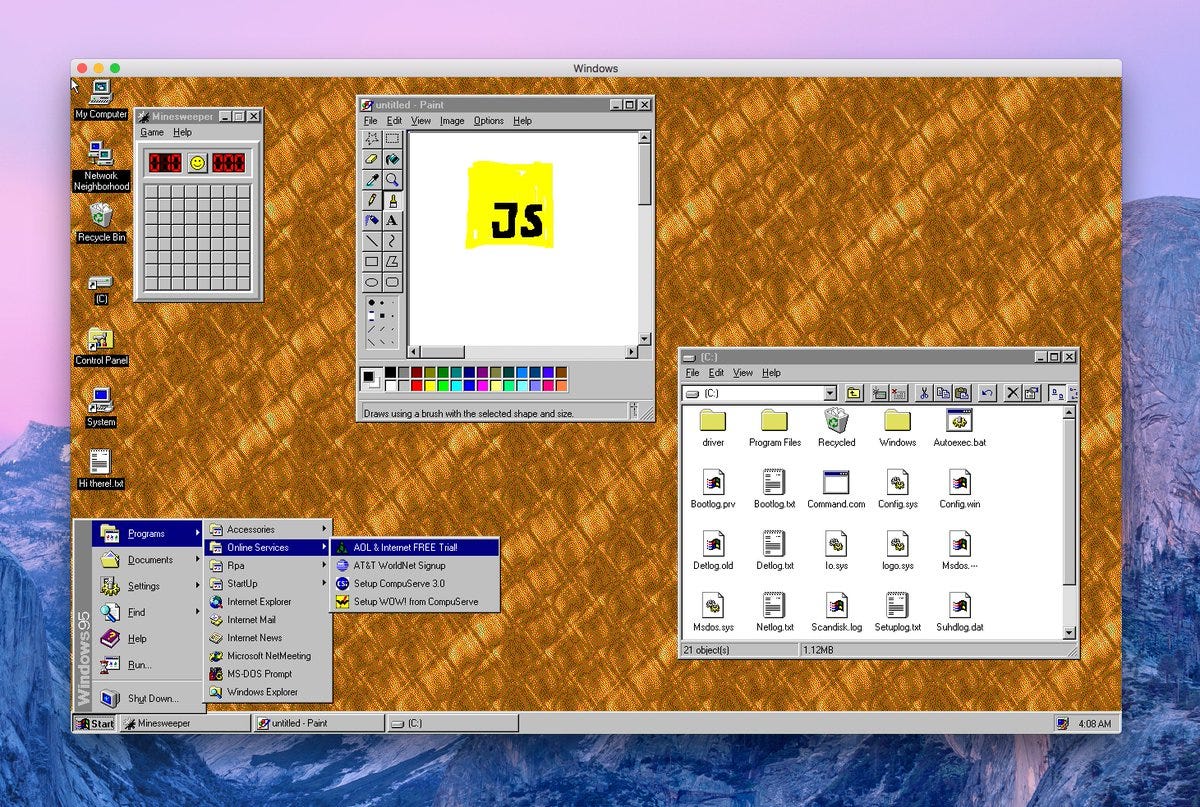
Latent Space: The AI Engineer Podcast
Why Anthropic Thinks AI Should Have Its Own Computer — Felix Rieseberg of Claude Cowork & Claude Code Desktop
01:26:59
Loading summary
Transcript334 lines
- [00:00]
Alessio
Foreign.
- [00:07]
Swix
Welcome to the Late in Space podcast. Our first one in the new studio at Colonel. This is Alessio, founder of Kernel Labs, and I'm joined by swix, editor of Late in Space.
- [00:16]
Alessio
Yeah, so nice to be here. Thanks to tj Alessio Alan helping to set everything up. It looks beautiful. We even have the logo outside.
- [00:23]
Felix
Yeah, it's like really nice. When you walk in here as a guest, you're like, ah, this is a serious production. You, like, feel it immediately.
- [00:30]
Alessio
Yeah. Felix, you've been. You're. You're currently product manager of Cowork, or really technical English lead. Yeah. The identities are kind of vague. Member Technical Staff.
- [00:41]
Felix
I know. Member Technical Staff is like the official title will carry around forever.
- [00:45]
Alessio
Yeah. I basically kind of wanted, like, we've been kind of obsessed. I've been using it a lot, even for managing latent space. Like, Cowork helps me upload videos and like title things and like edits and everything. It's like really amazing.
- [00:58]
Felix
Cool. Cool.
- [00:58]
Swix
He's had multiple times coworkers at GI in the group chat.
- [01:02]
Alessio
Yeah. So we have a second channel for LitInSpace TV and basically this is our Discord meetup and we have cloud coworkers. It might be AGI. I don't know if we have uploaded it yet, but one of the sessions was a cloud Cowork thing.
- [01:21]
Felix
I would love to see it. I'm so curious. One of the most fun parts of my job is to constantly see the weird things people use Cowork for, because it's obviously very hard for us to actually design for specific use cases. We do, but every single person who's most amazed is usually amazed about a thing that I didn't even expect Cowork would be good at. We have a new designer and it's one of the first small tasks. I was like, hey, we need a new emoji for Cowork for our internal stack. It's a pretty small thing. I was like, can you please do it? And he drew an SVG and just gave it to Cowork and was like, can you animate this emoji? And now it has like this beautiful loopy animation. And I mean, I think obviously this goes down to, like, it turns out you can do more things with code than you expected, but it's like that kind of stuff that is really fun to me. So long story short, I would love to see the kind of things you're doing.
- [02:07]
Alessio
I'll pull it up, I'll put it up. Yeah. But before we get into it, I think always want to start with a top level. What is cloud cowork for people who haven't heard of it, haven't tried it out.
- [02:17]
Felix
Okay, real quick, Cloud codework is a user friendly version of cloud code. So the way it basically works is we have cloud code and for us, fairly impressive agent harness that Over December we noticed more and more people are using either even though they're not technical, they're not at home in the terminal, or they are at home in the terminal, but they started using cloud code for non coding workloads like managing expenses or filling out receipts or organizing a knowledge base. Like there was a big Obsidian moment that a lot of people liked and we wanted to capitalize on that but also bring this capability to people who are not terminal native and who might not know how to brew install something. So cowork is cloud code running in a virtual machine with a little bit of padding, a little bit more guardrails, making it a little safer, a little bit more convenient for people who don't want to first open up the terminal when they go to work.
- [03:13]
Alessio
It's interesting that it's kind of pitched that way as a more user friendly thing because I always feel like to me, I treat it as like, well, I'm familiar with cloud code. We did a cloud code episode a year ago, but this one is even more power user tools because it kind of integrates much better with cloud and Chrome and all the other tooling. But maybe that's like a perception thing, right?
- [03:35]
Felix
No, honestly I don't think you're wrong. This is a thing I've been thinking a lot about for the last two weeks.
- [03:41]
Alessio
People when they say user friendly, it's like, oh, it's the dumbed down version, but no, actually this is the superset.
- [03:46]
Felix
Yeah, I think a similar thing happened. A similar thing happened to me about 10 years ago, maybe 12 years ago when I was at Microsoft and we started working on Electron and browser based technologies and cross platform stuff. And one of the first use cases was Visual Studio code, which used to be a website. And the initial narrative was Visual Studio code is a more user friendly version of Visual Studio. But in a similar vein, I think there were some voices saying, oh, this is not for serious developers, we're not going to use this for anything. And I think in the end what happened is people have different stories about why Visual Studio code became such a big thing. But my personal belief is that the hackability and the extendability has played a pretty big role. You can hook in Visual Studio code to almost any workload. It's so easy to hack on, so easy to build extensions for it. And I think Cowork might be hitting a similar thing where it's very easy to extend and it's very easy to bring into your workflows. So the convenience I think is a bit of a. It's obviously the thing we strive for as developers, but I think the way people find value in it then is by properly mapping it onto whatever they actually have to do in their job.
- [04:55]
Swix
So end of last year you see the spike of like non technical usage in cloud code. What's the design process to say we should make cloud code work? Because I mean you built it in only 10 days. I'm sure there was some discussion before on what does easier to use mean. You know, like making, making like a desktop GUI is obviously one way to do it, but like there's a lot of nuance in the product, like maybe talk people through what was like the trigger of like we should build a separate thing and we should not build like a different clock code thing. And then maybe some of the more interesting design decisions that maybe you didn't take.
- [05:27]
Felix
Yeah, I think at Anthropic we've been thinking about ways to move people who are comfortable with using Claw to answer questions and bring more the power of this thing to now execute tasks for you, can solve problems for you, can build things for you. How do we bring that capability to people who are currently mostly comfortable with question answer paradigm within the chat? And we've had a lot of prototypes around that just going back as far as easily a year and a half. We had a lot of people working on that internally. Anthropic is a very prototype demo first culture. We have a lot of internal prototypes that don't reach the public. And what Cowork actually became is we sort of picked the right pieces out of the many prototypes that we had. And that's maybe also I think an important qualifier whenever people mention this 10 day number. I do think it's important to me to mention that we didn't start with scratch. There was a lot of stuff already happening and I think it's important for people to remember that when you build a website, you use react, you use a bunch of other things and this is like a similar scenario with a lot of pieces we already had in terms of decision path. I think we live in an interesting new world where execution is actually quite cheap. So maybe what you would do that's
- [06:41]
Alessio
so crazy to hear.
- [06:42]
Felix
I know it's wild, right?
- [06:43]
Alessio
You should be. Ideas are cheap. Execution is the hard part.
- [06:46]
Felix
No. We used to live in this world maybe where you would take a product manager and the product manager would go to a number of potential customers. And in this very low bandwidth way, we'll try to try to tease out what are the problems they're having, what are they willing to buy, and then maybe what can you build to address that need? And then you go back and you draft a spec and you think about it and then you make a design and you execute it. We internally had anthropic app. Now probably much closer to the point where we're like, don't even write a memo. Just let's build all the candidates very quickly. Let's just build all of them and then pick the best ones. I think the decision that is most impactful, both for the product as well for the users right now is like the way we put value on your local computer. I think that's a big decision point. A lot of people have thought about, should this thing, whatever it is, should it ultimately run on your computer or should it run in the cloud? Because there are big trade offs. Right.
- [07:43]
Swix
I guess, like if we solved auth, it will be easier to do in the cloud. But I think like the fact that I can just download any file from anywhere and then put it in cowork there, it's like a big unlock. I mean, it's interesting you mentioned reusing certain pieces. I think this is something I've been thinking about. Even with cloud code, right. The price of like writing code is going to zero, blah, blah, blah. But it actually seems like the value of having some sort of platform substrate is like increasing because as you build these new things, you can kind of plug them together.
- [08:10]
Felix
Yeah.
- [08:11]
Swix
So I almost feel like when people are saying, oh, the value of a lot of software is going to zero because you can recreate it. Me, it's almost like the opposite is like having an existing platform to build on top of. It's like even more valuable because you can kind of bolt things on.
- [08:24]
Felix
Yeah.
- [08:25]
Swix
You have obviously mcps, you have skills, you have like obviously the models, which is a big part. All these things kind of come together. Do you feel like that's a valid way to think about it? Where people should invest even more in kind of like these primitives to rebuild on? Or are you like recreating a lot of it each time because, like, things change and it's easier to rewrite than reuse, you know?
- [08:47]
Felix
I think you're right. I think you're right that the holistic platform is really useful and this is maybe a whole like a somewhat contrarian view to a lot of people in AI. I actually don't think that the future is going to be hyper personalized software down to the point where everyone is running their own version. Like I actually think it's going to be quite hard for all of us to have our own internal chat tool. And like if I want to talk to you, like I. How is that going to work?
- [09:09]
Alessio
Right.
- [09:10]
Felix
In the context of Cowork and how we build it, I think it's a bit of a combination. The execution that gets cheap is not necessarily rebuilding all the primitives. I think a priori there's also not a lot of value in it. So for instance, my team did not think about rebuilding cloud code. We very much started with the core thesis of this should be cloud code and then we build things on top of it. The part of the execution that gets a little cheaper is how do you take all of these LEGO pieces and put them together in a way that makes sense for users? It is actually valuable. You have so many different approaches now in terms of what kind of things do you actually elevate to a primitive? Do you strongly believe that all your products should be built by just combining primitives with the budget also has available? Do you keep some things internal? And I think that's still evolving. But I think what's probably going to go away is like, I'm not sure if it's going to fully go away, but I'm going to say, I think for me personally, I will probably no longer try to come up with a really good product without testing out with people. This is not a new concept. But wherever you used to have to make costly decisions around, do we pick technology A or technology B or do we like build it this way, build it the other way? I really strongly believe now you just build all of them and try them out with a small focus group and then whatever is better is what you go with. Right. And that, that is probably quite different even from how we maybe worked a year ago. Right. Like I think, I think this happened very recently.
- [10:39]
Swix
Yeah. I started building something in on Electron since you're here. Coincidence. But then electron and like SQLite are like there's like some issues that like between development and like building anyway. And I was like, let's just rebuild the whole thing in Swift and just recreated the whole thing in Swift and it's like it's done, you know, that
- [10:59]
Alessio
didn't take any Effort. I don't even know Swift, but yeah, exactly.
- [11:02]
Swix
I was like, I'm not reviewing it anyway.
- [11:04]
Alessio
Whatever.
- [11:04]
Swix
You can write in whatever language you pick. But the important stuff that I did was not write the electron bindings. It was like the logic of what happens in the app, you know, and then the model is like, yeah, I can just recreate the same thing as with.
- [11:17]
Alessio
Yeah, I think you still want, especially for people who are doing like high performance software or very complex software, you still want some view of the architecture, but you can use Markdown for that, right? Yeah. You don't actually have to read the code again, I'm still on sort of like a definitional thing. Can we build a good mental model of cloud code work? This is what I have. Right? You said it's fundamentally cloud code. We don't want to touch it. There's the cloud app, there's cloud in Chrome. I think you guys do something different in planning, but I've been talking with Tariq who is on the cloud code team, and you guys are. He's like, no, we just exposed planning. Maybe you can clarify what are the major pieces that people should be aware goes into cowork.
- [11:58]
Felix
Okay. I think you basically have them so you can take planning more or less out. I think there's a few things that are really valuable in cowork. The virtual machine is probably the most powerful thing. So we currently run like, we currently run like a lightweight VM and we put cloud code into the VM and we do that for a number of reasons. Safety and security is a big one. But even if you ignore for a second safety and security and you're just like, okay, yolo, I want this thing to do whatever. It is quite powerful to give Claude its own computer. That is generally a good idea. And in terms of architecture and UX and everything else that we've been working on anthropic, it often is quite useful for you to anthropomorphize Claude aggressively and just be like, this is a person. What would you do if you had a person?
- [12:43]
Alessio
Right.
- [12:44]
Felix
And the analogy I've given my dad this morning, who is still quite insistent on using chat, even for coding things, is if you were a developer and your employer told you that you don't need a computer, they're just going to send you emails with the code and you send emails with code back. That maybe worked for Patrick in the back, but that is not very effective. So what we can do with the VM is because it's a Linux system, cloud code has more or less free reign to install whatever it needs to install. It can install Python, it can install Node js. We do have strict network ingress and egress controls. So you can still, as a user, in plain human language, make it clear to the entire system what you're okay with and what you're not okay with. But at no point do we have to ask a real person, like a person who might be in marketing or a lawyer. I'd have to go to the lawyer and be like, are you okay with me installing Homebrew? Because the implications of the question and the answer are complex and nuanced and not easy to reason about. And this gives us a lot of distraction. That makes Cloud very powerful. Now then, around it, we do probably have a number of things that also keeps growing almost every single week that you're probably noticing that make callback maybe better for certain tasks than just cloud code on its own. But most of those actually live in the system prompt. They're about, like, what can we infer about the work that you do? What can we introduce into the system prompt to make that more effective? It's, of course, the very tight integration with Cloud and Chrome. You're noticing that a lot of people, especially as the models get better, a lot of people throw up their hands when it comes to MCP connectors and they say, all right, I'm not going to go through like 25 MCP connectors, click auth everywhere. And then like half of them don't let me do things anyway. So Cloud and Chrome is quite powerful because we can just talk to the Cloud and Chrome sub agent and that will just do things for you.
- [14:28]
Alessio
Yeah. So one example, right in mcp, honestly, I think that the state of MCP is kind of really hard to integrate. I needed to add Figma MCP to the coding agent that I use, but I didn't want to read the docs. So I just had caught to it. And it's great at reading docs. And in the same way, I had to set up like a Google Cloud account for some project I was working on and get some API key somewhere. And Google Cloud is famously super hard to navigate. So I just didn't want to deal with any of it. I just used Cloud Cowork.
- [15:00]
Felix
Within the first week of developing on Cowork, this happened very, very quickly. I caught myself like starting to use Cowork for coding tasks, which is not ostensibly what we built it for. Right. We don't need to, but I found myself like on our internal tool that we have to collect crashes and just like debugging information. And I found myself sort of picking out the ones that I think we can easily fix versus the ones that might be like, kernel corruption or something else on the operating system. And I found myself sort of picking these out and then just telling Claude, go fix this bug. I was like, what am I doing here? Go one level up, tell a cowork, I want you to go to all these crash tools. I want you to find all the bugs that you think are fixable and not like an operating system crash. And then I want you to tell another cloud to, like, fix all of that. And that's another Claude.
- [15:46]
Alessio
So it can spin up another instance or.
- [15:49]
Felix
Currently, what I do is, and this is a bit of a hack, but I tell it to use Clock Code Remote to call it.
- [15:57]
Alessio
Yeah, that's interesting.
- [15:59]
Felix
So you basically take. If you imagine like a dashboard with
- [16:03]
Alessio
like 20 bucks, this is remote control or clockwore remote. Sorry, I just wanted to confirm what
- [16:08]
Felix
the way I'm using it is. I have Cowork running and I'm telling Cowork, here's where I normally go every morning to find the latest bugs. Go read the entire bug list, separate out which ones are fixable, which ones are not fixable, and then for the fixable ones, for is this almost loop. For each bug, write a markdown file with a prompt, and then for each markdown file, that is a prompt, start off a cloudset.
- [16:31]
Alessio
So natively, cloud code has this concept of subagents, and this is basically a subagent, but. But you're not using the subagent functionality.
- [16:38]
Felix
I'm not using the subagent functionality. And the reason I'm not is because I'm firing that off as a cloud code remote task. That's kind of nice because then it can just fire it off. I can go to my next meeting. And in cloud Code Remote, now the work is happening.
- [16:51]
Alessio
Yeah, you see, like, you're already starting to use the cloud over your local machine. And I think this is one of those things where, like, why shouldn't just everything just be cloud first? Right?
- [16:58]
Felix
Ah, this is such a good. I'm like, surely thought about this. I have so many thoughts about it. Okay, so I generally believe that Silicon Valley overall is undervaluing the local computer. And my default argument for that is always how come we're all using MacBooks and not like an iPad or a Chromebook. There's still value in having a local machine. And now when I think about clock as this entity that is supposed to be very useful to you, like tremendously useful to you, I think that entity needs to have access to all the same tools you have access to, otherwise it's going to be hamstrung in all these complex ways. And there's sort of two approaches we could take. We could say, okay, we're going to like, one by one chip away at everything that is at your computer and move it into the cloud. That's one way to do it. And I think other products have taken that path. I personally, this is a very personal opinion, but I personally, for the amount of tools that I use, just don't have the patience to give another tool like permissions to every single thing and keep those permissions up to date. The second thing that I'm still grappling with, and I don't have a good answer for anyone just yet, but the second thing I'm still grappling with is what does it look like for someone to slurp up your entire work and put that in the cloud? Like if I just as an example, like if you could click a button and it just cloned your entire computer into the cloud, is that something that you would want? I'm not totally convinced yet that everyone will. And that is sort of like upstream of all the technical issues we're going to have. Because in general, I think the world is not ready for this kind of stuff. I'll give you one quick example that would probably be very easy for us. So as a desktop app, we, in theory, with your permission, can do a lot of things on your computer, including reading your Chrome cookies if we really wanted to. Right. We could take your Chrome cookies. You would have to decrypt them for us, but we could put those on the cloud if we really felt like it. Pretty easy solution. That would be super cool. We could just be like, oh, we can do all your tasks in the cloud. Now, a lot of websites, banks included, if they see the same authentication from two different locations, will just lock down your account. And now you have to go to the branch and be like, okay, I'm here with my passport.
- [19:04]
Alessio
How do you actually know that?
- [19:05]
Felix
Wow. As tired as we all are of the term agent for the agentic future, I think there's a lot of stuff that sort of slowly needs to catch up. And until that's the case, the way I, as someone who's working on cloud, can make cloud most effective is to put it where you're working.
- [19:21]
Alessio
Anything else with our mental model. So basically, part of me Also just want the more I understand how it works, the more I can use it to its full potential. Right. And so what I'm hearing from you is you told me to delete the planning thing. You're not doing anything special. That's only exclusive to Claud. Cowork.
- [19:38]
Felix
We have some tricks for this sort of change. Week over week we evaluate cowork maybe against different use cases than you would evil cloud code. Right. How do you think about it this way? Okay, so like cloud code is ideal.
- [19:49]
Alessio
Cloud cowork.
- [19:50]
Felix
Yeah. So cloud code is like quite optimized for coding tasks. And we mostly evaluate whether or not we're getting better or worse depending on how good it is at like a typical Swede job. And cloud cowork, on the other hand, we evaluate more against typical knowledge work the kind of stuff you would find in finance or in like maybe like in like a legal office. My personal use case is always like managing my things like managing my personal mortgage or something like that. Right. Or like wealth planning for me and my family. Those are the kinds of use cases we eval, clot, cowork on. And what you might be picking up on is like the subtle changes we make to the system prompt, what we put in the system prompt, how we steer cloud with the tools we give it. Like either it'd be better in one or the other direction. Wherever there's a trade off, trade offs exist a lot. Cloud code will be better for code and cloud cowork will be better for non coding tasks. Will those gaps still exist in the next few generations of models is a little unclear to me though because right now these hyper optimizations we make, I'm not sure for how long they're still going to be relevant.
- [20:50]
Alessio
I think what I was referring to was also qualitatively felt different when I probably is just all prompting and I'm reading too much into it. But the fact that it comes up with a nine step plan, I can edit the plan and give feedback and see it execute the plan. Yeah, it felt more long range than in cloud code, but maybe that already existed in cloud code and you just built a nicer UI for it.
- [21:14]
Felix
It's kind of both like if the cloud code people who build the planning functionalities with City, they will probably say yes, we have all of those things in cloud code and they do. I think people tend to give cowork tasks that are maybe of a longer
- [21:28]
Alessio
time horizon is so long.
- [21:30]
Felix
Yeah, that's like one thing. Right? You're just like that. The chunk of Work tends to be maybe a little bigger. And then the second thing is that because the work, when it gets longer, gets a little bit more ambiguous, we do tell Cowork to make heavy use of the planning tool or to make heavy use of the Ask User question tool.
- [21:46]
Alessio
Right.
- [21:46]
Felix
We do want it to come up with like, different scenarios of tease out what the user actually wants. Don't go off to work for like four hours and then come back with the wrong thing. And you're probably picking up on that. I wish I could tell you. And I built this magical thing and it's like there's some secret sauce on.
- [22:00]
Swix
Oh, no, no, no.
- [22:01]
Alessio
I mean, it's just clarity is good that, you know, engineers just want to know they can plan around it. And then I think also for me, I'm realizing I have to switch to my other machine because this is a new machine and doesn't have my session. But yeah, the planning is really important for me to approve or to see whether it's right. The ask user question is so beautifully presented. I mean, it's also available in like cursor and code. But I think it's so nice to see that it's kind of for me to understand that it gets me. It gets what I want to do. Just on the topic of evals, when you say eval, I think people are very vague about what it means. Is it just vibe testing or do you have automated programmatic evals of cloud core work?
- [22:47]
Felix
When we say eval, what we really mean is that we essentially take the entire transcript, including all the tools that Claude has available ultimately to it, and we then measure what are the outputs, depending on what we tweak. Right. So we do run that a lot. We use that in training. We use that if you sort of separate out post training from the scaffolding around it. Cowork sort of exists in the scaffolding space, but obviously we also train on it a little bit. So when we say eval, we mean, given the certain transcript, what do the outputs look like, including the file outputs as well as the actual token outputs like the ones that you see in the chat window.
- [23:25]
Swix
I'm curious how much of the failure modes are the model intelligence versus the usage of the M tool to put the intelligence in the. Well, planning is a good example. One thing is to come up with a plan. The other thing is make a nice spreadsheet that runs you through the plan. How have you seen that evolve?
- [23:44]
Felix
The thing that I grapple with a lot is that when whatever scaffolding you come up with. I think we still have a bit of sort of like model overhang where the model is dramatically more capable than users end up using it for. And I think part of that is that we're just not getting the model all the tools to do all the things it's in theory capable of. That's like one thing. However, whenever you do build the scaffolding, sort of wondering at what point will that scaffolding go away and how much you invest in figuring out what the right scaffolding is. It's kind of up to. It's a little bit of a bet, right? And one thing that I, as an engineer quite enjoy is that like working at Anthropic and working at a Frontier lab, I maybe have a little bit more insight into what's coming down the chute in terms of like, what's the next model? What is the model capable of, what it's good at, what is it bad at? And I'm increasingly wondering, is the right thing for us to really invest too much in sort of these scaffolding corrections where the model might otherwise not misbehave, but just not do the thing that you want, or is it to just give it as many capabilities as possible, try to make those safe so that the worst case scenario is not as bad as it might be otherwise, and then just simply wait a second for the next model drop? I'm personally currently more leaning into the latter. I think we're going to see a lot of applications and companies that do very impressive things with AI that in the short term might seem very effective because they're very specialized to individual use cases. But I think once models get better at generalization and get better at those specific use cases without being super guided on those, I'm not sure how long that's going to stick around. And you can kind of already see this in like Skills and NCP servers, right? We've already seen sort of this like slow shift from MCP service to Skills. And like, maybe a good example is Barry, who made Skills. He was initially hacking on something that honestly looked a lot like what Cowork does today. He was sort of thinking about what if Cowork, but for like people who don't want to build code. And he too did that as a prototype inside the desktop app. One of the first use cases we thought of were, okay, what are coding use cases that could really benefit from graphical interfaces and from being a little separated from the actual underlying code? And everyone comes up with the same answer as data analysis or it's like, how many users do we have today? It's always data analysis. And I think the thing that ultimately led to Skills is that we want to connect this little prototype to our data warehouse. And the team very quickly discovered that instead of building a custom tool for the thing to talk to our data warehouse, they just made a markdown file and were like, dear Claude, if you want to get data, here's the endpoint, here's what the API looks like. You figure it out and then hand over control. Yeah. Also just maybe go one step up in the layer of abstractions. Right. Instead of telling the thing, here's a cli, please call this cli. Or here's an mcp, please call this interface shape. Just like this is the endpoint. If you want to know something, if you post here, maybe you can do post SQL, it's going to be okay. And that ended up being so effective that they started trying the same pattern of just giving the model a markdown file that describes whatever it needs to do that the whole thing eventually became skills. And we're like, we should package this up. This is a good idea. Yeah.
- [26:59]
Alessio
We've had Barry Mahesh on our conference and he's definitely got a good idea there.
- [27:05]
Felix
Yeah.
- [27:06]
Alessio
I wanted to show you how I've been using Cloud Cowork.
- [27:09]
Felix
This was my favorite part.
- [27:11]
Alessio
So this is like me. This is how we run the discord. We literally at first I didn't trust cloudcore. This is my very first usage. Right. So then I was like, okay, I will just try to manually download from Zoom all my recordings and upload it to YouTube because this is a very laborious process. I got a click, click, click. YouTube isn't super user friendly. And it just did it. And then I was like, actually, you know, even the download from Zoom part I should also put into Cloud Cowork. And then I did it, right? Here's a bunch of. And it starts compacting here and it starts to even be able to do things like look through the individual frames of the video to name the video so that I can upload it automatically.
- [27:51]
Felix
All that is.
- [27:51]
Alessio
And this replaces my job as a YouTuber.
- [27:55]
Felix
We will forever appreciate your creativity.
- [27:58]
Alessio
And so that's great. But then, by the way, it compacts and makes a new thing. Right. So I don't have the initial thing, but then I asked it to make its own skills so that something that's repetitive and one off and human guided becomes more automated and I can use the skills independently and reuse them and it obviously can write skills and that goes into context and skills at the bottom here, which is so nice. So I have all these skills that are now sort of do on a weekly basis. I know you've released scheduled coworks, which I haven't done yet, but of course
- [28:31]
Felix
they should try them. I think this is so wonderful and fun for me to see because I think one thing that is very fun for me about skills in particular is that they're so easy to make. Like anyone can make a skill. Like a text message could be a skill and they can be so hyper personalized to you. And this is like sort of this objection layer, right? Like, I'm just guessing, but I assume you're very good at your job. You've probably given this thing some guidance about how to do it, right?
- [28:55]
Alessio
I just said wrap everything up into a skill, right?
- [28:58]
Felix
Yeah.
- [28:59]
Alessio
And then I was like, actually sometimes I might need to break things apart because some parts fail or some parts might be needed individually. So I told it to split one skill into three skills. So it's like a skill splitting thing and then there's like a parent skill that just orchestrates all of them. If I want to use that. I think that's really good. There's one more part which is the Google Chrome thing that I told you about where I'm like, okay, you know what's better than uploading using Cloud cowork to YouTube? Like actually looking at the docs to like programmatically upload to YouTube and then putting that in a skill. And I've never done that before. I don't want to deal with Google Cloud. So cloud cowork does it for me.
- [29:37]
Felix
That is really cool.
- [29:38]
Alessio
So I just, I don't care. I just like let it do its thing. It doesn't really matter.
- [29:42]
Felix
That is really cool. And then you, I assume, paired the skill just with the script that it's built.
- [29:46]
Alessio
Yeah. And then I just update, update the skill.
- [29:47]
Felix
Oh, that is beautiful. Yeah, that's wonderful.
- [29:49]
Alessio
It's kind of like a skill, basically. I think like the way that people ease into cloud cowork is like take a knowledge work task that you would normally be clicking around for and then try to turn, turn that and then you do the. Okay, well what if you went further. Okay. And then what if you went further and you sort of expand the scope of cowork as you gain trust with it and also teach it how to replace you?
- [30:12]
Felix
Yeah, it's like a little bit like playing Factorio but for your own life. Like you say you start really small. Yeah. You start automating something really tiny, and, like, once it clicks, you keep adding onto this, like, automation empire. Just, like, make your life easier and easier. My favorite skill has been every single morning, Cowork starts looking at my calendar and make sure that there's no conflicts because people tend to schedule all the meetings, sometimes last minute, sometimes miss it. It's often painful. And a lot of products have existed like that. A lot. I've written in the custom prompt there. I haven't made it a skill honestly should. But I've given, like, pretty clear instructions about. Okay, here's some people, if they book over other meetings, I'm probably going to go to their meeting. Like, if Dario schedules a meeting.
- [30:55]
Swix
Right.
- [30:56]
Felix
Not try to reschedule Dario. Right. And I think there's some other rules in there about, like, what kind of meetings I care more about, what kind of meetings I care less about. What is okay to, like, maybe punt, like, when I want to be. When I want to be working, when I don't want to be working. And it's those really small things that I think kind of click with people.
- [31:13]
Alessio
Right.
- [31:14]
Felix
When we launched Cowork, I think one of the use choices that went most viral on Twitter X was clean up your desktop, which is, of course, silly. That's such a rare thing, right? Like, you don't need a model to clean up your desktop. Not really like this, like, clean up my desktop. Yeah, exactly. Yeah.
- [31:31]
Alessio
I need to choose my desktop. Right. I guess give it access to my desktop. Yeah. Okay. Okay.
- [31:38]
Felix
This is very scary.
- [31:39]
Alessio
I'll go do it.
- [31:40]
Swix
I did it with my downloads folder. It was like, you have so many term sheets and there's like, eight copies of your rental lease for your office. I was like, all right. Like, don't yell at me.
- [31:49]
Felix
It's such a small task. And, like, I would never go out there normally otherwise and tell people I've built a product. I can organize your photo. Right. Because it feels small. But I think to your point, like, oh, here's.
- [32:02]
Alessio
Here's the. Here's the ask user questions. Yeah.
- [32:05]
Felix
Beautiful, right? Is it obvious junk? You probably shouldn't click that.
- [32:08]
Alessio
No.
- [32:09]
Felix
If he's not done. Right.
- [32:10]
Alessio
As long as it's reversible, I don't make a blend.
- [32:14]
Swix
Yeah.
- [32:14]
Alessio
No. I have a typical everything is super messy folder. So, yes, I think this is super helpful. So this is a pretty simple task, but okay, here it is. Right? Here's the progress. I don't see this in this. I'm like, this got to Be something different than cloud code. Because I'm like, we do the average,
- [32:33]
Felix
we do system prompted. We're like, all right, we want you to think about like this task. Yeah.
- [32:38]
Alessio
And then I can do like little suggestions for these things. It's beautiful. Look at this. I can say like, oh, don't do that, don't do this. It's amazing.
- [32:47]
Felix
I'm so happy you like it. I mean the other way around. Like we're part of the cloud code team. If you would like this in cloud code.
- [32:54]
Alessio
Yeah. So, yeah, I mean, uh, this is really good. Obviously I'm, I'm like kind of raving about it. Uh, and you know, I have other things like sign up for PG&E, so if you can do phone calls for me, that'd be great. Um, I, I do.
- [33:08]
Felix
People have done that. Obviously you can't do that natively, but people have done that with like various other providers. Yeah.
- [33:14]
Alessio
And then this is like signing up for the figma mcp. I really am trying to do like everything. Data analysis as well. I do think. Oh, design to code. Very, very good.
- [33:25]
Swix
Right.
- [33:25]
Alessio
So like here's a FIGMA file. Take it. And then this is where like a lot of other tasks is like knowledge work, like replace my manual clicking. But this is. No, I would normally use cloud code for this, but because I perceive that you have better Chrome integration, I think you can actually do a better job of this. And this is one shot at my conference website.
- [33:46]
Felix
That's pretty cool. Like at some point I would love to like hear how you feel about code in the desktop app, which is like I never use, which is the same team. Same team.
- [33:56]
Alessio
So I use the cloud coding terminal, which I perceive to be the default way of cloud coding.
- [34:02]
Felix
So one thing this has. Sorry, I'm just like, I'm not here, I'm not here to wrap all these products. Can I talk about other stuff too? I'm not sure if people out there want to hear me advertise my stuff for like an hour. Please do. But this thing has like a built in browser, which is a thing a lot of products have. He said it's a built in browser and I think giving cloud eyes into what you're actually working on makes it so much more effective. And that's probably why you've seen in cohort, because it can see Chrome, it can like debug the dom. It could see things. That does make it more powerful.
- [34:30]
Alessio
Yeah. So I think my mental model is kind of broken because I only use Cowork because I thought it had a browser thing in it. But I understand that the Claude code app or the app version of cloud code does have a built in browser. I've seen this preview thing. Yeah, I just, I've never used it.
- [34:47]
Felix
In the end. In the end you sort of have to play hard. Yeah. You basically get the same thing. Right. Like the additional skill that you're describing is cloud is better if it can see what it's working on. Right. That's sort of like the summary here. And like whether it's using your Chrome or it's just like making up its own little browser, doesn't really make a big difference because either way it's going to see what it's working on and that just makes it much better. And then you don't have to run QA for your cloud.
- [35:11]
Alessio
Why doesn't it pick up my existing cloud code sessions? Because I mean, obviously I've used cloud code but.
- [35:16]
Felix
Excellent question. Don't have a good answer other than
- [35:19]
Alessio
like we're honest, just haven't.
- [35:20]
Felix
Yeah.
- [35:21]
Alessio
This is what the OpenAI team does. Cool. I don't have other. Like, I just, I do want to expand people's minds and also maybe show people if they haven't really done it. But like I think it's very interesting how I sometimes use this more than I use. I mean I use dia, right?
- [35:36]
Felix
Yeah.
- [35:37]
Alessio
And I use, I've used like all the other agentic browsers and Anthropic didn't have to build an agentic browser because you just had cloud cowork and that's enough.
- [35:46]
Felix
Yeah. I also think like maybe integrating with number of excellent browsers out there is like currently on my personal priority list a little higher than like trying to rebuild a browser from scratch. Yeah. You know, never say never. But I think going back to this idea of like we want to plug this into an entire existing workflow, I think our goal is actually to not replace any of the applications you have on your computer, but instead like work really well with a new workflow, make the new one. Yeah, yeah.
- [36:12]
Swix
It seems that nowadays, especially on the browser, most of the innovation is like user ergonomics. It's not really like the underlying browser engine. So I feel like to call it. It doesn't really matter if it's like DIA or Chrome or Alice, whatever.
- [36:26]
Felix
Yeah, we want to meet you wherever you are. Which is like obviously I would say that, but it's also just generally true because I don't want to streak my potential user base artificially by saying, okay, like I'm Going to start building for the people who are willing to switch browsers.
- [36:42]
Swix
Right.
- [36:42]
Felix
That's such a, like, you know, like many lawsuits have been filed over who gets to the browser and like a lot of money has switched hands over the question of like which browser is default and which search engine is default within the browser. I just want to build for. Yeah. I want to build for SWIX essentially. Like I want to build for people who have a number of annoying tasks that they feel like maybe cloud could do it for them.
- [37:09]
Swix
Yeah. What do you think about skills Portability? I think there's been one thing. I use another thing called Zoho which is kind of like a cloud computer plus agent and I have a skill to add visitors to the office. So whenever somebody has to come in after hours they need to check in downstairs, but I want to text the thing. So it doesn't really work in cowork, but now that skill is in the DZO harness and it's not in my cowork thing. And then if I make a change I gotta sync them. How do you see that that going? Like I see memory as like cloud personal, kind of like I don't necessarily want my memories to be crossed in.
- [37:45]
Felix
Yeah.
- [37:46]
Swix
But I do want my skills to be cross agent that I use. I think with mcps people do the same thing. It's like, oh, MCP Gateway, MCP Registry. I don't really know if that's like a business, so I'm curious like if you've had any thoughts in the area.
- [38:00]
Felix
I think for me this is sort of where I go back to the really basic primitives for our skills are file based instead of like this complicated thing that exists inside of Plist somewhere that is like super proprietary. I'm really leaning into the idea of like it's all just files and folders and that makes it very portable in its own right. We do have skills as part of this container format which we just call plugins. And plugins are available both for cloud code and cloud cowork the same format and you can install plugins. This works in Cowork. Today you can basically say I'm going to add a whole like just a GitHub repo as a skills marketplace or like a plugin marketplace. And that's how we're doing portability. I think we have a lot of room left to grow in. How do we make it easy for people to know that they can write skills? How do we make it easy for them to just like share a skill with you? Because obviously all the words I just said. Right. Like I'm losing most of the knowledge worker base out there. I start by saying, oh, you can connect to GitHub repo. It's not exactly how most people will end up working in like a general knowledge worker space, but I think there's something there. And another thing that's there that I think has not really been properly explored is the combination of which part of the skill is very portable and then which part of the skill is very personal to you. And I think that's something we haven't really solved yet in industry, which is
- [39:20]
Alessio
how do you want to introduce more structure to the skill or always have public skill, private skill?
- [39:25]
Felix
It all pairs. Yeah, yeah, kind of. I think there's like a. Like the easiest way to do this would just. We do like use string interpolation or something. Right?
- [39:33]
Alessio
Right, yeah, yeah.
- [39:34]
Felix
Insert username here, insert like phone number, insert like known folder locations, that kind of stuff. That's probably clunky. That's why we haven't built it. But I do think someone is going to come up with like an interesting way to keep everything we like about skills. The portability is just a file, it's just markdown, it's just text, honestly, like a text file. Words. The complete lack of structure, which means you don't need any kind of tutorial to write a skill. Just like explain it to Claude the way you would explain it to me. And Claude will probably get it before I will get right. You just like for booking your flight, tell Claude how to book a flight the same way we'll tell him somewhere. I just started working here today. But combine that with a very personal thing. Maybe we'll stick with the booking a flight example. And I actually think AI should be booking flights. I think the tools we have is
- [40:25]
Alessio
finally somebody says it.
- [40:26]
Felix
It's the default demo that everyone was making.
- [40:28]
Alessio
I'm like, I ain't against flightbooking demos. It's not a good showcase. Yeah.
- [40:33]
Felix
I'm like, I just want to book my flight myself. But I think there's a lot of things that have a personal and a non personal component. And that's maybe why people reach for flight booking, because some things are very universal. Cheaper flight is usually better. Right. Like few people try to book the most expensive flight. And then some things are quite personal about like what times you prefer, which seat you prefer, which airports you prefer. Combining that in like a skill format that is actually portable, compatible, easy to understand for people. I think that would be very exciting. We just haven't figured it out yet.
- [41:03]
Swix
Yeah, I think the text part, I think everybody by now has some sort of like cloud file thing either. Dropbox, Google Drive, whatever. So it feels like in a way it should basically like symlink my skills into all my agent harnesses, just keep those in sync. Like we have internally this valuable tokens repo which is like all the commands, sub agents, it's good. And then I build like a TUI where you can start and be like, you know, install this command and these three sub agents into this agent in this folder and just copy paste this. It doesn't do anything literally CP the file into that. But I feel like there should be something similar where like whenever I go into a new thing, it's like, hey, here's like the link to exactly the cloud folder and just bring down these skills into this. Like today it doesn't quite work like that. Like if I install a new agent, I cannot have to like copy paste all the skills and I don't even know where they are. Yeah, that's like the big problem is like, where do I find them?
- [41:58]
Felix
Yeah.
- [41:59]
Swix
So I'm curious, like in the future, like that almost feels like my personal productivity thing will be my skills.
- [42:04]
Felix
Yeah.
- [42:04]
Swix
It's not really the product that I use because everybody has access to the same product, but. But today that just looks like copy pasting MGA files.
- [42:12]
Felix
I think so many things. I really like thinking about agents and LLMs just as like another coworker. So many attempts I've made to build documentation companies that are like, oh, we're going to solve all your documentation problems. I myself like spend a little bit of time working in notion. Right. I'm like deeply familiar with the concept of let's get everyone on the same page. What you're basically saying here is you want all your agents to be on the same page about your preferences, about the skills, about the way they ought to work and like how they ought to execute. And I'm not sure what the right thing is going to be, if it's going to be some, some company that can say, all right, we're as an independent body, we're not trying to like push into any particular product. It's our job to be like the skill authority and we provide. I don't know, we're going to be the Dropbox of skills and we can just sim link us into all the products they want to use. I'm not sure that's going to be a viable business, but as an idea, it would be cool.
- [43:05]
Swix
Right, yeah, yeah. I think so many things are just going away as businesses. It's like, how am I supposed to do it? I'm not even asking somebody to make
- [43:12]
Felix
a product about it.
- [43:13]
Swix
Like I want to personally know and there's things like you said, it's like you almost want to skill and then interpolate it between personal and work. So if I'm booking a flight for work, it's different than I'm booking a flight personally in some ways. But like a lot of the scaffolding is the same, you know, I mean
- [43:31]
Felix
as an engineer, I will tell you like, you know, technical person to technical person. I will just be like sim links.
- [43:36]
Swix
Well, that's what, that's what I do with Cloud MD and Agents MD. It's just the same file SIM LinkedIn. And so it's like that works, but it feels like, yeah, I don't know,
- [43:45]
Felix
maybe you can always go one level up. You can always tell cowork your problem and then cowork will solve it for you. Doesn't make the siblings. That's like one way to do it.
- [43:52]
Swix
That's true. That's true. All right.
- [43:53]
Alessio
Everything is called cowork potentially spicy question for both of you. Which of these industries will go away?
- [44:00]
Swix
Okay, so what Felix was saying before is interesting. There's basically like the short term pressure of like we need to turn these tokens into valuable things, which is I should build the last mile product that harness the model. And then there's the question of like long term, which ones are gonna still be valuable. And I think you're kind of seeing this today with like, you know, the coding space in a way is kind of like everybody's moving up and up in stack because you need more than just turning tokens into code. I think search, like enterprise search is kind of seeing the same thing like where glean and like all these different companies is like at the end of the day, if Cowork is the one doing all the work, the search itself is like such a small part that like, I don't know if I'm really going to pay that much money just to do search. It's almost like everything is like a coworker vertical. So like how much can cowork first party support and how much can it not? I think for a lot of these things, the planning thing that you were showing. The planning. The planning. Okay, yeah, yeah, like that's one thing where like most of the value that these agents provide is like they're better at planning for specific tasks and have better tools for it.
- [45:10]
Felix
Yeah.
- [45:11]
Swix
But I think the models are now moving in that direction and they have the right harnesses and they're on your computer. So for me, it's almost like if the end customer trusts your startup to be the provider of that task result, then I think that works.
- [45:29]
Alessio
This is something that, this is a short spike that we're working on.
- [45:34]
Felix
Yeah, I think. Look, I'll tell you this, I don't think I'm the best person to actually estimate which industry is going to be hit the hardest. But I do think that at Anthropic, as a group of people, we're deeply worried about the impact that the tools are going to have on the labor market, especially for junior employees. Because I think it's only honest to say that when we talk about automating away a lot of the work that we personally find annoying, that we maybe think is not the best use of our time, in a lot of industries, that kind of work would have been given to a junior entry level employee.
- [46:10]
Swix
Right.
- [46:11]
Felix
And I think it's only right to be really worried about that and worry what that's going to do in particular to people who enter the job market.
- [46:21]
Swix
I have a solution for that which you make them, you create simulative jobs for them. Okay, so this is like half joke, half true. So if you think about software engineering, when you're like a junior engineer, you work like one, two, three years, and in those three years there's like maybe like a handful of moments where you really learn something and then a bunch of other days where you're not really progressing. Yeah, I think now we can use AI in these models to actually shortcut these careers and almost like simulate the early years of your work and just make them super dense in these learnings. It's like, hey, we're working on this feature which is like a distributed system and you need to learn this thing that might take three months at a company. And so you take three months here, it's like we're just simulating the whole thing. It's actually not a real thing. And in one week we kind of speedrun through the whole thing and you kind of learn your lesson from there and we kind of repeat that. In my one year you basically get like three years worth of like projects and experience. Yeah, I think it's harder for like things like sales or for things like, you know, marketing because you don't really have a way to get the feedback loop. But I think a lot of it, it sounds kind of silly. It's like you're making the new effect job, but it's almost like you go to college. Right. People pay to learn how to do it. And this might feel similar where it's like, hey, we have the Jane street simulator. It's like, you want to come work at Jane Street? We'll just put you in the simulator for like three months and you'll come out of it. It's like, you know, I'm ready.
- [47:49]
Felix
So there is an aspect here. I'm not an expert enough to, like, actually know what is going to happen to marketing or legal or finance. Right. Like, I don't work in those jobs and I don't think I should talk about them. But I am an engineer and I think I have a pretty good idea of what engineering is like. And I think one thing we're sort of seeing is that as a company and also as the public, we're deeply worried about entry level, but we're also seeing more senior engineers accelerate it, if you like. They're more productive. They actually increase the value they provide. And the thing that I'm thinking about a lot is the fact that even before all of this happened, I've always had a lot of respect for the University of Waterloo. And the new grads that have joined my teams from coming from University of Waterloo always felt like more ready than new grads who literally spent their entire time at the university, regardless of how good, but never actually had to work inside an environment where you have to ship things that eventually will be used by you producers. And I'm German, initially went to German university, and I think the information systems programs there tend to be very theoretical. I often give people the example of trying to become a doctor, but you first have to do four years of biology. And as a result, when you get a new grad, you have to teach them what it's like to actually build products and to work in a company and work with other people. And some people will have different opinion. How do you do all of those things? And the University of Waterloo, it seems like they just spend half of their time. I don't know if it's true, but it's a year. Right. They spend so much time.
- [49:18]
Alessio
Part of your job curriculum to do. Spend a year in internships.
- [49:22]
Felix
Yeah, they just go from company to company. They show up on your team as a junior engineer who's been to 20 companies. Not really, but it seems like a lot of my new grads have also briefly worked at Apple, Google, Tesla.
- [49:34]
Alessio
Yes. And there's a common meme where they collect all these logos like infinity stones and they always put it on LinkedIn and it's very clear that they were an intern.
- [49:43]
Felix
Yeah, exactly. But it does actually make them so much better compared to other new grads. And I wonder if that's a useful model maybe for the future when you also have to crunch down the amount of time you have as a junior employee because the value you have as a junior employee is going to be impacted.
- [49:58]
Alessio
My sort of pro young people take is that you have higher neuroplasticity, you can learn more, you have less pre existing biases. And what I assume it's true for you. What OpenAI often says is that actually it's the younger first grad engineers that use codecs or they're coding stuff more innovatively than the experienced engineers who have a set and preferred way of doing things.
- [50:25]
Swix
Yeah.
- [50:25]
Felix
As I talk to people, I have similar experience.
- [50:27]
Alessio
Yeah. So maybe you're more AI native and therefore you get cut. But I think the problem is you don't need that many of them.
- [50:35]
Felix
I mean Anthropic is on the record as saying we do believe that the impact on the market is going to be sizable and we do not think that people overall are ready. Right. And we do actually think we should probably talk about it as a society much more. I'm not sure that I'm like the individual that can add anything useful there, but I think as societies with economists and governments that need to wrestle those questions in a way that is probably more meaningful than me wrestling with them, we're probably not doing it enough.
- [51:04]
Alessio
Yeah, well, we'll try to educate. And then I think also just releasing frequently as you guys do, or probably maybe too frequently, is helping people to adjust over time rather than one Big Bang thing. There's sort of this gradual takeoff that people are living through that we're waking people up. Right?
- [51:22]
Felix
Yeah. But I think a lot of us are wondering at what point do we actually have full takeoff? At what point is there we're all sort of expecting this Big Bang moment where things will accelerate so quickly that it becomes a self reinforcing loop. And at that point it's sort of like off to the races and there will be no more slowly catching up. You know, just have Clark being so good at everything.
- [51:42]
Alessio
Yeah. It's when Cowork is training models. It's when it's looking at tensorboard and weight and biases and training things and
- [51:50]
Felix
like we can all debate like how many years it's away. Right. Like some people make a better Route like maybe it's 10 years away, maybe it's a year away. I'm not entirely sure where I come on this line, but I'm not entirely sure that ultimately it matters all that much whether or not it happens in four or five years. If we have a decent amount of certainty that's going to happen, it's probably something we should wrestle with.
- [52:07]
Alessio
I wanted to talk. So by the way, the scheduled task complete, the clean my desktop task complete. And it did it organized by file type, which. Okay. But you know, I was trying to get it to do more sort of thematic like read the file, understand what it's about, group by the topic rather than the file type.
- [52:23]
Felix
But I mean you can just follow up and have it do that. It is proposing this, right?
- [52:29]
Alessio
Yeah. So it's got some topical things, but yeah, I could probably do better. So I probably need to give it a skill to read video files so that it understands. Here's how I like to.
- [52:39]
Felix
Honestly though, I see that you're using Opus 4.6. Right. Like my recommendation for people is increasingly don't worry about it anymore. Just like tell it what do you want it to do. And it's probably going to figure out a way to do it.
- [52:50]
Alessio
Okay.
- [52:51]
Felix
It might not be the way that you like necessarily or the way that you've gone about it.
- [52:55]
Swix
Videos, deeper, lower outsourcing, organizing, all of this. So let's fight. Yeah.
- [53:01]
Felix
I'm honestly so curious what cloud is going to come up with.
- [53:04]
Alessio
I'll kick that off. I wanted to also just talk about the overall. You talk about data analysis, you talk about your personal finances. You also said, which by the way, for us is very timely tax season. Right. You use cloud core for tax season. It is not responsible for any mistakes, but might as well. Right. It's free knowledge work for you. So I just like, I think cloud for finance is a big deal and this is definitely like in that mix. I wonder, is it a separate team? Do you talk to them? How important is it?
- [53:34]
Felix
Right.
- [53:35]
Alessio
You're so natively output Excel files now.
- [53:37]
Swix
Yeah.
- [53:38]
Alessio
Just talk about the finance effort.
- [53:39]
Felix
Yeah, we care about the verticals quite a bit. So we do have a dedicated verticals team. We also have a dedicated enterprise team
- [53:44]
Alessio
and those is business engineering, not sales.
- [53:47]
Felix
It's engineering. Yeah, it's engineering. So we do have people who sort of come to work every single day and they ask themselves how do we make cowork extremely effective for people in those specific industries? How do we make it easier for them to understand? How do we make it easier for them to plug into this and sort of get the same value out of it that software engineers get. I think it's no real surprise that software engineers ended up being sort of at the forefront of the entire AI moment because so much of it is this like Rube Goldberg machine esque, where we're already used to automating things. Right. Like it's part of our job, so we care about it quite a bit. I think it also really matches what we see Cloud being very good at as a model. I think it provides tremendous amount of value to those customers in particular because we can do so much with the amount of data they have. Those are like data heavy industries. Their industries for correctness matters quite a bit.
- [54:33]
Alessio
So for us, if I've used it to analyze my business, I just can't show it.
- [54:39]
Felix
I had a similar question about taxes. I did tweet about the fact that I did tweet about, oh, covert is doing my taxes. This is honestly incredible. And it's like annoying because this is so cool, but I'm not going to Twitter is maybe not the audience that needs to see my tax return.
- [54:55]
Alessio
Yeah. But here it is. It's reading on the videos. So it's like. Yeah, it's getting more.
- [55:00]
Swix
Yeah.
- [55:00]
Felix
How did it actually do it? I'm actually curious.
- [55:02]
Alessio
Oh, usually it just takes a screenshot and then it reads the screenshot by vision. So this is what I do for my Zoom upload thing. Right. Because I have paper club sessions that I need to upload to Zoom and I wanted to automatically title them and do show notes and everything. So just take screenshots and try to try its best. It would probably benefit from transcribing, which it's operating by pure vision now, but it's good enough. And then I do have to call out to nanobanana to do images. So unless you guys do images for me, I have to call other people with your images.
- [55:36]
Felix
We're aware. It's just so fun for me because this is the thing that I'm increasingly doing, increasingly curious about Cloud's creativity and figuring out what is great. Claude's approach is like some problems.
- [55:46]
Alessio
Yeah. Vision for everything is like the superpower, Right. Like, you know, and computer use. You guys were the first to do computer use. Right. And when it was launched, I was very unimpressed. I was like, it's slow, it's unreliable. In a while.
- [56:00]
Felix
How much better?
- [56:01]
Alessio
Because it's one year ago.
- [56:02]
Felix
Yeah, I know. Like, it was barely usable. Yeah, I remember it was barely usable. But it's a while how much better things have gone. Yeah, yeah.
- [56:09]
Alessio
Over that one year we went to the Anthropic office because for the launch event for computer use there was this hackathon and nobody hacked on computer use,
- [56:18]
Felix
but I did see. I don't know if you're okay with me saying that, but I did see briefly that you do have an automate macOS MCP server installed.
- [56:26]
Alessio
Right.
- [56:26]
Felix
Do you use that ever?
- [56:28]
Alessio
Sorry, which one? Where?
- [56:29]
Felix
If you go to your settings.
- [56:31]
Alessio
Oh, settings. Okay.
- [56:32]
Felix
Sorry.
- [56:33]
Alessio
This one?
- [56:33]
Felix
Yeah, Yeah, I noticed that in your connectors.
- [56:38]
Alessio
I probably set it up one time, but I don't use it actively.
- [56:41]
Felix
Okay.
- [56:41]
Alessio
A Mac OS automator. Yeah, this one. I really wanted to just automate everything in my thing. I didn't find it super reliable.
- [56:49]
Felix
Okay.
- [56:50]
Alessio
Why?
- [56:51]
Felix
No question at all.
- [56:53]
Alessio
Claude is much better at writing AppleScript and executing its own AppleScript than relying on these third party tools.
- [57:00]
Felix
Yeah.
- [57:02]
Alessio
So I initially installed IMCP and all these other MCPs that people built in, but now I don't use any of them anymore. Like just. Just let Claude write its own thing. Yeah, it's going to be more custom made.
- [57:12]
Felix
We keep going up the stack. But if using computer use is like a fairly interesting area to me, and it's like also interesting in the sense that I don't think we're far away from. I don't think we're far away from CLA being very effective at like using your computer and not just a theoretical computer.
- [57:28]
Swix
What's the relationship between the user and no computer? Like, there were some tweets about how huge some of the VMs but cloud cover creates are. It's like 12, 15 gigabytes and people complain. But at some point it's like if you're using the computer you're taking action on. Is this just your computer? And I'm just looking at it, you know, it's like. I think that's why people like the idea of like the Mac Mini and the Open Claw or whatever on it, because it's like it got its own home, you know, it's doing its thing, I'm doing my thing. I think there's some kind of like, not like risk condition. But it's like, okay, if I kickstart the Saskatchewan now I can't really use the computer, you know, because cloud cowork is doing things on it and it's kind of awkward, like. Yeah, I'm not sure.
- [58:09]
Felix
I do think it's a super interesting area because I can maybe tell you like some of the things I thought about that, I think actually, bad idea. So when we initially started working on Cowork, I did have some dreams about what would it look like for Cloud of its own Cursor could be cool, right? Like, it's a computer. We can write code, we can touch everything. Like, who says that computers need to have one cursor? We could do a second cursor, but that actually breaks down quite a bit. Even if you go and present cool dreams to both Apple and Microsoft, you're like, wouldn't it be cool if it breaks down quite a bit? Because so many of our models on a computer are built around this idea of there's only one CU working on it, There's a foreground app, a background app. Cloud and Chrome can work in the background, but that's within one application. But at the operating system layer, that is a lot harder to implement. So I'm still grappling with what does it mean for Claude to actually act on your computer? Is the right format for Claude to have its own computer that you set up and maybe every now and then you zoom in and you play with it? Or is the right format for Claude to just wait until you're stepping away for a little bit and take over while you're gone? Or is the right move for Cloud just like, for example, computer in the Cloud, and whatever you want Cloud to do, you have to set up yourself. Right. There's a number of different options. This is a thing I think about a lot, like, what is the relationship between you and your computer and you and your data on the computer? Because how intimate that relationship is kind of depends on the tool and the thing that you're currently looking at. We're quite comfortable sharing some things, very uncomfortable sharing other things. And I think whatever product is going to be successful, we'll have to deal with those, like, with those different things. But you probably. Even if Cloud was capable, making a determination, would you want Cloud to make that determination in the first place? It's tricky, Barry, because it's like, it's more than just privacy. It's like, almost intimacy. And it's, like, tricky to reason about in a way that will make everyone comfortable.
- [60:08]
Swix
Yeah, I could see, you know, a VirtualBox, like, actual VirtualBox app where, like, you run the VM and then you have, like, a screen within the screen, you know, you can put in the background, but then you can, like, jump in the screen and, like, you.
- [60:21]
Felix
That's not a bad idea. Yeah.
- [60:22]
Swix
You know, like, I mean, I used to, you know, People used to do it virtualizing, like Kali Linux in a Windows machine.
- [60:29]
Felix
Yeah.
- [60:29]
Swix
And like you just jump in and then you jump out. But it's like, it's not like a dual boot is like within the thing. The problem is that you need twice the amount of ram, twice the amount of. You know, it's like it's kind of taxing on the machine. But I think that would be cool. Kind of like, see you know the little quad window. I can see it's desktop.
- [60:45]
Felix
Look how cute it is.
- [60:46]
Swix
Clicking around things I was going to bring up.
- [60:49]
Alessio
He's the original machine and the machine guy because he has the Windows 95 project. Where's the Windows 95 project tag?
- [60:56]
Felix
There's probably some on my GitHub.
- [60:57]
Alessio
No, no, no, no. The first thing you see is this one.
- [61:01]
Swix
Nice. Yes. Yeah, exactly.
- [61:05]
Felix
That was honestly a very fun project though. Like, obviously I didn't. I should say this just so that no one gets the wrong impression. I did not write the actual. Obviously I didn't build windows on E5 because I was a child. But also I did not build the actual engine that is capable of simulating an x86 processor in JavaScript and WASM, that's a tool called v86, which is very cool and everyone should try. But this came out of a debate we had at work where people were. They often are in the end debating the merits of Electron and whether or not we should be building software in JavaScript. Yes or no. And I still am very upset that I can run all of Windows 95 in JavaScript and launch Microsoft Excel inside the virtualized JavaScript Windows 95 machine and do things that I can do that entire chain faster than I can do a lot of other things in like traditional SaaS applications. This is sort of like a, like a performance rampage that I went on. So I mostly built this as a joke for some of my colleagues at Slack. This took like one night. What? But then it was not hard to do. It was. All the hard work is in V86. Like if you go to the repo, it's going to say like 99% of this work is done by a guy who goes after by the name Copy. His name is Fabian.
- [62:21]
Alessio
Yeah. Cool. I think you're kind of back on the Windows grind because you're building out the Windows support. I thought there were some really cool technical stories to tell and it gives people an appreciation of, well, here's how hard it is and here's how important how you invested the sandbox.
- [62:38]
Felix
So maybe this Is like a good
- [62:39]
Alessio
opportunity to talk about some of the details.
- [62:41]
Felix
Oh yeah, the VM honestly is like so cool. There's a lot of things we dislike about the vm. Right. Like there's a lot of things that are real trade offs and you want to know why you're making those trade offs. And you're right. There are a lot of people write me like, hey, how come Claude is taking up 10 gigabytes? I could say on that part it's all actually taking up 10 gigabytes. Just like a way that macOS displays bytes, it's like wrong. But the way we actually write it to disk is by we collapse the empty space in the image so it's not actually taking up 10 gigs. But that's a technical differentiation. That's probably not going to matter too long to me.
- [63:14]
Alessio
The outcome is it takes too long to start. Yeah, it's like 30 seconds sometimes. I don't know.
- [63:18]
Felix
Oh, it should be faster than that.
- [63:20]
Alessio
Whatever, it's going to be 10. But this feels like 30.
- [63:24]
Felix
Yeah. Like even either way, like whatever it is, it's going to be, it's going to be slower than just running Largo directly on your computer.
- [63:30]
Alessio
Right.
- [63:30]
Felix
So the trade offs are real. But what we're doing on Windows, we're using the Windows Host compute system. It's the same thing that WSL2 runs on like the Windows subsystem for Linux that I think a lot of developers appreciate quite a bit. And it's pretty cool because we sort of like have to separate out which system space this virtual machine runs in. Who gets to talk to that virtual machine? Because obviously you give this virtual machine a decent amount of power. How do we optimize not just the connection between the two systems but also how do we make sure that random other application doesn't get to talk to Claude inside the vm? We do some pretty interesting things. Last week we started writing a new networking service. A networking driver that optimizes how Claude talks to the Internet. If your company is doing like weird Internet things like packet inspection or like you know, taking your partner to sell inside your company, I think there was probably like a very small easy version to build off Cowork that is much simpler but also breaks on most users computers. And this one is quite nice because it works on most users computers. And the default example I always go for is I really want this to be highly effective on a machine that most people pick up. And that machine will probably not have Python, it will not have Node JS and even If I just take away those two things, Claude is going to be so much less effective on your computer.
- [64:48]
Alessio
So what do you do? You don't even, I mean, maybe require people to install Node in Python.
- [64:53]
Felix
Oh, like you want for, like, what is the future like without a vm?
- [64:56]
Alessio
No, no, no. So like you say, right? Let's say target machine is whatever's a default spec Windows laptop.
- [65:03]
Felix
We do this, which is quite cool. So on macOS we use the Apple virtualization framework, which is pretty solidly optimized. Like, it's good stuff.
- [65:12]
Alessio
It's like a simple API call, right? It's just like super simple. I saw the code recently and I was like, that's it. What the we do?
- [65:20]
Felix
Once you start shipping production code on it, you start adding all of these edge cases, it ends up being a little longer. But I think Apple really cooked with the virtualization framework. It is very, very good. It is very fast, it's very reliable. And same on Windows, the host compute system. I think WSL2 as well is maybe one of the diamonds within Windows. It's one of the few things that developers universally rave about, is very, very cool. And hooking into the same subsystem makes it a lot easier for us to say we don't really care how locked down your computer is. Maybe it's like your employer's computer and your employer has decided that you get to install nothing, not trust it. But it's true in a lot of environments, right? Like even at Anthropic, our IT department controls what kind of software you install, which is like a pretty common experience for many companies. And this gives IT departments a decent amount of like. It makes their job so much easier because we can say you can separate out Claude's computer from the user's computer. And then for Claude's computer, what you probably care about is data loss. You care about a potentially hostile actor. You care about maybe data being exfiltrated. And once you control the network and the file system layer, you don't really care necessarily anymore that Claude might be writing super useful Python scripts. What worries you about the fact is that once you install Python now, anyone can do anything on a computer, but once you put that in a vm, that risk really goes down. Yeah. So that's why we jump through all of these hoops.
- [66:45]
Alessio
Yeah. I think you had a different tweet about this, but it's almost like people have also approved Exhaustion. You can't approve every single command, sometimes by default. Some of the CLIs, I think even early Cloud code, you have to approve every single command. Yeah. There is this sort of the dichotomy between either approve every step or dangerously skip permissions and actually sandboxing is kind of like the middle ground.
- [67:13]
Felix
Yeah. I do think it's maybe on us as the AI industry to come up with something better than, oh, this is super safe, as long as it doesn't do anything right. If you want this to be useful, then you have to approve every single step of the way. And computer use is a good example. The only way to make computer use on your host super safe, like really super safe, is probably if you approve every single action. Right. Like models, like, I would like to type the word L. You're like, okay, that seems fine. I know, I know. Which, like, cursor is focusing. Yeah.
- [67:43]
Alessio
It's not out of function if you don't delegate.
- [67:45]
Felix
Yeah, exactly. You need to properly delegate. You need to be able to like, delegate and walk away and trust that this thing is not going to, like, mess up dramatically. And I don't even think we need to build perfect systems. I don't think we need to wait for like 100% model alignment. We can rely on the same Swiss cheese model we've used in the industry for a long time. But I do think we need to universally maybe eventually invest more. And that's what we're doing. We need to invest more in systems where we can say, you do not need to approve everything.
- [68:11]
Alessio
Speaking of Swiss cheese model, he just wrote a thing about this.
- [68:14]
Felix
Oh, cool.
- [68:15]
Swix
Yeah,
- [68:17]
Alessio
super cool. It's weird how, I guess usually I think safety and security is kind of like a boring word to engineers. They're like, this can be unsafe to me. Unsecure. But I think achieving the right thing, like you're going after a consumer prosumer. Yeah.
- [68:34]
Felix
Talking about those kind of like both. I think I also want to capture people who would have no trouble using cloud code, like yourself.
- [68:42]
Alessio
Right.
- [68:42]
Felix
Yeah. Yeah. But still find it maybe just convenient, easier. You're like, oh, cool. There's like the to do list on the right. I can edit it. Those things are just easier to do if you have to.
- [68:49]
Swix
Yeah.
- [68:49]
Alessio
But this is like clearly the knowledge work side. Cloud code will clearly capture the development workflow. But I do think you have to sweat this safety and security details in order for people to trust it. And even Cloud and Chrome having whatever API uses to do the background thing. That's the only reason I use it, is because otherwise I would have to just get a separate machine and just run it. Run and that sounds super annoying. Yeah, I mean I currently doing it
- [69:17]
Felix
and I think also as developers maybe we're, we are more risk tolerant, but we're also just like accepting we are more risk tolerant, but I think we also just have like, I don't want to say arrogance, but like sort of the trust that if like the really bad thing happens, we can probably fix it.
- [69:31]
Alessio
I just tell Claude to like check with me before doing any irreversible action like sending an email or doing that permanently. It's good enough.
- [69:39]
Felix
But like not even Claude. I mean like simple things such as NPM install, right? Like we're all running NPM install with full user permissions and if it wants to like read ssh, it will crazy that that is the default kind of. Yeah, I know, I agree, I agree. It's fine. Like I'm obviously doing it every single day. No, right, like, and I think obviously NPM and GitHub too have like done a pretty good job maybe over the last couple of months to like clean house and come up with more specific tokens. But generally speaking, I think as engineers we've always been a little bit more risk tolerant and if you do a little bit of introspection and you ask yourself, is that how we should be doing things? You might not always come up with the right answer. And, and I think for models too, my approach, I'm not going to the safest thing is to do nothing. We do want products that are quite capable. But to the extent possible, I don't want to ask you, are you okay with the script? Because I kind of believe that once it starts becoming a part of your workflow, you're probably not either. Either you don't have the skill to understand whether or not this Python script is safe or you're not going to read it anyway. Cool.
- [70:41]
Alessio
I guess. A couple parting questions. What's the future of cloud code work?
- [70:45]
Felix
I think we're still such early days. We're going to keep shipping things that. We're going to keep shipping things that we're going to keep iterating on the snail pretty quickly. By which I mean you can sort of continue to expect that every single week there's going to be like a small new feature, if not a big new feature. I'm going to continue probably to double down on your computer and like making you effective on your computer, making Claude effective on your computer. We're starting Grapple. As we talked about today, Grepol More with a question of what does it mean? What does your computer mean? Does it have to be the one in front of you or like a VM on your computer or like a computer somewhere else. And then the third thing that I'm quite excited about is we're continuing to go up this hill, climbing on, slowly taking users who are used to asking questions and getting an answer to, slowly teaching them to step more and more away and that claw take over bigger and bigger tasks and work both in time as well as in scope. And I think you can probably see most of our investments on our feature releases to work on both of those things. The ability to do more on your computer and then the ability to do it more independently for longer.
- [71:49]
Alessio
Does remote control work for Clockwork yet? No.
- [71:52]
Felix
Right. Excellent question.
- [71:55]
Alessio
Coming soon. I mean that's an obvious thing if you want to keep betting on your computer. But to me we talk about people are not ready this year. Like there's no wall, it's accelerating. To me, what will we be doing differently at the end of this year that we're maybe not even thinking about this at the start of this year. Right. I'm just trying to look ahead as to what's a good use case that we sort of aim towards. So for example, for the machine learning scientists, it's always okay, well I want AI scientists that can automate machine learning. But for knowledge work, I can already, you know, get it to sign up for Google Cloud to mean S. AGI because Google Cloud. But like what's beyond that? I don't know.
- [72:38]
Felix
I think it's basically the idea that like you still had to tell it to build your script, right? You were still kind of involved. Yes, in maybe a way that felt kind of magical to you, but like maybe to me on the other side as the person building this product still feels kind of heavy handed. I see so much process that I'm like, oh, let me take that away from you. Okay. Like how do I just go? I will continues to go. Will continue to go further and further up the stack and make your life easier and easier.
- [73:03]
Alessio
Oh, here's one.
- [73:03]
Felix
Right? Yeah, watch.
- [73:06]
Alessio
I don't care about my own privacy or whatever or I trust anthropic. So just watch everything I do on a normal day to day basis. At the end of the day, tell me what is called coworkable.
- [73:17]
Felix
I think the funny thing about a lot of these products is that for good reason I don't enjoy. Throughout my entire career, I've never teased too much what I'm working on because I think you should just release it, build the data, release it and then talk about it. I'm not a big fan of vague, posting my own work ahead of time. But the thing that is always so fascinating to me is both of you all. Multiple times today you've mentioned things and yeah, that is very obvious that someone should be working on those things. And I think we're still in the space where if you look at coworkers, the things that we will be releasing will probably not be a big surprise to either of you. You're going to be like, yeah, obviously that's valuable. Obviously that we're working on those things and obviously that's good and useful. And the more I hit those points, the more our features fit into that category, I think the better it is for us because then we don't end up building things that are too hyper specialized or too difficult to understand.
- [74:08]
Alessio
Yeah, I think the hyper specialized thing is very important. It keeps you general purpose. It means you're not thinking too small. Maybe I don't know what the word is.
- [74:16]
Felix
Yeah, exactly. It's like the whole concept that at no point did we release, you know, there's no cloud code for Node JS applications that use React and 10Stack and only those two things. And like, if it's anything else, I
- [74:28]
Alessio
know several startups like that.
- [74:30]
Felix
I think that's pretty like I'm not a vc, I'm not an investor. It's like hard for me to predict where the markets go. But in terms of the building blocks that I'm interested in, the Electron is probably by far the most popular thing I ever built. And Electron itself is like very abstractable and generalizable. Right. Like so many apps running it that I think it would have been hard for me to predict how many apps actually end up using Electron. And what would have been even less useful for me to predict is in what those apps do. I distinctly remember Bloom coming out of being like, that is cool. Like you are a camera in a little circle in the corner. That is pretty smart.
- [75:05]
Alessio
That's an electronet.
- [75:06]
Felix
Yeah. Yeah.
- [75:06]
Alessio
Or at least was.
- [75:07]
Felix
I'm not sure if it still is, if it was for a While or Like1Password has so many interesting things. Right. It's a level of aesthetics that I'm quite comfortable with. And whenever I give other engineers advice, it's actually that layer that I think is most valuable to invest in because the tools of that layer are not that good. But that's where you get the most leverage for the future in general.
- [75:27]
Alessio
Just quick tangent on Electron because I always wonder this. Have you Looked at, Tory?
- [75:31]
Felix
I have, yeah.
- [75:32]
Alessio
What's your take? My view is most things should be tori by default, unless you really need the full power of electronic.
- [75:39]
Felix
But, yeah, I can give my take on. I can give my big take. Why do we ship an entire version of Chromium inside the thing? Right. Like, why do we do that? And people ask me this question a lot because it's very counterintuitive. Wouldn't it be much easier to use the webviews that are on the operating system? Wouldn't it be much easier not to have to do that? And the answer is yes. And obviously I did that. Once upon a time, I did that. There was a version of the Slack app that used just the operating system that we use.
- [76:06]
Alessio
Wait, did you, did you start the Slack app?
- [76:08]
Felix
I would. Well, a team effort in it, yeah. But I was there and we built the Slack app. Yeah, it's crazy.
- [76:13]
Alessio
I mean, obviously get the electron guy to do it, but.
- [76:17]
Felix
Well, but this is an interesting point. Like, by the time I joined Slack, they already had an app that was built with something at the time called MacGap. It was a little bit like the same app gap thing for mobile. It just used the operating systems webviews. And that didn't work for so many reasons. And they were like, all right, maybe we need bigger guns. We need to take more control of the rendering stack. And there's a few things I always mention here. I think if you're building a small app, just going with the operating systems webview is perfectly fine. If you're building an app, maybe that doesn't have too many users who will cry bloody murder if it doesn't work, that is fine. The reason to go with your own embedded rendering engine is because, and this is still true in 2026, the operating system rendering engines are not that good. Good. They're just not that good. Both Microsoft and Apple are trying to move away from that. They so far really haven't. The only way to upgrade those is to upgrade your operating system. So if you're, say, a Slack and you have critical rendering bug in WK webview and some of the other webview options, your only recourse is to tell your customer, oh, sorry, you're too poor. You didn't buy the latest MacBook. Unacceptable. Unacceptable to user. Unacceptable to use a developer. So you sort of need to go down the stack and find the best rendering engine, then put it in your app. Why Chromium? Even though it's very big, Chromium is by far the best thing I often like to remind people the Unreal Engine, you want to render some text, they use Chromium. Chromium is part of the Unreal engine for same purposes. Chromium is very, very good. I think it's like one of the marvels of engineering. It's very hard from. We're in San Francisco right now. That's what we're recording. Most of the people in the city are web developers. It's hard for me to overstate how magical it is that you can run. Rendering a YouTube video, dynamically, negotiating a bit rate, figuring out what to do about your extremely broken hardware driver. Actually, this is a fun thing. You can enter Chrome, Whack, whack gpu.
- [78:20]
Alessio
Okay.
- [78:21]
Felix
And if you scroll down a little bit, these are all the enabled workarounds because something is going wrong on your computer. If you're doing this on a Windows computer with like a GPU that is not the most popular gpu, it will be much longer. And all of these are usually just there to make sure that if I say as a developer I want a red pixel to appear here, that that actually happens. Chrome is such a marvel because it works on all the machines that user might throw you, and it's going to work fairly reliably. And if it doesn't, they will probably fix it within 24 hours.
- [78:52]
Alessio
I see. So this is the super operating system, right? That works everywhere.
- [78:55]
Felix
Yeah.
- [78:55]
Alessio
Right. Okay.
- [78:56]
Felix
Yeah. So a lot of the magic of Electron is honestly just that it makes it very easy for you to ship Chromium in a way that serves you exactly in your use cases. Electron. Exactly.
- [79:04]
Alessio
Our next interview is with Margaret Driessen, who had the phrase, like desktop OSs are just poorly poor implications of the actual OS, which is Chrome, which actually works everywhere. And this is the platform where you ship apps.
- [79:20]
Felix
I think the wild thing is that as engineers, we so often sort of assume that the platform, like the layer below us, is super stable. And then you talk to those people and they're like, we're also just guessing. And I had a distinct moment at Slack where one of our customers at Slack was Nvidia. And for a while I really put GPU developers on this pedestal in my head. And I do think they're still probably much smarter than I am. But I was like hardware engineers who built the chips, who then built the drivers. Their work must be so much harder than mine. They must be very good. And we had one bug in Slack where if you had a YouTube video in Slack, it wouldn't quite render why it Would have these weird artifacts and that ended up being a Chromium bug and I ended up on this giant thread. So I got to see a lot of the source code and they also are just common to do. We don't know why this is weird, but if you flip this bit, things work. This is just like happening with every layer of the stack.
- [80:13]
Alessio
Maybe the end of year AGI prediction is that Claude can build Chromium. You see, you laugh now, but someday it's startling.
- [80:24]
Felix
It could get pretty good. It used to be completely useless. Mostly just overwhelmed both with how hyper specialized tools are inside the Chromium repo for a long time. Chromat would sort of reinvent all the tools because none of them are capable of of EMB in Chrome. I think the AGI moment I'm kind of waiting for is at what point are we going to say Electron is probably no longer necessary because you can just build fully native apps in Swifty? Yeah, like not just in Swift, because this is one thing, it's pretty easy. I think our current models are quite capable of taking an Electron app and replicating in Swift. Are they going to be capable of building an app that is actually more performant, uses less memory? All of that stuff is going to go into the same hyper optimization that developers have done for a long time. We're not quite there yet where I can point even our best models at a thing and say just replicate this in native code. Make no mistakes. Ultrathink, right? We're not quite there yet.
- [81:22]
Alessio
Ultrathink is back today.
- [81:23]
Felix
Ultrathink is back. Yes.
- [81:25]
Alessio
Okay.
- [81:26]
Felix
Or we'll get on Ultrathink for like days. This is a pretty long time before.
- [81:30]
Alessio
But he worked on Ultrathink for days. Why? It's just a prompt. I'll let it a little bit more goes into. Yeah, okay.
- [81:38]
Swix
Another question I had is like coworks. So if I have my cloud cowork, what's kind of like the multiplayer mode? I think sub agents is like single player, split up the context and the multiplayer cowork is like my colleague has some file on their machine that I want to know about or I want to know how their task is going to then update my thing. Like is that interesting? Is that something that makes sense for you to build or for like it's
- [82:05]
Felix
like super interesting to me. It almost goes back to like some of the scaffolding where I'm like, okay, are we going to be end up. Will we end up building scaffolding that will just go away and like a question and A half year is. At what point do we just assign these things, like their own Gmail account? We just give them their own like Slack handle and then they will just like use the same tools we humans use to interact with each other. You mentioned our finance people. They've been working pretty hard on very good office integrations. And I think for a while we've been like, we built so much tech around Claude leaving useful comments inside a Google Doc and now it just does. It just like leaves a comment in your Google Doc and that's how you interact with it. Maybe like the similar thing where I still have open questions around, what is the best interaction mode? Is it for us to build something super custom for cowork agents to talk to each other, or is it, okay, let's just jump straight to the finish line and say, well, we're just going to give this thing. If you use Slack at work, we're just going to give this thing a Slack handle and that's going to be the way. It's like multiplayer capable.
- [83:05]
Swix
They communicate with each other. Yeah. Like, you know, as a fun project, I built this thing called pyq, which basically takes any repo and the PI agent, coding agent. It puts it in a VPS and then there's a public webhook where anybody can submit a coding task and then there's a dashboard in which you review the task and then piq, PI P I Q. Yeah, you basically get all these like, tasks. Anybody can submit a task. And to me it's almost like in the organization of the future, it's like the salespeople are talking to the, the engineering team that is talking to the marketing team, to the product team, and all these coworkers are going to like queue up decisions for other people to approve. In a way.
- [83:54]
Felix
Yeah.
- [83:54]
Swix
You know, and I'm kind of curious what that looks like. And like, how do you. How do I give my cowork the ability to build approved tasks without asking me?
- [84:04]
Felix
Yeah.
- [84:04]
Swix
And how to decide which one I need to review? You know, because for some of these things it's like, you know, you want to change the color or something. That's kind of like a branding decision. Or another one is like, hey, your thing is just broken. It's like this is like how you fix it. Cloud can actually review whether or not that prompt matches what it's trying to do today. Everything is still very. It's like multiplayer within the single player, you know, I guess spin up many of them. But like, how do I get multiple people to Hand off to each other things using their particular context. Yeah.
- [84:34]
Felix
And for both of your coworkers to like, talk to each other.
- [84:36]
Swix
Right, Right. Yeah. Hey, we got an episode today. Can you like, have you, you know, or.
- [84:40]
Felix
Yeah, this is like, I know, running out of time here. But we previously talked about sharing skills and I did have this question of what if your cowork would just ask the other coworkers if they have a skill for this task? Does some of those things we could do.
- [84:52]
Alessio
Right. Okay. So skill transfer.
- [84:55]
Felix
Yeah. And again, this maybe goes back into the territory of building something very powerful. And building something creepy often goes hand in hand because I could tell from the reaction that my fellow engineers had that this is probably not what we're going to do. But we have Bluetooth Le. Right. This computer can figure out that it's sitting right next to this computer. So you're probably working on the same thing. Will you see that in cowork? Probably not, but there's, I think, really creative solutions to problems that we really haven't tried yet.
- [85:26]
Alessio
Yeah, excellent. I guess the last thing is anthropic labs. I always have this mental model of a model lab versus agent lab. And this is basically anthropic's internal agent lab, which Claude code is now under. Right. It's part of the whole org.
- [85:41]
Felix
I mean, people are so fungible. Right.
- [85:42]
Alessio
Like, okay, this is just.
- [85:44]
Felix
I don't know how.
- [85:44]
Alessio
I don't know how real this is. I don't know.
- [85:46]
Felix
No, it's a real team. It's a team. The last team is primarily working though on things that you don't see in public yet. They're trying really wild out there ideas that seem quite improbable. The mad science.
- [86:00]
Alessio
But are you officially under this thing or.
- [86:02]
Felix
No. Where is the clock? Code is a bit. Now cloud code is like a fairly big group where I actually know how many people we are. I remember yesterday coming into our weekly cohort meeting, I was like, woo, this is a lot of people here. But we still have a labs team. We actually made the labs team a lot bigger. Mike just joined the labs team as an ic, which I think is very cool and very fun, but they're working on things that you have not seen yet that are extremely out there and probably half broken. Right. Like sort of the idea of a labs team is that it should only work on things that make really no sense for anyone else to work on.
- [86:35]
Alessio
Okay, well, looking for exciting things from there, but thank you so much. I know we're out of time, but appreciate your joining us. I appreciate Cloud Cowork, everyone. Go use is the closest I felt to AGI this year.
- [86:46]
Felix
That's so nice. You have to say. Thank you very much. Yeah. Thank you for your time. Yeah.