← The Growth Podcast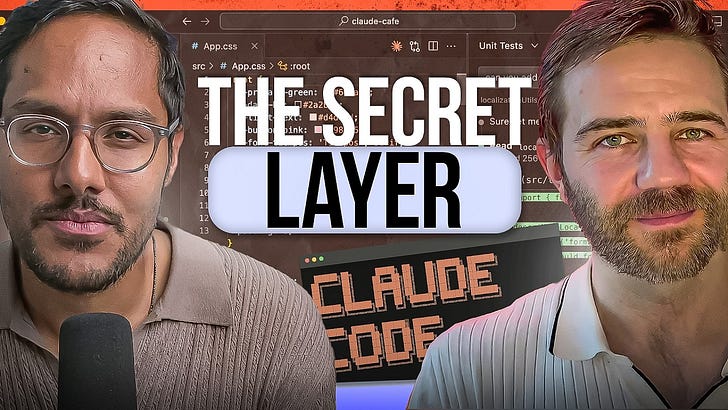
Loading summary
Transcript101 lines
- [00:00]
Akash
Claude code just hit two and a half billion dollars in annualized revenue in nine months. It is the fastest B2B software product ramp in history. So why are most people still using it like a chatbot?
- [00:12]
Carl Vellotti
Everyone says it's not about prompt engineering anymore, it's about context engineering.
- [00:16]
Akash
Why are we so obsessed with managing the context? What happens if you hit the context limit?
- [00:20]
Carl Vellotti
Where does that data actually come from and how is it calculated is a major area where people just do not trust AI.
- [00:26]
Akash
Carl Vellotti has turned cloud code into a operating system native school skills, data visualization and sub agents managing content.
- [00:34]
Carl Vellotti
When you have a sub agent like this, what's awesome is that instead of doing that in its main session, it has spun up basically a clone of itself that is now doing all that work. So what I think is so amazing about this skill is that it actually doesn't give cloud TRO specific new abilities. All it is is it's just a really good prompt.
- [00:51]
Akash
This is how most people use Claude code. Type a prompt and get output. Carl Vellotti flipped it. He built skills that interview through a framework before building anything.
- [00:59]
Carl Vellotti
When you understand how Claude works, it makes it feel less like you' just prompting Claude and watching it and more like you understand how it works and you're working together.
- [01:09]
Akash
Before we go any further, do me a favor and check that you are subscribed on YouTube and following on Apple and Spotify podcasts. And if you want to get access to amazing AI tools, check out my bundle where if you become an anal subscriber to my newsletter, you get a full year free of the paid plans of Mobin, Arise, Relay App, Dovetail, Linear Magic Patterns, Deep Sky, Reforge, Build, Descript and Speechify. So be sure to check that out@buildle.akashg.com and now into today's episode. OpenAI just acquired OpenClaw, Anthropic released cowork and the question on the top of everybody's minds is does Claude code still matter? Carl Vladi has been knee deep in these tools and he says the answer is yes. His last two episodes crossed over a million views across platforms. And if the first episode was the beginner for version of cloud code and the second episode was the advanced Masterclass, today is the operating system layer. If you're already an 80 out of 100 on Claude code, we are going to bring you to a 95 out of 100. And if you stay till the end you will understand context management, creating sub agents to manage your context for you, auto triggering skills and building an operating system around it all. So let's get right into it. The question on the top of everybody's minds is, should they still be using cloud code in a world of Cowork and openclaw, what do you think?
- [02:29]
Carl Vellotti
Yeah. So it's a lot of these new tools. They're amazing. Cloud code was the first kind of the most powerful, where all of the. Everything else is built on top of. You have tools like Cowork, which is basically, it's a UI that builds on top of cloud code, that tries to make it easier to use, and it's good for the use cases that it does have of, like, managing files and things like that. It is a good tool, but ultimately it is built on top of CLAUDE code. So all of those features, they exist in cloud code first in a more powerful way and then they kind of get constrained by Cowork. So if you want the most power just to be able to do things and do work, cloud code is still. It's still the number one tool. And I would say with openclaw, it has. It's a lot like CLAUDE code, where essentially it is a way that you can connect to Claude code or a cloud code like service from other channels. You can have it running all the time, is really good for monitoring and tasks where you really can let it run autonomously. But if you need to be in the loop and you need to be in the driver's seat and you really want the most power in the tool, then you don't really do that in openclaw, you do that with CLAUDE code, and then you can set up OpenClaw to do some of that monitoring type of work. But if you need the person doing the most powerful work that you can, you really. You have to be in cloud code.
- [03:48]
Akash
Yeah. For product managers, where you need to be the driver's seat, AI still can't do the thinking for you, Cloud code is still going to be the tool of choice. Openclaw is really cool for living and having the Heartbeat feature and being able to chat with it, but Claude code is still the most powerful. Both you and I have been living in Claude code pretty much eight hours, 10 hours a day for the last six to eight months. And we've encountered four major friction areas that we're going to help people solve in today's episode. If they listen to the whole episode, what are they going to learn?
- [04:17]
Carl Vellotti
Yeah. So when I kind of look at our first two episodes, we've done. We did a big. We did kind of an intro, we Did Advanced. And I would consider this one the mastery course where you're really good at using cloud code. But there's a still another level deeper that you can go to solve the biggest problems that you might have with cloud code. So the first is just context management. How can you make it so that your context window doesn't fill up so fast and then you have to wait and compact and then you do a couple more messages and it compacts again. So what are some strategies that you can really manage context to use cloud code just way more effectively and not have to wait as long. The next one is just figuring out how can you use skills to shore up other major weaknesses of cloud code? People will say cloud code is not very good at research. They'll say it's really not that good a UI design. They'll say that it really can't design slides and things like that very well on its own. Most of the time. What you need to do is you just need to figure out how can you provide the tool that cloud code can use to do those things better. So just shoring up all of those weaknesses with skills and then we'll answer one of the biggest questions that people have when they're working with AI, which is how can you trust the results? For a lot of people, they don't really need AI to just be able to do tons of mass produced work, you know, for product managers or people where they're really accountable for a very small number of documents. They don't need lots of work to be done, they just need the work that they do do to be very high quality and very trustworthy. And so today we'll look at an example of how you can do that with data using cloud code, where you can know exactly how it got its answers and that you can reproduce them deterministically every time. And then we'll put all of this together. And that's kind of like the last major question that people have about Claude code is, okay, I can do all these things, but how do you actually put it together in a cohesive system so that when you're using it, you're not just kind of having files go all over the place. So really today I would say is taking all of that cloud code knowledge and cloud code usage that you already have and just taking it to the absolute next level with giving cloud code its own skills inside of a really strong operating system.
- [06:19]
Akash
I'm so excited for this. It's going to improve my own cloud code usage. So show us the sauce. How do we handle context better?
- [06:26]
Carl Vellotti
Yeah. So the first thing to do, and this is, this is kind of like a fun little trick that I just recently learned, is you can actually. There's a lot of different elements of the cloud code UI that you can actually customize. And so right here, and just kind of a quick note on the setup, we're in cursor here, but we're not using any cursor features. We have cloud code open here on the side, and we're using the cloud code cli and we'll just use that for this entire podcast. So the first thing I really want to show is there's something that you can customize called the status line. And so you can actually have Claude code show you how much context you've used at any given point throughout a conversation. And what's nice is that you really get a much better sense of how is your context filling up, what types of requests are filling up the context, where is it getting eaten into? If you just set this up. So the first thing to do is just set up a nice status line. And it's incredibly easy to set up a status line. There is a slash command called status line. And I'm just going to go ahead. I'm going to go ahead and just put in a really nice one. So we're going to. There's a bunch of different things you can include in this status line. So here we're going to have it show us what model are we using right now, what folder are we in? And then make a little UI for the amount of context that we've used so that we can visualize it as we go. And it's almost like a tiny little piece of software or a tiny little UI where you can have it. Like when you have a lot of context left, it's green. When you have medium left, it's orange. And then when you're almost filled with your context window and Claud code is about to compact, it turns red. And this is something I discovered from another plugin we'll look at later. But it's incredibly easy and you can just literally do slash status line, explain what you want, and Claude will build it into its UI right there. So we're about to see that we see here it spun up its own custom sub agent called statusline setup and is now going, going ahead and building that. And if you see, just a second ago, we had nothing under here. And now we have this status line that we just described. So we have, it tells us that we're using Opus 4.6, we're in this demo file that will be available to anybody that watches this video. And then this is how much context we've used. So we're only at 20% and we're in the green. So number one thing, set up, set up a nice status line and then that will help you really kind of learn about how to use context as you put in different prompts.
- [08:44]
Akash
And for people who maybe haven't encountered this issue. Right. Why are we so obsessed with managing the context? What happens if you hit the context limit? Doesn't it just auto compact? Isn't there no problem really?
- [08:55]
Carl Vellotti
Yeah, that's a good question. First of all, I would say the compacting is kind of one of the worst things about using cloud code, especially if you give it like a long task like, hey, can you go research this thing for me? And then it runs a bunch of web searches and every single time it uses a tool call, and every time it reads a web page, it's, it's eating into that context window. And so if, if you have a bigger project where you have, you're working with a lot of files at once, it's easy for this to get to a hundred percent with just like five messages. And then you're waiting, like, you're waiting a long time, you're waiting, you know, two or three minutes for it to compact and it can just really get in the way of, of your flow of using the tool. So avoiding that is for, for me personally, that's why it's helpful to kind of have the context get used up slower. But the real kind of, the real, even like bigger and more more important lesson is that as I've been using AI more and using cloud code more, I knew this before that everyone says it's not about prompt engineering anymore, it's about context engineering. But that's just absolutely, it's kind of the golden rule of using these AI and using these really powerful tools. They are able to work with the information that they have. And so you want to make sure that they're only having the information that you actually need them to have, but that when they have need that information, it's kind of everything that they could possibly use. And so you can, if you're limiting the things that they don't need, then you. Provides a lot more room for you to include the things that you do need. And the overall quality just really dramatically goes up.
- [10:18]
Akash
Exactly. And I think that there's still this phenomena of context rot which has been measured, which is that as you get longer into the conversation, the quality degrades. And as you use up your context window, you're going to see that happen. So you actually want to give AI minimal amount of context to actually have it understand what you want it to do.
- [10:40]
Carl Vellotti
Exactly. Exactly.
- [10:41]
Akash
Here's the dirty secret about prototyping. You spend two weeks building a prototype, you validate your assumptions. Engineering loves the direction. Then what happens? You throw the whole thing away. Bolt changes this completely. When you prototype in Bolt, you're not building throwaway mock up. You're building real front end code that is integrates with your existing design system. So when you hand it to engineering, they don't throw it away, they ship on top of what you've built. I use Bolt every single day. I host my land PM job cohort on it. And honestly I'm up till 2am some days just vibing in the tool, having fun and building. That's when you know a product is good. When you're using it past midnight, not because you need to, but because you want to. Check out Bolt at Bolt New Akash that's B O l t new/a aaka s h link in the show notes. Today's episode is brought to you by Amplitude. Replays of mobile user engagement are critical to building better products and experiences. But many session replay tools don't capture the full picture. Some tools take screenshots every second, leading to choppy replays and high storage costs from enormous capture sizes. Others use wireframes. But key moments go missing, creating gaps in your understanding. Neither approach gives you a truly mobile experience. Amplitude does things differently. Their mobile replays capture the full experience. Every tap, every scroll and every gesture with no lag and no performance hit. It's the most accurate way to understand mobile behavior. See the full story with amplitude.
- [12:06]
Carl Vellotti
And so one of my favorite ways to do that. So again, this was just setting up. Okay, now we have an idea of where our context is. So of course the, the you can always just do the nuclear opinion of clear. So that basically starts a new session. So the most effective way and, and I have been using cloud code for months and months, but I honestly only just realized in the last few weeks how amazing subagents can be for controlling context. So as an example, so right now one thing you can always do is you can run. Let me get rid of this. Okay, one thing you can always do is you can always run slash context and that will show you where is the context of Claude getting eaten up. And so right now we see I have a couple things already enabled. So I have. Right, if you go to the top, it gives you like your overall summary. So Here we have 16% of our context is used, which is crazy. That's just. I haven't done anything. We just cleared. So 16% is just eaten up for doing well for me. Let's see what is taking it up. So the system prompt, which you can't really get rid of, that's just like part of cloud code. So that's taking up 2%. And then all of my tools that I have enabled right now I have some MCPs, some custom agents. All of this together is taking up another 8%. And then I have a bunch of these. Like right now I have Cloud and Chrome enabled. So this is one thing just right off the bat, do you have a bunch of stuff that's turned on that you don't actually need and then you could go through and turn it off? So that is like the quickest way to just make sure that you're not eating up all your context. Yeah, but let's go through an example here. So let's, let's just give cloud a task where we're going to see it eat up a lot of its own context. So we just saw right now to start this off, we're at 16%. So I'm just going to run a pretty normal command here, which is research the top five cloud code tips from this week. So when we ask it to do that, actually when I do have one tool turned on for search, which we'll use later, but I'll turn that off for now. Okay, so let's go ahead and run that again. So research the top five Claude code tips from this week. And so what is Claude going to do here? Well, it's going, it has a web search tool and it has a web fetch tool. Oh, okay. It's getting ahead of me here. It's what it's doing here and what it's decided to do is it's decided instead of running that search on its own, which is oftentimes what you do, or if you, if you ask it to do a task without telling it specifically to use agents, then it will just start running that prompt and then it will kind of do all of that in your chat session and it will eat up a lot of that information or a lot of that context window that it has just doing the searches and then just getting the results and then summarizing them. Yeah, but when you have a, when you have a sub agent like this, what's awesome is that instead of doing that in its main session, it has spun up a like basically a clone of itself that is now doing all that work. And what we're going to get back here in our main session is we will just get the summary of it. So you save your main session from having to do all those tool calls and read all that information and then just get the summary. And so that right off the bat, if you can remember to use Claude or tell Claude to use subagents to do its work instead of having it do it in its main thread for many things, that will automatically just save a lot of its context because it's just getting the result instead of all of the work to get that result
- [15:23]
Akash
and to implement this agent, I believe it's two parts right. In your cloud md, you tell it what you just told it. Use sub agents to use your work and then you create the sub agent, the research agent. Correct.
- [15:33]
Carl Vellotti
So, yeah, great question. So CLAUDE can do two things. One, it can either just make it on the fly, make a new instance of itself and give it a task, which I think is what it did here versus earlier when we saw it do that. The status line, that's like a dedicated sub agent that is already sort of defined of how it works. And sometimes it can also use those. So those, those both work. If you don't want to take the time to like actually define a subagent, this will work for even just like on the fly tasks as well. Awesome. Okay, so here what's cool is we have the result here and let's go ahead and look at our context. From when we started, we had 16% to begin with and now we're only at 16.5%. So if we did this type of. If we did this type of thing without doing that, and when I was texting this on my own, it would fill it up to 25%, which is a lot for just a basic web search. Right. And the other thing that's really cool is that we saw it run this search and it kind of reports back on exactly what it did. It ran 10 tool uses and it used almost 30,000 tokens. So all of that information is saved from our main session because we had it use this subagent.
- [16:44]
Akash
Nice.
- [16:45]
Carl Vellotti
Yeah, so that's a good one. And this is where I would say it. It really starts to feel when you can kind of understand how does cloud code work and where are its weaknesses, it should dynamically create these agents. And we actually did see it do it here oftentimes. It will not do it when it would be a good idea. And the kind of like, mental framework to have in your mind is do you need this main session to do all the work? And so sometimes if you're like coding something or you have like a specific question, it's helpful for it to have all the context of like all those files so that you can ask it something directly and it doesn't have to see what its agents did and then pull that context in. But here, when you understand how CLAUDE works, you can kind of tell it how to operate itself, which really just levels up and it makes it feel less like you're just prompting Claude and watching it and, and more like you understand how it works and you're working together.
- [17:32]
Akash
Love it. So I assume you could just say something like use a research sub agent in the prompt if you want to force it, or it hasn't done it and it's doing the context filling up way. Is there a skill or something we should be using to further encourage Claude to use subagents?
- [17:48]
Carl Vellotti
Yeah, great question. So, in fact I do have, in this, in this file I have a skill called spin up, which it's kind of the lingo is that it spins up at subagent. So sometimes when I'll be giving it a long task, I can say, you know, research all the top Claude code creators in the world, and I'm sure you would come up and then we can just add to the end of this spin up. So instead of saying please make sure you use dedicated sub agents, we have this rule here where basically it'll run the skill of spin up and then it knows that it should parallelize that and use a sub agent instead of doing it itself. So that's just kind of a shortcut to make this quicker.
- [18:29]
Akash
Nice. Can you just show us the rest of the spin up skill once we execute that?
- [18:32]
Carl Vellotti
Yeah, so let's go ahead and run it here and then I'll make this bigger. So spin up. So set up a new product. Sorry, what? This says when the user runs spin up, you help them configure. Oh, sorry. This is actually not quite what we would want. Okay, so this is a good opportunity. So let's. Let's stop this. So this vinup command, I think, has some stuff that we don't want for
- [18:53]
Akash
people who are wondering how you stopped it, you hit.
- [18:56]
Carl Vellotti
Yeah, great question. So. And yeah, and this is where you just. When you really get familiar with the ui, so escape will stop it. And then one thing you can always do is you can always hit escape two times and then that will give you all of the messages that you've done. And this is also actually another way to like kind of save context. If you, if you ask a question and you realize it was the wrong question, instead of having that in the memory or if it did a bunch of stuff wrong, you can always just roll back to earlier and then that will just get rid of all of that and it just puts you right back in there with that exact same sort of wherever the context window was at that. So anything that you roll back and you erase is literally completely gone. So you have to be a bit careful, make sure that you do that. And it wasn't something you maybe wanted, but it's a good way to kind of continue conserve your context window.
- [19:40]
Akash
So I think we're gonna fix the spin up age skill now and show people how to edit skills.
- [19:44]
Carl Vellotti
Yeah, yeah, let's do it. So we know what we can do. We'll just go ahead and delete the skill because it actually has some stuff that's a bit wrong. So we'll just delete it and we'll show how can you make a skill with clock code? So please make a new skill that helps me tell you when you should use dedicated subagents instead of the main session to preserve your context window.
- [20:12]
Akash
Nice. And you guys see how easy and natural language it is. Skills is the unlock. Like Carl said, whenever you feel like there's a weakness, in this case there's a context management weakness. Spin up a skill and now it's going to write its skill for itself.
- [20:27]
Carl Vellotti
Yeah, exactly. And so now it's looking at the existing skill structure. It'll make sure it matches the format. And Anthropic recently made a nice change where you used to have to restart cloud code for it to pick up skills that you made, but now it'll actually it should just pick it up directly in here. And I didn't tell it what to call it. So it's going to come up with its own name.
- [20:45]
Akash
Oh yeah, it won't be splash spin up anymore. Yeah, I think this is now a good time to warn people, don't download too many skills from random skill marketplaces, especially if you're probably running Claude Dangerously skip permissions. There have been a lot of malware and prompt injection attacks in those skills that people have been analyzing online. So it's generally best if you're going to get a skill, get it from me or Carl, somebody you super trust or just create them yourself.
- [21:14]
Carl Vellotti
Yeah, exactly. Your own skills are good. And then we'll look at one other marketplace that Vercel recently came out with. That's a. It's maybe not perfectly safe, but it is a pretty well validated marketplace. But yeah, if you make them. I think most of the benefit from skills is like you know your own workflow. Once you've seen that you're repeating something multiple times, then it's time to make a skill and it will be customized to your exact project. So let's see, it came up with one called Context Guard. Here before starting any non trivial task, evaluate whether it should run in the main session or be delegated to a sub agent. So let's try this again. So we had our question from before which was research the top five cloud code tips from this week and then let's ask it to use Context Guard. Context Guard. There we go. And then you always.
- [22:00]
Akash
The last episode we sometimes had trouble triggering skills. It's best to just have this invocation with a slash command or use Context Guard skill in your prompt so that you don't run into the issue of it sometimes not using it.
- [22:12]
Carl Vellotti
Yeah, exactly. I did figure out how to fix that. So we'll, we'll cover that, we'll cover that quickly. But the, the most sure fire ways, you know, know your workflows, know the skills that you have and then yeah, just use them when you need them. Okay, so it looks like it went ahead and did it. It said applying the context card. This is a web research task. High context, multiple searches, page reads delegating to a sub agent. So now anytime that we need to do this type of thing, you can just run this, run this command, Context Guard and that will preserve your main session a lot. And again the rule is do you need the main session to know it? No, we don't need it to like see all of the web results, like web search results were. We just need to know what the final output is.
- [22:51]
Akash
This is fire. So how do we fix the skill invocation issue?
- [22:55]
Carl Vellotti
We'll get to that in one second. The other things to show that are good is so while this is running, one thing that's cool is when you have a subagent running is here it says use Control B to run in the background. So I'm going to do Control B and what that will do is it actually now if we see down here it says one, one local agent and so we can go and see what that's doing. But now it's kind of nice because we can actually Just continue our main chat while that's running so that we don't have to wait for it. And so this is really nice. If you have like a bunch of stuff running in the background that you don't. You're not like immediately dependent on the results. You can have that agent run in the background and then you continue your conversation. And then as soon as this local agent finishes, it will kind of inject itself into the chat and then cloud code will read what it. What it came up with.
- [23:40]
Akash
Nice. And you just clicked on the local agent to see that.
- [23:42]
Carl Vellotti
Right? So I just navigated down and then
- [23:45]
Akash
hit enter down and then.
- [23:47]
Carl Vellotti
Yeah, cool. And so here we see what it. It's kind of cool too. You can see like what was the initial prompt that cloud gave to it? And then we can see it's fetching and searching. When it's done, the next thing I want to show is my absolute favorite cloud code feature. It's my. It's like my absolute favorite. I like sub agents. I think they're probably my second favorite feature. My absolute favorite feature of cloud code is the Ask User Questions tool. Have. Do you. Have you used it? Do you find yourself using it?
- [24:12]
Akash
Actually, no.
- [24:13]
Carl Vellotti
Oh, really? Okay. This is a. I feel like I'm missing out.
- [24:16]
Akash
I feel like this is why I love recording these episodes so I can learn the latest alpha.
- [24:20]
Carl Vellotti
Yeah, the Ask User Questions tool is so awesome. So what we're going to get back here, whenever this finishes, it's being very thorough, is we'll have this big list of CLAUDE code tips that it found from the Internet. And then let's say that we wanted to implement some of those into our system. Then normally we'd have to read them and we have to say, okay, can you tell me about this one? Can you tell me about this one? Or how can we implement this? So we got these like five top cloud code tips. So now what we're going to do is we're going to say please use your. And then the magic phrase here is just ask user questions. I don't think it has to be in one word, but that's kind of like the official way that it is. So Ask User Questions tool to help me see if we should implement any of these. And what's so cool here is that CLAUDE will now go through that and it will dynamically come up with a list of questions to ask us, but it will be in like a new custom UI within Claude code. So what we see here is it says, which of these Claud code shapes Would you like to implement? And so it's giving us these in like a ui so we can say, okay, I want this one and I want this one. And then when we hit submit, it will now have that in its, in its memory and it will be able to go through it directly. This tool, I just use it all the time. Like, if you are coming up with a list of requirements for a feature, then you can say, please use your Ask User Questions tool to grill me on all the possible requirements for this spec so that we can fill all that in. And what's so awesome is that this will kind of take it from where cloud code is. The main reason that people don't like the output from AI is because there's just so many assumptions and so many things that it gets wrong, because it really didn't have that in its context. But if you have it ask you, it will predict like, where are my weaknesses that I have? Or where are the assumptions that I'm making that I need from the user? And it will ask you questions. And if you, if you really make it strong, like a strong prompt, like, please ask me as many questions as you possibly can, it will just keep asking you and sometimes It'll be like 10 or, or 12 questions or something. I know one person on Twitter said that it asked them 67 questions, so they probably had a very vague starting place. But it's just, it's just this really nice way to be able to work with Claude directly in this session rather than otherwise. It's actually pretty hard to answer questions. It might do one at a time or it might ask you a bunch and then you can number them in the chat. But this is just this beautiful UI that it will do right here in cloud code, which I love this feature, I like it.
- [26:45]
Akash
So it's sort of like that idea that you're not engineering this massive prompt or building this massive skill to solve the problems for you. You're saying, please ask the user question if you need clarification.
- [26:57]
Carl Vellotti
Yeah, exactly. And you can use it in all different kinds of way. You can say, hey, I have the spec User Ask User Questions tool to like shore up any areas where you think might be unclear or we're about to start this project, use your Ask User Questions tool to ask them clarifying questions, things like that. So really, just like anytime it would be helpful for the AI to get more context to help you have a better output, use that tool. And then you can just do it right there. And it's just so nice. It's just right there in the chat. Better than anything else I've seen. I would say it's one of cloud code's like most probably creative features.
- [27:32]
Akash
Amazing. So what other skills should people be creating?
- [27:35]
Carl Vellotti
Yeah, so I would say in general, whenever you're kind of like going through your workflow and you realize you're doing the same thing multiple times, that is a great time to add a skill. The other main time, I would say it's really good to figure out how can you build a skill or how can you find a skill is areas where you think cloud code is really weak, then you might be able to just come up with like a prompt or skill that gives it the tools or just the knowledge it needs to do much better work. So an example here. If you type slash plugins, it will show you kind of like the overall cloud code marketplace. The kind of most, the most safest possible skills that you can have are of course Claude's own official plugins. One of the most impressive of all of the skills I think that people have talked about is so Claude has. They have 56 of their own plugins is this front end design skill. So you know, it's very commonly talked about that AI always makes this sort of purple gradient, generic kind of ui, right. If you, if you just say, please make me a landing page like this. And I actually have a really good example when we, let me, let me open the browser here. When we did our first episode, I kind of did like a small lead magnet so that people could get the, the code, the like code that we did from that. And then I now have cloud code for everyone as my main thing. But I had cloud code school. So this is a real example. I actually shipped this. This, this is a real live page right now. This is the kind of output you get if you say, hey, just make me this. And this is just incredibly AI, right?
- [29:07]
Akash
Yep. Screens written by Claude.
- [29:11]
Carl Vellotti
Yeah, you, you just know. But I also, I. For our next, kind of like for our next version or our more advanced one, I had it, I had it use its front end design skill and this is what it came up with where it's just, it's just much cleaner and nicer and feels, you know, it's, it feels it's, it's still, you know, still a classic kind of webpage, but now it just has so much more personality in this than the first one. So I would say this is just a perfect example where okay, I think AI is bad at this. Well, maybe all you actually need is a Skill and what's cool about this skill in particular. So let's go ahead and look at it. We'll have cloud code open it up for us. There's a couple different ways that you can approach skills. So what I think is so amazing about this skill is that it actually doesn't give cloud code any like specific new abilities. All it is is it's just a really good prompt. I'm gonna have it open it for us here in cursor. One thing that's interesting is when you install a plugin or you install something from the marketplace, depending on how you have it configured, it's not actually in this repo, it's kind of like at the computer level. So we're not seeing front end design over here in Skills. It's like a couple levels back, but this is what we have here. So it just shows like this is what all skills have, which is their name and then their description and when they're supposed to be used. But this is just the prompt that Anthropic has come up with to tell the AI just better rules for how to do front end design. So like think about the purpose of what you're building, make sure that you have a clear conceptual direction. Here's the aesthetics and it basically tells it to don't be AI, instead follow these rules. And so I think it's good just to show you can have an incredibly powerful skill that doesn't have any MCPS or APIs or any code with it. Just a really good prompt that you perfect over time can make a really, really good skill.
- [31:05]
Akash
Although skills with tools are pretty powerful, right?
- [31:08]
Carl Vellotti
Yes, skills with tools are definitely more powerful. So that's what we'll look at next.
- [31:13]
Akash
Today's podcast is brought to you by Pendo. Welcome to the SaaS AI agent era where every product team, no matter the size, can build world class experiences. Meet Pendo AI agents, virtual teammates that read your product data, chat with users and take smart in app action so you don't have to. With agent analytics, Pendo shows exactly how those agents drive adoption. Complete tasks and even cut churn. No extra engineering. Lift fully SoC2 and HIPAA ready. And because Pendo's behavioral insights sync straight back into your BI stack, you get AI ready data to fine tune models and prove ROI in one place. Smaller team, bigger ambitions. You no longer need an army to deliver software your customers love. Grab early access@pendo.comakash that's P-E-N-O.com A-KASH Today's episode is brought to you by NIA One in Tech, buying speed is survival. How fast you can get a product in front of customers decides if you will win. If it takes you nine months to buy one piece of tech, you're dead in the water. Right now financial services are under pressure to get AI live, but in a regulated industry the roadblocks are real. NIA1 changes that their air gapped cloud agnostic sandbox lets you find, test and validate new AI tools much faster for months, months to weeks from stuck to shipped. If you're ready to accelerate AI adoption, check out NIA1@nayaone.com Akash that's N A Y-A O-N-E.com A-K-A-S-H I hope you're enjoying today's episode. Are you interested in becoming an AI Product Manager? Making hundreds of thousands of dollars more joining OpenAI and Anthropic then you might want to do a course that I've taken myself. The AIPM Certificate ran by OpenAI product leader Mikdad Jaffer. If you use my code and my link you get a special discount on this course. It is a course that I highly recommend. We have done a lot of collaborations together on things like AI product strategy, so check out our newsletter articles if you want to see the quality of the type of thinking you'll get. One of my frequent collaborators, Pavel Hearn is the Build Labs leader. So you're going to live build build an AI product with Pavel's feedback if you take this AIPM certificate. So be sure to check that out. Be sure to use my code and my link in order to get a special discount. And now back into today's episode is
- [33:35]
Carl Vellotti
there's kind of two ways that you can power up your skills. The first one is just you make a skill and in that skill it tells Claude to use like official tools. So what we're we in this repo? I have one a skill called web research and so Claude, if you just have it do a general web search like we did earlier in this demo where we had it look up the top five cloud code tips from the week. Those results that cloud code gives are just notoriously unreliable. One it's basically just running Google searches and it's just grabbing stuff from the first page and I think you kind of know if you're just searching stuff on Google and you're clicking the first links you have absolutely no idea if those are actually good links. I think pre AI the Internet was really starting to feel just like so much SEO generated slop, even before there was AI slop. And if you. Do you really want that to be in the context window for Claude. So I would say this is another example of where people say, oh, you can't really trust Claude to do reliable research. Well, again, this is an area where if you just give it better tools, it can actually do better research.
- [34:43]
Akash
Mm.
- [34:43]
Carl Vellotti
And so in this skill, basically we have it connected to two tools. One is a. An MCP called Tavily. I'll zoom in here. MCP called Tavily. So this is a. It's really good. It basically is just like a much more powerful, almost perplexity type of search that gets much higher quality results than just a classic web search. And so here we're turning it on. It's a very generous free tier if anyone wants to try it. And then what we also have in this skill is we have it connected to something called Fire Crawl, which Fire Crawl basically is once you. Once you have a URL that will scrape it and get really clean markdown. And so it's a nice way where normally when you go to a website and Claude looks at it, there's a bunch of extra HTML and like maybe JavaScript and things like that. Fire Crawl will just get just the sort of like raw information that the AI actually needs without all that other stuff. And one thing that's cool about this is that firecrawl is actually the way I have it set up is actually not an mcp. So if we look at the mcps I have set up here, mcps are good, but as we saw earlier when we were just looking at our context window, they eat up a lot of context just right off the bat. Like, if we look at our context, we see that Tavily is taking up a couple thousand tokens just by existing versus what you can also install are CLIs. So a CLI is kind of. It's interesting. It's kind of like an older technology. It used to be the way that you would operate a computer in the beginning with a command line interface. And they kind of fell away, of course, with people wanting, like, better UIs for most things. But AIs are really, really good at using command line interfaces. And essentially what they are is it's like you have a tool and then you download it onto your computer and so it's just sitting on your machine and then the AI can use the command line directly just through. Because we're basically in the CLI here. And so you have all the power of that tool just installed on the, on your actual machine, so that when the AI wants to use it, it doesn't actually have to have context just holding it in there. It can just use that CLI directly from your machine. And so what we're seeing is, you know, originally there was mcps, but I actually think mcps are kind of starting to be the less preferred way over clis. And most tools already had clis and there's becoming a lot more. So, for example, if you've ever tried to connect the Google Workspace mcp, I actually tried to do that on another podcast live. And it's just, it's such a hassle. But there's actually a Google Workspace CLI and that's what, for example, OpenClaw uses. So it's just way more reliable than using an MCP because it's just on the machine and it's easy for the cloud to figure out how to use it. And I think what we're going to see in the next, over the next year is just a lot more CLI tools because AI are so good at using them.
- [37:34]
Akash
Yeah, Andrej Karpathy said it himself, like, you should prefer a CLI connection. And I think the hierarchy is basically MCP at the bottom because it eats up so much context, then API CLI at the top. And funny enough, CLI is basically just usually a wrapper on top of the API. But agents like to work with CLIS.
- [37:52]
Carl Vellotti
Yeah, exactly. The other CLIS I would say are just awesome. GitHub CLI, I would say basically mandatory. If you're like doing anything with GitHub, the CLI Claude is just aggressively competent at the GitHub CLI. It's amazing. And the Vercel CLI is another really good one where if you want to deploy your app, then you can, it can check the logs, it can configure your environment variables. Those two, if you're like doing any vibe coding, if you have the GitHub CLI and the Vercel CLI, so much easier. It's so much more powerful.
- [38:24]
Akash
I think this is one of the most underrated hacks. If you take anything away from this episode, stop using mcps, start using clis.
- [38:31]
Carl Vellotti
Yeah, and just literally, if you just, if you just say, hey, Claude, does the CLI for this exist more often than you'd probably guess? The answer is yes. And here, and just download that and use that because it's just, it's just so powerful. So what I did is I went ahead and ran our web Research which uses tavily to find stuff and then firecrawl to kind of scrape the pages. And that's just a. This is again, a really good way to shore up that. Web search is not that good for AI, but if you give it access to these tools, it can be way more powerful. But then I have those wrapped into a skill.
- [39:02]
Akash
Amazing. So we covered front end design web search. I think the other thing people talk about is making slides.
- [39:08]
Carl Vellotti
Yeah. So another area where if you just say, if you just tell Claude, hey, can you like, if it's something web pages are, I think, easier for Claude to understand. There's tons of web pages in its data, so it kind of knows what they're supposed to look like. But if you ask it to do something like make a graphic for this or make a slide for this, then and you look at its result, they're usually not that great. Like, they're usually not laid out the best. There's usually like alignment issues that could be better or like the space isn't filled very well. So one of the best things that you can do, and this is again, all across the theme of just, okay, well, I'm saying that cloud code is bad at these things. But for example, what a lot of people will do and you might find yourself doing this is say, okay, please make a slide in HTML that covers this thing. And then it makes it, and then you screenshot it and then you say, hey, can you fix this, this and this? And then it does it again and you say, hey, can you fix this, this and this? Instead of you doing that, think, can I give Claude away? Can I give Claude code away to check its own work? And that is just a huge unlock for anything that you're doing with like visual design with AI, is give it a way to see its own work. And so what we have here is we have a skill called make slides. And this is a bit of a bit more advanced. So so far we've had just words and then we had words telling it that it has access to a couple tools. This one actually has code in kind of telling it how to use code in the skill. So that when it runs this skill, it will now know that it can run that code to help it check its own work. So here we have our make slide skill. It tells it like, okay, I want it to be these dimensions, I want it to have these layouts. So this is similar to the front end design skill we saw. But what's new is that there's an actual build process. So it's step one and it's telling it that kind of the different types of code that it can use and it's saying, hey, you can measure overflow. So it's using a tool called Puppeteer, which is like a very classic front end development tool so that you can take screenshots of HTML pages just exactly as they look when they're rendered. And we're saying, hey, you have access to Puppeteer, use it in this particular way. So it's telling it like the dimensions that it should grab and then it's doing a calculation here to see does any, does any of this text fall off the page. And that's a, that's the thing that if Claude doesn't have a tool to check it, to check that it can't really do it on its own, but with a tool it can do it basically perfectly. And so that's what this, that's what this skill does, is just embeds that code based tool directly in the skill so that when we say, hey, make a slide, it will run these tools that it knows it has access to.
- [41:38]
Akash
So this is the implementation of the advice. When I asked Carl the question, what skills should you make? And he said, well, anything that's coming up in your workflow if it's coming up that you're iterating on these slides by having to look at it, build a skill. And now you guys are seeing the most advanced way to build a skill with the code in it.
- [41:53]
Carl Vellotti
Yep. And so here I said use your make slides skill to make a single detailed slide for a presentation called From Watching, Collaborating, kind of the theme of this. And so now what it's going to do is it's going to go ahead and create that screenshot itself, calculate. And then one thing I found is if you just say like you must iterate three times before you show me, it'll be much better than if you say, oh, just go until you're done. I would say this is an area where you really see AI just have like great taste. You know, if you give it an infographic that just has tons of information on it, they're like, wow, this is so amazing. But the actual content or the layout might be terrible. So it's helpful to just say, hey, you have to improve it three times and then it will find some ways to try doing that.
- [42:34]
Akash
Yes. And there's also this crazy phenomena where if you repeat yourself with your skills, the AI does better. There was just a Google paper released where they showed that literally just pasting in A prompt twice helps. And this is, I've been using this in almost all my skills these days. I'll say after I execute it once, I'll say go double check against the skill again. And it really improves it. And so Carl's technique is a way to sort of encode that so that it builds it into itself.
- [43:02]
Carl Vellotti
Yeah, that's super interesting. I think I've heard that, that, I've heard that called the builder validator pattern where like when, when AI just runs its own work, it doesn't really have that like self reflection to like really know if it did it. Like it tries to follow the rules. So just having it. I've never heard of just running the prompt the same time. That's very interesting. But I have had it just like, okay, do this and then here's the rules that that was supposed to do. Did it follow those rules in like the second pass and it, the quality just goes up so much.
- [43:30]
Akash
So while this is building, can you show us how to auto invoke skills? Because I'm just on the edge of my seat about this.
- [43:35]
Carl Vellotti
Yes. Okay, so this is the riskiest part of this podcast. So last time I said that there was. Okay, well actually taking a step back. The way that skills are supposed to work is if when we look at this skill, for example, we have this skill and it says okay, use when the user mentions, make slides, make a slide, create slides presentation. So it's supposed to just know from when you message it that okay, great, the person just said make slides. So now I know I have the skill and I should use. Doesn't really work that way. And it is kind of just like A funny thing about cloud code is this, that auto invocation of skills is really finicky and I think most people have seen that it doesn't work. One thing you can do like the most dead simple way is CloudMD. The skills that your AI has access to. Yeah, that does, it actually does make a difference. But then you're adding your CloudMD and it's kind of hard to like. If you add a new skill, you have to go back and update the CloudMD plus then you're also like eating up context for no reason. So the way to do it is with hooks, which is another thing that we covered last time, but then the demo didn't really work. But I think it's going to work this time. I really heavily tested it. So what we have a hook is basically some sort of like thing that you can have happen around the whole cloud code. Workflow. So it can be when you send a message, it can be when a message comes back, it can be before compaction, it can be after compaction. So if you just think about, like, all of the things that cloud code can do, like, just the whole life cycle of, like, everything that's possible within what, like, runs a tool, runs a web search, all of that, you can add a hook before or after. And that basically says, okay, this type of thing has to happen. An example would be maybe every time a new dot, a new markdown file is created, it has to have, you know, some formatting at the top, for example. So here, what we're going to do is we're going to use a hook that.
- [45:29]
Akash
Okay,
- [45:32]
Carl Vellotti
so we're going to use a hook. It's a user prompt, submit, hook. So basically, every time I run a message, then that's when this hook will fire. And what we already have configured before I type this is we have a script that runs and it just says, okay, are any of the words in the thing that the user just typed in? Are those in the keywords of the skills that exist in the skills? And this is nice because it's just a script. So it's not. It's not like there are. Like, there. There would be a way to do it where you would have the LLM, like, actually look, but that's very slow. Whereas this is a script that just says, if there is a match, then I will give it to the LLM. And then the LLM can decide, oh, okay, now is the right time to use that, or now is not the right time to use that. So what we did is we just added this hook, and then what. What we see happens is the way hooks work is. So we had the hook here, but it wasn't activated because you have to put it into your settings. And so that was how I. That was how I set this up. So now there is a hook on user prompt submit. So it's whenever this command is, whenever this, you know, command is run user prompt submit, then run this code. And that code. Sees was one of the words that I just put in. Does it match a keyword of one of my skills?
- [46:45]
Akash
Mm. The biggest question that PMs have about AI outputs is, how can I trust this? And you've built some workflows that people can use to enhance that. What are they?
- [46:56]
Carl Vellotti
Yeah, so one thing I've realized is that for. For product managers and people who, you know, they have a few things that have to be right and they have to really be able to rely on a beta to be right. One of the biggest areas that people are just really concerned about is using AI to do data analysis. Because on one hand it should, it should be really good at that, right? Like it can run code and you see it do all this other type of code stuff, but for data analysis, you really need the result to be correct. And I think it's an area where if you're not a data analyst and you don't really know exactly how the LLM is coming up with its results, then you're going to be relying on these. You're going to be presenting these to people. You're going to be showing your boss this data. Where does that data actually come from and how is it calculated? Is a major area where people just do not trust AI. But it turns out they're actually like the other things we've been talking about. This is a weakness, but there is a sort of a tool or workflow that we can use to give cloud code. We can get much more visibility in the cloud code's process so that we can trust its results more. And so the best way to do this is. This is something I've kind of been playing around with more over the last few months is, is jupyter notebook. So this is the kind of like standard artifact that analysts will use and it's actually a really good thing to use within cloud code. And the very cool thing is that we can basically create a jupyter notebook which is just. It shows what were the exact queries used for this, what were the results, and I can visualize that all for you. And the really cool thing about jupyter notebooks is that a jupyter file will render natively in cursor or VS code. So you can actually just stay in the tool without having to look at it somewhere else. And it's honestly one of the like nicest types of things that you can have be displayed here, like right in your, in your terminal or your ide. So here, what we, what we have is we have in our data folder here we have survey responses. So we have 213 survey responses from all different types of people in this sort of like fictional company around how they're using this to do tool. And so what we're going to say is, please analyze this data in a jupyter notebook and show me what we're working with. So just to start, you can. And this is kind of like a very small, quick example of how can you work with data in cloud code. And so here it's going to go ahead and it's going to look at this and it will just kind of show us what we're working with. It's pretty hard to see CSVs. There are some extensions that make it easier to see, but they're not great. So it's kind of nice to just have cloud code, like show you what you're working with. And right off the bat we have here we see this new file was created, this Jupyter notebook, and it's just showing us a very simple. It's actually still working here. So this is the code? Yeah, yeah. So it's running Python. And then what it will do is it's. It looks like it has to install a few things to make this like actually render. But what we'll see is, we'll see like an actual UI example of, of what this code is running for us. So we see that it's kind of just getting the, the columns and datas and it will present that to us. We're seeing Claude do some live debugging here.
- [49:56]
Akash
Yeah, if you ever go look over your data scientist shoulder, they live in Jupyter notebooks. And so how do we add proof of work to our analysis? That's really what we want to do. We want to create traceable analysis. The Jupyter notebook is solving that problem for you.
- [50:13]
Carl Vellotti
Exactly. And yeah, so now we see that there's this notebook, it just got the columns. It's showing us like what is the overall shape. So it has this many rows with this many columns. And here's an example of what some of those look like. So what we're kind of just seeing here is what is a Jupyter? How does it work? It's the code, it's kind of like some example output and then it's rendering that nicely for us. But of course you can do much more sophisticated things. You can. And it's honestly amazing that once you get more familiar with the types of data questions that Claude can answer, it's like you're working with a data analyst that will just answer any questions you want about your data. It will segment it in any way. You can do pretty sophisticated statistical types of analyses, all types of things that if you're working at a company getting access to an analyst time to ask questions that sometimes you're not even sure, like exactly what you want to learn or you're hoping to learn or if it would be worth it to do an analysis. That used to be something that had your whole process you probably don't have that many analysts at your company long time for them to look at it and you have to get it on their own research or data roadmap. Now you can just do a lot of that exploration right here on your own and you can actually trust results. So for the next thing we'll ask here is just show me the distribution of enterprise interest scores as a chart. So now we're moving from just looking at the raw data to now actually creating like a nice visual that shows a bar chart of the distribution between these different groups.
- [51:34]
Akash
So step one, it'll help you visualize a CSV. Step two, it'll help you create charts.
- [51:39]
Carl Vellotti
And we see it running its code over here and then it's gonna.
- [51:44]
Akash
The really powerful mental model for cloud code in general is take the roles that you work with. You almost wanna create versions of cloud code for those various roles. That's kind of what the front end design skill is doing. It's taking the designer role. It's trying to like distill what some of that person is doing here. We're trying to distill still sort of what an analyst might be doing.
- [52:04]
Carl Vellotti
Yeah, I love that. That's a really good framing. It's like what are the tools or thought processes that these roles have and then how can we give those types of things to cloud code so that it is able to do stuff like that? And of course it won't always be the exact same, but it approximates it much more. And that's usually good enough for what you need to do as as a pm, at least to start. So we see now there's a whole nother set of code here and then we have this nice distribution. Wow. And so just to kind of round this out as one example. So we're going to have it do like a really crazy analysis. We're going to say show me a correlation heat map of all the numeric columns, satisfaction feature, important scores, enterprise interest and nps. What patterns jump out. So now we're going from just, you know, we know what we are hoping to get like out of the data and now we're having it actually do a much more sophisticated analysis and then also look at it and tell us what it's noticing. And this is where you can really become a collaborative partner with the AI. Of course you're going to see the things that it's saying. But oftentimes with this type of stuff it's pretty good, like off the bat, especially if you give it some of those like more Ways to think about what would be interesting in the data.
- [53:12]
Akash
And if you're feeling like I couldn't craft a prompt as good as Carl did, think about creating an analytics manager sub agent and this as your analytics sub agent and say analytics manager agent. Really good at formulating prompts for the analyst and then the analyst goes execute. If you create this sort of sub agent structure, again replicating what it would be like in a real company, you can outsource a lot of the thinking to cloud code.
- [53:37]
Carl Vellotti
Yeah, a hundred percent that that is a good way to do it. You can have it like kind of know what are a bunch of different types of analyses that it could do. I think this is a really good example of where like it's much more fun to learn these things because now there's an actual way that you could immediately apply them. So here we have this like awesome correlation roadmap. I don't think we need to go like too deep into it, but this is, it looks cool. And if you knew that this is the right type of analysis that you wanted to do, then now we have it here. And what this type of analysis does is it just shows correlation between things. So like in the survey results, how often did people talk about enterprise interest and security? Okay, well that kind of gives us a sense here that like enterprise cares about security, enterprise cares about team management, Enterprise doesn't care as much about pricing. Right. They're a little bit more price flexible. And so this is just one example of like a really cool analysis that like, you know, analysts at your company, I show that could do it, but it would take them some time. You're not even sure if it would be the right thing to ask. But now we have this like awesome analysis and there's all different types of regression testing and all that kind of stuff where if you, if you learn what those things are now, it's really easy to execute them and you can have a lot more confidence that you, when you show your analyst or you show your manager. Here is where we got that data from. And then they can look at this and tell you if there's anything wrong with that rather than, you know, just having no transparency to help that AI actually got to that end result.
- [55:00]
Akash
So we've put together all these features for people, context, management skills, sub agents hug, even Jupyter notebook, Python analysis. I think the biggest roadblock for people is like putting this all together into a system. So how do people build the right operating system for their cloud code setup?
- [55:18]
Carl Vellotti
Yeah, I would say this is Something that it's. So the main, the main way is you kind of use it and then you, you probably like, even here, we haven't really been doing stuff in the system. So every file that Claude has been making has been getting kind of like dumped out here. And then now we have to figure out, you know, where should it go in the overall system. So just figuring out, like, where should the context layer live? Like where. Where are the types of information that you want to easily be able to provide to cloud code? Where does that live? What are the different types? And then the other thing is thinking about, okay, well, I'm not just going to have this be a static workplace where I'm just going to only reference, say, oh, hey, in my knowledge folder, like I have these different people I work with. I have like, stuff about my company. You're actually going to be creating new work as well and figuring out where that should go. So I'll just do kind of a quick kind of rundown of the system that I have found works really well. Talking to other PMs. I think it's a good starting place. And of course you'll customize it yourself. So for things where you just want to be able to reference that don't change very often, having just a knowledge folder with some of like the key things that you want to be able to say, hey, Claude, I have a meeting with David Chen, who in this case is. We'll say it's the director of Core. It's your direct manager. These are the things that they care about. How should I structure, you know, this piece of writing or things like that? So just keeping in mind, like, who are the people you work with? What are like different reference material, research having that in like kind of a static knowledge folder somewhere for meetings to go.
- [56:45]
Akash
And Carl's being pretty humble about this, but actually putting in the time to build this. Guys, I'm not kidding. It will 10x the outputs. So if you spend the hour to add in this really important context and then structure it in this way, he said the outputs you get will look nothing like the output somebody else using Claude code is building. And that's how you. We talked about AI slop for a second right, Earlier. That's how you avoid that AI slop label.
- [57:10]
Carl Vellotti
Yeah, a hundred percent. And there's so much cool stuff you can do with, with this type of knowledge in here. So one people love this people folder, which is like kind of like a little dossier about like different people at your company. No one even ever has to see this, right? This can be your way that you communicate with those people. But there's. Or what you've learned about those people. But what's so cool is like, now that cloud code is becoming more central to all these, you can connect to everything. You could, you know, granola, which is the meeting transcriber, I think sponsor of this show. They, they have an MCP that connects. You can pull in your meeting notes. So you could literally have a workflow. Like you have a skill called like update people that would look at what did people say in the meeting that you just had with them and then add notes around, like, what are the types of things they care about or don't care about into their file. And then when you go to draft a message to them or you're thinking about something related to them, you have this like really golden type of context from real meetings in here. And that, that just provides such a totally different level of information and specificity that you can give to these models than just saying, oh yeah, I have my manager, he likes, you know, Kurt communication or something like that.
- [58:15]
Akash
Exactly, yeah.
- [58:17]
Carl Vellotti
So just having a. Somewhere for it to live so that then you can build on top of it is really the most important thing. I will say the, the. So having your knowledge folders like, and meetings and stuff like that is helpful. I would say the other main one that I personally find is the like absolute most helpful thing for me is I have a project folder. And the way I use a projects folder is anytime I'm starting any kind of new task, like I'm preparing for this podcast, for example, I'll create a new folder called, you know, Product growth cloud code EP3. And then now anytime that I'm doing any work, like for example, like a real example for when I was preparing for this podcast is this is our third episode on cloud code. And so I said, I have a, I have my own like, transcription. There's actually a YouTube transcribing CLI. So I said, hey, please grab the transcripts from our first two episodes. What did we cover? What did we not cover? And then it drops those into this folder. And then I say, okay, let's draft. What could we do look at in this next episode that goes in this folder? And so you kind of have a place for all that stuff to live. And what's so cool is that the next time, like, let's say I leave cloud code or I'm on a different machine, or it's just another day instead of having to sort of figure out like, okay, what was all the information related to that project? What you can do is you can just literally take this folder and then I'm going to hold shift and you just drop it in here and say, hey, we need to work on this board deck. Here's all the research I've done for before. Get up to speed and then let's work on it. And so the projects folder is just, it's just such a nice way to have everything be couched, you know, somewhere in your system. And then next time you're coming back to it, it's all there and then you archive it. But anytime you want to go back to it, you have all of the initial artifacts and anything else that you created with cloud code all right there right in that project folder.
- [60:00]
Akash
Nice. So I think it might be worth people doing a one time download to build a projects folder. Say like, hey, here's our linear and our notion. Please build out my last five projects folders. Pull the initial PRDs, pull the features, results, write ups, and that's how you can practically implement this pretty fast.
- [60:16]
Carl Vellotti
Yep, exactly. And then just kind of like the very last thing to show, like once you do have this all set up, like what are some things that you can do? One I'll just show quickly that people like a lot is you can have like a kind of start standup command. So what this does or yeah, start stand up skill. So when we go to our skills and we look at stand up, what this does is it will pull in information from GitHub, it'll pull it in from our tasks folder, it'll pull it in from our calendar, if we had our calendar connected, it'll check linear, it'll. And then it'll put it all together for us. I don't have all of that hooked up right now, but it will look, it'll use the information that it does have available locally. And so it'll go through and it will pull in all that information and all of those tools and all of those skills and all of those things that you have set up from this system, you can just start to mix and match them. And having it all in one place lets you just use all this stuff in a completely different way so that it just right there, it has all the information it needs without you having to go and check all those places one by one. And so when I say I'm living in cloud code all day, once you get to a certain point, it's like, oh my gosh, I do not want to have to Leave cloud code. Like, I do not want to have to go to check Google Analytics for how my website's doing. I really want to just be able to ask Claude because then I can say, hey, how is my website traffic? And can you compare that to the posts I've made on LinkedIn this week? And that would be almost an impossible analysis to do if I was just clicking into those individual UIs. But when you have cloud code here set up and connected to everything and you have a place for that information to go, then it just becomes more and more compounding and more and more powerful.
- [61:50]
Akash
And that's something, to be honest guys, I haven't done. So I need to do that right now. And what about your cloud MD file, your goals md, what else? Just walk us through the rest of this operating system, how you set it up so that people can kind of get to your expert level fast.
- [62:04]
Carl Vellotti
Yeah, sounds good. So the other ones, the, I would say the other ones that are good to have. Yeah. So data we like, we were kind of dropping all of our data analysis into here tasks. So just some. And I would, I would say that, you know, you can, you can connect cloud code to Apple Reminders or todoist or things like that. Oftentimes you kind of, as you use cloud code more, you just kind of start to become like a little bit more markdown native, I would almost say. And so I like just having a file that just says, okay, what are the things that I'm currently working on? And then what are like other things that if I don't have time to work on them now, just drop them into this, this other folder. And so this is a good way. When I just ran that stand up command that says, okay, these are all the things you're working on. There's, these are things that are not done yet. So having somewhere to manage like the work and then also a place to house ideas that you don't have time to get to is really helpful. And then the other, really, really the other important ones, tools. So this is where for example here we, we have our meeting prep as kind of a tool. So this is something where what it will do is this one will actually go through and it knows how to run the code in order to put together a meeting preparation for me. And so if I'm for example building my standup skill, I can say you have access to this tool that lets you prep meetings or you have access to this tool that will pull metrics. So for example, I have a big script that will pull in like my Beehive newsletter information, it'll check my analytics. And that's much better to have as like a pre built script that you can then test. And what's nice about having it in a tools folder is that anytime you build a new tool or like a new capability for Claude, it goes here and then you can in the future like include in your Claude md. Hey, you have a tools folder, use that to figure out like what access to other things that you actually have. And then the last thing that's just really good to set up and keep updated is your overall Claude file. If you're not familiar, the Claude file has like a really kind of like special use in Claude code, which is that it's automatically in context all the time. So for example, when we run context over here in cloud code and we see like what are all the things taking it up? The Cloud MD will always be there. And what's cool is it's not just there in the first message, it's there in the background for every message. So this is the type of context you want it to just always be aware of. And so here I have like a fictional company set up called Grade Flow. And this is just like good to include things about how you like Claude to work with you, who you are, what are you working on, so that every prompt is kind of through a little bit of a, like it's through a little bit of a lens of what you're actually working on rather than just being generic. And this is the type of thing where people love openclaw because it is so has so much personality memory about you. This is like the very lightweight version that exists in cloud code.
- [64:54]
Akash
Yeah, it's not quite a sole MD file, but I would say guys, there's a lot of alpha in continuing to iterate on your Cloud MD file every week, every month, every time you run into an issue with Claude code, pull it into your Cloud MD file and update that Cloud MD file. We have covered a lot of stuff, Carl. You have a lot more too@cc4pms.com at the Full Stack PM newsletter, on your hilarious Instagram, your awesome LinkedIn and Twitter. Is there anywhere else people should be going to finding you and learning from you?
- [65:22]
Carl Vellotti
No, I think you hit the main ones. CC for PMs is my free cloud code for product managers course. I have another version cc for everyone.com that is just a more general version, but covers the same thing. The cool thing about those courses is that they are cloud code taught in cloud code. So you'll say hey start lesson and then cloud code will actually guide you through a bunch of the stuff. For example that I kind of showed you today and then my newsletter, the full stack PM those are the places you can find me.
- [65:47]
Akash
Amazing. Do check him out. Do subscribe and like and comment if we should have him back another time.
- [65:54]
Carl Vellotti
I hope, I hope we see some likes and comments. I love being on this show.
- [65:57]
Akash
Amazing. We love having you Carl. Thank you so so much.
- [66:01]
Carl Vellotti
All right, thank you.
- [66:02]
Akash
Bye everyone. I hope you enjoyed that episode. If you could take a moment to double check that you have followed on Apple and Spotify podcasts, subscribed on YouTube, left a rating or review on Apple or Spotify and commented on YouTube. All these things will help the algorithm distribute the show to more and more people. As we distribute the show to more people, we can grow the show, improve the quality of the content and the production to get you better insights to stay ahead in your career. Finally, do check out my bundle@bundle.akashg.com to get access to nine AI products for an entire year for free. This includes Dovetail, Mobin, Linear, Reforge, Build, Descript, and many other amazing tools that will help you as an AI product manager or builder, succeed. I'll see you in the next episode.